Introductio
n:
Free Toolfrom Google
Its monitor security issues like hacking and malware
Helps for monitor, maintain and troubleshoot a site's
presence in Google search
3.
Google Search
Console
GoogleSearch Console is a free tool that
provides website performance report,
Indexing report and other errors of the
website
What is Google Search
Console
Identify and fix indexing issues, analyze
search traffic and performance data
4.
Why its
Important
Understandwebsite traffic from Google search
Optimize content for better visibility
Track keyword ranking & CTR(click through rate)
Improve search ranking
Backlinks Monitoring
You can stay on top of your SEO performance
5.
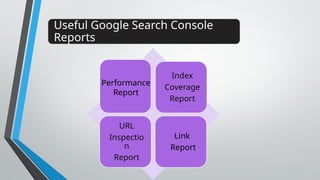
Useful Google SearchConsole
Reports
Index
Coverage
Report
URL
Inspectio
n
Report
Link
Report
Performance
Report
6.
Performance
Report
o Offers detaileddata on how your site performs in Google Search
o Google Search Console’s Performance Report helps you
measure & analyze your website’s metrics including impression,
clicks, rank, average CTR & more
o Average Click Through Rate [CTR]
o Top queries leading to the discovery of your webpage content
7.
Performance Report
Metrics
In PerformanceReport, we can find 4
Metrics
The total
number of times
users clicked
from search to
the website.
The number
of times the
site appeared
in a search
result.
Average click-
through rate-the
percentage of
impressions that
result in a click.
The average
ranking of the
website URLs in
the Google
search engine.
8.
Index Coverage
Report
o TheIndex Coverage Report in Google Search Console is
also commonly known as the Page Indexing Report
o The Indexing Coverage Report will show you the status of
your website’s URLs or webpages within Google’s
Indexing
o This Report provides valuable insights into how google
interacts with your website’s page including
9.
URL Inspection Report
oURL Inspection Tool is a powerful resource that allows
you to check a specific URL on your website to see the
status of how Google Search views that URL.
o This tool provides detailed insights such as crawl,
index, and information about your website's pages.
URL Inspection Tool Provides:
• Current Indexing Status
• Testing Live URL
• Requesting Google to Crawl a Page
• Information about Page Loaded Resources
10.
Link Report
o The"Links" report in Google Search Console provides insights
into both external and internal links to your website.
o It helps you understand which pages are most linked to, which
sites link to yours most frequently, and what anchor text is
being used in those links.
o This information is valuable for SEO, allowing you to refine
your linking strategies and potentially improve your search
rankings.
External Link:
Links from outside your property to your property
Internal Links:
Links from your property to your
property
11.
Sitemap
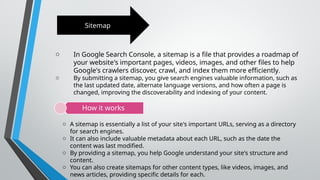
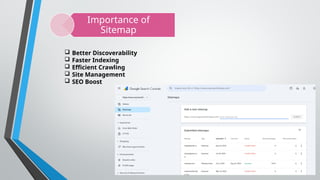
o In GoogleSearch Console, a sitemap is a file that provides a roadmap of
your website's important pages, videos, images, and other files to help
Google's crawlers discover, crawl, and index them more efficiently.
o By submitting a sitemap, you give search engines valuable information, such as
the last updated date, alternate language versions, and how often a page is
changed, improving the discoverability and indexing of your content.
How it works
o A sitemap is essentially a list of your site's important URLs, serving as a directory
for search engines.
o It can also include valuable metadata about each URL, such as the date the
content was last modified.
o By providing a sitemap, you help Google understand your site's structure and
content.
o You can also create sitemaps for other content types, like videos, images, and
news articles, providing specific details for each.
Breadcrumbs
In Google SearchConsole, "breadcrumbs" refers to the navigational
links displayed in desktop search results that show a page's
position within a website's hierarchy
Security & Manual
Action
Security & manual action helps website owners monitor, maintain, and
troubleshoot their site's presence in Google Search results.


![Performance
Report
o Offers detailed data on how your site performs in Google Search
o Google Search Console’s Performance Report helps you
measure & analyze your website’s metrics including impression,
clicks, rank, average CTR & more
o Average Click Through Rate [CTR]
o Top queries leading to the discovery of your webpage content](https://image.slidesharecdn.com/googlesearchconsole-250901141218-3af60f71/85/Google-Search-Console-includes-all-things-6-320.jpg)