GOOGLE
MATERIAL DESIGN
By SPEC INDIA
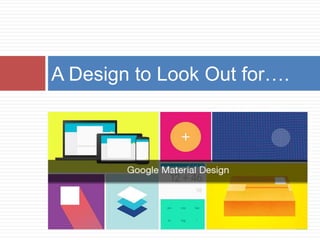
A Design to Look Out for….
Google’s Design Language
 Declared at Google I/O in June 2014
 Simplistic and closer to pen and paper
 Expands intelligently
 Extensive use of
 Grid based layouts
 Animations
 Responsive abilities
Consistent, Crisp & Clear UX
 It is going to be everywhere
 Android L
 Google Drive
 Google Docs
 Sheets
 Slides
 Google to convert all the User Interfaces to
Material Design
Material Design for Third Parties
 Application Programming Interfaces for third
party developers
 Possible for all to incorporate Material Design
Integrating Design & Technology
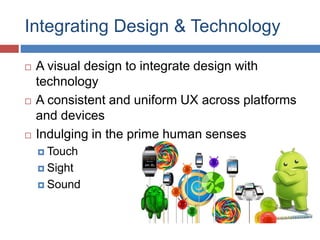
 A visual design to integrate design with
technology
 A consistent and uniform UX across platforms
and devices
 Indulging in the prime human senses
 Touch
 Sight
 Sound
Keeping the Legacy of Print Design
 Grids
 Colours
 Typography
 Space
 Scales
 Surfaces & Edges
 Light & Sound
 Movements &
Animations
Print Design Principles New Innovative Techniques
Material Design upholds the age old principles of
print design while combining them with newer
innovative techniques
UX Controlled By the User
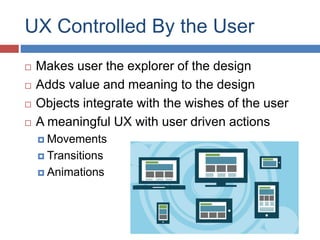
 Makes user the explorer of the design
 Adds value and meaning to the design
 Objects integrate with the wishes of the user
 A meaningful UX with user driven actions
 Movements
 Transitions
 Animations
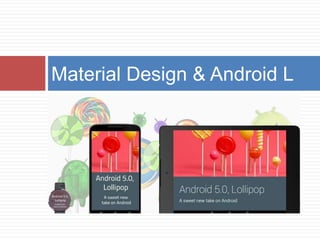
Material Design & Android L
A New Theme
 A new style for the applications
 System widgets enable choice of
 Colours
 Default Animations for
 Touch feedback
 Activity transitions
 Choice of Themes
 Dark Material theme
 Light Material theme
New Widgets
 The RecyclerView widget to enhance
performances of a dynamic view
 The CardView widget to make cards a way of
displaying useful information
 View Shadows
 To change the length of shadows
 Longer & shorter shadows to change the
elevation
Custom Shadows API
Custom Animations API
 Animations APIs for creating custom animations
for
 Touch feedback
 Circular reveal for Views
 Activity transitions
 Curved motions
 View state changes
 State list Drawables
 Vector Drawables
 Drawable Tinting
 Colour Extraction
Google says, “Focus on the user & all else will
follow”
Material design in true sense lives up to this aim
by keeping unfaltering attention on the user
On A Parting Note….
THANK YOU
To know more - www.spec-india.com

Google Material Design

  • 1.
  • 2.
    A Design toLook Out for….
  • 3.
    Google’s Design Language Declared at Google I/O in June 2014  Simplistic and closer to pen and paper  Expands intelligently  Extensive use of  Grid based layouts  Animations  Responsive abilities
  • 4.
    Consistent, Crisp &Clear UX  It is going to be everywhere  Android L  Google Drive  Google Docs  Sheets  Slides  Google to convert all the User Interfaces to Material Design
  • 5.
    Material Design forThird Parties  Application Programming Interfaces for third party developers  Possible for all to incorporate Material Design
  • 6.
    Integrating Design &Technology  A visual design to integrate design with technology  A consistent and uniform UX across platforms and devices  Indulging in the prime human senses  Touch  Sight  Sound
  • 7.
    Keeping the Legacyof Print Design  Grids  Colours  Typography  Space  Scales  Surfaces & Edges  Light & Sound  Movements & Animations Print Design Principles New Innovative Techniques Material Design upholds the age old principles of print design while combining them with newer innovative techniques
  • 8.
    UX Controlled Bythe User  Makes user the explorer of the design  Adds value and meaning to the design  Objects integrate with the wishes of the user  A meaningful UX with user driven actions  Movements  Transitions  Animations
  • 9.
  • 10.
    A New Theme A new style for the applications  System widgets enable choice of  Colours  Default Animations for  Touch feedback  Activity transitions  Choice of Themes  Dark Material theme  Light Material theme
  • 11.
    New Widgets  TheRecyclerView widget to enhance performances of a dynamic view  The CardView widget to make cards a way of displaying useful information
  • 12.
     View Shadows To change the length of shadows  Longer & shorter shadows to change the elevation Custom Shadows API
  • 13.
    Custom Animations API Animations APIs for creating custom animations for  Touch feedback  Circular reveal for Views  Activity transitions  Curved motions  View state changes  State list Drawables  Vector Drawables  Drawable Tinting  Colour Extraction
  • 14.
    Google says, “Focuson the user & all else will follow” Material design in true sense lives up to this aim by keeping unfaltering attention on the user On A Parting Note….
  • 15.
    THANK YOU To knowmore - www.spec-india.com