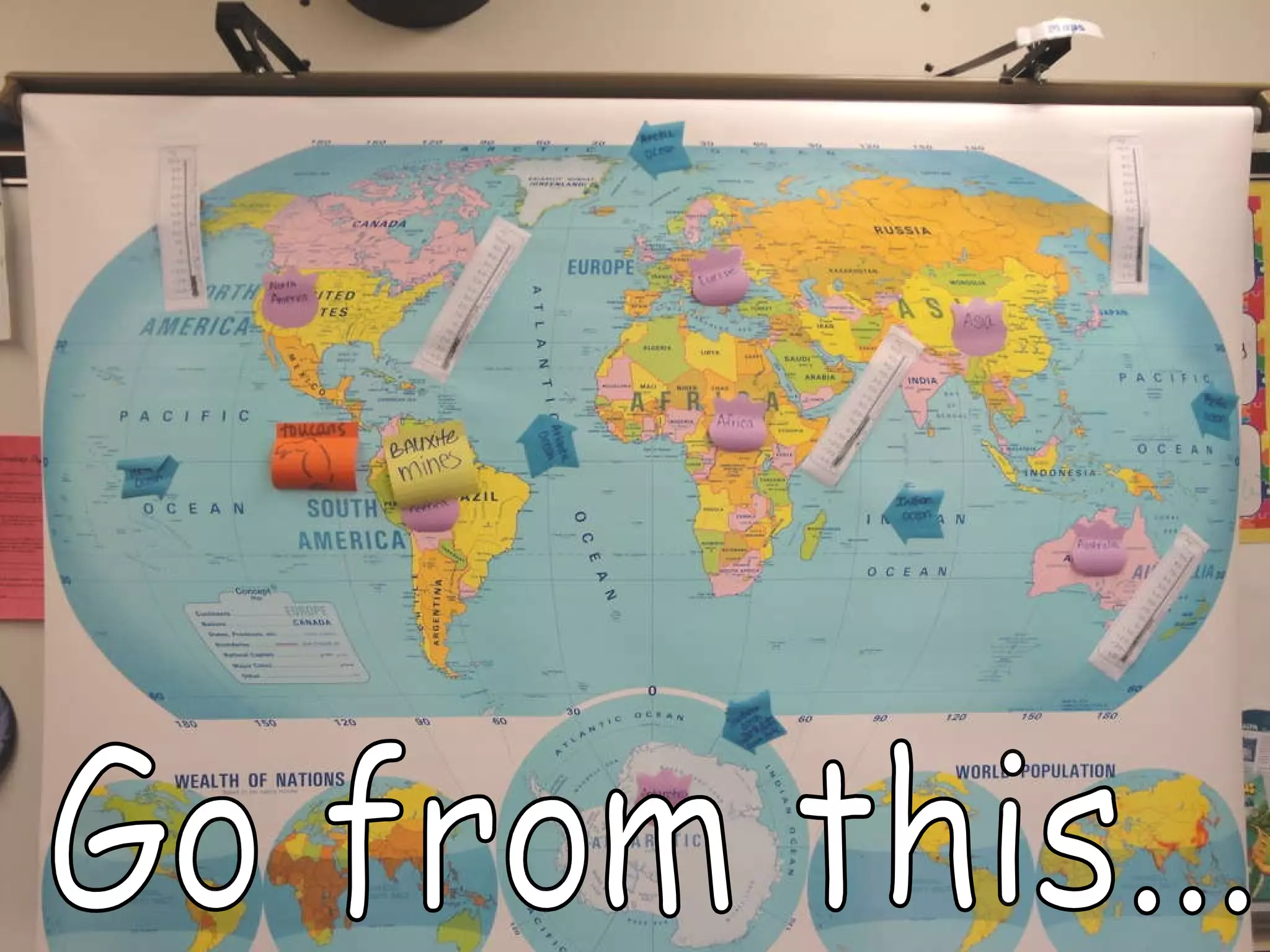
Go from this...
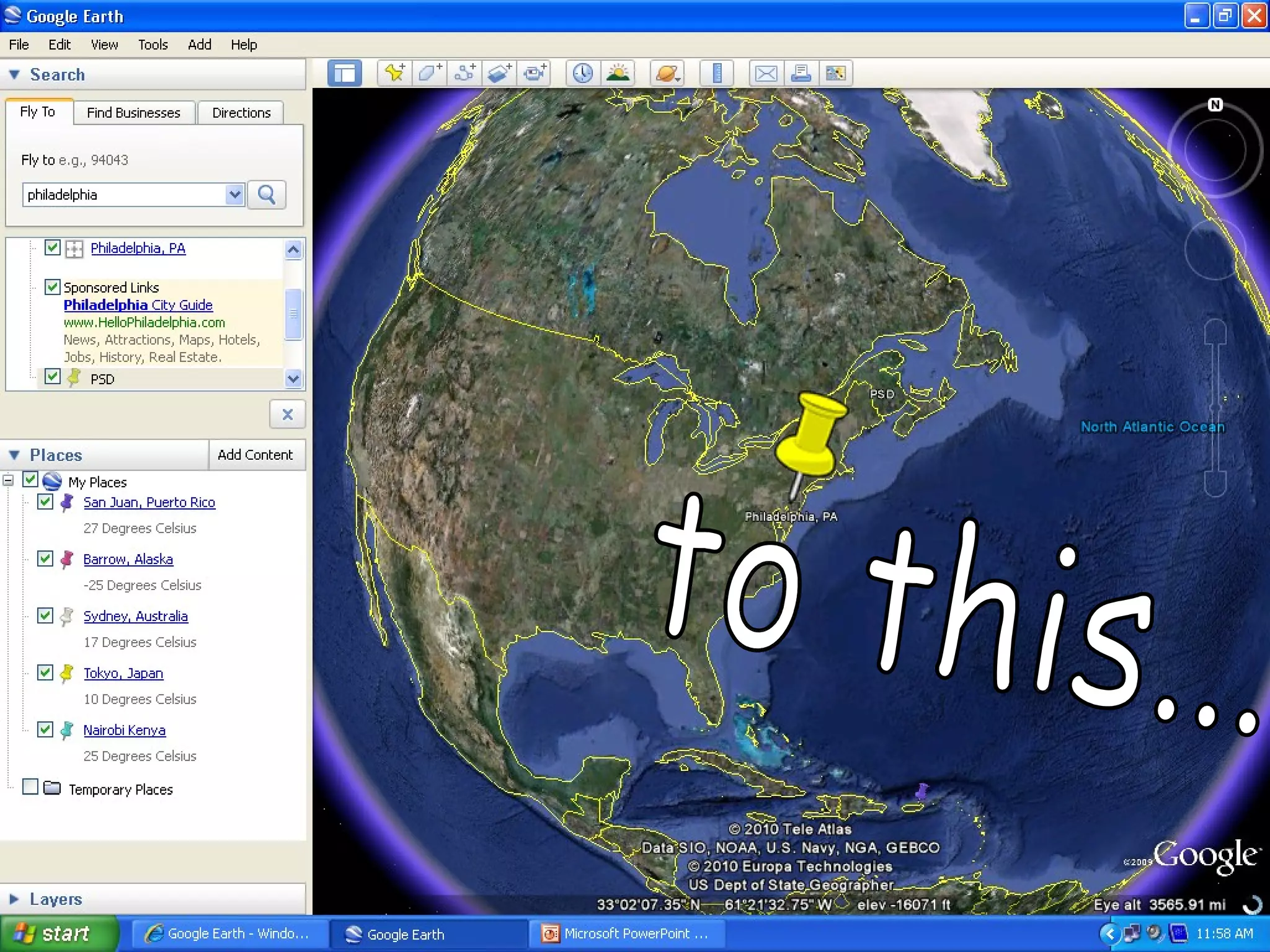
to this...
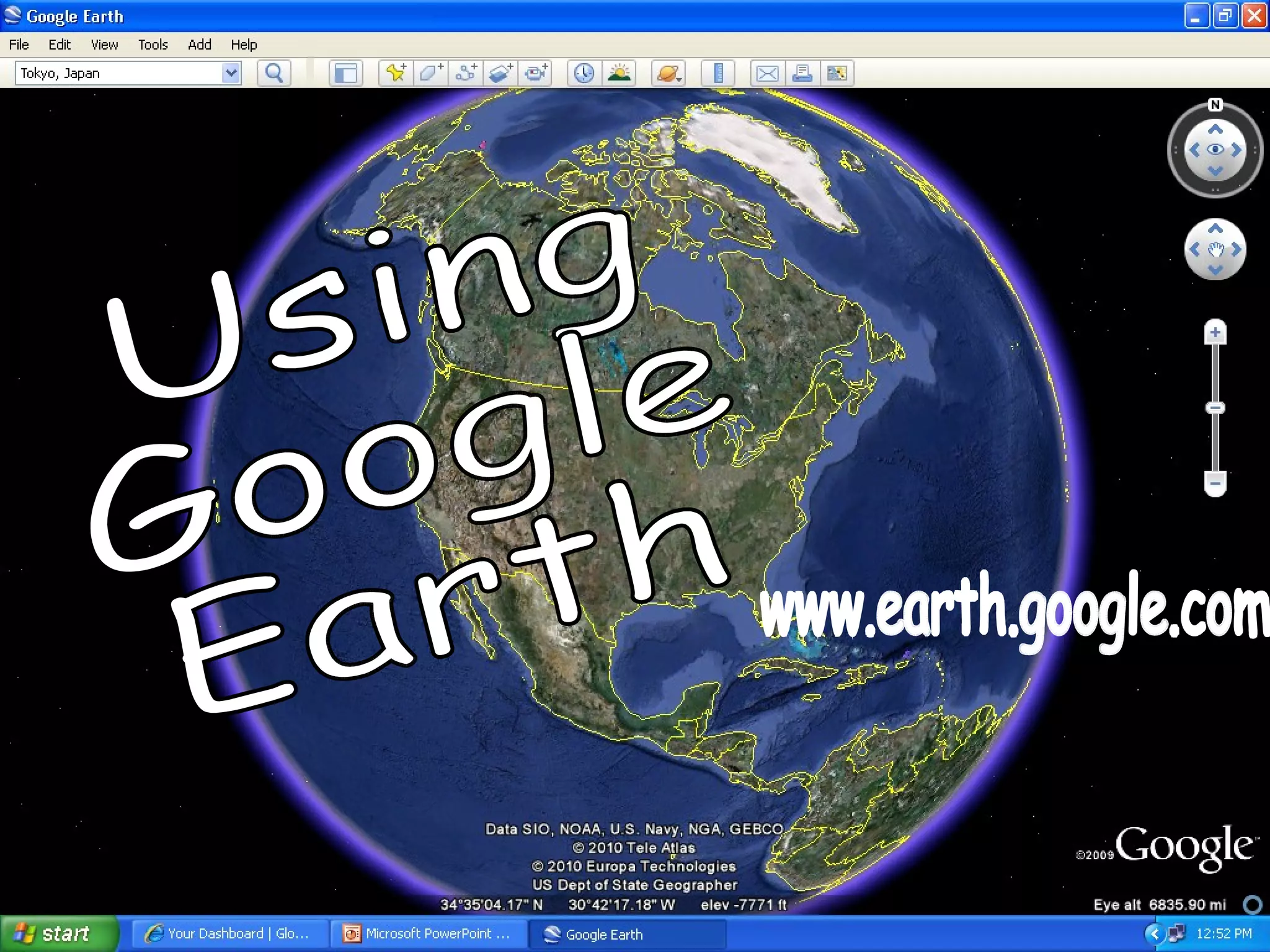
Using Google Earth www.earth.google.com
The Lesson: Find the temperature of a location on earth using  www.weather.com . Convert the temperature from Fahrenheit to Celsius using  http://www.wbuf.noaa.gov/tempfc.htm . Draw the temperature on your thermometer. Using Google Earth, find your location in the world and map it. Drop a pin. Pick a color…any color! Tell us the temperature. Label your location. Use Google Earth to help you find your location on our classroom map. Tape your thermometer to the map. (Quick CFU!  Application )
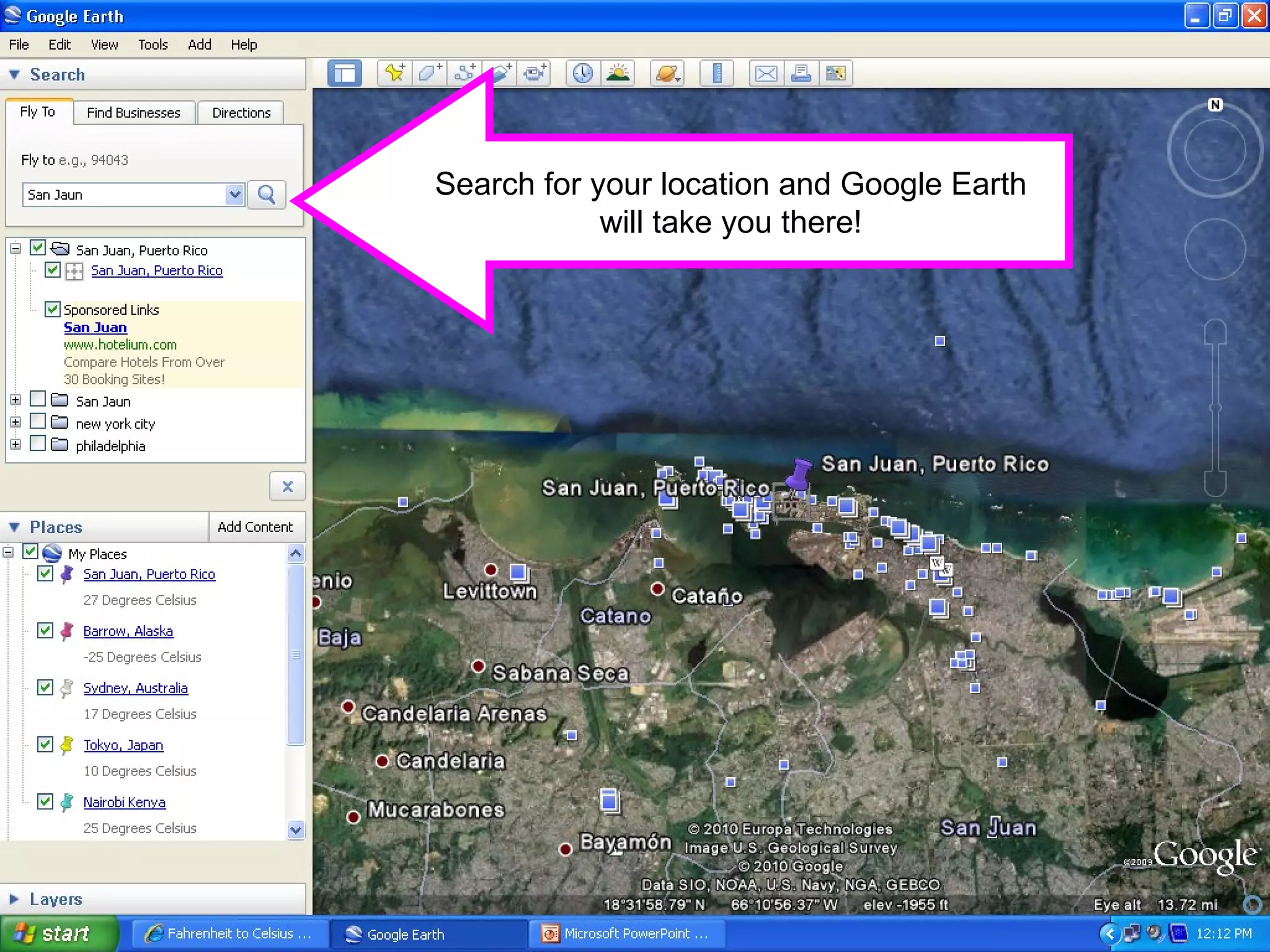
Search for your location and Google Earth will take you there!
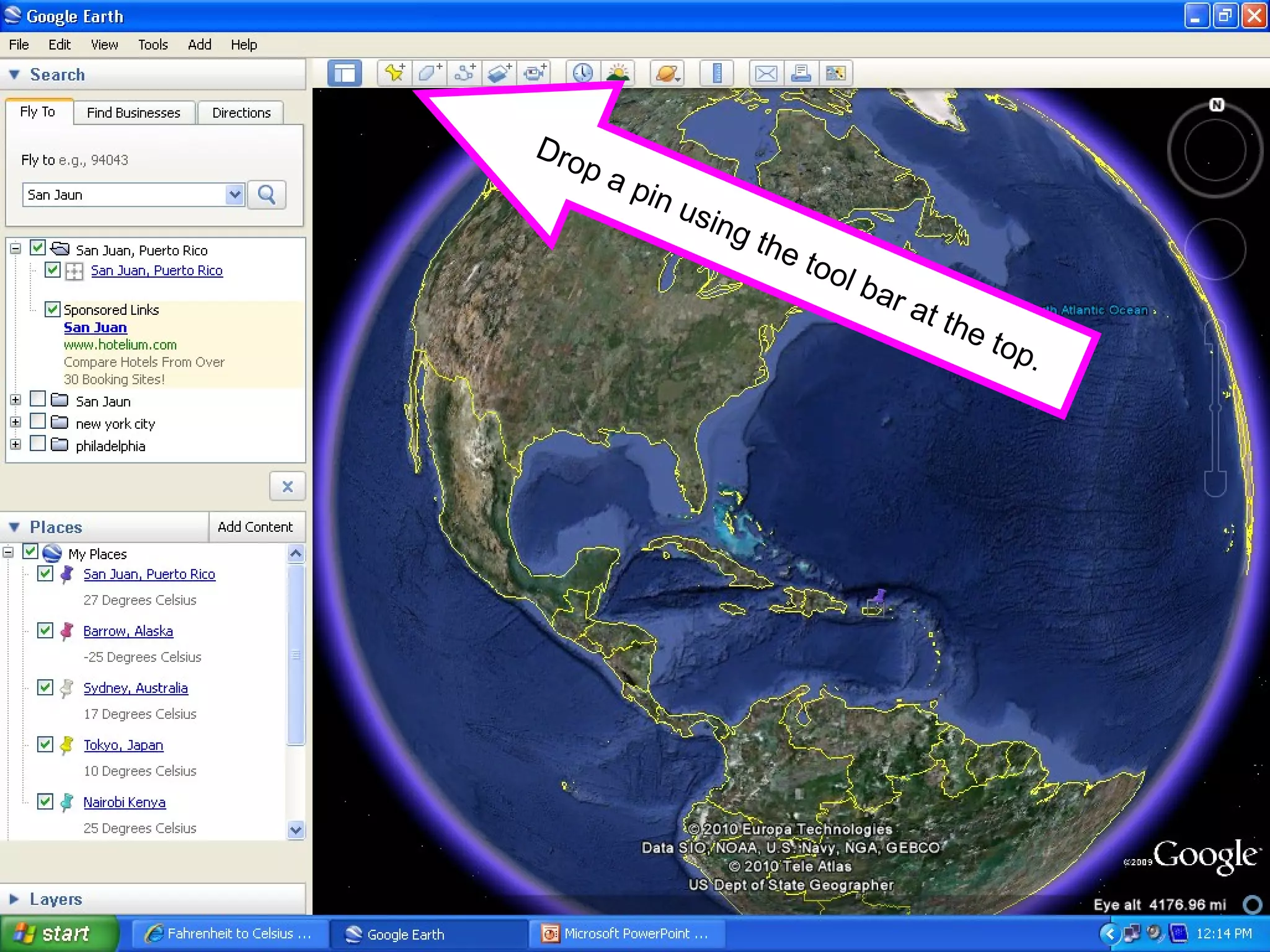
Drop a pin using the tool bar at the top.
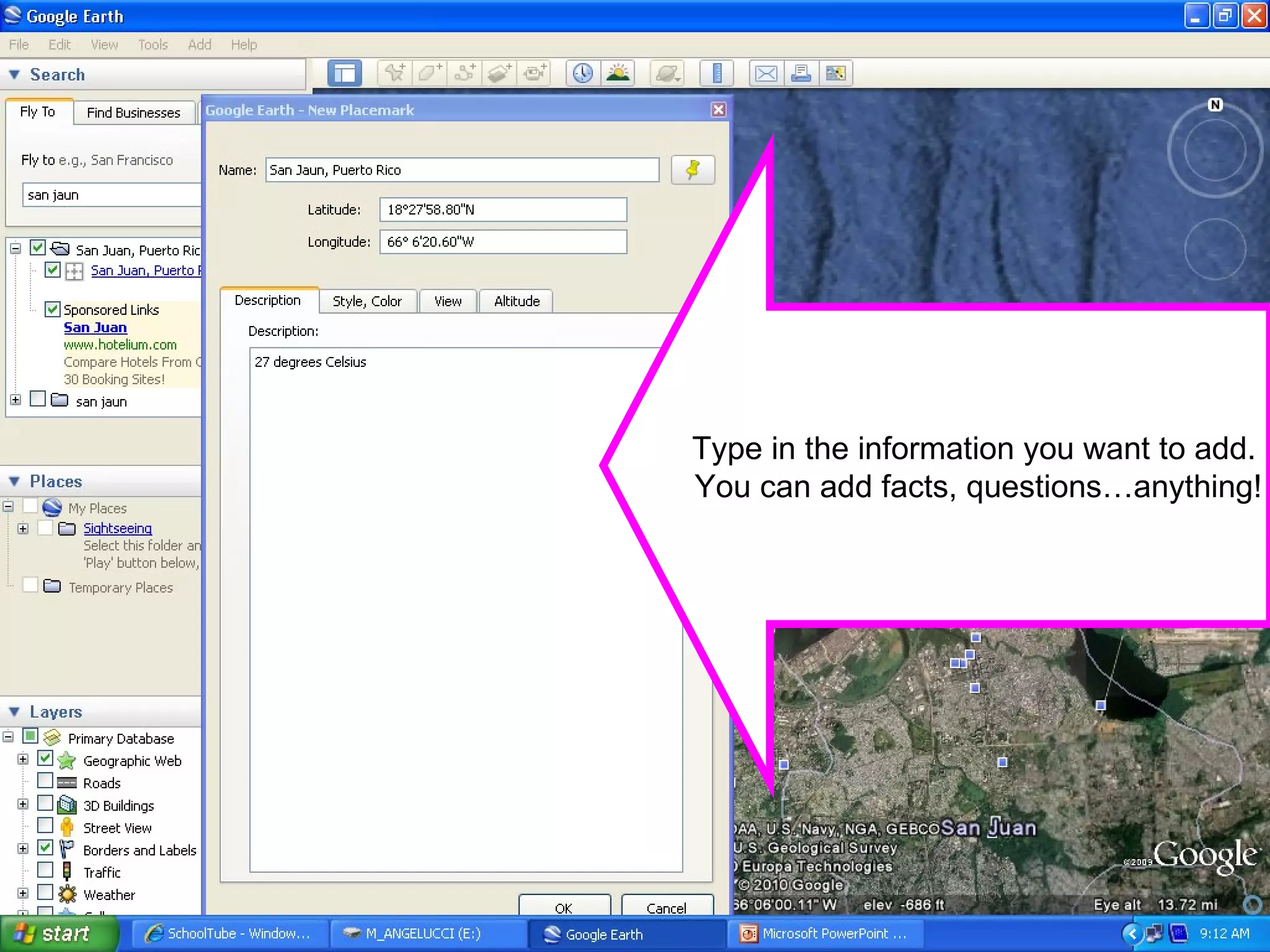
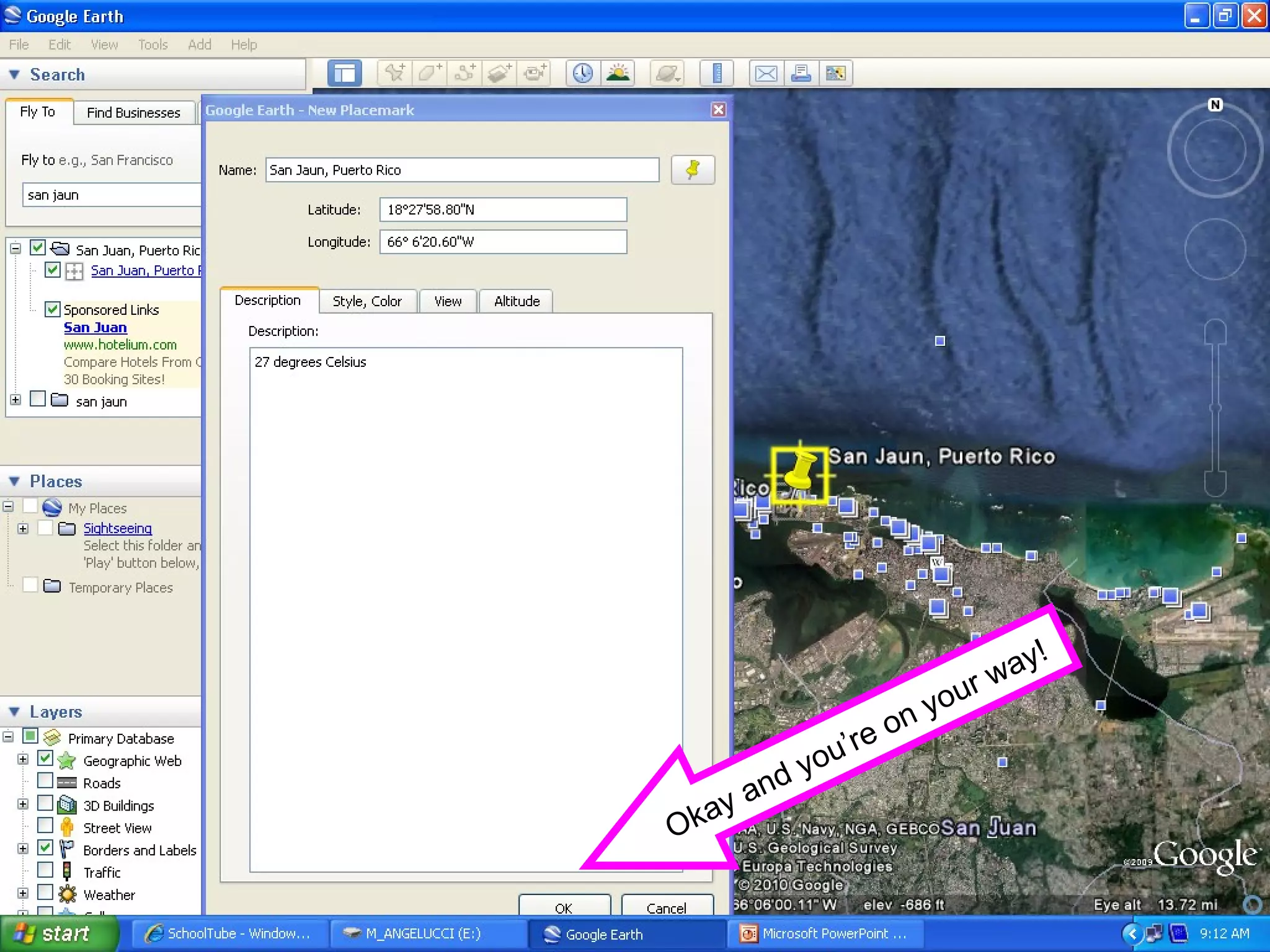
Type in the information you want to add.  You can add facts, questions…anything!
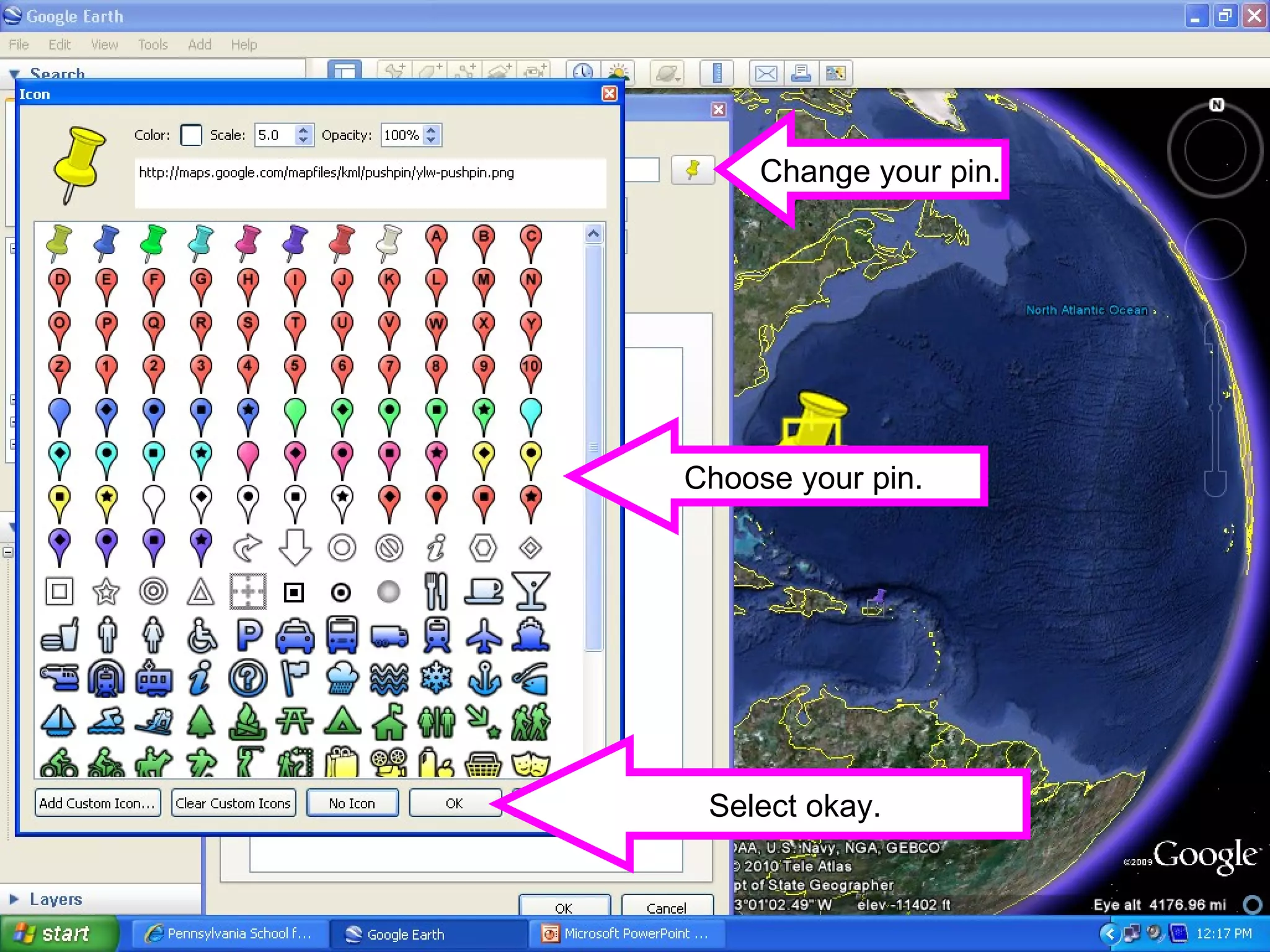
Change your pin. Choose your pin. Select okay.
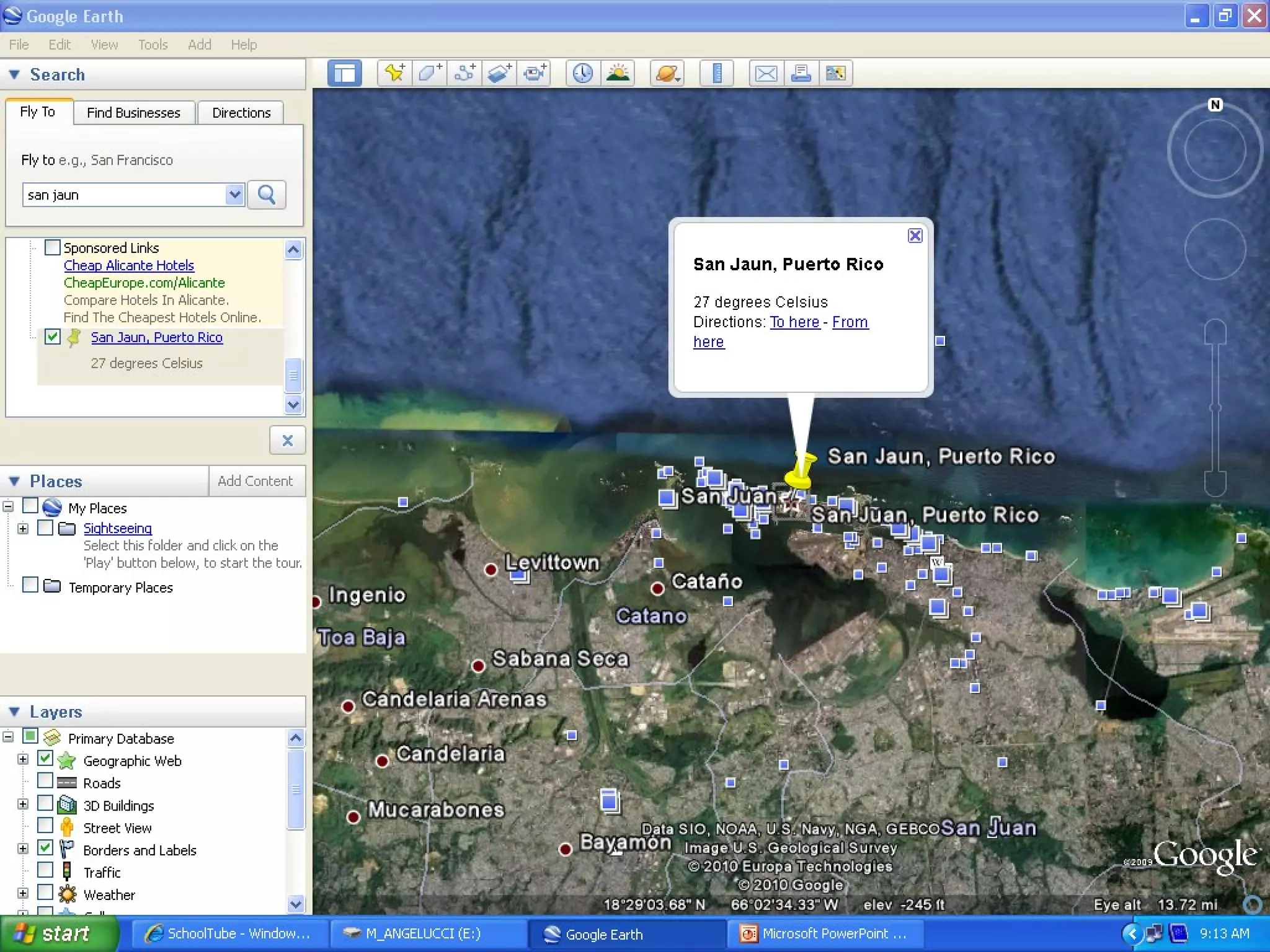
Okay and you’re on your way!
 
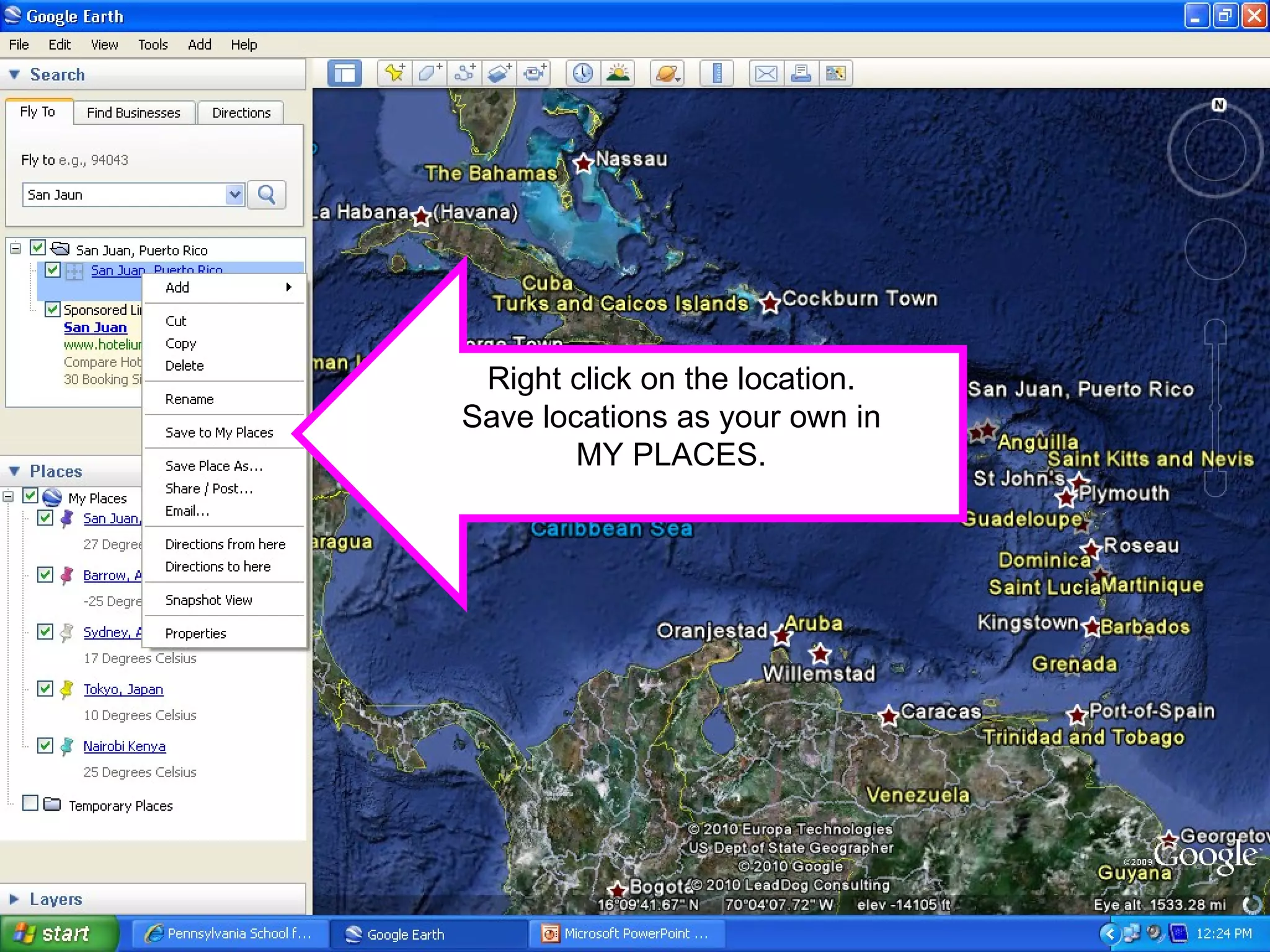
Right click on the location. Save locations as your own in MY PLACES.
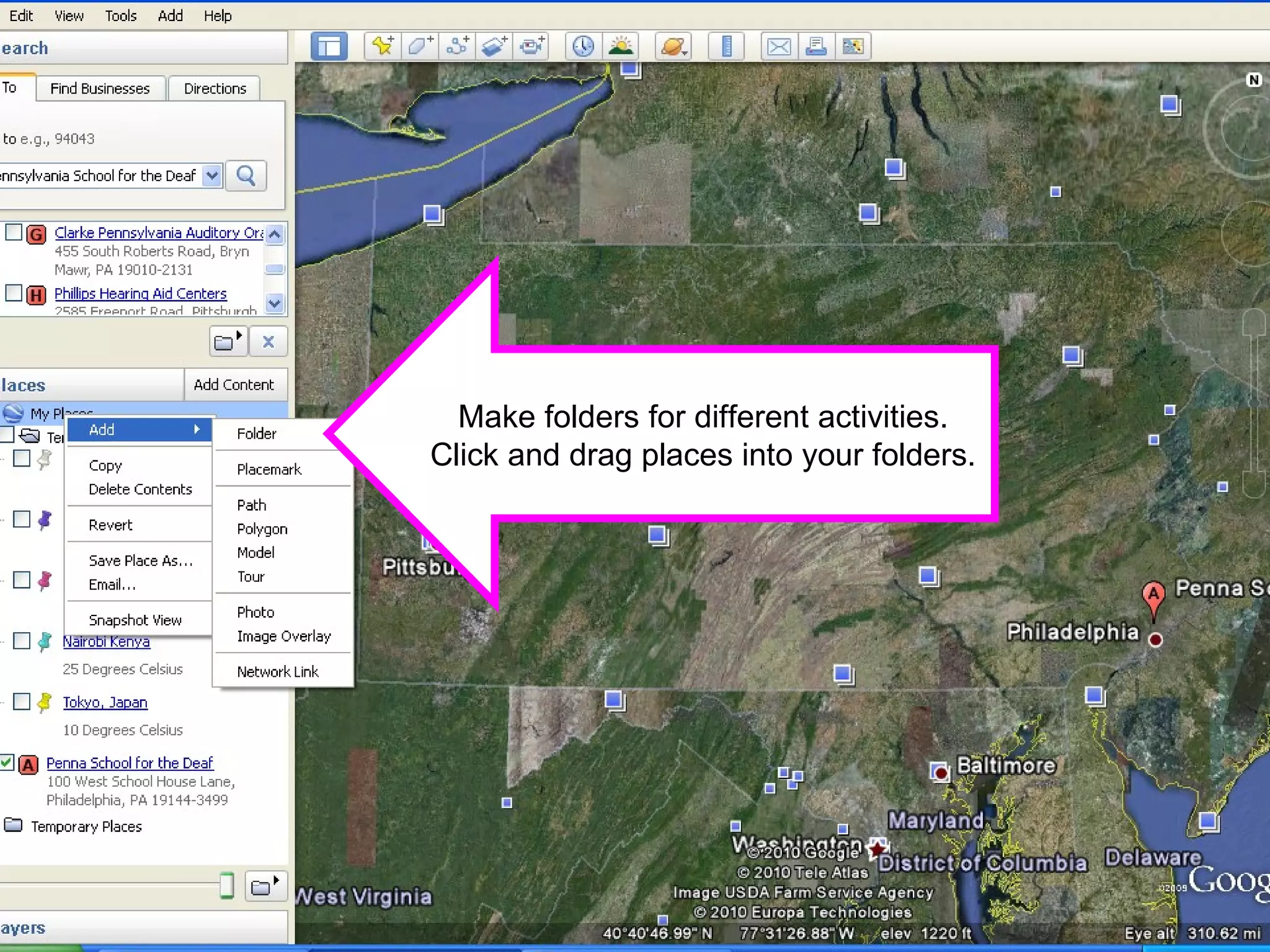
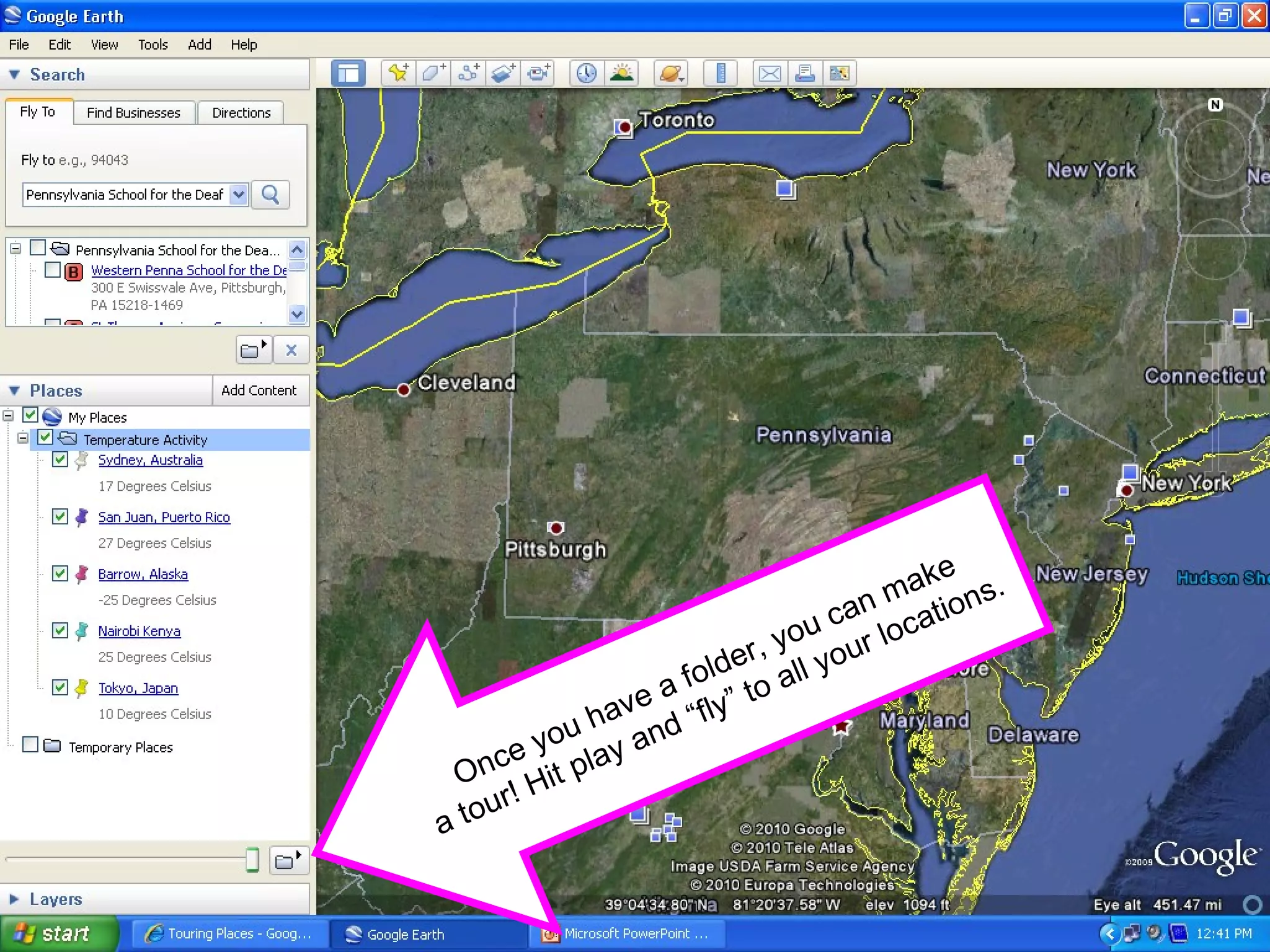
Make folders for different activities. Click and drag places into your folders.
Once you have a folder, you can make a tour! Hit play and “fly” to all your locations.
http://earth.google.com/intl/en/userguide/v5/ Google Earth How-To's

Google Earth Quick How to Drop A Pin

  • 1.
  • 2.
  • 3.
    Using Google Earthwww.earth.google.com
  • 4.
    The Lesson: Findthe temperature of a location on earth using www.weather.com . Convert the temperature from Fahrenheit to Celsius using http://www.wbuf.noaa.gov/tempfc.htm . Draw the temperature on your thermometer. Using Google Earth, find your location in the world and map it. Drop a pin. Pick a color…any color! Tell us the temperature. Label your location. Use Google Earth to help you find your location on our classroom map. Tape your thermometer to the map. (Quick CFU! Application )
  • 5.
    Search for yourlocation and Google Earth will take you there!
  • 6.
    Drop a pinusing the tool bar at the top.
  • 7.
    Type in theinformation you want to add. You can add facts, questions…anything!
  • 8.
    Change your pin.Choose your pin. Select okay.
  • 9.
    Okay and you’reon your way!
  • 10.
  • 11.
    Right click onthe location. Save locations as your own in MY PLACES.
  • 12.
    Make folders fordifferent activities. Click and drag places into your folders.
  • 13.
    Once you havea folder, you can make a tour! Hit play and “fly” to all your locations.
  • 14.