
Google Display 101:
Clearing the Path to Your
First Successful Campaign
Hosted by: Susie Marino & Kyle Taylor
November 18th
22
WordStream has partnered with
LOCALiQ to deliver results-focused,
technology-backed marketing
services to help local businesses
unlock measurable business growth.
3
Susie Marino
Digital Marketing Associate
WordStream
4
Kyle Taylor
Team Lead, Digital Marketing Strategist
WordStream
5
Why Google Display?
6
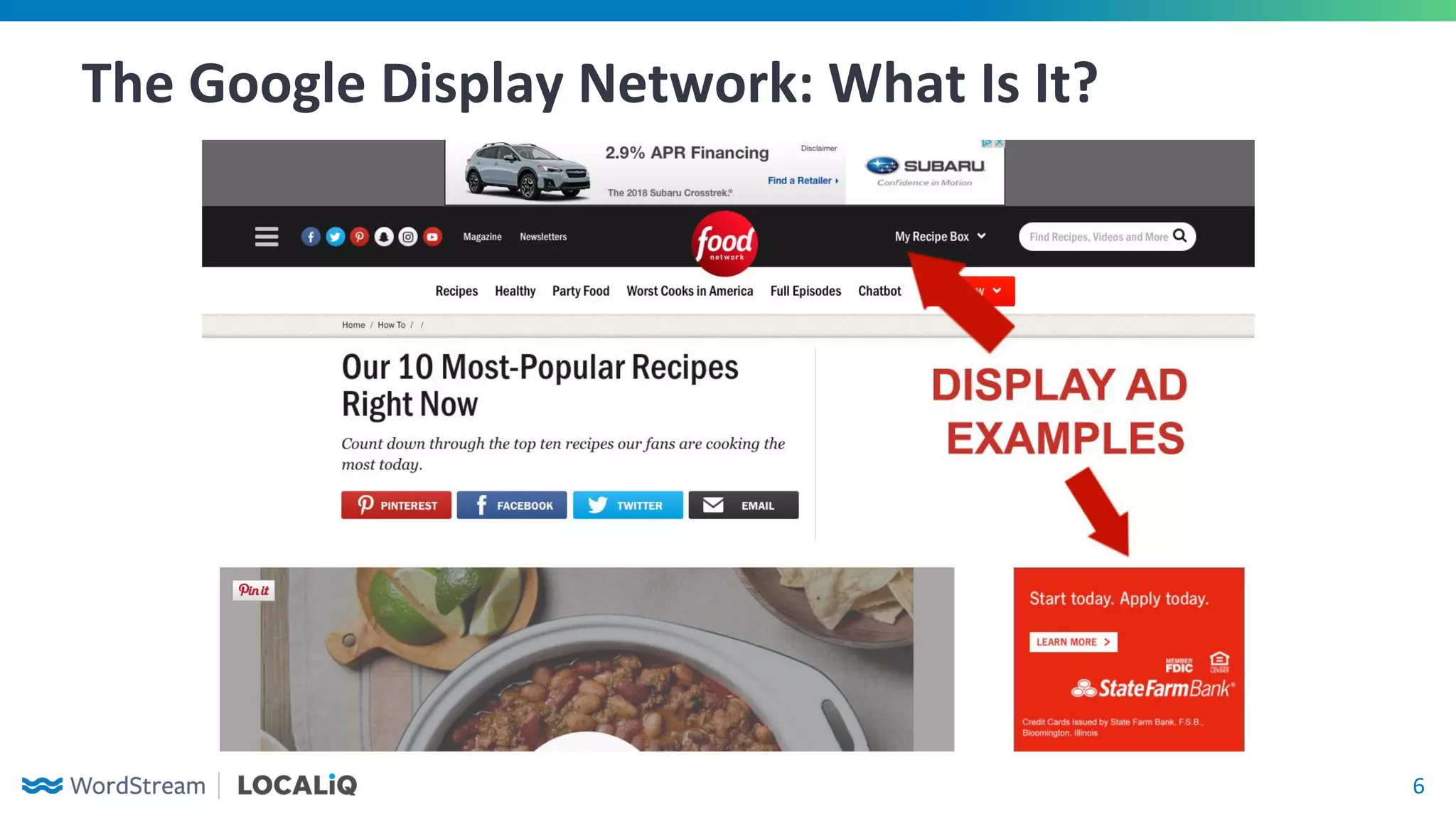
The Google Display Network: What Is It?
7
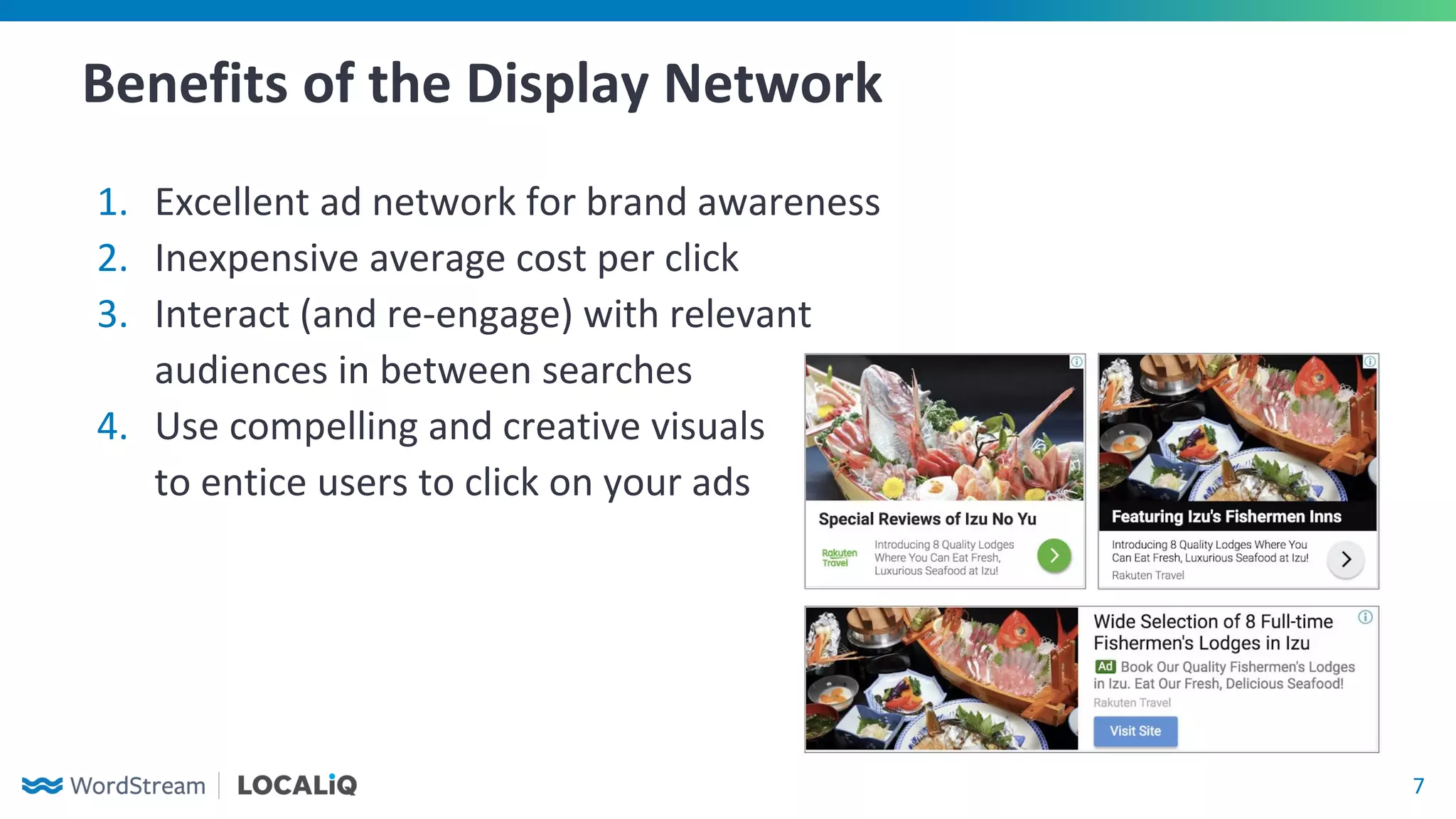
Benefits of the Display Network
1. Excellent ad network for brand awareness
2. Inexpensive average cost per click
3. Interact (and re-engage) with relevant
audiences in between searches
4. Use compelling and creative visuals
to entice users to click on your ads
8
Key Differences From Search
1. Lower click-through rate and conversion rate
2. Audience targeting doesn’t allow you
to directly address a user’s intent like
search campaign keywords can
3. Unfocused audience targeting can
lead to budget being spent quickly
9
Setting Up Your
Display Campaign
10
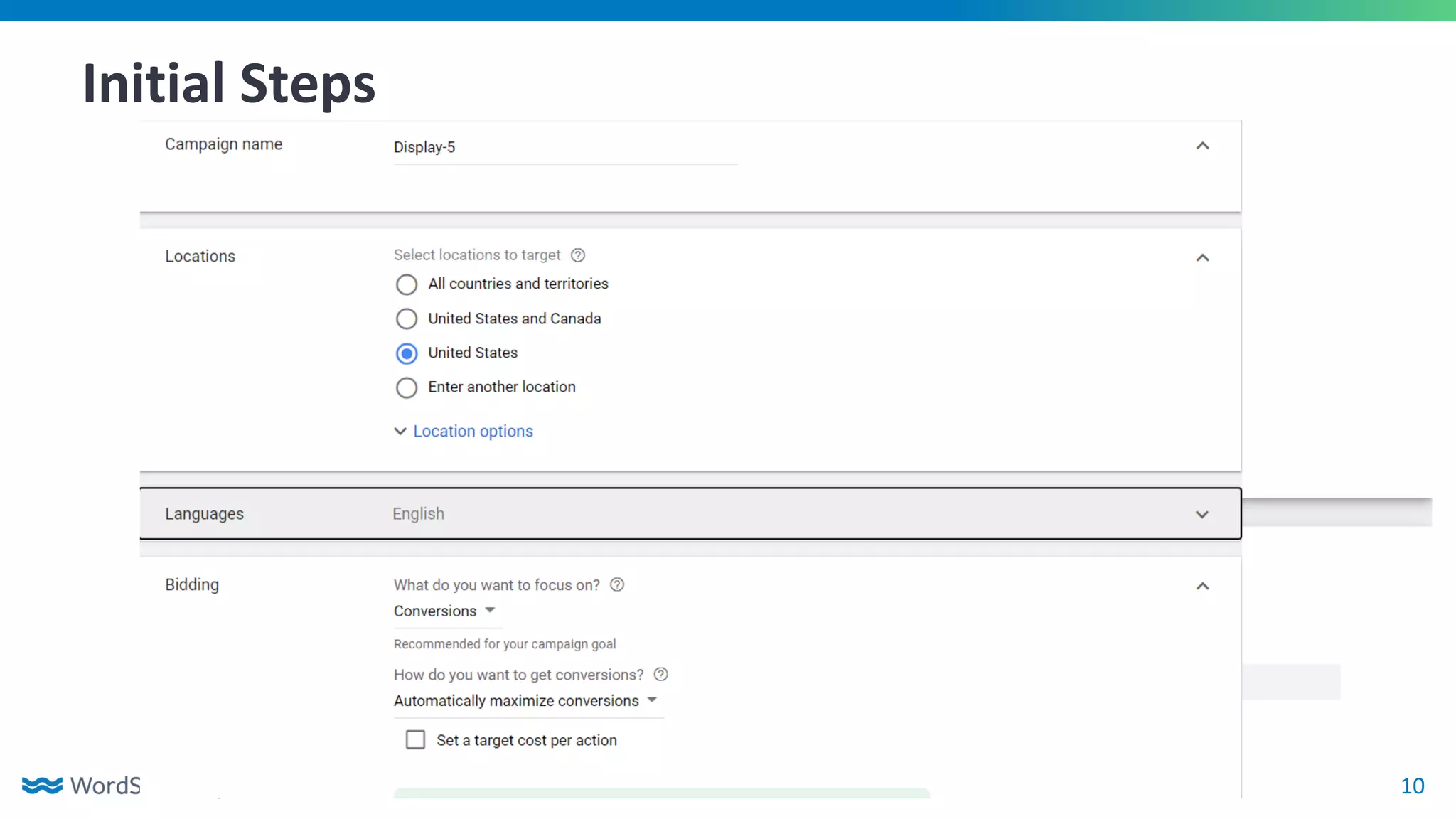
Initial Steps
11
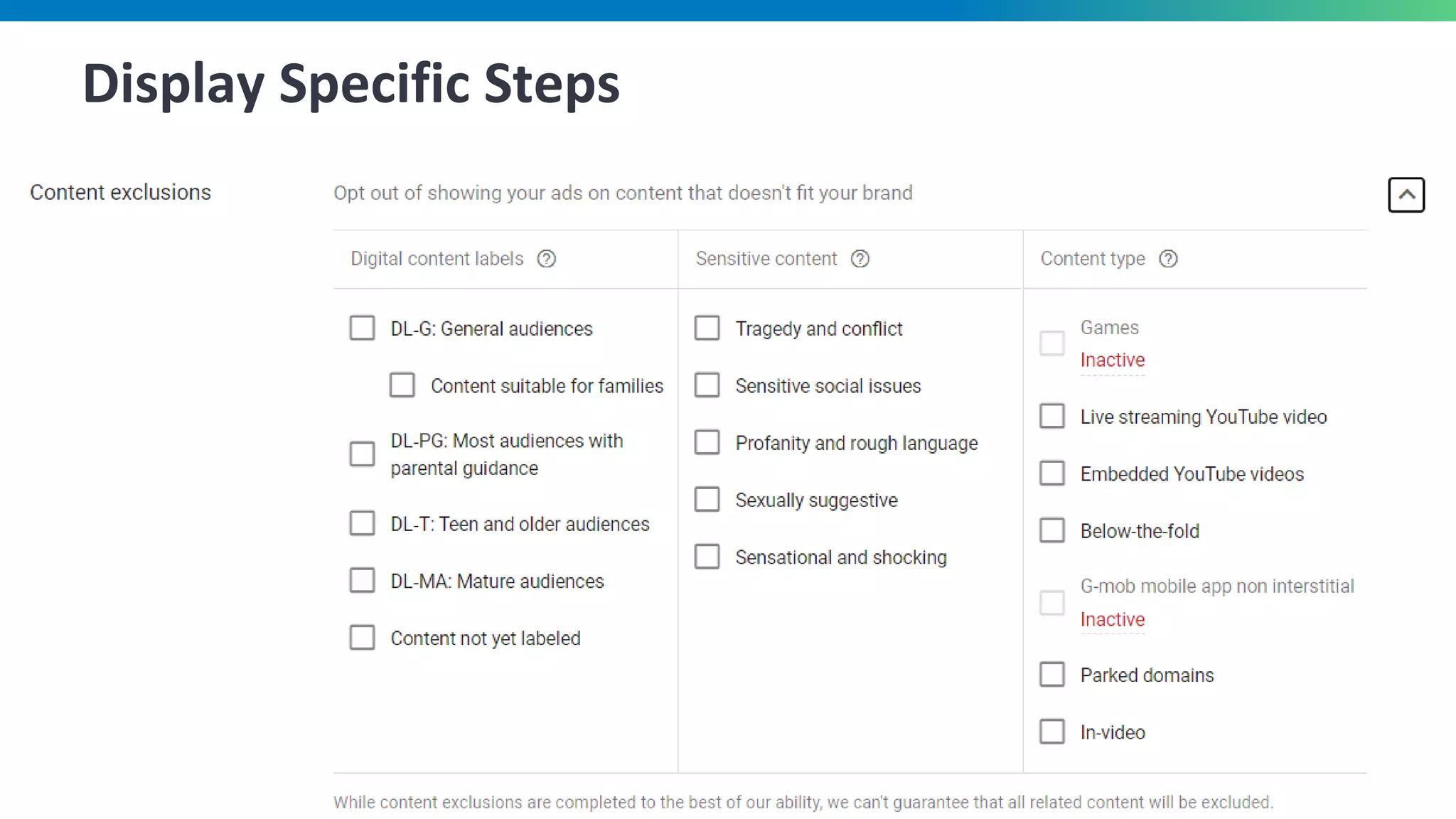
Display Specific Steps
12
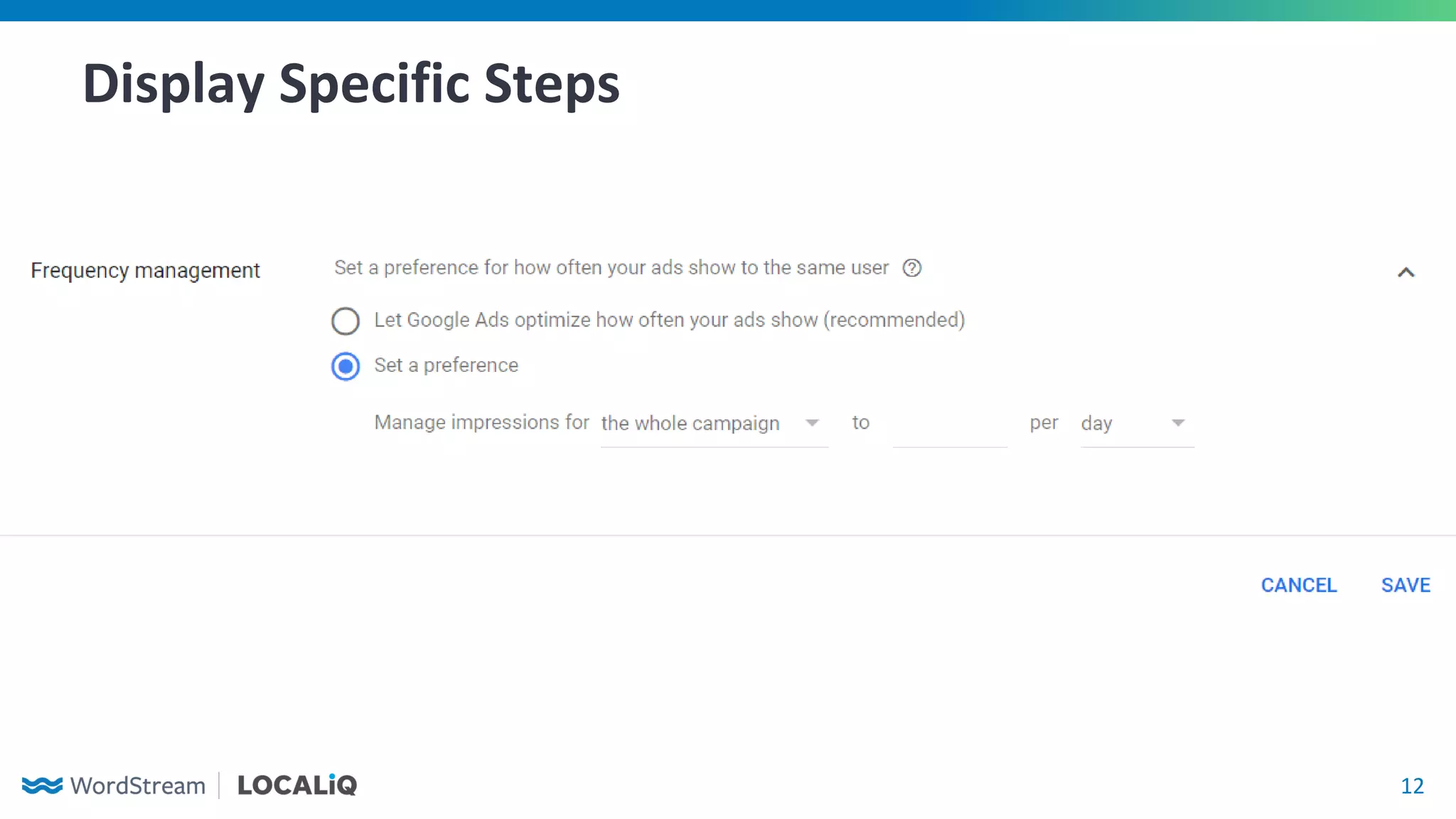
Display Specific Steps
13
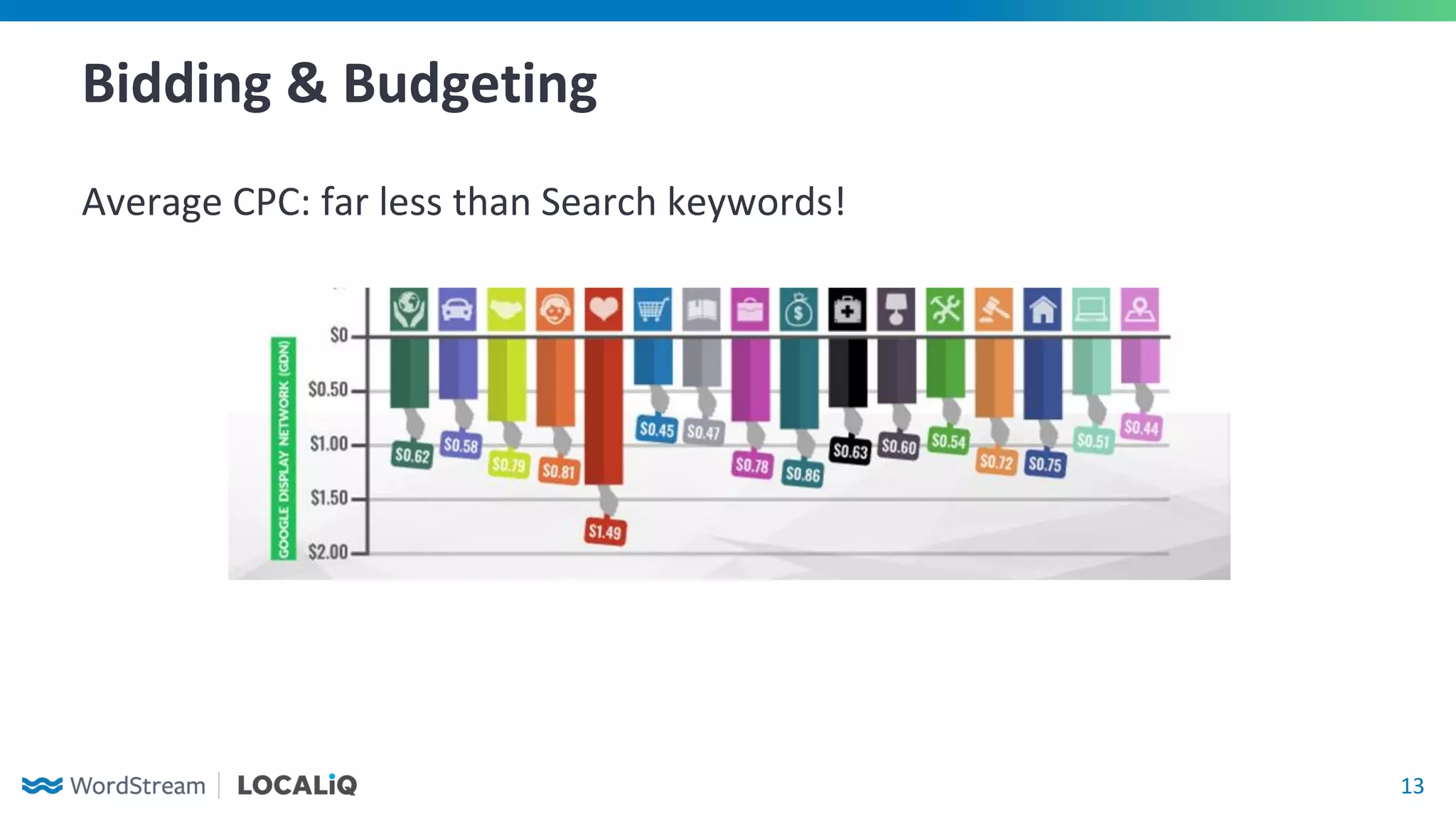
Bidding & Budgeting
Average CPC: far less than Search keywords!
14
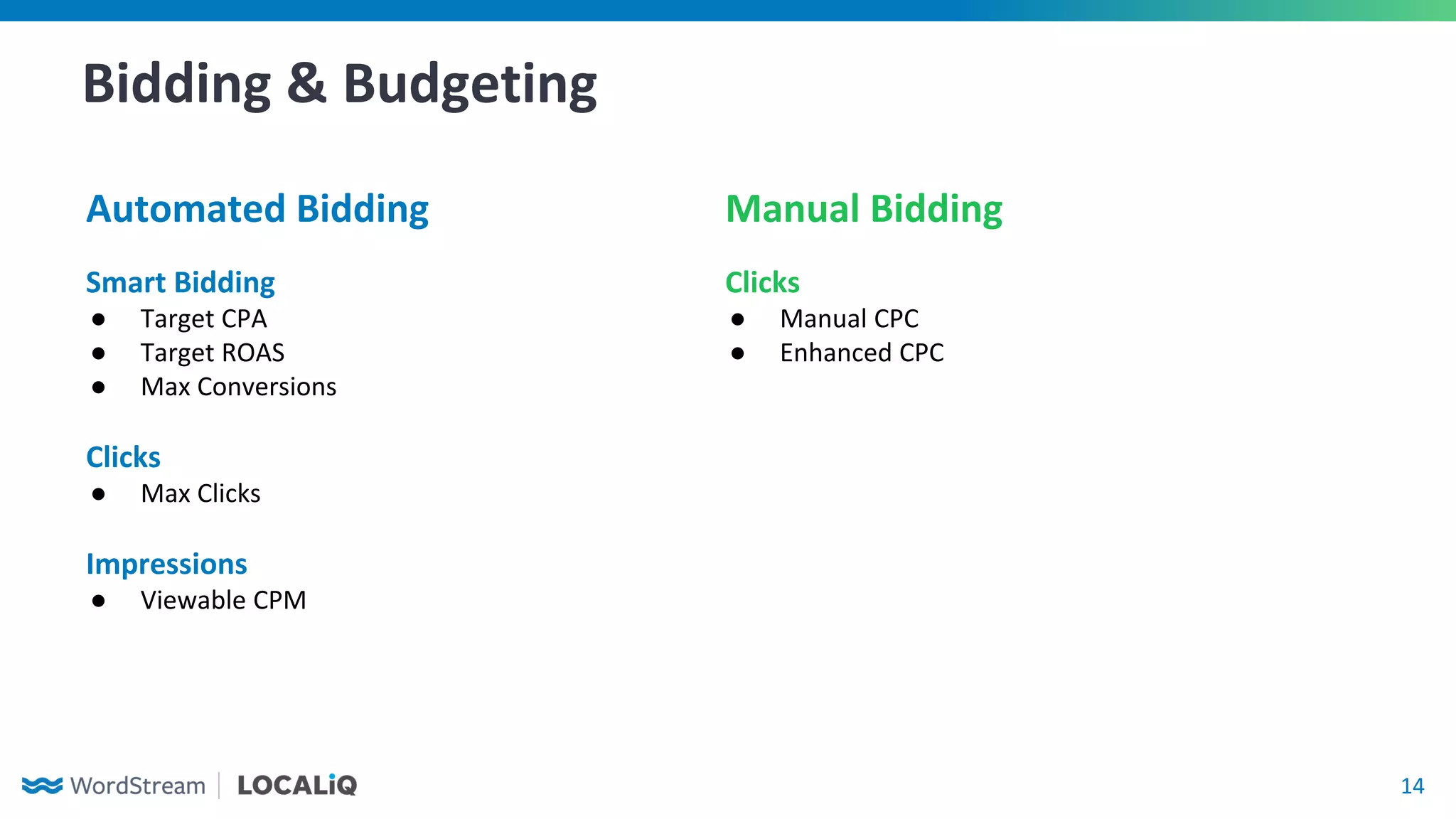
Bidding & Budgeting
Automated Bidding Manual Bidding
Smart Bidding
● Target CPA
● Target ROAS
● Max Conversions
Clicks
● Max Clicks
Impressions
● Viewable CPM
Clicks
● Manual CPC
● Enhanced CPC
15
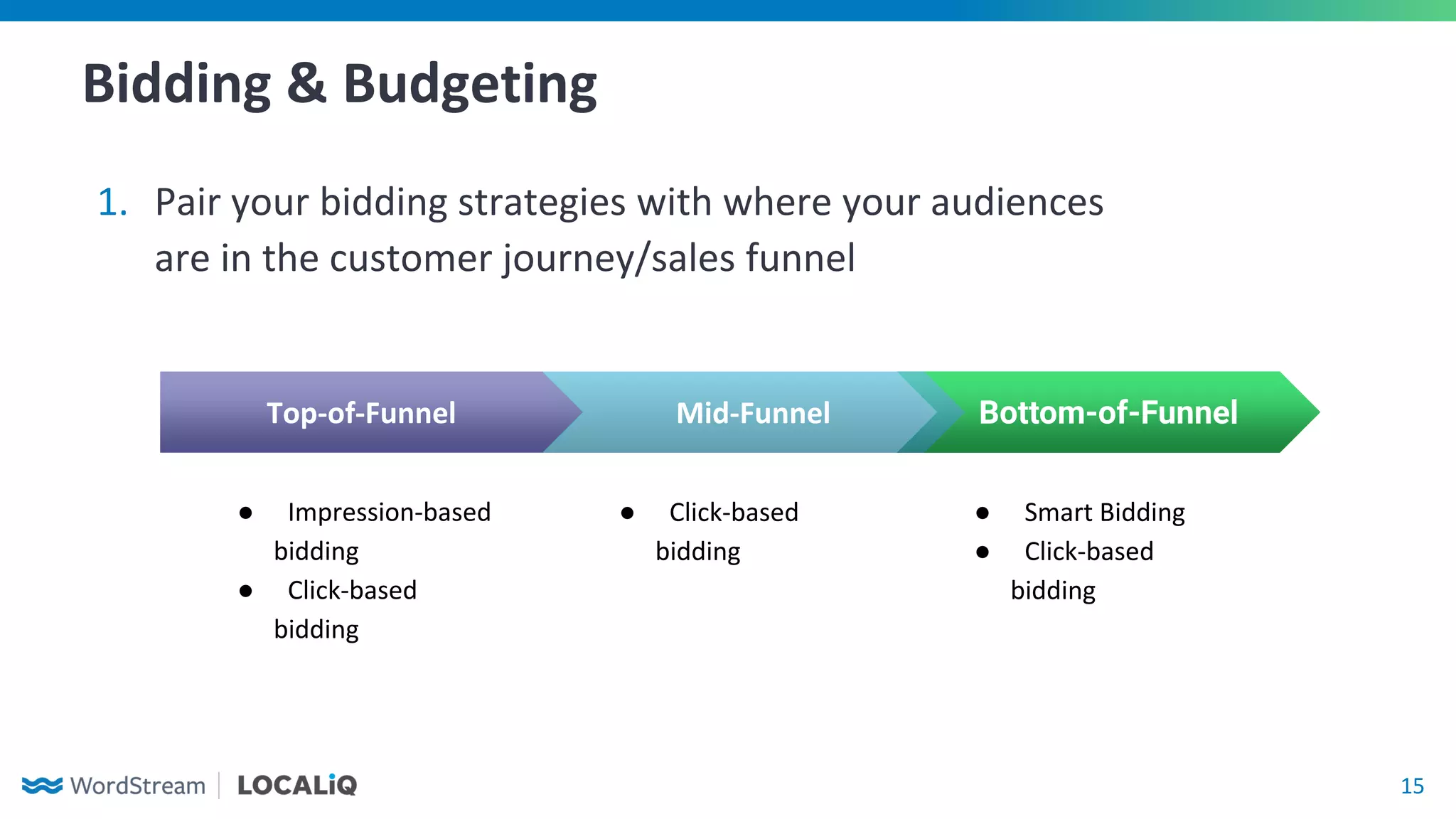
Bidding & Budgeting
1. Pair your bidding strategies with where your audiences
are in the customer journey/sales funnel
Bottom-of-Funnel
● Smart Bidding
● Click-based
bidding
Top-of-Funnel
● Impression-based
bidding
● Click-based
bidding
Mid-Funnel
● Click-based
bidding
16
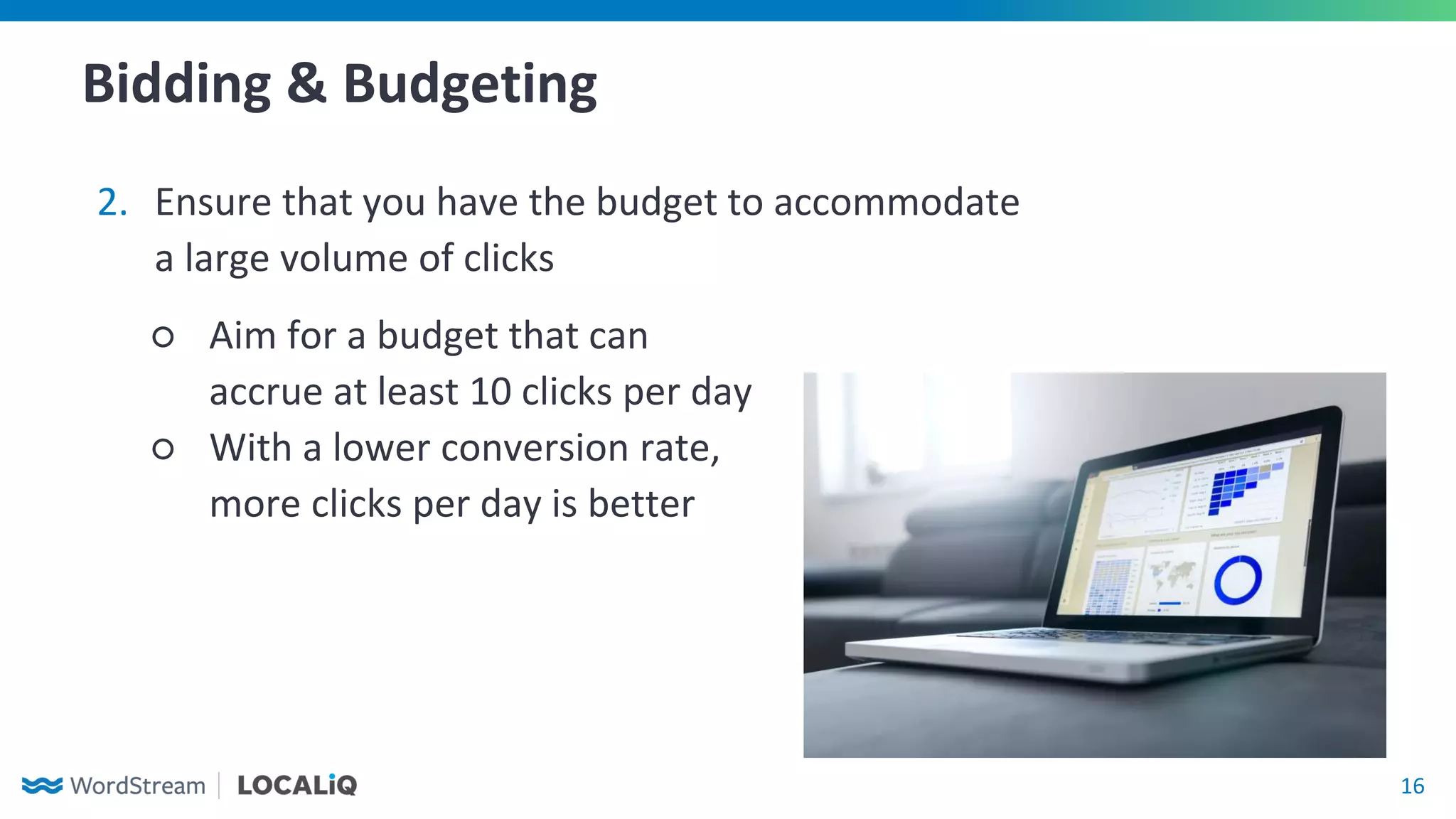
Bidding & Budgeting
2. Ensure that you have the budget to accommodate
a large volume of clicks
○ Aim for a budget that can
accrue at least 10 clicks per day
○ With a lower conversion rate,
more clicks per day is better
17
Targeting
Options and Strategy
18
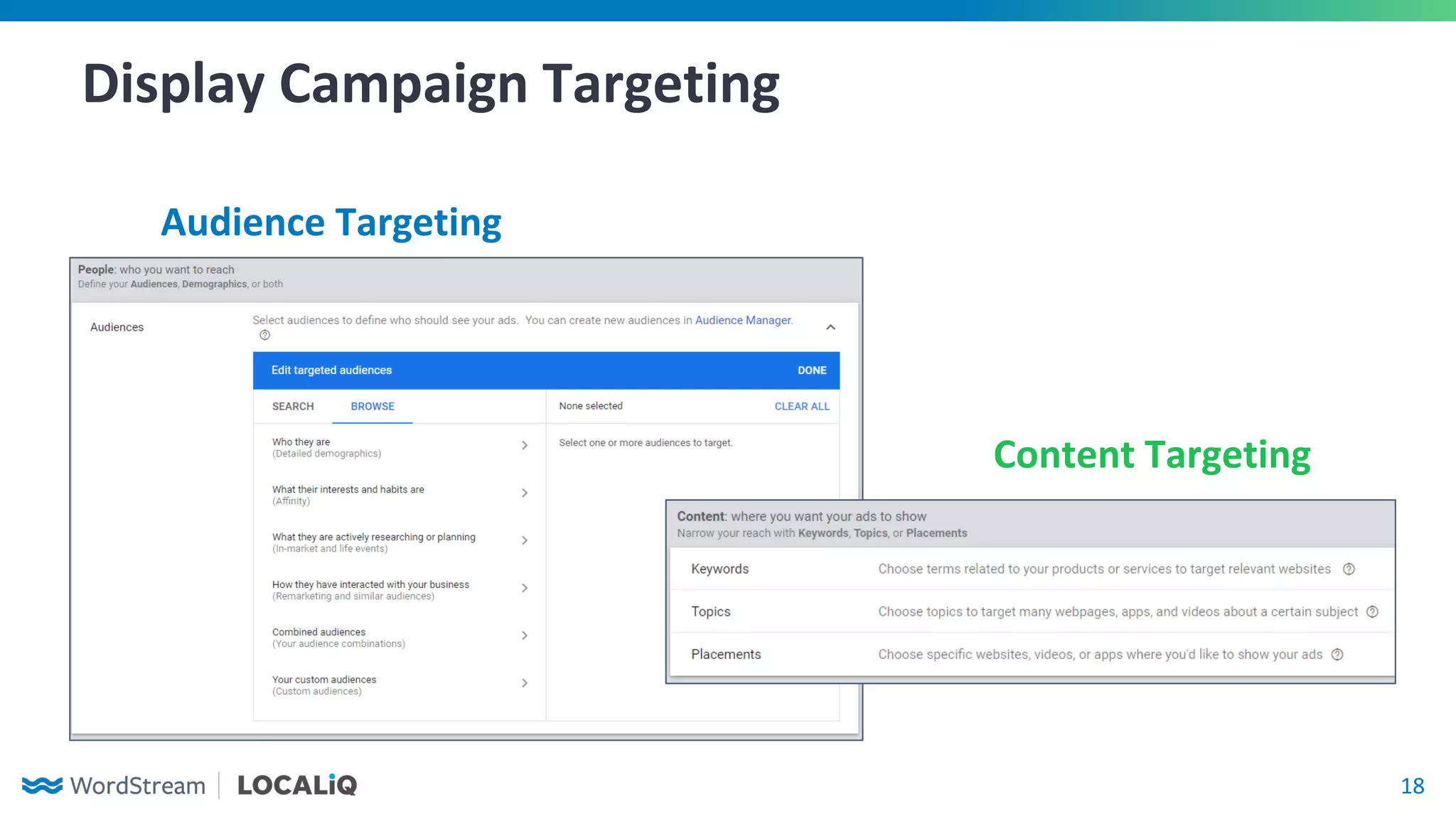
Display Campaign Targeting
Audience Targeting
Content Targeting
19
Audience Targeting
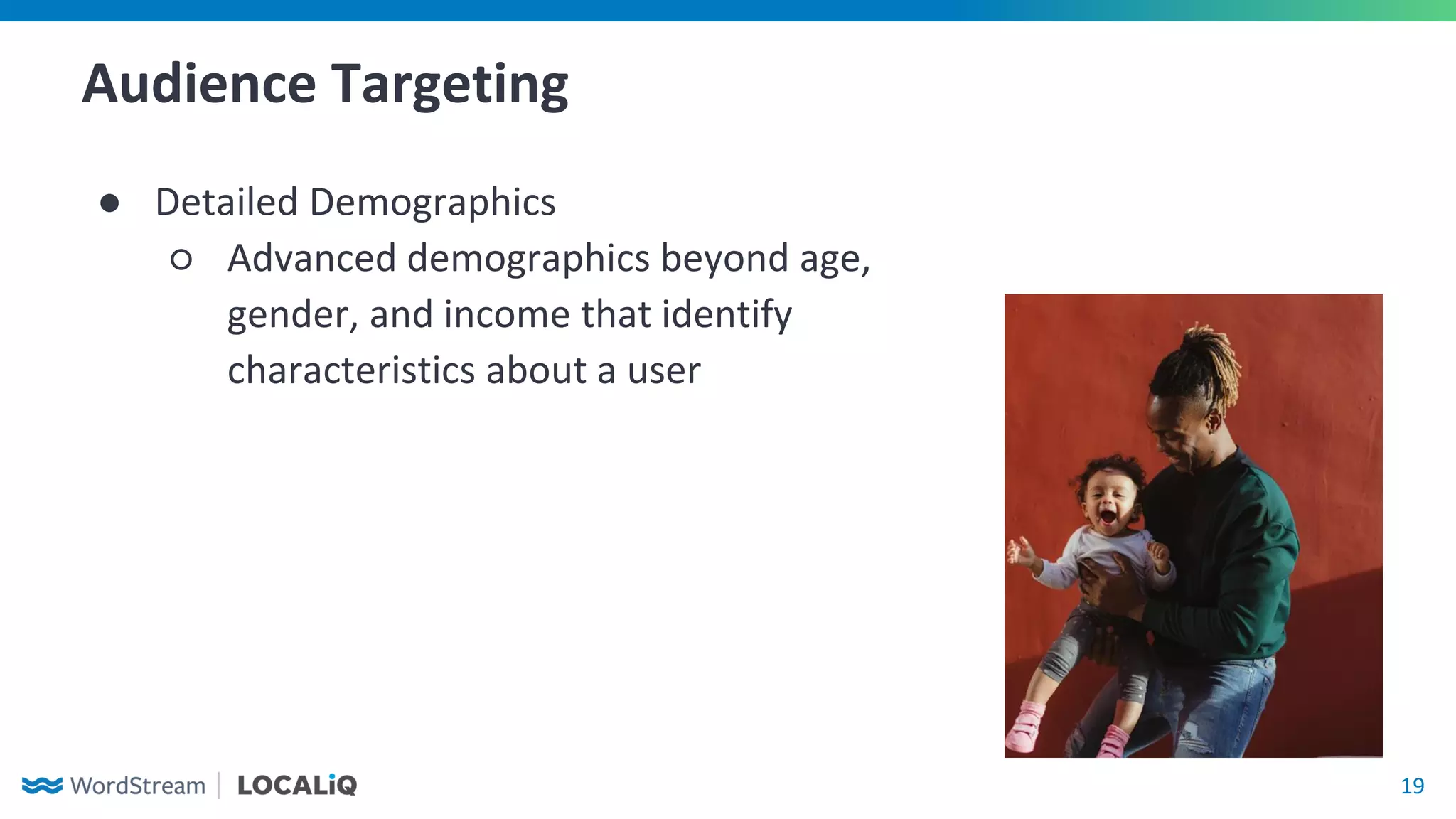
● Detailed Demographics
○ Advanced demographics beyond age,
gender, and income that identify
characteristics about a user
20
Audience Targeting
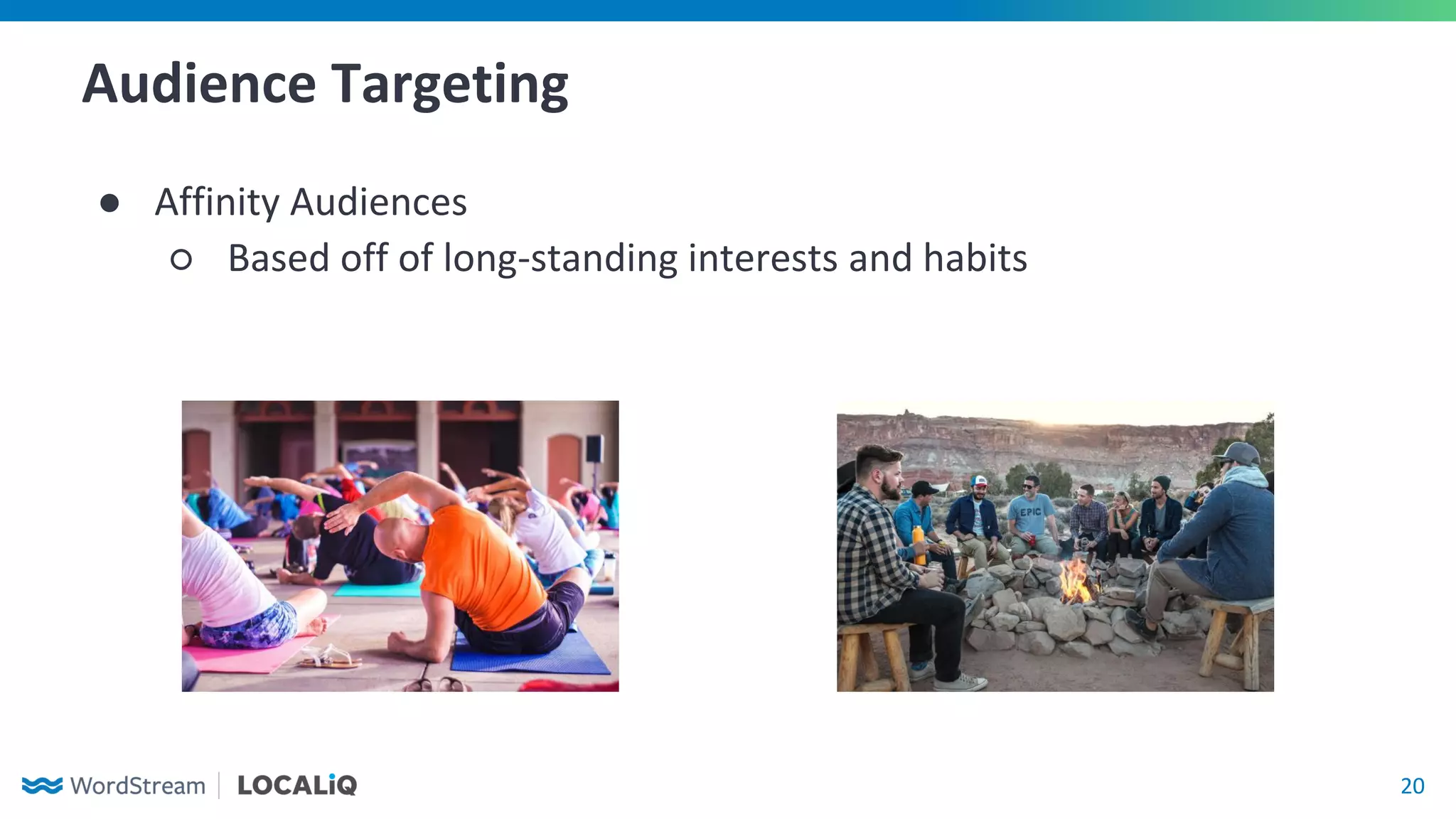
● Affinity Audiences
○ Based off of long-standing interests and habits
21
Audience Targeting
● In-Market Audiences
○ Based off what users active researching and whom Google
believes are likely to purchase a product or service
● Life Events
○ Based off of recent happenings
in a user’s life
○ Can be thought of as a blending
of detailed demographics and
in-market audiences
22
Audience Targeting
● Remarketing
○ Lists based off users who have previously interacted with your
website or company
○ Minimum 100 unique users for remarketing lists
● Customer Match
○ Recommended 1,000+ contacts for customer match
● Similar audiences (“lookalike”) can be created off of site visitors,
past converters, or customer match lists
23
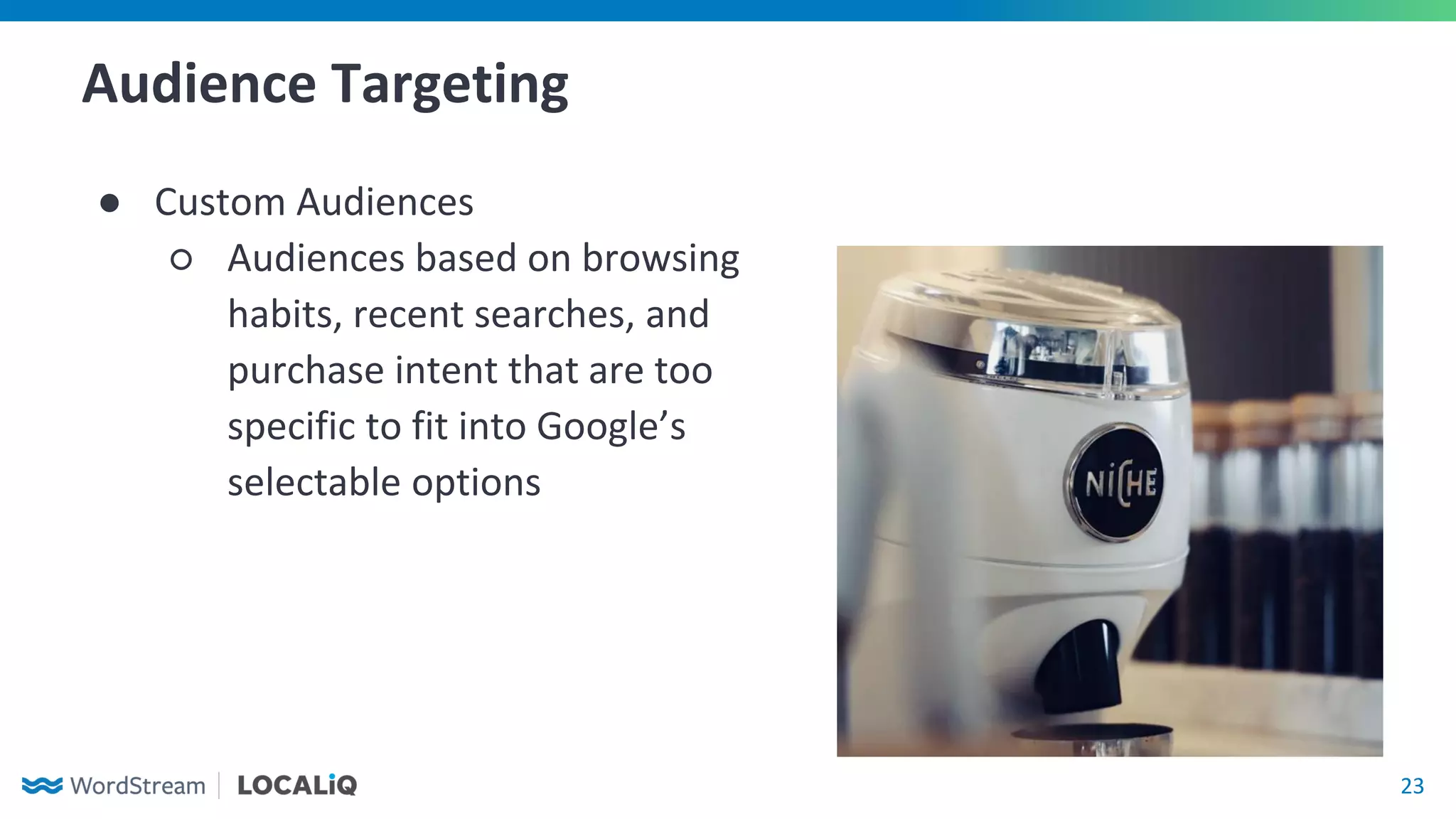
Audience Targeting
● Custom Audiences
○ Audiences based on browsing
habits, recent searches, and
purchase intent that are too
specific to fit into Google’s
selectable options
24
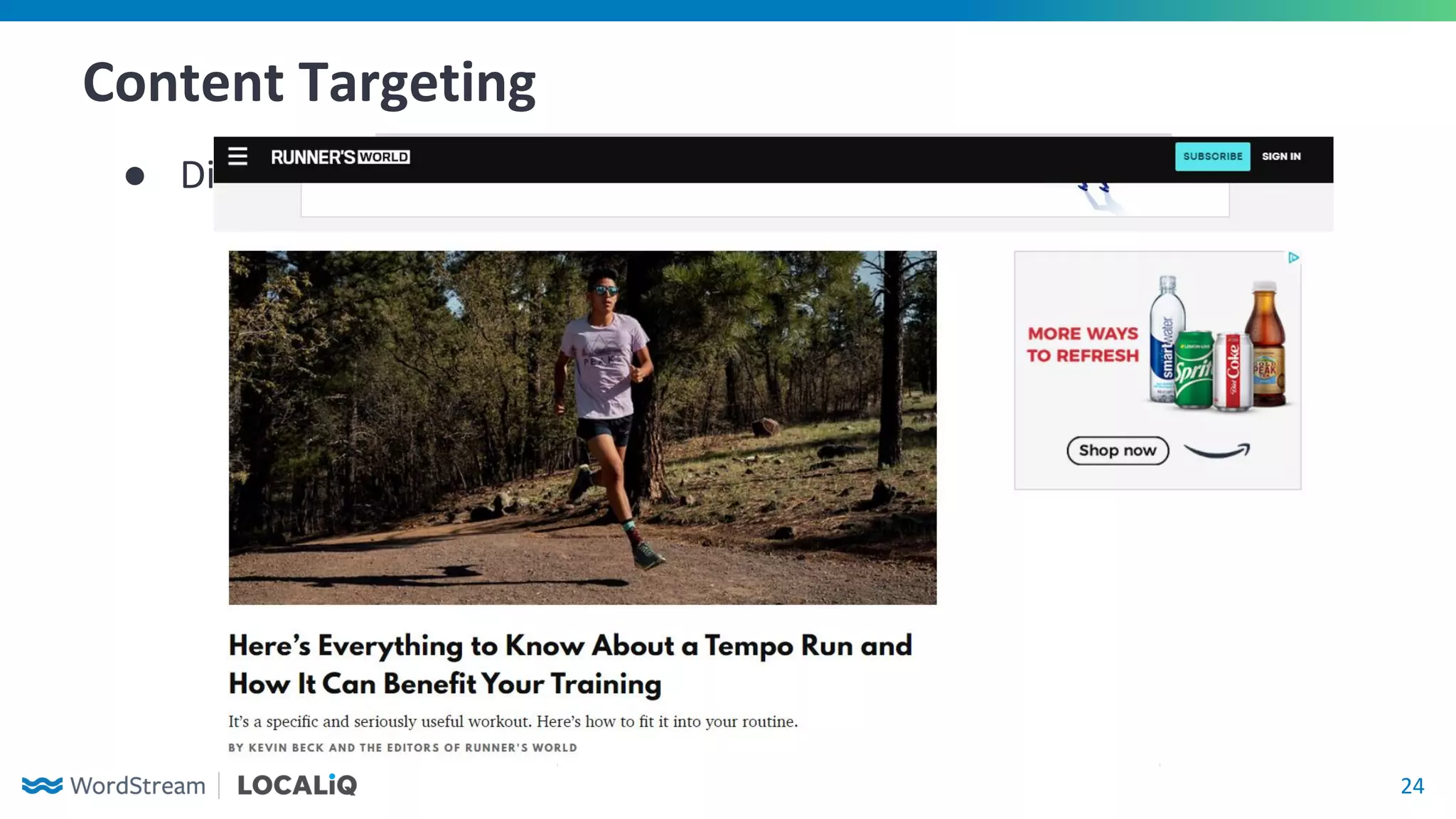
Content Targeting
● Display Network Keywords
25
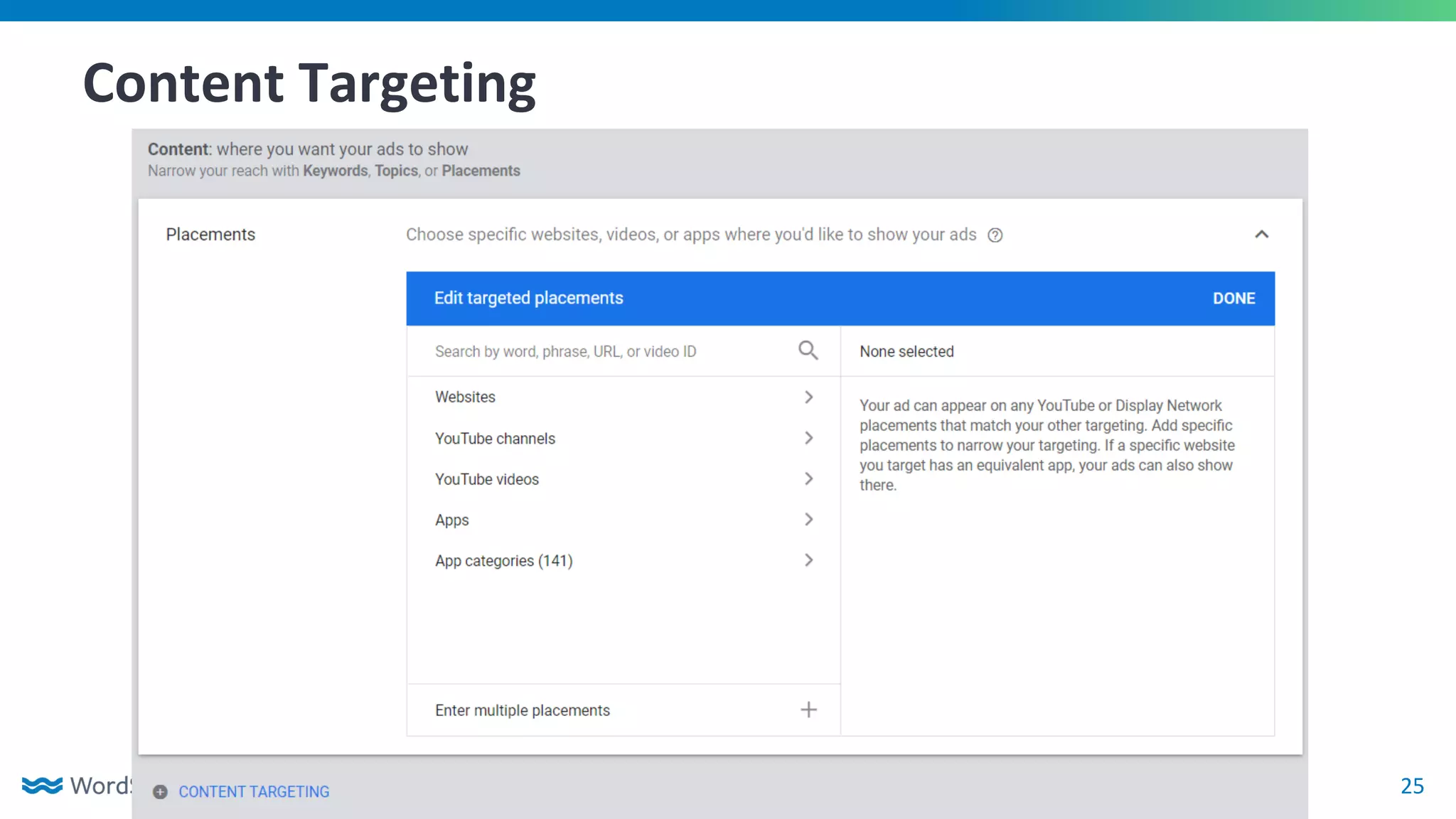
Content Targeting
● Managed Placements
26
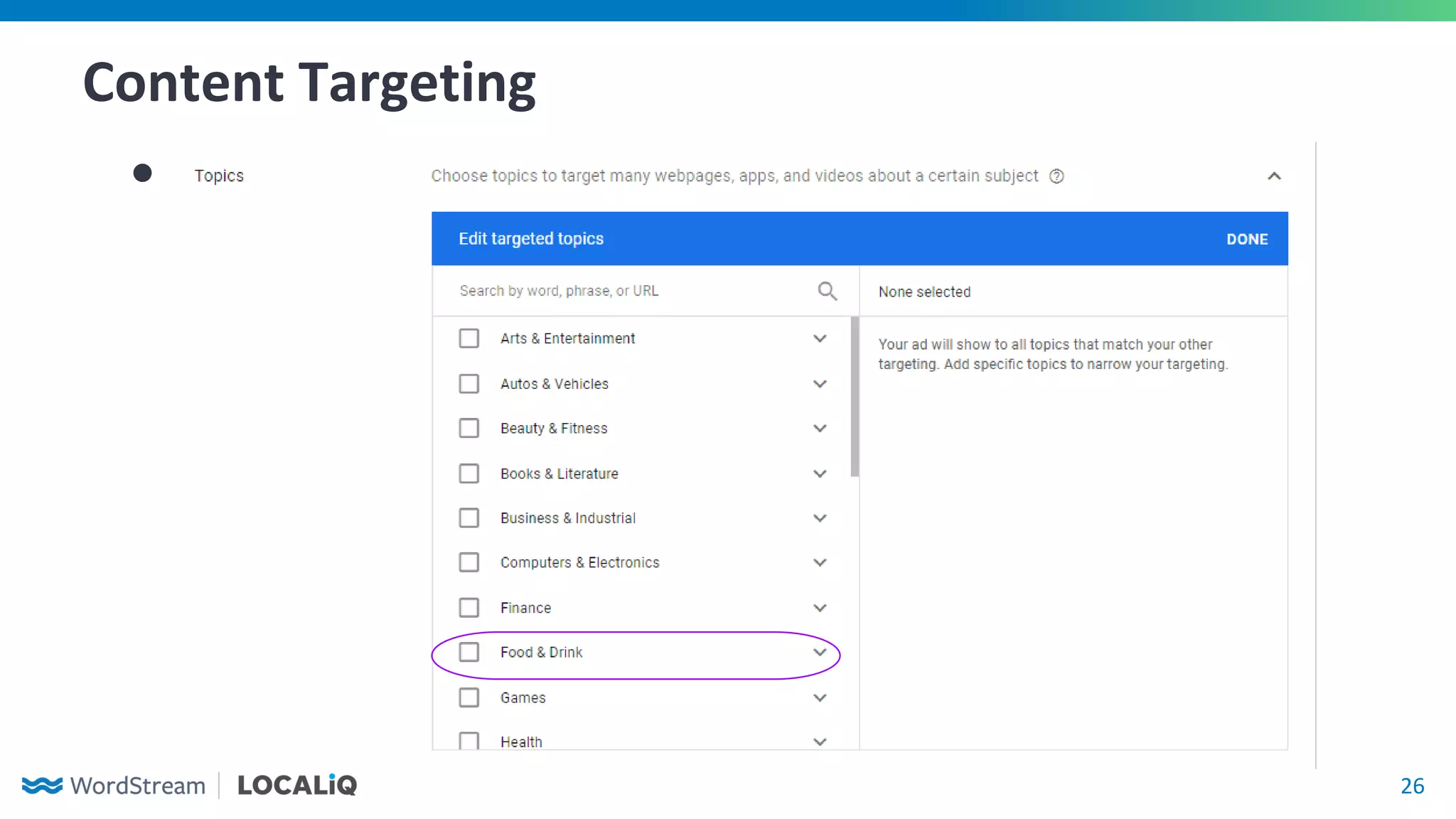
Content Targeting
● Managed Topics
27
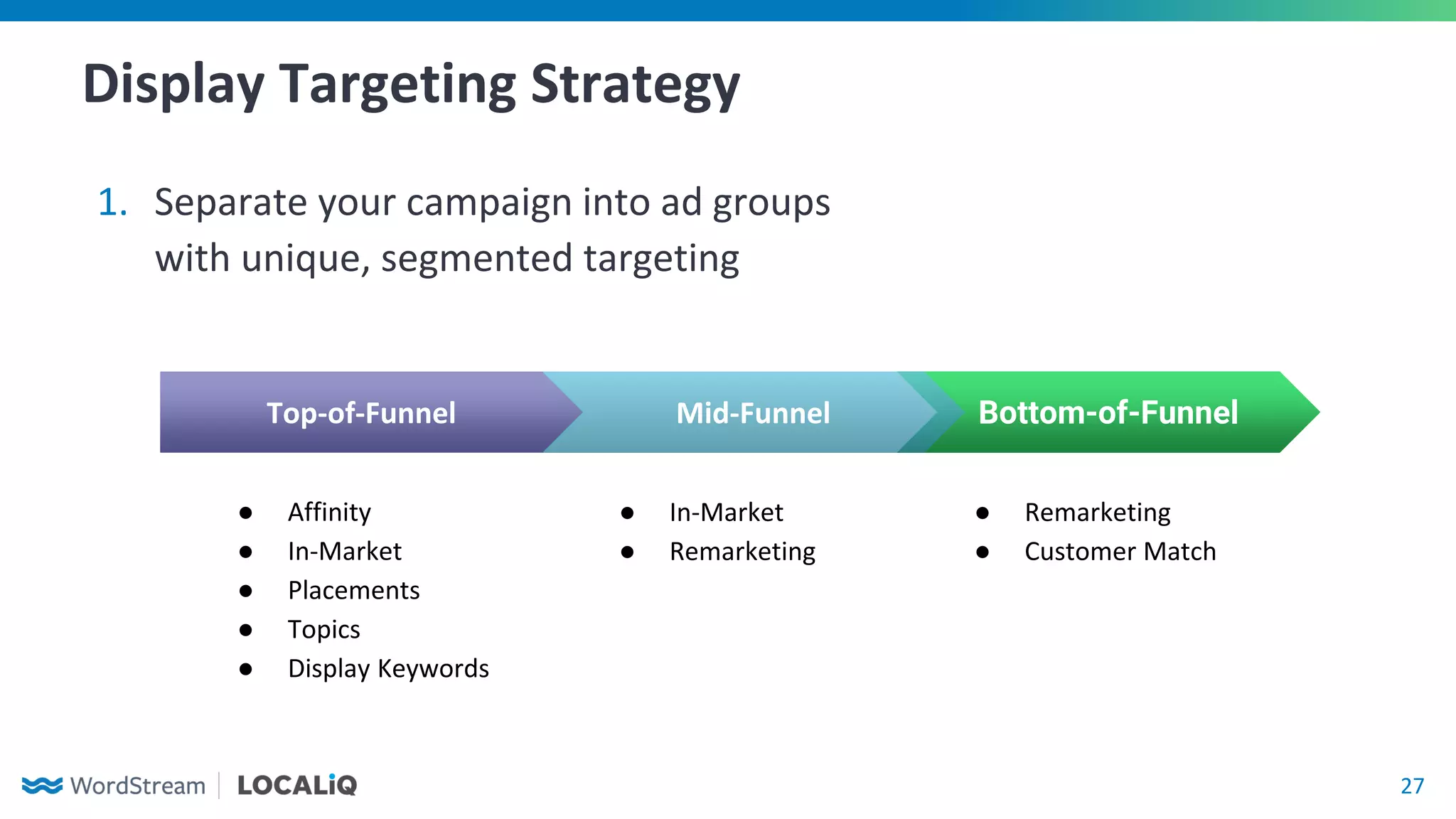
Display Targeting Strategy
1. Separate your campaign into ad groups
with unique, segmented targeting
Bottom-of-Funnel
● Remarketing
● Customer Match
Top-of-Funnel
● Affinity
● In-Market
● Placements
● Topics
● Display Keywords
Mid-Funnel
● In-Market
● Remarketing
28
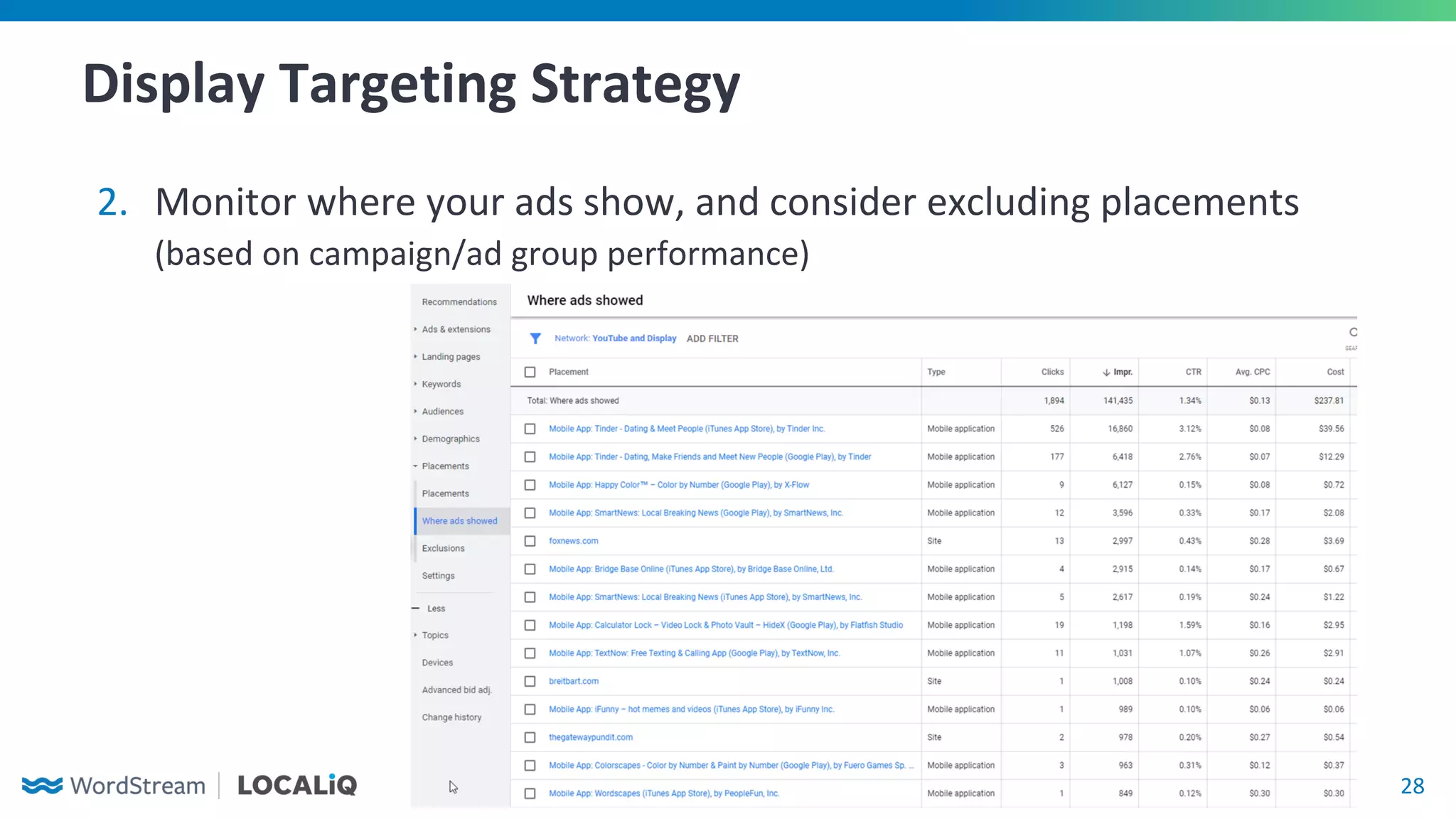
Display Targeting Strategy
2. Monitor where your ads show, and consider excluding placements
(based on campaign/ad group performance)
29
Display Targeting Strategy
3. Consider narrowing your audience by utilizing
both audience targeting and content targeting
○ May limit impressions, but allows
you to serve ads to a relevant
audience while they’re also
browsing targeted content
○ Very useful for when you have
a limited budget
30
Display Ad Formats
31
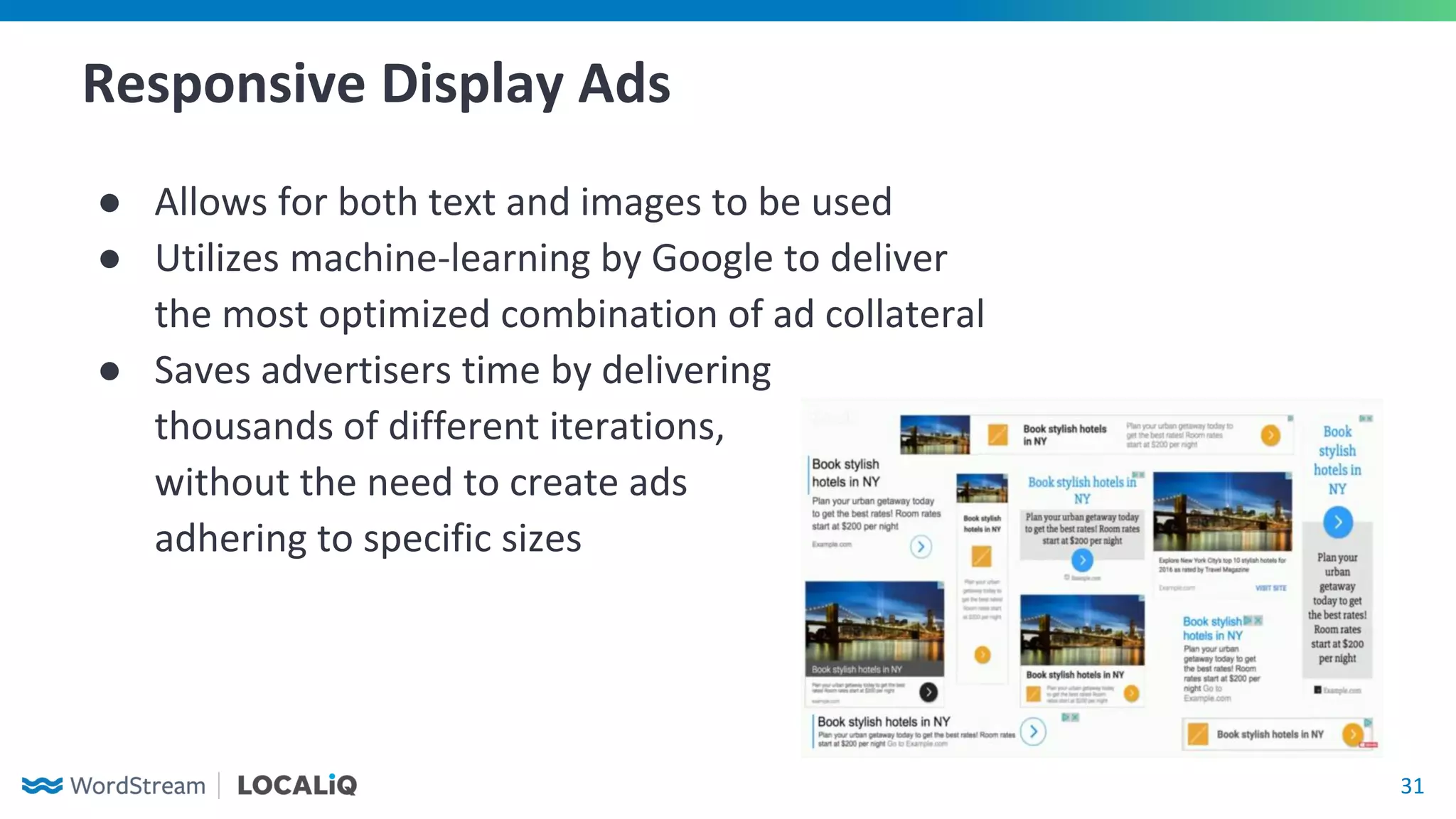
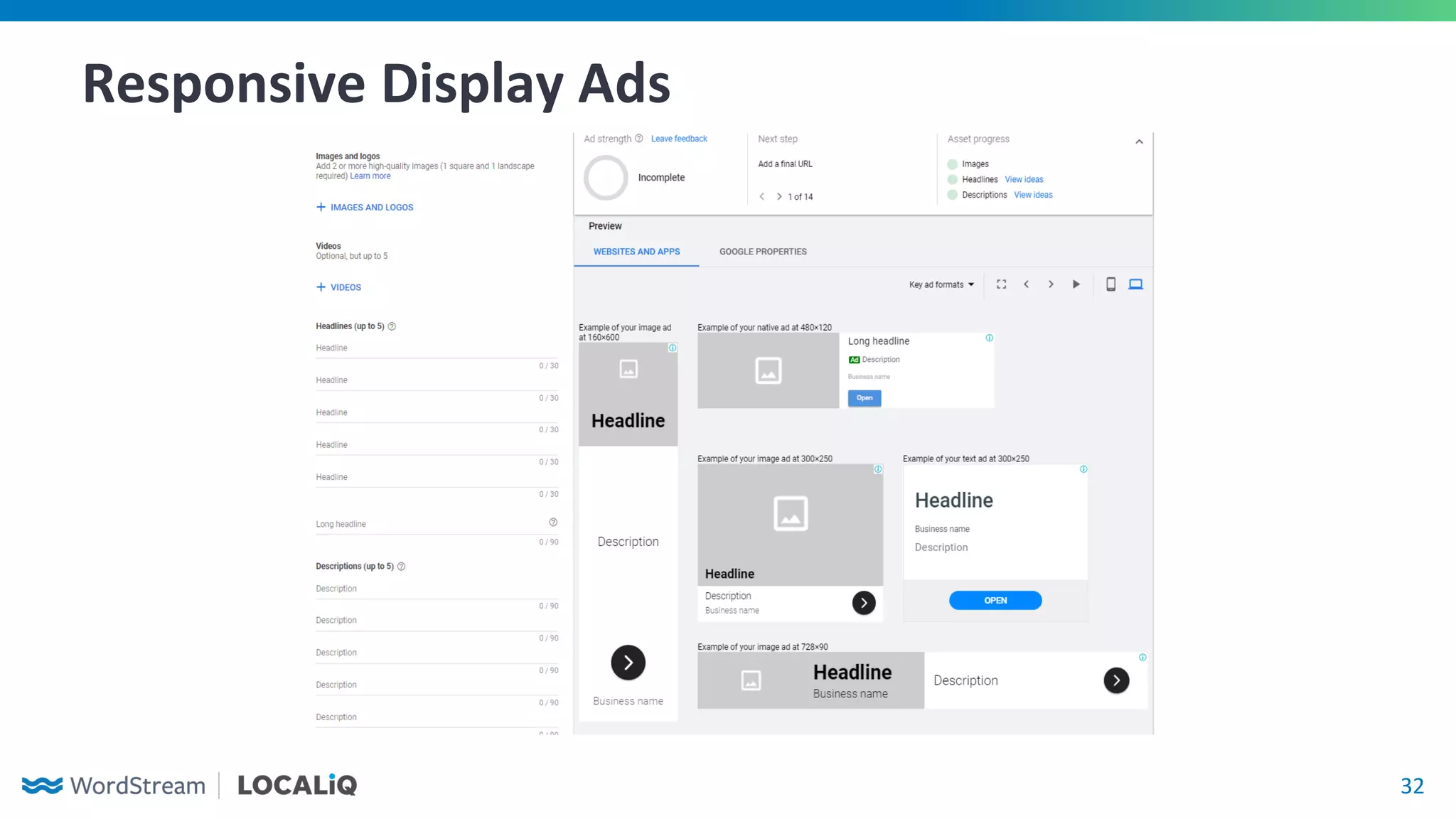
Responsive Display Ads
● Allows for both text and images to be used
● Utilizes machine-learning by Google to deliver
the most optimized combination of ad collateral
● Saves advertisers time by delivering
thousands of different iterations,
without the need to create ads
adhering to specific sizes
32
Responsive Display Ads
33
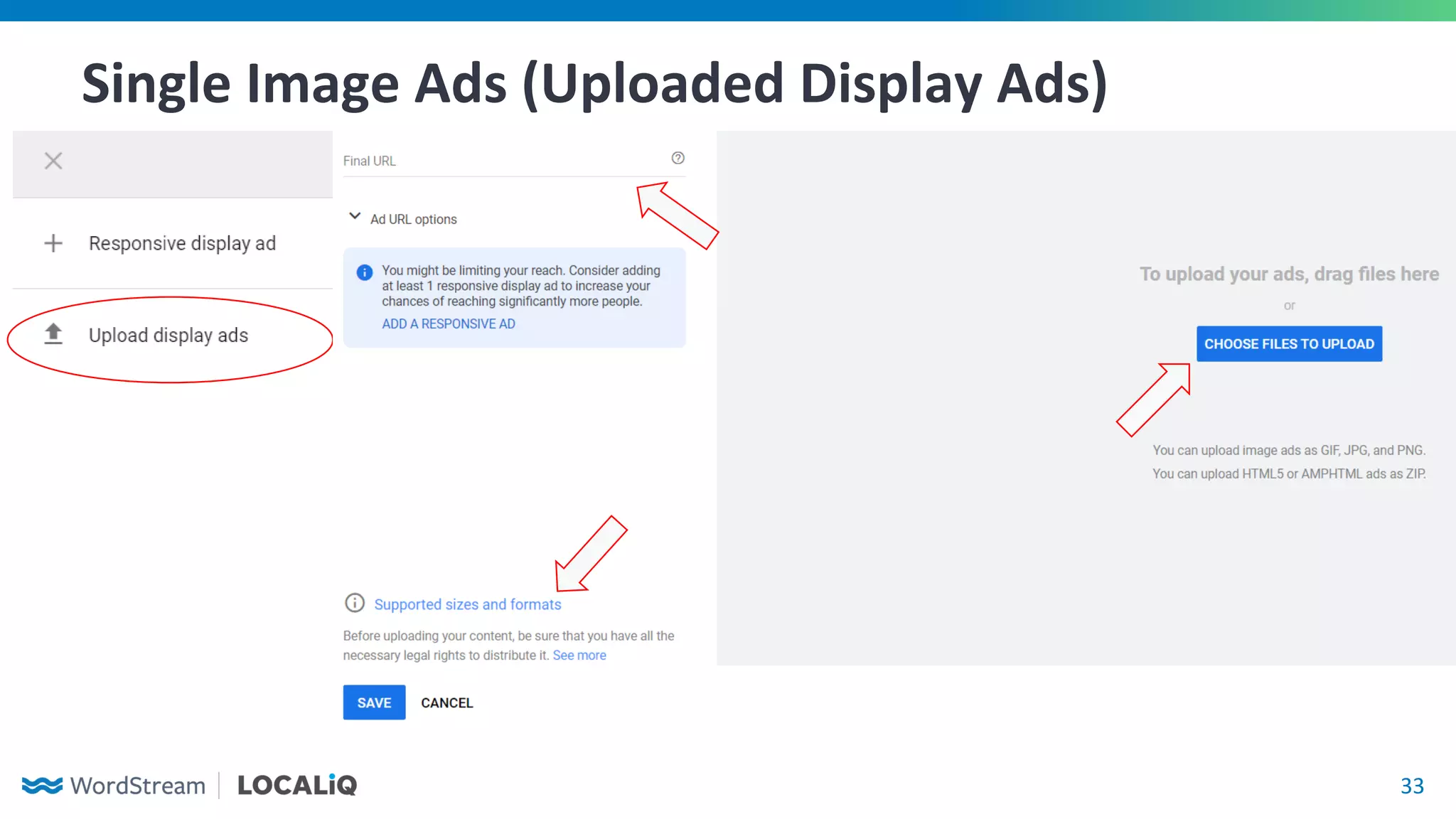
Single Image Ads (Uploaded Display Ads)
34
Key Takeaways
35
1. Your campaign metrics will be very different from search - and that’s okay!
2. The Display Network can be vital tool in engaging with customers throughout
the buying journey using different channels
3. Refine your targeting! Give in-depth consideration to both who your ads are
showing to (audience) and where your ads are showing (content)
4. Be creative and adventurous
Final Points
© Copyright 2020 WordStream, Inc. All rights reserved.
Thank you!

Google display ads 101: Clearing the Path to Your First Successful Campaign

  • 1.
    Google Display 101: Clearingthe Path to Your First Successful Campaign Hosted by: Susie Marino & Kyle Taylor November 18th
  • 2.
    22 WordStream has partneredwith LOCALiQ to deliver results-focused, technology-backed marketing services to help local businesses unlock measurable business growth.
  • 3.
  • 4.
    4 Kyle Taylor Team Lead,Digital Marketing Strategist WordStream
  • 5.
  • 6.
    6 The Google DisplayNetwork: What Is It?
  • 7.
    7 Benefits of theDisplay Network 1. Excellent ad network for brand awareness 2. Inexpensive average cost per click 3. Interact (and re-engage) with relevant audiences in between searches 4. Use compelling and creative visuals to entice users to click on your ads
  • 8.
    8 Key Differences FromSearch 1. Lower click-through rate and conversion rate 2. Audience targeting doesn’t allow you to directly address a user’s intent like search campaign keywords can 3. Unfocused audience targeting can lead to budget being spent quickly
  • 9.
  • 10.
  • 11.
  • 12.
  • 13.
    13 Bidding & Budgeting AverageCPC: far less than Search keywords!
  • 14.
    14 Bidding & Budgeting AutomatedBidding Manual Bidding Smart Bidding ● Target CPA ● Target ROAS ● Max Conversions Clicks ● Max Clicks Impressions ● Viewable CPM Clicks ● Manual CPC ● Enhanced CPC
  • 15.
    15 Bidding & Budgeting 1.Pair your bidding strategies with where your audiences are in the customer journey/sales funnel Bottom-of-Funnel ● Smart Bidding ● Click-based bidding Top-of-Funnel ● Impression-based bidding ● Click-based bidding Mid-Funnel ● Click-based bidding
  • 16.
    16 Bidding & Budgeting 2.Ensure that you have the budget to accommodate a large volume of clicks ○ Aim for a budget that can accrue at least 10 clicks per day ○ With a lower conversion rate, more clicks per day is better
  • 17.
  • 18.
    18 Display Campaign Targeting AudienceTargeting Content Targeting
  • 19.
    19 Audience Targeting ● DetailedDemographics ○ Advanced demographics beyond age, gender, and income that identify characteristics about a user
  • 20.
    20 Audience Targeting ● AffinityAudiences ○ Based off of long-standing interests and habits
  • 21.
    21 Audience Targeting ● In-MarketAudiences ○ Based off what users active researching and whom Google believes are likely to purchase a product or service ● Life Events ○ Based off of recent happenings in a user’s life ○ Can be thought of as a blending of detailed demographics and in-market audiences
  • 22.
    22 Audience Targeting ● Remarketing ○Lists based off users who have previously interacted with your website or company ○ Minimum 100 unique users for remarketing lists ● Customer Match ○ Recommended 1,000+ contacts for customer match ● Similar audiences (“lookalike”) can be created off of site visitors, past converters, or customer match lists
  • 23.
    23 Audience Targeting ● CustomAudiences ○ Audiences based on browsing habits, recent searches, and purchase intent that are too specific to fit into Google’s selectable options
  • 24.
  • 25.
  • 26.
  • 27.
    27 Display Targeting Strategy 1.Separate your campaign into ad groups with unique, segmented targeting Bottom-of-Funnel ● Remarketing ● Customer Match Top-of-Funnel ● Affinity ● In-Market ● Placements ● Topics ● Display Keywords Mid-Funnel ● In-Market ● Remarketing
  • 28.
    28 Display Targeting Strategy 2.Monitor where your ads show, and consider excluding placements (based on campaign/ad group performance)
  • 29.
    29 Display Targeting Strategy 3.Consider narrowing your audience by utilizing both audience targeting and content targeting ○ May limit impressions, but allows you to serve ads to a relevant audience while they’re also browsing targeted content ○ Very useful for when you have a limited budget
  • 30.
  • 31.
    31 Responsive Display Ads ●Allows for both text and images to be used ● Utilizes machine-learning by Google to deliver the most optimized combination of ad collateral ● Saves advertisers time by delivering thousands of different iterations, without the need to create ads adhering to specific sizes
  • 32.
  • 33.
    33 Single Image Ads(Uploaded Display Ads)
  • 34.
  • 35.
    35 1. Your campaignmetrics will be very different from search - and that’s okay! 2. The Display Network can be vital tool in engaging with customers throughout the buying journey using different channels 3. Refine your targeting! Give in-depth consideration to both who your ads are showing to (audience) and where your ads are showing (content) 4. Be creative and adventurous Final Points
  • 36.
    © Copyright 2020WordStream, Inc. All rights reserved. Thank you!