Esmaill Hasanzadeh Spring 2018 Zahra Momeni
Instructor: Dr. Sadegh Dorri
Cloud Computing Course, Tarbiat Modares University
Google App Engine
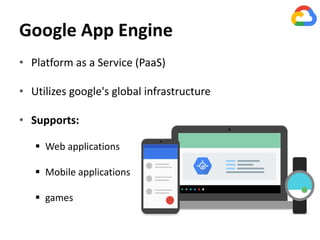
• Platform as a Service (PaaS)
• Utilizes google's global infrastructure
• Supports:
 Web applications
 Mobile applications
 games
Google App Engine
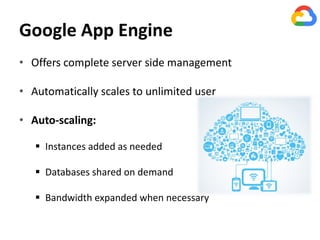
• Offers complete server side management
• Automatically scales to unlimited user
• Auto-scaling:
 Instances added as needed
 Databases shared on demand
 Bandwidth expanded when necessary
Google App Engine
• Great performance
• Tight security with fully sandboxed apps
• Extremely reliable
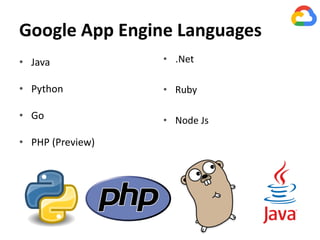
Google App Engine Languages
• Java
• Python
• Go
• PHP (Preview)
• .Net
• Ruby
• Node Js
App Engine Language Support
• Specific features for each language
• Common elements:
 local development environment to simulate App Engine
 Authentication and email APIs for Google Accounts
 Ability to schedule “cron” jobs at specified time
 Runs in a sandbox
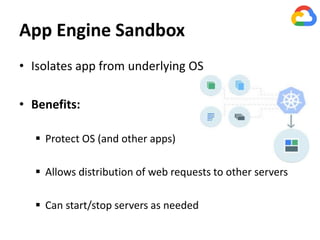
App Engine Sandbox
• Isolates app from underlying OS
• Benefits:
 Protect OS (and other apps)
 Allows distribution of web requests to other servers
 Can start/stop servers as needed
Google cloud sdk
• Supports Linux, Mac, and Windows
• Requires python 2.7
• Google Plugin for IDEs(Eclipse & Jet Brains) :
 Create
 Test
 upload
App Engine Costs
• No start-up costs
• Initial no-charge limits:
 10 application per developer account
 1GB storage per application
 5 million page views per month per application
Integrating with other
Google Cloud Products
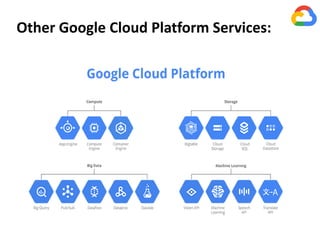
Other Google Cloud Platform Services:
Google Compute Engine
• For large scale computing needs
• Same infrastructure Google Search, Gmail, Ads
• Virtual machines (VMs) on demand
Provide faster computations
Efficient scaling
Specify 1, 2, 4 or 8 core instances
Up to 3.75 GB memory per core
App Engine and Compute Engine
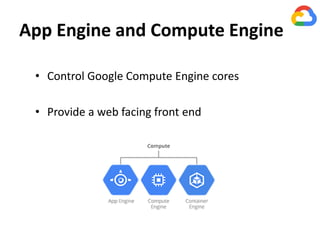
• Control Google Compute Engine cores
• Provide a web facing front end
Google Cloud Storage
• Global regional hosting
• Fast access
• Guaranteed up-time of 99.95%
• Backup and restore options
• Unlimited storage
App Engine and Cloud Storage
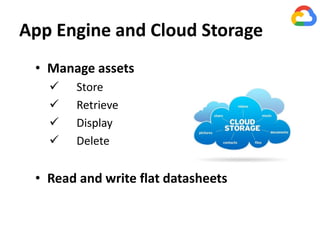
• Manage assets
 Store
 Retrieve
 Display
 Delete
• Read and write flat datasheets
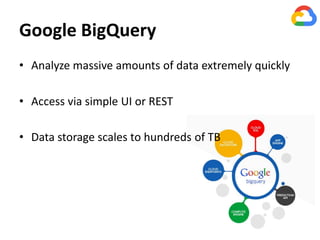
Google BigQuery
• Analyze massive amounts of data extremely quickly
• Access via simple UI or REST
• Data storage scales to hundreds of TB
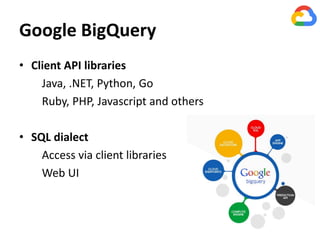
Google BigQuery
• Client API libraries
Java, .NET, Python, Go
Ruby, PHP, Javascript and others
• SQL dialect
Access via client libraries
Web UI
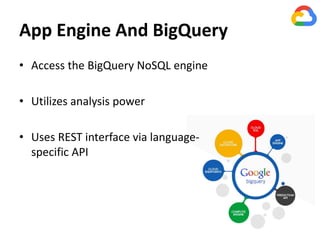
App Engine And BigQuery
• Access the BigQuery NoSQL engine
• Utilizes analysis power
• Uses REST interface via language-
specific API
Google Cloud DataBase Solutions
 Cloud SQL
• Relational database
• MySQL , Postgre SQL
• 100 GB storage
• 16GB RAM
 Cloud Datastore
• Non-ralational database
• NoSQL
• 50k read/write, 200 indexes
• 1GB data / month
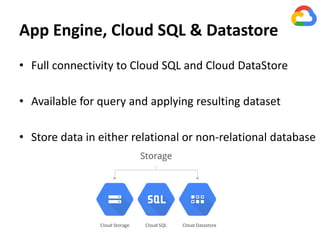
App Engine, Cloud SQL & Datastore
• Full connectivity to Cloud SQL and Cloud DataStore
• Available for query and applying resulting dataset
• Store data in either relational or non-relational database
in future:
• Using the Google Cloud Console
• Setting App Engine services
• Coding our app
• Working with images, style sheets, and other
static files
• Incorporating HTML templates
• Uploading and deploying our app
• Implementing Google Cloud Storage
• Setting up a custom domain
The End

Google app engine

  • 1.
    Esmaill Hasanzadeh Spring2018 Zahra Momeni Instructor: Dr. Sadegh Dorri Cloud Computing Course, Tarbiat Modares University
  • 2.
    Google App Engine •Platform as a Service (PaaS) • Utilizes google's global infrastructure • Supports:  Web applications  Mobile applications  games
  • 3.
    Google App Engine •Offers complete server side management • Automatically scales to unlimited user • Auto-scaling:  Instances added as needed  Databases shared on demand  Bandwidth expanded when necessary
  • 4.
    Google App Engine •Great performance • Tight security with fully sandboxed apps • Extremely reliable
  • 5.
    Google App EngineLanguages • Java • Python • Go • PHP (Preview) • .Net • Ruby • Node Js
  • 6.
    App Engine LanguageSupport • Specific features for each language • Common elements:  local development environment to simulate App Engine  Authentication and email APIs for Google Accounts  Ability to schedule “cron” jobs at specified time  Runs in a sandbox
  • 7.
    App Engine Sandbox •Isolates app from underlying OS • Benefits:  Protect OS (and other apps)  Allows distribution of web requests to other servers  Can start/stop servers as needed
  • 8.
    Google cloud sdk •Supports Linux, Mac, and Windows • Requires python 2.7 • Google Plugin for IDEs(Eclipse & Jet Brains) :  Create  Test  upload
  • 9.
    App Engine Costs •No start-up costs • Initial no-charge limits:  10 application per developer account  1GB storage per application  5 million page views per month per application
  • 10.
  • 11.
    Other Google CloudPlatform Services:
  • 12.
    Google Compute Engine •For large scale computing needs • Same infrastructure Google Search, Gmail, Ads • Virtual machines (VMs) on demand Provide faster computations Efficient scaling Specify 1, 2, 4 or 8 core instances Up to 3.75 GB memory per core
  • 13.
    App Engine andCompute Engine • Control Google Compute Engine cores • Provide a web facing front end
  • 14.
    Google Cloud Storage •Global regional hosting • Fast access • Guaranteed up-time of 99.95% • Backup and restore options • Unlimited storage
  • 15.
    App Engine andCloud Storage • Manage assets  Store  Retrieve  Display  Delete • Read and write flat datasheets
  • 16.
    Google BigQuery • Analyzemassive amounts of data extremely quickly • Access via simple UI or REST • Data storage scales to hundreds of TB
  • 17.
    Google BigQuery • ClientAPI libraries Java, .NET, Python, Go Ruby, PHP, Javascript and others • SQL dialect Access via client libraries Web UI
  • 18.
    App Engine AndBigQuery • Access the BigQuery NoSQL engine • Utilizes analysis power • Uses REST interface via language- specific API
  • 19.
    Google Cloud DataBaseSolutions  Cloud SQL • Relational database • MySQL , Postgre SQL • 100 GB storage • 16GB RAM  Cloud Datastore • Non-ralational database • NoSQL • 50k read/write, 200 indexes • 1GB data / month
  • 20.
    App Engine, CloudSQL & Datastore • Full connectivity to Cloud SQL and Cloud DataStore • Available for query and applying resulting dataset • Store data in either relational or non-relational database
  • 21.
    in future: • Usingthe Google Cloud Console • Setting App Engine services • Coding our app • Working with images, style sheets, and other static files • Incorporating HTML templates • Uploading and deploying our app • Implementing Google Cloud Storage • Setting up a custom domain
  • 22.