
Google Analytics
Advanced Segments
By: Errett Cord
Email: ecord@ecord.us
Twitter: @errettcord
Advanced segmentation is important!
•View data from only the traffic sources that interest you
•Apply custom reports to only particular traffic sources
•Performance decisions about particular marketing initiatives
•Allows you to compare different marketing channels
Sample Custom Segments
Only those visitors which converted
✓ Use these metrics as a target for all your campaigns
✓ Time on site, pages per visit, key pages
Only those visitors from Social Media
✓Twitter, Facebook, Google+
Only visits from particular geographic locations
✓ Allow you to focus on those regions with sales efforts
Only visits that landed on a particular page and
converted
✓Use target metrics for all your campaigns
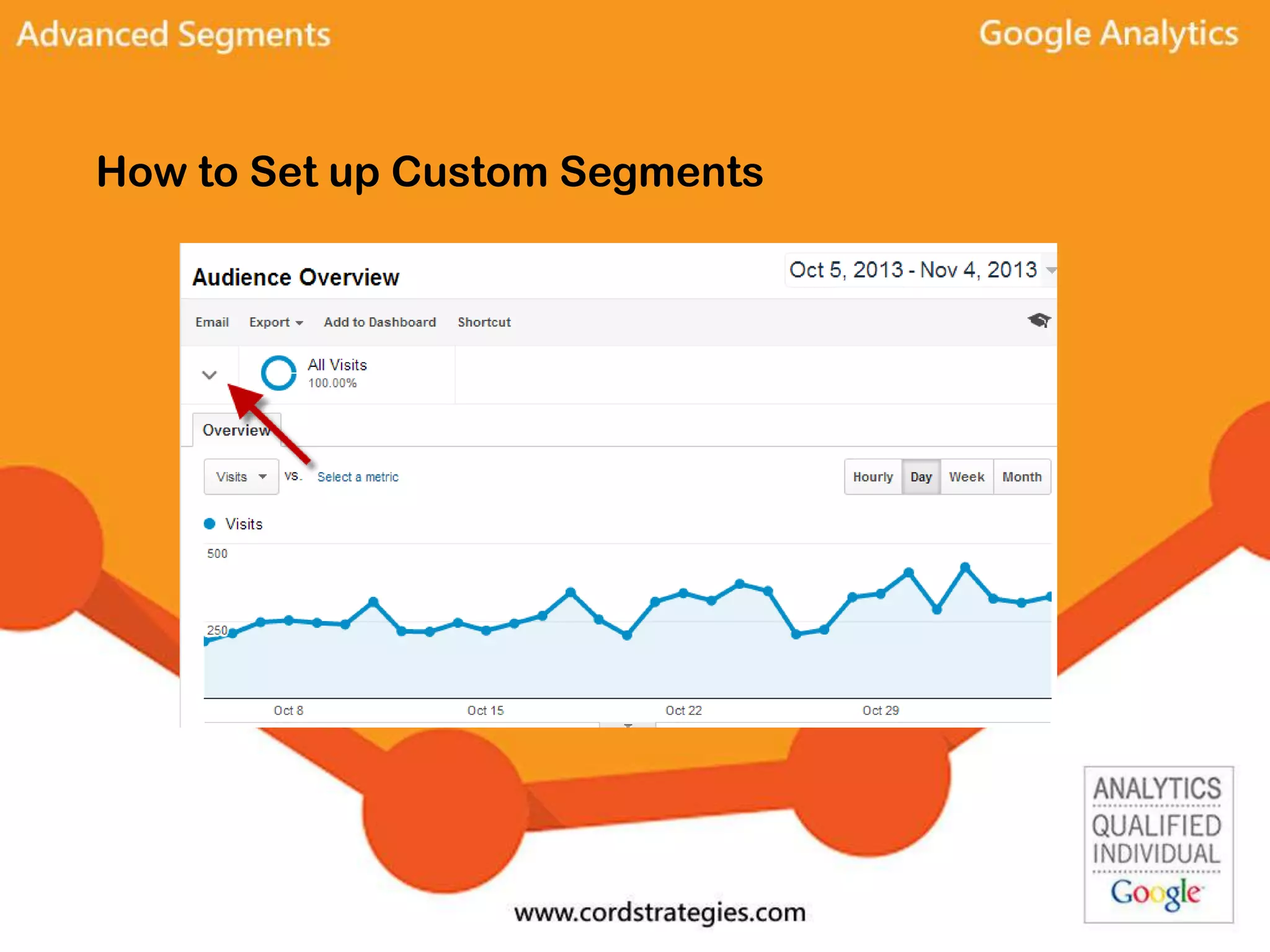
How to Set up Custom Segments
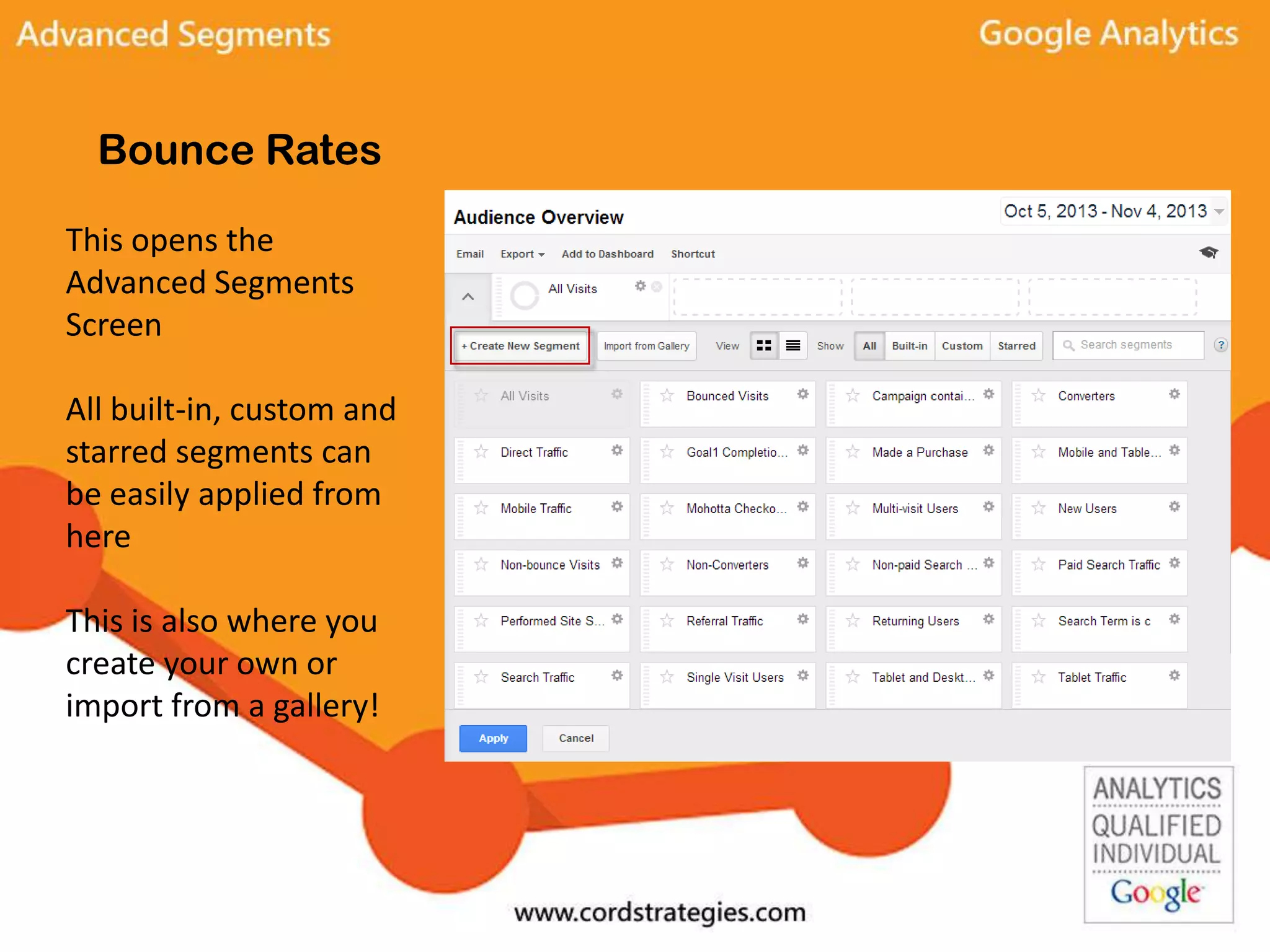
Bounce Rates
This opens the
Advanced Segments
Screen
All built-in, custom and
starred segments can
be easily applied from
here
This is also where you
create your own or
import from a gallery!
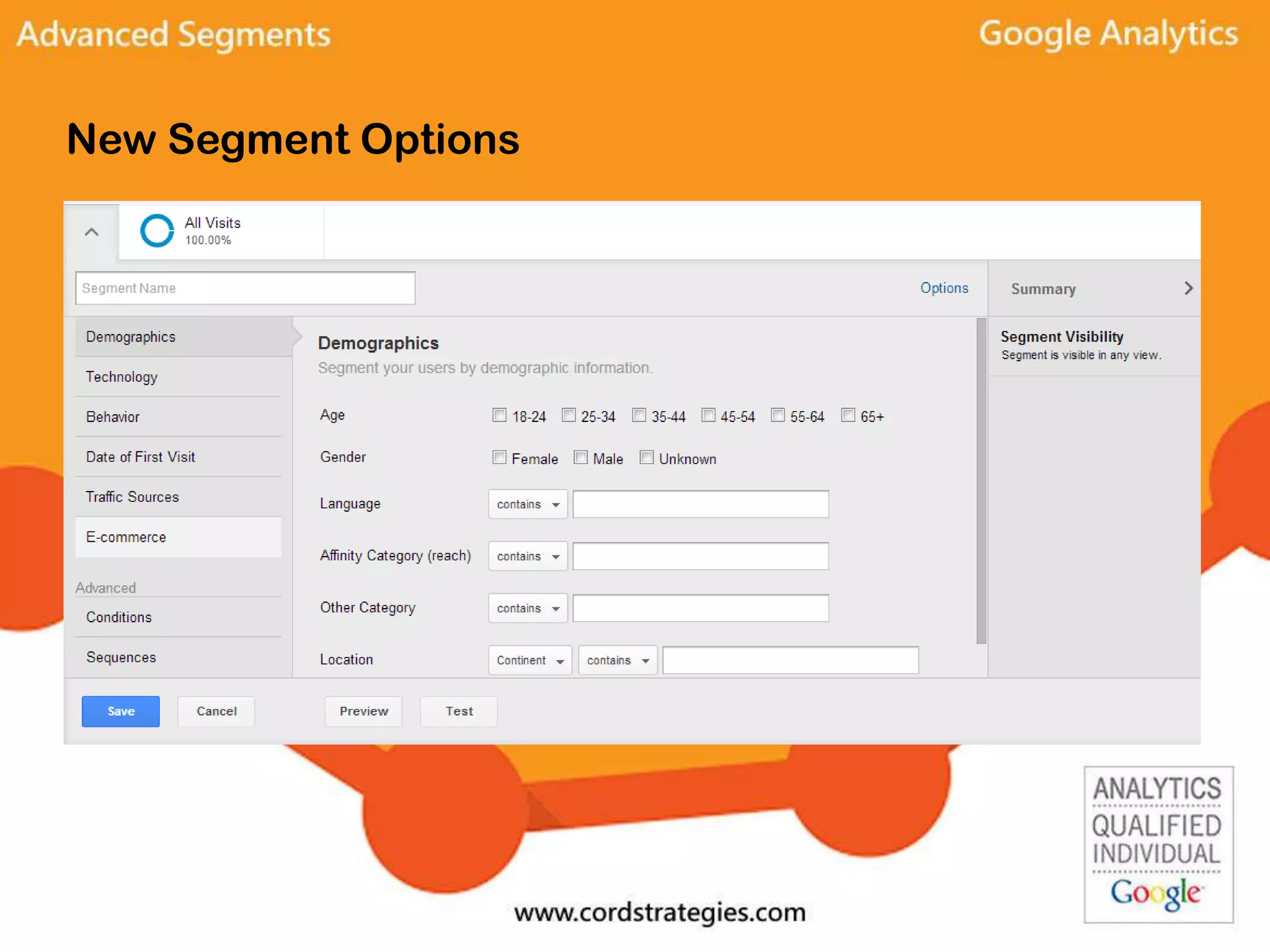
New Segment Options
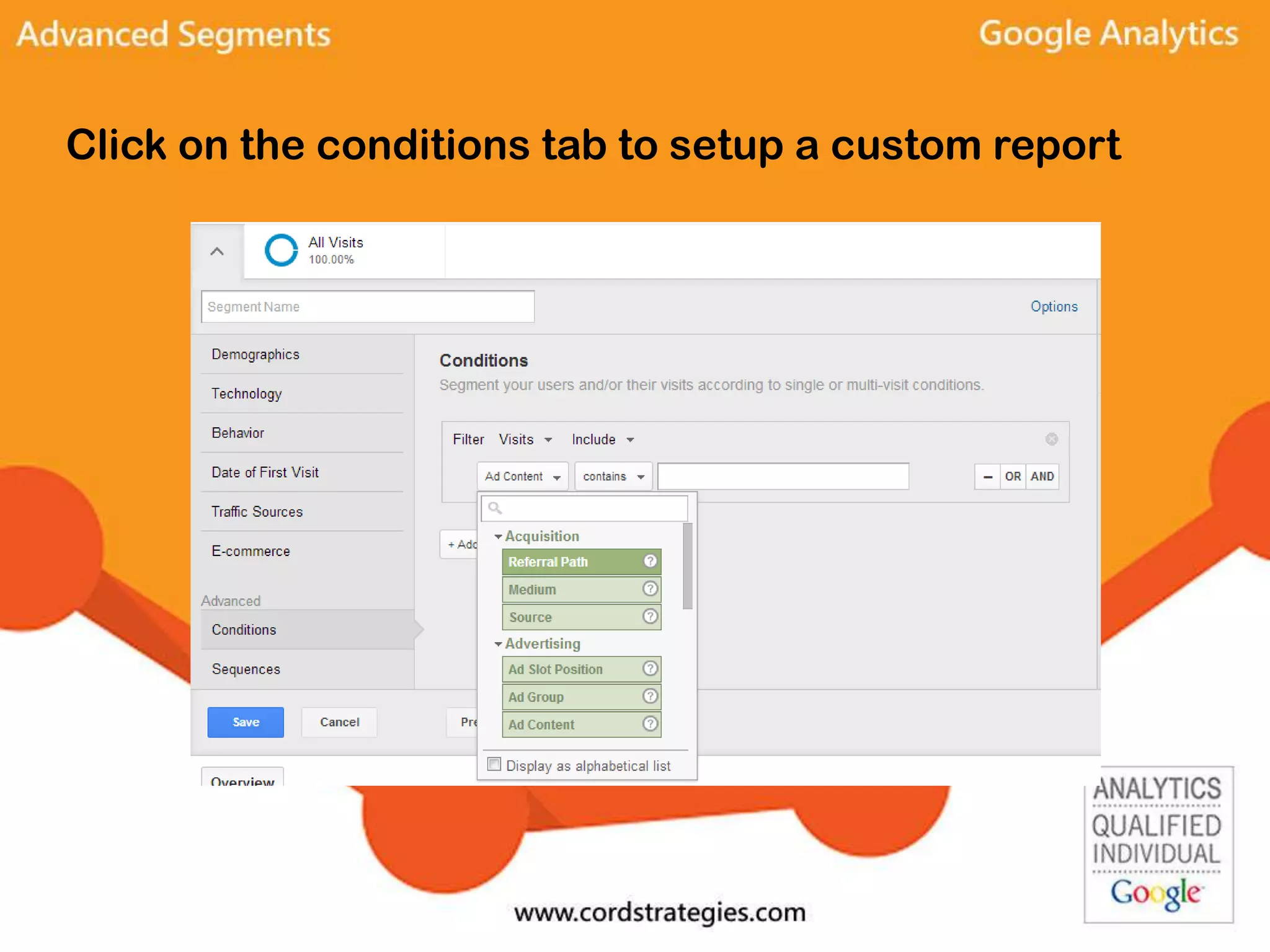
Click on the conditions tab to setup a custom report
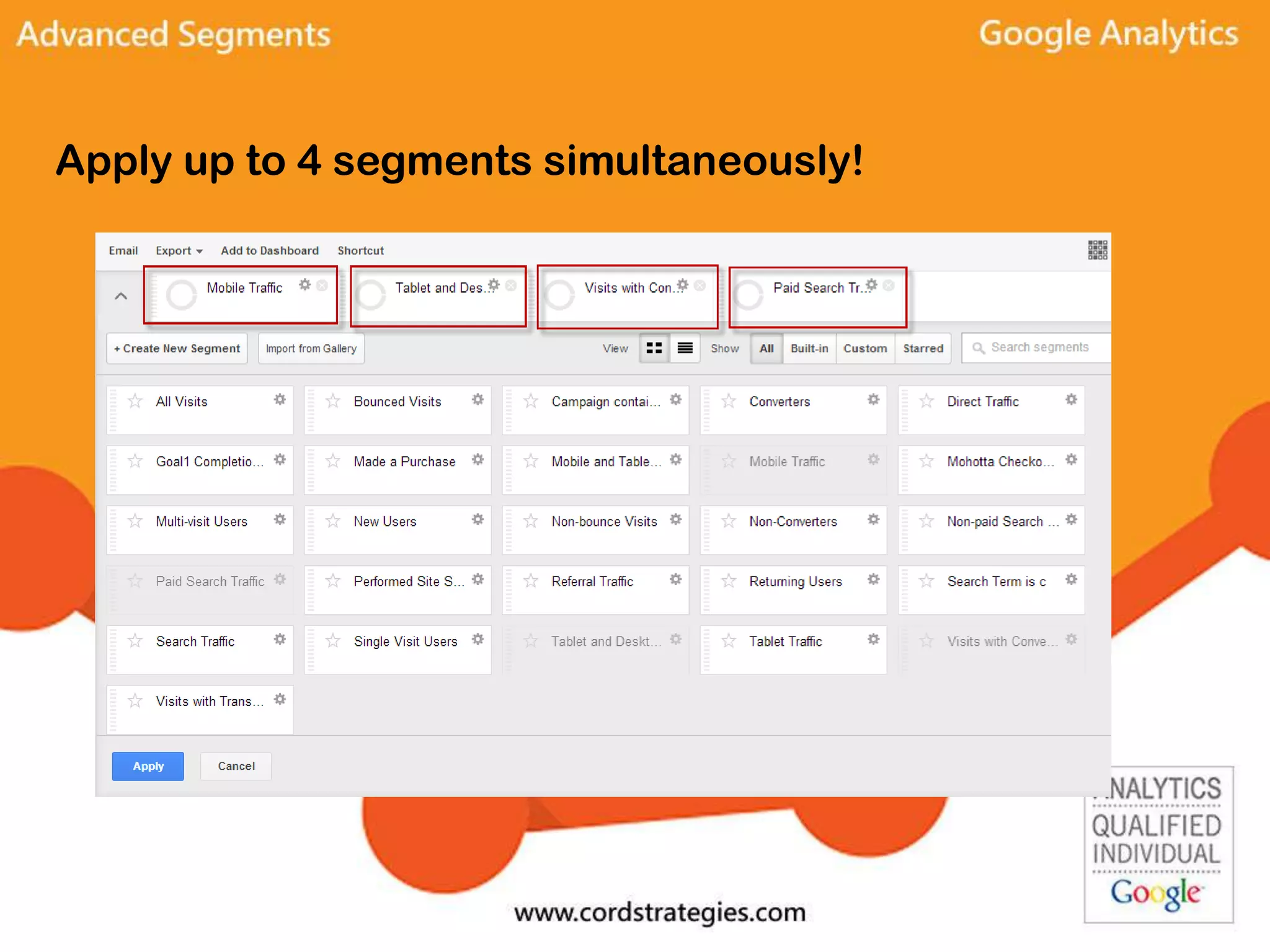
Apply up to 4 segments simultaneously!
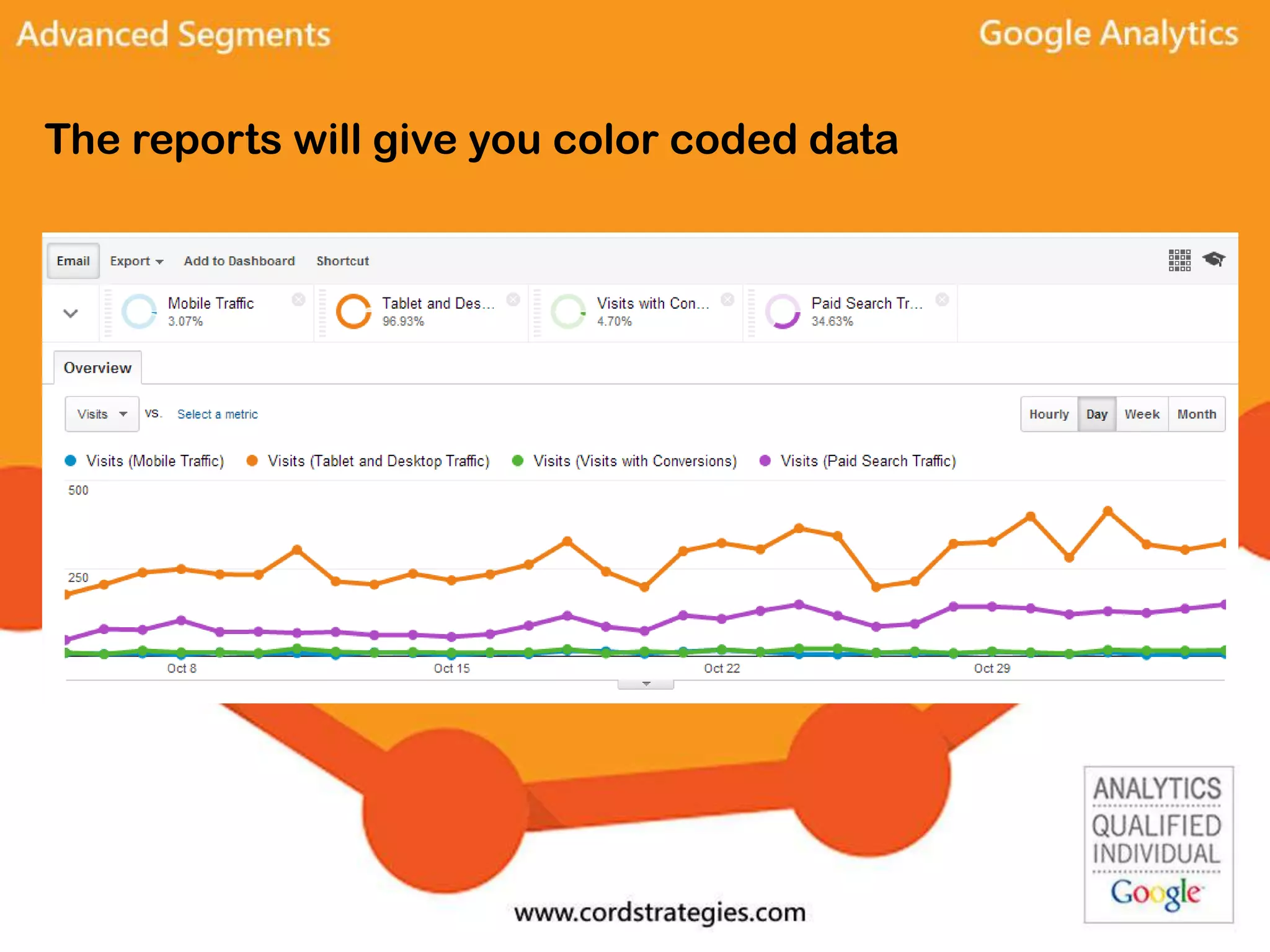
The reports will give you color coded data
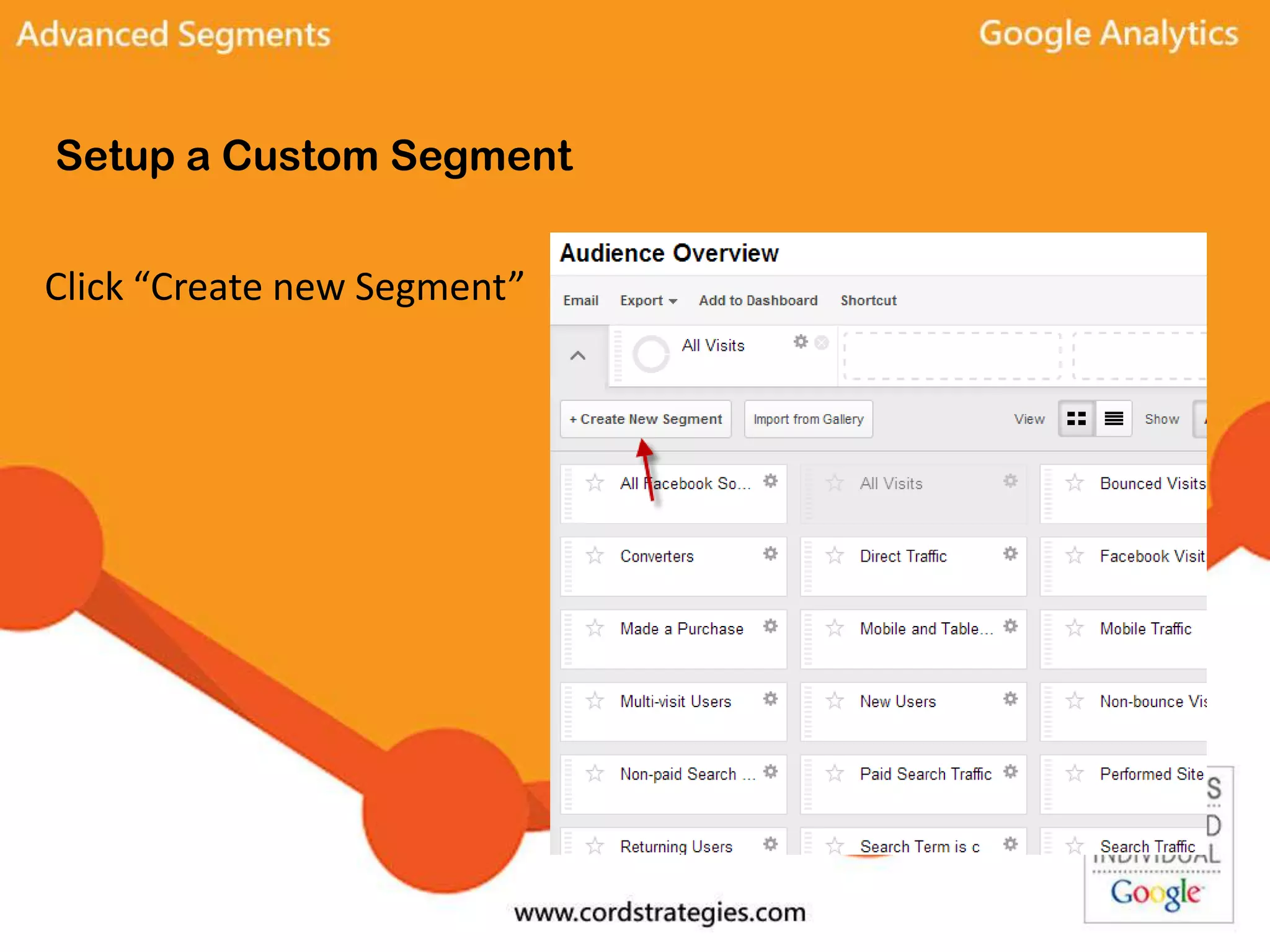
Setup a Custom Segment
Click “Create new Segment”
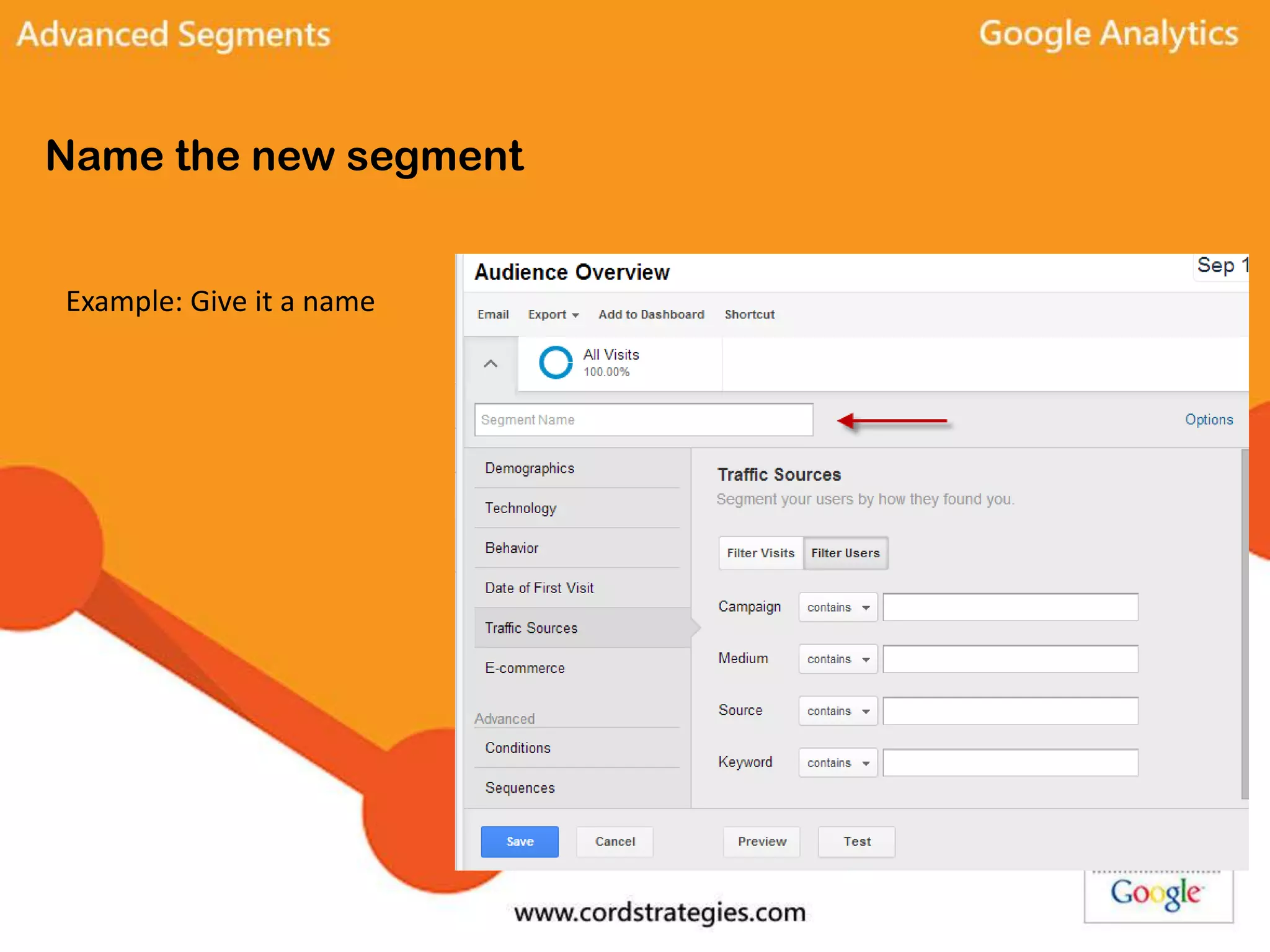
Name the new segment
Example: Give it a name
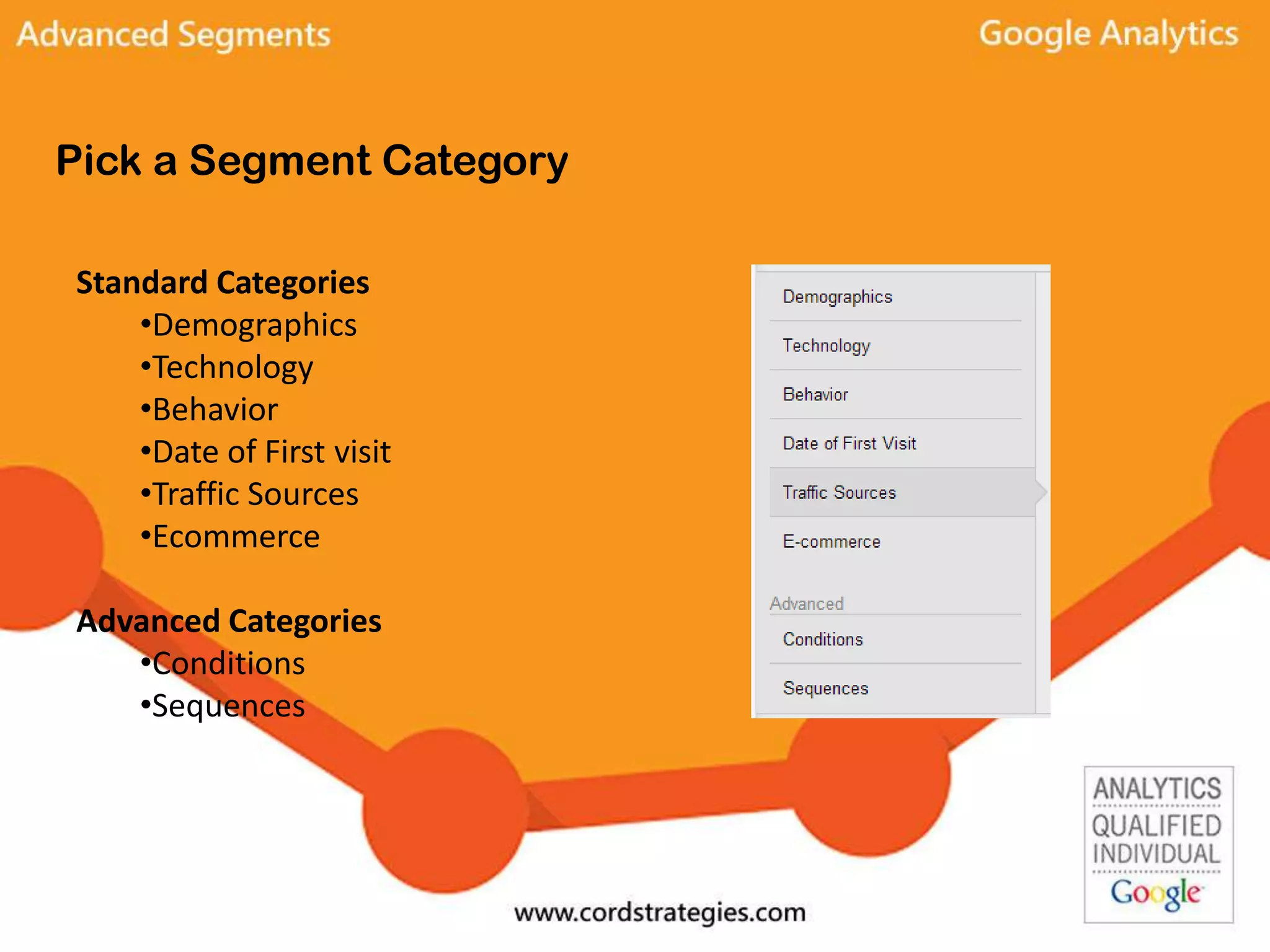
Pick a Segment Category
Standard Categories
•Demographics
•Technology
•Behavior
•Date of First visit
•Traffic Sources
•Ecommerce
Advanced Categories
•Conditions
•Sequences
Common Segment Types
Demographics –
Segment your visitors by age, gender, language, affinity category, and location.
*Note that some of this information requires a change to the standard Google
Analytics code.
Technology –
Options include operating system, browser, screen resolution, device category and
mobile variables.
Other Standard Segment Types
Behavior –
Look at visitors by how often they visit, days since last visit, transactions, and visit
duration.
Date of First Visit –
Segment by when users first visited
Traffic Sources –
Filter segments by campaign, medium, source and keyword.
Ecommerce –
Segment users by revenue, days to transaction, product, and product category
Advanced Segment Types
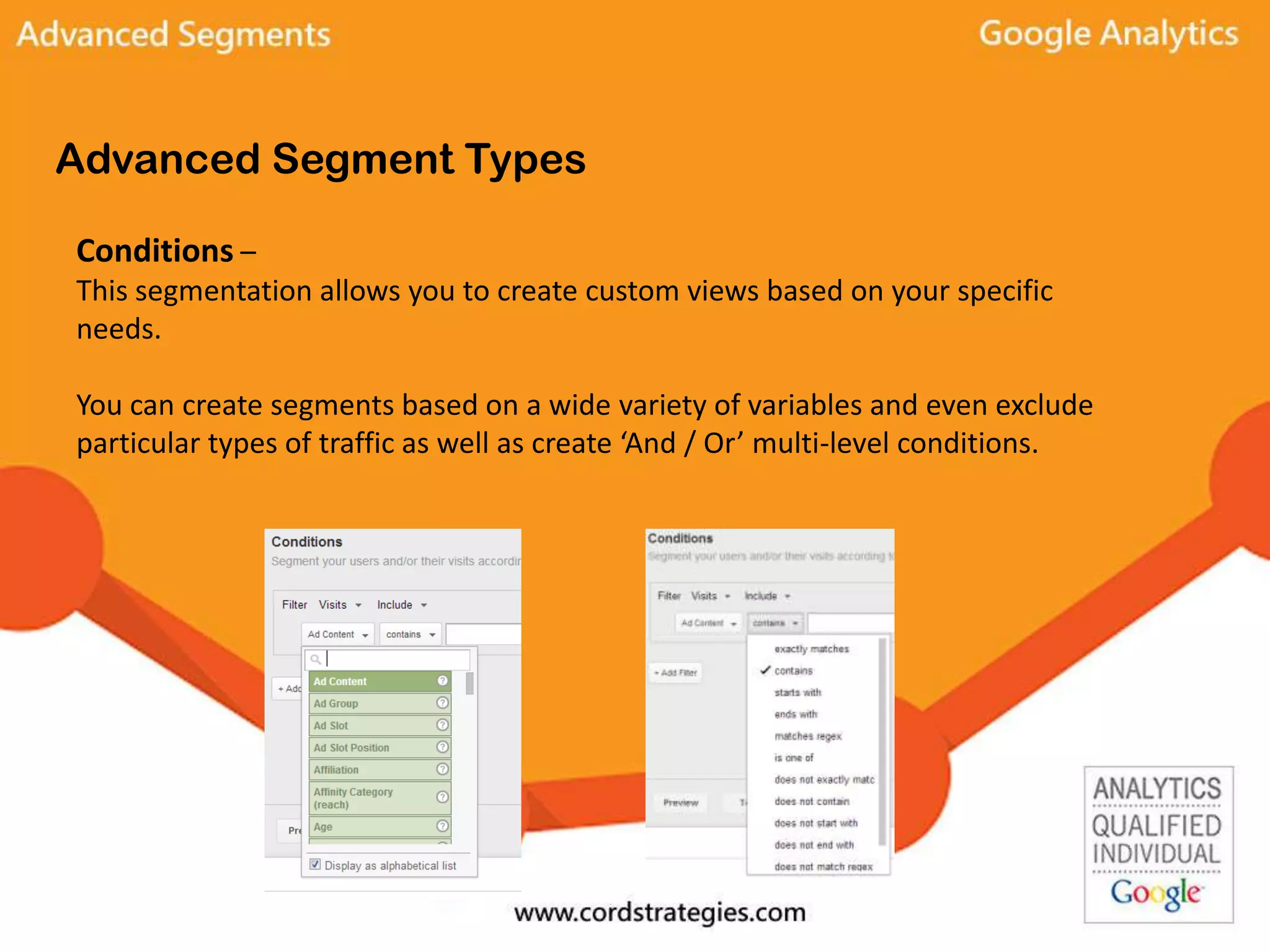
Conditions –
This segmentation allows you to create custom views based on your specific
needs.
You can create segments based on a wide variety of variables and even exclude
particular types of traffic as well as create ‘And / Or’ multi-level conditions.
Advanced Segment Types
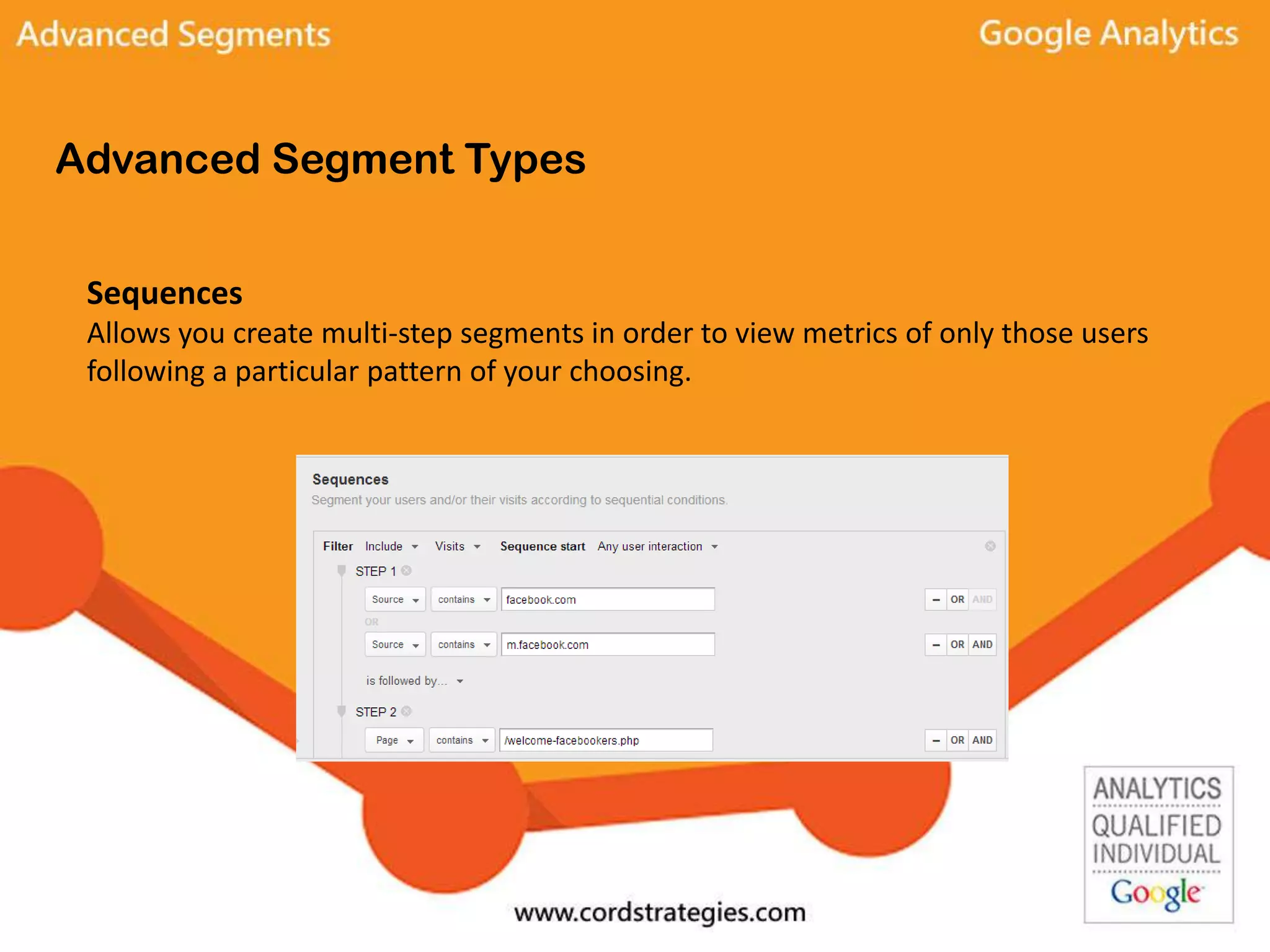
Sequences
Allows you create multi-step segments in order to view metrics of only those users
following a particular pattern of your choosing.
Edit and Share
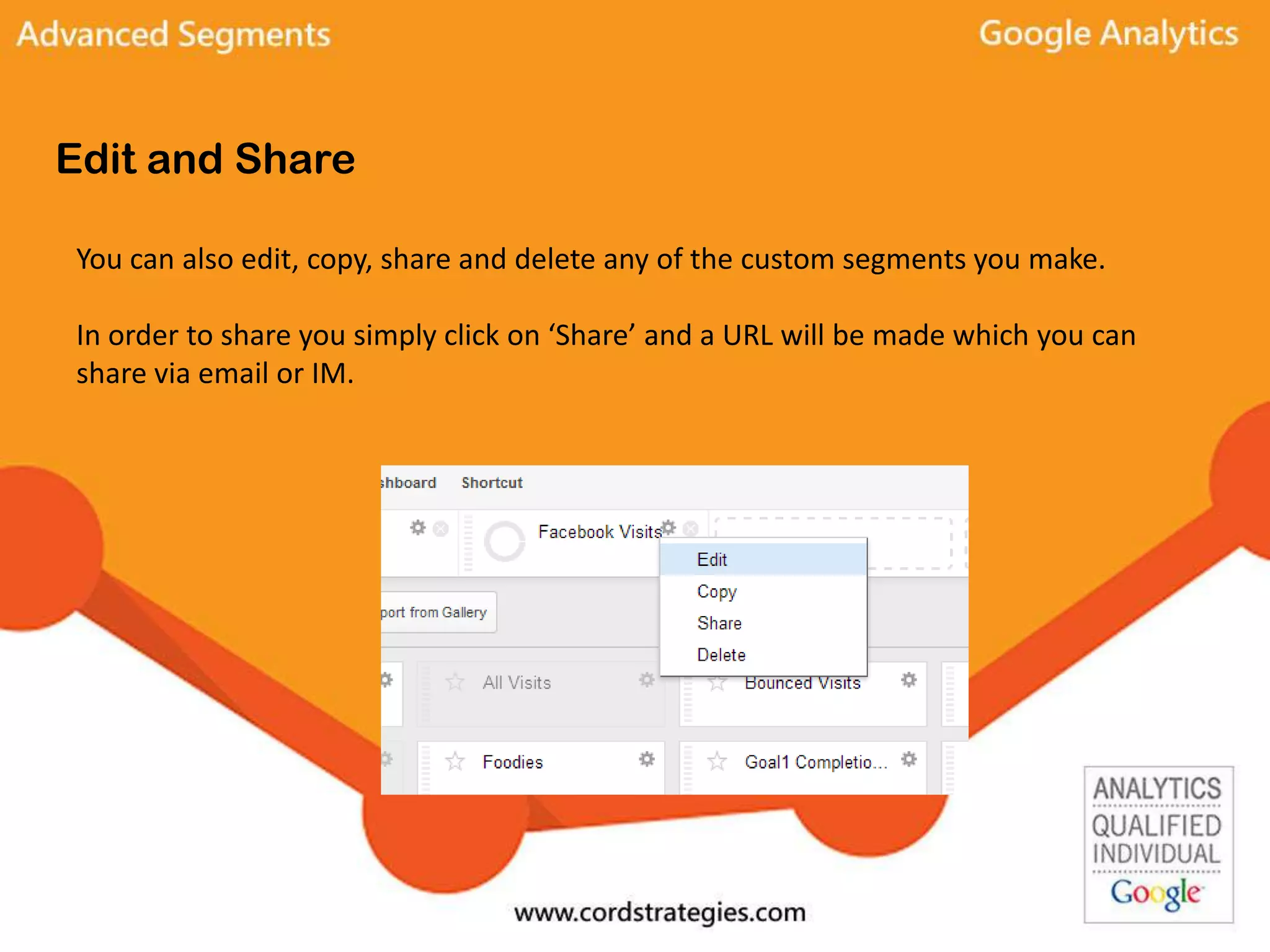
You can also edit, copy, share and delete any of the custom segments you make.
In order to share you simply click on ‘Share’ and a URL will be made which you can
share via email or IM.
Crowd Sourcing your Advanced Segments
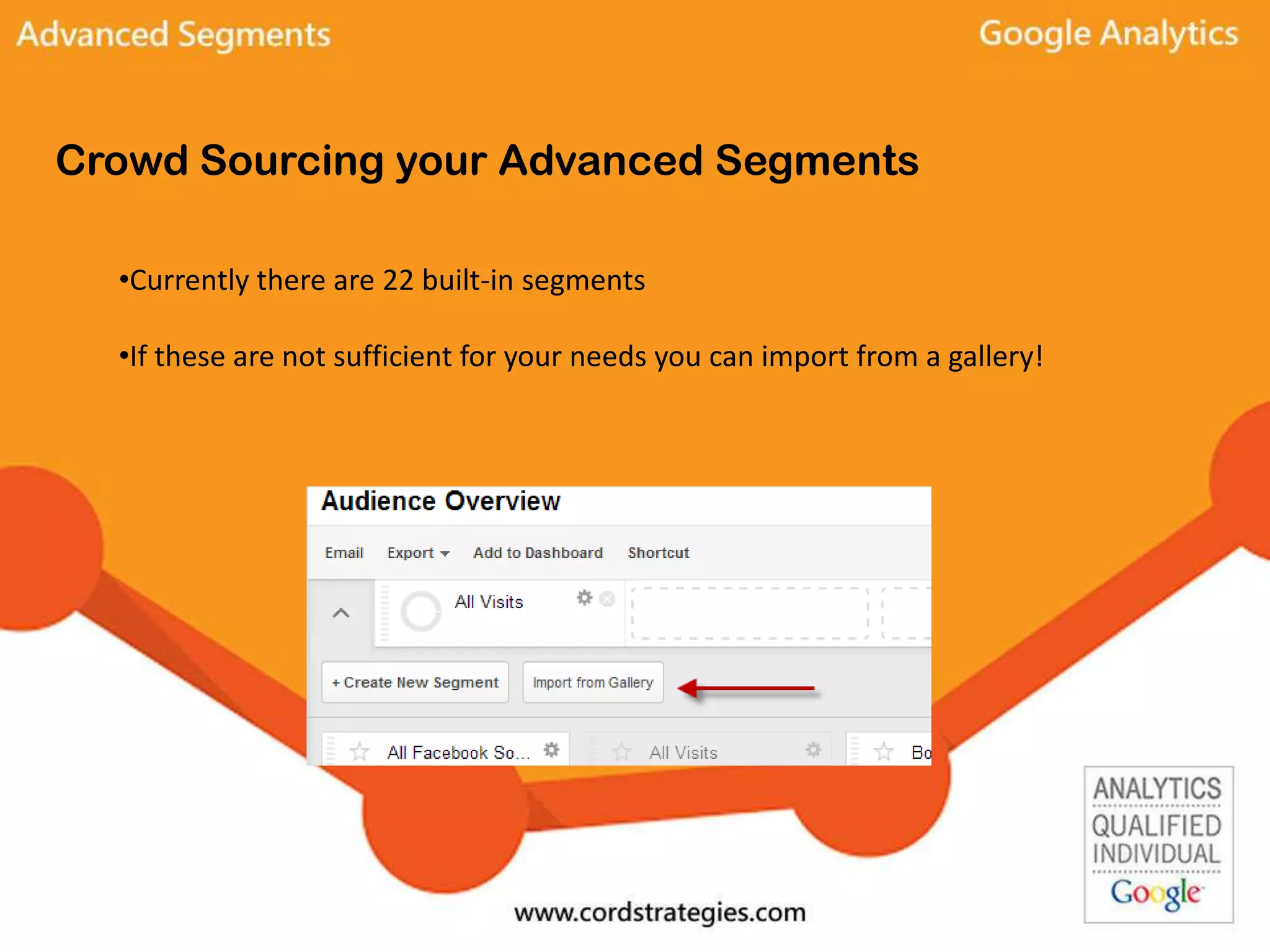
•Currently there are 22 built-in segments
•If these are not sufficient for your needs you can import from a gallery!
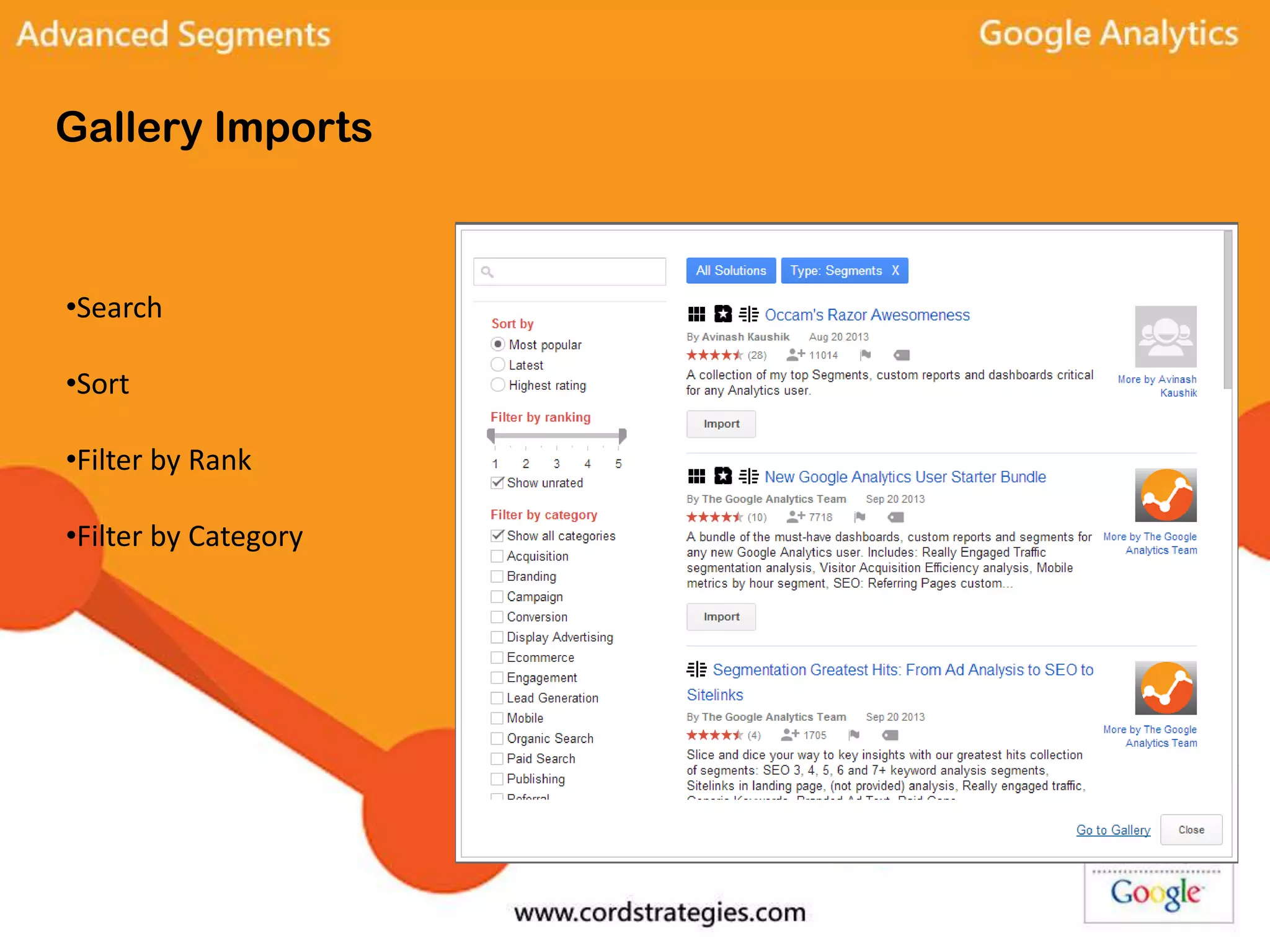
Gallery Imports
•Search
•Sort
•Filter by Rank
•Filter by Category
Custom Segments
There are literally thousands of different variations of advanced segmentation which
can help you make better decisions and gain greater insight into the quantity and
quality of traffic to your website.
Some examples to try:
• Create a segment that only tracks social media like Twitter, Facebook, and Google+
• Create a segment that only tracks Google organic traffic and compare that to a
segment that only tracks Bing organic traffic
• Create a segment to track only email marketing efforts

Google Analytics Advanced Segments

  • 1.
    Google Analytics Advanced Segments By:Errett Cord Email: ecord@ecord.us Twitter: @errettcord
  • 2.
    Advanced segmentation isimportant! •View data from only the traffic sources that interest you •Apply custom reports to only particular traffic sources •Performance decisions about particular marketing initiatives •Allows you to compare different marketing channels
  • 3.
    Sample Custom Segments Onlythose visitors which converted ✓ Use these metrics as a target for all your campaigns ✓ Time on site, pages per visit, key pages Only those visitors from Social Media ✓Twitter, Facebook, Google+ Only visits from particular geographic locations ✓ Allow you to focus on those regions with sales efforts Only visits that landed on a particular page and converted ✓Use target metrics for all your campaigns
  • 4.
    How to Setup Custom Segments
  • 5.
    Bounce Rates This opensthe Advanced Segments Screen All built-in, custom and starred segments can be easily applied from here This is also where you create your own or import from a gallery!
  • 6.
  • 7.
    Click on theconditions tab to setup a custom report
  • 8.
    Apply up to4 segments simultaneously!
  • 9.
    The reports willgive you color coded data
  • 10.
    Setup a CustomSegment Click “Create new Segment”
  • 11.
    Name the newsegment Example: Give it a name
  • 12.
    Pick a SegmentCategory Standard Categories •Demographics •Technology •Behavior •Date of First visit •Traffic Sources •Ecommerce Advanced Categories •Conditions •Sequences
  • 13.
    Common Segment Types Demographics– Segment your visitors by age, gender, language, affinity category, and location. *Note that some of this information requires a change to the standard Google Analytics code. Technology – Options include operating system, browser, screen resolution, device category and mobile variables.
  • 14.
    Other Standard SegmentTypes Behavior – Look at visitors by how often they visit, days since last visit, transactions, and visit duration. Date of First Visit – Segment by when users first visited Traffic Sources – Filter segments by campaign, medium, source and keyword. Ecommerce – Segment users by revenue, days to transaction, product, and product category
  • 15.
    Advanced Segment Types Conditions– This segmentation allows you to create custom views based on your specific needs. You can create segments based on a wide variety of variables and even exclude particular types of traffic as well as create ‘And / Or’ multi-level conditions.
  • 16.
    Advanced Segment Types Sequences Allowsyou create multi-step segments in order to view metrics of only those users following a particular pattern of your choosing.
  • 17.
    Edit and Share Youcan also edit, copy, share and delete any of the custom segments you make. In order to share you simply click on ‘Share’ and a URL will be made which you can share via email or IM.
  • 18.
    Crowd Sourcing yourAdvanced Segments •Currently there are 22 built-in segments •If these are not sufficient for your needs you can import from a gallery!
  • 19.
  • 20.
    Custom Segments There areliterally thousands of different variations of advanced segmentation which can help you make better decisions and gain greater insight into the quantity and quality of traffic to your website. Some examples to try: • Create a segment that only tracks social media like Twitter, Facebook, and Google+ • Create a segment that only tracks Google organic traffic and compare that to a segment that only tracks Bing organic traffic • Create a segment to track only email marketing efforts