Going global
how to make your WordPress site
multilingual
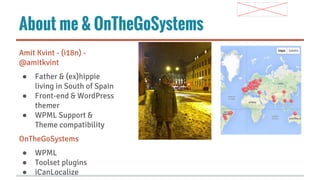
About me & OnTheGoSystems
Amit Kvint - (i18n) @amitkvint
●
●
●

Father & (ex)hippie
living in South of Spain
Front-end & WordPress
themer
WPML Support &
Theme compatibility

OnTheGoSystems
●
●
●

WPML
Toolset plugins
iCanLocalize
Agenda
● Multilingual website –
why it is worth
investing
● What is a multilingual
site and what it is not
● How to turn your
WordPress site into a
full multilingual site
● Tips and hints
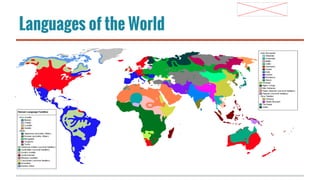
Languages of the World
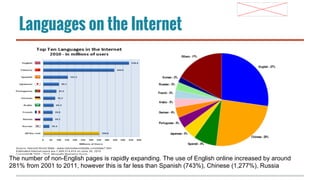
Languages on the Internet

source: wikipedia http://en.wikipedia.
The number of non-English pages is rapidly expanding. The use of English online increased by around
org/wiki/Languages_used_on_the_Internet
281% from 2001 to 2011, however this is far less than Spanish (743%), Chinese (1,277%), Russia
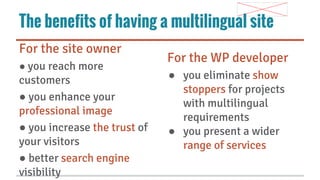
The benefits of having a multilingual site
For the site owner
● you reach more

customers
● you enhance your
professional image
● you increase the trust of
your visitors
● better search engine
visibility

For the WP developer
● you eliminate show
stoppers for projects
with multilingual
requirements
● you present a wider
range of services
Multilingual vs. Multirigional

● Offering a website in two
or more languages

● Focusing on clients or
users from specific
regions
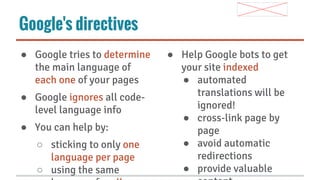
Google's directives
● Google tries to determine
the main language of
each one of your pages
● Google ignores all codelevel language info
● You can help by:
○ sticking to only one
language per page
○ using the same

● Help Google bots to get
your site indexed
● automated
translations will be
ignored!
● cross-link page by
page
● avoid automatic
redirections
● provide valuable
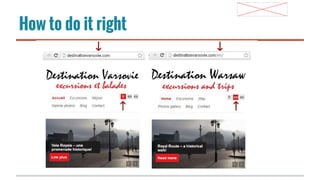
How to do it right
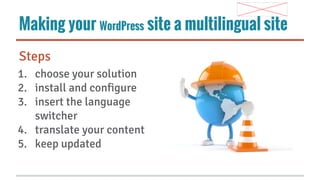
Making your WordPress site a multilingual site
Steps
1. choose your solution
2. install and configure
3. insert the language
switcher
4. translate your content
5. keep updated
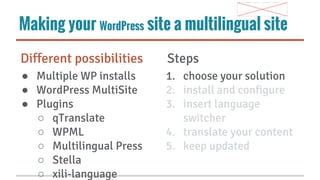
Making your WordPress site a multilingual site
Different possibilities

Steps

● Multiple WP installs
● WordPress MultiSite
● Plugins
○ qTranslate
○ WPML
○ Multilingual Press
○ Stella
○ xili-language

1. choose your solution
2. install and configure
3. insert language
switcher
4. translate your content
5. keep updated
Making your WordPress site a multilingual site
What to handle

Steps

● select site languages
● select language URL
format
● select admin language

1. choose your solution
2. install and configure
3. insert language
switcher
4. translate your content
5. keep updated
Making your WordPress site a multilingual site
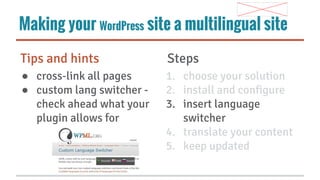
Tips and hints

Steps

● cross-link all pages
● custom lang switcher check ahead what your
plugin allows for

1. choose your solution
2. install and configure
3. insert language
switcher
4. translate your content
5. keep updated
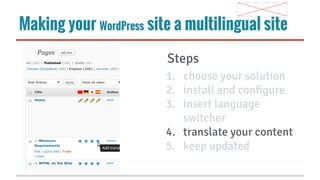
Making your WordPress site a multilingual site
Steps
1. choose your solution
2. install and configure
3. insert language
switcher
4. translate your content
5. keep updated
Making your WordPress site a multilingual site
What to translate
●
●
●
●
●
●
●
●
●
●

site title
pages and posts
categories, tags
images, menus
widgets
custom post types
custom fields
theme localization
theme options
sticky links ...

Steps
1. choose your solution
2. install and configure
3. insert language
switcher
4. translate your content
5. keep updated
Making your WordPress site a multilingual site
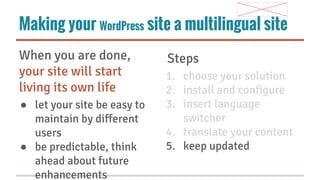
When you are done,
your site will start
living its own life
● let your site be easy to
maintain by different
users
● be predictable, think
ahead about future
enhancements

Steps
1. choose your solution
2. install and configure
3. insert language
switcher
4. translate your content
5. keep updated
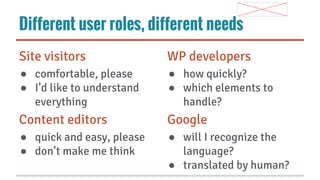
Different user roles, different needs
Site visitors

WP developers

● comfortable, please
● I’d like to understand
everything

● how quickly?
● which elements to
handle?

Content editors

Google

● quick and easy, please
● don’t make me think

● will I recognize the
language?
● translated by human?
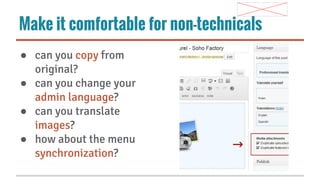
Make it comfortable for non-technicals
● can you copy from
original?
● can you change your
admin language?
● can you translate
images?
● how about the menu
synchronization?
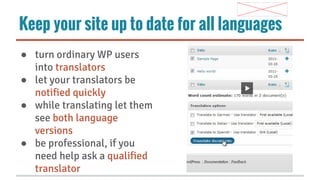
Keep your site up to date for all languages
● turn ordinary WP users
into translators
● let your translators be
notified quickly
● while translating let them
see both language
versions
● be professional, if you
need help ask a qualified
translator
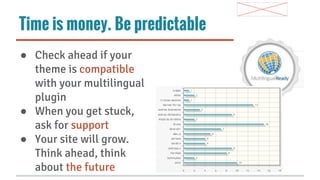
Time is money. Be predictable
● Check ahead if your
theme is compatible
with your multilingual
plugin
● When you get stuck,
ask for support
● Your site will grow.
Think ahead, think
about the future
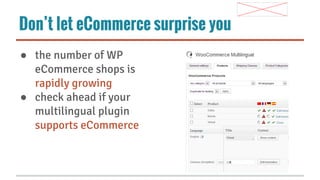
Don’t let eCommerce surprise you
● the number of WP
eCommerce shops is
rapidly growing
● check ahead if your
multilingual plugin
supports eCommerce
Summing up
●
●

●
●

No SEO, no customers. Don’t
ignore Google directives.
Identify all elements to be
translated. Make sure your plugin
can handle them all
Remember there are different user
needs. Simplify non-techies lives.
Think ahead about the future
enhancements

handle all the
requirements with WPML
Paid doesn't mean more expensive
● How much is your time
worth? Don’t reinvent
the wheel. Save your
time with permanent
access to support.
● How many sites per
year do you build? Buy
one license for all your
sites.

● Don’t disappoint your
customer. Be up to date
with WordPress
releases.
● Limit the work you
need to do. Think ahead
about themes and
plugin compatibility.
Questions - or catch me later
- @amitkvint
- amit.k@icanlocalize.com
- wpclases.com
* having a drink upstairs
Going Global - WordPress Multilingual

Going Global - WordPress Multilingual

  • 1.
    Going global how tomake your WordPress site multilingual
  • 2.
    About me &OnTheGoSystems Amit Kvint - (i18n) @amitkvint ● ● ● Father & (ex)hippie living in South of Spain Front-end & WordPress themer WPML Support & Theme compatibility OnTheGoSystems ● ● ● WPML Toolset plugins iCanLocalize
  • 3.
    Agenda ● Multilingual website– why it is worth investing ● What is a multilingual site and what it is not ● How to turn your WordPress site into a full multilingual site ● Tips and hints
  • 4.
  • 5.
    Languages on theInternet source: wikipedia http://en.wikipedia. The number of non-English pages is rapidly expanding. The use of English online increased by around org/wiki/Languages_used_on_the_Internet 281% from 2001 to 2011, however this is far less than Spanish (743%), Chinese (1,277%), Russia
  • 6.
    The benefits ofhaving a multilingual site For the site owner ● you reach more customers ● you enhance your professional image ● you increase the trust of your visitors ● better search engine visibility For the WP developer ● you eliminate show stoppers for projects with multilingual requirements ● you present a wider range of services
  • 7.
    Multilingual vs. Multirigional ●Offering a website in two or more languages ● Focusing on clients or users from specific regions
  • 8.
    Google's directives ● Googletries to determine the main language of each one of your pages ● Google ignores all codelevel language info ● You can help by: ○ sticking to only one language per page ○ using the same ● Help Google bots to get your site indexed ● automated translations will be ignored! ● cross-link page by page ● avoid automatic redirections ● provide valuable
  • 9.
    How to doit right
  • 10.
    Making your WordPresssite a multilingual site Steps 1. choose your solution 2. install and configure 3. insert the language switcher 4. translate your content 5. keep updated
  • 11.
    Making your WordPresssite a multilingual site Different possibilities Steps ● Multiple WP installs ● WordPress MultiSite ● Plugins ○ qTranslate ○ WPML ○ Multilingual Press ○ Stella ○ xili-language 1. choose your solution 2. install and configure 3. insert language switcher 4. translate your content 5. keep updated
  • 12.
    Making your WordPresssite a multilingual site What to handle Steps ● select site languages ● select language URL format ● select admin language 1. choose your solution 2. install and configure 3. insert language switcher 4. translate your content 5. keep updated
  • 13.
    Making your WordPresssite a multilingual site Tips and hints Steps ● cross-link all pages ● custom lang switcher check ahead what your plugin allows for 1. choose your solution 2. install and configure 3. insert language switcher 4. translate your content 5. keep updated
  • 14.
    Making your WordPresssite a multilingual site Steps 1. choose your solution 2. install and configure 3. insert language switcher 4. translate your content 5. keep updated
  • 15.
    Making your WordPresssite a multilingual site What to translate ● ● ● ● ● ● ● ● ● ● site title pages and posts categories, tags images, menus widgets custom post types custom fields theme localization theme options sticky links ... Steps 1. choose your solution 2. install and configure 3. insert language switcher 4. translate your content 5. keep updated
  • 16.
    Making your WordPresssite a multilingual site When you are done, your site will start living its own life ● let your site be easy to maintain by different users ● be predictable, think ahead about future enhancements Steps 1. choose your solution 2. install and configure 3. insert language switcher 4. translate your content 5. keep updated
  • 17.
    Different user roles,different needs Site visitors WP developers ● comfortable, please ● I’d like to understand everything ● how quickly? ● which elements to handle? Content editors Google ● quick and easy, please ● don’t make me think ● will I recognize the language? ● translated by human?
  • 18.
    Make it comfortablefor non-technicals ● can you copy from original? ● can you change your admin language? ● can you translate images? ● how about the menu synchronization?
  • 19.
    Keep your siteup to date for all languages ● turn ordinary WP users into translators ● let your translators be notified quickly ● while translating let them see both language versions ● be professional, if you need help ask a qualified translator
  • 20.
    Time is money.Be predictable ● Check ahead if your theme is compatible with your multilingual plugin ● When you get stuck, ask for support ● Your site will grow. Think ahead, think about the future
  • 21.
    Don’t let eCommercesurprise you ● the number of WP eCommerce shops is rapidly growing ● check ahead if your multilingual plugin supports eCommerce
  • 22.
    Summing up ● ● ● ● No SEO,no customers. Don’t ignore Google directives. Identify all elements to be translated. Make sure your plugin can handle them all Remember there are different user needs. Simplify non-techies lives. Think ahead about the future enhancements handle all the requirements with WPML
  • 23.
    Paid doesn't meanmore expensive ● How much is your time worth? Don’t reinvent the wheel. Save your time with permanent access to support. ● How many sites per year do you build? Buy one license for all your sites. ● Don’t disappoint your customer. Be up to date with WordPress releases. ● Limit the work you need to do. Think ahead about themes and plugin compatibility.
  • 24.
    Questions - orcatch me later - @amitkvint - amit.k@icanlocalize.com - wpclases.com * having a drink upstairs