MULTILINGUAL
WORDPRESS WITH
POLYLANG
Teemu Suoranta
16.3.2016
Turku WordPress Meetup
Let’s talk about translations
• What kind of things need to be translated?
• What options do you have?
• How to setup Polylang?
• How to manage translations?
• Missing features and problems
So you are going to build a
multilingual site…
• Complete vs partially translated sites
• Human vs machine translated sites
• Integrated vs independent sites
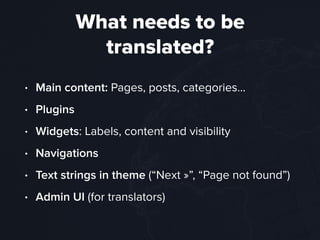
What needs to be
translated?
• Main content: Pages, posts, categories…
• Plugins
• Widgets: Labels, content and visibility
• Navigations
• Text strings in theme (“Next »”, “Page not found”)
• Admin UI (for translators)
Multiple languages will
make everything more
complicated
THE TRUTH
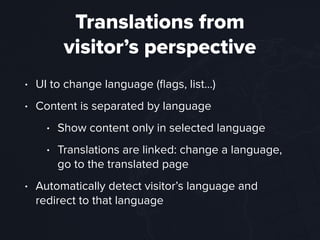
Translations from 

visitor’s perspective
• UI to change language (flags, list…)
• Content is separated by language
• Show content only in selected language
• Translations are linked: change a language,
go to the translated page
• Automatically detect visitor’s language and
redirect to that language
Building multilingual
sites with WordPress
Choosing your tools
• WordPress doesn’t really have a built-in solution
to have multiple languages at the same time
• There is a built-in way to translate WordPress,
plugins and theme (.po & .mo)
• There’s no built-in UI to create and 

modify .po files
• Doing translations by multi-site or without any
plugin will make you miserable
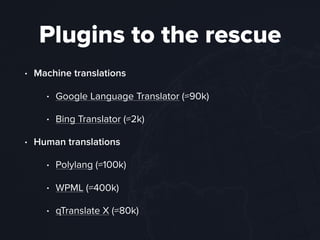
Plugins to the rescue
• Machine translations
• Google Language Translator (≈90k)
• Bing Translator (≈2k)
• Human translations
• Polylang (≈100k)
• WPML (≈400k)
• qTranslate X (≈80k)
Introduction to
Polylang
Polylang
• Simple, open-source and free multilingual plugin
• Quick setup and easy to use
• Lightweight
• Translated content is saved as separate entries
that are linked by (hidden) language taxonomy
• Translated posts are edited in their own editors
Things you need to
translate
• Main content: linked translations and
independent content
• Plugins: uses .po files
• Widgets: Set visibility, translate labels, uses .po
files automatically
• Navigations: translate navigation menus (no sync)
Things you need to
translate
• Text strings in theme: Translate in Polylang UI
when strings are registered properly and/or
use .po files
• Admin UI: Users can select their preferred
language (from site’s languages)
• Media: Translatable or language independent
• Slugs: You’ll need this add-on from GitHub
Tools for developers
• Example functionality
• Register, translate and retrieve strings
• Get language switcher
• Make translations or link translations in code
• Retrieve posts in language or translated versions
• Full documentation
Setup Polylang
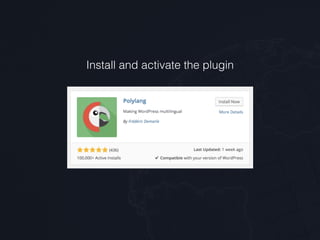
Install and activate the plugin
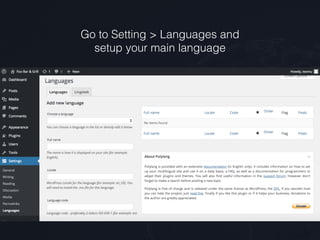
Go to Setting > Languages and 

setup your main language
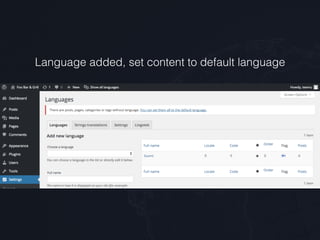
Language added, set content to default language
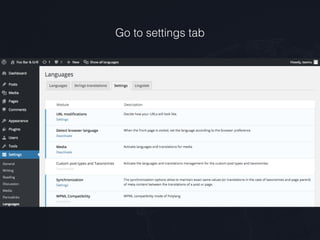
Go to settings tab
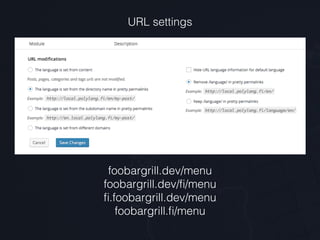
URL settings
foobargrill.dev/menu

foobargrill.dev/fi/menu

fi.foobargrill.dev/menu

foobargrill.fi/menu
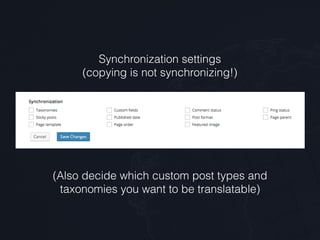
Synchronization settings

(copying is not synchronizing!)
(Also decide which custom post types and 

taxonomies you want to be translatable)
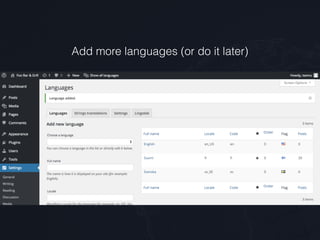
Add more languages (or do it later)
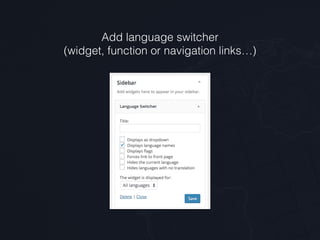
Add language switcher
(widget, function or navigation links…)
Tips for setup
• Don’t make media translatable (unless you really have to)
• Avoid synchronizing if copying is enough
• Browser language detection might be bad idea if the
main language isn’t English
• If you have used WPML you can import your multilingual
content with WPML to Polylang plugin
• If you import data you can map content to right
languages with WP All Import
How to manage
multilingual content
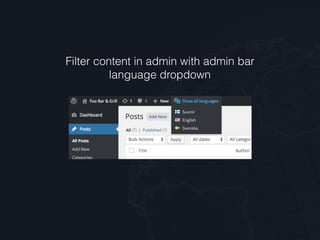
Filter content in admin with admin bar
language dropdown
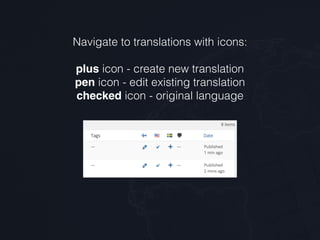
Navigate to translations with icons:


plus icon - create new translation

pen icon - edit existing translation

checked icon - original language
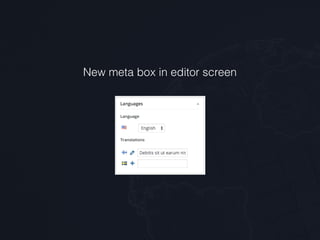
New meta box in editor screen
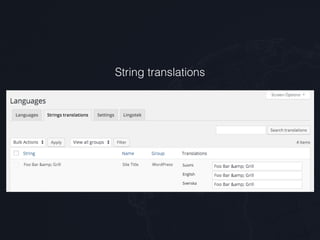
String translations
Lingotek?
• A mysterious tab in Polylang settings
• Premium translation service that can be
integrated to Polylang (with a Lingotek plugin)
• Machine or human translation services can be
bought and delivered through it
Tips for management
• Check out Getting Started from Polylang documentation
• It’s easiest to create translation when original post is
complete (all the final meta data is copied)
• Register strings to be translated in Polylang: easy to use
and add new languages
• There’s no perfect system to keep track of changes in
all languages: you need to create habits and do checks
• Test before updating in production (d'oh)
Challenges with
Polylang
Missing features
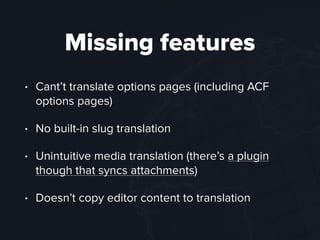
• Cant’t translate options pages (including ACF
options pages)
• No built-in slug translation
• Unintuitive media translation (there’s a plugin
though that syncs attachments)
• Doesn’t copy editor content to translation
Problems
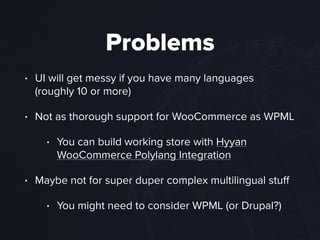
• UI will get messy if you have many languages
(roughly 10 or more)
• Not as thorough support for WooCommerce as WPML
• You can build working store with Hyyan
WooCommerce Polylang Integration
• Maybe not for super duper complex multilingual stuff
• You might need to consider WPML (or Drupal?)
Summary
Polylang
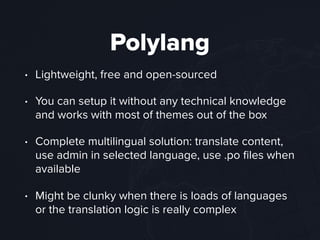
• Lightweight, free and open-sourced
• You can setup it without any technical knowledge
and works with most of themes out of the box
• Complete multilingual solution: translate content,
use admin in selected language, use .po files when
available
• Might be clunky when there is loads of languages
or the translation logic is really complex
But wait there’s more
• My co-organizer Janne Ala-Äijälä will tell more
advanced stuff on WordCamp Finland 2016
• Subject: Leveling up your Multilingual

WordPress Site
• More about workflow, weird characters, RTL
support, translation performance…
Thank you!
• I’m Teemu Suoranta, web developer from Aucor
and organizer of Turku WordPress Meetup
• You can follow me on Twitter @TeemuSuoranta
• I like to hear your horror stories from WPML

Multilingual WordPress With Polylang

  • 1.

  • 2.
    Let’s talk abouttranslations • What kind of things need to be translated? • What options do you have? • How to setup Polylang? • How to manage translations? • Missing features and problems
  • 3.
    So you aregoing to build a multilingual site… • Complete vs partially translated sites • Human vs machine translated sites • Integrated vs independent sites
  • 4.
    What needs tobe translated? • Main content: Pages, posts, categories… • Plugins • Widgets: Labels, content and visibility • Navigations • Text strings in theme (“Next »”, “Page not found”) • Admin UI (for translators)
  • 5.
    Multiple languages will makeeverything more complicated THE TRUTH
  • 6.
    Translations from 
 visitor’sperspective • UI to change language (flags, list…) • Content is separated by language • Show content only in selected language • Translations are linked: change a language, go to the translated page • Automatically detect visitor’s language and redirect to that language
  • 7.
  • 8.
    Choosing your tools •WordPress doesn’t really have a built-in solution to have multiple languages at the same time • There is a built-in way to translate WordPress, plugins and theme (.po & .mo) • There’s no built-in UI to create and 
 modify .po files • Doing translations by multi-site or without any plugin will make you miserable
  • 9.
    Plugins to therescue • Machine translations • Google Language Translator (≈90k) • Bing Translator (≈2k) • Human translations • Polylang (≈100k) • WPML (≈400k) • qTranslate X (≈80k)
  • 10.
  • 11.
    Polylang • Simple, open-sourceand free multilingual plugin • Quick setup and easy to use • Lightweight • Translated content is saved as separate entries that are linked by (hidden) language taxonomy • Translated posts are edited in their own editors
  • 12.
    Things you needto translate • Main content: linked translations and independent content • Plugins: uses .po files • Widgets: Set visibility, translate labels, uses .po files automatically • Navigations: translate navigation menus (no sync)
  • 13.
    Things you needto translate • Text strings in theme: Translate in Polylang UI when strings are registered properly and/or use .po files • Admin UI: Users can select their preferred language (from site’s languages) • Media: Translatable or language independent • Slugs: You’ll need this add-on from GitHub
  • 14.
    Tools for developers •Example functionality • Register, translate and retrieve strings • Get language switcher • Make translations or link translations in code • Retrieve posts in language or translated versions • Full documentation
  • 15.
  • 16.
  • 17.
    Go to Setting> Languages and 
 setup your main language
  • 18.
    Language added, setcontent to default language
  • 19.
  • 20.
  • 21.
    Synchronization settings
 (copying isnot synchronizing!) (Also decide which custom post types and 
 taxonomies you want to be translatable)
  • 22.
    Add more languages(or do it later)
  • 23.
    Add language switcher (widget,function or navigation links…)
  • 24.
    Tips for setup •Don’t make media translatable (unless you really have to) • Avoid synchronizing if copying is enough • Browser language detection might be bad idea if the main language isn’t English • If you have used WPML you can import your multilingual content with WPML to Polylang plugin • If you import data you can map content to right languages with WP All Import
  • 25.
  • 26.
    Filter content inadmin with admin bar language dropdown
  • 27.
    Navigate to translationswith icons:
 
 plus icon - create new translation
 pen icon - edit existing translation
 checked icon - original language
  • 28.
    New meta boxin editor screen
  • 29.
  • 30.
    Lingotek? • A mysterioustab in Polylang settings • Premium translation service that can be integrated to Polylang (with a Lingotek plugin) • Machine or human translation services can be bought and delivered through it
  • 31.
    Tips for management •Check out Getting Started from Polylang documentation • It’s easiest to create translation when original post is complete (all the final meta data is copied) • Register strings to be translated in Polylang: easy to use and add new languages • There’s no perfect system to keep track of changes in all languages: you need to create habits and do checks • Test before updating in production (d'oh)
  • 32.
  • 33.
    Missing features • Cant’ttranslate options pages (including ACF options pages) • No built-in slug translation • Unintuitive media translation (there’s a plugin though that syncs attachments) • Doesn’t copy editor content to translation
  • 34.
    Problems • UI willget messy if you have many languages (roughly 10 or more) • Not as thorough support for WooCommerce as WPML • You can build working store with Hyyan WooCommerce Polylang Integration • Maybe not for super duper complex multilingual stuff • You might need to consider WPML (or Drupal?)
  • 35.
  • 36.
    Polylang • Lightweight, freeand open-sourced • You can setup it without any technical knowledge and works with most of themes out of the box • Complete multilingual solution: translate content, use admin in selected language, use .po files when available • Might be clunky when there is loads of languages or the translation logic is really complex
  • 37.
    But wait there’smore • My co-organizer Janne Ala-Äijälä will tell more advanced stuff on WordCamp Finland 2016 • Subject: Leveling up your Multilingual
 WordPress Site • More about workflow, weird characters, RTL support, translation performance…
  • 38.
    Thank you! • I’mTeemu Suoranta, web developer from Aucor and organizer of Turku WordPress Meetup • You can follow me on Twitter @TeemuSuoranta • I like to hear your horror stories from WPML