GIT
Presented by
Md. Zabirul Islam
Roll:1507110
What is Git?
Git is an example of “Version control system”
 Version control system that keep records your changes to a
file over time so that you can recall specific versions later.
 It allows you to:
 Revert files to previous state.
 Revert entire project back to previous state.
 Allows you to know who made what changes and when.
 Compare changes over time.
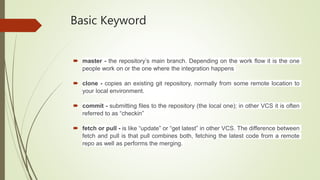
Basic Keyword
 master - the repository’s main branch. Depending on the work flow it is the one
people work on or the one where the integration happens
 clone - copies an existing git repository, normally from some remote location to
your local environment.
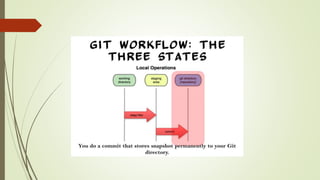
 commit - submitting files to the repository (the local one); in other VCS it is often
referred to as “checkin”
 fetch or pull - is like “update” or “get latest” in other VCS. The difference between
fetch and pull is that pull combines both, fetching the latest code from a remote
repo as well as performs the merging.
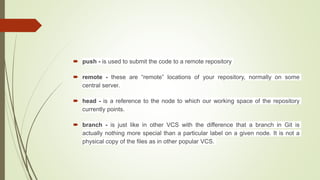
 push - is used to submit the code to a remote repository
 remote - these are “remote” locations of your repository, normally on some
central server.
 head - is a reference to the node to which our working space of the repository
currently points.
 branch - is just like in other VCS with the difference that a branch in Git is
actually nothing more special than a particular label on a given node. It is not a
physical copy of the files as in other popular VCS.
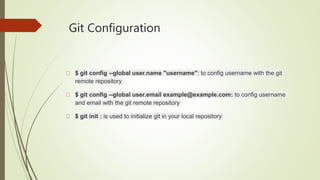
Git Configuration
$ git config --global user.name "username": to config username with the git
remote repository
$ git config --global user.email example@example.com: to config username
and email with the git remote repository
$ git init : is used to initialize git in your local repository
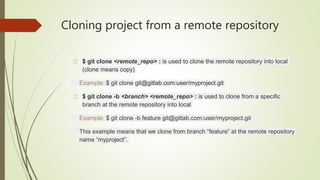
Cloning project from a remote repository
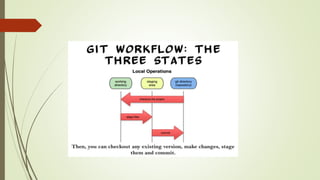
$ git clone <remote_repo> : is used to clone the remote repository into local
(clone means copy)
Example: $ git clone git@gitlab.com:user/myproject.git
$ git clone -b <branch> <remote_repo> : is used to clone from a specific
branch at the remote repository into local
Example: $ git clone -b feature git@gitlab.com:user/myproject.git
This example means that we clone from branch “feature” at the remote repository
name “myproject”.
Adding file to a remote repository
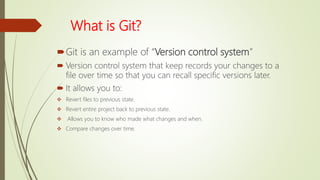
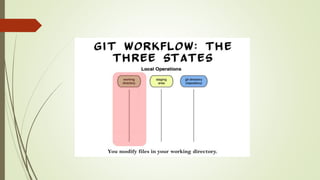
$ git add <file_name> : is used to add the specific file name to the remote
repository
$ git add . : is used to add all the changed file to the remote repository (Git will
take a snapshot of the contents of all files under the current directory (note the .))
$ git add -a/ $ git add -A : it will find new files as well as staging modified
content and removing files that are no longer in the working tree.
$ git add --all : the same as git add -a
$ git add * : the same as git add .

Git

  • 1.
    GIT Presented by Md. ZabirulIslam Roll:1507110
  • 2.
    What is Git? Gitis an example of “Version control system”  Version control system that keep records your changes to a file over time so that you can recall specific versions later.  It allows you to:  Revert files to previous state.  Revert entire project back to previous state.  Allows you to know who made what changes and when.  Compare changes over time.
  • 7.
    Basic Keyword  master- the repository’s main branch. Depending on the work flow it is the one people work on or the one where the integration happens  clone - copies an existing git repository, normally from some remote location to your local environment.  commit - submitting files to the repository (the local one); in other VCS it is often referred to as “checkin”  fetch or pull - is like “update” or “get latest” in other VCS. The difference between fetch and pull is that pull combines both, fetching the latest code from a remote repo as well as performs the merging.
  • 8.
     push -is used to submit the code to a remote repository  remote - these are “remote” locations of your repository, normally on some central server.  head - is a reference to the node to which our working space of the repository currently points.  branch - is just like in other VCS with the difference that a branch in Git is actually nothing more special than a particular label on a given node. It is not a physical copy of the files as in other popular VCS.
  • 9.
    Git Configuration $ gitconfig --global user.name "username": to config username with the git remote repository $ git config --global user.email example@example.com: to config username and email with the git remote repository $ git init : is used to initialize git in your local repository
  • 10.
    Cloning project froma remote repository $ git clone <remote_repo> : is used to clone the remote repository into local (clone means copy) Example: $ git clone git@gitlab.com:user/myproject.git $ git clone -b <branch> <remote_repo> : is used to clone from a specific branch at the remote repository into local Example: $ git clone -b feature git@gitlab.com:user/myproject.git This example means that we clone from branch “feature” at the remote repository name “myproject”.
  • 11.
    Adding file toa remote repository $ git add <file_name> : is used to add the specific file name to the remote repository $ git add . : is used to add all the changed file to the remote repository (Git will take a snapshot of the contents of all files under the current directory (note the .)) $ git add -a/ $ git add -A : it will find new files as well as staging modified content and removing files that are no longer in the working tree. $ git add --all : the same as git add -a $ git add * : the same as git add .