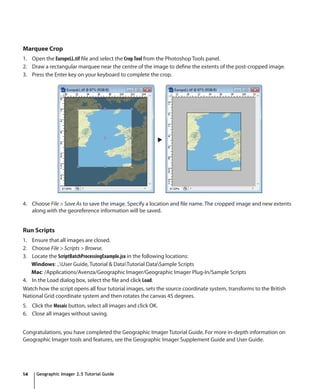
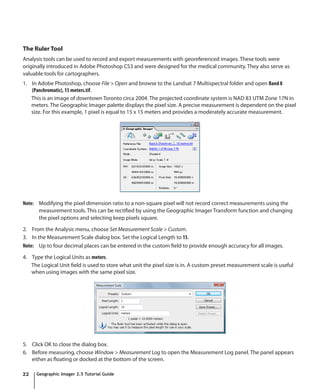
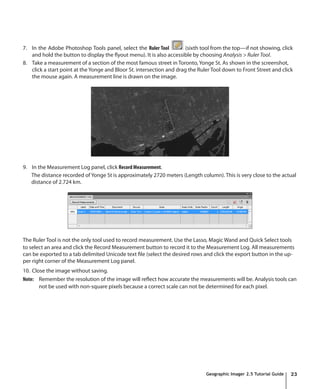
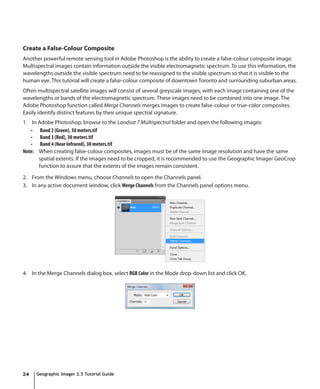
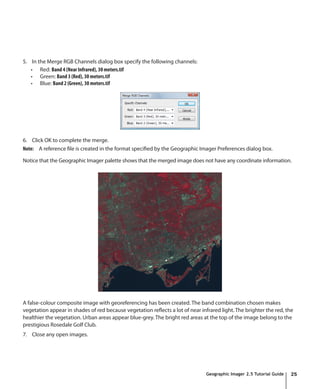
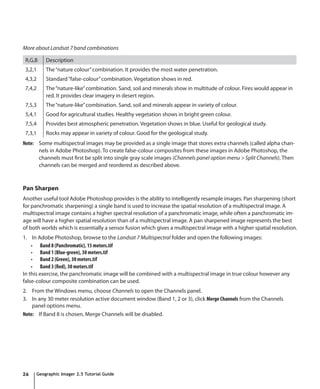
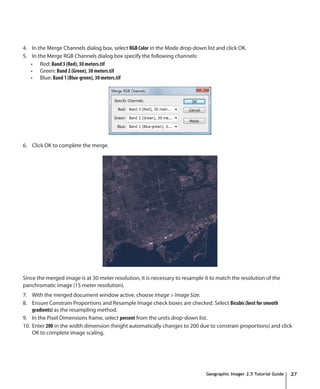
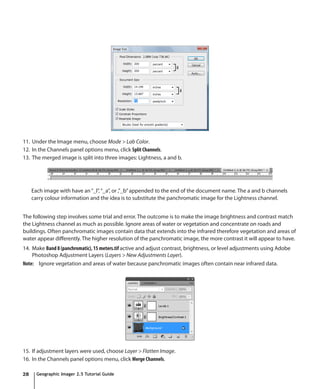
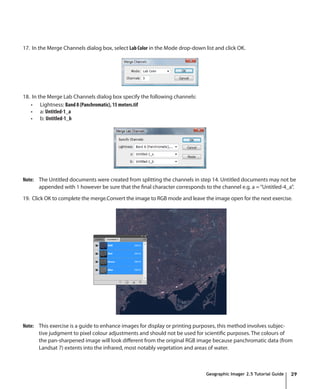
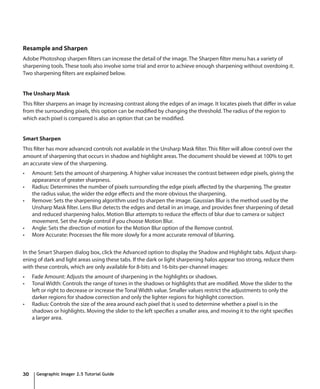
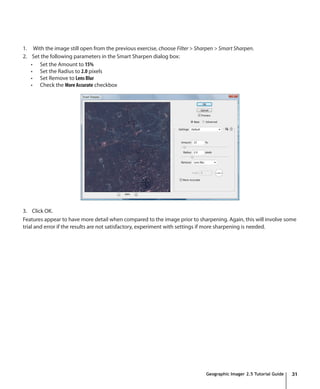
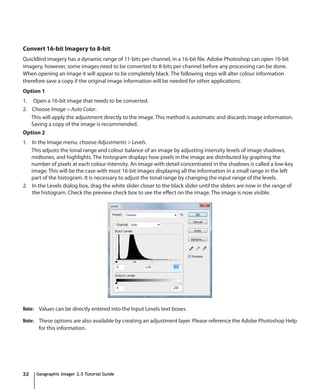
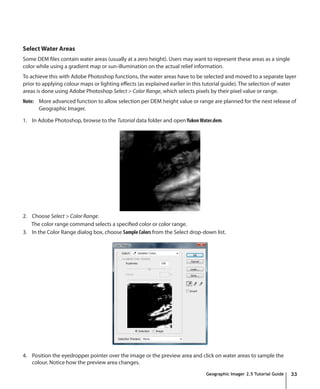
This document provides a tutorial guide for using Geographic Imager for Adobe Photoshop. It describes how to open images, specify reference files and coordinate systems, transform coordinate systems, mosaic images, tile images, quick georeference, convert to GeoTIFF, geocrop, marquee crop, run scripts, generate shaded relief, create colour ramps, create 3D elevation models, use the ruler tool, create false colour composites, pan sharpen, resample and sharpen, convert 16-bit to 8-bit imagery, and select water areas. The guide includes step-by-step instructions and screenshots to illustrate each process.
![Convert to GeoTIFF
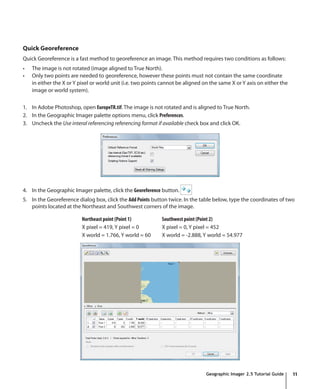
1. With the EuropeTR.tif file as the active document, open the Geographic Imager palette options menu and select
Convert to GeoTIFF. The panel options menu button is located at the top-right corner of the panel.
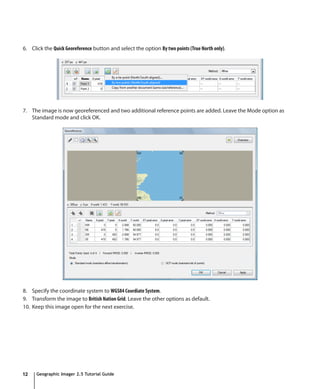
2. In the Convert dialog box, specify the name and location for the GeoTIFF. Specify the name of the image as
EuropeTRCrop.tif and click Save. Now the reference file for the image has been changed to reflect the newly created
reference file.
3. Keep this image open for the next exercise.
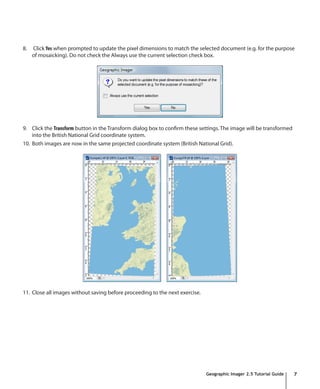
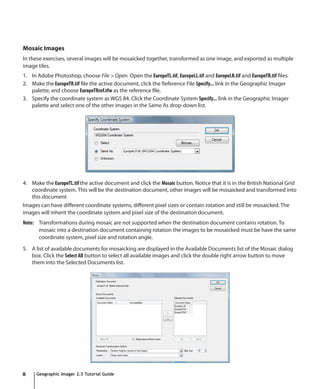
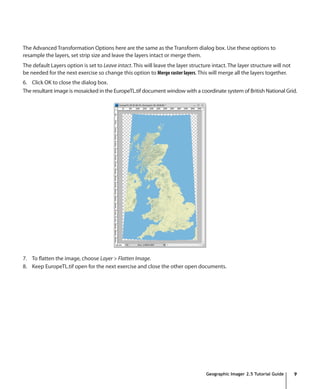
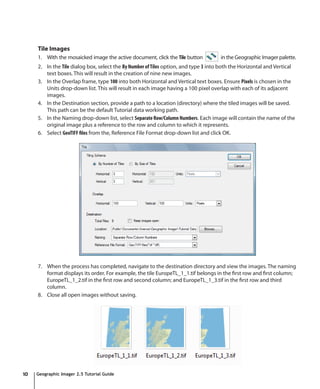
Geocrop
1. With the EuropeTRCrop.tif file as the active document, click the GeoCrop button in the Geographic
Imager palette.
2. In the GeoCrop dialog box, click the Geodetic option in the Top-left corner frame. The Bottom-right corner frame
automatically chooses Geodetic because the setting to use same units for both corners is checked. Type in the
following values:
Top-left corner Bottom-right corner
X: -2.766 deg X: -1.655 deg
Y: 56.094 deg Y: 55.229 deg
3. Leave the coordinate format as Decimal Degrees (D+[*.d]). In the Options frame, leave the option as Round to
closest and click OK.
4. Select File > Save to save the image. The cropped image and new extents along with the georeference
information will be saved.
5. Close the image file.
Geographic Imager 2.5 Tutorial Guide 13](https://image.slidesharecdn.com/2621335/85/GI25_TutorialGuide-13-320.jpg)