Getting Started with
Ruby on Rails4 + Bootstrap3
Clwit, Inc.
Yukimitsu Izawa
2013/11/23 Kanazawa.rb #15

「安心・安全・安定・信頼」できるインターネットサービスを
じこしょうかい
•

井澤  志充  (いざわゆきみつ)

•

(株)クルウィットの取締役  兼  北北陸陸⽀支社⻑⾧長  
博⼠士(情報科学)

•

•

ネットワークの委託研究・⾃自社サービス開発など  

「安心・安全・安定・信頼」できるインターネットサービスを

!2
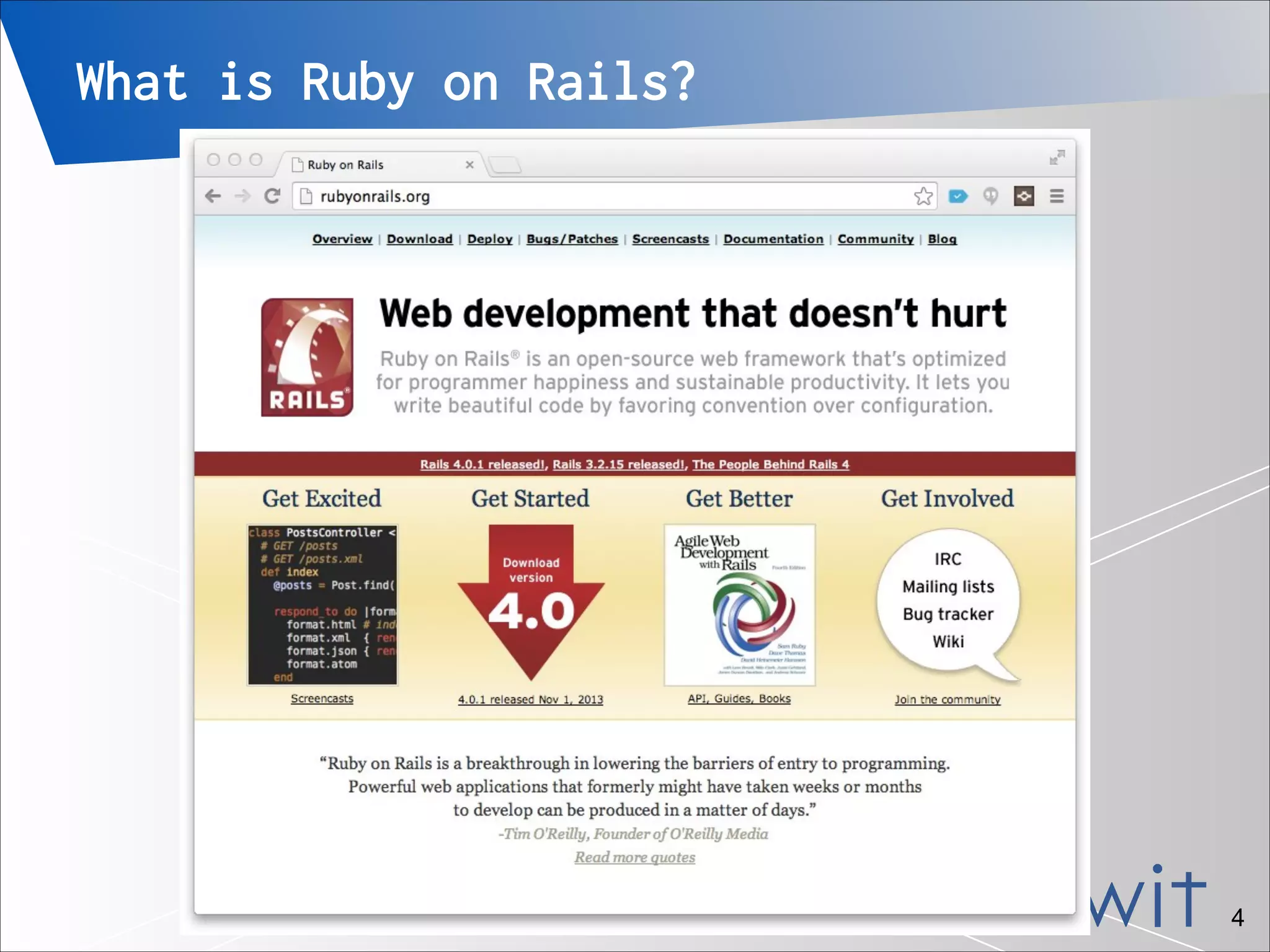
What is Ruby on Rails?
Ruby on Rails, often simply Rails, is an
open source web application framework
which runs on the Ruby programming
language.
• Ruby on Rails emphasizes the use of
well-known software engineering patterns
and principles, such as active record
pattern, convention over configuration
(CoC), don't repeat yourself (DRY), and
model–view–controller (MVC).


- wikipedia.org
•

「安心・安全・安定・信頼」できるインターネットサービスを

!3
What is Ruby on Rails?

「安心・安全・安定・信頼」できるインターネットサービスを

!4
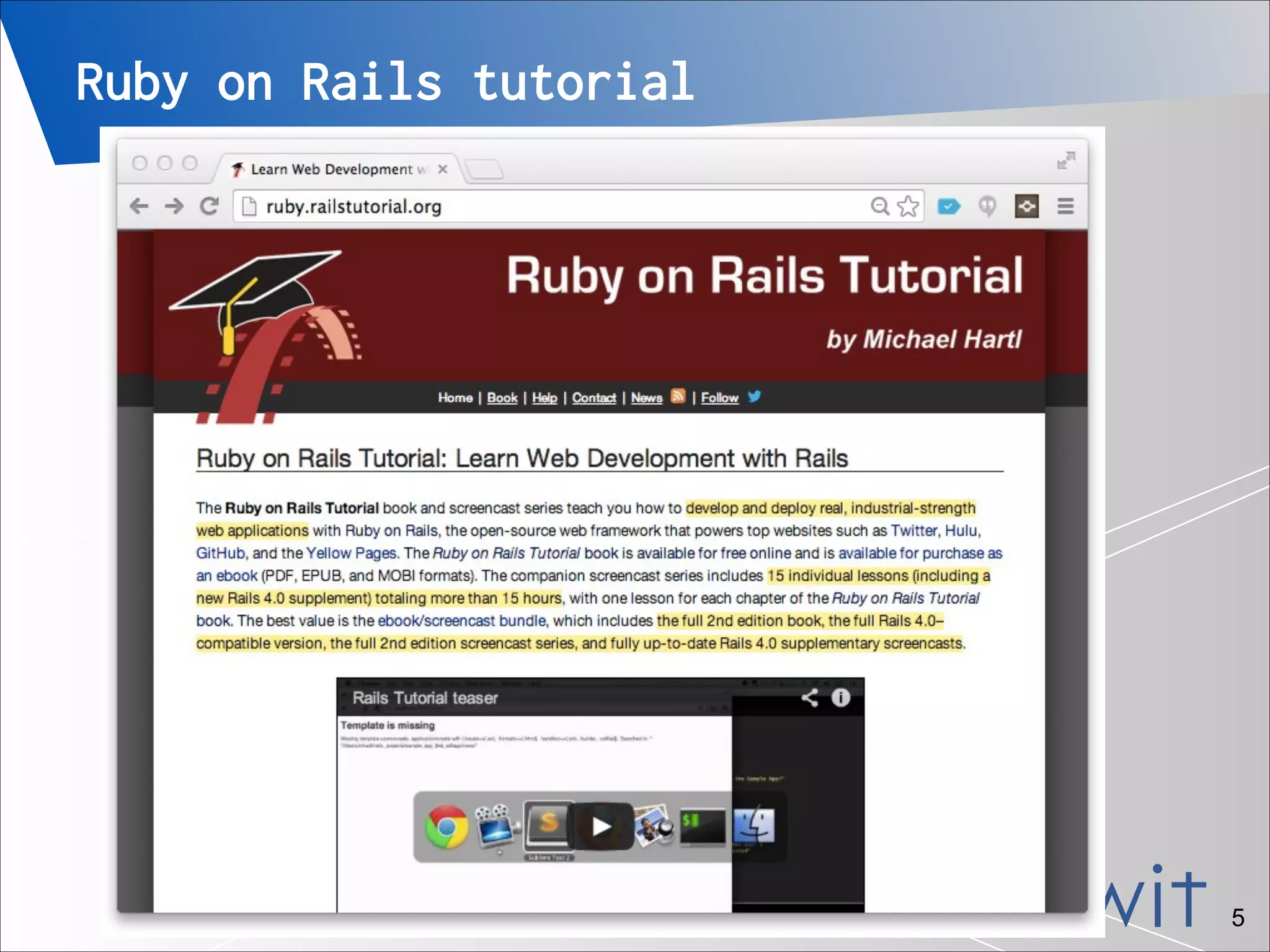
Ruby on Rails tutorial

「安心・安全・安定・信頼」できるインターネットサービスを

!5
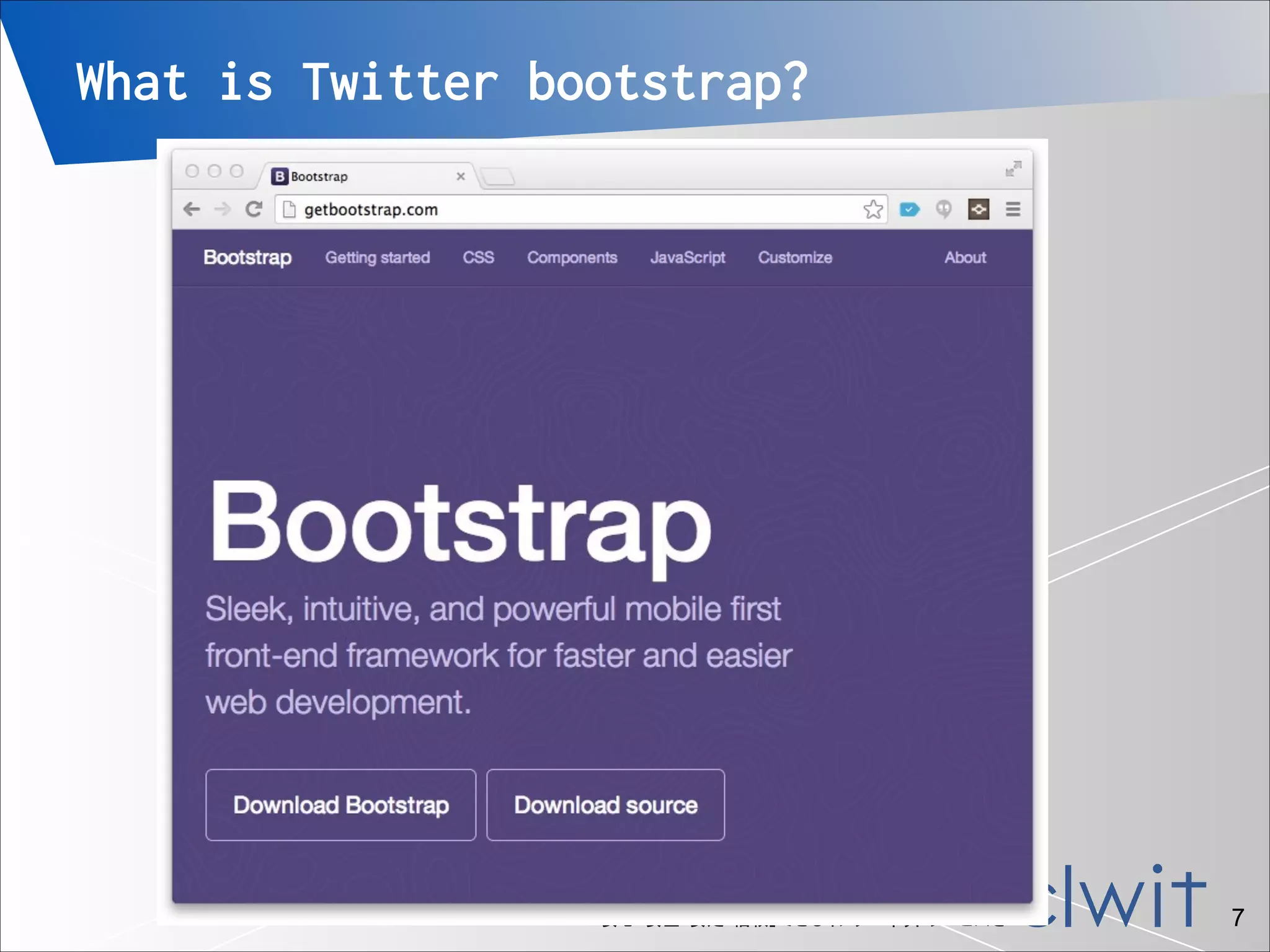
What is Twitter bootstrap?
Bootstrap is a free collection of
tools for creating websites and web
applications. It contains HTML and
CSS-based design templates for
typography, forms, buttons, navigation
and other interface components, as
well as optional JavaScript
extensions.


•


- wikipedia.org

「安心・安全・安定・信頼」できるインターネットサービスを

!6
What is Twitter bootstrap?

「安心・安全・安定・信頼」できるインターネットサービスを

!7
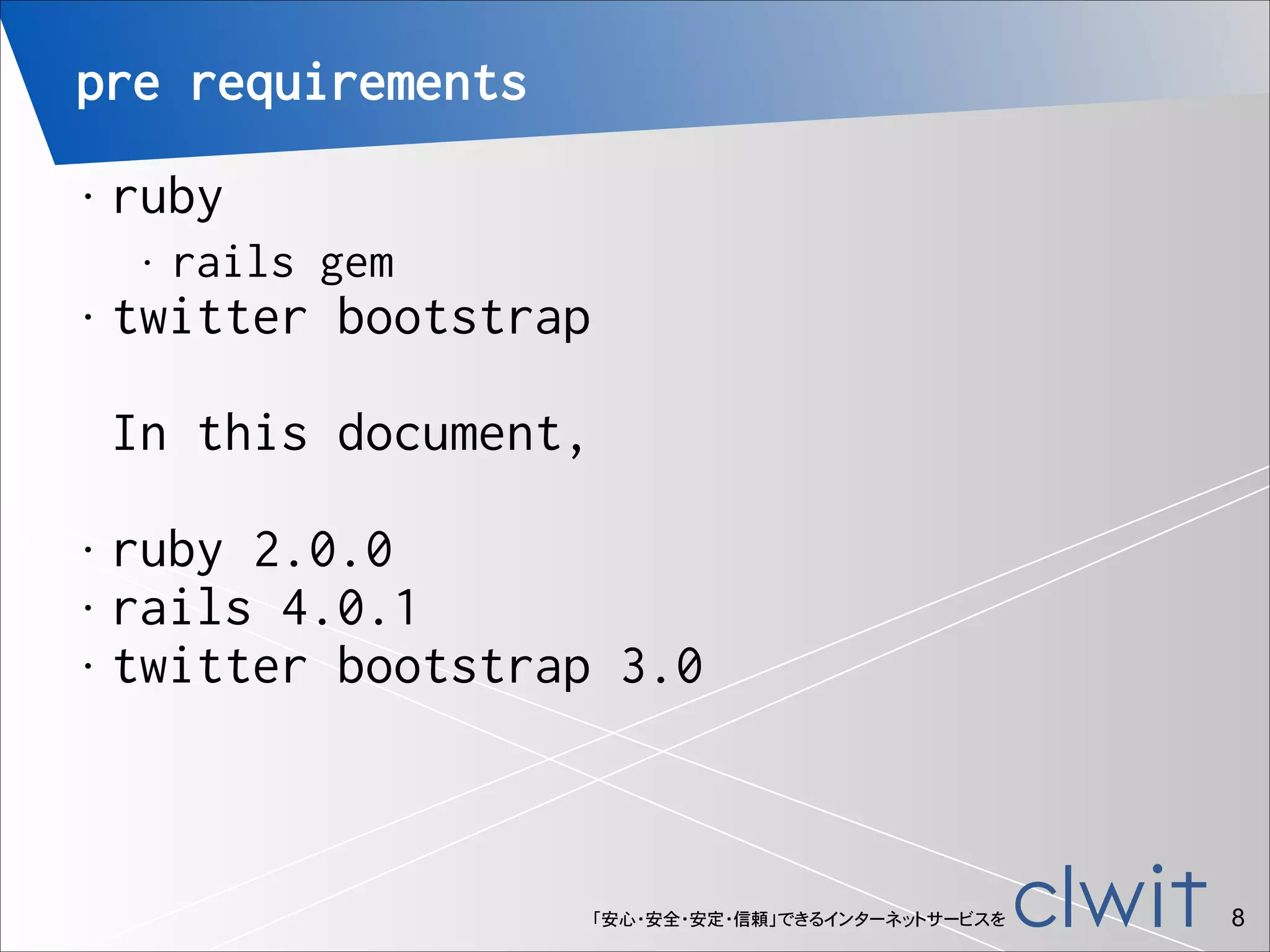
pre requirements
ruby

•

•

rails gem

twitter bootstrap


•


In this document,
!

ruby 2.0.0
• rails 4.0.1
• twitter bootstrap 3.0
•

「安心・安全・安定・信頼」できるインターネットサービスを

!8
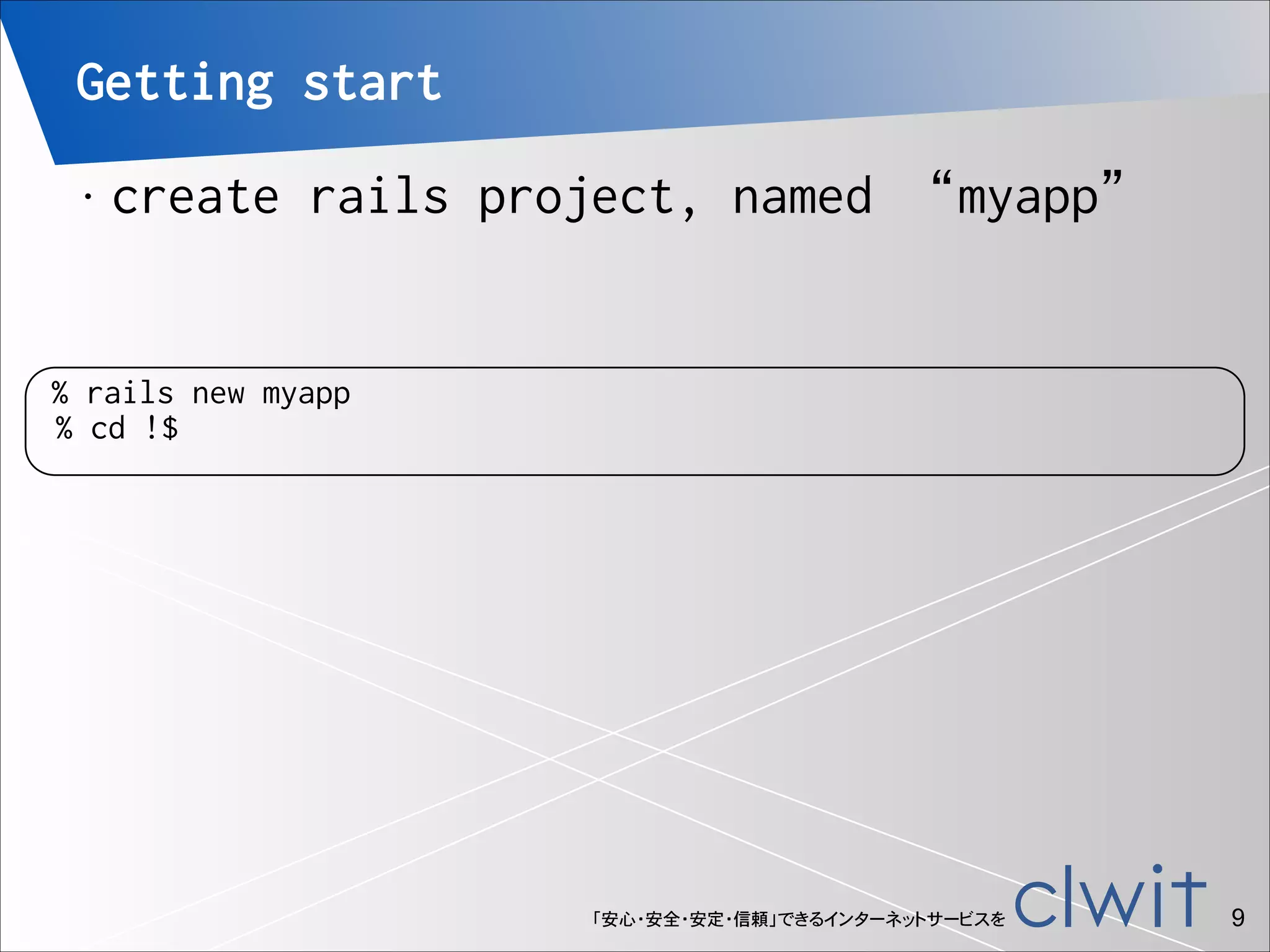
Getting start
•

create rails project, named “myapp”

% rails new myapp
% cd !$

「安心・安全・安定・信頼」できるインターネットサービスを

!9
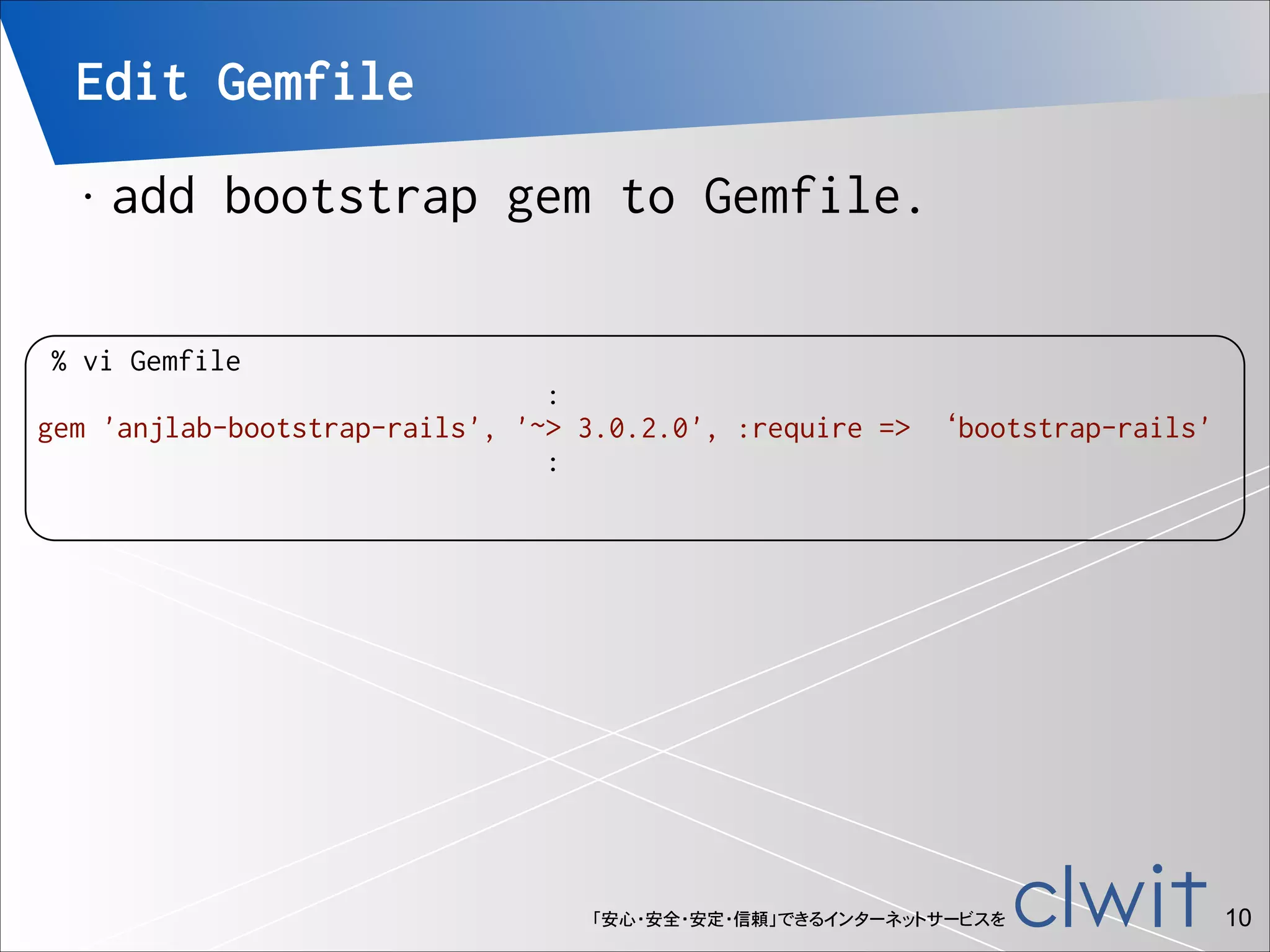
Edit Gemfile
•

add bootstrap gem to Gemfile.

% vi Gemfile
:
gem 'anjlab-bootstrap-rails', '~> 3.0.2.0', :require => ‘bootstrap-rails'
:

「安心・安全・安定・信頼」できるインターネットサービスを

!10
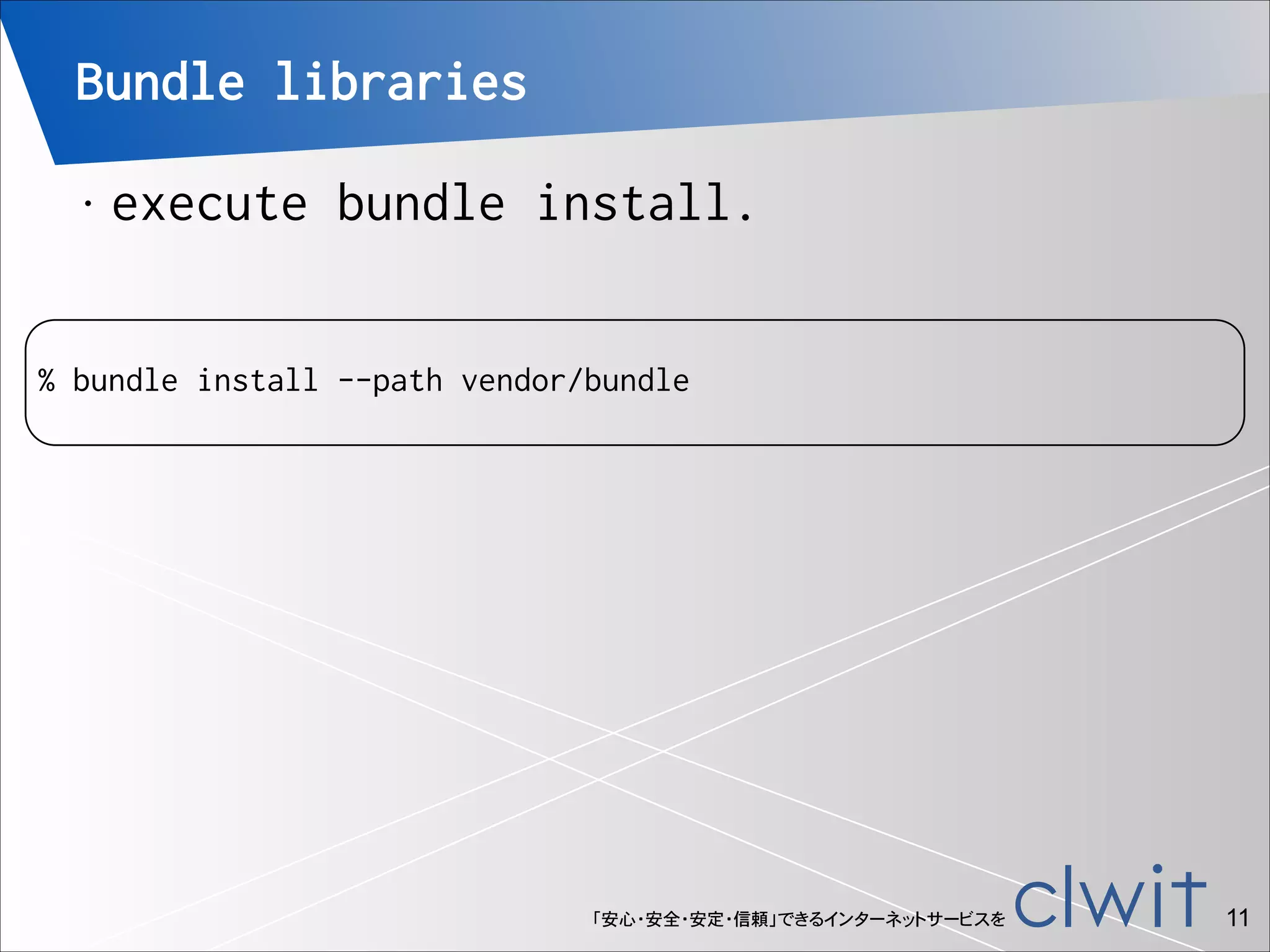
Bundle libraries
•

execute bundle install.

!

% bundle install --path vendor/bundle

「安心・安全・安定・信頼」できるインターネットサービスを

!11
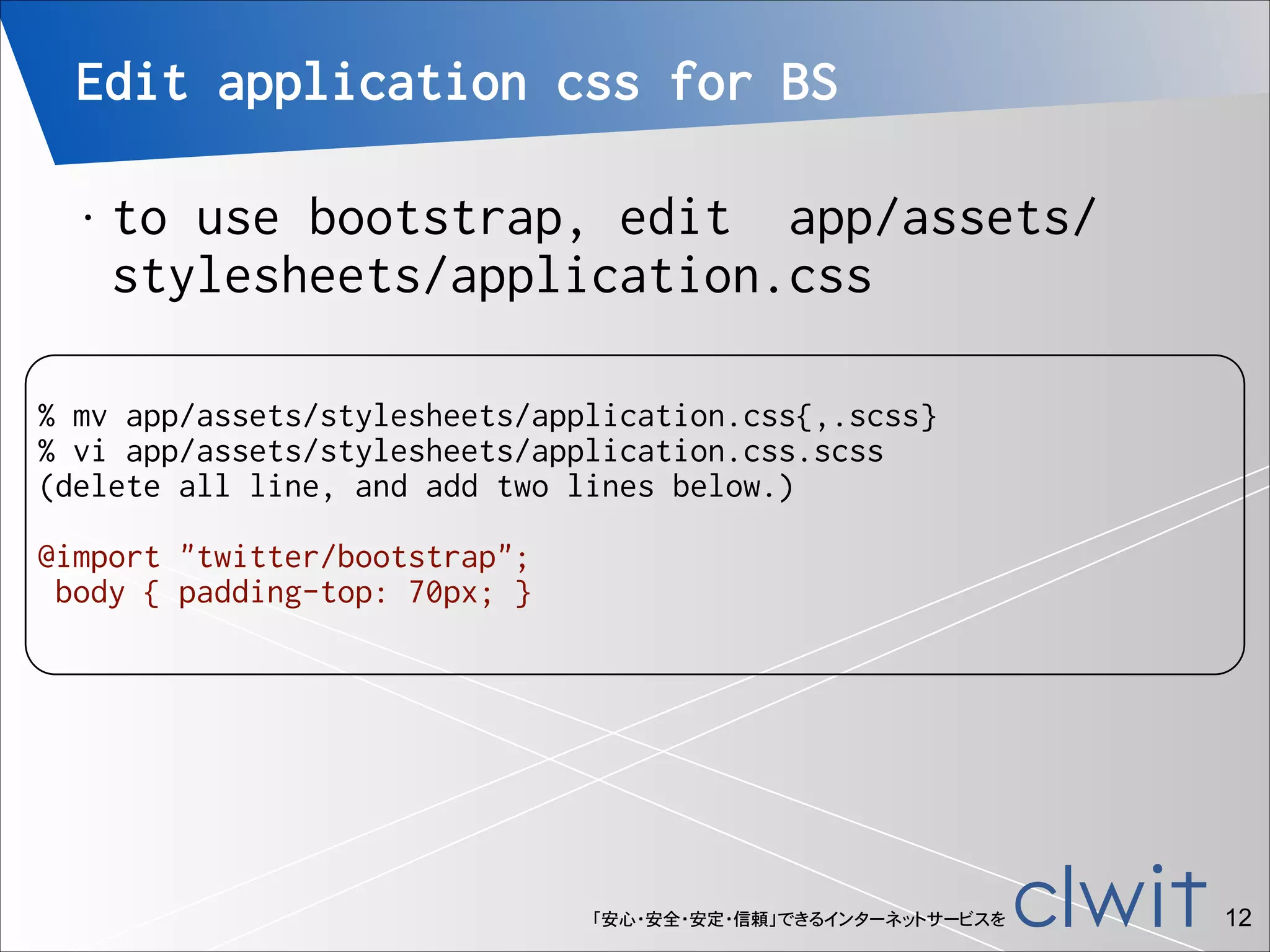
Edit application css for BS
•

to use bootstrap, edit app/assets/
stylesheets/application.css

!

% mv app/assets/stylesheets/application.css{,.scss}
% vi app/assets/stylesheets/application.css.scss
(delete all line, and add two lines below.)

!

@import "twitter/bootstrap";
body { padding-top: 70px; }

「安心・安全・安定・信頼」できるインターネットサービスを

!12
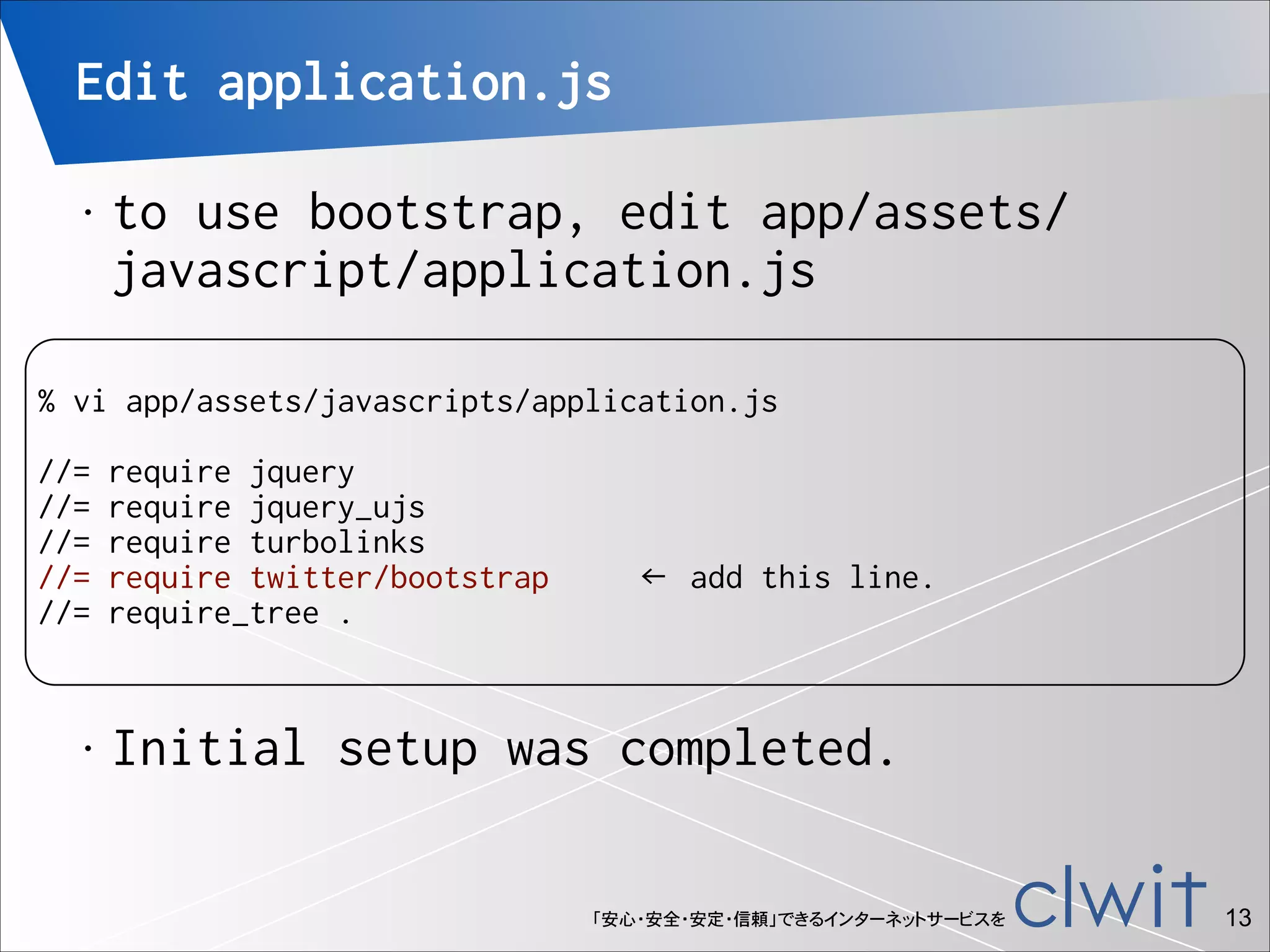
Edit application.js
•

to use bootstrap, edit app/assets/
javascript/application.js

!

% vi app/assets/javascripts/application.js

!

//=
//=
//=
//=
//=

•

require jquery
require jquery_ujs
require turbolinks
require twitter/bootstrap
require_tree .

← add this line.

Initial setup was completed.
「安心・安全・安定・信頼」できるインターネットサービスを

!13
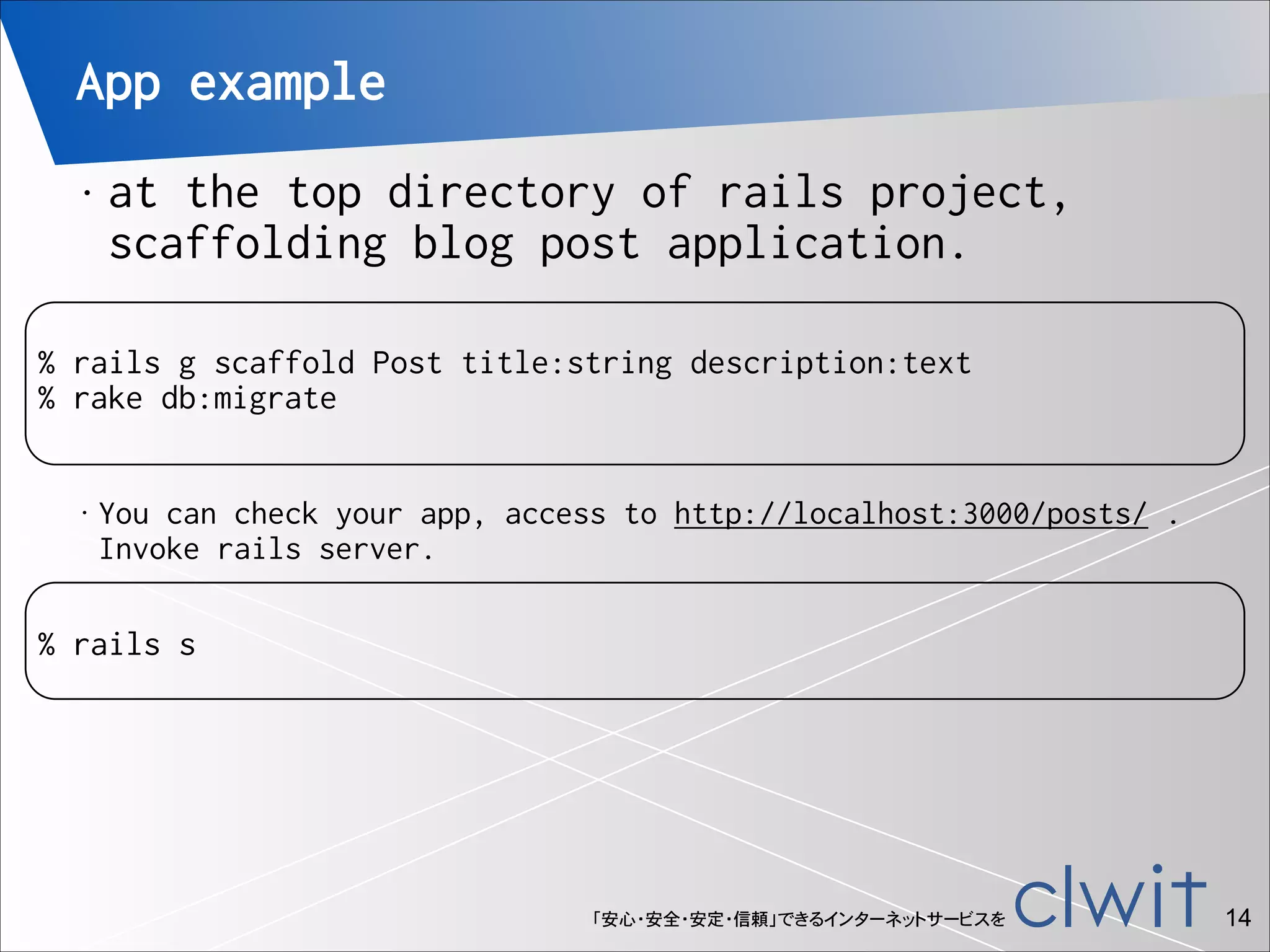
App example
•

at the top directory of rails project,
scaffolding blog post application.


!

% rails g scaffold Post title:string description:text
% rake db:migrate
•

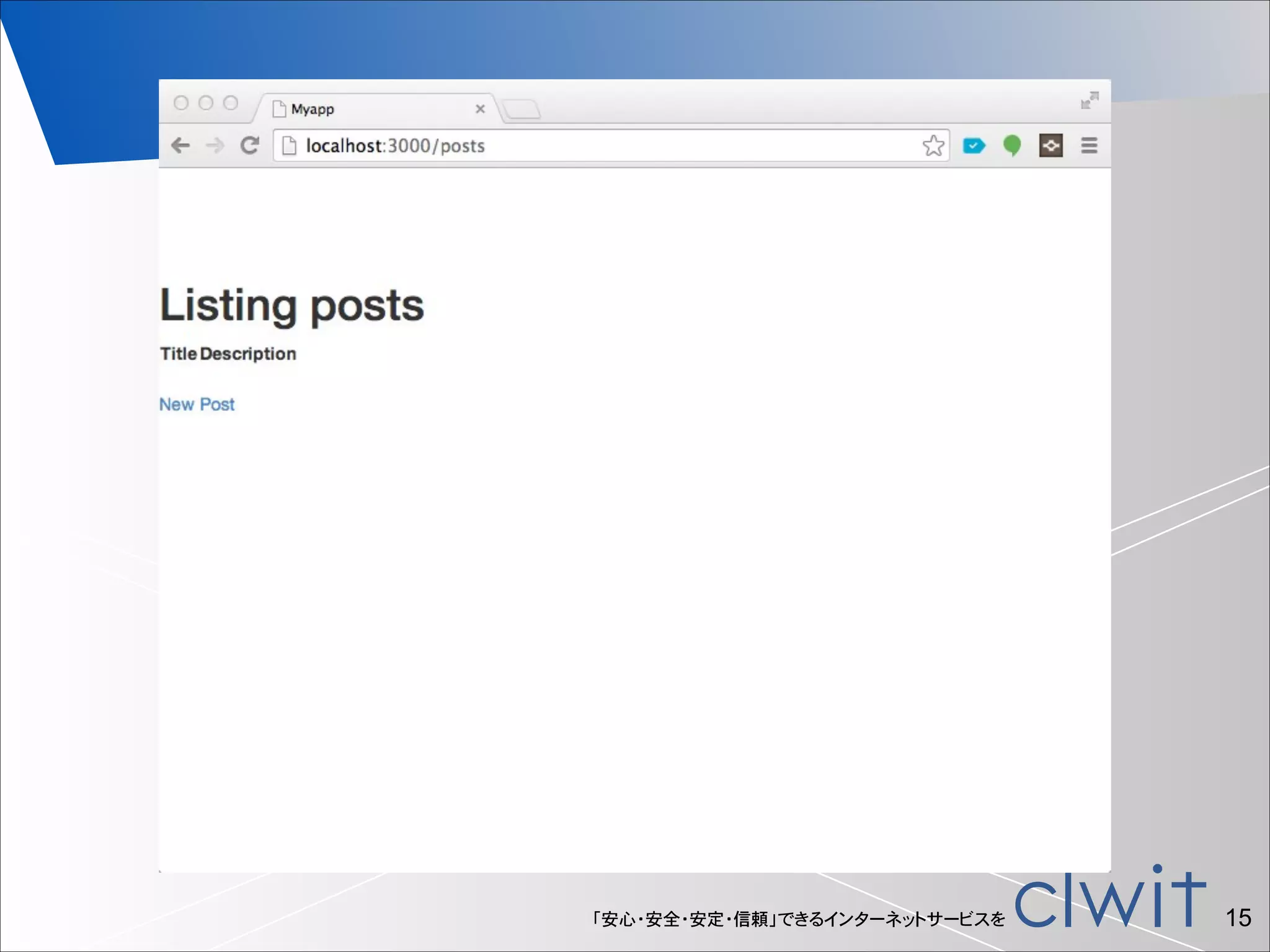
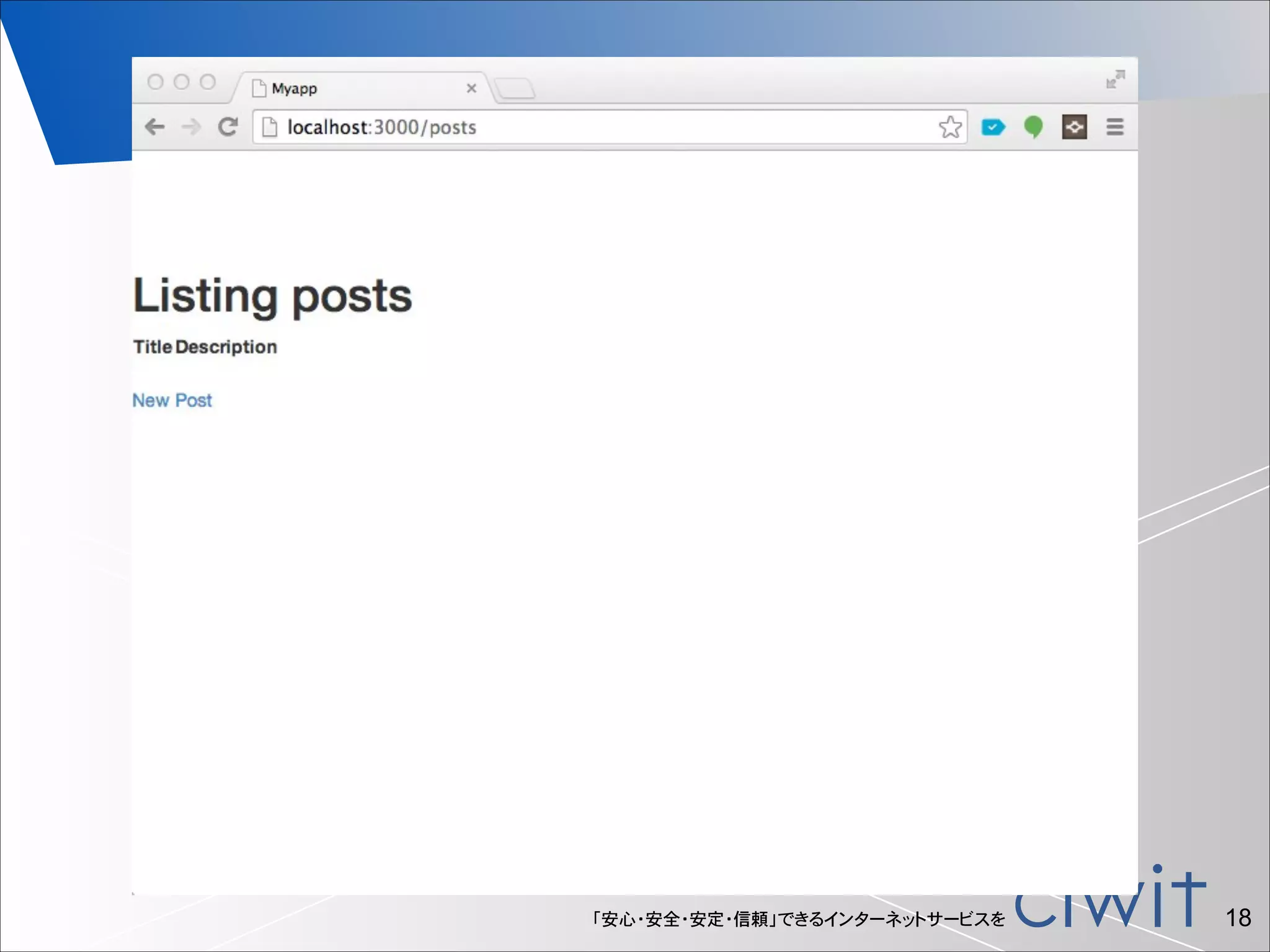
You can check your app, access to http://localhost:3000/posts/ .

Invoke rails server.

!

% rails s

「安心・安全・安定・信頼」できるインターネットサービスを

!14
「安心・安全・安定・信頼」できるインターネットサービスを

!15
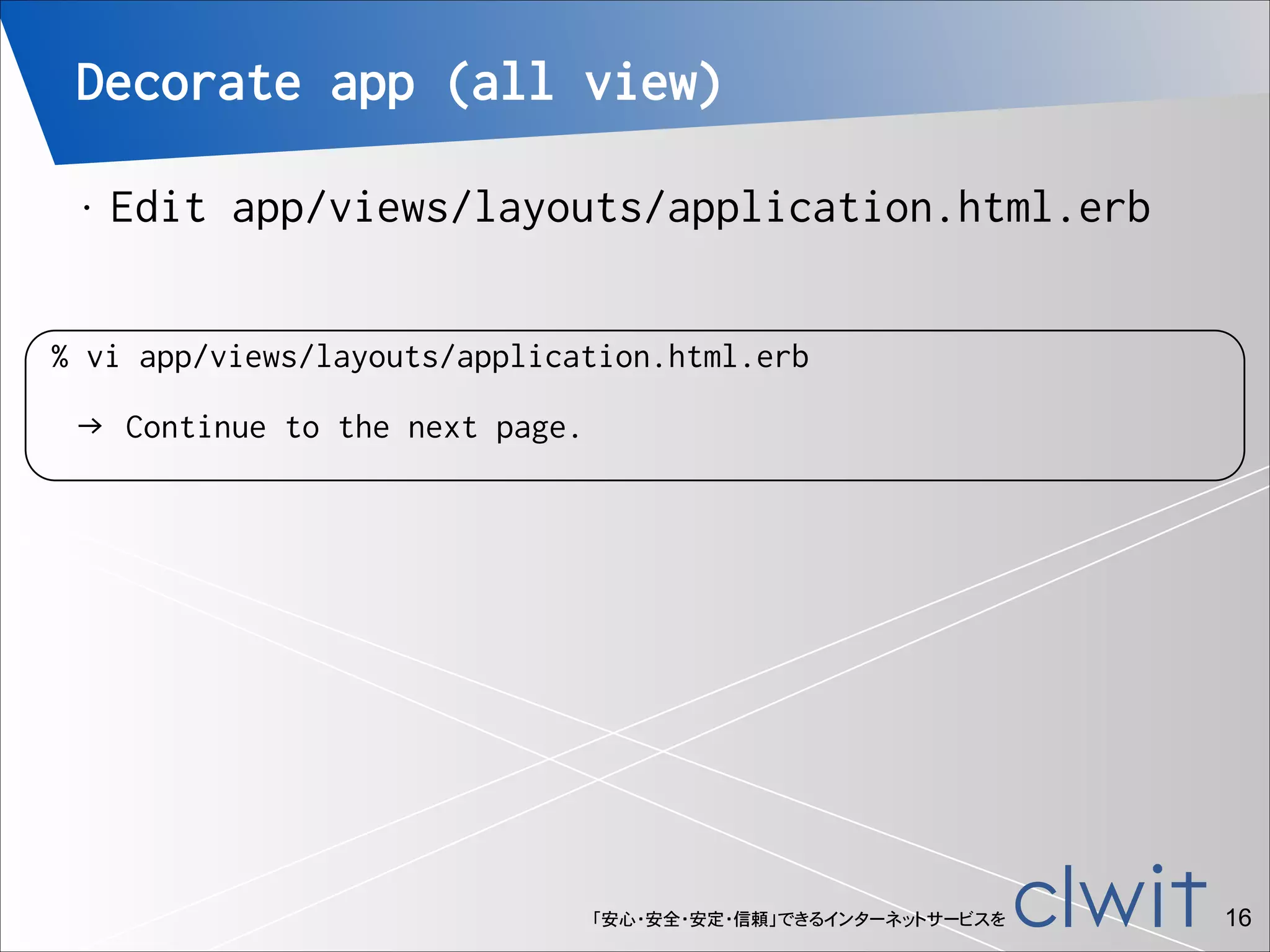
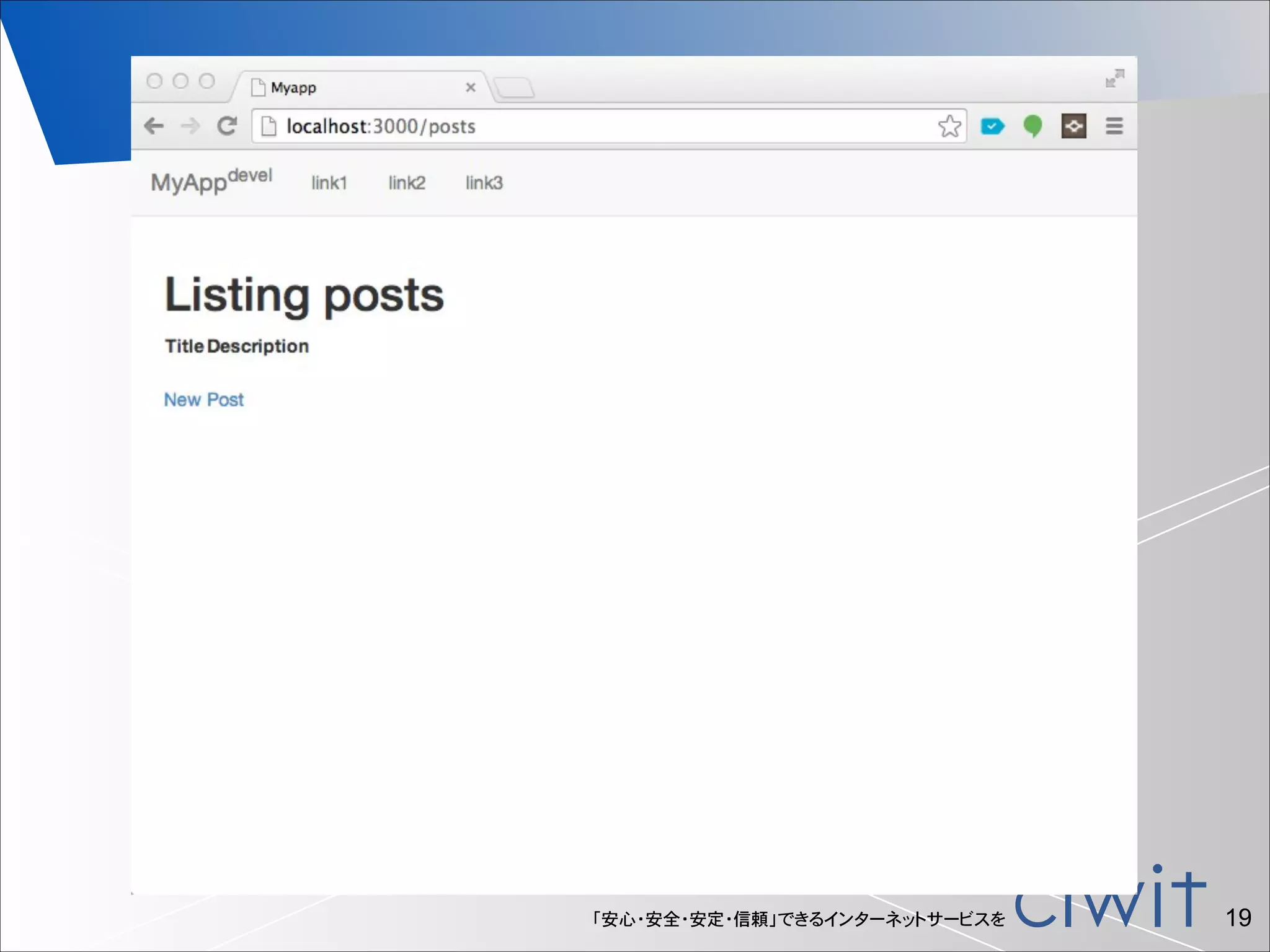
Decorate app (all view)
•

!

Edit app/views/layouts/application.html.erb

% vi app/views/layouts/application.html.erb
→ Continue to the next page.

「安心・安全・安定・信頼」できるインターネットサービスを

!16
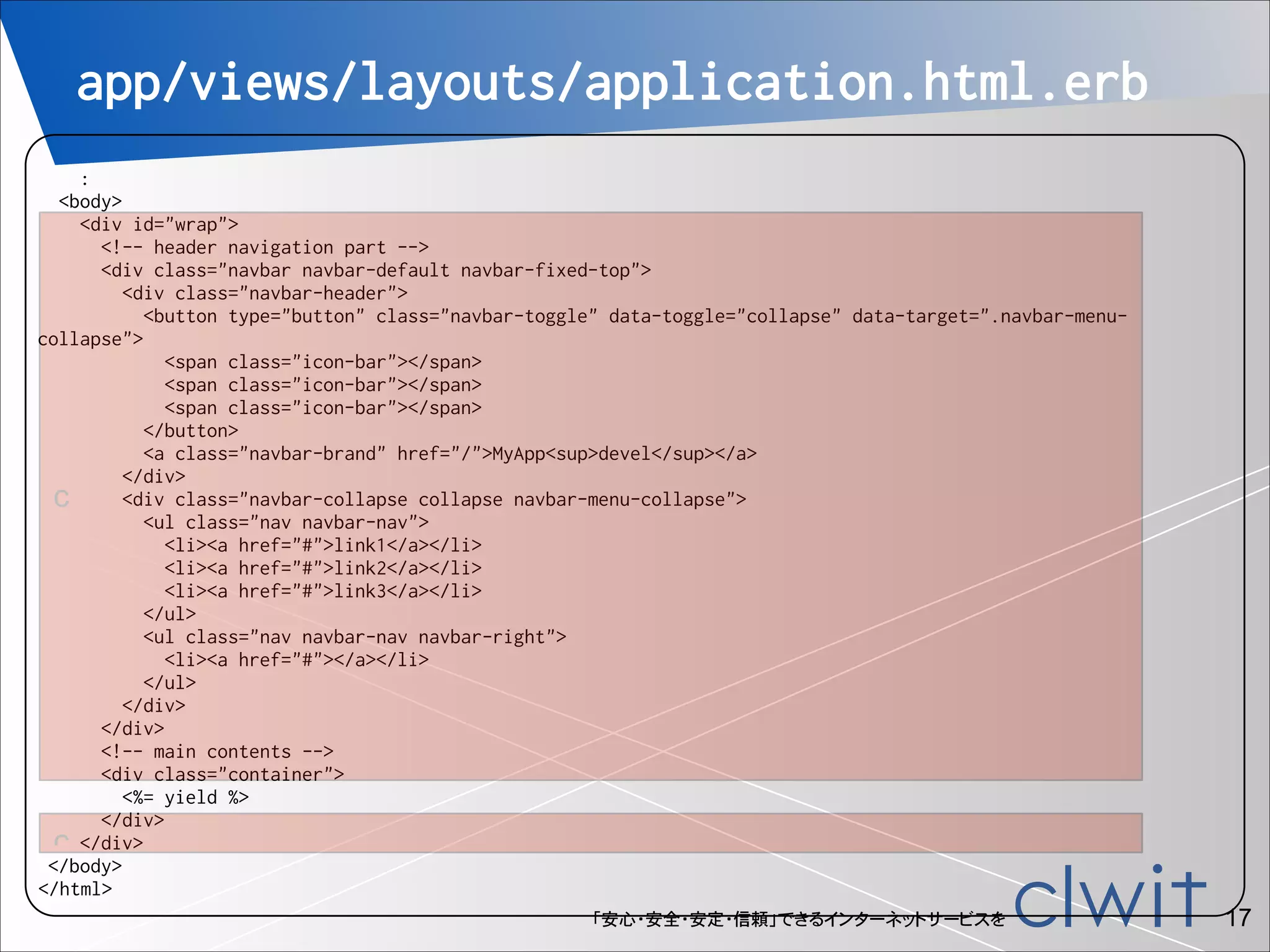
app/views/layouts/application.html.erb
!

:
<body>
<div id="wrap">
<!-- header navigation part -->
<div class="navbar navbar-default navbar-fixed-top">
<div class="navbar-header">
<button type="button" class="navbar-toggle" data-toggle="collapse" data-target=".navbar-menucollapse">
<span class="icon-bar"></span>
</button>
<a class="navbar-brand" href="/">MyApp<sup>devel</sup></a>
</div>
<div class="navbar-collapse collapse navbar-menu-collapse">
c
<ul class="nav navbar-nav">
<li><a href="#">link1</a></li>
<li><a href="#">link2</a></li>
<li><a href="#">link3</a></li>
</ul>
<ul class="nav navbar-nav navbar-right">
<li><a href="#"></a></li>
</ul>
</div>
</div>
<!-- main contents -->
<div class="container">
<%= yield %>
</div>
c </div>
</body>
</html>
「安心・安全・安定・信頼」できるインターネットサービスを

!17
「安心・安全・安定・信頼」できるインターネットサービスを

!18
「安心・安全・安定・信頼」できるインターネットサービスを

!19
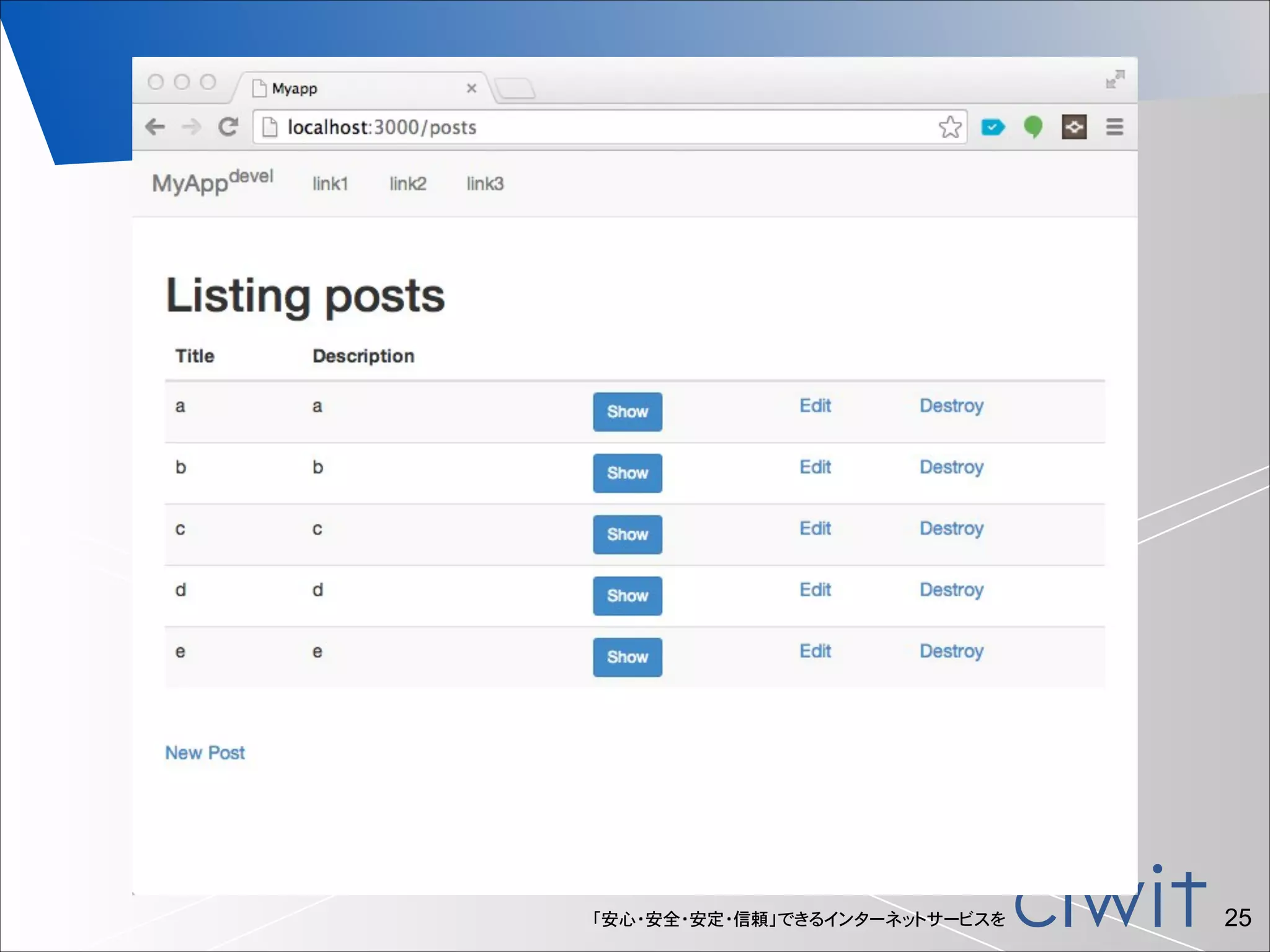
Decorate app (posts#index)
•

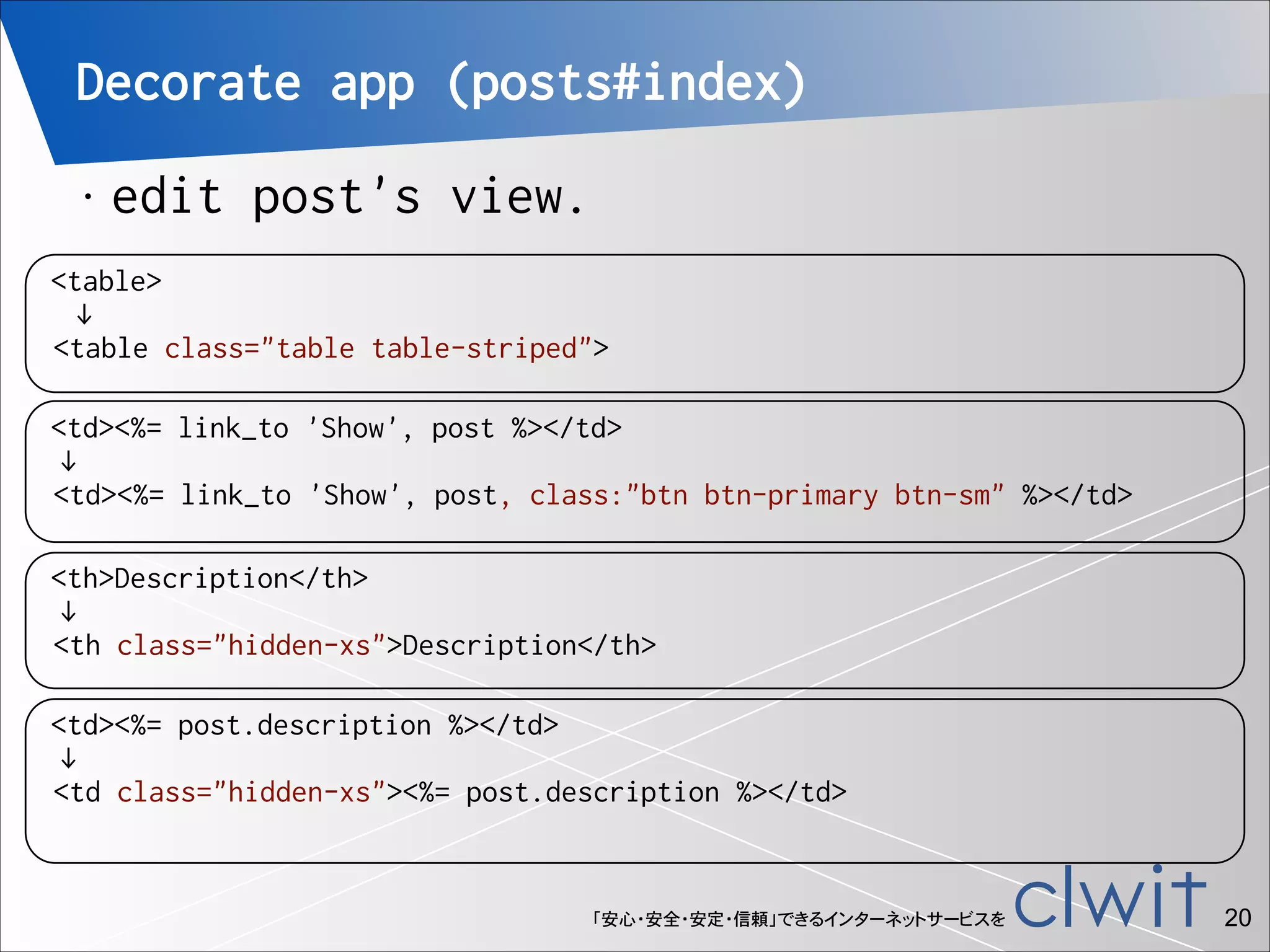
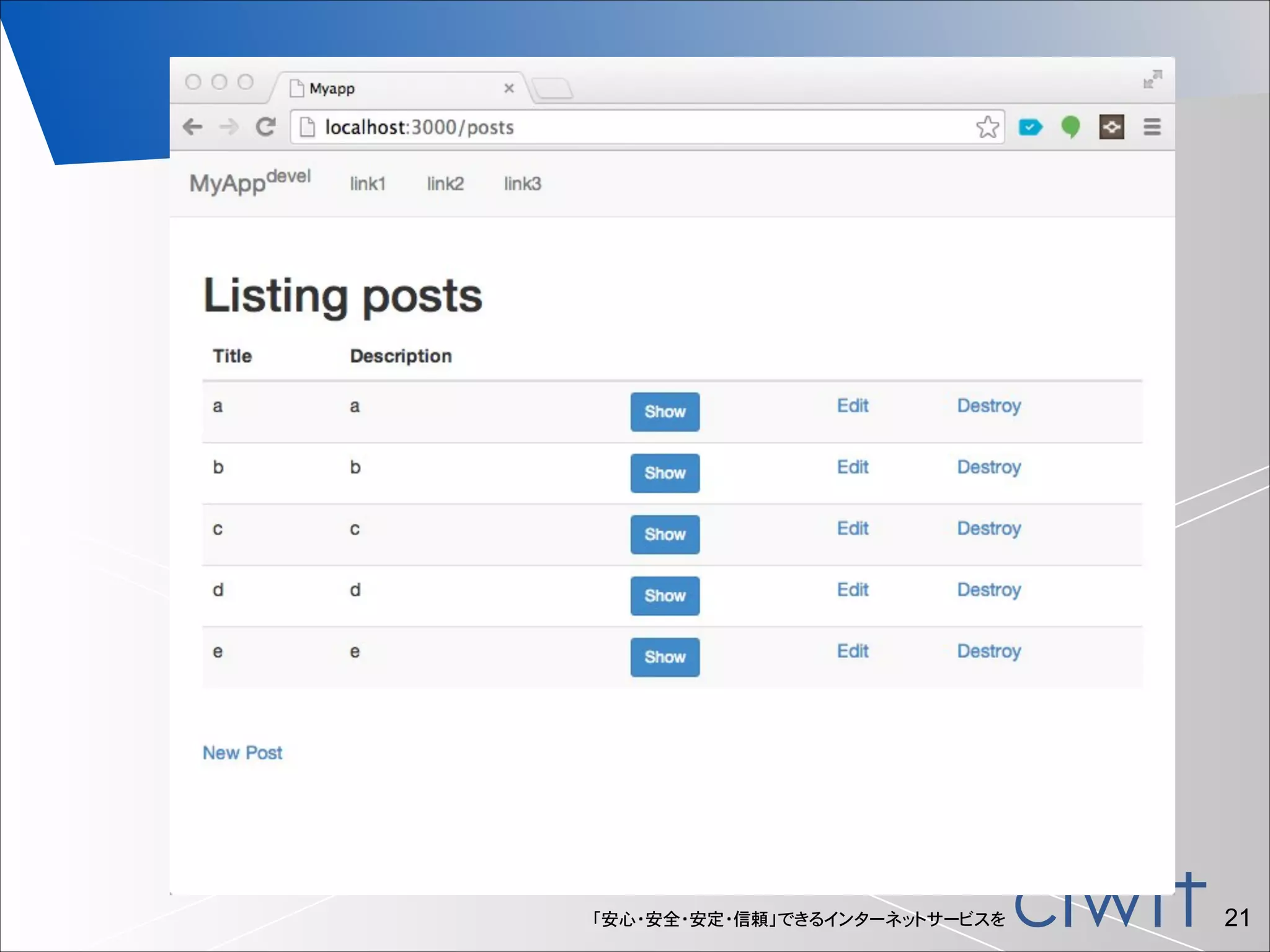
edit post's view.

<table>
↓
<table class="table table-striped">
<td><%= link_to 'Show', post %></td>
↓
<td><%= link_to 'Show', post, class:"btn btn-primary btn-sm" %></td>
<th>Description</th>
↓
<th class="hidden-xs">Description</th>
<td><%= post.description %></td>
↓
<td class="hidden-xs"><%= post.description %></td>

「安心・安全・安定・信頼」できるインターネットサービスを

!20
「安心・安全・安定・信頼」できるインターネットサービスを

!21
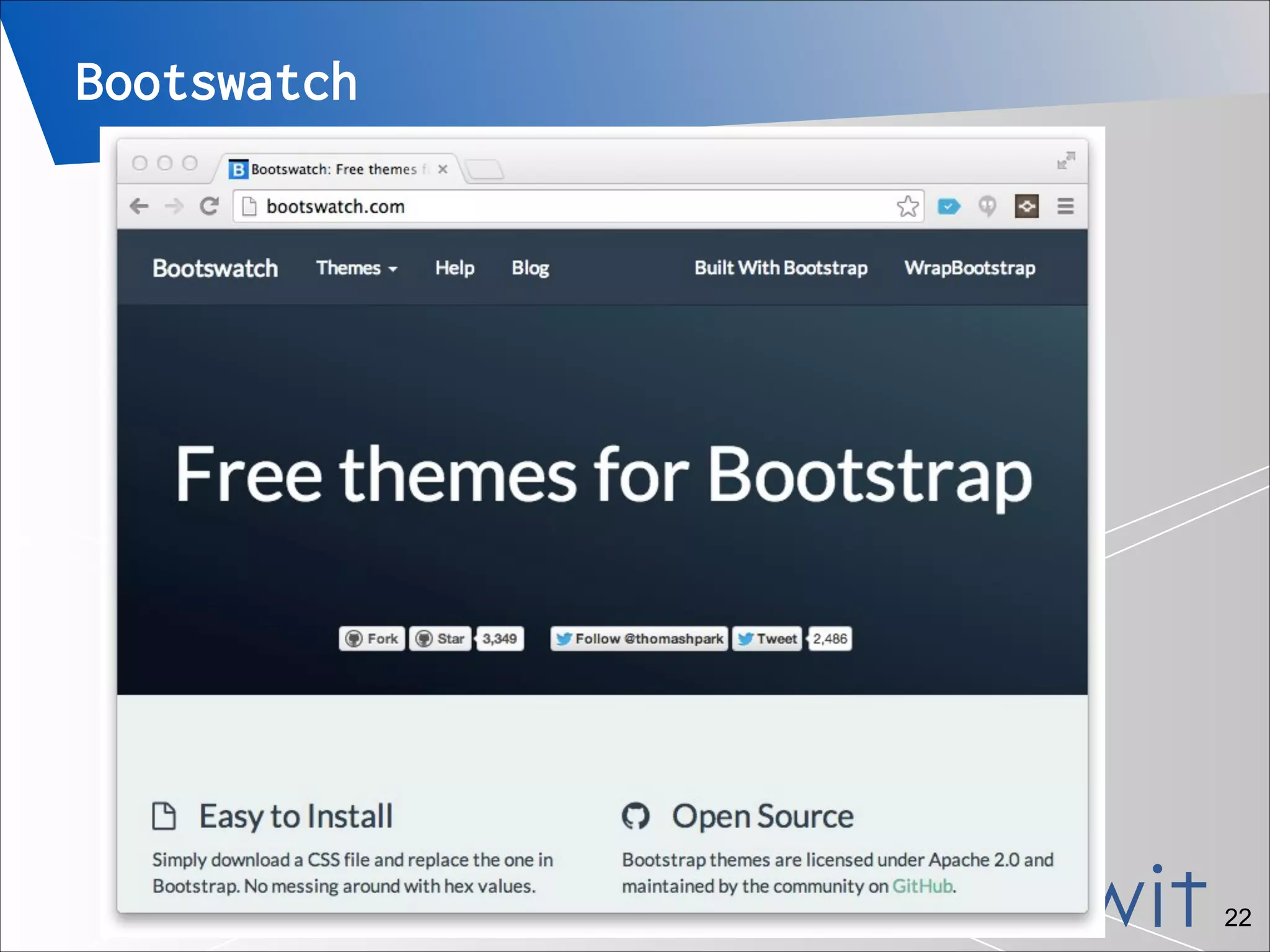
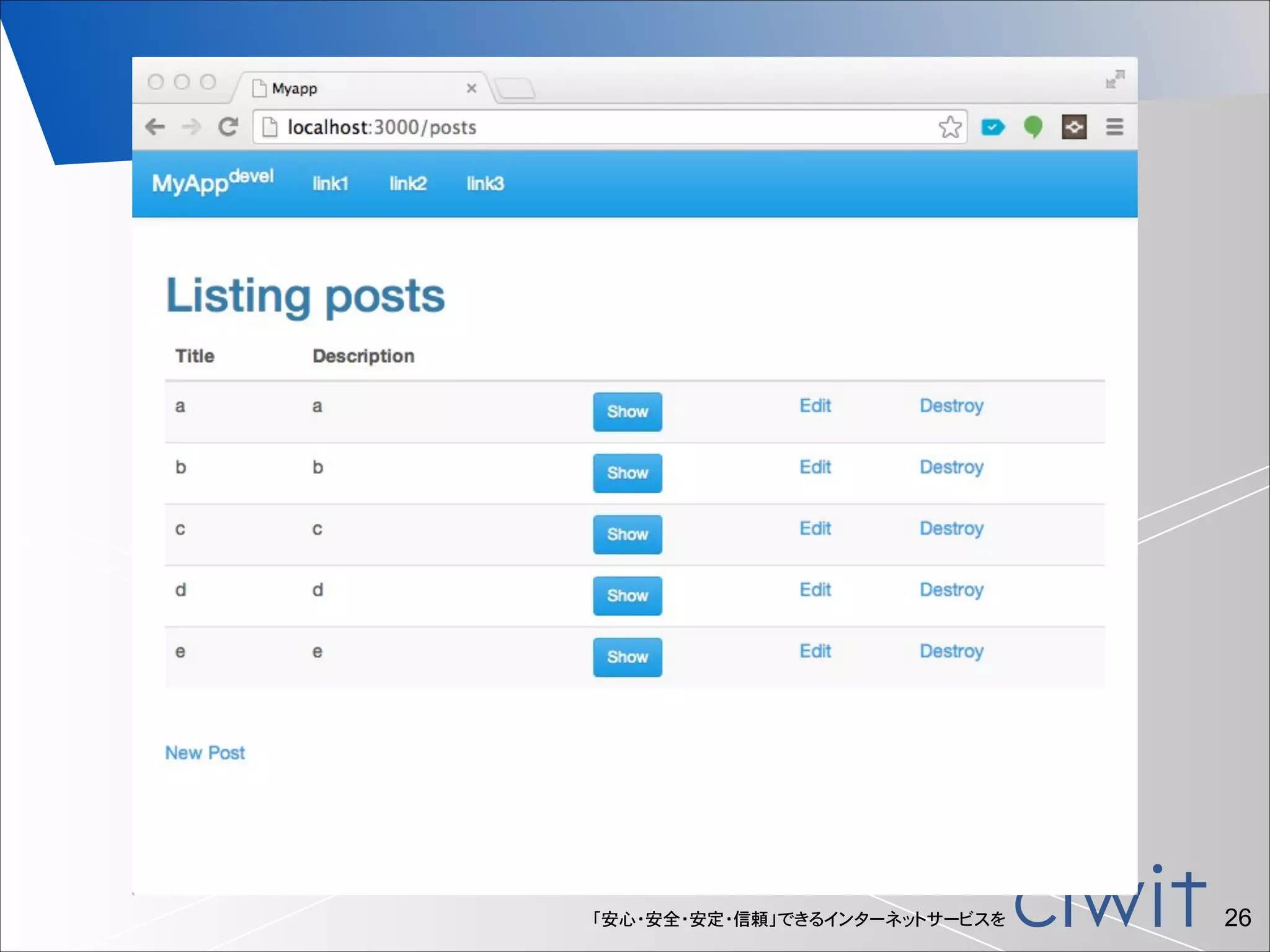
Bootswatch

「安心・安全・安定・信頼」できるインターネットサービスを

!22
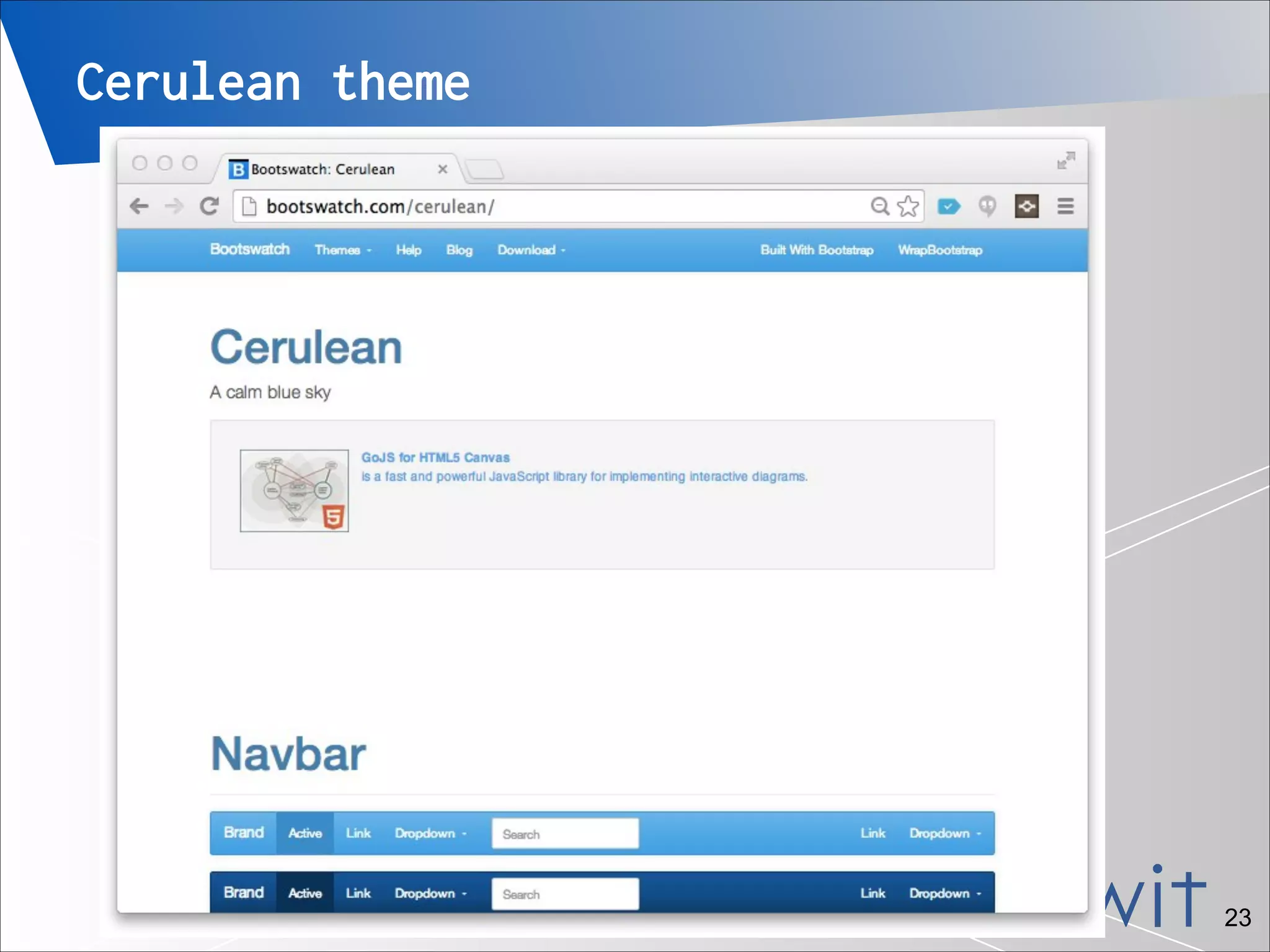
Cerulean theme

「安心・安全・安定・信頼」できるインターネットサービスを

!23
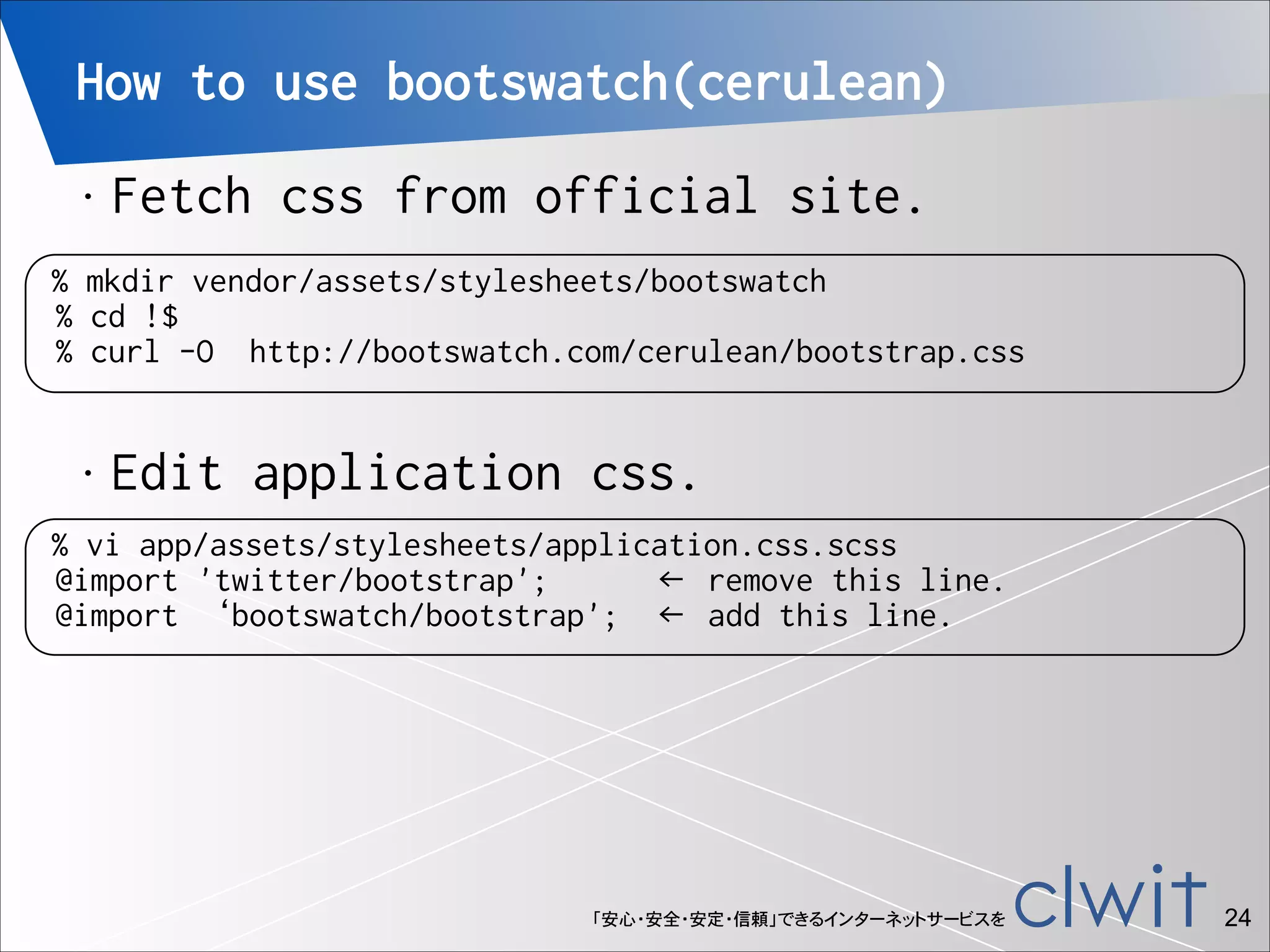
How to use bootswatch(cerulean)
•

Fetch css from official site.

% mkdir vendor/assets/stylesheets/bootswatch
% cd !$
% curl -O http://bootswatch.com/cerulean/bootstrap.css
•

Edit application css.

% vi app/assets/stylesheets/application.css.scss
@import 'twitter/bootstrap';
← remove this line.
@import ‘bootswatch/bootstrap'; ← add this line.

「安心・安全・安定・信頼」できるインターネットサービスを

!24
「安心・安全・安定・信頼」できるインターネットサービスを

!25
「安心・安全・安定・信頼」できるインターネットサービスを

!26
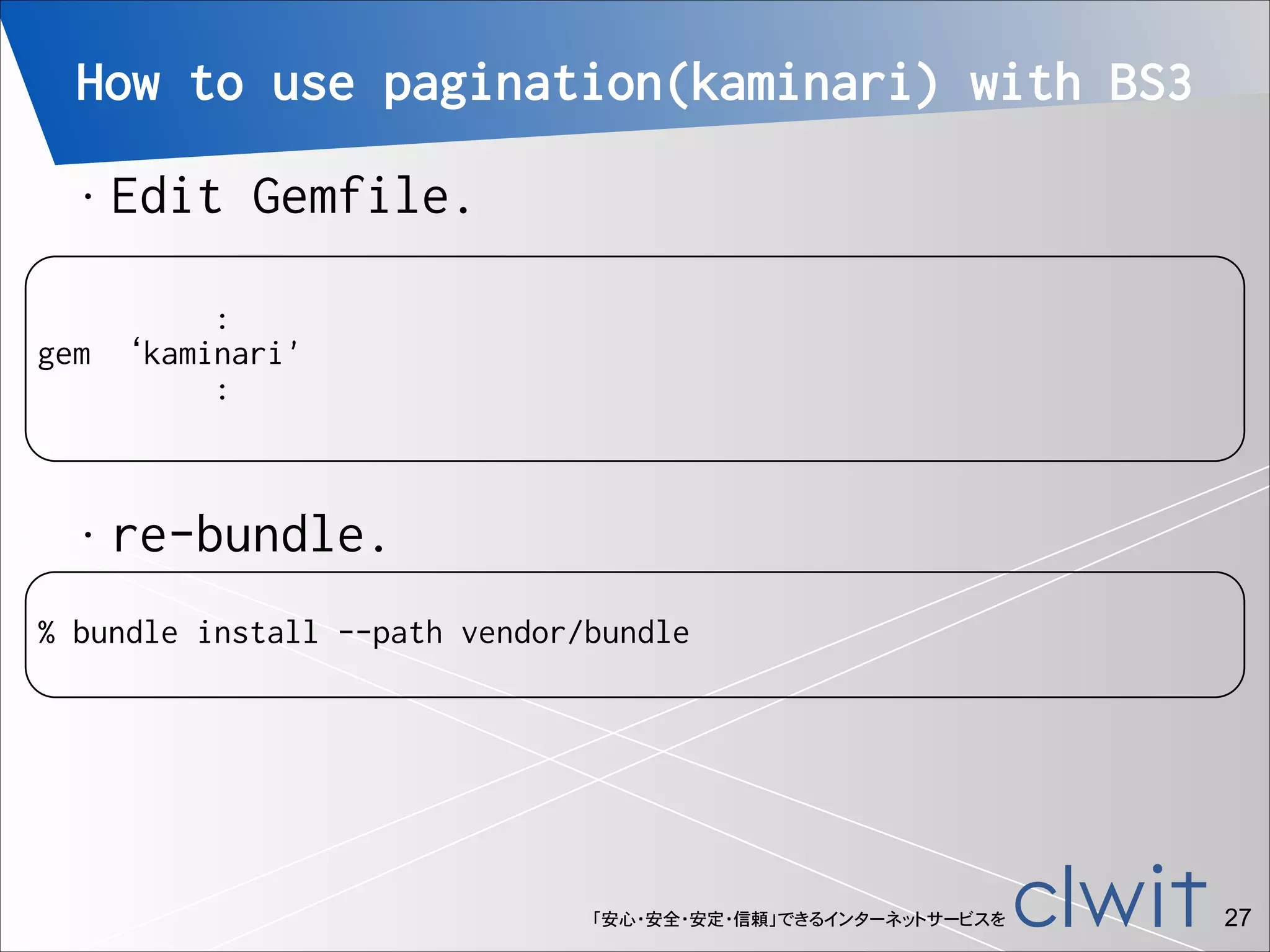
How to use pagination(kaminari) with BS3
•

Edit Gemfile.

!

:
gem ‘kaminari'
:

•

re-bundle.

!

% bundle install --path vendor/bundle

「安心・安全・安定・信頼」できるインターネットサービスを

!27
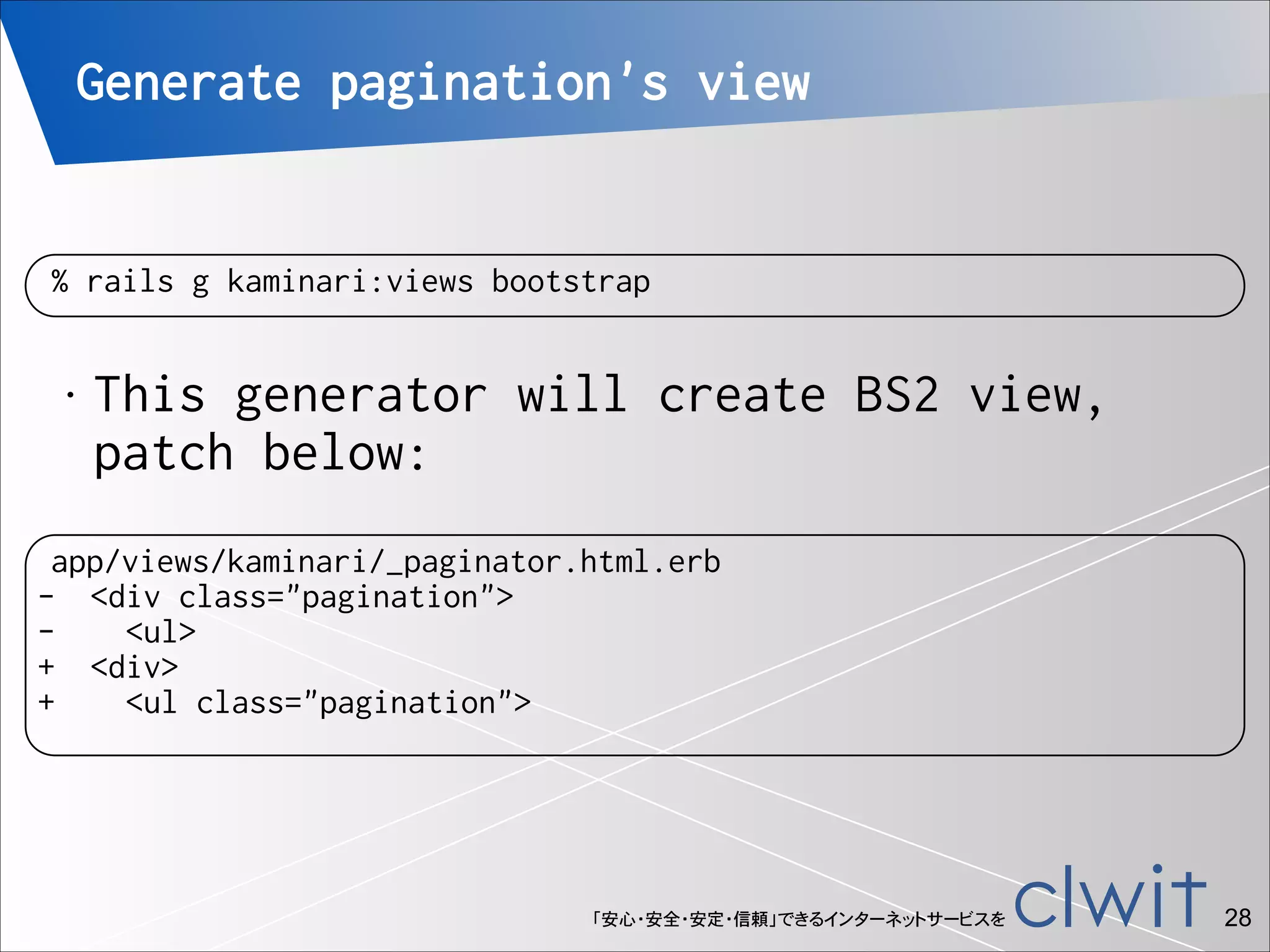
Generate pagination's view

% rails g kaminari:views bootstrap
•

This generator will create BS2 view,
patch below:

app/views/kaminari/_paginator.html.erb
- <div class="pagination">
<ul>
+ <div>
+
<ul class="pagination">

「安心・安全・安定・信頼」できるインターネットサービスを

!28
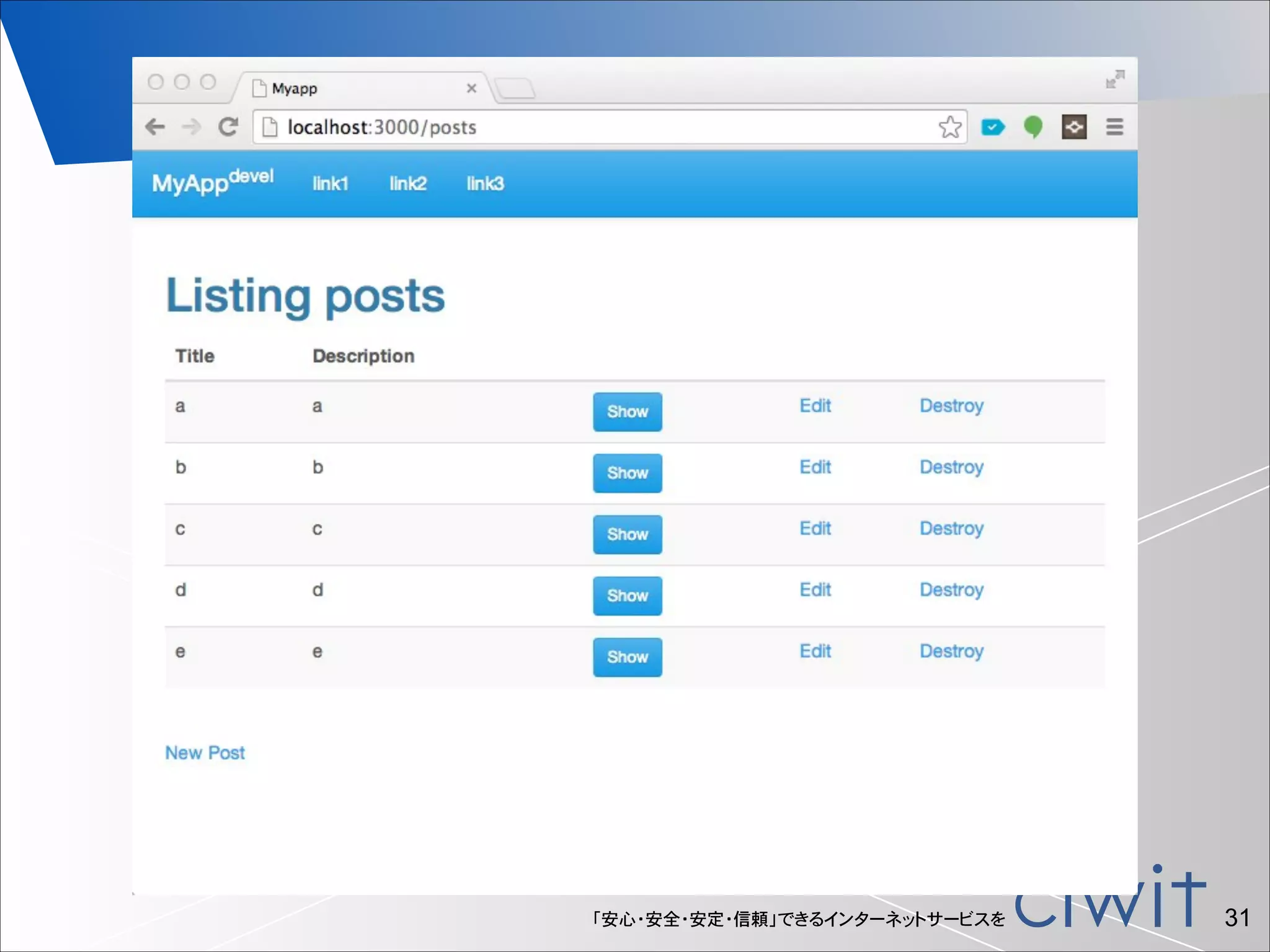
Pagination example
•

!
!
!

Edit post controller.

% vi app/controllers/posts_controller.rb
def index
@posts = Post.all
end
↓
def index
@posts = Post.all
@posts = @posts.page(params[:page]).per(3) # 3 posts/page
end

「安心・安全・安定・信頼」できるインターネットサービスを

!29
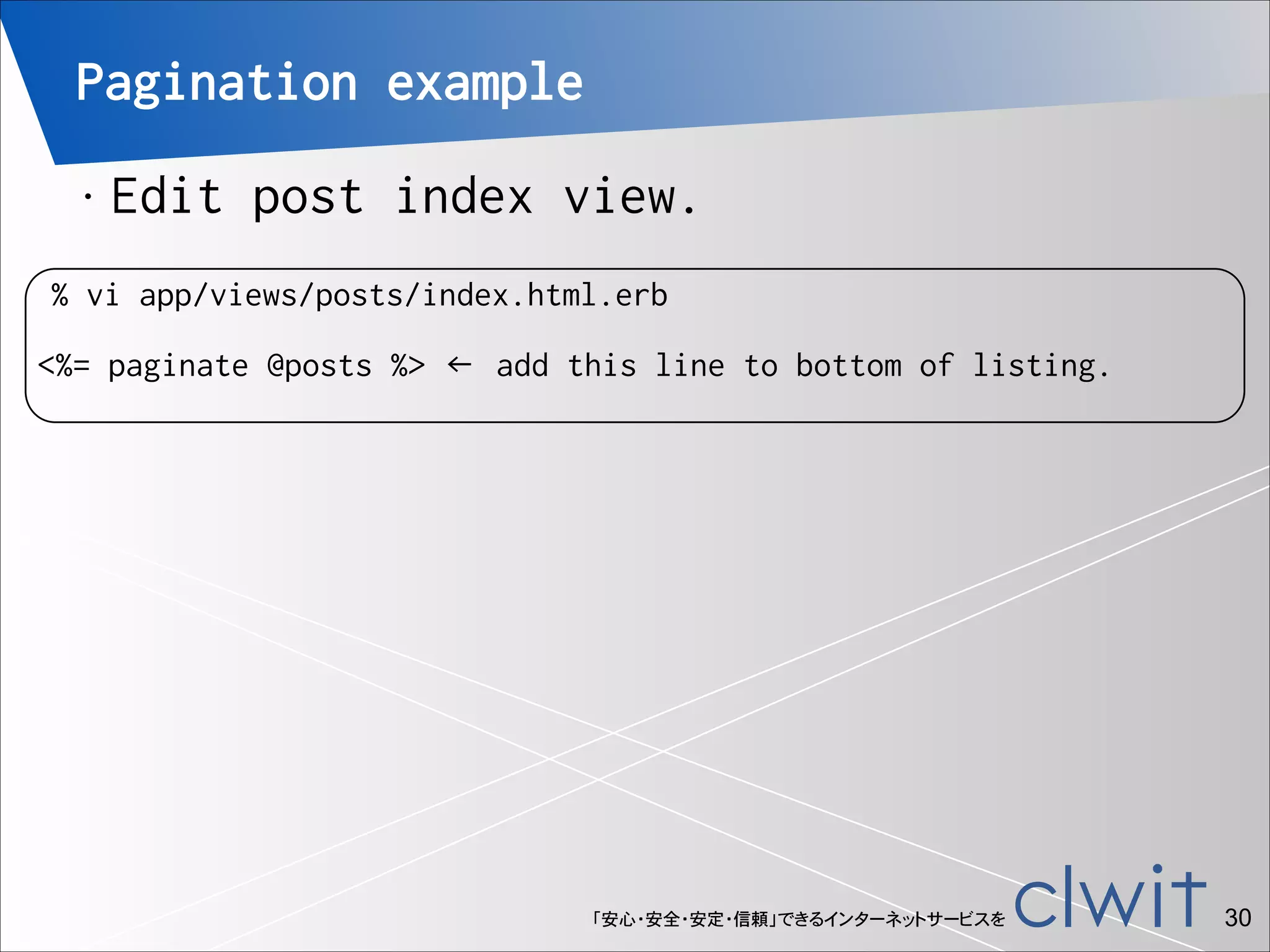
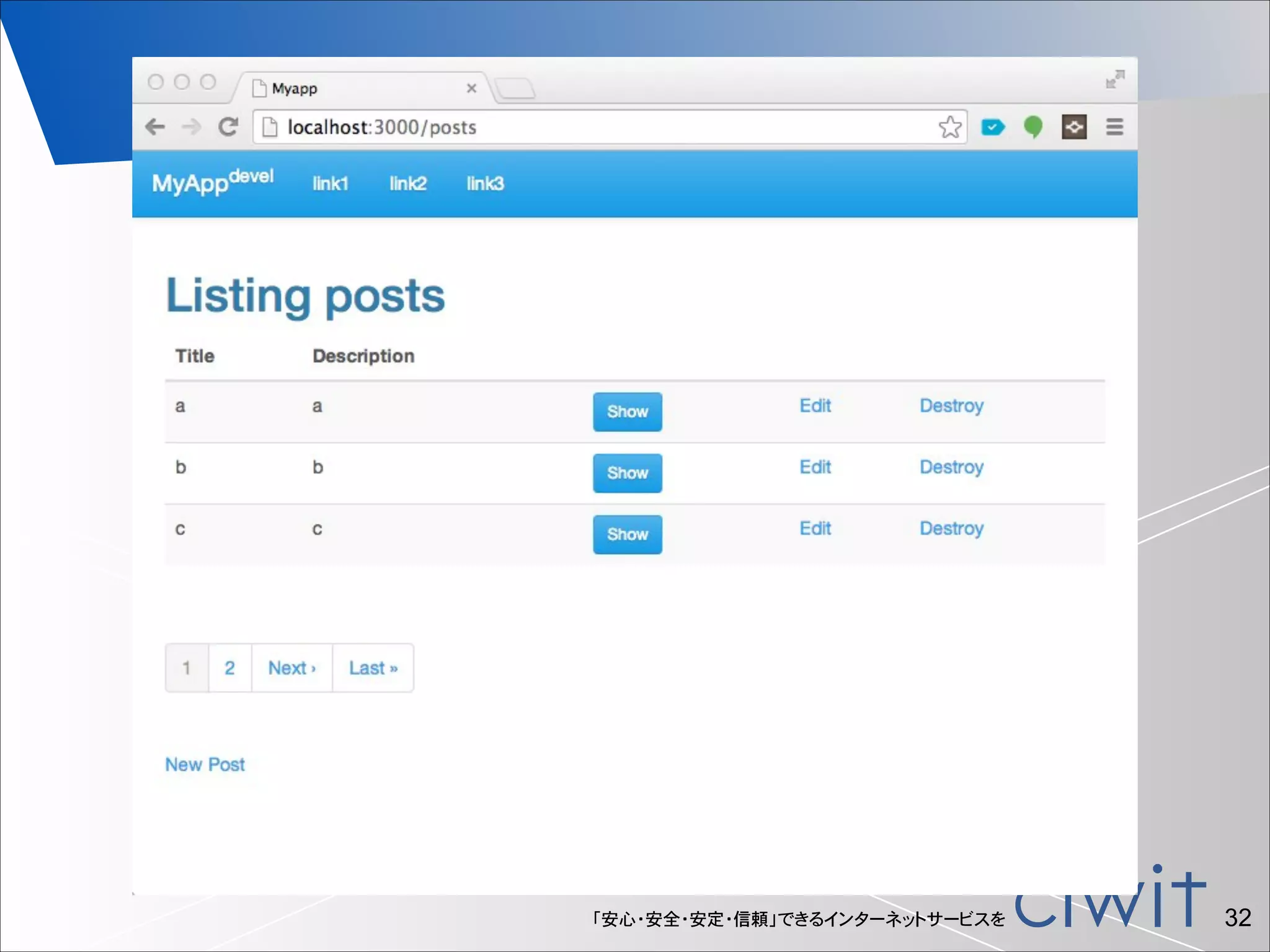
Pagination example
•

!

Edit post index view.

% vi app/views/posts/index.html.erb

<%= paginate @posts %> ← add this line to bottom of listing.

「安心・安全・安定・信頼」できるインターネットサービスを

!30
「安心・安全・安定・信頼」できるインターネットサービスを

!31
「安心・安全・安定・信頼」できるインターネットサービスを

!32
References
•

Ruby on Rails
•
•

•

Twitter bottstrap
•

•

http://getbootstrap.com/

bootstrap-rails Gem
•

•

http://rubyonrails.org/
http://ruby.railstutorial.org/

https://github.com/anjlab/bootstrap-rails

kaminari
•

https://github.com/amatsuda/kaminari

「安心・安全・安定・信頼」できるインターネットサービスを

!33
•

Thank  You!  
•

If  you  have  any  comments,  
•

please  send  to:  
•

Mail:  izawa@izawa.org  /  izawa@clwit.co.jp  

•

Twitter:  @Yukimitsu_̲Izawa

「安心・安全・安定・信頼」できるインターネットサービスを

!34

Getting Started with Ruby on Rails4 + Twitter Bootstrap3

  • 1.
    Getting Started with Rubyon Rails4 + Bootstrap3 Clwit, Inc. Yukimitsu Izawa 2013/11/23 Kanazawa.rb #15 「安心・安全・安定・信頼」できるインターネットサービスを
  • 2.
    じこしょうかい • 井澤  志充  (いざわゆきみつ) • (株)クルウィットの取締役 兼  北北陸陸⽀支社⻑⾧長   博⼠士(情報科学) • • ネットワークの委託研究・⾃自社サービス開発など   「安心・安全・安定・信頼」できるインターネットサービスを !2
  • 3.
    What is Rubyon Rails? Ruby on Rails, often simply Rails, is an open source web application framework which runs on the Ruby programming language. • Ruby on Rails emphasizes the use of well-known software engineering patterns and principles, such as active record pattern, convention over configuration (CoC), don't repeat yourself (DRY), and model–view–controller (MVC).
 
 - wikipedia.org • 「安心・安全・安定・信頼」できるインターネットサービスを !3
  • 4.
    What is Rubyon Rails? 「安心・安全・安定・信頼」できるインターネットサービスを !4
  • 5.
    Ruby on Railstutorial 「安心・安全・安定・信頼」できるインターネットサービスを !5
  • 6.
    What is Twitterbootstrap? Bootstrap is a free collection of tools for creating websites and web applications. It contains HTML and CSS-based design templates for typography, forms, buttons, navigation and other interface components, as well as optional JavaScript extensions.
 • 
 - wikipedia.org 「安心・安全・安定・信頼」できるインターネットサービスを !6
  • 7.
    What is Twitterbootstrap? 「安心・安全・安定・信頼」できるインターネットサービスを !7
  • 8.
    pre requirements ruby • • rails gem twitterbootstrap
 • 
 In this document, ! ruby 2.0.0 • rails 4.0.1 • twitter bootstrap 3.0 • 「安心・安全・安定・信頼」できるインターネットサービスを !8
  • 9.
    Getting start • create railsproject, named “myapp” % rails new myapp % cd !$ 「安心・安全・安定・信頼」できるインターネットサービスを !9
  • 10.
    Edit Gemfile • add bootstrapgem to Gemfile. % vi Gemfile : gem 'anjlab-bootstrap-rails', '~> 3.0.2.0', :require => ‘bootstrap-rails' : 「安心・安全・安定・信頼」できるインターネットサービスを !10
  • 11.
    Bundle libraries • execute bundleinstall. ! % bundle install --path vendor/bundle 「安心・安全・安定・信頼」できるインターネットサービスを !11
  • 12.
    Edit application cssfor BS • to use bootstrap, edit app/assets/ stylesheets/application.css ! % mv app/assets/stylesheets/application.css{,.scss} % vi app/assets/stylesheets/application.css.scss (delete all line, and add two lines below.) ! @import "twitter/bootstrap"; body { padding-top: 70px; } 「安心・安全・安定・信頼」できるインターネットサービスを !12
  • 13.
    Edit application.js • to usebootstrap, edit app/assets/ javascript/application.js ! % vi app/assets/javascripts/application.js ! //= //= //= //= //= • require jquery require jquery_ujs require turbolinks require twitter/bootstrap require_tree . ← add this line. Initial setup was completed. 「安心・安全・安定・信頼」できるインターネットサービスを !13
  • 14.
    App example • at thetop directory of rails project, scaffolding blog post application. 
 ! % rails g scaffold Post title:string description:text % rake db:migrate • You can check your app, access to http://localhost:3000/posts/ .
 Invoke rails server. ! % rails s 「安心・安全・安定・信頼」できるインターネットサービスを !14
  • 15.
  • 16.
    Decorate app (allview) • ! Edit app/views/layouts/application.html.erb % vi app/views/layouts/application.html.erb → Continue to the next page. 「安心・安全・安定・信頼」できるインターネットサービスを !16
  • 17.
    app/views/layouts/application.html.erb ! : <body> <div id="wrap"> <!-- headernavigation part --> <div class="navbar navbar-default navbar-fixed-top"> <div class="navbar-header"> <button type="button" class="navbar-toggle" data-toggle="collapse" data-target=".navbar-menucollapse"> <span class="icon-bar"></span> <span class="icon-bar"></span> <span class="icon-bar"></span> </button> <a class="navbar-brand" href="/">MyApp<sup>devel</sup></a> </div> <div class="navbar-collapse collapse navbar-menu-collapse"> c <ul class="nav navbar-nav"> <li><a href="#">link1</a></li> <li><a href="#">link2</a></li> <li><a href="#">link3</a></li> </ul> <ul class="nav navbar-nav navbar-right"> <li><a href="#"></a></li> </ul> </div> </div> <!-- main contents --> <div class="container"> <%= yield %> </div> c </div> </body> </html> 「安心・安全・安定・信頼」できるインターネットサービスを !17
  • 18.
  • 19.
  • 20.
    Decorate app (posts#index) • editpost's view. <table> ↓ <table class="table table-striped"> <td><%= link_to 'Show', post %></td> ↓ <td><%= link_to 'Show', post, class:"btn btn-primary btn-sm" %></td> <th>Description</th> ↓ <th class="hidden-xs">Description</th> <td><%= post.description %></td> ↓ <td class="hidden-xs"><%= post.description %></td> 「安心・安全・安定・信頼」できるインターネットサービスを !20
  • 21.
  • 22.
  • 23.
  • 24.
    How to usebootswatch(cerulean) • Fetch css from official site. % mkdir vendor/assets/stylesheets/bootswatch % cd !$ % curl -O http://bootswatch.com/cerulean/bootstrap.css • Edit application css. % vi app/assets/stylesheets/application.css.scss @import 'twitter/bootstrap'; ← remove this line. @import ‘bootswatch/bootstrap'; ← add this line. 「安心・安全・安定・信頼」できるインターネットサービスを !24
  • 25.
  • 26.
  • 27.
    How to usepagination(kaminari) with BS3 • Edit Gemfile. ! : gem ‘kaminari' : • re-bundle. ! % bundle install --path vendor/bundle 「安心・安全・安定・信頼」できるインターネットサービスを !27
  • 28.
    Generate pagination's view %rails g kaminari:views bootstrap • This generator will create BS2 view, patch below: app/views/kaminari/_paginator.html.erb - <div class="pagination"> <ul> + <div> + <ul class="pagination"> 「安心・安全・安定・信頼」できるインターネットサービスを !28
  • 29.
    Pagination example • ! ! ! Edit postcontroller. % vi app/controllers/posts_controller.rb def index @posts = Post.all end ↓ def index @posts = Post.all @posts = @posts.page(params[:page]).per(3) # 3 posts/page end 「安心・安全・安定・信頼」できるインターネットサービスを !29
  • 30.
    Pagination example • ! Edit postindex view. % vi app/views/posts/index.html.erb <%= paginate @posts %> ← add this line to bottom of listing. 「安心・安全・安定・信頼」できるインターネットサービスを !30
  • 31.
  • 32.
  • 33.
    References • Ruby on Rails • • • Twitterbottstrap • • http://getbootstrap.com/ bootstrap-rails Gem • • http://rubyonrails.org/ http://ruby.railstutorial.org/ https://github.com/anjlab/bootstrap-rails kaminari • https://github.com/amatsuda/kaminari 「安心・安全・安定・信頼」できるインターネットサービスを !33
  • 34.
    • Thank  You!   • If you  have  any  comments,   • please  send  to:   • Mail:  izawa@izawa.org  /  izawa@clwit.co.jp   • Twitter:  @Yukimitsu_̲Izawa 「安心・安全・安定・信頼」できるインターネットサービスを !34