AWS Elastic Beanstalk
Managing application lifecycle with
Rafael Lopes de Freitas
AWS Technical Trainer
@cloudlopes
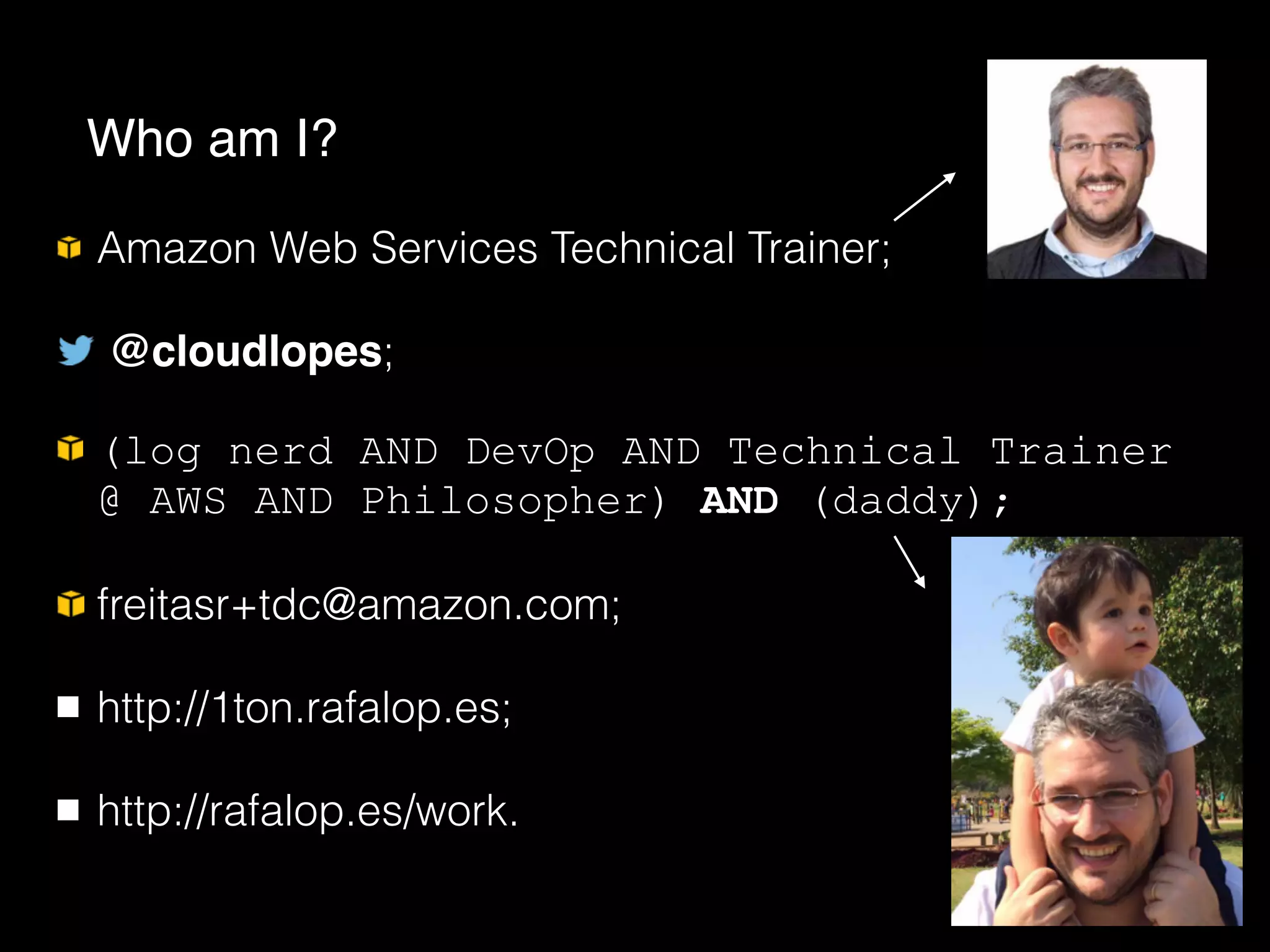
Amazon Web Services Technical Trainer;
@cloudlopes;
(log nerd AND DevOp AND Technical Trainer
@ AWS AND Philosopher) AND (daddy);
freitasr+tdc@amazon.com;
http://1ton.rafalop.es;
http://rafalop.es/work.
Who am I?
MK33BR2015
33% de desconto em treinamento presencial em 2015;
Se mudar de 33 para um número maior não adianta;
Se mudar de 2015 para 2016 também não :/
Voucher especial de descontos (pode deve tirar foto)
Benefit from economies of scale;
Growth, Ability to quickly scale in and out;
Stop spending with physical infrastructure, giving yourself
more time to focus on your business;
Stop guessing capacity, it’s all about elastic things;
Go global in minutes;
Trade capital expense for variable expense.
First of all, why Cloud Computing?
Real on-demand promise, hour is your billing time unit;
The Free Tier;
Community, support, official trainings with certifications,
webinars, forums, high dissemination, big companies are
using;
Reliability, lots of 9’s around;
Documented API’s everywhere and CLI;
Integration…
Ok, got Cloud. But why AWS?
Integrated solutions
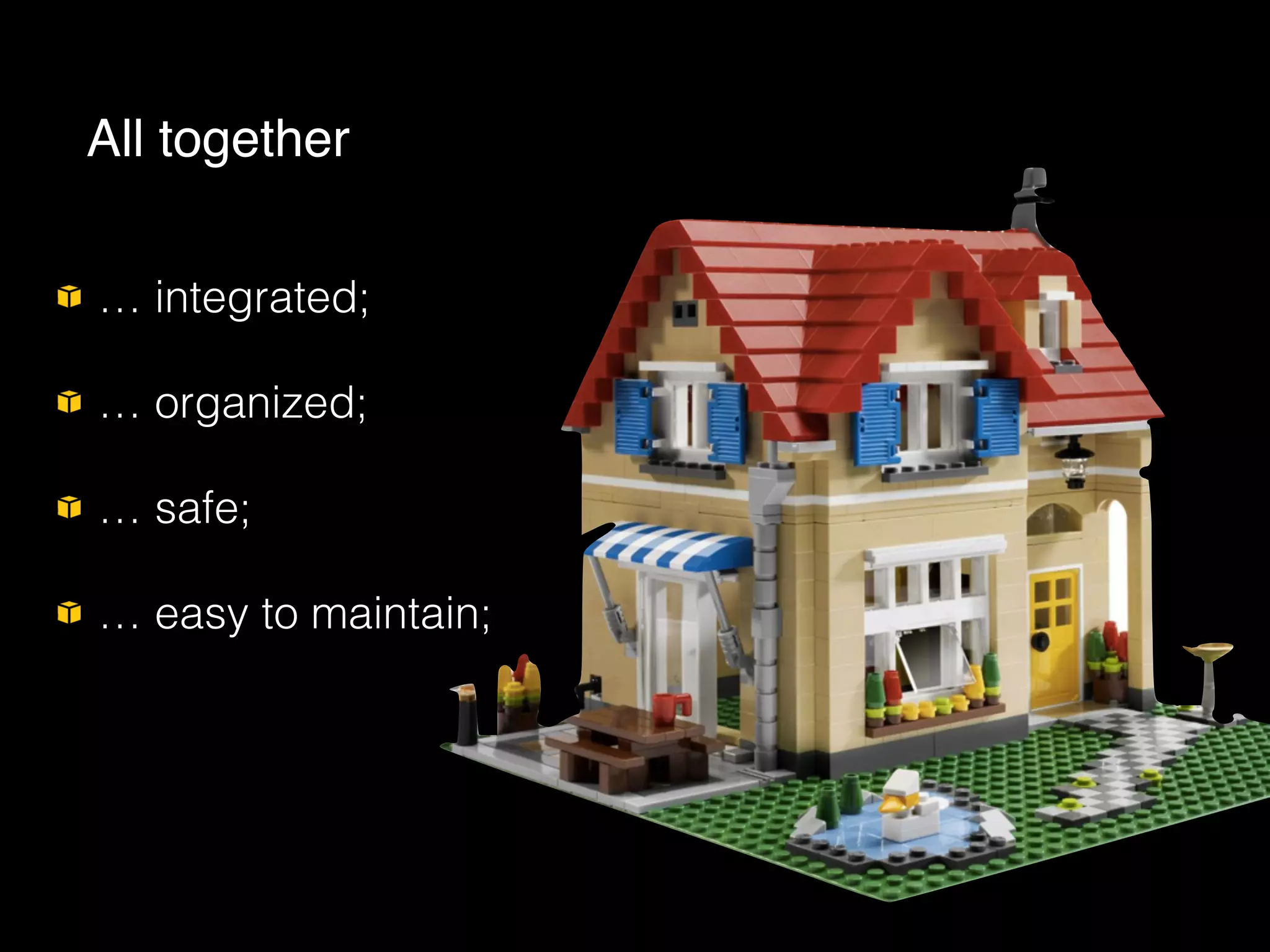
… integrated;
… organized;
… safe;
… easy to maintain;
All together
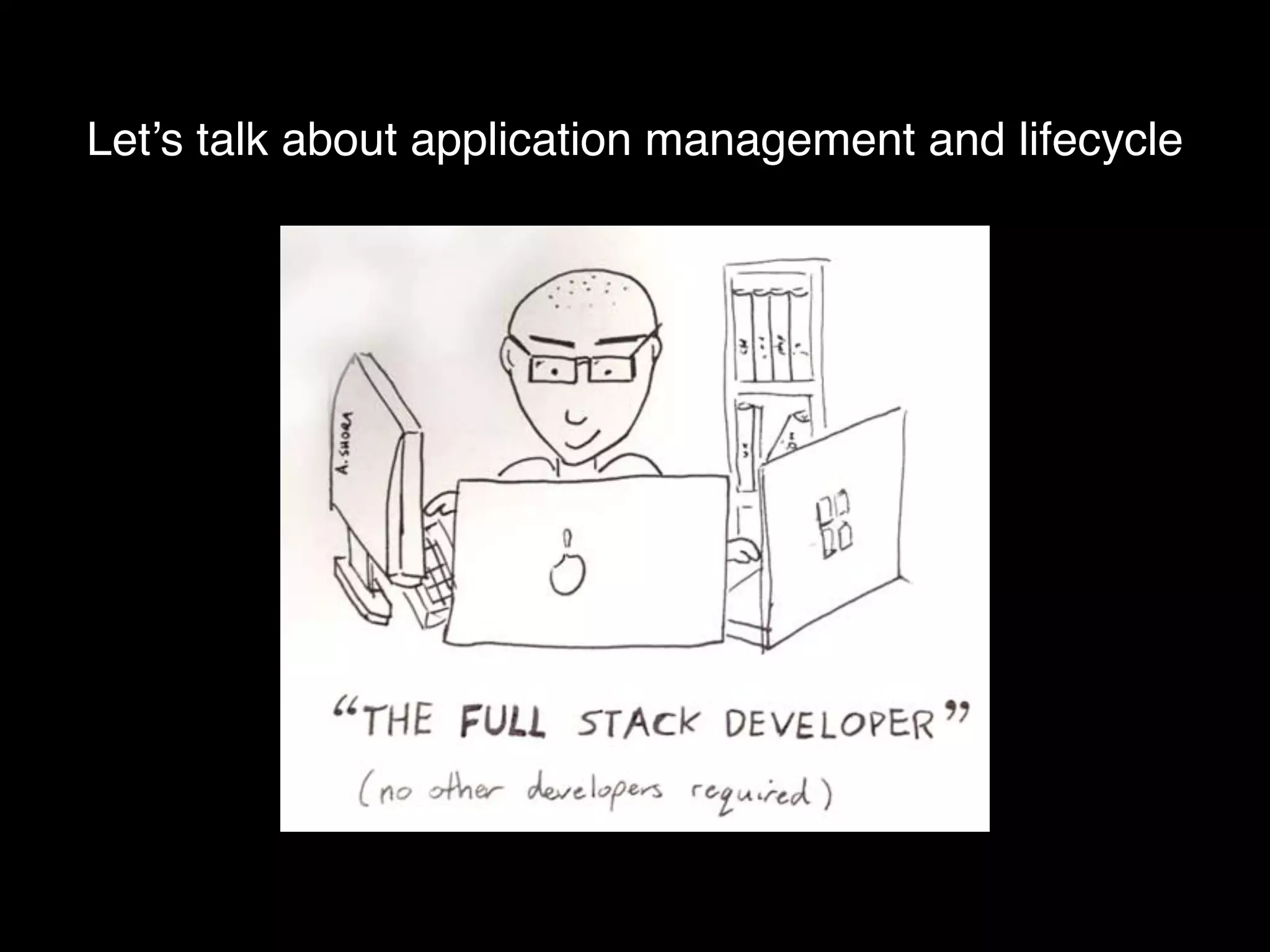
Let’s talk about application management and lifecycle
Manually configure AWS products (that’s the easiest part);
Update (and maintain) OS packages;
Download app packages (and configure them);
Configure Web Server (bindings, htdocs, bla bla bla);
Deployment (find an automated solution);
Monitoring;
Backups, scaling, SysAdmin jobs …
Configuring an ordinary Web server …
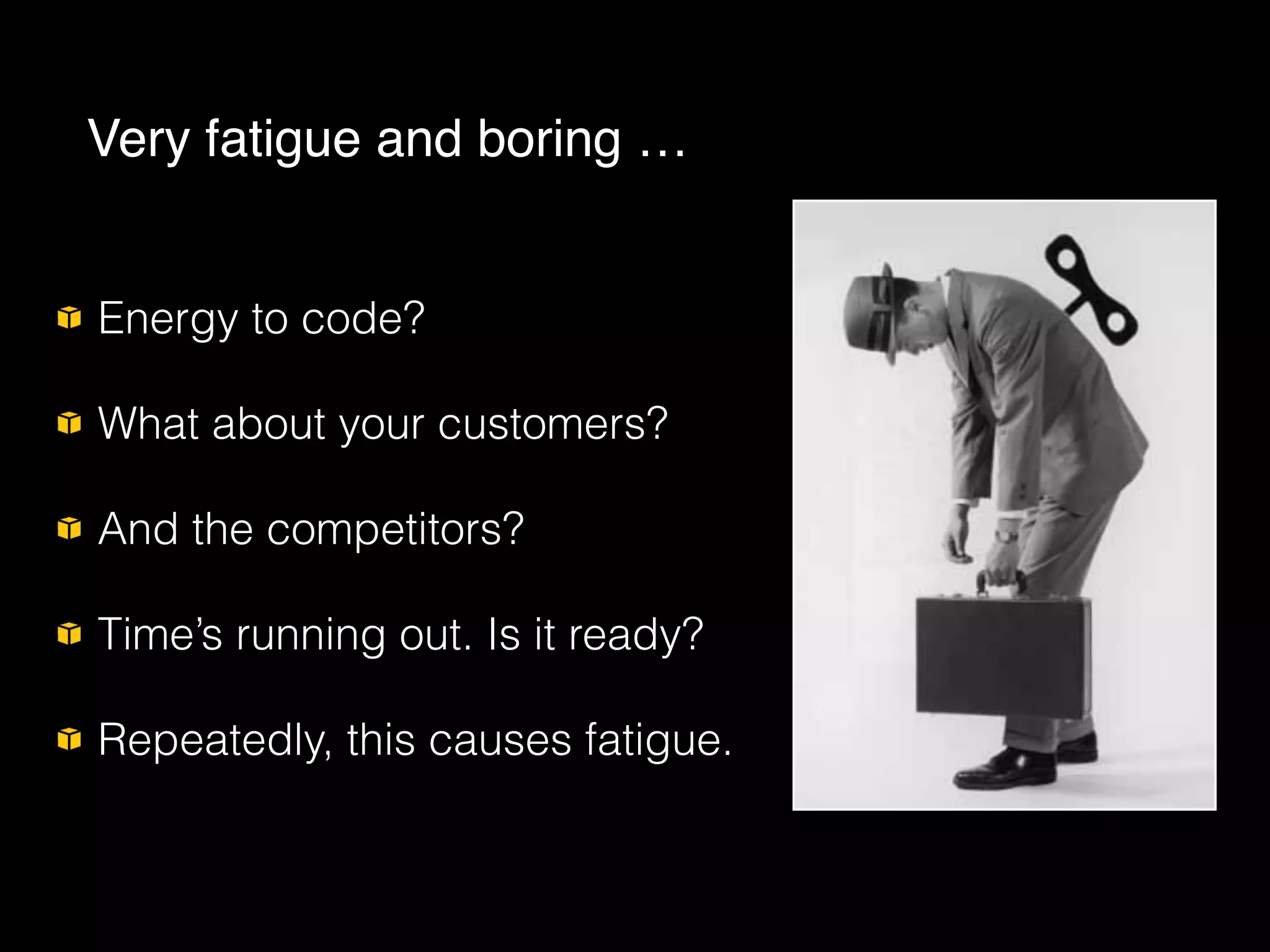
Energy to code?
What about your customers?
And the competitors?
Time’s running out. Is it ready?
Repeatedly, this causes fatigue.
Very fatigue and boring …
AWS Elastic Beanstalk ::
There’s a better way to do that !
AWS Elastic Beanstalk ::
Elastic
Beanstalk
Introducing …
Every DevOps’ dream!;
High Level Application/Environment management service,
orchestration tool;
Deploy and manage your applications in AWS Cloud;
“Easy to begin, Impossible to outgrow”;
Install and maintain AWS services for you;
You are always in control, it’s not PaaS by definition.
What Elastic Beanstalk is ?
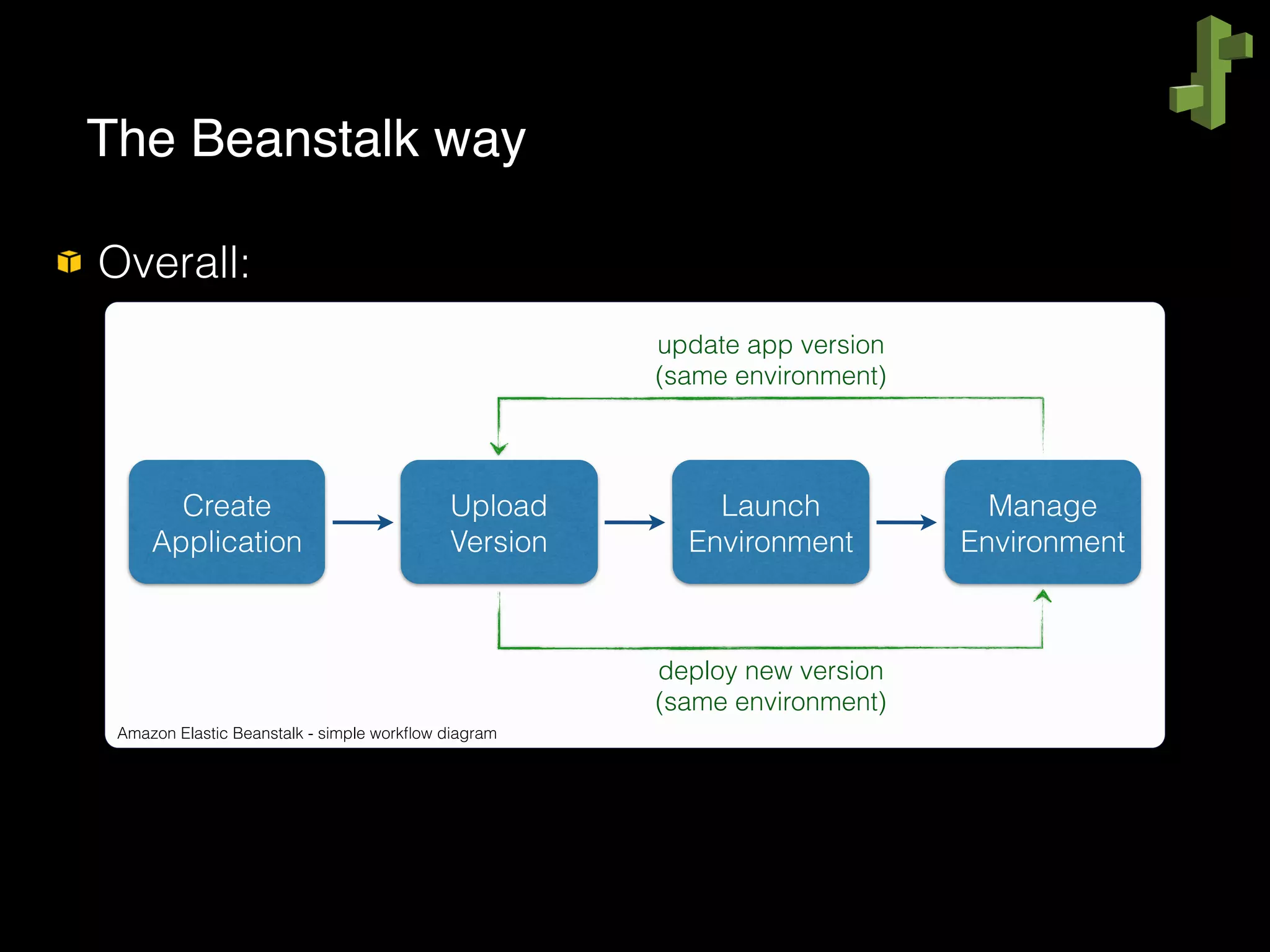
Overall:


The Beanstalk way
Amazon Elastic Beanstalk - simple workflow diagram
Create
Application
Upload
Version
Launch
Environment
Manage
Environment
update app version
(same environment)
deploy new version
(same environment)
The Beanstalk way
demo.start_session();
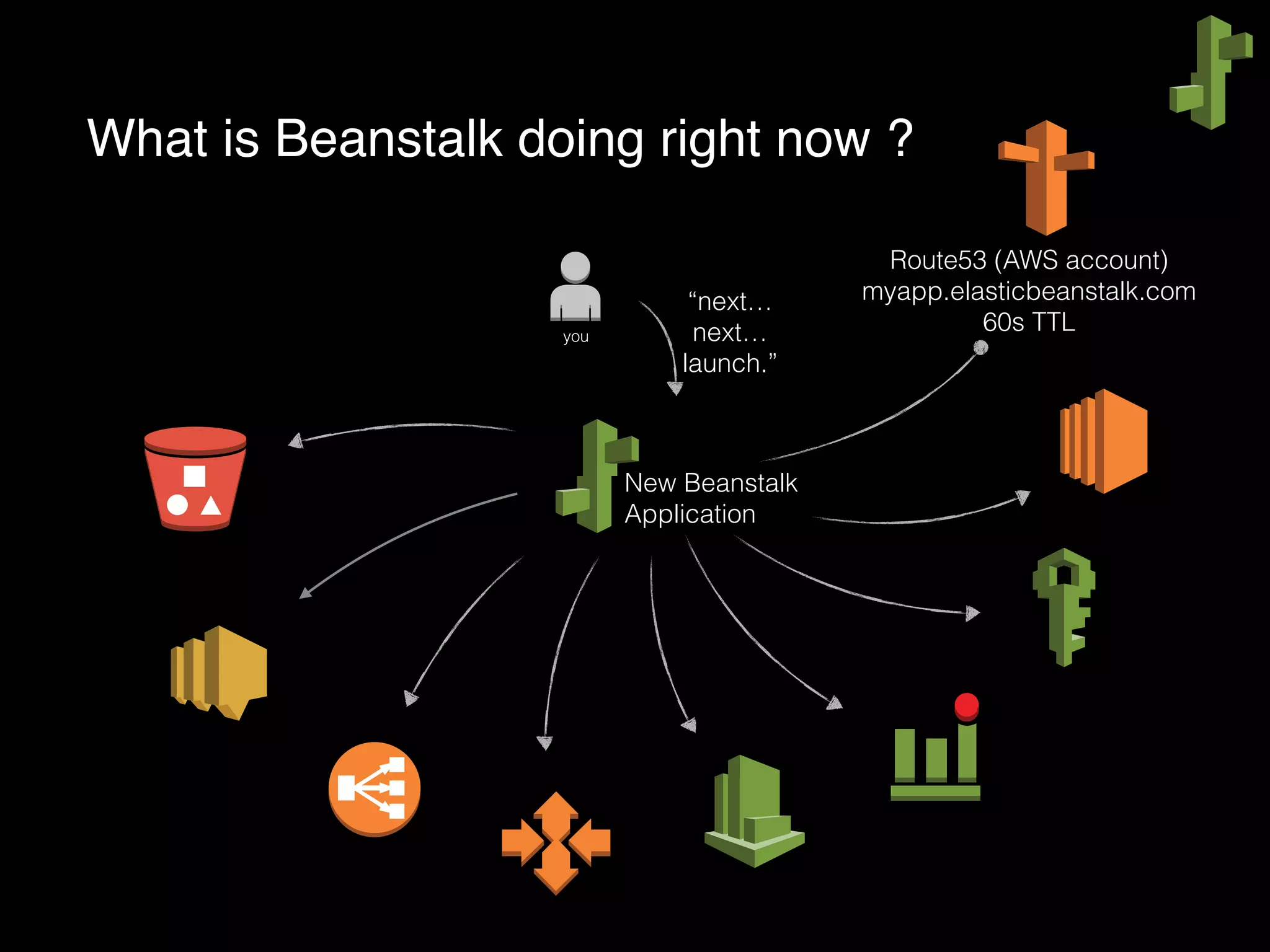
What is Beanstalk doing right now ?
New Beanstalk
Application
you
“next…
next…
launch.”
Route53 (AWS account)
myapp.elasticbeanstalk.com
60s TTL
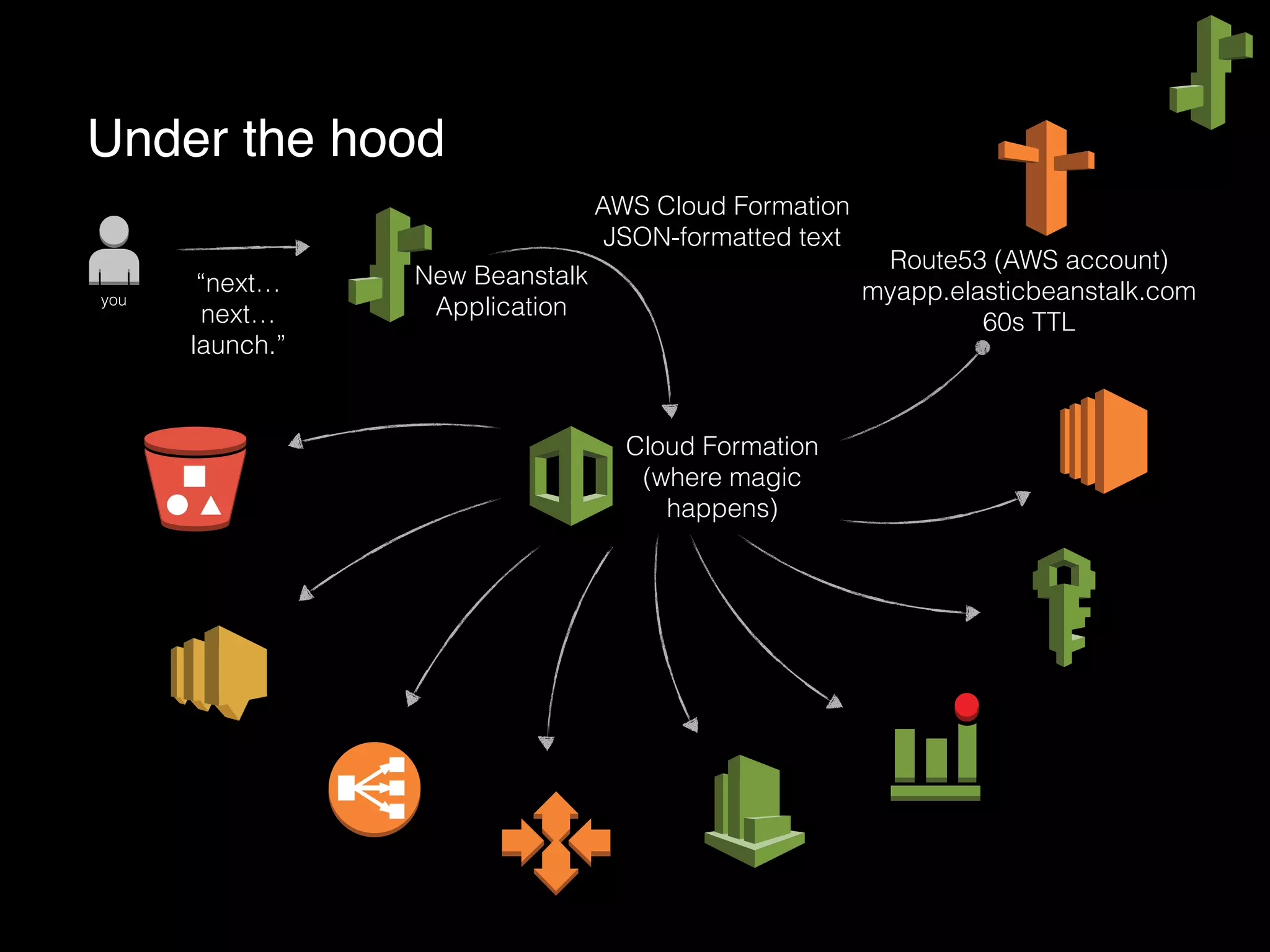
Under the hood
Cloud Formation
(where magic
happens)
New Beanstalk
Applicationyou
“next…
next…
launch.”
AWS Cloud Formation
JSON-formatted text
Route53 (AWS account)
myapp.elasticbeanstalk.com
60s TTL
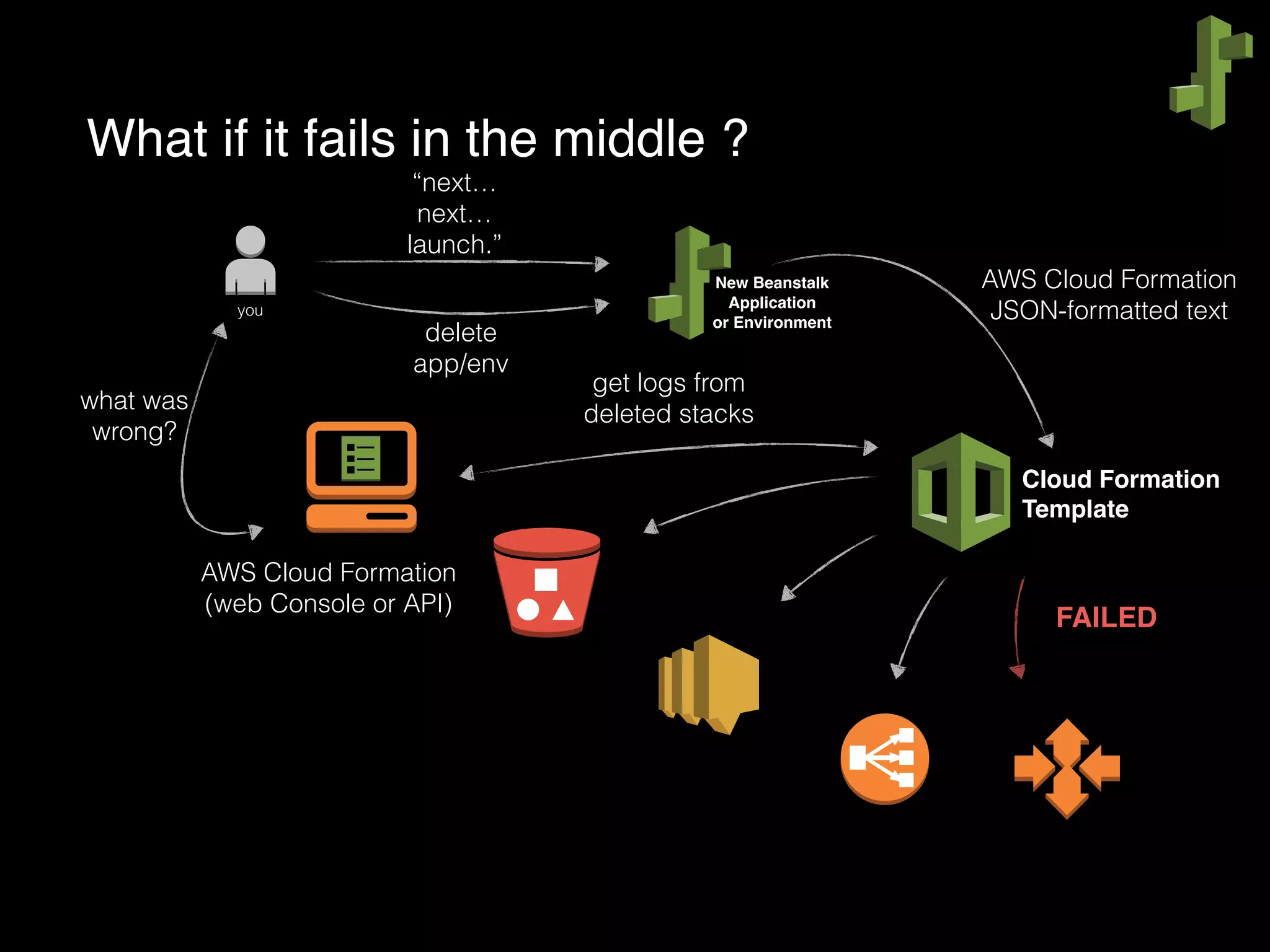
What if it fails in the middle ?
Cloud Formation
Template
New Beanstalk
Application
or Environment
you
“next…
next…
launch.”
AWS Cloud Formation
JSON-formatted text
FAILED
AWS Cloud Formation
(web Console or API)
what was
wrong?
get logs from
deleted stacks
delete
app/env
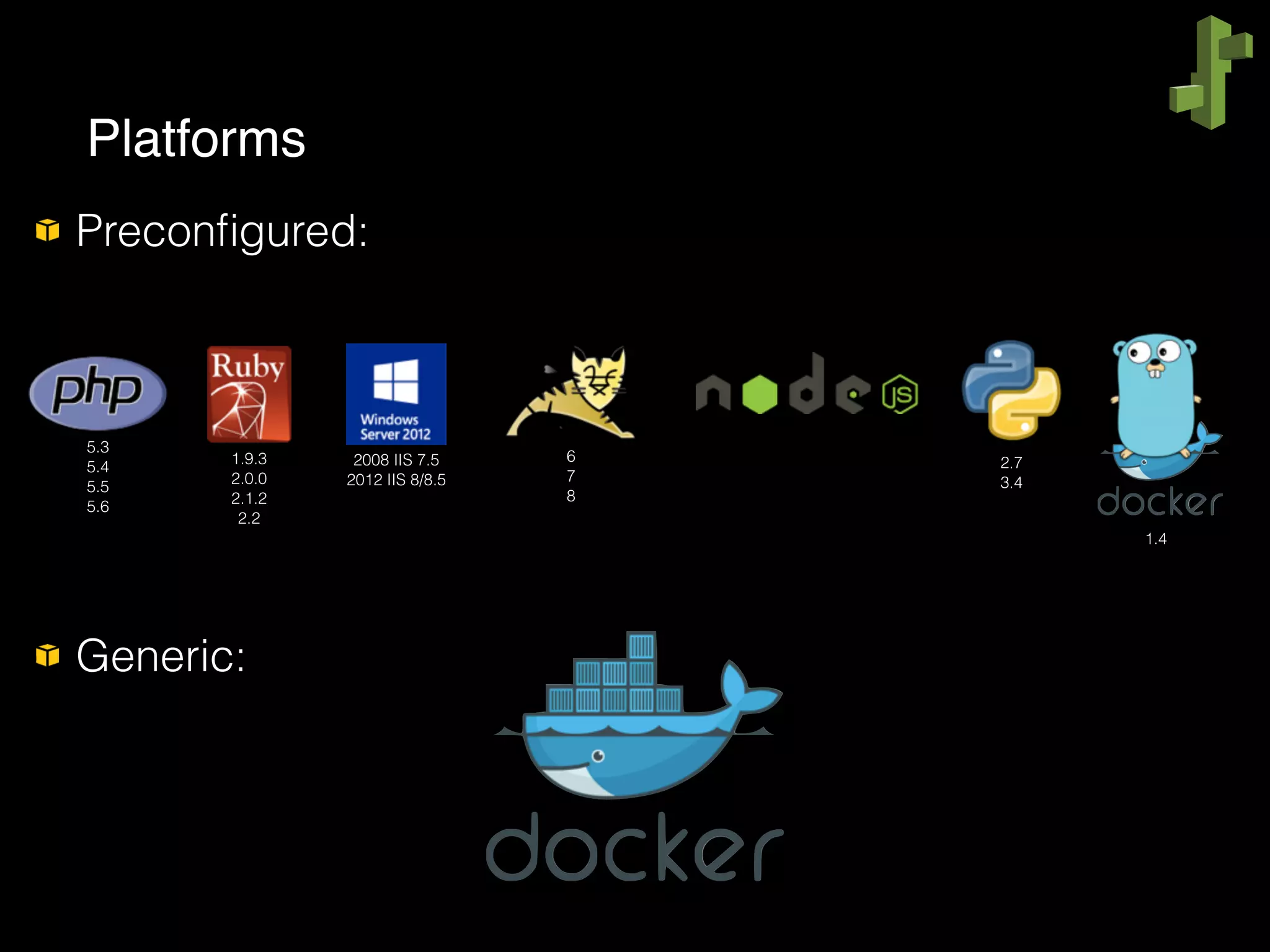
Preconfigured:


Generic:
Platforms
5.3
5.4
5.5
5.6
1.9.3
2.0.0
2.1.2
2.2
6
7
8
2008 IIS 7.5
2012 IIS 8/8.5
2.7
3.4
1.4
Back to Demo
demo.reattach_session();
Easy and simple to use and maintain;
Save your time;
Don’t worry about the infrastructure under the hood;
Fits from small/simple to large/complex applications;
Scaled by default;
Eclipse/VisualStudio Toolkit;
Zero downtime deployment (killer feature!).
Where does Beanstalk really shine ?
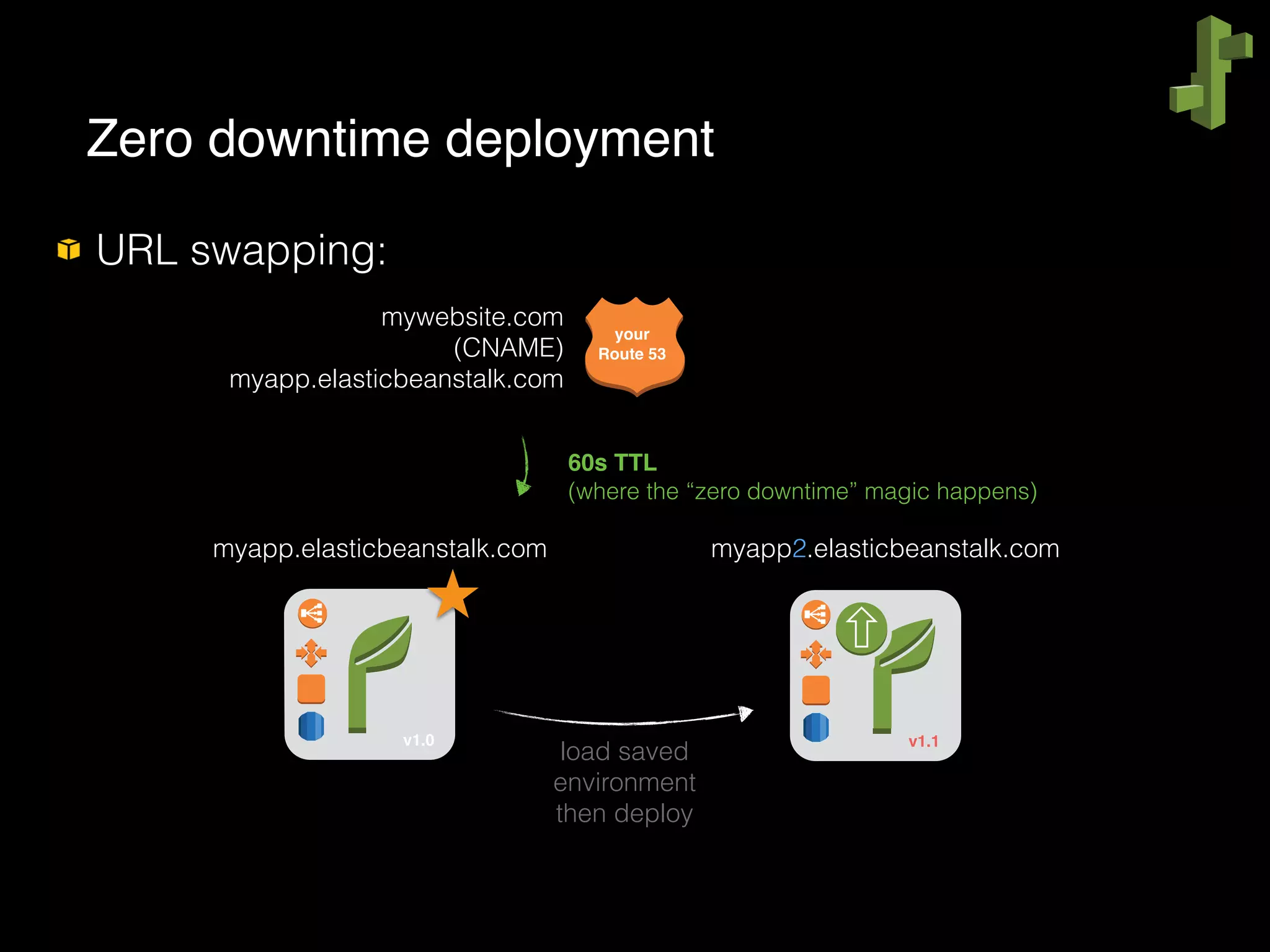
URL swapping:


Zero downtime deployment
your
Route 53
mywebsite.com
(CNAME)
myapp.elasticbeanstalk.com
myapp.elasticbeanstalk.com myapp2.elasticbeanstalk.com
v1.0 v1.1
load saved
environment
then deploy
60s TTL
(where the “zero downtime” magic happens)
Changes should be done in Beanstalk, not in
automated parts;
Don’t manually change OS files (unless you know what
you’re doing);
Be careful with URL swapping if you use old JVM’s.
If you are not using your application or environment,
don’t forget to terminate it;
Keep an eye on it !
No additional charges for using AWS Elastic Beanstalk;
You only pay for the underlying AWS resources that
your application consumes (AWS automatically sign
you up for these services);
Free Tier…
What much does it cost?
Thank you!
questions ?
Rafael Lopes de Freitas
AWS Technical Trainer
@cloudlopes
(não esquecer da selfie)

Gerenciando o ciclo de vida de aplicações com AWS Elastic Beanstalk

  • 1.
    AWS Elastic Beanstalk Managingapplication lifecycle with Rafael Lopes de Freitas AWS Technical Trainer @cloudlopes
  • 2.
    Amazon Web ServicesTechnical Trainer; @cloudlopes; (log nerd AND DevOp AND Technical Trainer @ AWS AND Philosopher) AND (daddy); freitasr+tdc@amazon.com; http://1ton.rafalop.es; http://rafalop.es/work. Who am I?
  • 3.
    MK33BR2015 33% de descontoem treinamento presencial em 2015; Se mudar de 33 para um número maior não adianta; Se mudar de 2015 para 2016 também não :/ Voucher especial de descontos (pode deve tirar foto)
  • 4.
    Benefit from economiesof scale; Growth, Ability to quickly scale in and out; Stop spending with physical infrastructure, giving yourself more time to focus on your business; Stop guessing capacity, it’s all about elastic things; Go global in minutes; Trade capital expense for variable expense. First of all, why Cloud Computing?
  • 5.
    Real on-demand promise,hour is your billing time unit; The Free Tier; Community, support, official trainings with certifications, webinars, forums, high dissemination, big companies are using; Reliability, lots of 9’s around; Documented API’s everywhere and CLI; Integration… Ok, got Cloud. But why AWS?
  • 6.
  • 7.
    … integrated; … organized; …safe; … easy to maintain; All together
  • 8.
    Let’s talk aboutapplication management and lifecycle
  • 9.
    Manually configure AWSproducts (that’s the easiest part); Update (and maintain) OS packages; Download app packages (and configure them); Configure Web Server (bindings, htdocs, bla bla bla); Deployment (find an automated solution); Monitoring; Backups, scaling, SysAdmin jobs … Configuring an ordinary Web server …
  • 10.
    Energy to code? Whatabout your customers? And the competitors? Time’s running out. Is it ready? Repeatedly, this causes fatigue. Very fatigue and boring …
  • 11.
    AWS Elastic Beanstalk:: There’s a better way to do that !
  • 12.
    AWS Elastic Beanstalk:: Elastic Beanstalk Introducing …
  • 13.
    Every DevOps’ dream!; HighLevel Application/Environment management service, orchestration tool; Deploy and manage your applications in AWS Cloud; “Easy to begin, Impossible to outgrow”; Install and maintain AWS services for you; You are always in control, it’s not PaaS by definition. What Elastic Beanstalk is ?
  • 14.
    Overall:


 The Beanstalk way AmazonElastic Beanstalk - simple workflow diagram Create Application Upload Version Launch Environment Manage Environment update app version (same environment) deploy new version (same environment)
  • 15.
  • 16.
    What is Beanstalkdoing right now ? New Beanstalk Application you “next… next… launch.” Route53 (AWS account) myapp.elasticbeanstalk.com 60s TTL
  • 17.
    Under the hood CloudFormation (where magic happens) New Beanstalk Applicationyou “next… next… launch.” AWS Cloud Formation JSON-formatted text Route53 (AWS account) myapp.elasticbeanstalk.com 60s TTL
  • 18.
    What if itfails in the middle ? Cloud Formation Template New Beanstalk Application or Environment you “next… next… launch.” AWS Cloud Formation JSON-formatted text FAILED AWS Cloud Formation (web Console or API) what was wrong? get logs from deleted stacks delete app/env
  • 19.
  • 20.
  • 21.
    Easy and simpleto use and maintain; Save your time; Don’t worry about the infrastructure under the hood; Fits from small/simple to large/complex applications; Scaled by default; Eclipse/VisualStudio Toolkit; Zero downtime deployment (killer feature!). Where does Beanstalk really shine ?
  • 22.
    URL swapping:


 Zero downtimedeployment your Route 53 mywebsite.com (CNAME) myapp.elasticbeanstalk.com myapp.elasticbeanstalk.com myapp2.elasticbeanstalk.com v1.0 v1.1 load saved environment then deploy 60s TTL (where the “zero downtime” magic happens)
  • 23.
    Changes should bedone in Beanstalk, not in automated parts; Don’t manually change OS files (unless you know what you’re doing); Be careful with URL swapping if you use old JVM’s. If you are not using your application or environment, don’t forget to terminate it; Keep an eye on it !
  • 24.
    No additional chargesfor using AWS Elastic Beanstalk; You only pay for the underlying AWS resources that your application consumes (AWS automatically sign you up for these services); Free Tier… What much does it cost?
  • 25.
    Thank you! questions ? RafaelLopes de Freitas AWS Technical Trainer @cloudlopes (não esquecer da selfie)