Copyright © 2015 Pearson Education, Inc. Publishing as Pearson Addison-Wesley
C H A P T E R 2
Input,
Processing,
and Output
Copyright © 2015 Pearson Education, Inc. Publishing as Pearson Addison-Wesley
Topics
Displaying Output with print Function
Comments
Variables
Reading Input from the Keyboard
Performing Calculations
More About Data Output
Copyright © 2015 Pearson Education, Inc. Publishing as Pearson Addison-Wesley
Displaying Output with the
print Function
Function: piece of prewritten code that
performs an operation
print function: displays output on the
screen
Argument: data given to a function
Example: data that is printed to screen
Statements in a program execute in the
order that they appear
From top to bottom
Copyright © 2015 Pearson Education, Inc. Publishing as Pearson Addison-Wesley
Strings and String Literals
String: sequence of characters that is
used as data
String literal: string that appears in
actual code of a program
Must be enclosed in single (‘) or double (“)
quote marks
String literal can be enclosed in triple quotes
(''' or """)
Enclosed string can contain both single and double
quotes and can have multiple lines
Copyright © 2015 Pearson Education, Inc. Publishing as Pearson Addison-Wesley
Comments
Comments: notes of explanation within
a program
Ignored by Python interpreter
Intended for a person reading the program’s code
Begin with a # character
End-line comment: appears at the end
of a line of code
Typically explains the purpose of that line
Copyright © 2015 Pearson Education, Inc. Publishing as Pearson Addison-Wesley
Variables
Variable: name that represents a value
stored in the computer memory
Used to access and manipulate data stored in
memory
A variable references the value it represents
Assignment statement: used to create a
variable and make it reference data
General format is variable = expression
Example: age = 29
Assignment operator: the equal sign (=)
Copyright © 2015 Pearson Education, Inc. Publishing as Pearson Addison-Wesley
Variable Naming Rules
Rules for naming variables in Python:
Variable name cannot be a Python key word
Variable name cannot contain spaces
First character must be a letter or an
underscore
After first character may use letters, digits, or
underscores
Variable names are case sensitive
Variable name should reflect its use
Copyright © 2015 Pearson Education, Inc. Publishing as Pearson Addison-Wesley
Displaying Multiple Items with
the print Function
Python allows one to display multiple
items with a single call to print
Items are separated by commas when passed
as arguments
Arguments displayed in the order they are
passed to the function
Items are automatically separated by a space
when displayed on screen
Copyright © 2015 Pearson Education, Inc. Publishing as Pearson Addison-Wesley
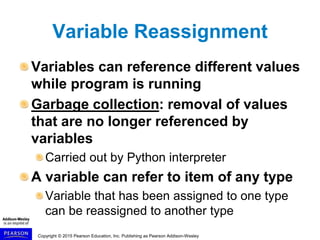
Variable Reassignment
Variables can reference different values
while program is running
Garbage collection: removal of values
that are no longer referenced by
variables
Carried out by Python interpreter
A variable can refer to item of any type
Variable that has been assigned to one type
can be reassigned to another type
Copyright © 2015 Pearson Education, Inc. Publishing as Pearson Addison-Wesley
Numeric Data Types, Literals,
and the str Data Type
Data types: categorize value in memory
e.g., int for integer, float for real number, str
used for storing strings in memory
Copyright © 2015 Pearson Education, Inc. Publishing as Pearson Addison-Wesley
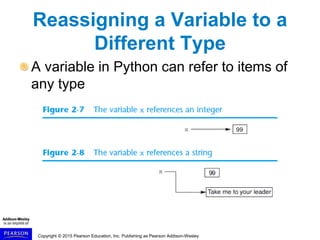
Reassigning a Variable to a
Different Type
A variable in Python can refer to items of
any type
Copyright © 2015 Pearson Education, Inc. Publishing as Pearson Addison-Wesley
Reading Input from the
Keyboard
Most programs need to read input from
the user
Built-in input function reads input
from keyboard
Returns the data as a string
Format: variable = input(prompt)
prompt is typically a string instructing user to
enter a value
Does not automatically display a space after
the prompt
Copyright © 2015 Pearson Education, Inc. Publishing as Pearson Addison-Wesley
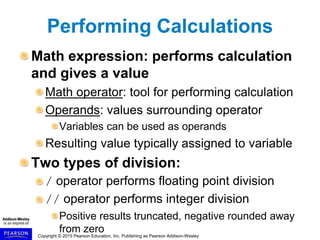
Performing Calculations
Math expression: performs calculation
and gives a value
Math operator: tool for performing calculation
Operands: values surrounding operator
Variables can be used as operands
Resulting value typically assigned to variable
Two types of division:
/ operator performs floating point division
// operator performs integer division
Positive results truncated, negative rounded away
from zero
Copyright © 2015 Pearson Education, Inc. Publishing as Pearson Addison-Wesley
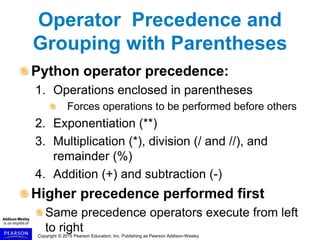
Operator Precedence and
Grouping with Parentheses
Python operator precedence:
1. Operations enclosed in parentheses
Forces operations to be performed before others
2. Exponentiation (**)
3. Multiplication (*), division (/ and //), and
remainder (%)
4. Addition (+) and subtraction (-)
Higher precedence performed first
Same precedence operators execute from left
to right
Copyright © 2015 Pearson Education, Inc. Publishing as Pearson Addison-Wesley
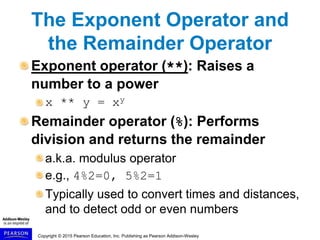
The Exponent Operator and
the Remainder Operator
Exponent operator (**): Raises a
number to a power
x ** y = xy
Remainder operator (%): Performs
division and returns the remainder
a.k.a. modulus operator
e.g., 4%2=0, 5%2=1
Typically used to convert times and distances,
and to detect odd or even numbers
Copyright © 2015 Pearson Education, Inc. Publishing as Pearson Addison-Wesley
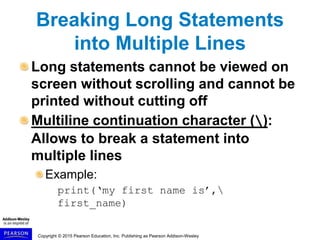
Breaking Long Statements
into Multiple Lines
Long statements cannot be viewed on
screen without scrolling and cannot be
printed without cutting off
Multiline continuation character ():
Allows to break a statement into
multiple lines
Example:
print(‘my first name is’,
first_name)
Copyright © 2015 Pearson Education, Inc. Publishing as Pearson Addison-Wesley
More About Data Output
(cont’d.)
Special characters appearing in string
literal
Preceded by backslash ()
Examples: newline (n), horizontal tab (t)
Treated as commands embedded in string
When + operator used on two strings in
performs string concatenation
Useful for breaking up a long string literal
Copyright © 2015 Pearson Education, Inc. Publishing as Pearson Addison-Wesley
Formatting Numbers
Can format display of numbers on
screen using built-in format function
Two arguments:
Numeric value to be formatted
Format specifier
Returns string containing formatted number.
Copyright © 2015 Pearson Education, Inc. Publishing as Pearson Addison-Wesley
Formatting Numbers (cont’d.)
The % symbol can be used in the format
string of format function to format
number as percentage
To format an integer using format
function:
Use d as the type designator
Do not specify precision
Can still use format function to set field
width or comma separator
Copyright © 2015 Pearson Education, Inc. Publishing as Pearson Addison-Wesley
Summary
This chapter covered:
The program de velopment cycle, tools for
program design, and the design process
Ways in which programs can receive input,
particularly from the keyboard
Ways in which programs can present and
format output
Use of comments in programs
Uses of variables
Tools for performing calculations in programs

Gaddis Python 3e Chapter 02 PPT (1).ppt

  • 1.
    Copyright © 2015Pearson Education, Inc. Publishing as Pearson Addison-Wesley C H A P T E R 2 Input, Processing, and Output
  • 2.
    Copyright © 2015Pearson Education, Inc. Publishing as Pearson Addison-Wesley Topics Displaying Output with print Function Comments Variables Reading Input from the Keyboard Performing Calculations More About Data Output
  • 3.
    Copyright © 2015Pearson Education, Inc. Publishing as Pearson Addison-Wesley Displaying Output with the print Function Function: piece of prewritten code that performs an operation print function: displays output on the screen Argument: data given to a function Example: data that is printed to screen Statements in a program execute in the order that they appear From top to bottom
  • 4.
    Copyright © 2015Pearson Education, Inc. Publishing as Pearson Addison-Wesley Strings and String Literals String: sequence of characters that is used as data String literal: string that appears in actual code of a program Must be enclosed in single (‘) or double (“) quote marks String literal can be enclosed in triple quotes (''' or """) Enclosed string can contain both single and double quotes and can have multiple lines
  • 5.
    Copyright © 2015Pearson Education, Inc. Publishing as Pearson Addison-Wesley Comments Comments: notes of explanation within a program Ignored by Python interpreter Intended for a person reading the program’s code Begin with a # character End-line comment: appears at the end of a line of code Typically explains the purpose of that line
  • 6.
    Copyright © 2015Pearson Education, Inc. Publishing as Pearson Addison-Wesley Variables Variable: name that represents a value stored in the computer memory Used to access and manipulate data stored in memory A variable references the value it represents Assignment statement: used to create a variable and make it reference data General format is variable = expression Example: age = 29 Assignment operator: the equal sign (=)
  • 7.
    Copyright © 2015Pearson Education, Inc. Publishing as Pearson Addison-Wesley Variable Naming Rules Rules for naming variables in Python: Variable name cannot be a Python key word Variable name cannot contain spaces First character must be a letter or an underscore After first character may use letters, digits, or underscores Variable names are case sensitive Variable name should reflect its use
  • 8.
    Copyright © 2015Pearson Education, Inc. Publishing as Pearson Addison-Wesley Displaying Multiple Items with the print Function Python allows one to display multiple items with a single call to print Items are separated by commas when passed as arguments Arguments displayed in the order they are passed to the function Items are automatically separated by a space when displayed on screen
  • 9.
    Copyright © 2015Pearson Education, Inc. Publishing as Pearson Addison-Wesley Variable Reassignment Variables can reference different values while program is running Garbage collection: removal of values that are no longer referenced by variables Carried out by Python interpreter A variable can refer to item of any type Variable that has been assigned to one type can be reassigned to another type
  • 10.
    Copyright © 2015Pearson Education, Inc. Publishing as Pearson Addison-Wesley Numeric Data Types, Literals, and the str Data Type Data types: categorize value in memory e.g., int for integer, float for real number, str used for storing strings in memory
  • 11.
    Copyright © 2015Pearson Education, Inc. Publishing as Pearson Addison-Wesley Reassigning a Variable to a Different Type A variable in Python can refer to items of any type
  • 12.
    Copyright © 2015Pearson Education, Inc. Publishing as Pearson Addison-Wesley Reading Input from the Keyboard Most programs need to read input from the user Built-in input function reads input from keyboard Returns the data as a string Format: variable = input(prompt) prompt is typically a string instructing user to enter a value Does not automatically display a space after the prompt
  • 13.
    Copyright © 2015Pearson Education, Inc. Publishing as Pearson Addison-Wesley Performing Calculations Math expression: performs calculation and gives a value Math operator: tool for performing calculation Operands: values surrounding operator Variables can be used as operands Resulting value typically assigned to variable Two types of division: / operator performs floating point division // operator performs integer division Positive results truncated, negative rounded away from zero
  • 14.
    Copyright © 2015Pearson Education, Inc. Publishing as Pearson Addison-Wesley Operator Precedence and Grouping with Parentheses Python operator precedence: 1. Operations enclosed in parentheses Forces operations to be performed before others 2. Exponentiation (**) 3. Multiplication (*), division (/ and //), and remainder (%) 4. Addition (+) and subtraction (-) Higher precedence performed first Same precedence operators execute from left to right
  • 15.
    Copyright © 2015Pearson Education, Inc. Publishing as Pearson Addison-Wesley The Exponent Operator and the Remainder Operator Exponent operator (**): Raises a number to a power x ** y = xy Remainder operator (%): Performs division and returns the remainder a.k.a. modulus operator e.g., 4%2=0, 5%2=1 Typically used to convert times and distances, and to detect odd or even numbers
  • 16.
    Copyright © 2015Pearson Education, Inc. Publishing as Pearson Addison-Wesley Breaking Long Statements into Multiple Lines Long statements cannot be viewed on screen without scrolling and cannot be printed without cutting off Multiline continuation character (): Allows to break a statement into multiple lines Example: print(‘my first name is’, first_name)
  • 17.
    Copyright © 2015Pearson Education, Inc. Publishing as Pearson Addison-Wesley More About Data Output (cont’d.) Special characters appearing in string literal Preceded by backslash () Examples: newline (n), horizontal tab (t) Treated as commands embedded in string When + operator used on two strings in performs string concatenation Useful for breaking up a long string literal
  • 18.
    Copyright © 2015Pearson Education, Inc. Publishing as Pearson Addison-Wesley Formatting Numbers Can format display of numbers on screen using built-in format function Two arguments: Numeric value to be formatted Format specifier Returns string containing formatted number.
  • 19.
    Copyright © 2015Pearson Education, Inc. Publishing as Pearson Addison-Wesley Formatting Numbers (cont’d.) The % symbol can be used in the format string of format function to format number as percentage To format an integer using format function: Use d as the type designator Do not specify precision Can still use format function to set field width or comma separator
  • 20.
    Copyright © 2015Pearson Education, Inc. Publishing as Pearson Addison-Wesley Summary This chapter covered: The program de velopment cycle, tools for program design, and the design process Ways in which programs can receive input, particularly from the keyboard Ways in which programs can present and format output Use of comments in programs Uses of variables Tools for performing calculations in programs