Head in the Cloud
Understanding and Scaling the Cloud
            for Startups
        Managing Technology Teams Workshop


Andy Parsons | @andyparsons | andyparsons@gmail.com
Today We Will Cover
    What is “The Cloud?”
    How Does It Work?
    How Well Does It Work?
    What Your Dev Team Should Know
    How Much Does It Cost?
    Which Provider To Use? *
    If Time: Hands On Demo
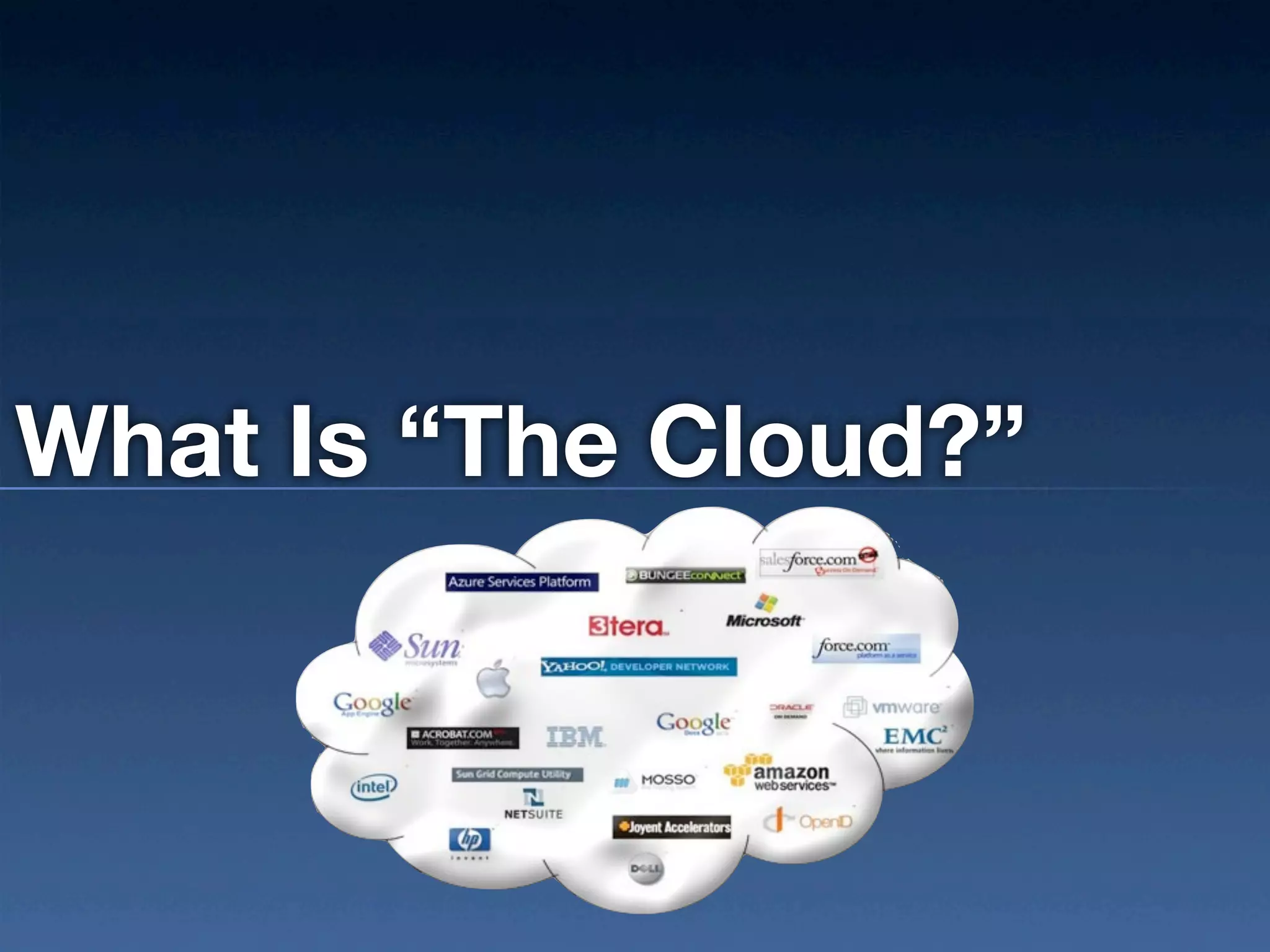
What Is “The Cloud?”
“Cloud Computing is the delivery of
   computing as a service rather than a
   product, whereby shared resources,
 software, and information are provided to
computers and other devices as a utility (like
    the electricity grid) over a network.”


     (http://csrc.nist.gov/publications/nistpubs/800-145/SP800-145.pdf)
Impact to Startups

    Changed Economics
    Democratizes Entrepreneurship
    Changed VC landscape:
     Then: raise $$ to build something
     Now: build something to raise $$
Essential Aspects and Some Jargon
   Self Service On-Demand
     Provisioning without humans
     No ownership of servers
   Pooled Resources
     Multi-tenant
     Location independence
     Processing, Memory, Storage, Bandwidth, Services
   Rapid Elasticity - provision and destroy
   Measured & Metered Service
     Usage transparency
     Cost transparency * (kinda)
Service Models

    SaaS = Software As A Service
     this is Google Apps. Enough said.
    PaaS = Platform As A Service
     Drop code, watch magic
    IaaS = Infrastructure As A Service
     Building blocks only
Deployment Models
   Private Cloud
     Tenants are a single customer
     Owned or rented
     On premises or off
   Public Cloud
     Off premises
     Available to anyone
   Hybrid Cloud
     2 or more cloud infrastructure providers bound together
     OR, hybrid multi-tenant and dedicated resources
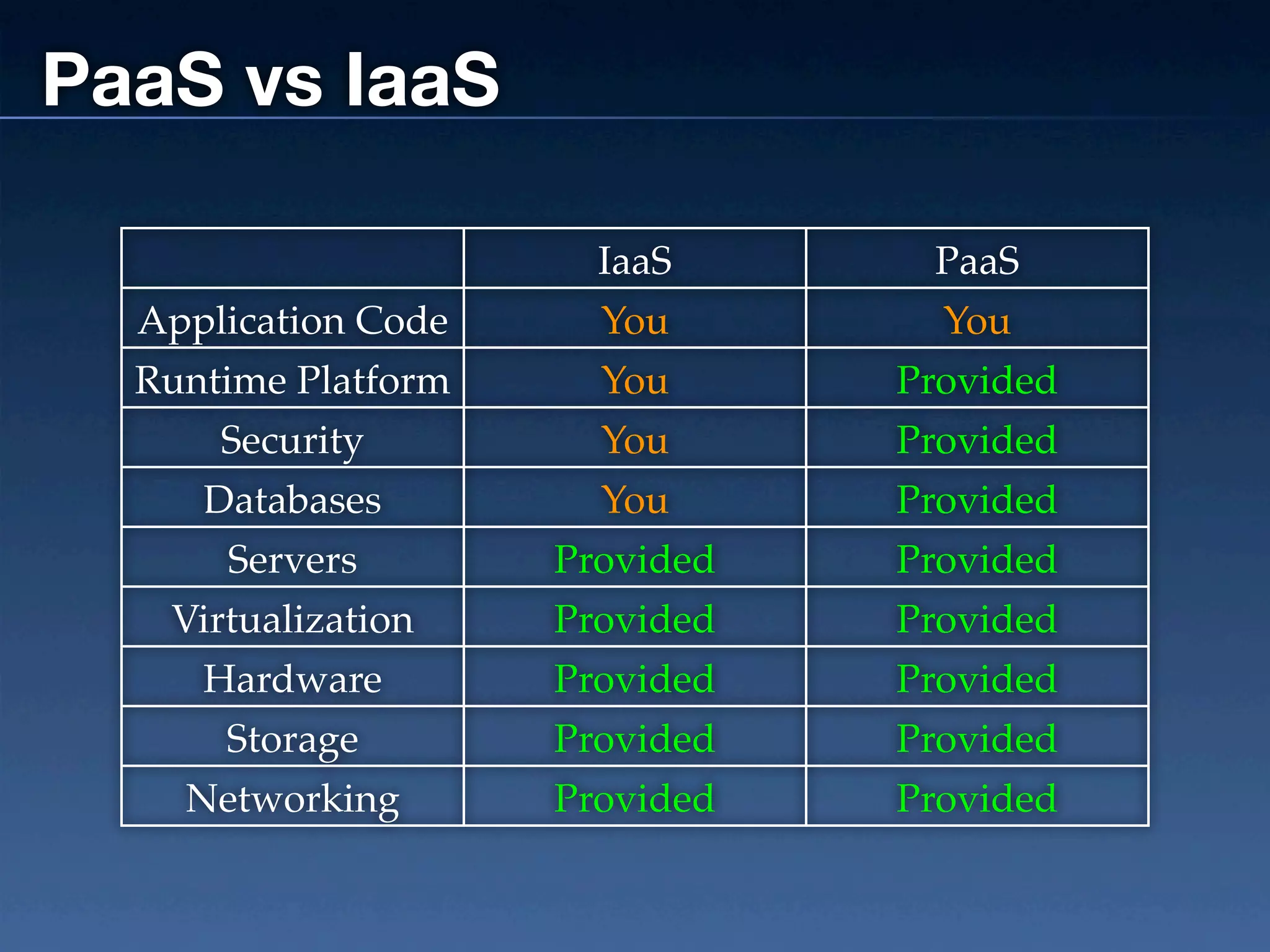
PaaS vs IaaS

                       IaaS      PaaS
  Application Code     You        You
  Runtime Platform     You      Provided
      Security         You      Provided
     Databases         You      Provided
      Servers        Provided   Provided
   Virtualization    Provided   Provided
     Hardware        Provided   Provided
      Storage        Provided   Provided
    Networking       Provided   Provided
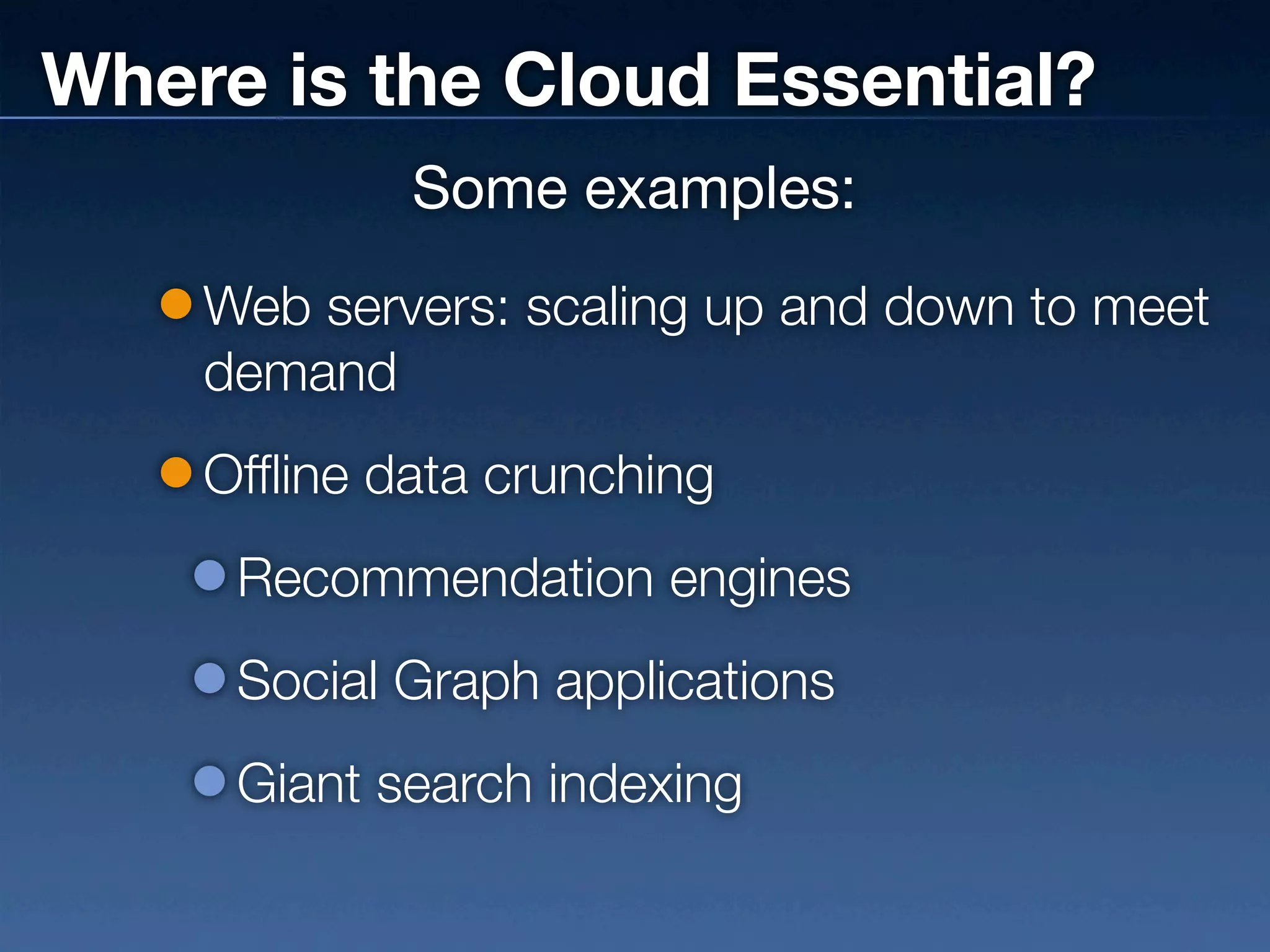
Where is the Cloud Essential?
            Some examples:
    Web servers: scaling up and down to meet
    demand
    Offline data crunching
     Recommendation engines
     Social Graph applications
     Giant search indexing
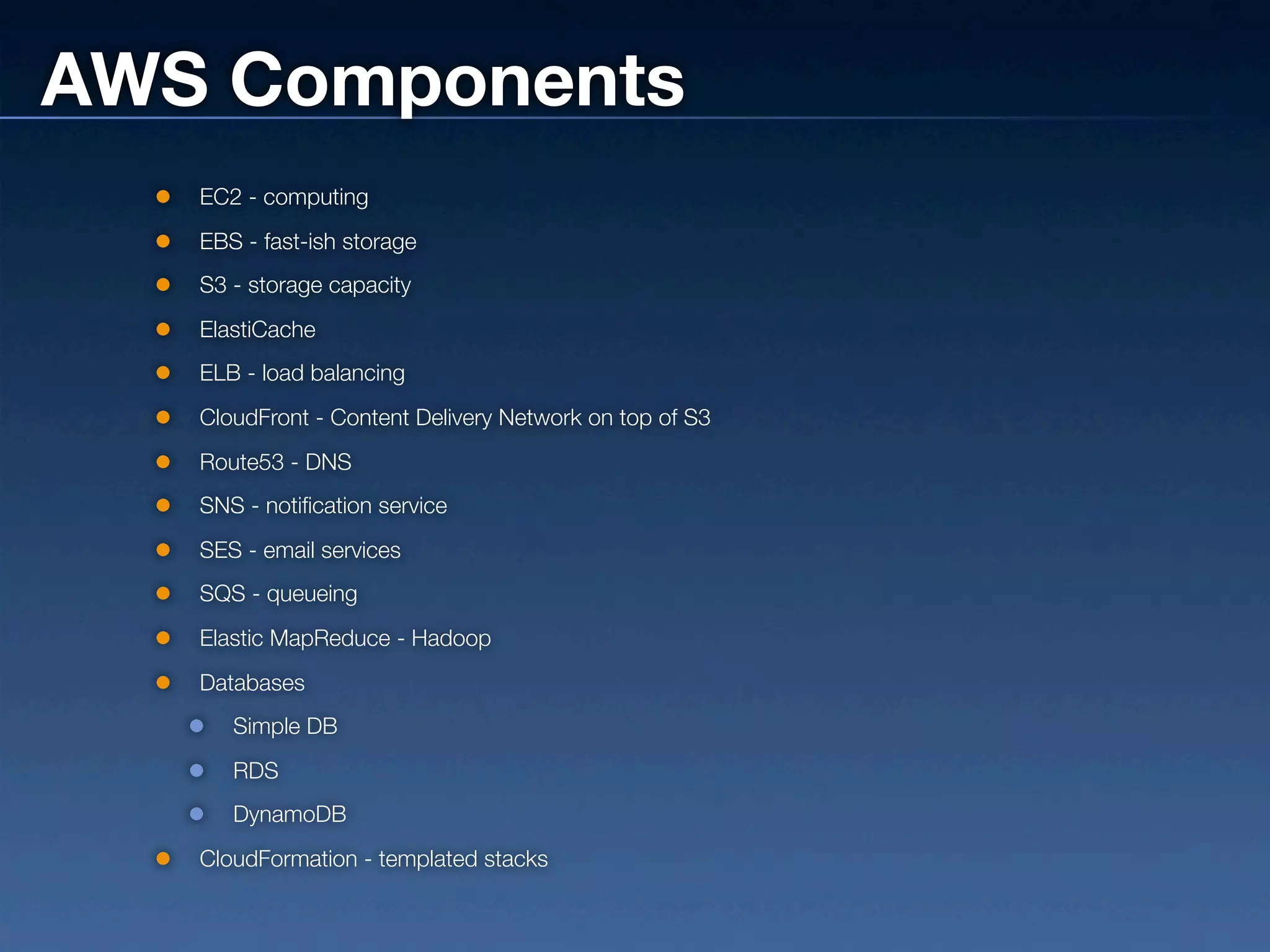
AWS Components
   EC2 - computing
   EBS - fast-ish storage
   S3 - storage capacity
   ElastiCache
   ELB - load balancing
   CloudFront - Content Delivery Network on top of S3
   Route53 - DNS
   SNS - notification service
   SES - email services
   SQS - queueing
   Elastic MapReduce - Hadoop
   Databases
      Simple DB
      RDS
      DynamoDB
   CloudFormation - templated stacks
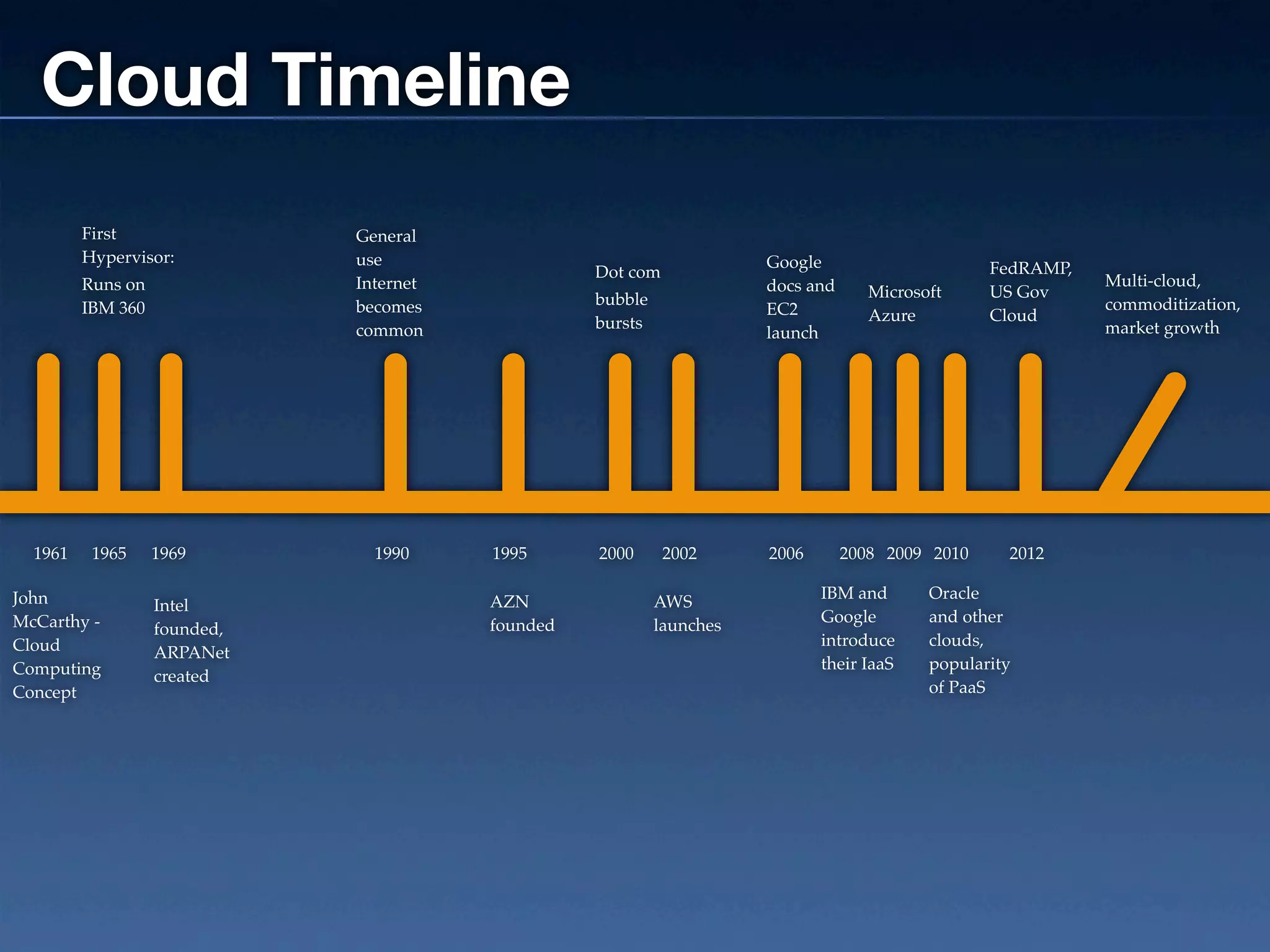
Cloud Timeline
         First                General
         Hypervisor:          use                                      Google
                                                   Dot com                                         FedRAMP,
         Runs on              Internet                                 docs and                               Multi-cloud,
                                                   bubble                            Microsoft     US Gov
         IBM 360              becomes                                  EC2                                    commoditization,
                                                   bursts                            Azure         Cloud
                              common                                   launch                                 market growth


  1961    1965     1969         1990     1995      2000      2002      2006       2008 2009 2010     2012

John                                                                          IBM and       Oracle
                   Intel                 AZN                AWS
McCarthy -                                                                    Google        and other
                   founded,              founded            launches
Cloud                                                                         introduce     clouds,
                   ARPANet
Computing                                                                     their IaaS    popularity
                   created
Concept                                                                                     of PaaS
How Does It Work?
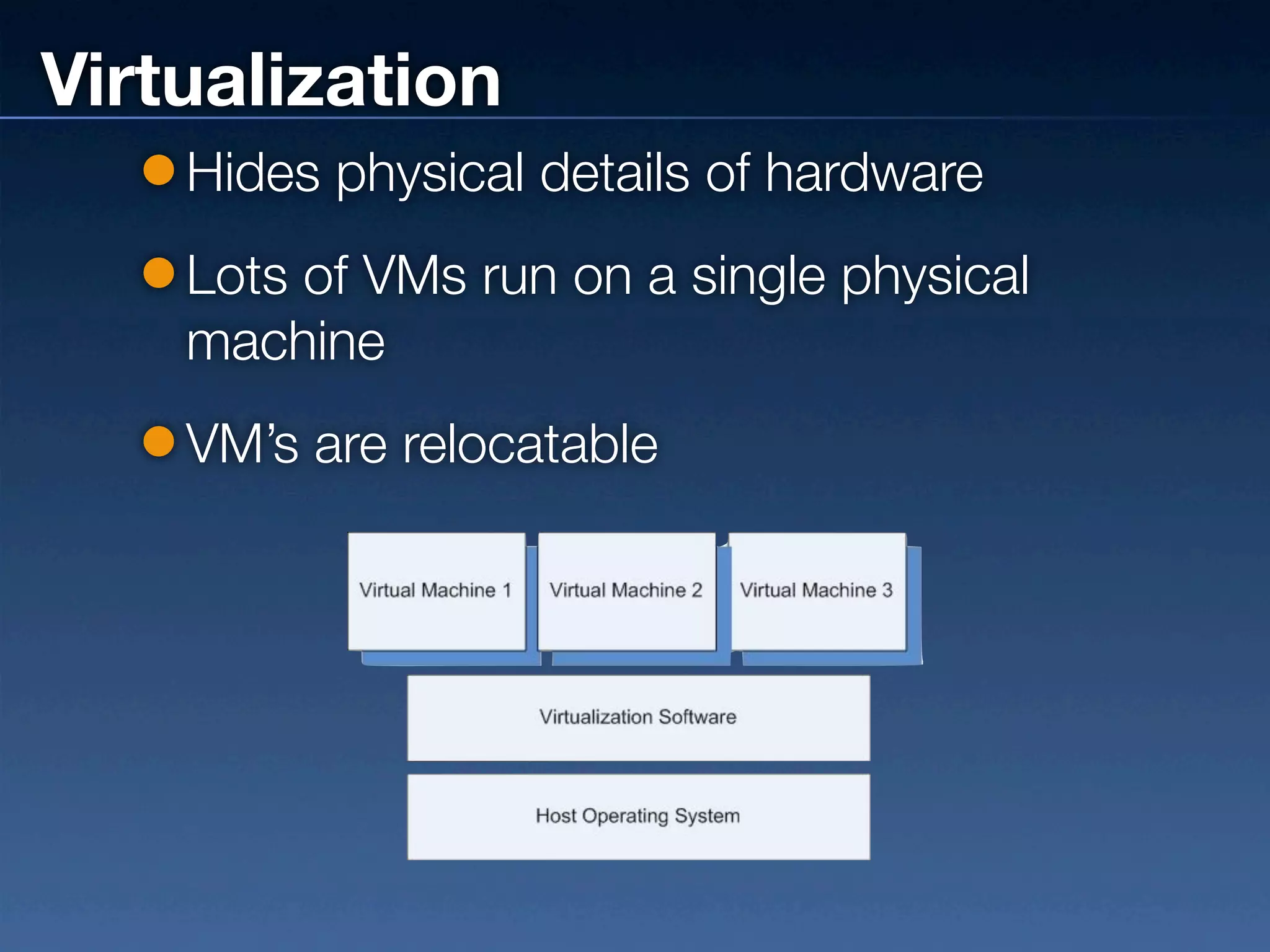
Virtualization
    Hides physical details of hardware
    Lots of VMs run on a single physical
    machine
    VM’s are relocatable
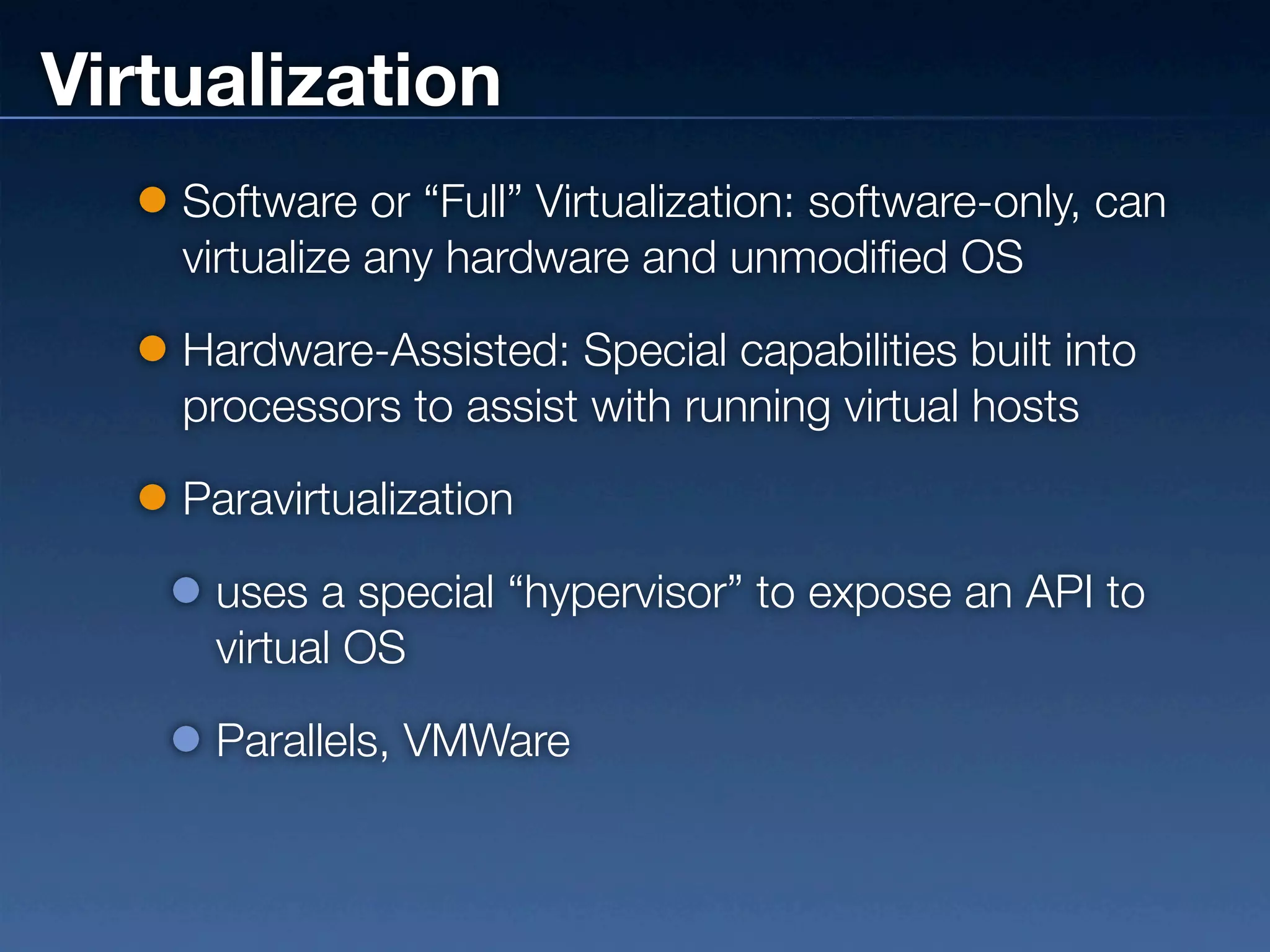
Virtualization
    Software or “Full” Virtualization: software-only, can
    virtualize any hardware and unmodified OS

    Hardware-Assisted: Special capabilities built into
    processors to assist with running virtual hosts

    Paravirtualization

     uses a special “hypervisor” to expose an API to
     virtual OS

     Parallels, VMWare
Massive Scale
    Affordability comes from economies of
    scale
    Fault tolerance and soft failing of hardware
    Automated failover
    Providers have developed proprietary
    monitoring, networking, and in some cases
    virtualization
How Well Does It Work?
Really Well! Until Things Break.

    Failure of some kind is assured
    Performance Drops
    Instance Failures
    Network Outages
    EBS RAID bottlenecks
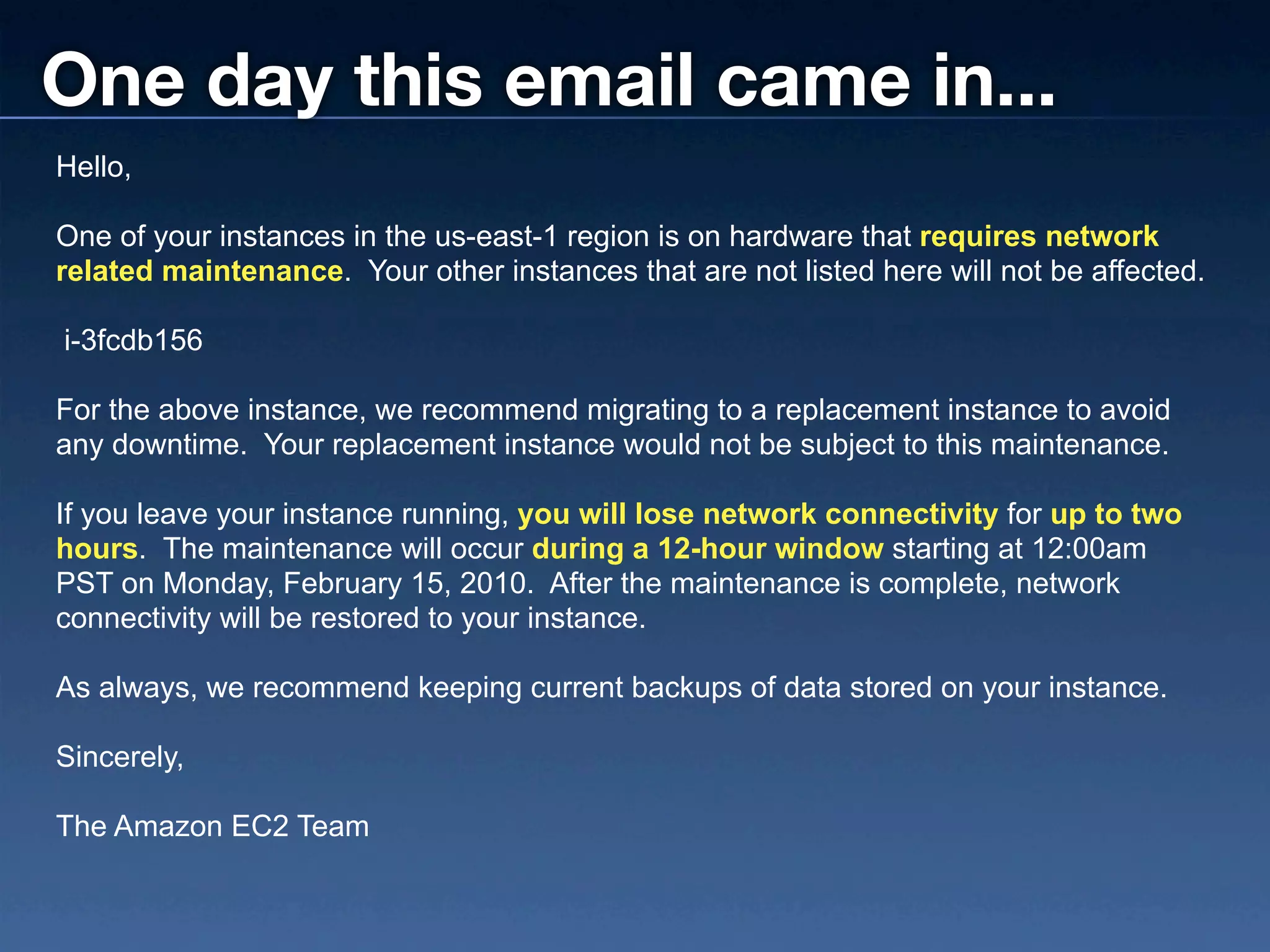
One day this email came in...
Hello,

One of your instances in the us-east-1 region is on hardware that requires network
related maintenance. Your other instances that are not listed here will not be affected.

i-3fcdb156

For the above instance, we recommend migrating to a replacement instance to avoid
any downtime. Your replacement instance would not be subject to this maintenance.

If you leave your instance running, you will lose network connectivity for up to two
hours. The maintenance will occur during a 12-hour window starting at 12:00am
PST on Monday, February 15, 2010. After the maintenance is complete, network
connectivity will be restored to your instance.

As always, we recommend keeping current backups of data stored on your instance.

Sincerely,

The Amazon EC2 Team
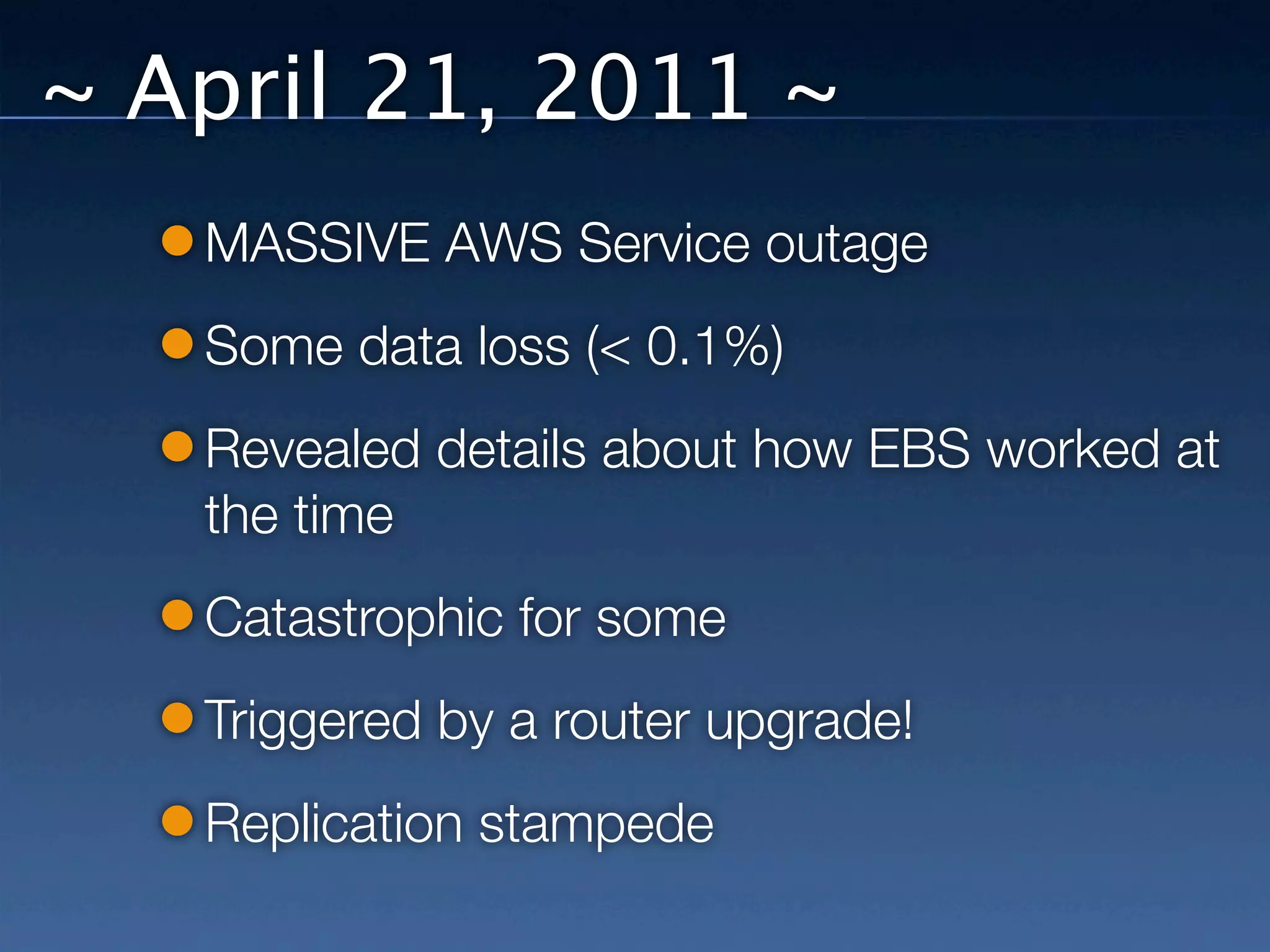
~ April 21, 2011 ~
~ April 21, 2011 ~
   MASSIVE AWS Service outage
   Some data loss (< 0.1%)
   Revealed details about how EBS worked at
   the time
   Catastrophic for some
   Triggered by a router upgrade!
   Replication stampede
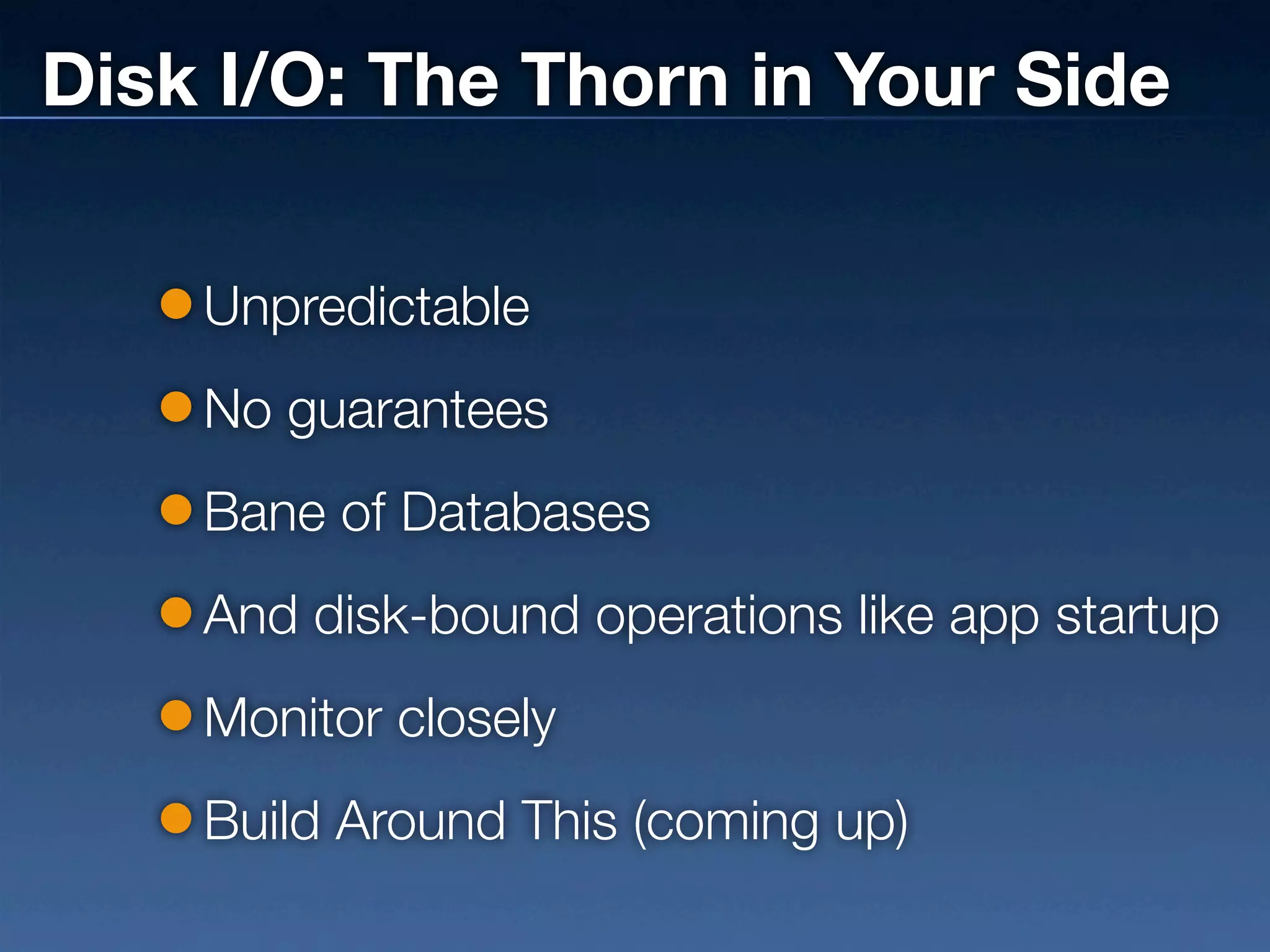
Disk I/O: The Thorn in Your Side

    Unpredictable
    No guarantees
    Bane of Databases
    And disk-bound operations like app startup
    Monitor closely
    Build Around This (coming up)
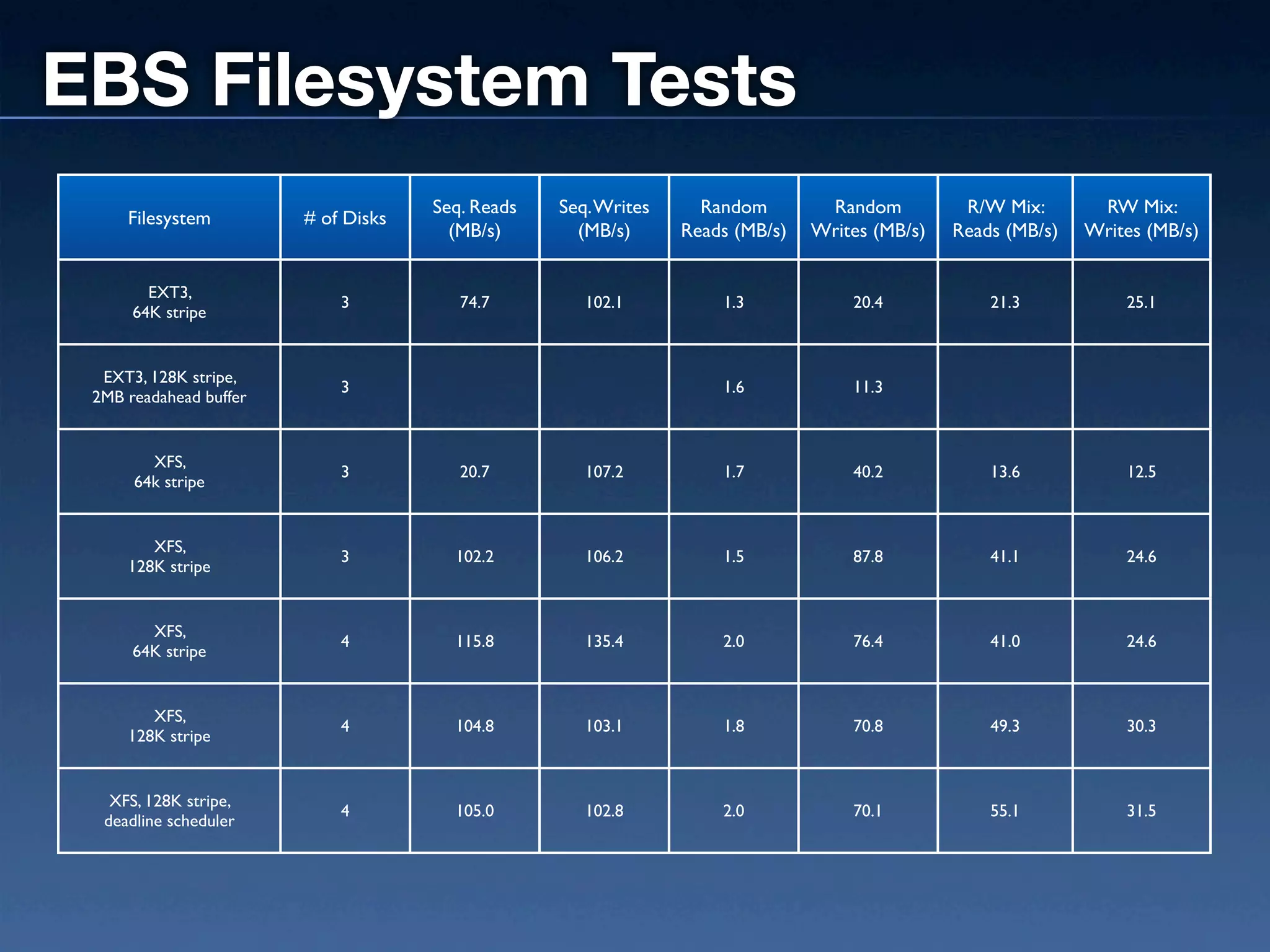
EBS Filesystem Tests
                                     Seq. Reads   Seq. Writes     Random        Random          R/W Mix:       RW Mix:
     Filesystem         # of Disks
                                       (MB/s)       (MB/s)      Reads (MB/s)   Writes (MB/s)   Reads (MB/s)   Writes (MB/s)


        EXT3,
                            3           74.7         102.1          1.3            20.4            21.3           25.1
      64K stripe


  EXT3, 128K stripe,
                            3                                       1.6            11.3
 2MB readahead buffer


        XFS,
                            3           20.7         107.2          1.7            40.2            13.6           12.5
      64k stripe


        XFS,
                            3          102.2         106.2          1.5            87.8            41.1           24.6
     128K stripe


        XFS,
                            4          115.8         135.4          2.0            76.4            41.0           24.6
      64K stripe


        XFS,
                            4          104.8         103.1          1.8            70.8            49.3           30.3
     128K stripe


   XFS, 128K stripe,
                            4          105.0         102.8          2.0            70.1            55.1           31.5
  deadline scheduler
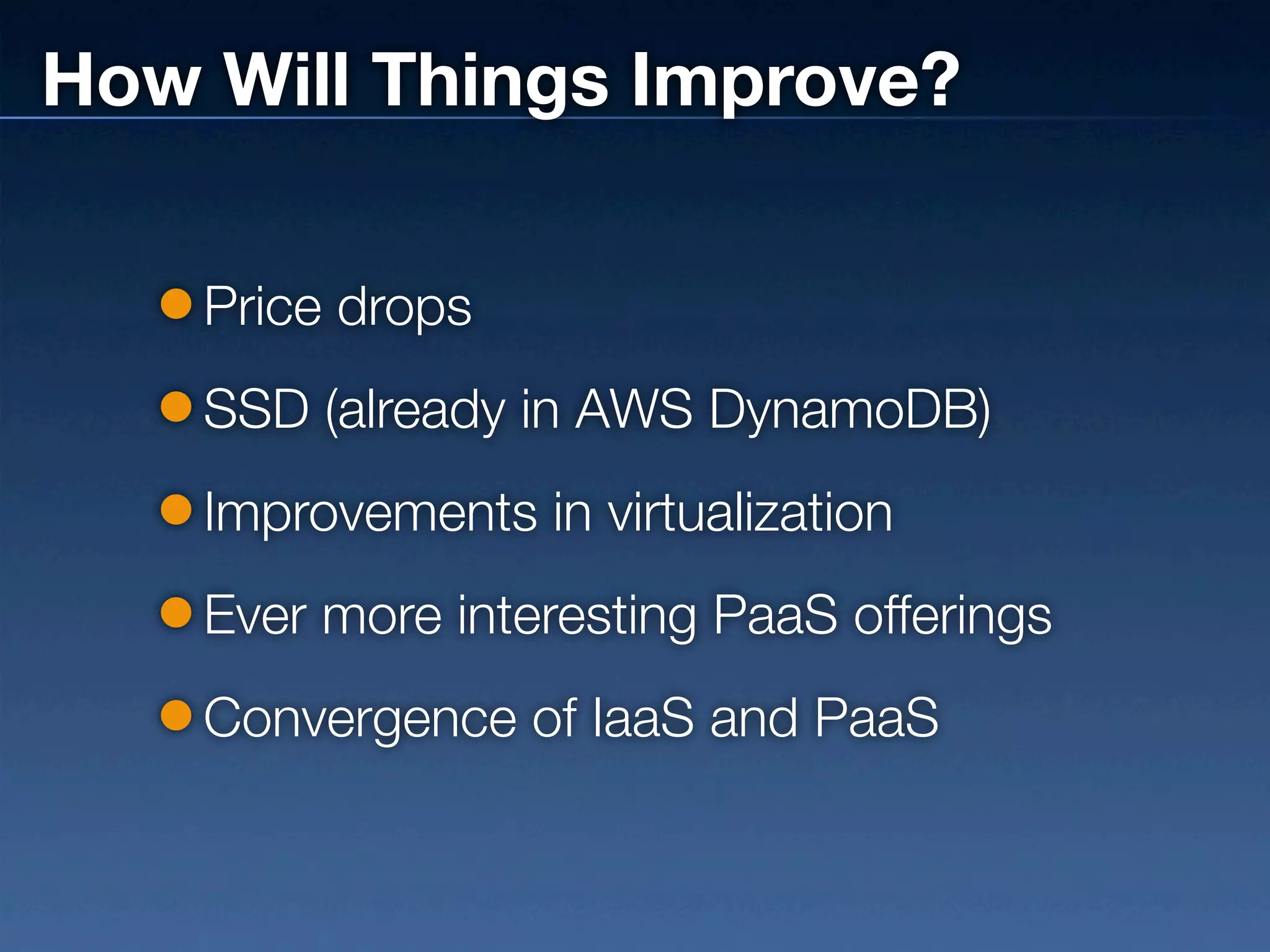
How Will Things Improve?

    Price drops
    SSD (already in AWS DynamoDB)
    Improvements in virtualization
    Ever more interesting PaaS offerings
    Convergence of IaaS and PaaS
What Your Dev Team
Should Know
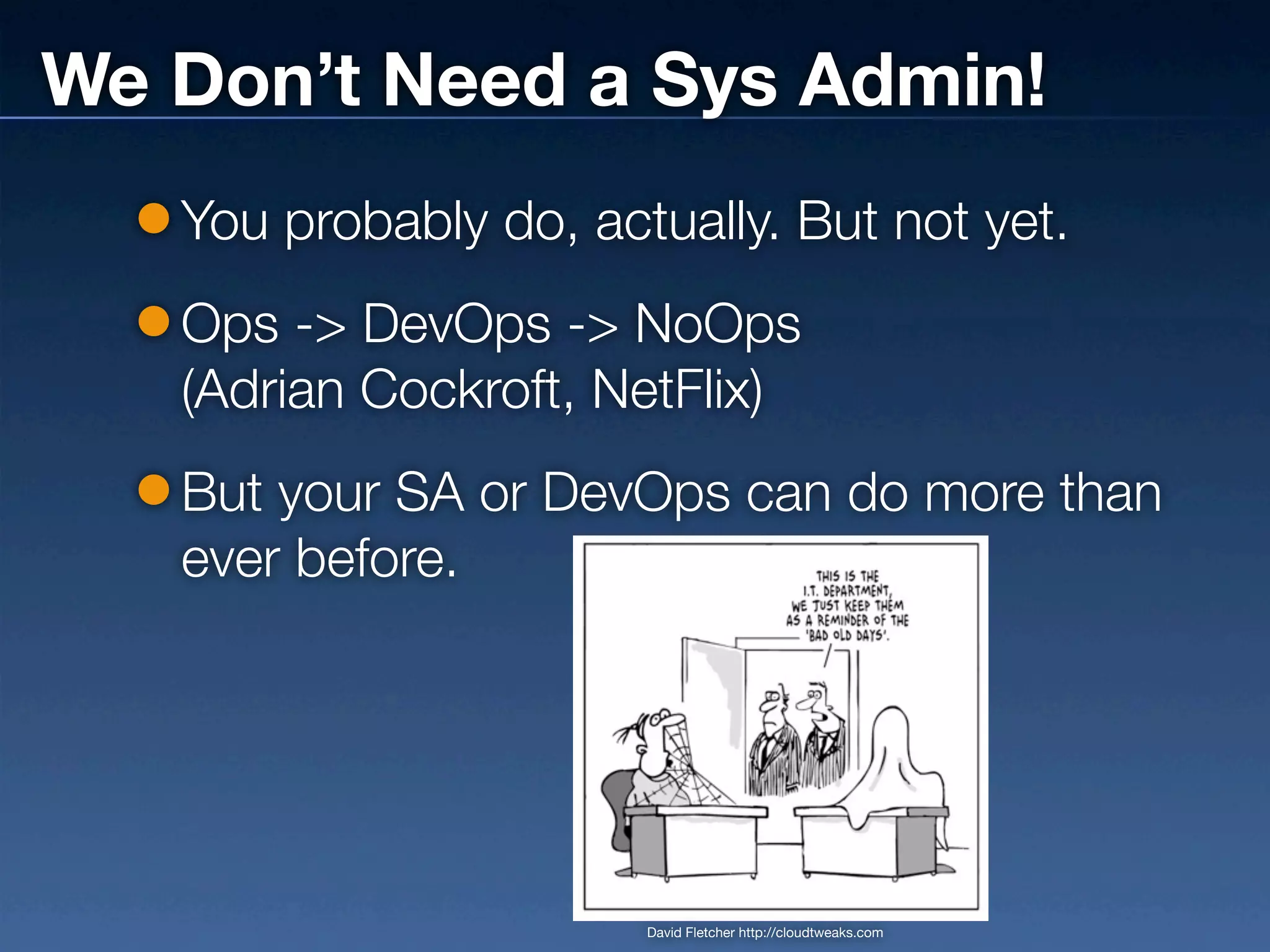
We Don’t Need a Sys Admin!
   You probably do, actually. But not yet.
   Ops -> DevOps -> NoOps
   (Adrian Cockroft, NetFlix)
   But your SA or DevOps can do more than
   ever before.


                       David Fletcher http://cloudtweaks.com
Architecting for the Cloud

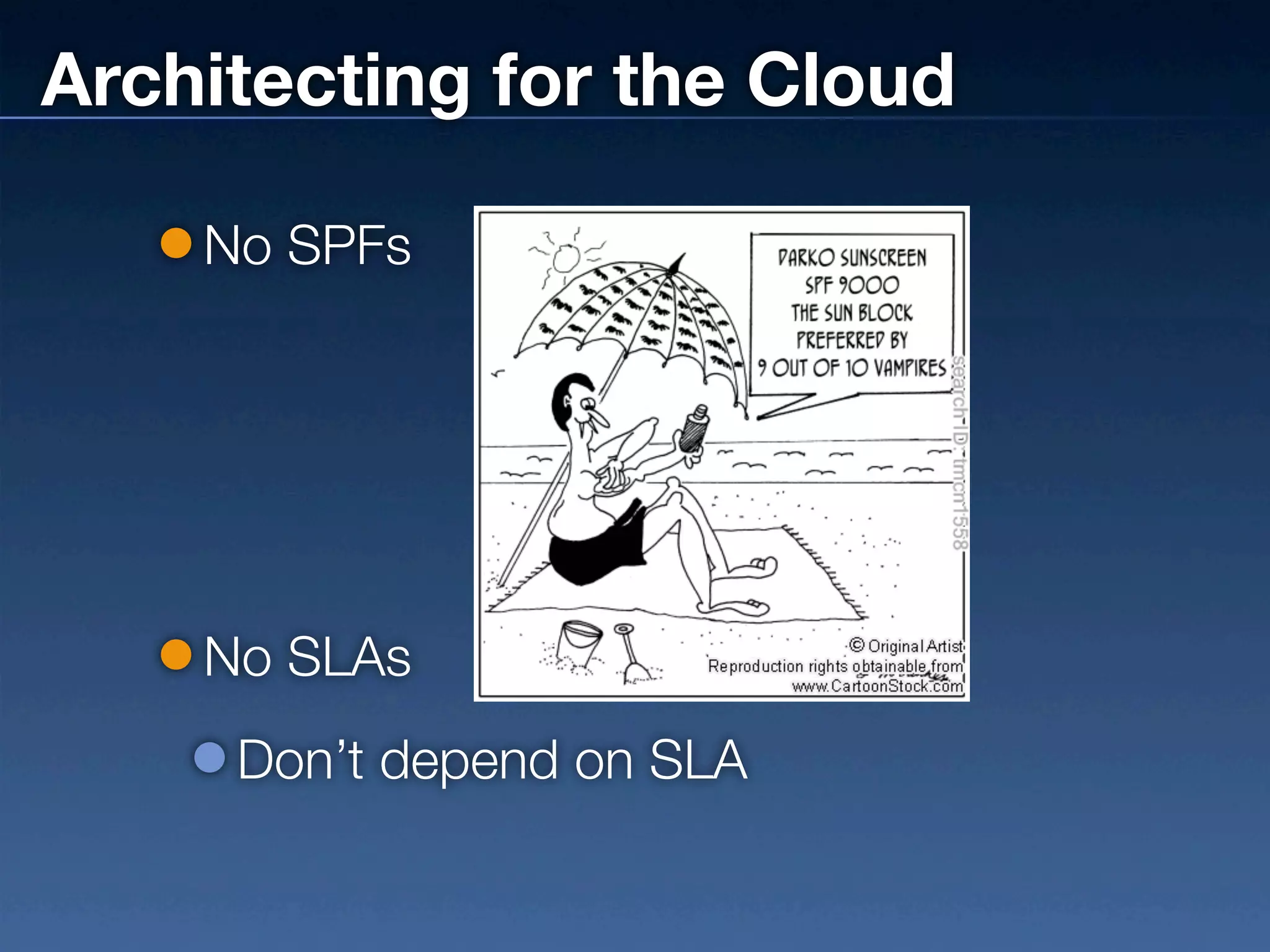
    No SPFs


    No SLAs
     Don’t depend on SLA
Architecting for the Cloud

    Figure out how things will fail. Design for
    failure.
    No fire drills. Deal with Friday failures on
    Monday.
    Make provisioning new parts trivial
    Failover
    Database Replication
Architecting for the Cloud
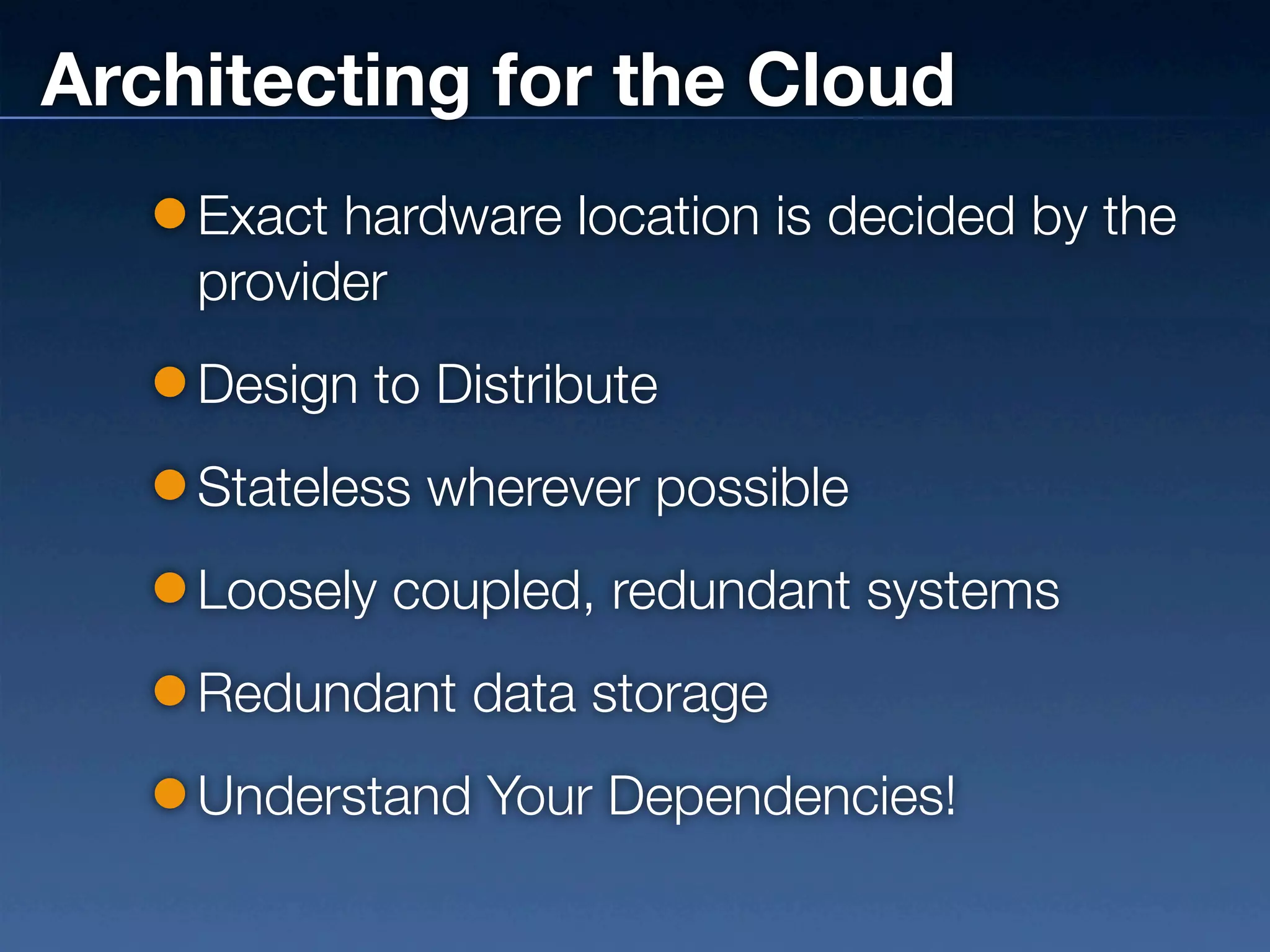
    Exact hardware location is decided by the
    provider
    Design to Distribute
    Stateless wherever possible
    Loosely coupled, redundant systems
    Redundant data storage
    Understand Your Dependencies!
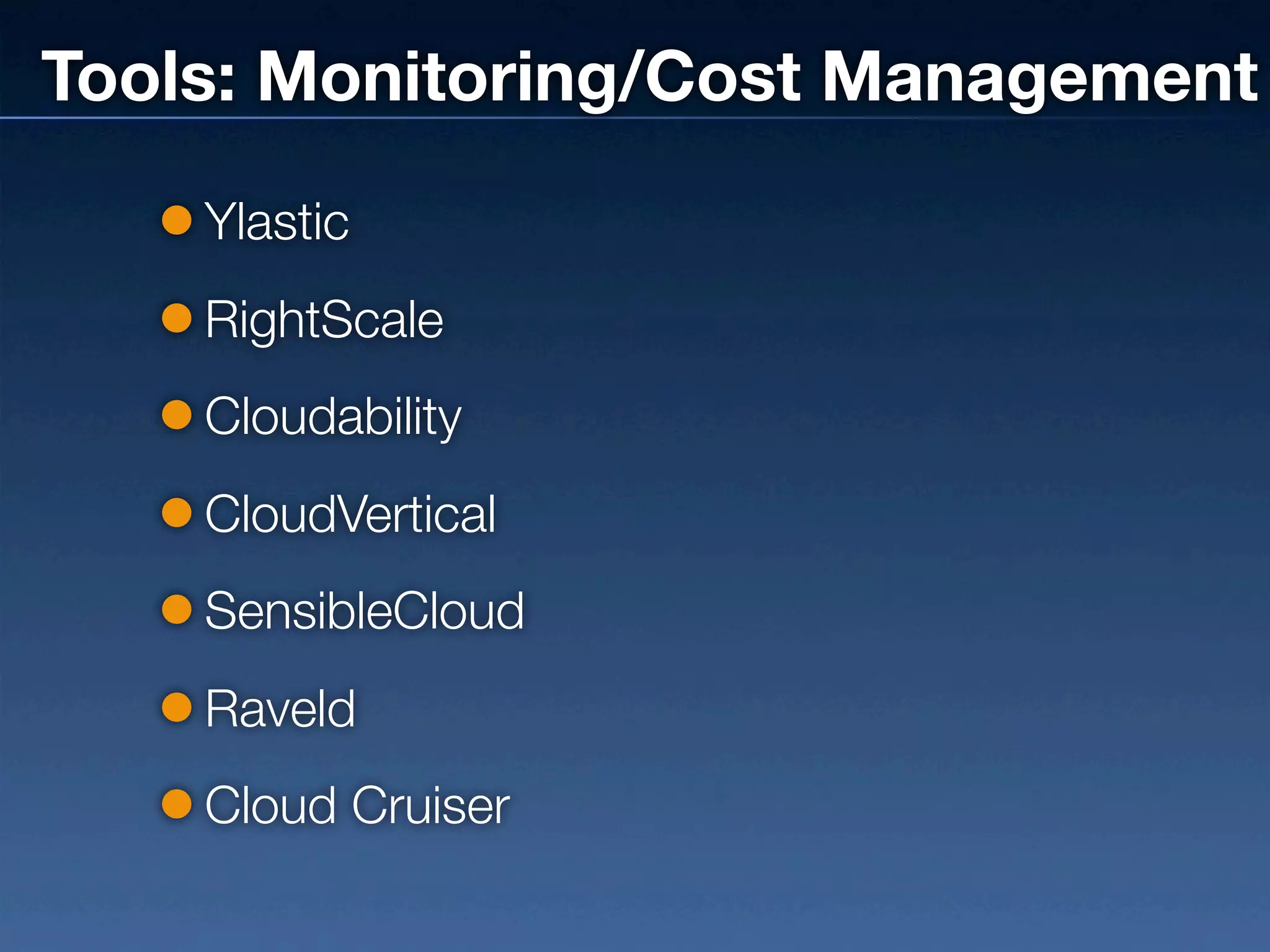
Tools: Monitoring/Cost Management
    Ylastic
    RightScale
    Cloudability
    CloudVertical
    SensibleCloud
    Raveld
    Cloud Cruiser
How Much Does It Cost?
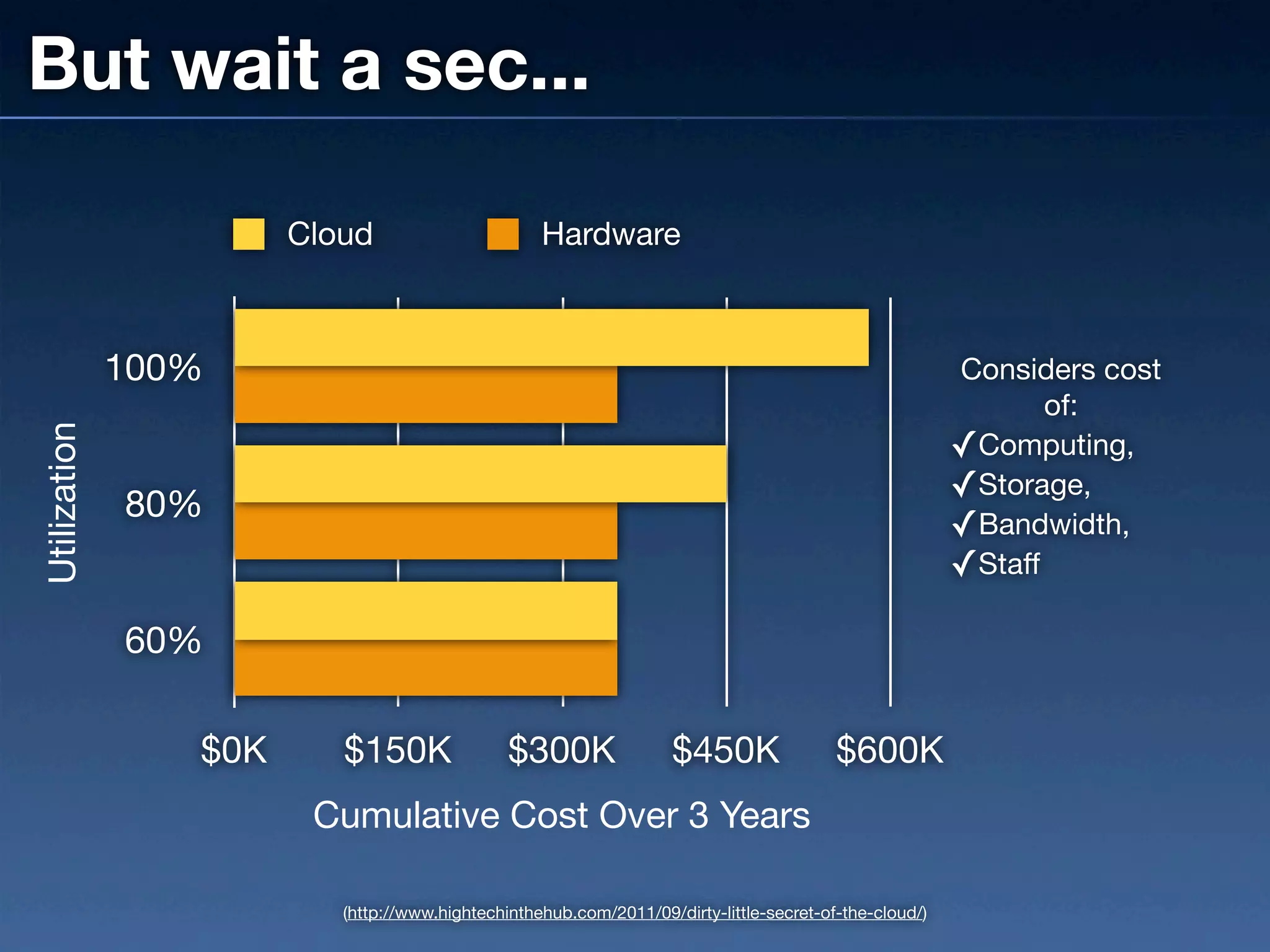
But wait a sec...

                       Cloud                       Hardware


              100%                                                                                      Considers cost
                                                                                                               of:
Utilization


                                                                                                        ✓Computing,
                                                                                                        ✓Storage,
              80%
                                                                                                        ✓Bandwidth,
                                                                                                        ✓Staff

              60%

                 $0K      $150K                $300K                $450K                $600K
                        Cumulative Cost Over 3 Years

                          (http://www.hightechinthehub.com/2011/09/dirty-little-secret-of-the-cloud/)
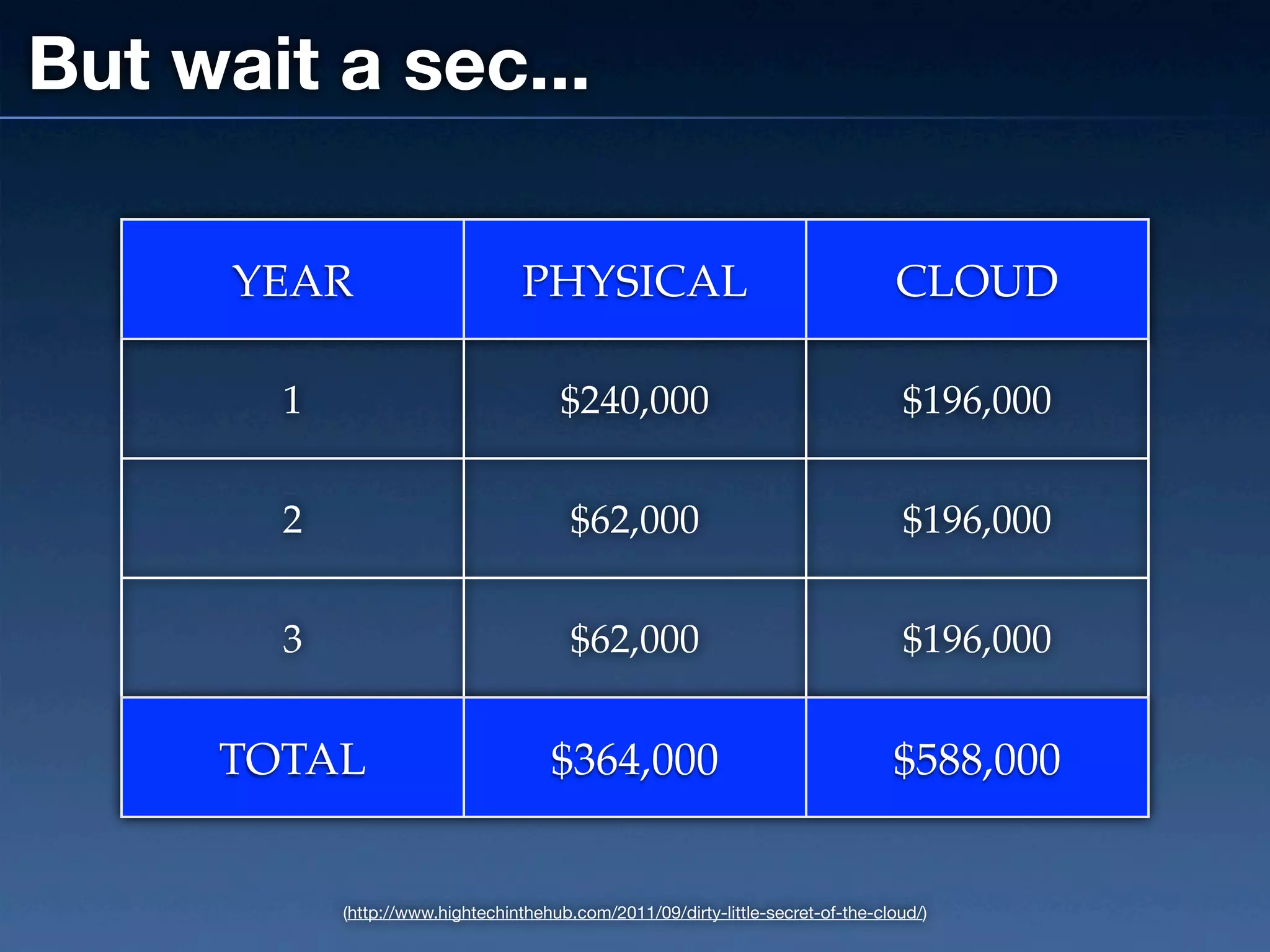
But wait a sec...

      YEAR                       PHYSICAL                                        CLOUD

       1                              $240,000                                    $196,000


       2                                $62,000                                   $196,000


       3                                $62,000                                   $196,000


     TOTAL                           $364,000                                    $588,000


           (http://www.hightechinthehub.com/2011/09/dirty-little-secret-of-the-cloud/)
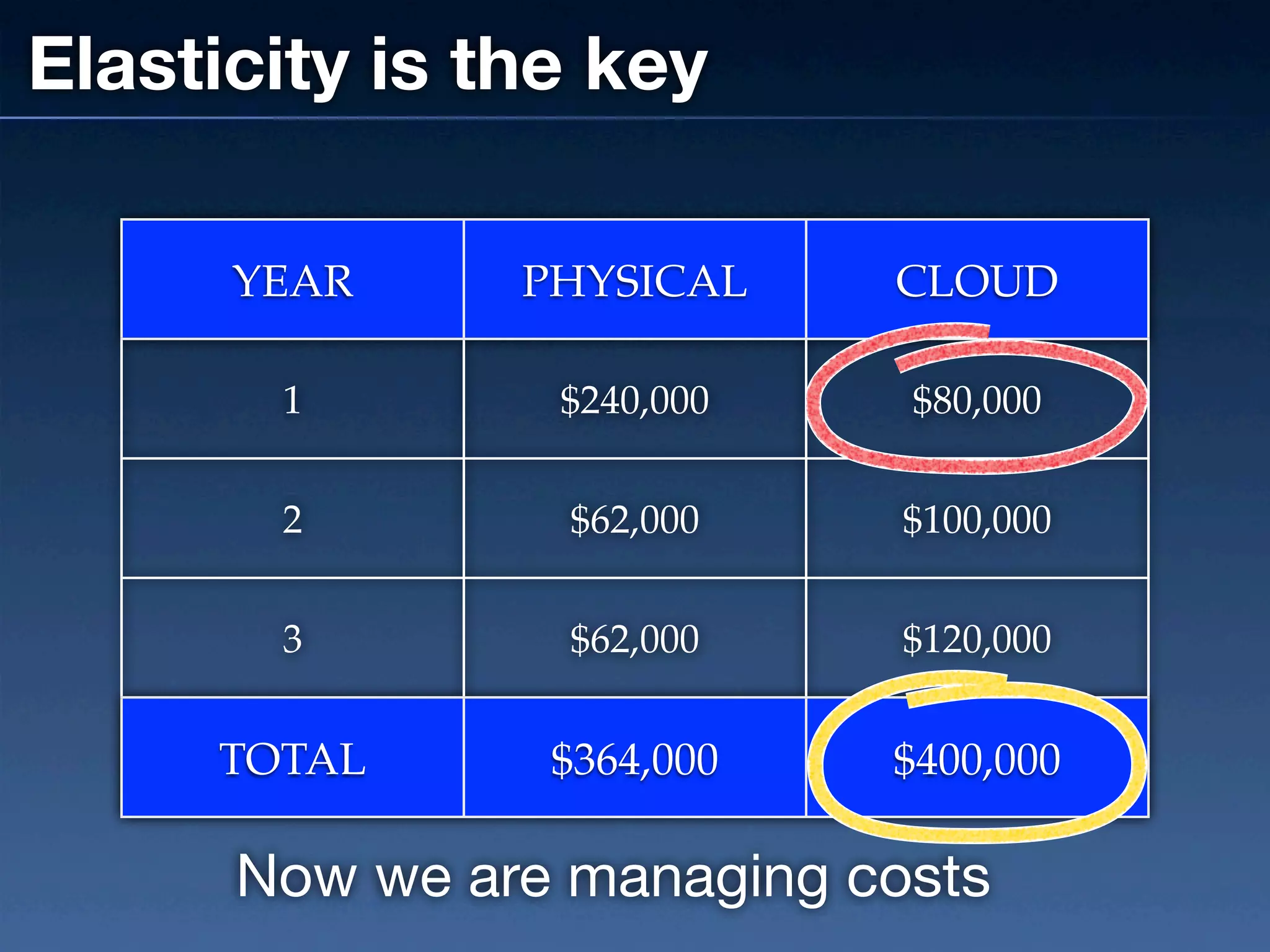
Elasticity is the key

      YEAR     PHYSICAL    CLOUD

       1        $240,000    $80,000


       2         $62,000    $100,000


       3         $62,000    $120,000


     TOTAL      $364,000   $400,000

      Now we are managing costs
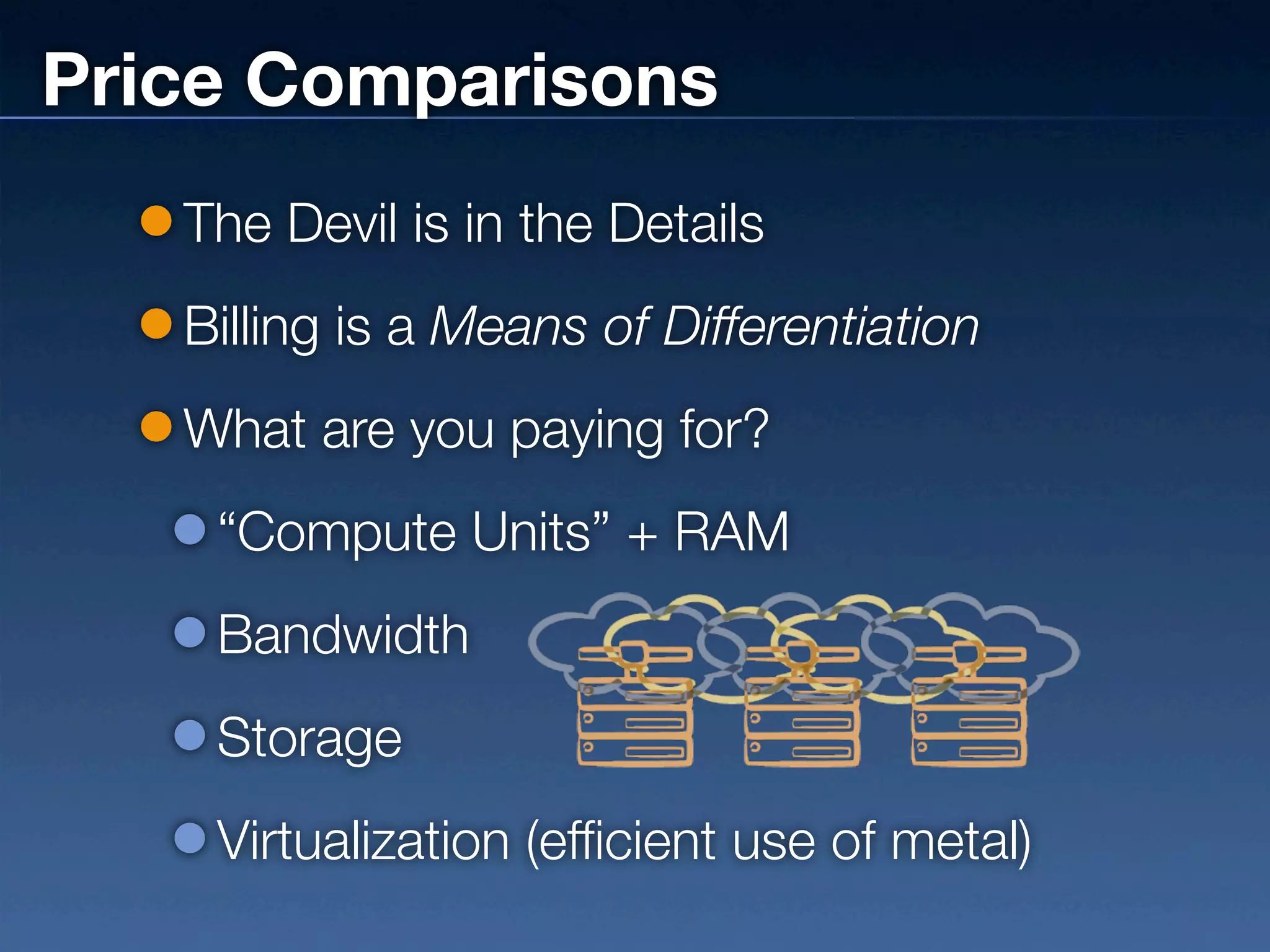
Price Comparisons
   The Devil is in the Details
   Billing is a Means of Differentiation
   What are you paying for?
    “Compute Units” + RAM
    Bandwidth
    Storage
    Virtualization (efficient use of metal)
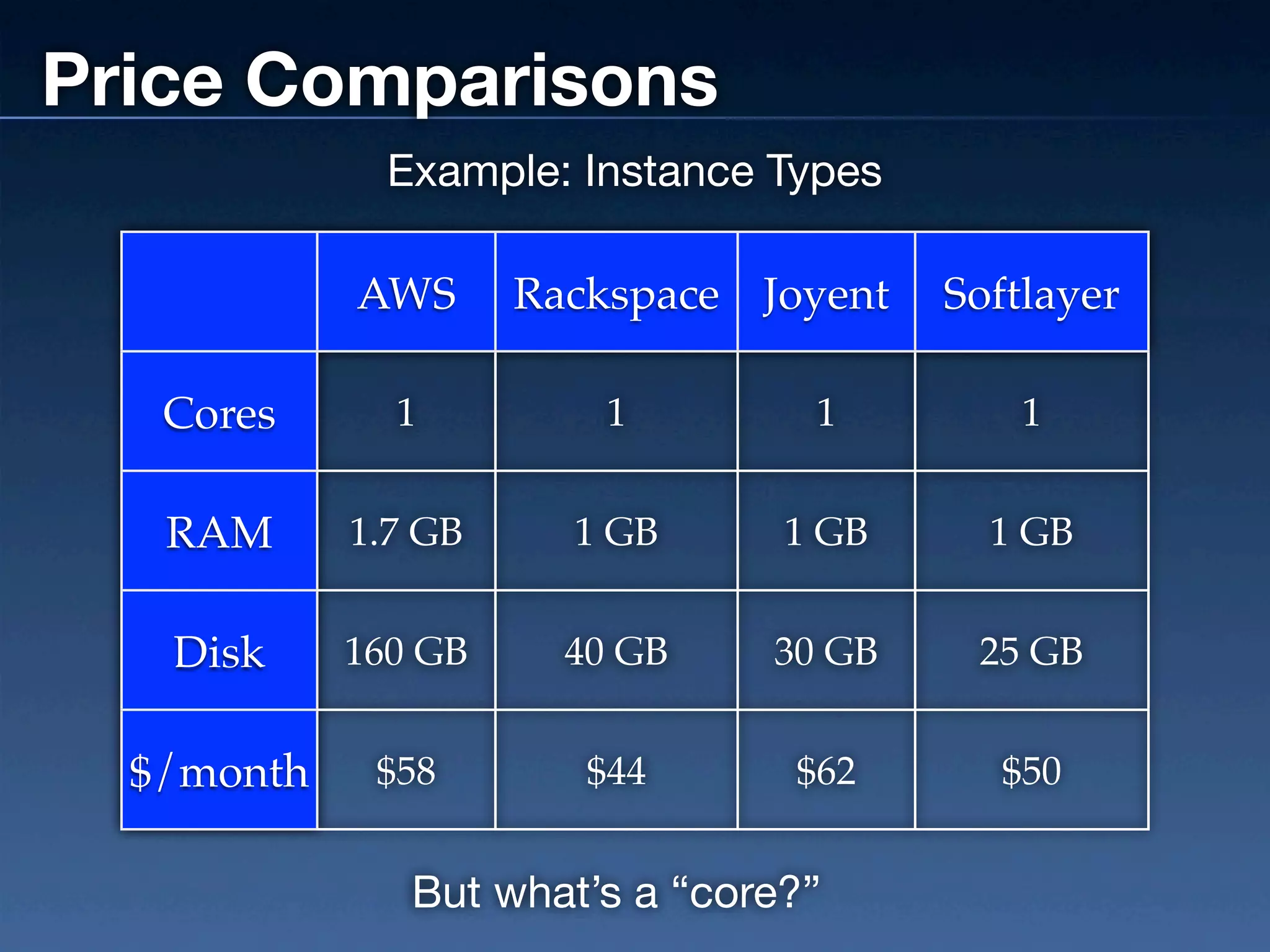
Price Comparisons
              Example: Instance Types

            AWS      Rackspace Joyent   Softlayer

   Cores      1          1        1        1


   RAM      1.7 GB     1 GB      1 GB     1 GB


   Disk     160 GB     40 GB    30 GB    25 GB


  $/month    $58        $44      $62      $50


               But what’s a “core?”
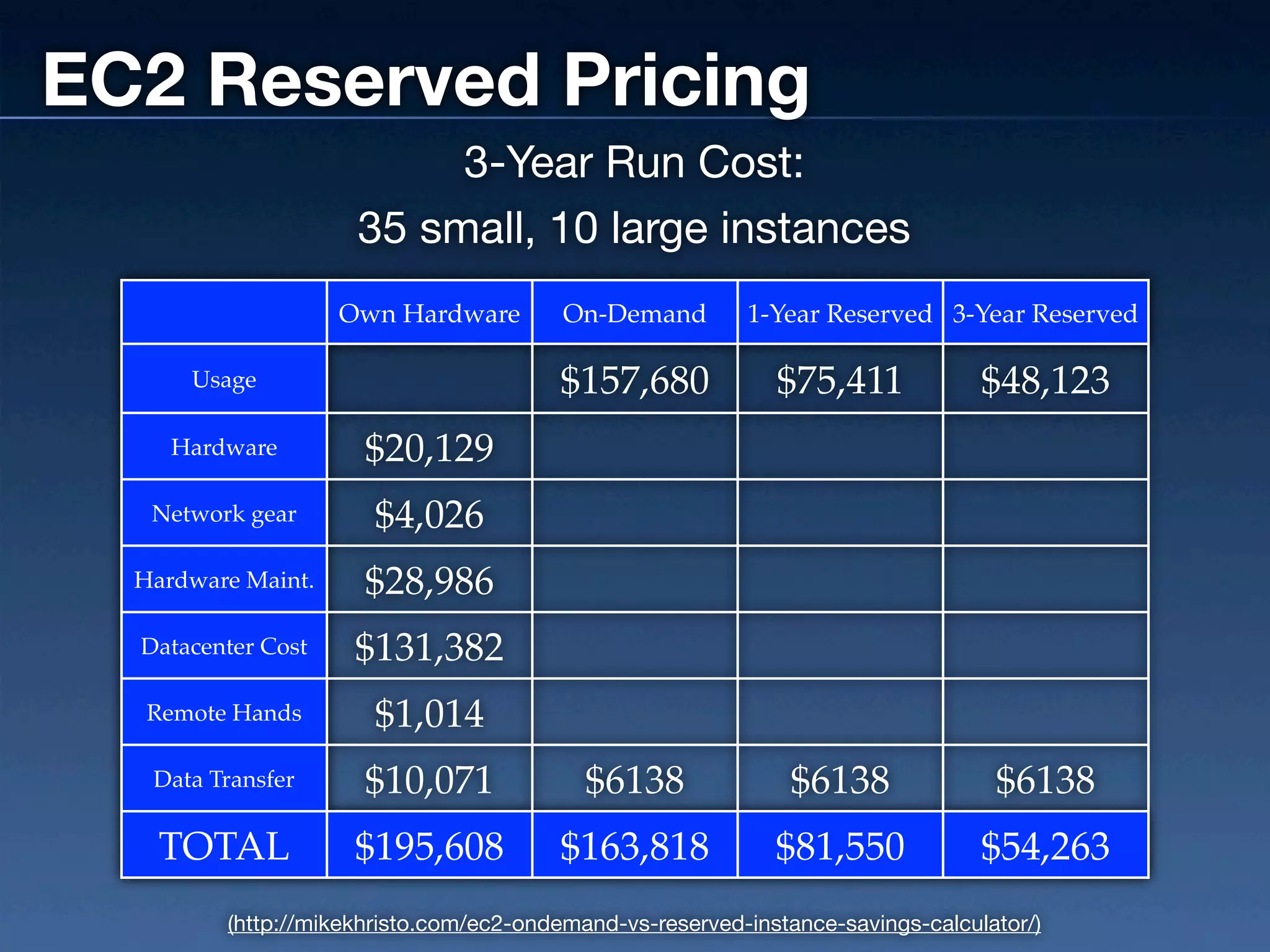
EC2 Reserved Pricing
                          3-Year Run Cost:
                     35 small, 10 large instances
                    Own Hardware         On-Demand        1-Year Reserved 3-Year Reserved

      Usage                             $157,680             $75,411             $48,123
     Hardware         $20,129
   Network gear        $4,026
  Hardware Maint.     $28,986
  Datacenter Cost    $131,382
   Remote Hands        $1,014
   Data Transfer      $10,071              $6138              $6138               $6138
    TOTAL            $195,608           $163,818             $81,550             $54,263
         (http://mikekhristo.com/ec2-ondemand-vs-reserved-instance-savings-calculator/)
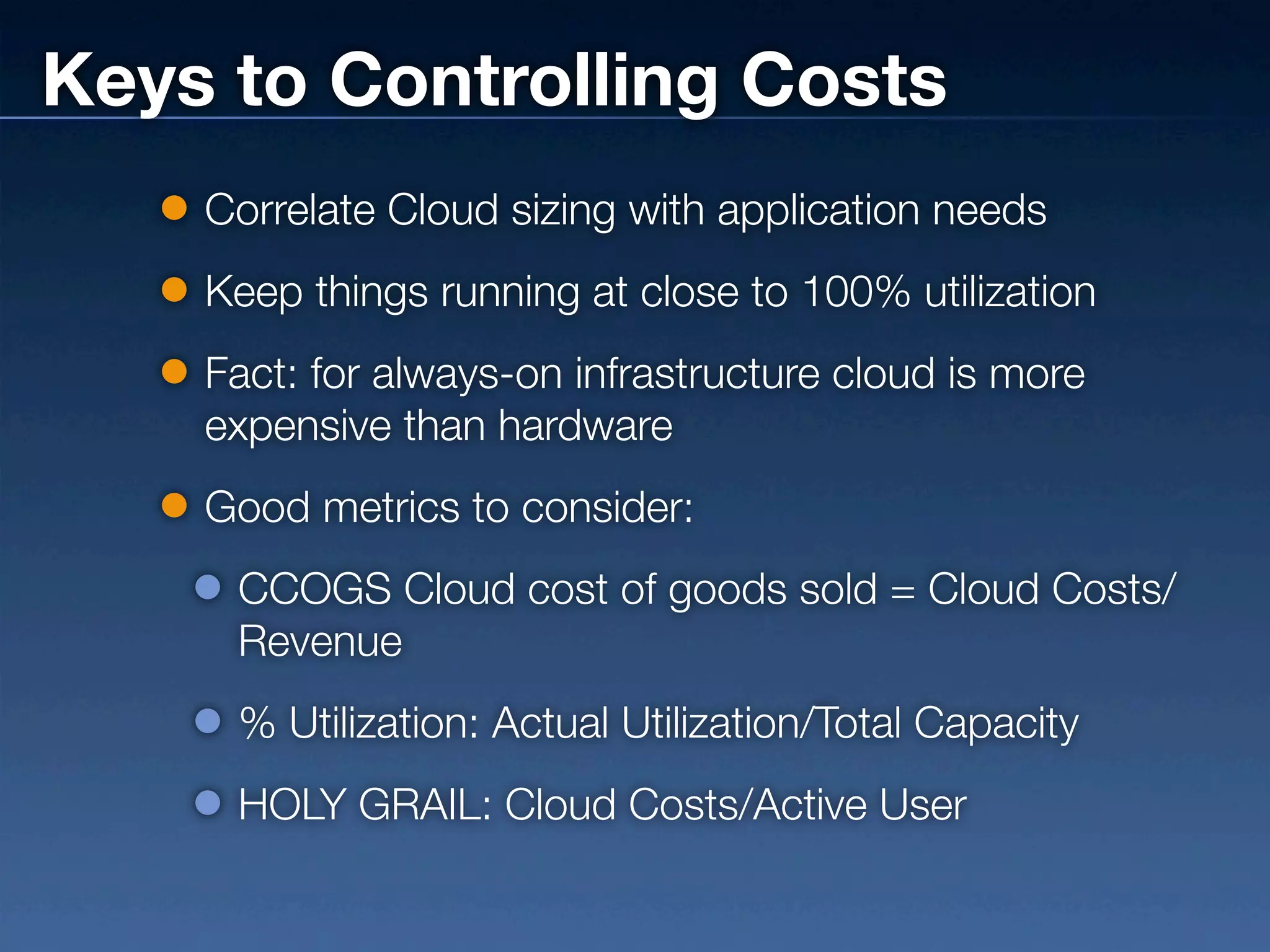
Keys to Controlling Costs
    Correlate Cloud sizing with application needs
    Keep things running at close to 100% utilization
    Fact: for always-on infrastructure cloud is more
    expensive than hardware
    Good metrics to consider:
     CCOGS Cloud cost of goods sold = Cloud Costs/
     Revenue
     % Utilization: Actual Utilization/Total Capacity
     HOLY GRAIL: Cloud Costs/Active User
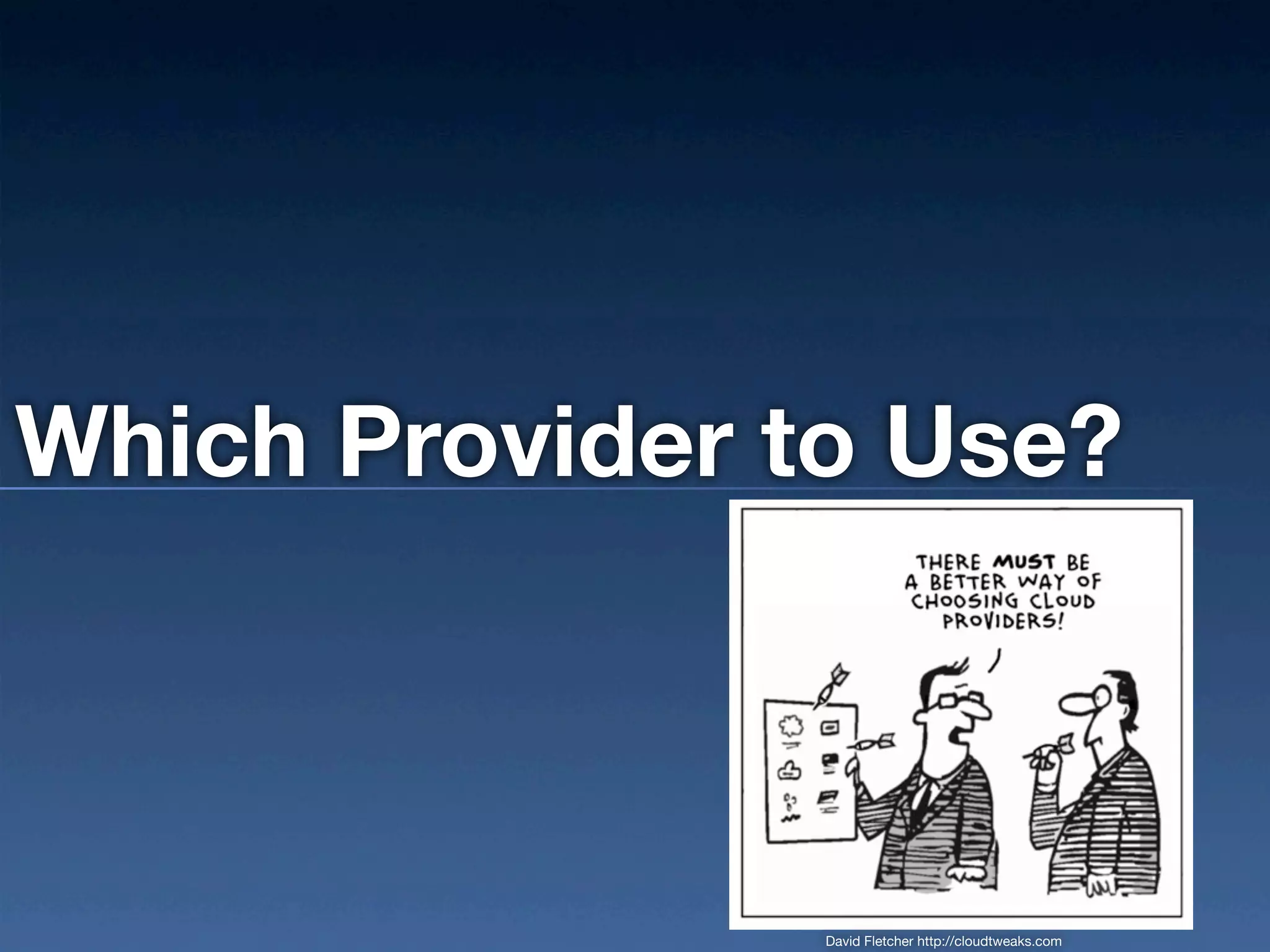
Which Provider to Use?


                David Fletcher http://cloudtweaks.com
Guess What? It depends.
How Do Providers Distinguish Themselves?

     Affinity for a language or stack
     Pricing models
     Performance
     Add-on computing services (DNS, Load
     Balancing ...)
     Managed Services (backup, humans ...)
     SLAs
Hands On
(If there’s time)
Thanks!
Andy Parsons | @andyparsons | andyparsons@gmail.com

Ga cloud scaling 3 30-2012

  • 1.
    Head in theCloud Understanding and Scaling the Cloud for Startups Managing Technology Teams Workshop Andy Parsons | @andyparsons | andyparsons@gmail.com
  • 2.
    Today We WillCover What is “The Cloud?” How Does It Work? How Well Does It Work? What Your Dev Team Should Know How Much Does It Cost? Which Provider To Use? * If Time: Hands On Demo
  • 3.
    What Is “TheCloud?”
  • 4.
    “Cloud Computing isthe delivery of computing as a service rather than a product, whereby shared resources, software, and information are provided to computers and other devices as a utility (like the electricity grid) over a network.” (http://csrc.nist.gov/publications/nistpubs/800-145/SP800-145.pdf)
  • 5.
    Impact to Startups Changed Economics Democratizes Entrepreneurship Changed VC landscape: Then: raise $$ to build something Now: build something to raise $$
  • 6.
    Essential Aspects andSome Jargon Self Service On-Demand Provisioning without humans No ownership of servers Pooled Resources Multi-tenant Location independence Processing, Memory, Storage, Bandwidth, Services Rapid Elasticity - provision and destroy Measured & Metered Service Usage transparency Cost transparency * (kinda)
  • 7.
    Service Models SaaS = Software As A Service this is Google Apps. Enough said. PaaS = Platform As A Service Drop code, watch magic IaaS = Infrastructure As A Service Building blocks only
  • 8.
    Deployment Models Private Cloud Tenants are a single customer Owned or rented On premises or off Public Cloud Off premises Available to anyone Hybrid Cloud 2 or more cloud infrastructure providers bound together OR, hybrid multi-tenant and dedicated resources
  • 9.
    PaaS vs IaaS IaaS PaaS Application Code You You Runtime Platform You Provided Security You Provided Databases You Provided Servers Provided Provided Virtualization Provided Provided Hardware Provided Provided Storage Provided Provided Networking Provided Provided
  • 10.
    Where is theCloud Essential? Some examples: Web servers: scaling up and down to meet demand Offline data crunching Recommendation engines Social Graph applications Giant search indexing
  • 11.
    AWS Components EC2 - computing EBS - fast-ish storage S3 - storage capacity ElastiCache ELB - load balancing CloudFront - Content Delivery Network on top of S3 Route53 - DNS SNS - notification service SES - email services SQS - queueing Elastic MapReduce - Hadoop Databases Simple DB RDS DynamoDB CloudFormation - templated stacks
  • 12.
    Cloud Timeline First General Hypervisor: use Google Dot com FedRAMP, Runs on Internet docs and Multi-cloud, bubble Microsoft US Gov IBM 360 becomes EC2 commoditization, bursts Azure Cloud common launch market growth 1961 1965 1969 1990 1995 2000 2002 2006 2008 2009 2010 2012 John IBM and Oracle Intel AZN AWS McCarthy - Google and other founded, founded launches Cloud introduce clouds, ARPANet Computing their IaaS popularity created Concept of PaaS
  • 13.
  • 14.
    Virtualization Hides physical details of hardware Lots of VMs run on a single physical machine VM’s are relocatable
  • 15.
    Virtualization Software or “Full” Virtualization: software-only, can virtualize any hardware and unmodified OS Hardware-Assisted: Special capabilities built into processors to assist with running virtual hosts Paravirtualization uses a special “hypervisor” to expose an API to virtual OS Parallels, VMWare
  • 16.
    Massive Scale Affordability comes from economies of scale Fault tolerance and soft failing of hardware Automated failover Providers have developed proprietary monitoring, networking, and in some cases virtualization
  • 17.
    How Well DoesIt Work?
  • 18.
    Really Well! UntilThings Break. Failure of some kind is assured Performance Drops Instance Failures Network Outages EBS RAID bottlenecks
  • 19.
    One day thisemail came in... Hello, One of your instances in the us-east-1 region is on hardware that requires network related maintenance. Your other instances that are not listed here will not be affected. i-3fcdb156 For the above instance, we recommend migrating to a replacement instance to avoid any downtime. Your replacement instance would not be subject to this maintenance. If you leave your instance running, you will lose network connectivity for up to two hours. The maintenance will occur during a 12-hour window starting at 12:00am PST on Monday, February 15, 2010. After the maintenance is complete, network connectivity will be restored to your instance. As always, we recommend keeping current backups of data stored on your instance. Sincerely, The Amazon EC2 Team
  • 20.
  • 21.
    ~ April 21,2011 ~ MASSIVE AWS Service outage Some data loss (< 0.1%) Revealed details about how EBS worked at the time Catastrophic for some Triggered by a router upgrade! Replication stampede
  • 22.
    Disk I/O: TheThorn in Your Side Unpredictable No guarantees Bane of Databases And disk-bound operations like app startup Monitor closely Build Around This (coming up)
  • 23.
    EBS Filesystem Tests Seq. Reads Seq. Writes Random Random R/W Mix: RW Mix: Filesystem # of Disks (MB/s) (MB/s) Reads (MB/s) Writes (MB/s) Reads (MB/s) Writes (MB/s) EXT3, 3 74.7 102.1 1.3 20.4 21.3 25.1 64K stripe EXT3, 128K stripe, 3 1.6 11.3 2MB readahead buffer XFS, 3 20.7 107.2 1.7 40.2 13.6 12.5 64k stripe XFS, 3 102.2 106.2 1.5 87.8 41.1 24.6 128K stripe XFS, 4 115.8 135.4 2.0 76.4 41.0 24.6 64K stripe XFS, 4 104.8 103.1 1.8 70.8 49.3 30.3 128K stripe XFS, 128K stripe, 4 105.0 102.8 2.0 70.1 55.1 31.5 deadline scheduler
  • 24.
    How Will ThingsImprove? Price drops SSD (already in AWS DynamoDB) Improvements in virtualization Ever more interesting PaaS offerings Convergence of IaaS and PaaS
  • 25.
    What Your DevTeam Should Know
  • 26.
    We Don’t Needa Sys Admin! You probably do, actually. But not yet. Ops -> DevOps -> NoOps (Adrian Cockroft, NetFlix) But your SA or DevOps can do more than ever before. David Fletcher http://cloudtweaks.com
  • 27.
    Architecting for theCloud No SPFs No SLAs Don’t depend on SLA
  • 28.
    Architecting for theCloud Figure out how things will fail. Design for failure. No fire drills. Deal with Friday failures on Monday. Make provisioning new parts trivial Failover Database Replication
  • 29.
    Architecting for theCloud Exact hardware location is decided by the provider Design to Distribute Stateless wherever possible Loosely coupled, redundant systems Redundant data storage Understand Your Dependencies!
  • 30.
    Tools: Monitoring/Cost Management Ylastic RightScale Cloudability CloudVertical SensibleCloud Raveld Cloud Cruiser
  • 31.
    How Much DoesIt Cost?
  • 32.
    But wait asec... Cloud Hardware 100% Considers cost of: Utilization ✓Computing, ✓Storage, 80% ✓Bandwidth, ✓Staff 60% $0K $150K $300K $450K $600K Cumulative Cost Over 3 Years (http://www.hightechinthehub.com/2011/09/dirty-little-secret-of-the-cloud/)
  • 33.
    But wait asec... YEAR PHYSICAL CLOUD 1 $240,000 $196,000 2 $62,000 $196,000 3 $62,000 $196,000 TOTAL $364,000 $588,000 (http://www.hightechinthehub.com/2011/09/dirty-little-secret-of-the-cloud/)
  • 34.
    Elasticity is thekey YEAR PHYSICAL CLOUD 1 $240,000 $80,000 2 $62,000 $100,000 3 $62,000 $120,000 TOTAL $364,000 $400,000 Now we are managing costs
  • 35.
    Price Comparisons The Devil is in the Details Billing is a Means of Differentiation What are you paying for? “Compute Units” + RAM Bandwidth Storage Virtualization (efficient use of metal)
  • 36.
    Price Comparisons Example: Instance Types AWS Rackspace Joyent Softlayer Cores 1 1 1 1 RAM 1.7 GB 1 GB 1 GB 1 GB Disk 160 GB 40 GB 30 GB 25 GB $/month $58 $44 $62 $50 But what’s a “core?”
  • 37.
    EC2 Reserved Pricing 3-Year Run Cost: 35 small, 10 large instances Own Hardware On-Demand 1-Year Reserved 3-Year Reserved Usage $157,680 $75,411 $48,123 Hardware $20,129 Network gear $4,026 Hardware Maint. $28,986 Datacenter Cost $131,382 Remote Hands $1,014 Data Transfer $10,071 $6138 $6138 $6138 TOTAL $195,608 $163,818 $81,550 $54,263 (http://mikekhristo.com/ec2-ondemand-vs-reserved-instance-savings-calculator/)
  • 38.
    Keys to ControllingCosts Correlate Cloud sizing with application needs Keep things running at close to 100% utilization Fact: for always-on infrastructure cloud is more expensive than hardware Good metrics to consider: CCOGS Cloud cost of goods sold = Cloud Costs/ Revenue % Utilization: Actual Utilization/Total Capacity HOLY GRAIL: Cloud Costs/Active User
  • 39.
    Which Provider toUse? David Fletcher http://cloudtweaks.com
  • 40.
  • 41.
    How Do ProvidersDistinguish Themselves? Affinity for a language or stack Pricing models Performance Add-on computing services (DNS, Load Balancing ...) Managed Services (backup, humans ...) SLAs
  • 42.
  • 43.
    Thanks! Andy Parsons |@andyparsons | andyparsons@gmail.com

Editor's Notes