The

      API
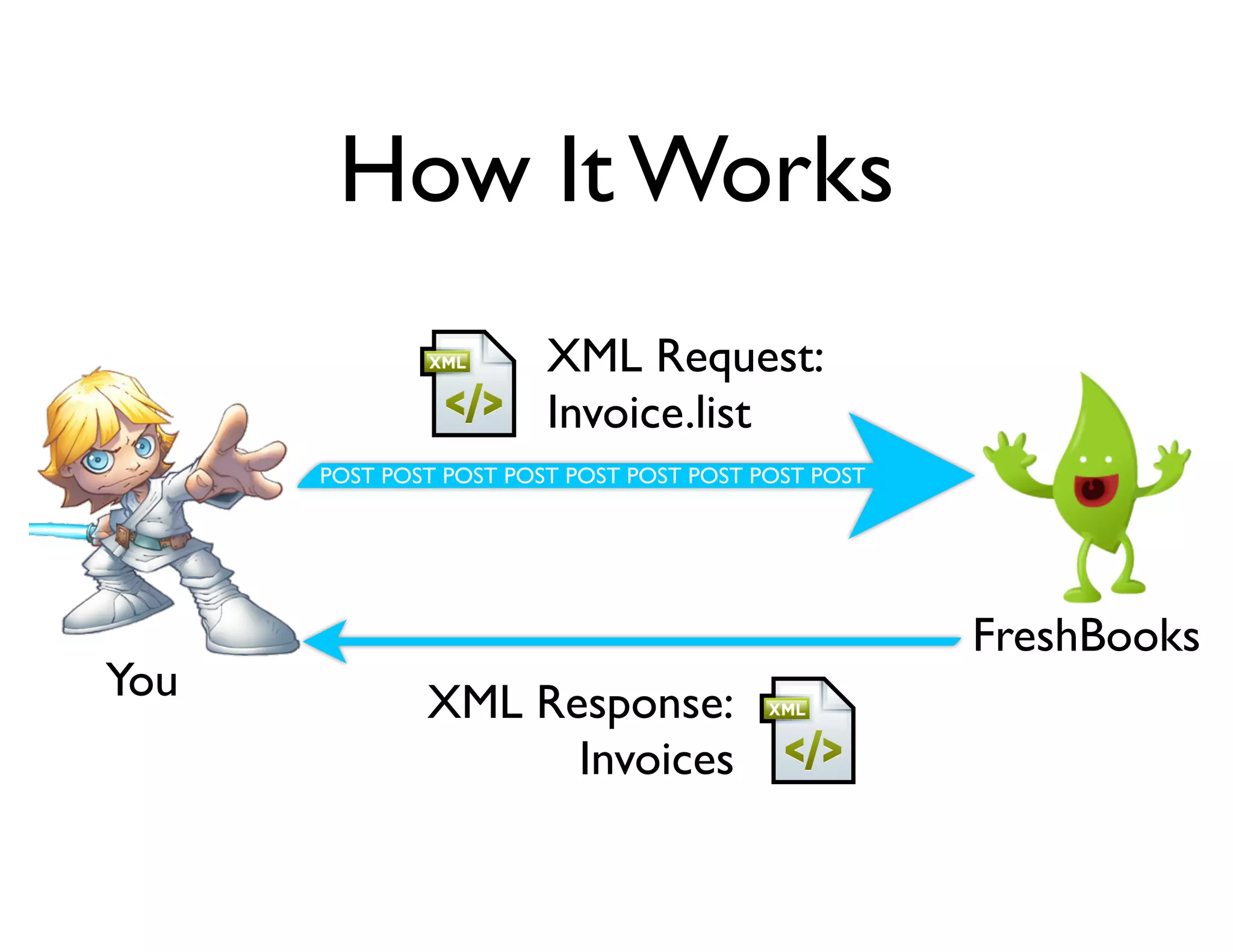
How It Works
                        XML Request:
                        Invoice.list
      POST POST POST POST POST POST POST POST POST


                                                     FreshBooks
You           XML Response:
                    Invoices
What a Request Looks Like
     <request	
  method="[RESOURCE].[METHOD]">


  [parameters]
     </request>

Some Resources         Some Methods
    Invoice                   Create
    Clients                   Get
    Estimate                  Update
    Expense                   List
    Payment                   Delete
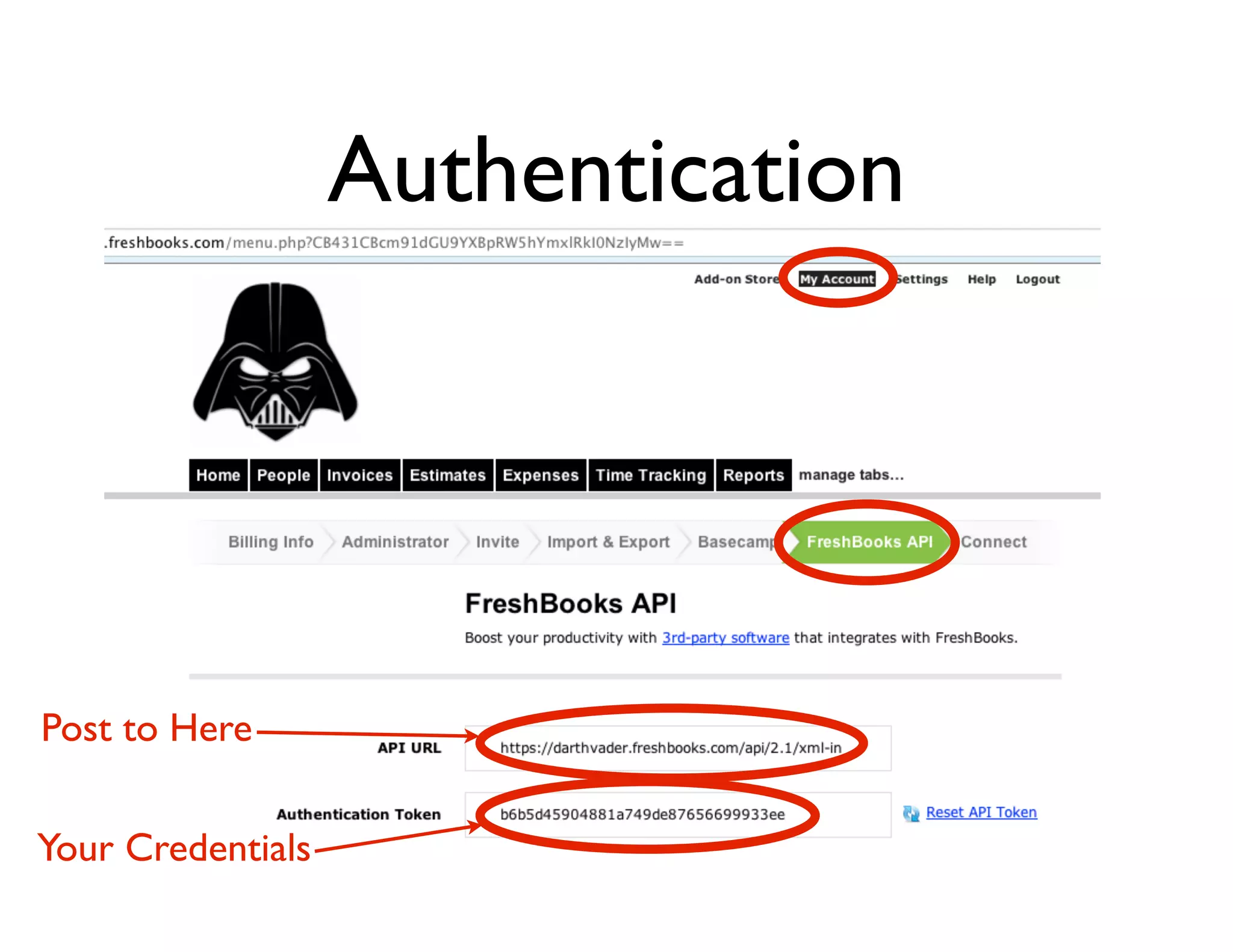
Authentication


Post to Here

Your Credentials
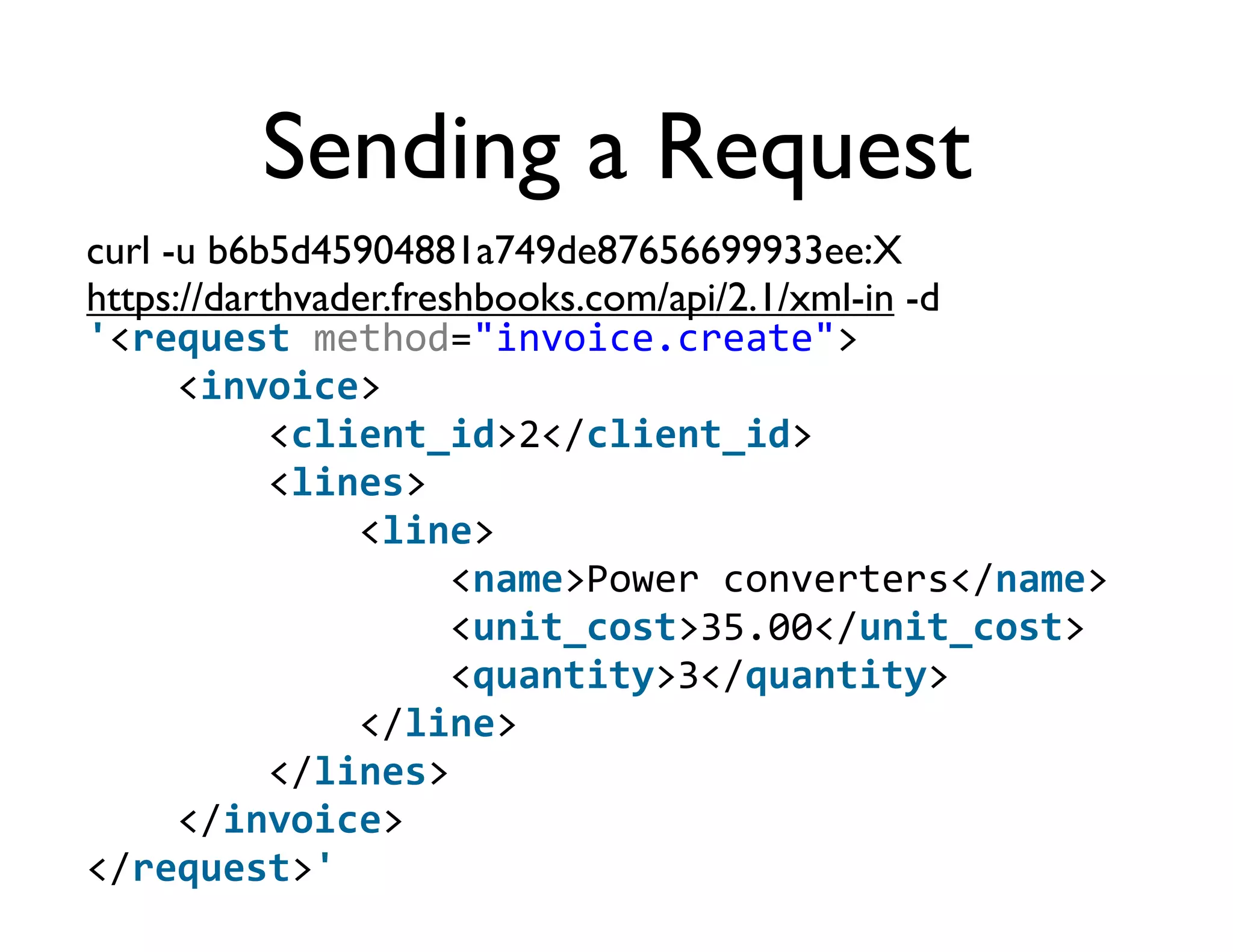
Sending a Request
curl -u b6b5d45904881a749de87656699933ee:X
https://darthvader.freshbooks.com/api/2.1/xml-in -d
'<request	
  method="invoice.create">


  <invoice>


  <client_id>2</client_id>


  <lines>


  <line>


  <name>Power	
  converters</name>


  <unit_cost>35.00</unit_cost>


  <quantity>3</quantity>


  </line>


  </lines>


  </invoice>
</request>'
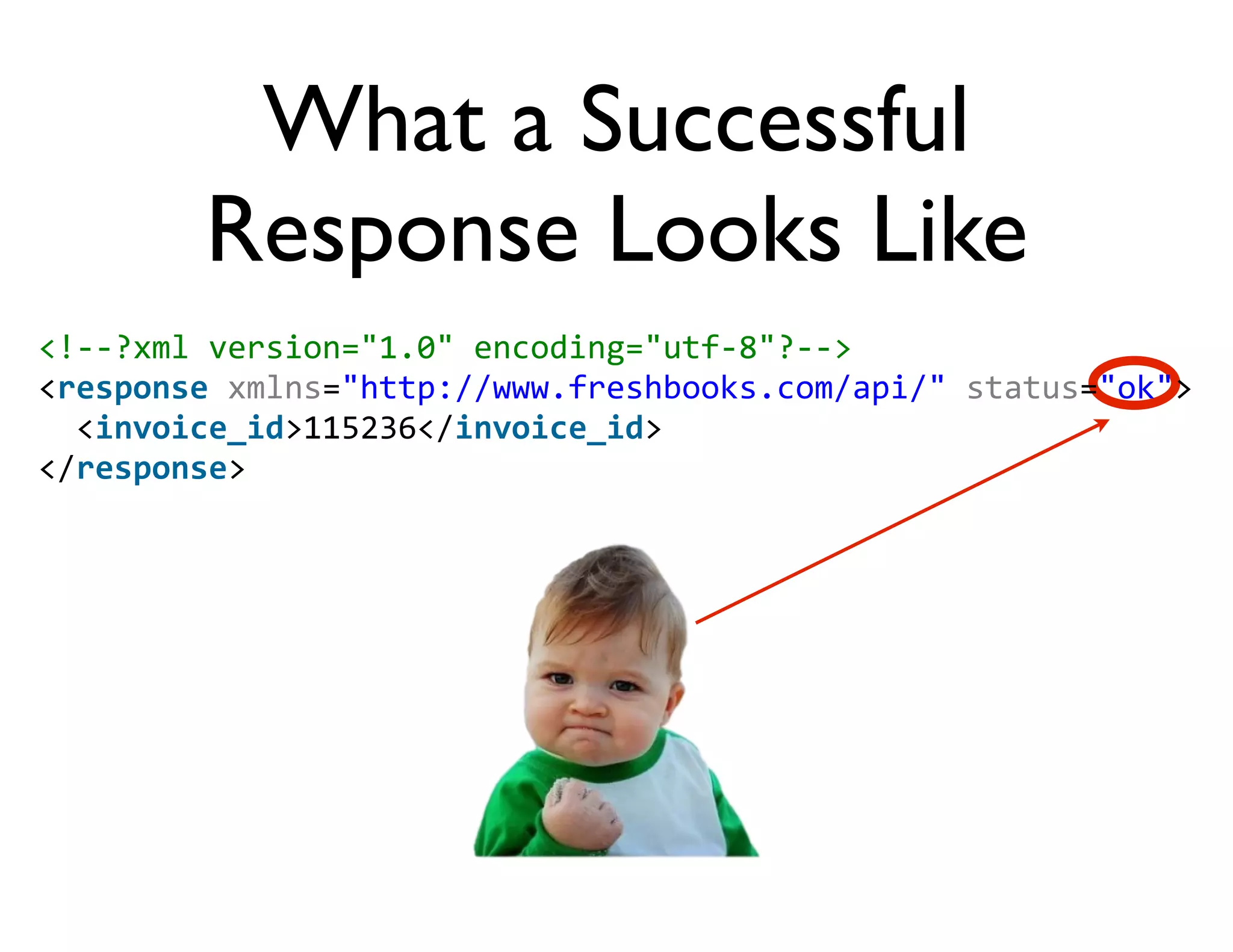
What a Successful
         Response Looks Like
<!-­‐-­‐?xml	
  version="1.0"	
  encoding="utf-­‐8"?-­‐-­‐>
<response	
  xmlns="http://www.freshbooks.com/api/"	
  status="ok">
	
  	
  <invoice_id>115236</invoice_id>
</response>
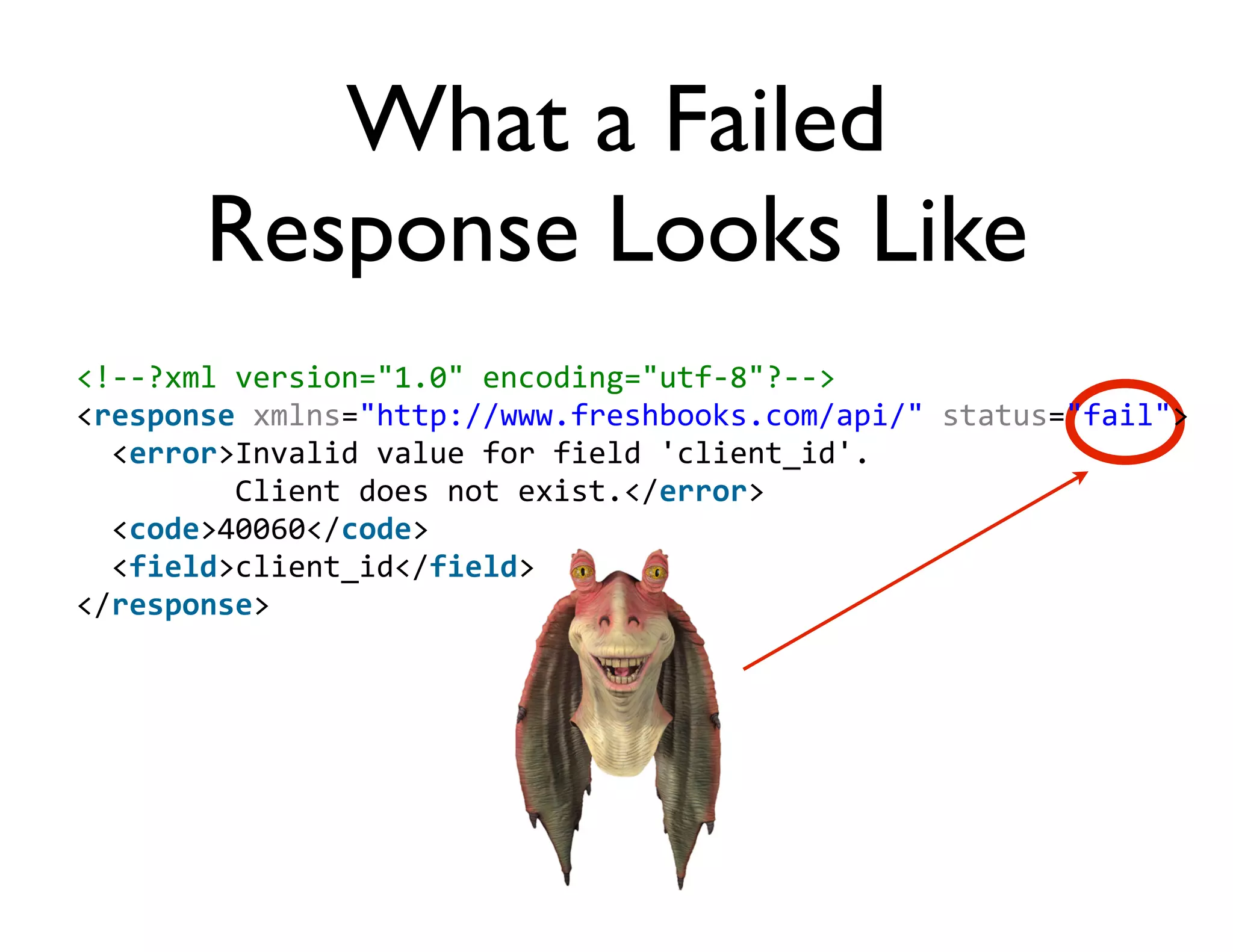
What a Failed
        Response Looks Like
<!-­‐-­‐?xml	
  version="1.0"	
  encoding="utf-­‐8"?-­‐-­‐>
<response	
  xmlns="http://www.freshbooks.com/api/"	
  status="fail">
	
  	
  <error>Invalid	
  value	
  for	
  field	
  'client_id'.	


  Client	
  does	
  not	
  exist.</error>
	
  	
  <code>40060</code>
	
  	
  <field>client_id</field>
</response>
Client Libraries

   refreshbooks          ruby-freshbooks


More resources & sample code at
  http://developers.freshbooks.com
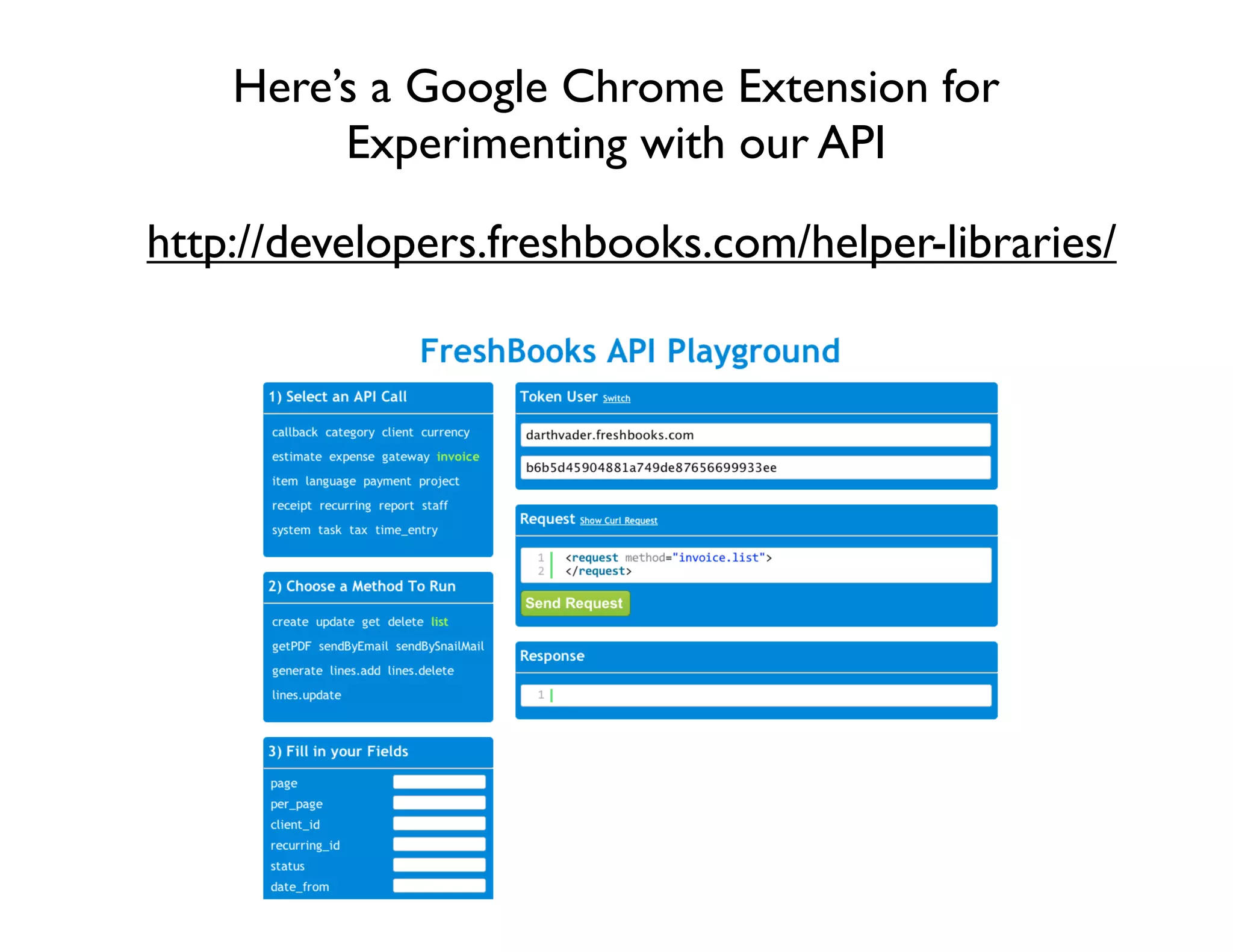
Here’s a Google Chrome Extension for
         Experimenting with our API

http://developers.freshbooks.com/helper-libraries/

FreshBooks API

  • 1.
    The API
  • 2.
    How It Works XML Request: Invoice.list POST POST POST POST POST POST POST POST POST FreshBooks You XML Response: Invoices
  • 3.
    What a RequestLooks Like <request  method="[RESOURCE].[METHOD]">        [parameters] </request> Some Resources Some Methods Invoice Create Clients Get Estimate Update Expense List Payment Delete
  • 4.
  • 5.
    Sending a Request curl-u b6b5d45904881a749de87656699933ee:X https://darthvader.freshbooks.com/api/2.1/xml-in -d '<request  method="invoice.create">        <invoice>                <client_id>2</client_id>                <lines>                        <line>                                <name>Power  converters</name>                                <unit_cost>35.00</unit_cost>                                <quantity>3</quantity>                        </line>                </lines>        </invoice> </request>'
  • 6.
    What a Successful Response Looks Like <!-­‐-­‐?xml  version="1.0"  encoding="utf-­‐8"?-­‐-­‐> <response  xmlns="http://www.freshbooks.com/api/"  status="ok">    <invoice_id>115236</invoice_id> </response>
  • 7.
    What a Failed Response Looks Like <!-­‐-­‐?xml  version="1.0"  encoding="utf-­‐8"?-­‐-­‐> <response  xmlns="http://www.freshbooks.com/api/"  status="fail">    <error>Invalid  value  for  field  'client_id'.                    Client  does  not  exist.</error>    <code>40060</code>    <field>client_id</field> </response>
  • 8.
    Client Libraries refreshbooks ruby-freshbooks More resources & sample code at http://developers.freshbooks.com
  • 9.
    Here’s a GoogleChrome Extension for Experimenting with our API http://developers.freshbooks.com/helper-libraries/