Evaluation Question 4
How did you use media technologies in the research, planning, construction and
evaluation stages?
Blogger
 We used blogger over the extended period of our
coursework. We used blogger in order to
document our research and planning. Blogger
proved to be a useful tool to document our
coursework, as it meant we could plan posts in
advance as we discussed ideas on what we should
research and what we should include within the
blog. It also meant we were able to go back and
edit posts easily if we needed to add documents
or needed to correct mistakes, like the initial
mistakes within our questionnaire.
Slide Share
 Slide share was an application I had used
previously. Slide share was used in all aspects
of our coursework (research, planning,
construction and evaluation). I have found
Slide share useful as it is an easy software to
use if you need to get an embedded HTML link
so that you can upload documents on to the
blog. I have primarily used slide share in order
to upload both Word and PowerPoint
documents.
Google
 I had primarily used Google for research
purposes. This was used primarily for the initial
research of social media. This was used to look at
articles, graphs and investigations that were
conducted on the basis of they were based on
Social media. I also used google in order to look
at studies that had been conducted on the
effects social media and rising number of social
media users.
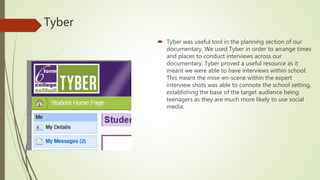
Tyber
 Tyber was useful tool in the planning section of our
documentary. We used Tyber in order to arrange times
and places to conduct interviews across our
documentary. Tyber proved a useful resource as it
meant we were able to have interviews within school.
This meant the mise-en-scene within the expert
interview shots was able to connote the school setting,
establishing the base of the target audience being
teenagers as they are much more likely to use social
media.
Outlook
 Outlook was used further used to email Ellie Francis.
We used outlook to interview Ellie about doing an
interview for our documentary. We further used
outlook in order to exchange documents within our
group and to communicate between one in order
over the course of the production of the
documentary.
Youtube
 We used YouTube in order to export our project
onto a video sharing form of media. We further
used YouTube in order to look at the clip of the
images overlaying one another in super size me,
that we tried to reduplicate within our
documentary. We analysed the clip in order to
make it as similar as possible within our
documentary, as we found the clip to be effective
in promoting the topic of the documentary, plus it
was aesthetically pleasing to the viewer.
InDesign
 We used InDesign in order to create our
double page spread. InDesign was a useful
tool as it allowed to apply the conventions
that are displayed within the radio times
magazine we attempted to reduplicate. The
InDesign software allowed us to organize the
DPS into columns, as well as allowing to
create a masthead and a subheading.
InDesign on the whole was a useful tool as
the software is used to in order to create DPS
and therefore made it easier for us to
recreate it.
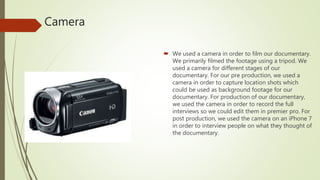
Camera
 We used a camera in order to film our documentary.
We primarily filmed the footage using a tripod. We
used a camera for different stages of our
documentary. For our pre production, we used a
camera in order to capture location shots which
could be used as background footage for our
documentary. For production of our documentary,
we used the camera in order to record the full
interviews so we could edit them in premier pro. For
post production, we used the camera on an iPhone 7
in order to interview people on what they thought of
the documentary.
Premier pro
 Premier pro was used to incorporate all of the
footage we had shot for the documentary, whilst
selective editing down interviews and used precise
clips for our background footage. We started off
using this software by shortening all clips we had
to make them shorter, so it would be easier to use
as much footage as possible within the 5 minute
time frame. Furthermore, we used this software in
order to include different audio aspects of the
documentary such as voice over and background
music. We added in music and voice over as we
had noticed that it had been used within other
documentaries for effect on creating a tone for its
audience.
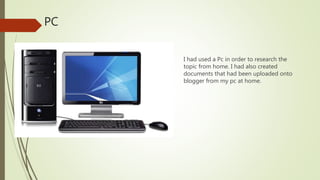
PC
I had used a Pc in order to research the
topic from home. I had also created
documents that had been uploaded onto
blogger from my pc at home.
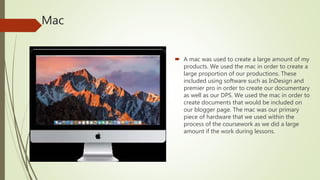
Mac
 A mac was used to create a large amount of my
products. We used the mac in order to create a
large proportion of our productions. These
included using software such as InDesign and
premier pro in order to create our documentary
as well as our DPS. We used the mac in order to
create documents that would be included on
our blogger page. The mac was our primary
piece of hardware that we used within the
process of the coursework as we did a large
amount if the work during lessons.

Forza

  • 1.
    Evaluation Question 4 Howdid you use media technologies in the research, planning, construction and evaluation stages?
  • 2.
    Blogger  We usedblogger over the extended period of our coursework. We used blogger in order to document our research and planning. Blogger proved to be a useful tool to document our coursework, as it meant we could plan posts in advance as we discussed ideas on what we should research and what we should include within the blog. It also meant we were able to go back and edit posts easily if we needed to add documents or needed to correct mistakes, like the initial mistakes within our questionnaire.
  • 3.
    Slide Share  Slideshare was an application I had used previously. Slide share was used in all aspects of our coursework (research, planning, construction and evaluation). I have found Slide share useful as it is an easy software to use if you need to get an embedded HTML link so that you can upload documents on to the blog. I have primarily used slide share in order to upload both Word and PowerPoint documents.
  • 4.
    Google  I hadprimarily used Google for research purposes. This was used primarily for the initial research of social media. This was used to look at articles, graphs and investigations that were conducted on the basis of they were based on Social media. I also used google in order to look at studies that had been conducted on the effects social media and rising number of social media users.
  • 5.
    Tyber  Tyber wasuseful tool in the planning section of our documentary. We used Tyber in order to arrange times and places to conduct interviews across our documentary. Tyber proved a useful resource as it meant we were able to have interviews within school. This meant the mise-en-scene within the expert interview shots was able to connote the school setting, establishing the base of the target audience being teenagers as they are much more likely to use social media.
  • 6.
    Outlook  Outlook wasused further used to email Ellie Francis. We used outlook to interview Ellie about doing an interview for our documentary. We further used outlook in order to exchange documents within our group and to communicate between one in order over the course of the production of the documentary.
  • 7.
    Youtube  We usedYouTube in order to export our project onto a video sharing form of media. We further used YouTube in order to look at the clip of the images overlaying one another in super size me, that we tried to reduplicate within our documentary. We analysed the clip in order to make it as similar as possible within our documentary, as we found the clip to be effective in promoting the topic of the documentary, plus it was aesthetically pleasing to the viewer.
  • 8.
    InDesign  We usedInDesign in order to create our double page spread. InDesign was a useful tool as it allowed to apply the conventions that are displayed within the radio times magazine we attempted to reduplicate. The InDesign software allowed us to organize the DPS into columns, as well as allowing to create a masthead and a subheading. InDesign on the whole was a useful tool as the software is used to in order to create DPS and therefore made it easier for us to recreate it.
  • 9.
    Camera  We useda camera in order to film our documentary. We primarily filmed the footage using a tripod. We used a camera for different stages of our documentary. For our pre production, we used a camera in order to capture location shots which could be used as background footage for our documentary. For production of our documentary, we used the camera in order to record the full interviews so we could edit them in premier pro. For post production, we used the camera on an iPhone 7 in order to interview people on what they thought of the documentary.
  • 10.
    Premier pro  Premierpro was used to incorporate all of the footage we had shot for the documentary, whilst selective editing down interviews and used precise clips for our background footage. We started off using this software by shortening all clips we had to make them shorter, so it would be easier to use as much footage as possible within the 5 minute time frame. Furthermore, we used this software in order to include different audio aspects of the documentary such as voice over and background music. We added in music and voice over as we had noticed that it had been used within other documentaries for effect on creating a tone for its audience.
  • 11.
    PC I had useda Pc in order to research the topic from home. I had also created documents that had been uploaded onto blogger from my pc at home.
  • 12.
    Mac  A macwas used to create a large amount of my products. We used the mac in order to create a large proportion of our productions. These included using software such as InDesign and premier pro in order to create our documentary as well as our DPS. We used the mac in order to create documents that would be included on our blogger page. The mac was our primary piece of hardware that we used within the process of the coursework as we did a large amount if the work during lessons.