Introduction to Fortinet Unified Threat Management
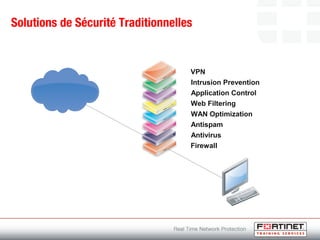
Solutions de Sécurité Traditionnelles
Firewall
Antivirus
Antispam
WAN Optimization
Web Filtering
Application Control
Intrusion Prevention
VPN
Solutions de Sécurité Traditionnelles
Firewall
Antivirus
Antispam
WAN Optimization
Web Filtering
Application Control
Intrusion Prevention
VPN
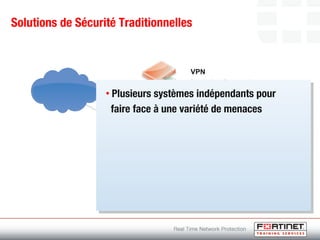
• Plusieurs systèmes indépendants pour
faire face à une variété de menaces
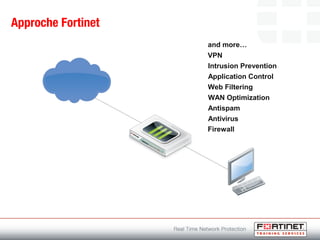
Approche Fortinet
Firewall
Antivirus
Antispam
WAN Optimization
Web Filtering
Application Control
Intrusion Prevention
VPN
and more…
Approche Fortinet
Firewall
Antivirus
Antispam
WAN Optimization
Web Filtering
Application Control
Intrusion Prevention
VPN
and more…
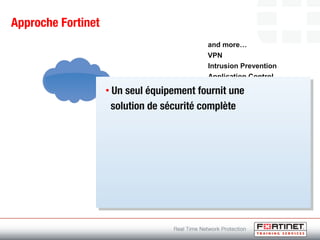
• Un seul équipement fournit une
solution de sécurité complète
Design de la plateforme
Hardware
Technologie
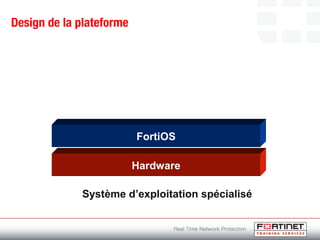
Design de la plateforme
Hardware
FortiOS
Système d’exploitation spécialisé
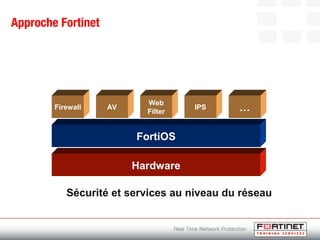
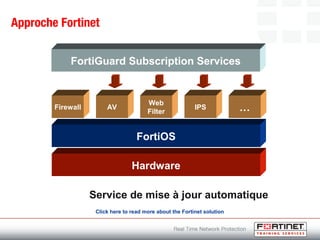
Approche Fortinet
Hardware
FortiOS
Firewall AV
Web
Filter
IPS …
Sécurité et services au niveau du réseau
Approche Fortinet
Hardware
FortiOS
FortiGuard Subscription Services
Firewall AV
Web
Filter
IPS …
Service de mise à jour automatique
Click here to read more about the Fortinet solution
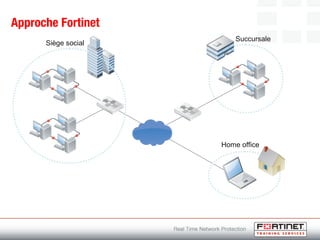
Approche Fortinet
Siège social
Succursale
Home office
Home office
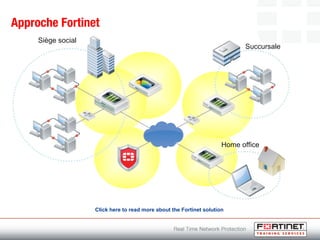
Approche Fortinet
Siège social
Succursale
Click here to read more about the Fortinet solution
Home office
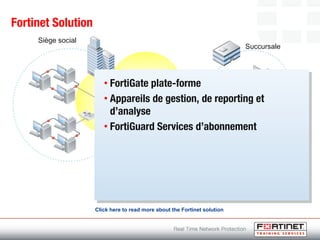
Fortinet Solution
Siège social
Succursale
• FortiGate plate-forme
• Appareils de gestion, de reporting et
d’analyse
• FortiGuard Services d’abonnement
Click here to read more about the Fortinet solution
FortiGate Services
Firewall
FortiGate Services
Antivirus
FortiGate Services
Filtrage de courrier électronique
FortiGate Services
Filtrage de contenu Web
FortiGate Services
Prévention des intrusions
FortiGate Services
Contrôle de l’application
FortiGate Services
Prévention des fuites de données
FortiGate Services
WAN optimization
FortiGate Services
Secure VPN
FortiGate Services
Wireless
FortiGate Services
Routage dynamique
FortiGate Services
Endpoint compliance
FortiGate Services
Virtual domains
FortiGate Services
Régulation de flux 
FortiGate Services
Haute disponibilité
FortiGate Services
Logging and reporting
FortiGate Services
Click here to read more about the capabilities of the FortiGate device
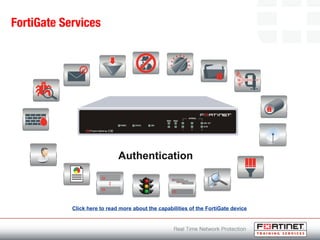
Authentication
FortiGate Composants
Intel CPU
FortiGate Composants
FortiASIC content processor
FortiGate Composants
FortiOS 4.0
FortiGate Composants
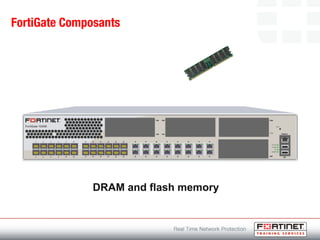
DRAM and flash memory
FortiGate Composants
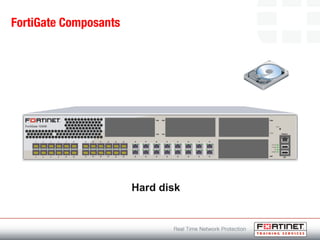
Hard disk
FortiGate Composants
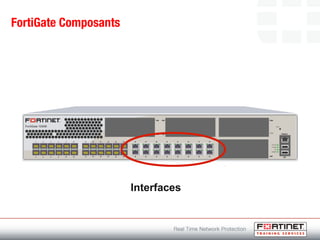
Interfaces
FortiGate Composants
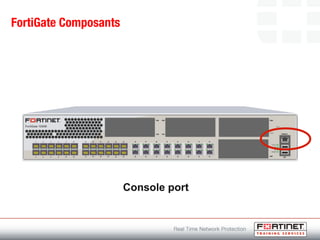
Console port
FortiGate Composants
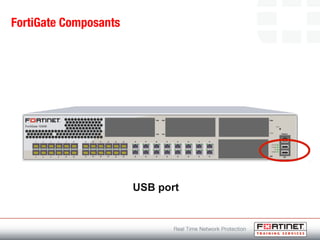
USB port
FortiGate Composants
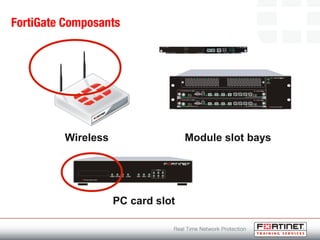
Wireless Module slot bays
PC card slot
Fortinet Appliances
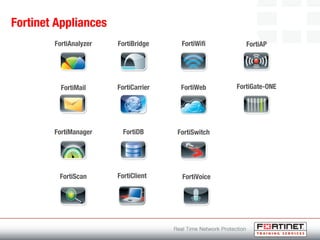
FortiAnalyzer
FortiMail
FortiManager
FortiScan
FortiBridge
FortiCarrier
FortiDB
FortiWifi
FortiWeb
FortiSwitch
FortiVoice
FortiAP
FortiGate-ONE
FortiClient
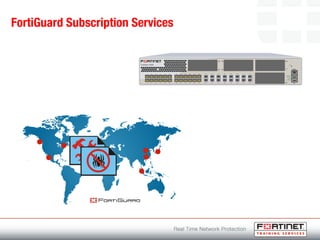
FortiGuard Subscription Services
Device Administration
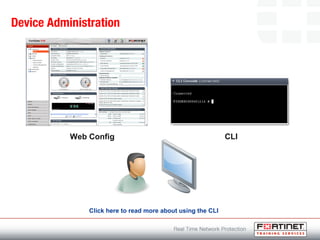
Web Config CLI
Click here to read more about using the CLI
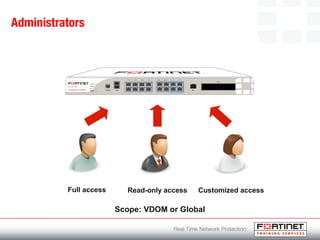
Administrators
Customized accessFull access Read-only access
Scope: VDOM or Global
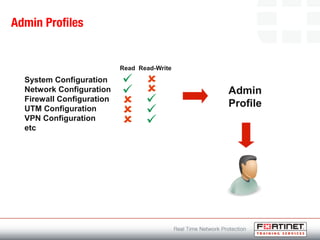
Admin Profiles
System Configuration
Network Configuration
Firewall Configuration
UTM Configuration
VPN Configuration
etc
Read Read-Write
Admin
Profile
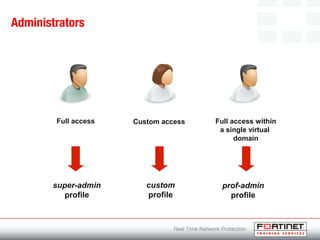
Administrators
Full access within
a single virtual
domain
Full access
super-admin
profile
Custom access
custom
profile
prof-admin
profile
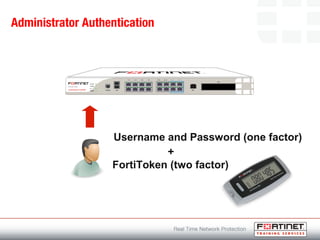
Administrator Authentication
Username and Password (one factor)
FortiToken (two factor)
+
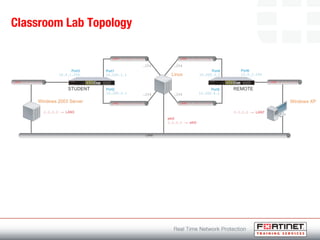
Classroom Lab Topology
Student Resources
Click here to view the list of resources used in this module

Fortinet

Editor's Notes

  • #3 Maintaining a secure network environment using existing network security technologies (firewall, VPN, virus scanners) is a challenge due to number of reasons. Increasingly sophisticated and rapidly evolving cyber threats evade one or more standalone security technologies. Many single purpose systems needed (spam, viruses, network attacks, block disallowed browsing etc…) to cope with variety of threats The costs and complexities associated with managing an increasingly distributed network with no clear perimeter adds strain to already taxed resources. Variety of systems to manage Variety of network security software interfaces to learn Potential variety of operating systems Manpower to manager multiple security systems The performance and processing power required to provide complete content level protection is difficult to achieve without purpose-built hardware. Software solutions on PC systems can not always provide the same performance as purpose-built hardware solutions for high-volume traffic situations or resource intensive operations like content scanning
  • #5 Fortinet is a leading worldwide provider of Unified Threat Management network security solutions. Comprehensive security and networking solution Incorporates full suite of application (email filtering, data leak prevention), network-level (IPSec, SSL VPN, firewall) and management services (authentication, logging) Address specific needs with single platform Ease of deployment (one device instead of many) Purpose-driven hardware (FortiGate device) Specialized operating system (FortiOS) Dynamic update of services and filters (FortiGuard Subscription Services) Management, reporting, analysis and other network security products (FortiManager etc…) Protection must be provided against the next generation of threats and offer centralized management from a single console, all without impairing the performance of the network
  • #14 Firewall policies control all traffic passing through the FortiGate unit. When a packet is received, the FortiGate unit analyzes the content of the packet to determine if the information contained matches a firewall policy that is in place. Matched policies can accept or deny traffic for one or both directions as well as apply IPSEC and SSL VPN policies. Each policy can be configured to route connections or apply Network Address Translation (NAT) to translate source and destination IP addresses and ports. Threat management elements (AV, IPS, DLP etc.) are enabled in firewall policies to apply protection to traffic passing through the firewall.
  • #15 The Antivirus capabilities of the FortiGate unit detect and eliminate viruses, trojans, worms and spyware in real-time. The FortiGate unit scans incoming and outgoing email attachments (SMTP, POP3, IMAP) and FTP and HTTP traffic, including web-based email, without degrading web performance. Antivirus gateways close the vulnerability window by stopping security threats before they enter the network.
  • #16 Email filtering can be configured to manage unsolicited commercial email by detecting spam email messages and identifying spam transmissions from known or suspected spam servers. The FortiGate unit can detect, tag, discard, and quarantine spam.
  • #17 FortiGate web filtering processes all web content against known malicious URLs to block inappropriate material and malicious scripts including Java applets, cookies, and Active X scripts entering the network. Fortinet categorizes more than 40 million domains and billions of web pages to ensure its customers steer clear of malware on the Internet. Three main sections of the web filtering function, namely Web Content Filter, URL Filter and FortiGuard Web Filter, interact with each other in such a way as to provide maximum control and protection for Internet users.
  • #18 IPS functions are responsible for examining traffic and comparing it against known or customized intrusion signatures. The IPS engine and signature database on the FortiGate unit are updated automatically through the FortiGuard Distribution Network.
  • #19 Application control is used to detect and take actions on network traffic based on the applications generating the traffic. Using FortiGate Intrusion Prevention protocol decoders, Application Control can log and manage the behavior of application traffic passing through the FortiGate unit. Application control can regulate the behavior of applications with a fine level of granularity including: Performing actions such as blocking, passing, traffic shaping, and adding user controls Blocking certain commands. For example, blocking the FTP PUT command Blocking file transfers for instant messaging Inspecting files for malicious content within instant messaging protocols Archiving content for instant messaging
  • #20 The FortiGate Data Leak Prevention (DLP) system prevents sensitive data from leaving the network. An administrator can define sensitive data patterns, and data matching these patterns will be blocked and/or logged when passing through the FortiGate unit. Although the primary use of the DLP feature is to stop sensitive data from leaving the network, it can also be used to prevent unwanted data from entering the network.
  • #21 FortiGate WAN optimization applies a number of techniques to improve the efficiency of communication across the WAN. Optimizing the traffic flow between the clients and servers reduces bandwidth requirements, increases throughput, reduces latency and improves privacy. WAN optimization capabilities can also be expanded to remote PCs running FortiClient software and can also be used on secure SSL traffic. WAN optimization techniques built into the FortiGate device include: Protocol optimization Byte caching Web caching Transparent proxy
  • #22 FortiGate supports two VPN technologies: Secure Socket Layer (SSL) VPN Typically used for secure web transaction After secure HTTP link has been established between web browser and FortiGate unit, application data is transmitted between the client and device through a secure tunnel All client traffic is encrypted and sent to the FortiGate unit Includes traffic intended for private network and Internet traffic that is normally sent unencrypted Split tunneling can be used so that only traffic for the private network is sent to the SSL VPN gateway while Internet traffic is sent through the usual unencrypted route. SSL supports sign-on to a web portal front-end from which a number applications can be accessed Allow mobile employees, contractors, business partners, and/or customers access to certain administrator-specified corporate resources. Internet Protocol Security (IPSec) VPN IPsec VPNs provide users at geographically distributed locations access to all their usual corporate network resources as if they were on the LAN. Securely provides employees around the world with always-on connectivity and access to the corporate resources Well suited for legacy applications (not web-based) IP packets are encapsulated by the VPN client and server software running on the hosts IPSec VPN covered in separate module
  • #24 Dynamic routing enables the FortiGate unit to automatically share information about routes with neighboring routers and learn about routes and network advertised by neighboring routers. The FortiGate unit supports the following dynamic routing protocols: Routing Information Protocol (RIP) Open Shortest Path First (OSPF) Border Gateway Protocol (BGP)
  • #25 The FortiGate unit can monitor client computers on the network to ensure their compliance to corporate standards for installed software. The device can detect software running on the client computer, including FortiClient and display the status for administrators.
  • #26 Virtual domains divide a FortiGate unit into multiple separate units so that a single FortiGate appliance can be used to serve multiple organizations. Each VDOM has separate routing and firewall policies. Each interface, physical of virtual, belongs exclusively to one virtual domain. This simplifies administration because the administrator can only see the interfaces, routing tables and firewall policies for the VDOM being configured.
  • #27 Traffic shaping controls available bandwidth and priority of traffic.
  • #28 FortiGate High Availability (HA) provides a solution for two key requirements of critical enterprise networking components: Enhanced reliability Increased performance FortiGate HA is implemented by configuring two or more FortiGate units to operate as an HA cluster. To the network, the HA cluster appears to function as a single FortiGate unit, processing network traffic and providing normal security services such as firewall, VPN, IPS, virus scanning, web filtering and spam filtering services.
  • #29 Logging and reporting can provide tools for historical and real-time analysis of network usage.
  • #30 Authentication controls access to protected resources and includes the following types: Authentication of local users. A local user is a user configured on a FortiGate unit. The FortiGate unit stores the user names and passwords of the users and uses them to authenticate users. Authentication of remote clients. Users who access the corporate network from home or while traveling could use the same user name and password that they use at the office. If using authentication servers, the servers must be configured before configuring FortiGate users or user groups that require them. The FortiGate unit can be configured to work with the following external authentication servers: LDAP RADIUS TACACS+ FSSO (Fortinet Single Sign On) Digital Certificates Tokens PKI Authentication for FortiGate administrative users.
  • #39 FortiGate unit components: Wireless FortiWifi devices for wireless communications Module slot bays Blade card installed in a chassis PC card slot PCMCIA card slot for expansion
  • #40 FortiManager: Manage all Fortinet products from a centralized console Minimize administration effort Collect all device configurations Configure, deploy changes and maintain devices FortiMail: Multi-layered email security Multiple filtering mechanisms (IP address, email address, black/white list, DNSBL…) Dedicated email spam filtering Email quarantining and archiving User-based quarantine Archiving for analysis and regulatory compliance support Server Mode for full messaging server functionality FortiAnalyzer: Centralized analysis and reporting Aggregates log data from multiples devices Comprehensive view of network usage Discover and address security vulnerabilities Quarantine and content archiving FortiScan: Integrates endpoint vulnerability management, compliance, patch management, remediation, auditing and reporting Identify vulnerabilities and exposures on hosts and servers FortiBridge: Automatically bridges network traffic, re-routing network traffic around inline security infrastructure in the event of a power outage or system fault. FortiCarrier: Extend integrated security to service provider’s IP network Supports the security requirements of three unique businesses within the service provider industry: MSSPs, voice operators, and mobile operators. GTP (General Radio Service Tunneling Protocol) firewall, secure MMS with scanning of all interfaces, SIP/IMS signaling firewall FortiDB: Solution to secure databases and applications such as ERP, CRM and SCM Addresses vulnerability management, Database Activity Monitoring, data loss prevention, auditing and compliance FortiClient: Endpoint security for desktops, laptops, mobile devices Personal firewall, IPSec VPN, antivirus, email filtering, web content filtering FortiGuard keeps FortiClient up-to-date FortiWiFi: Protects wireless-enabled remote locations, branch offices, and retail networks with Fortinet's market-leading security FortiWeb: Protect, balance and accelerate web applications, databases and information transfers Protect web-based applications XML security enforcement, application acceleration and server load balancing Assists in compliance with industry or government mandates such as PCI DSS FortiSwitch: Designed to meet needs of high-speed interconnected applications Server virtualization, data center consolidation, cloud computing Build high speed, resilient, scalable networks Multi-path switching, Dynamic Congestion Avoidance Switch data flows to lowest latency path Avoid congestion while maintaining full Ethernet compliance FortiGate Voice: Combines the functionality of a multi-threat security gateway, VoIP gateway, IP PBX, router and switch into a single, integrated device FortiAP: Secure Wireless Access Extend the FortiGate Unified Threat Management (UTM) advantages to wireless network FortiAP tunnels all its traffic to the wireless controller integrated into every FortiGate platform (above model 50.) This traffic undergoes identity-aware firewall policies and UTM engine inspection and only authorized wireless traffic is forwarded. FortiGate-ONE: Enables HP ProCurve customers to deploy a single blade with integrated firewall, antivirus/antispyware, IPS, IPSec and SSL VPN, web filtering, antispam, application control, data loss prevention and dynamic routing for IPv4 and IPv6
  • #41 Advantages of FortiGuard Subscription Services: Extend value of initial investment Always protecting with latest updates Dynamic updates Antivirus, intrusion prevention, web filtering, email filtering, application control, vulnerability assessment Updated 24 x 7 x 365 Data centers around the world Secure, high availability locations
  • #42 Two mechanisms for performing management tasks: Web Config: Configure and monitor FortiGate device through web browser CLI: Command line interface Serial connection between management computer and device Terminal emulation software required HyperTerminal, PuTTY etc The following settings must be configured in the terminal emulation software to connect to the CLI: Bits per second: 9600 Data bits: 8 Parity: None Stop bits: 1 Flow control: None Includes advanced configuration options not available in Web Config. The CLI is structured as follows: Commands config Objects config system Tables config system interface Sub-commands edit port1 Fields and values set ip 172.20.110.251 255.255.255.0 Command help ? config ? config system ? Command completion ? or <tab> c? config + <space> + <tab> Recalling commands Down arrow and up arrow Editing commands <CTRL> + <key> Beginning of line: CTRL+A End of line: CTRL+E Back one character: CTRL+B Forward one character: CTRL+F Delete current character: CTRL+D Previous command: CTRL+P Next command: CTRL+N Abort the command: CTRL+C Exit the CLI if used at the root prompt: CTRL+C Line continuation use \ at end of each line Command abbreviation get system status can be abbreviated to: g sy st IP address formats 192.168.1.1 255.255.255.0 192.168.1.1/24
  • #43 Administrators are responsible for the configuration and operation functions of the FortiGate device. Default administrator name: admin Default password blank, should set password on first login Levels of administrative control: Full read/write control Read-only access Customized access VDOM and Global privileges for access profiles: CLI command scope provides the ability for access profiles to contain VDOM privileges or Global privileges (all VDOMS and global settings) Access profile privilege can be used to apply an access profile to an administrator account specific for VDOM configuration Example: config system accprofile edit "SpecialAdmin“ set admingrp read set authgrp read-write set endpoint-control-grp read-write set fwgrp read-write set loggrp read unset menu-file set mntgrp read set netgrp read set routegrp read set scope global set sysgrp read set updategrp read set utmgrp custom set vpngrp read-write config utmgrp-permission set antivirus read-write set application-control read-write set data-loss-prevention read-write set ips read-write set spamfilter read-write set webfilter read-write end
  • #44 Admin profiles are used to define permissions assigned to administrators. Create new profile, assign permissions then apply the profile to any user who is to have these described administrative abilities.
  • #45 An identity must be created for each administrative user assigned to a FortiGate device. Pick profile for the admin: super_admin Full access Cannot be deleted prof_admin Allowed same access as super_admin, but can be modified as needed Tied to specific VDOMs Custom Select level of access (none, read only, read-write)