

Follow
Recommendations
           Overview
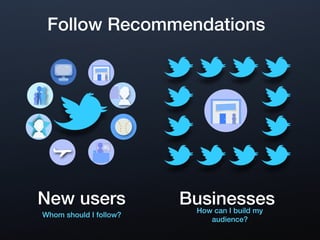
Follow Recommendations


New users               Businesses
                         How can I build my
Whom should I follow?
                              audience?
Benefits
Help people discover and follow the
accounts you care about

Control the sign up experience for
your audience

Recommend related accounts for
your brand or business

Jump-start the follower base for
new users to Twitter who sign-up
through your account
Grow Your Audience
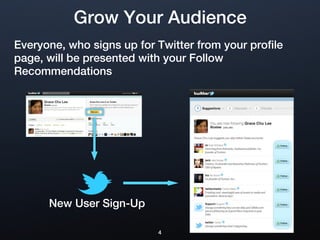
Everyone, who signs up for Twitter from your profile
page, will be presented with your Follow
Recommendations


      New User Sign-Up

                           4
How to Get Started


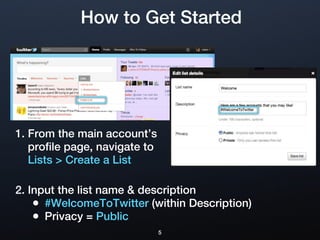
1. From the main account’s
   profile page, navigate to
   Lists > Create a List

2. Input the list name & description
    • #WelcomeToTwitter (within Description)
    • Privacy = Public
                               5
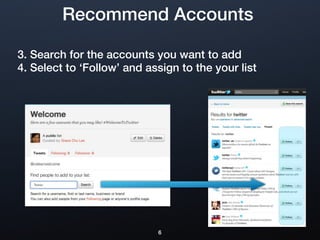
Recommend Accounts

3. Search for the accounts you want to add
4. Select to ‘Follow’ and assign to the your list


   Twitter


                            6

Follow Recommendations

  • 1.
  • 2.
    Follow Recommendations New users Businesses How can I build my Whom should I follow? audience?
  • 3.
    Benefits Help people discoverand follow the accounts you care about Control the sign up experience for your audience Recommend related accounts for your brand or business Jump-start the follower base for new users to Twitter who sign-up through your account
  • 4.
    Grow Your Audience Everyone,who signs up for Twitter from your profile page, will be presented with your Follow Recommendations New User Sign-Up 4
  • 5.
    How to GetStarted 1. From the main account’s profile page, navigate to Lists > Create a List 2. Input the list name & description • #WelcomeToTwitter (within Description) • Privacy = Public 5
  • 6.
    Recommend Accounts 3. Searchfor the accounts you want to add 4. Select to ‘Follow’ and assign to the your list Twitter 6

Editor's Notes