FME Server 2010
                             March 2010


Ken Bragg
FME Server Product Manager
Session Goals


  Introduce FME Server

  Deeper Look at FME Server 2010
Topics


  Why FME Server?

  Authoring Workflows for FME Server

  FME Server LIVE!

  What’s New in FME Server 2010?
Why FME Server?


FME Server enables organizations to quickly
  share spatial data using flexible web-based
  distribution and loading services.
Why FME Server?


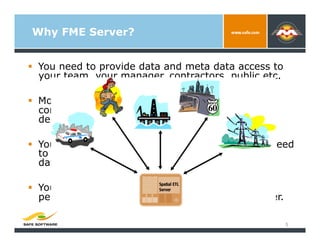
  You need to provide data and meta data access to
   your team, your manager, contractors, public etc.

  More and more data is available live or updated
   constantly. You need to make this available to
   decision makers.

  You need to bring data in from outside but you need
   to ensure it’s valid and matches your format and
   data model

  You already process a lot of data through FME,
   perhaps nightly. You want to push this to a server.

                                                         5
Why FME Server?


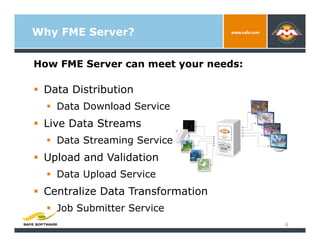
How FME Server can meet your needs:

  Data Distribution
    Data Download Service
  Live Data Streams
    Data Streaming Service
  Upload and Validation
    Data Upload Service
  Centralize Data Transformation
    Job Submitter Service
                                      6
FME Server in Action…


             State of North Dakota

             Washington State Department of
              Transportation

             City of Surrey BC

             Hampton Roads Sanitation District

             State of Arkansas GeoStor


                                                  7
FME Server in Action!


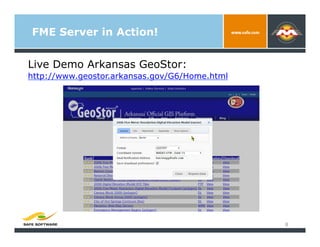
Live Demo Arkansas GeoStor:
http://www.geostor.arkansas.gov/G6/Home.html


                                               8
FME Workbench
Author Workflows for FME Server

   Use all the proven power of FME Workbench
    to author workflows for FME Server
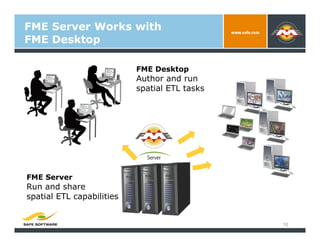
FME Server Works with
FME Desktop

                           FME Desktop
                           Author and run
                           spatial ETL tasks


FME Server
Run and share
spatial ETL capabilities


                                               10
Let’s Make a Data Download
Service!

 Live Demo
 1.  New Workspace (Oracle to Generic)
 2.  Publish Format and Coordinate System
     Parameters
 3.  Publish to FME Server Server
 4.  Perform a Data Download
 5.  Make you own Web Page (Show Request
     Button)
 6.  Integrate with your own Web Mapping Tool
     (Google Maps Integration)

     http://fmeserver.com/userweb/sharper/ClientDemos/GoogleDemo/GoogleMaps_Demo.htm
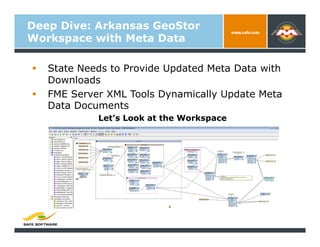
Deep Dive: Arkansas GeoStor
Workspace with Meta Data

    State Needs to Provide Updated Meta Data with
     Downloads
    FME Server XML Tools Dynamically Update Meta
     Data Documents
              Let’s Look at the Workspace
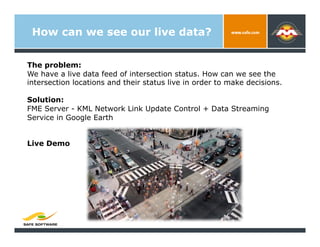
How can we see our live data?


The problem:
We have a live data feed of intersection status. How can we see the
intersection locations and their status live in order to make decisions.

Solution:
FME Server - KML Network Link Update Control + Data Streaming
Service in Google Earth


Live Demo
What’s New in FME Server 2010?
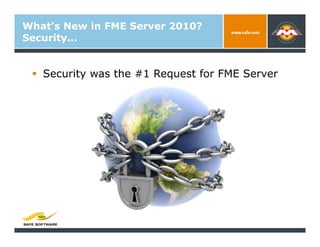
Security…


   Security was the #1 Request for FME Server
What’s New in FME Server 2010?
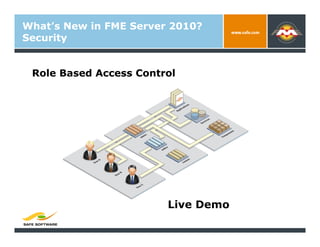
Security


 Role Based Access Control


                        Live Demo
What’s New in FME Server 2010?
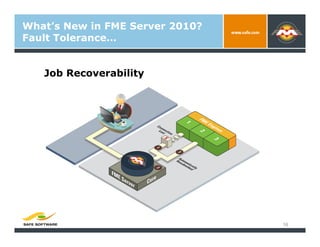
Fault Tolerance…


   Job Recoverability


                                 16
What’s New in FME Server 2010?
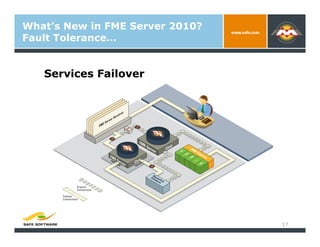
Fault Tolerance…


   Services Failover


                                 17
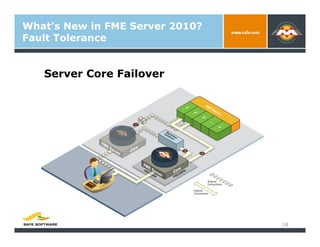
What’s New in FME Server 2010?
Fault Tolerance


   Server Core Failover


                                 18
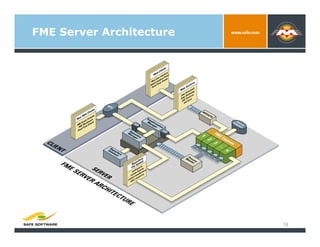
FME Server Architecture


                          19
Ready to try FME Server?
Resources


        Website: www.safe.com/fmeserver
          Demos (movies including installer)
          Case studies
          Whitepapers (architecture, security)
        fmePedia:
          http://fmepedia.com/index.php/
           Category:FME_Server
        Evaluate FME Server
          Contact your Account Manager for
           download and license
Thank You!


          Questions?

          For more information:
               Ken.bragg@safe.com
               604-501-9985 x279

FME Server 2010

  • 1.
    FME Server 2010 March 2010 Ken Bragg FME Server Product Manager
  • 2.
    Session Goals   IntroduceFME Server   Deeper Look at FME Server 2010
  • 3.
    Topics   Why FMEServer?   Authoring Workflows for FME Server   FME Server LIVE!   What’s New in FME Server 2010?
  • 4.
    Why FME Server? FMEServer enables organizations to quickly share spatial data using flexible web-based distribution and loading services.
  • 5.
    Why FME Server?  You need to provide data and meta data access to your team, your manager, contractors, public etc.   More and more data is available live or updated constantly. You need to make this available to decision makers.   You need to bring data in from outside but you need to ensure it’s valid and matches your format and data model   You already process a lot of data through FME, perhaps nightly. You want to push this to a server. 5
  • 6.
    Why FME Server? HowFME Server can meet your needs:   Data Distribution   Data Download Service   Live Data Streams   Data Streaming Service   Upload and Validation   Data Upload Service   Centralize Data Transformation   Job Submitter Service 6
  • 7.
    FME Server inAction…   State of North Dakota   Washington State Department of Transportation   City of Surrey BC   Hampton Roads Sanitation District   State of Arkansas GeoStor 7
  • 8.
    FME Server inAction! Live Demo Arkansas GeoStor: http://www.geostor.arkansas.gov/G6/Home.html 8
  • 9.
    FME Workbench Author Workflowsfor FME Server   Use all the proven power of FME Workbench to author workflows for FME Server
  • 10.
    FME Server Workswith FME Desktop FME Desktop Author and run spatial ETL tasks FME Server Run and share spatial ETL capabilities 10
  • 11.
    Let’s Make aData Download Service! Live Demo 1.  New Workspace (Oracle to Generic) 2.  Publish Format and Coordinate System Parameters 3.  Publish to FME Server Server 4.  Perform a Data Download 5.  Make you own Web Page (Show Request Button) 6.  Integrate with your own Web Mapping Tool (Google Maps Integration) http://fmeserver.com/userweb/sharper/ClientDemos/GoogleDemo/GoogleMaps_Demo.htm
  • 12.
    Deep Dive: ArkansasGeoStor Workspace with Meta Data   State Needs to Provide Updated Meta Data with Downloads   FME Server XML Tools Dynamically Update Meta Data Documents Let’s Look at the Workspace
  • 13.
    How can wesee our live data? The problem: We have a live data feed of intersection status. How can we see the intersection locations and their status live in order to make decisions. Solution: FME Server - KML Network Link Update Control + Data Streaming Service in Google Earth Live Demo
  • 14.
    What’s New inFME Server 2010? Security…   Security was the #1 Request for FME Server
  • 15.
    What’s New inFME Server 2010? Security Role Based Access Control Live Demo
  • 16.
    What’s New inFME Server 2010? Fault Tolerance… Job Recoverability 16
  • 17.
    What’s New inFME Server 2010? Fault Tolerance… Services Failover 17
  • 18.
    What’s New inFME Server 2010? Fault Tolerance Server Core Failover 18
  • 19.
  • 20.
    Ready to tryFME Server? Resources   Website: www.safe.com/fmeserver   Demos (movies including installer)   Case studies   Whitepapers (architecture, security)   fmePedia:   http://fmepedia.com/index.php/ Category:FME_Server   Evaluate FME Server   Contact your Account Manager for download and license
  • 21.
    Thank You!   Questions?   For more information:   Ken.bragg@safe.com   604-501-9985 x279