Data in the Real-World:
FME AR and FME Data Express
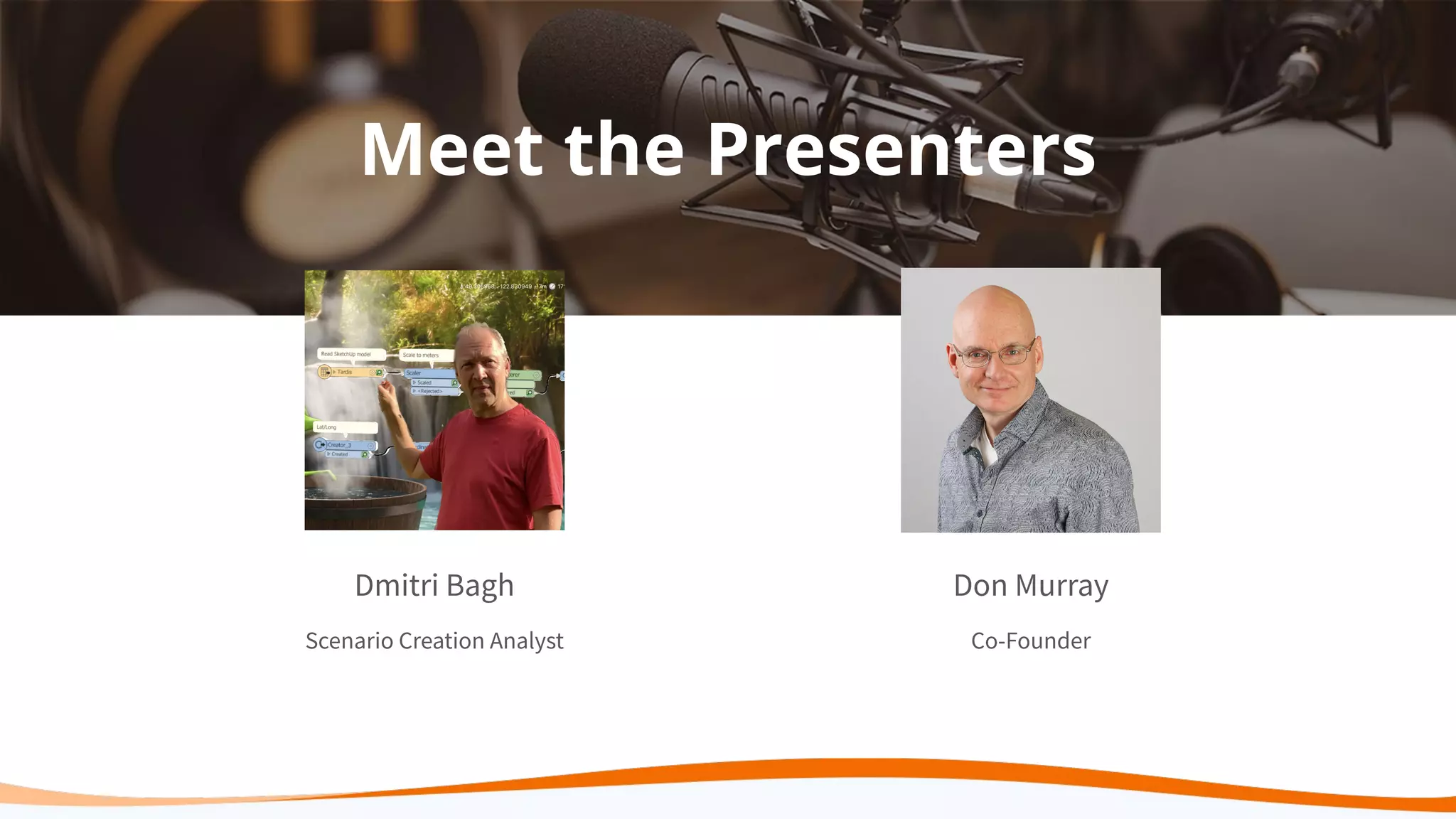
Meet the Presenters
Dmitri Bagh
Scenario Creation Analyst
Don Murray
Co-Founder
Agenda
● Intro to Safe Software & the FME Platform
● Why Augmented Reality?
● How to Bring Your Data Into Augmented Reality
○ Demos: FME AR
■ Simple model
■ City Assets
■ Model viewing
■ Advanced visualizations
● Live Q&A
Our Mission
To help you maximize the value of
data.
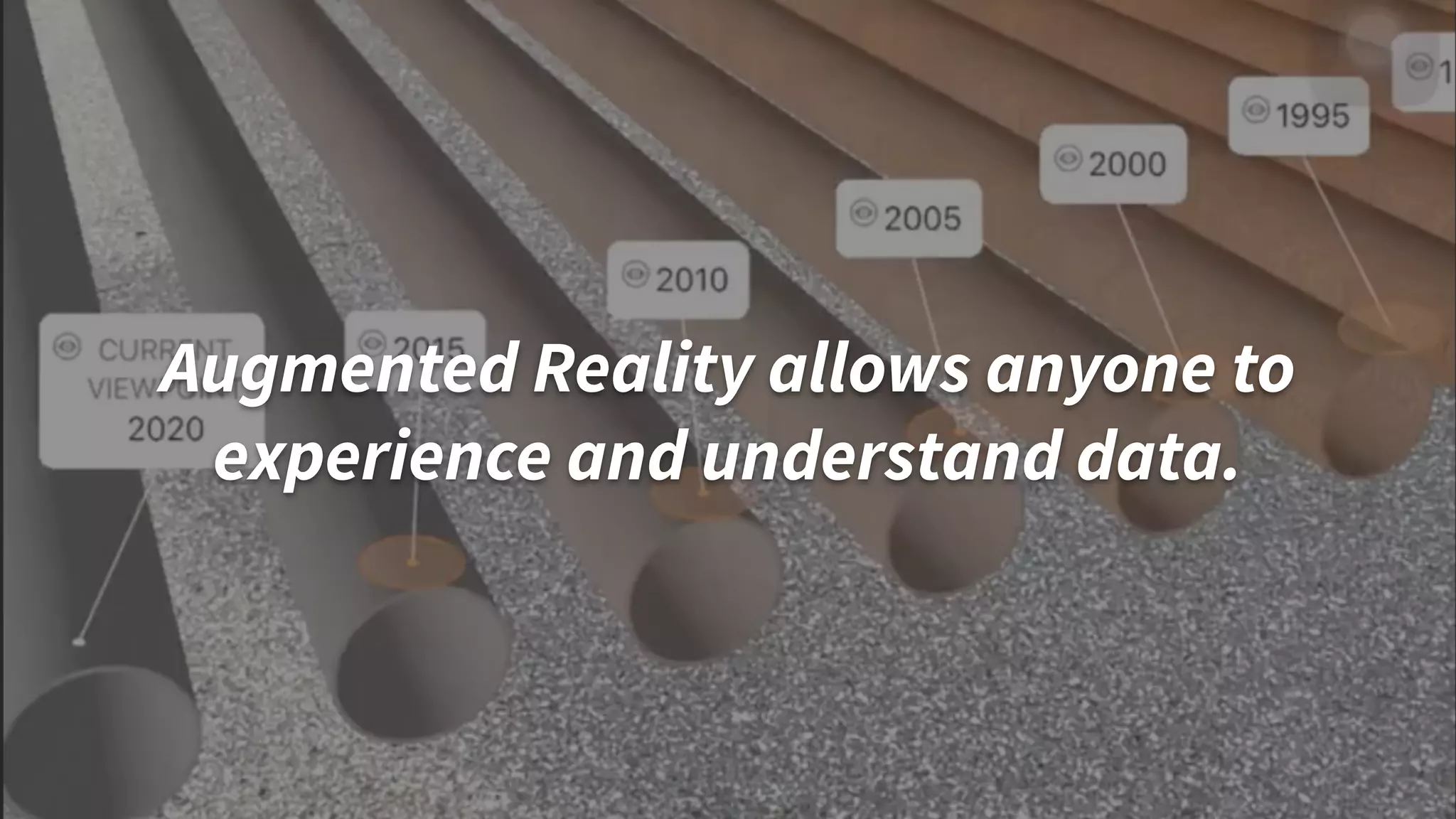
Augmented Reality allows anyone to
experience and understand data.
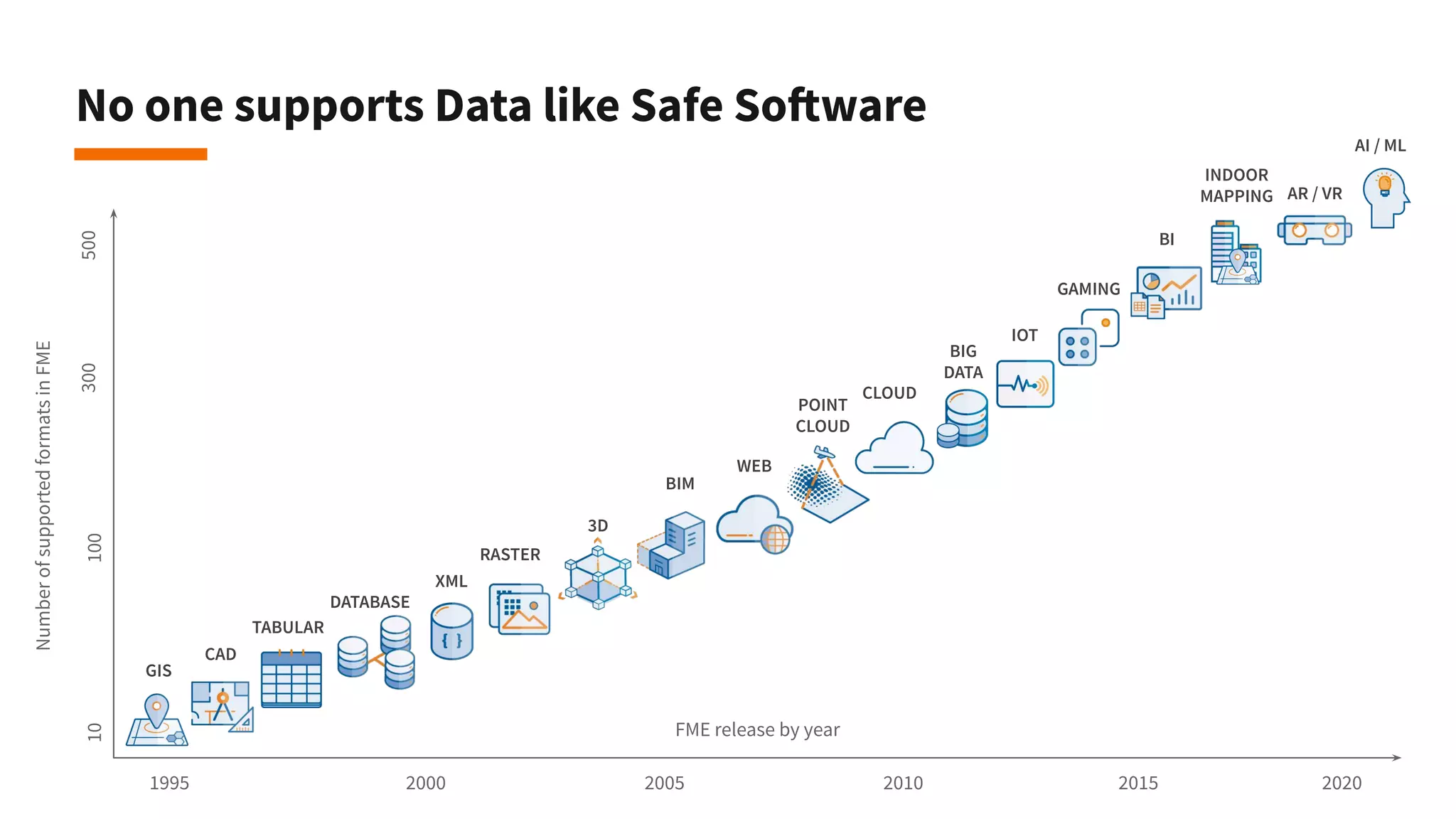
No one supports Data like Safe Software
CAD
GIS
FME release by year
NumberofsupportedformatsinFME
1995
10500100300
20202015201020052000
TABULAR
DATABASE
RASTER
POINT
CLOUD
BIM
3D
WEB
XML
CLOUD
BIG
DATA
IOT
BI
AR / VR
AI / ML
INDOOR
MAPPING
GAMING
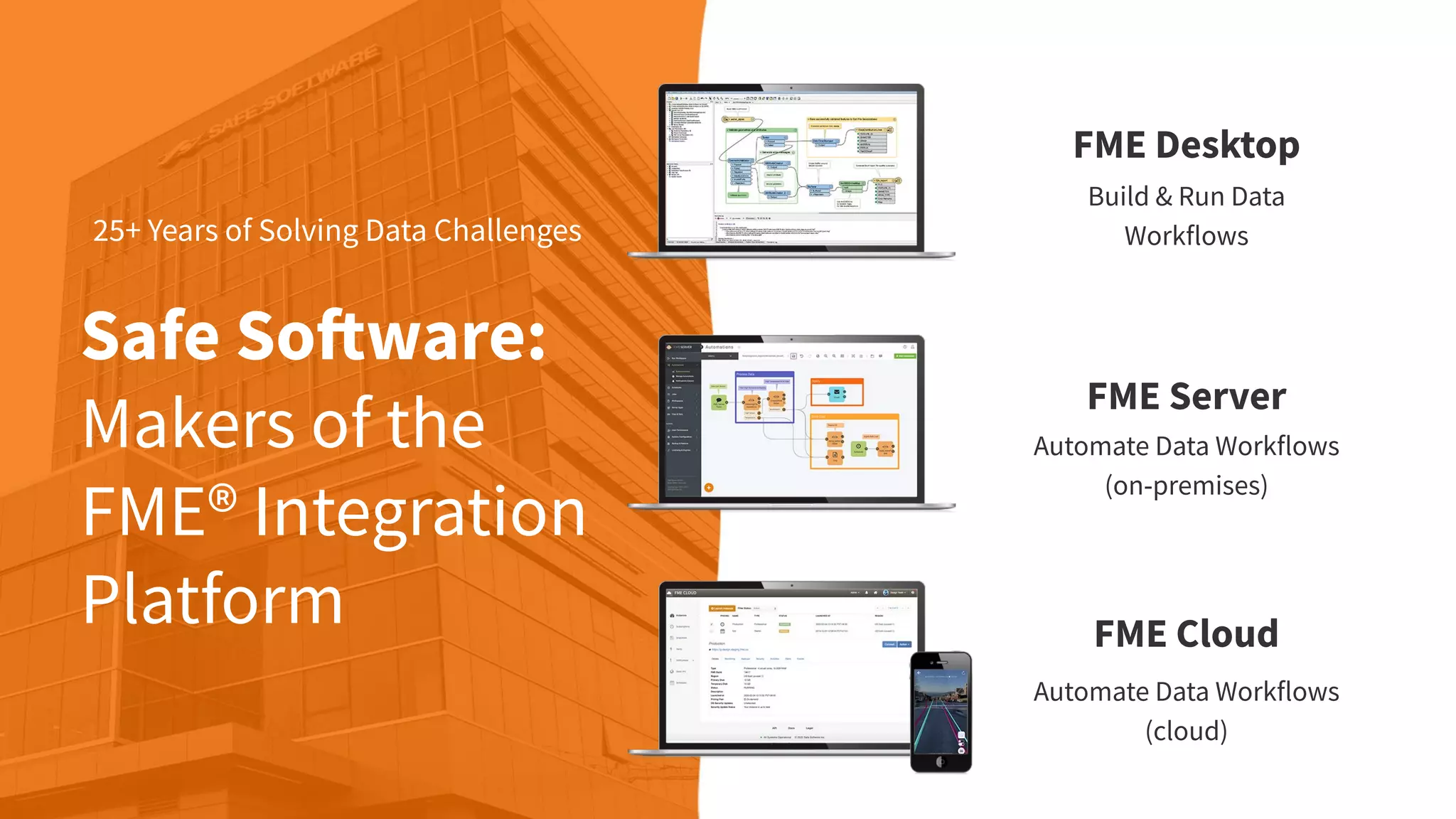
Safe Software:
Makers of the
FME® Integration
Platform
25+ Years of Solving Data Challenges
FME Desktop
Build & Run Data
Workflows
FME Server
Automate Data Workflows
(on-premises)
FME Cloud
Automate Data Workflows
(cloud)
FME Mobile Apps
Access the power of FME
wherever you are.
● FME AR
● FME Data Express
Augmented Reality
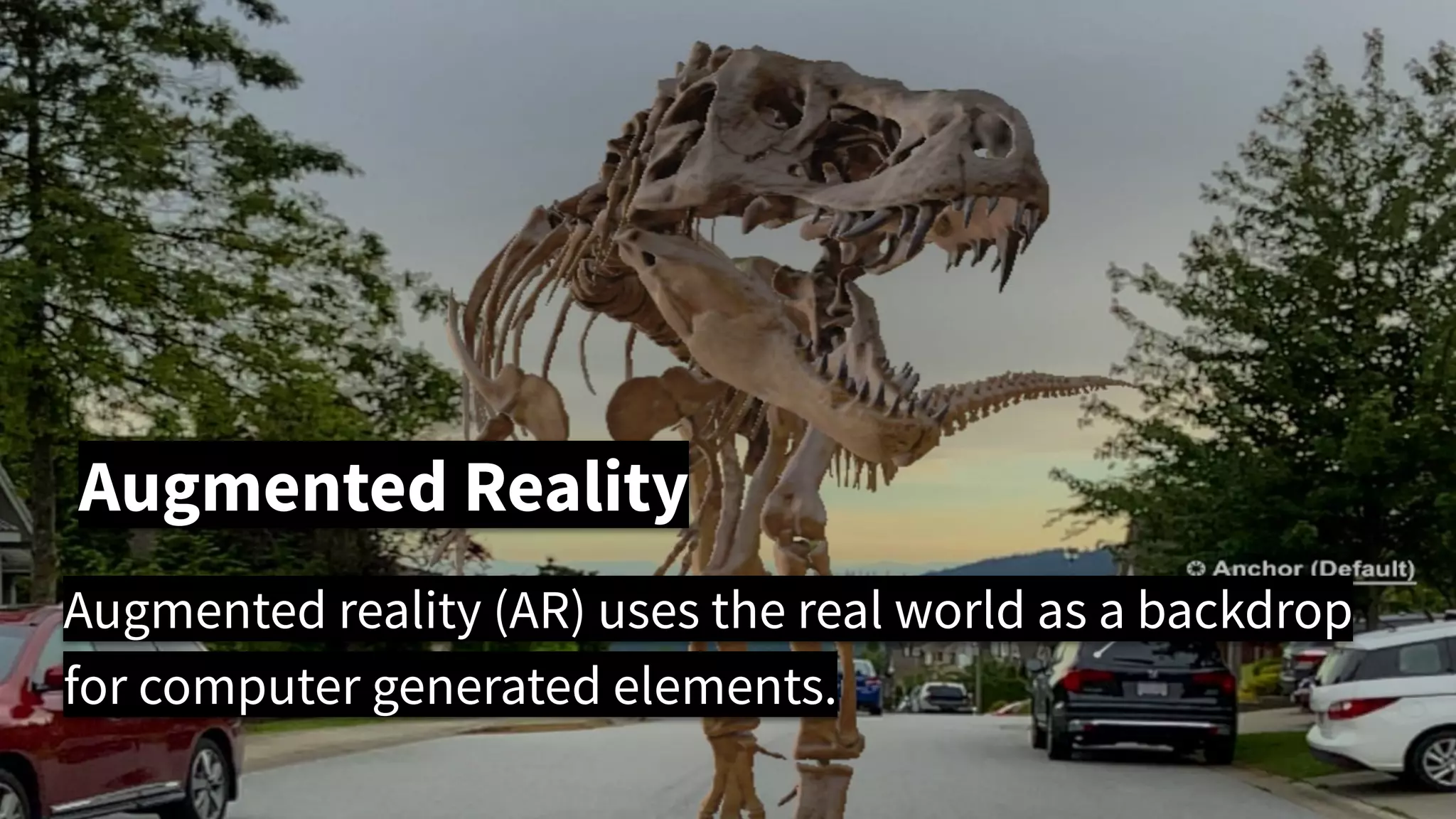
Augmented reality (AR) uses the real world as a backdrop
for computer generated elements.
Why Augmented Reality?
There is great value in bringing your data into AR:
● It’s easily available through phones and computers
● See invisible objects (like underground assets)
● “Experience data” in the context of the real world
○ See design problems and discrepancies
○ Rich look at the data - realistic or totally artificial
● Technology is getting better and better.
Augmented Reality: State of the Art
The technology is still developing. Some issues include
● GPS precision
● Indoor navigation
● Model stability
● Blending with real world
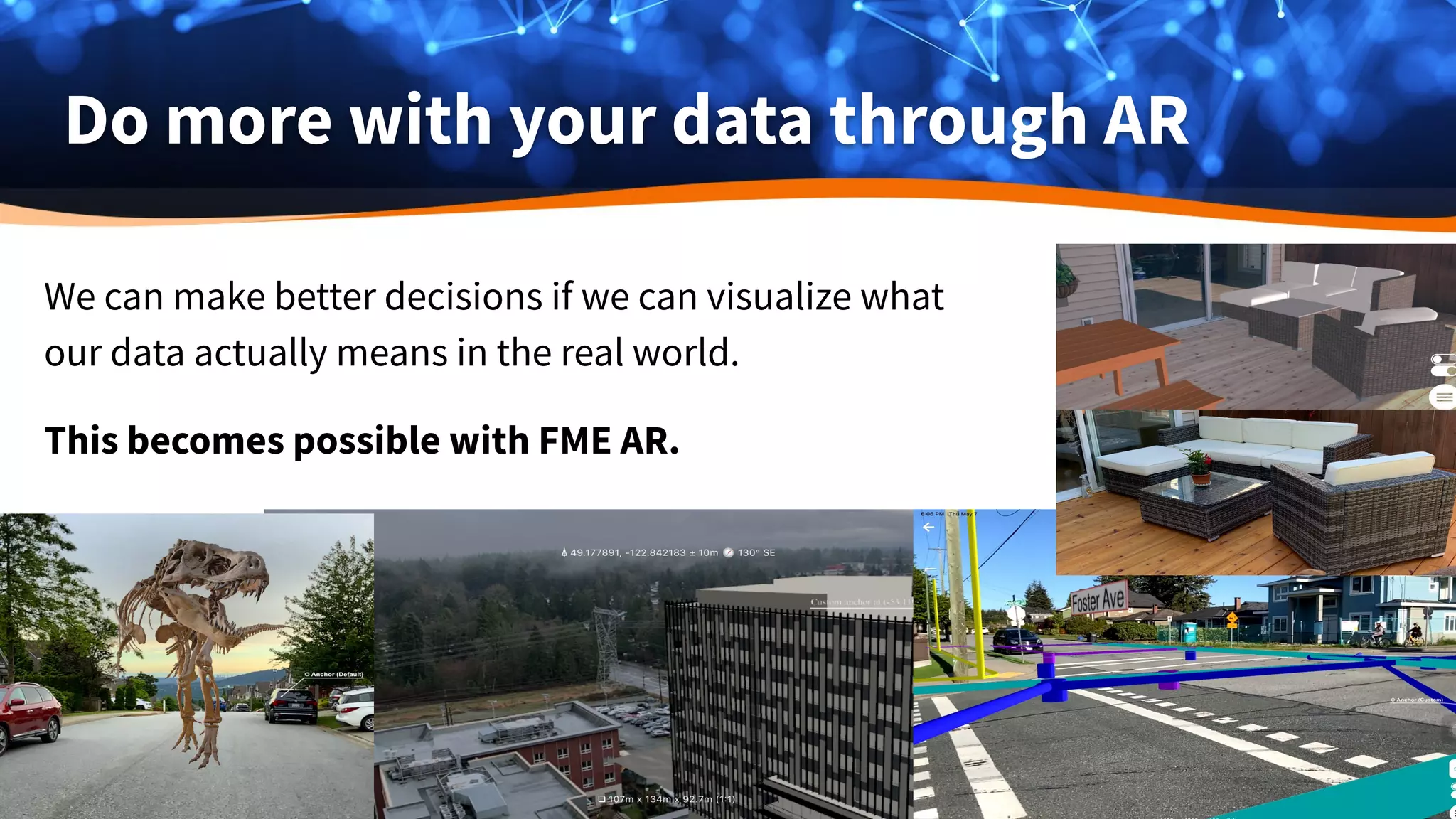
Do more with your data through AR
We can make better decisions if we can visualize what
our data actually means in the real world.
This becomes possible with FME AR.
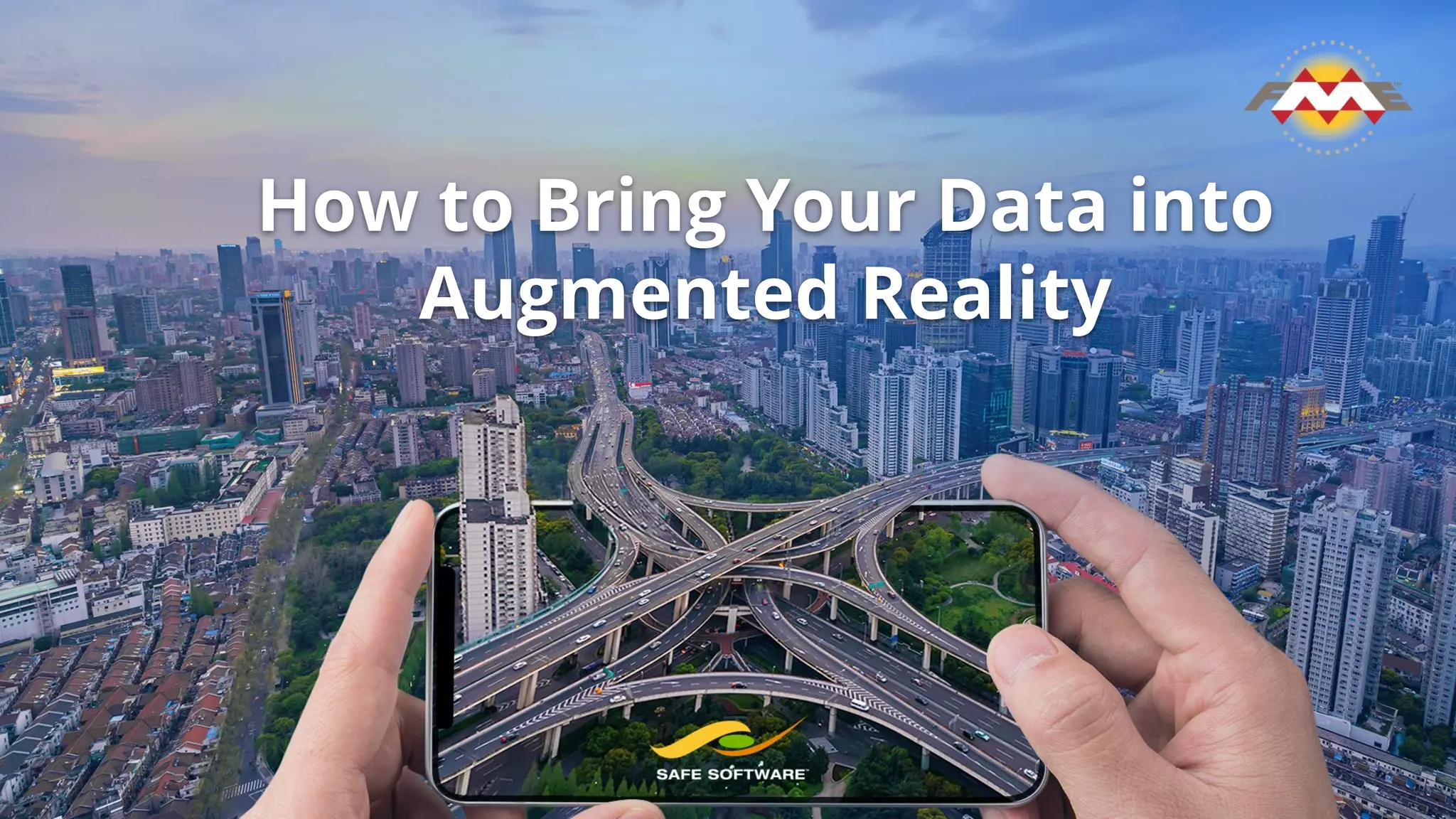
How to Bring Your Data into
Augmented Reality
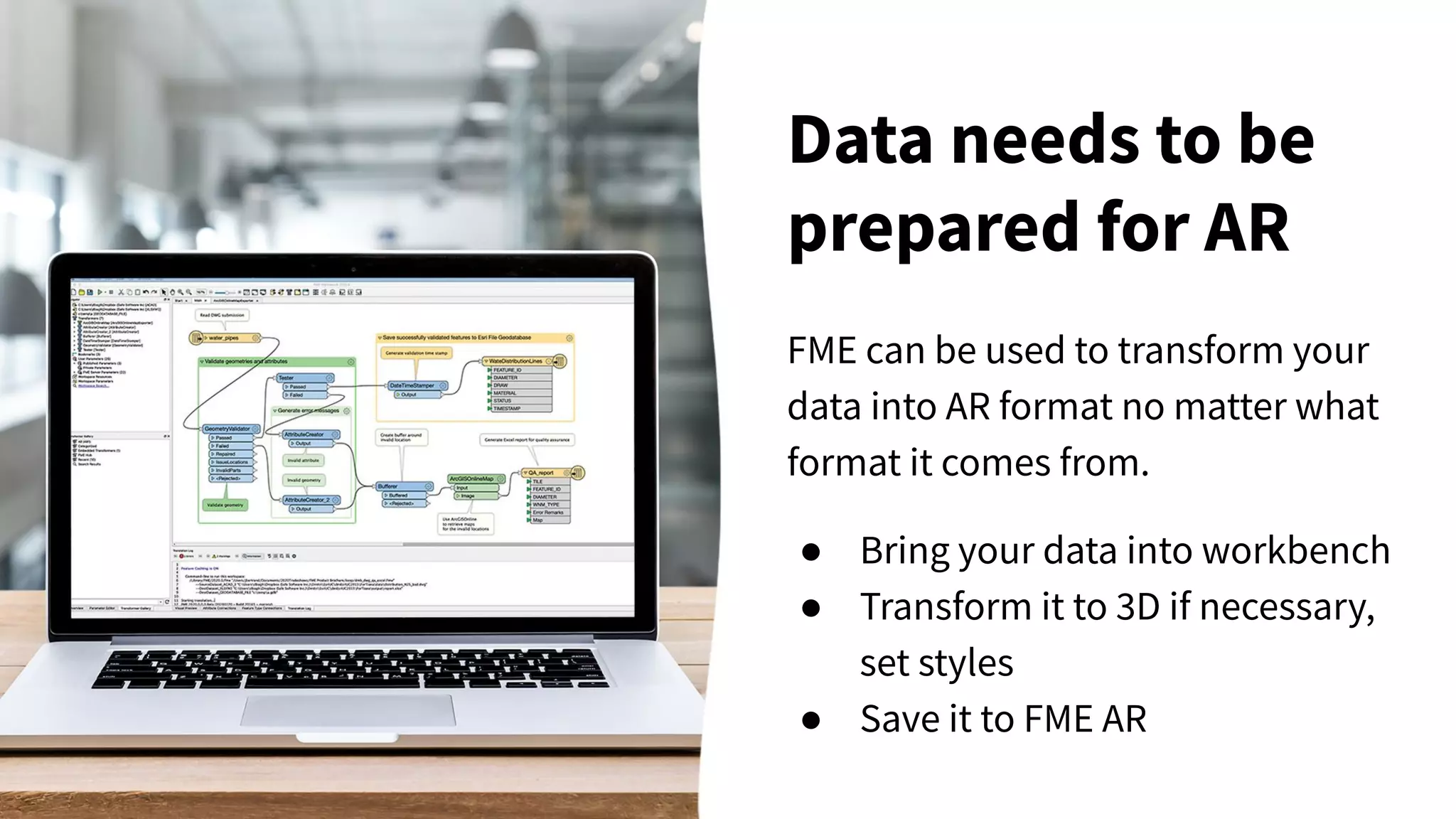
FME can be used to transform your
data into AR format no matter what
format it comes from.
● Bring your data into workbench
● Transform it to 3D if necessary,
set styles
● Save it to FME AR
Data needs to be
prepared for AR
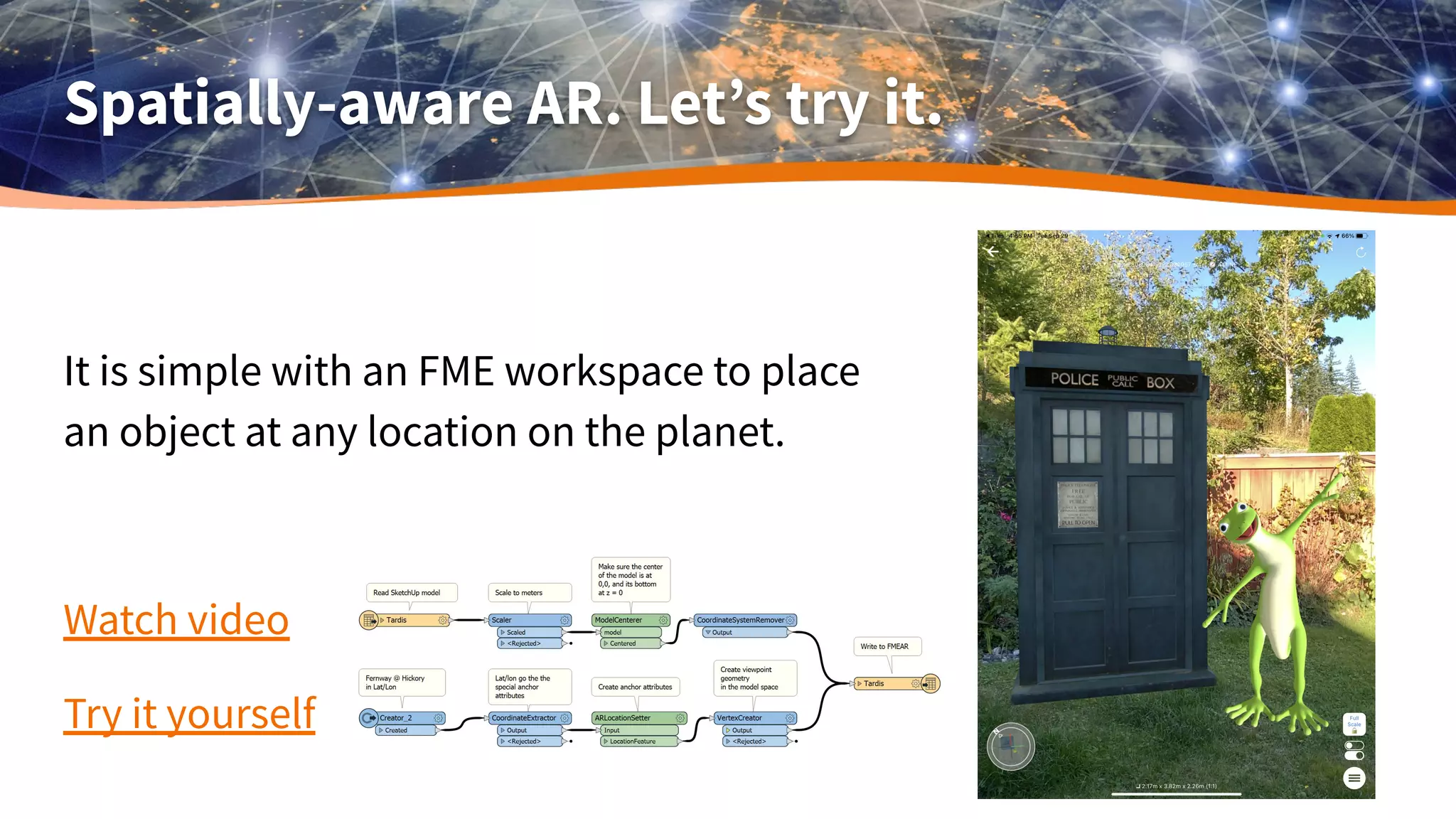
Spatially-aware AR. Let’s try it.
It is simple with an FME workspace to place
an object at any location on the planet.
Watch video
Try it yourself
Location-based AR on demand
What if we need AR data that is:
● Up-to-date
● Relevant to a particular location
● Available in the field
● Created and and delivered on-demand
FME Data Express
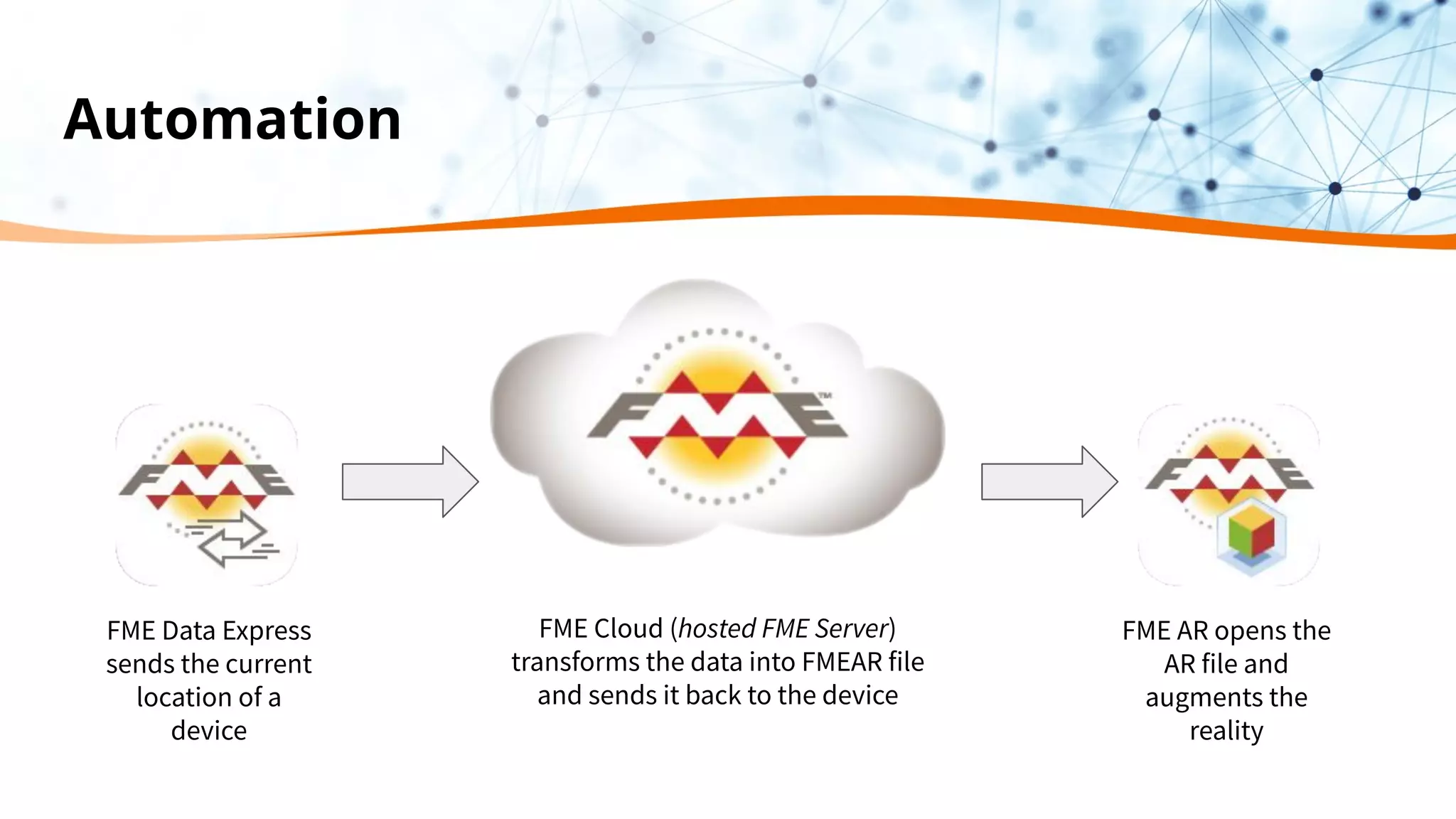
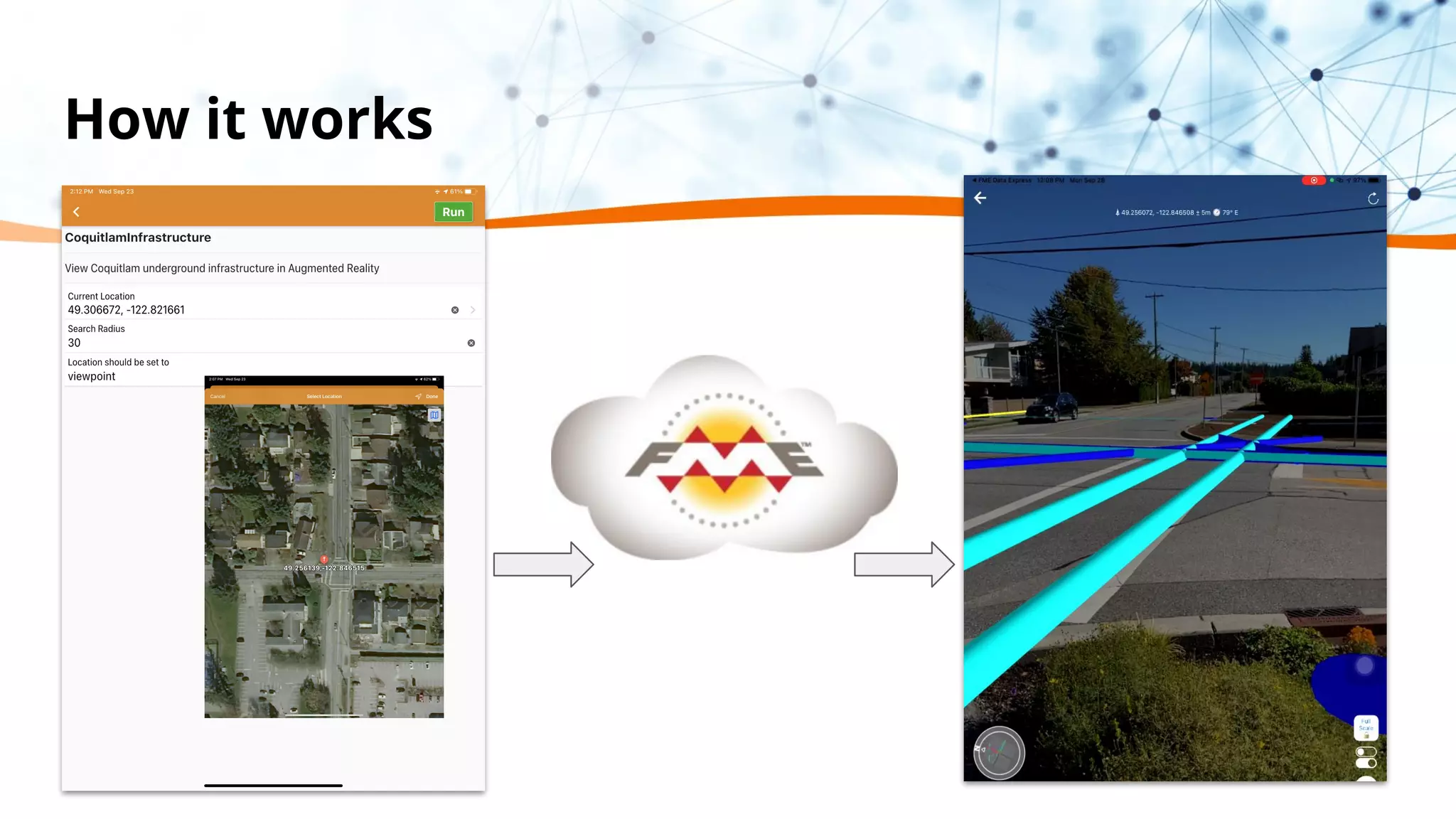
sends the current
location of a
device
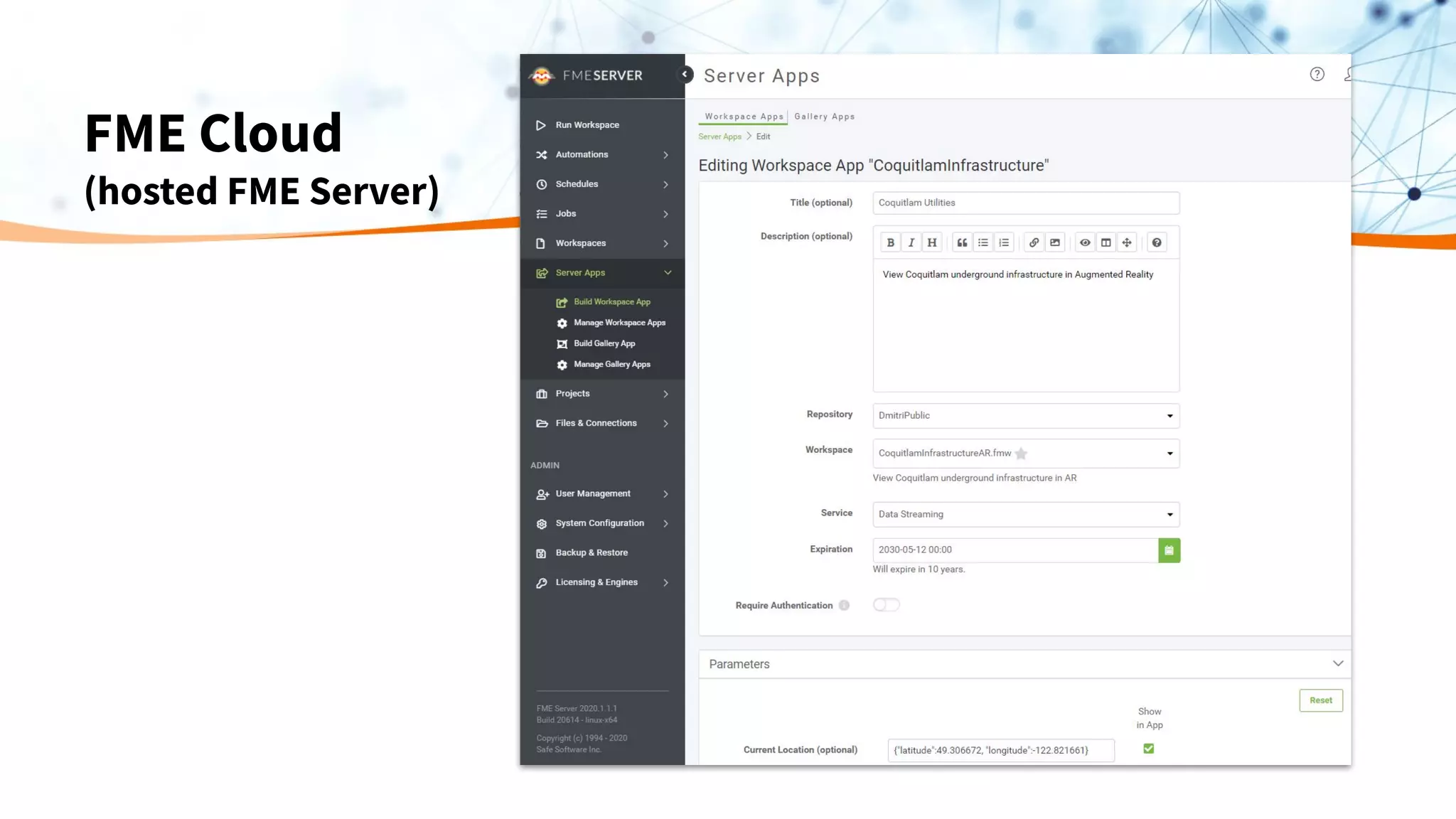
FME Cloud (hosted FME Server)
transforms the data into FMEAR file
and sends it back to the device
FME AR opens the
AR file and
augments the
reality
Automation
Prepare AR models on demand
Set Up
● Prepare the workspace that includes:
○ Reading data in any format(s) around submitted location
○ Transforming (2D to 3D, setting styles, scaling);
○ Saving as an AR model.
NO CONVERSION AT THIS POINT
● Upload the workspace to FME Cloud.
Workflow
● Create the model in FME Cloud for the location sent by mobile device through FME Data Express
● Stream the model to FME AR app (or just open pre-created models).
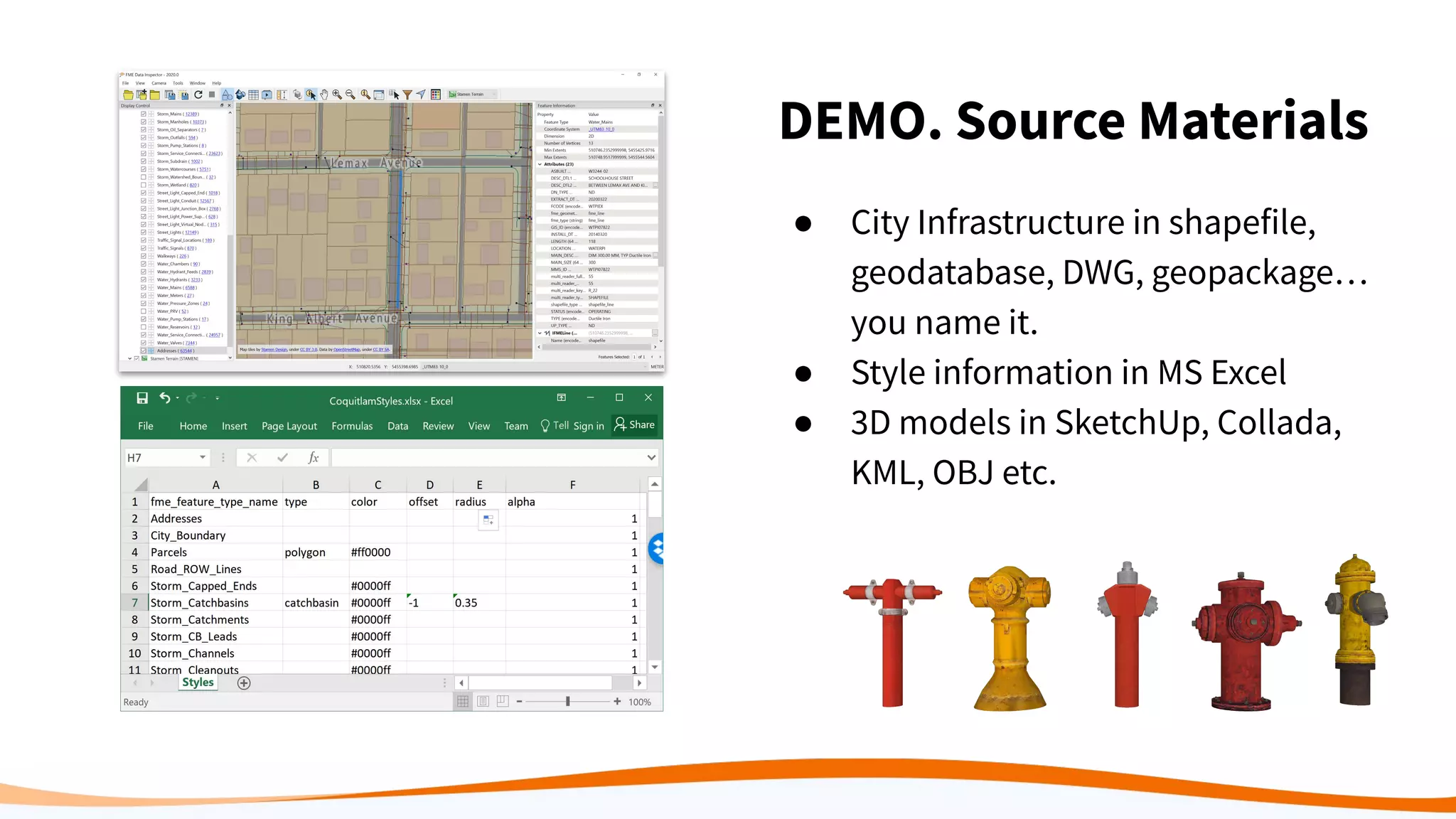
DEMO. Source Materials
● City Infrastructure in shapefile,
geodatabase, DWG, geopackage…
you name it.
● Style information in MS Excel
● 3D models in SketchUp, Collada,
KML, OBJ etc.
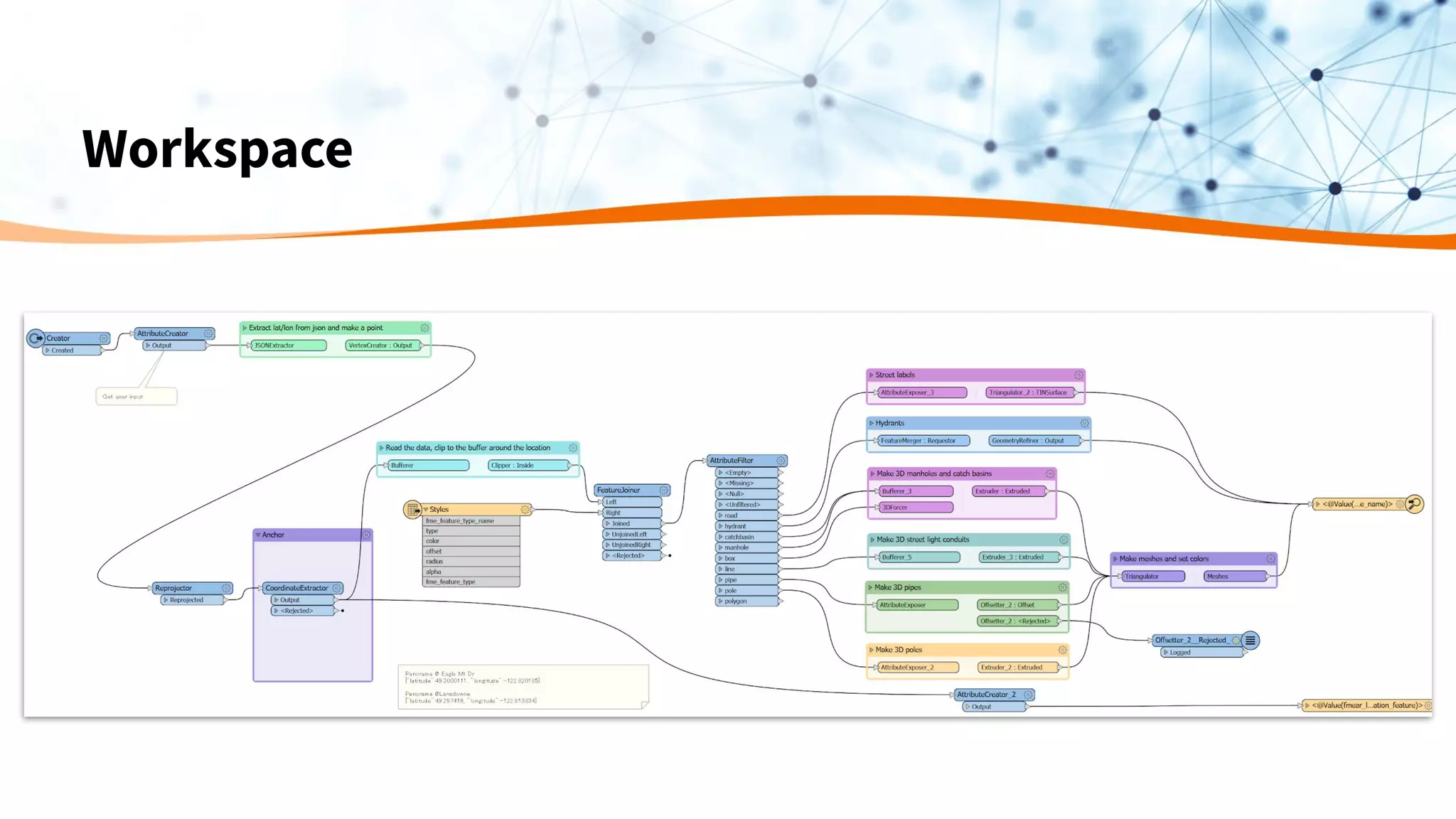
Workspace
FME Cloud
(hosted FME Server)
How it works
Results
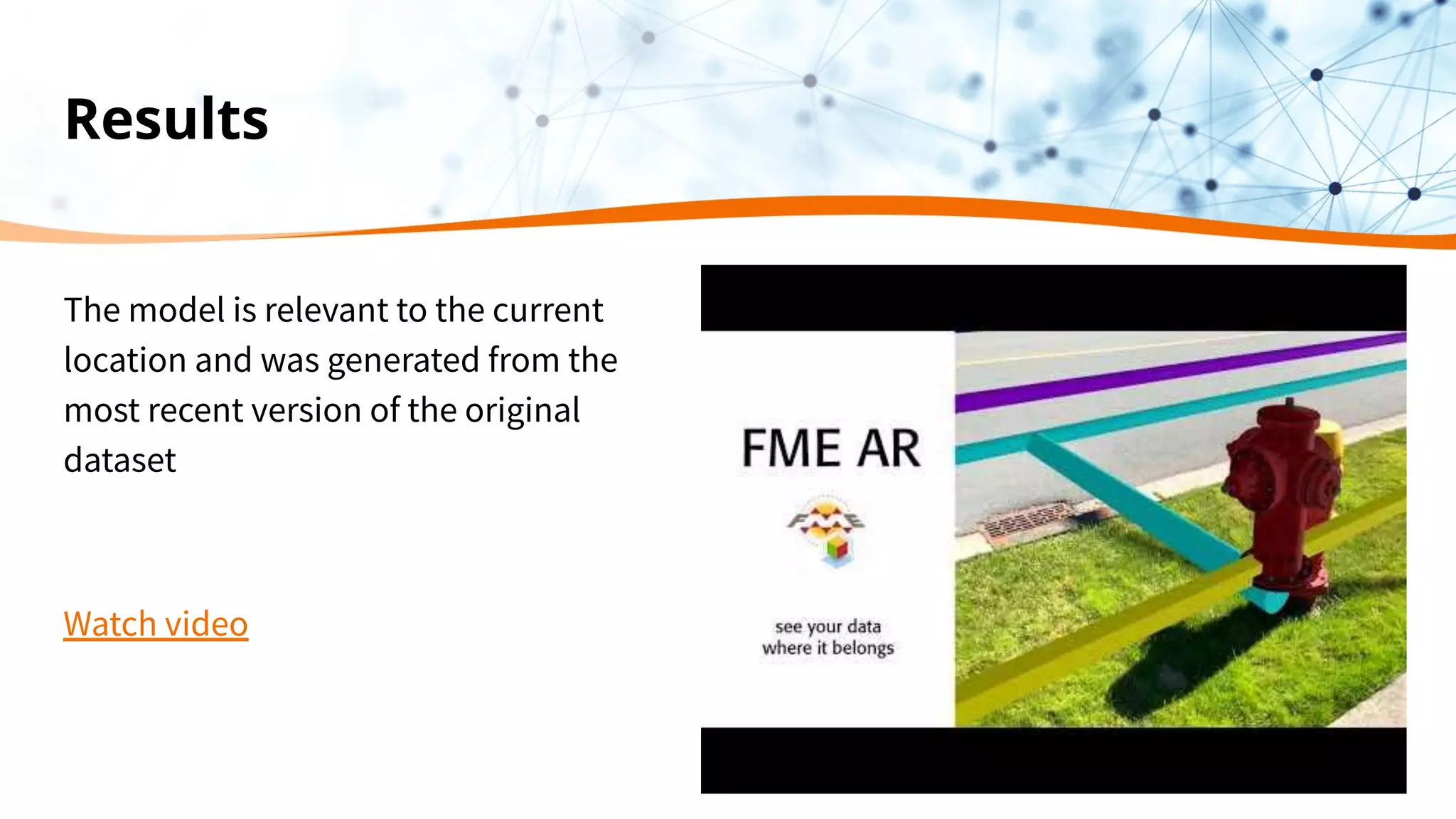
The model is relevant to the current
location and was generated from the
most recent version of the original
dataset
Watch video
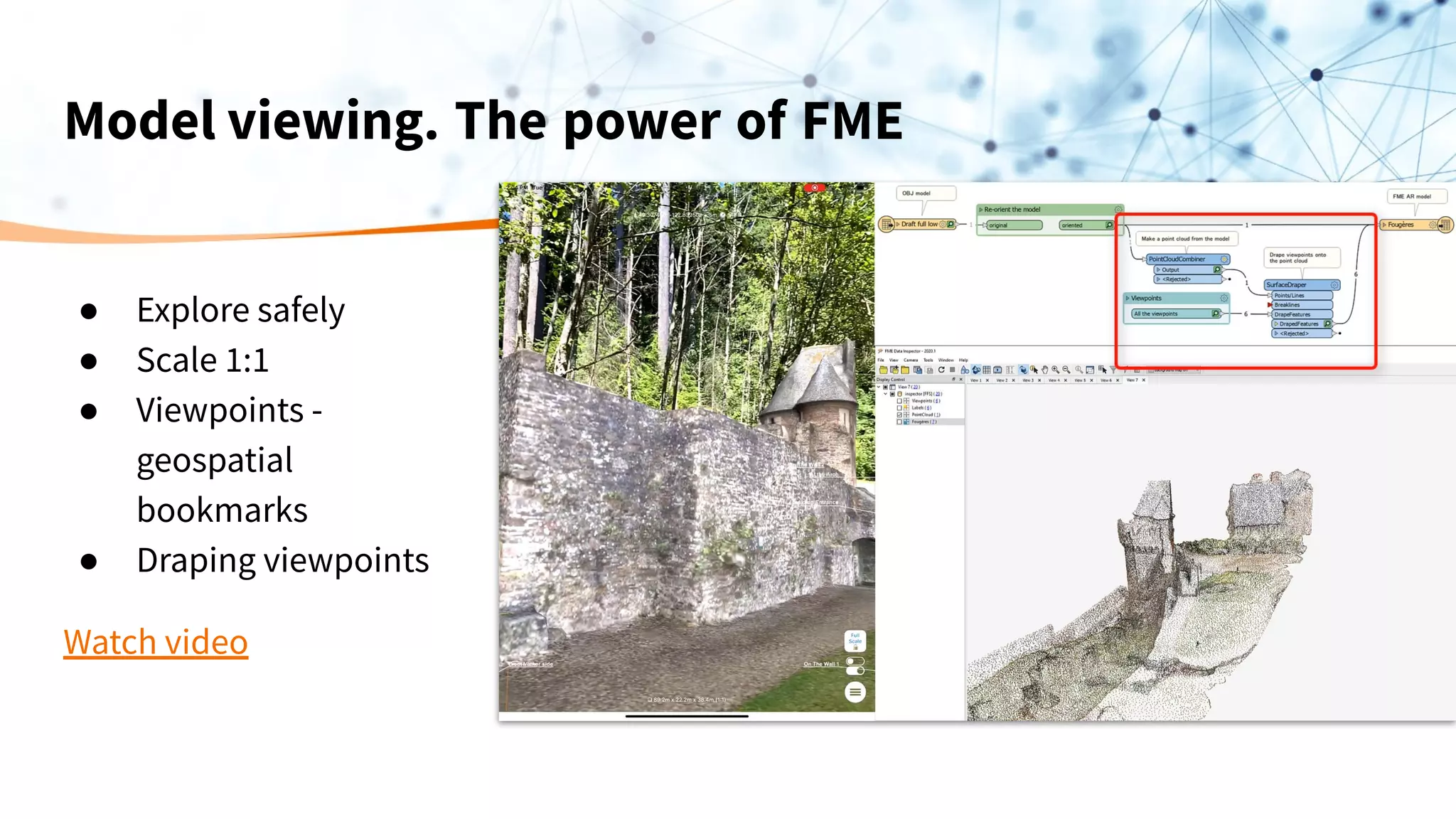
Model viewing. The power of FME
● Explore safely
● Scale 1:1
● Viewpoints -
geospatial
bookmarks
● Draping viewpoints
Watch video
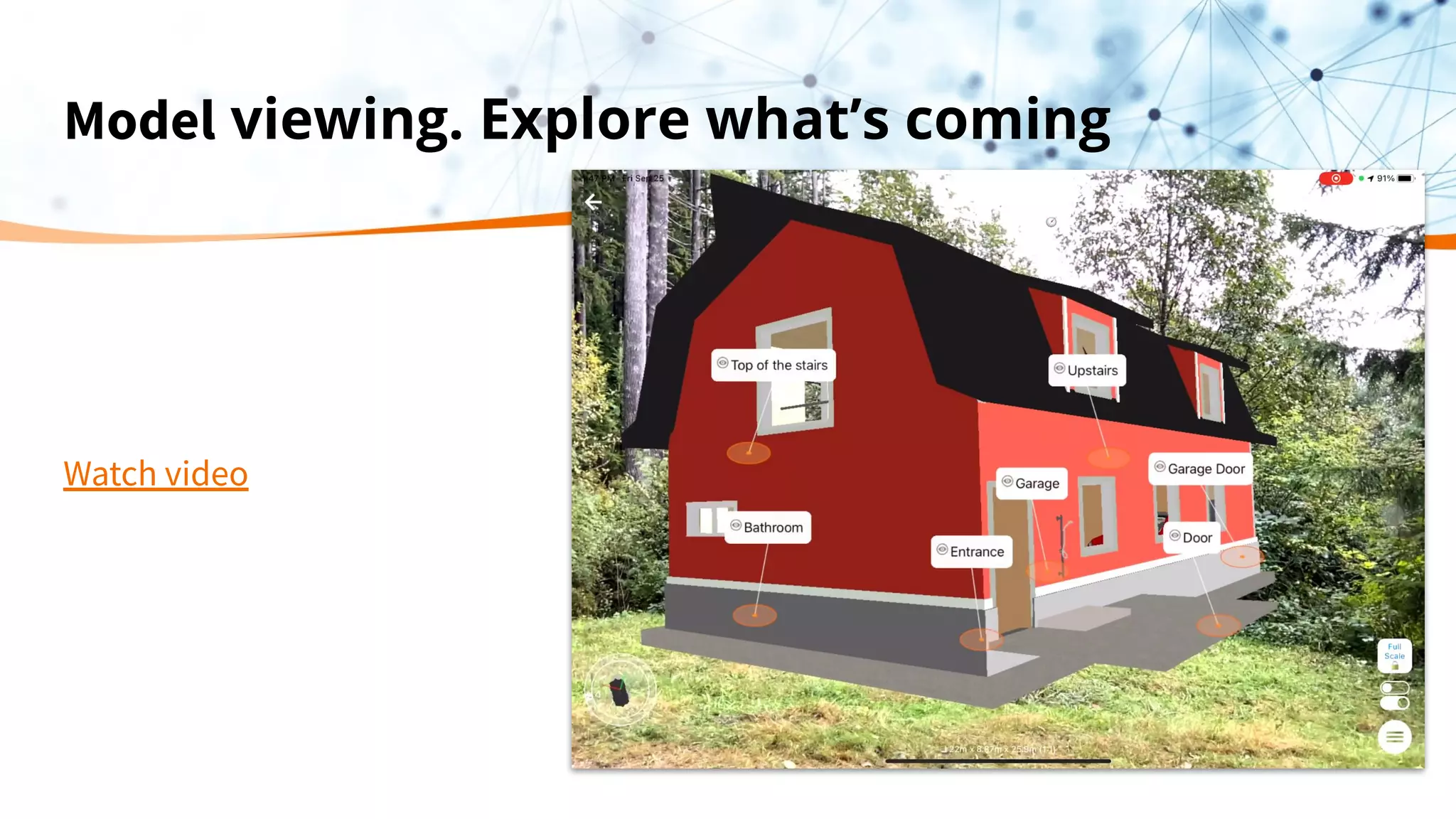
Model viewing. Explore what’s coming
Watch video
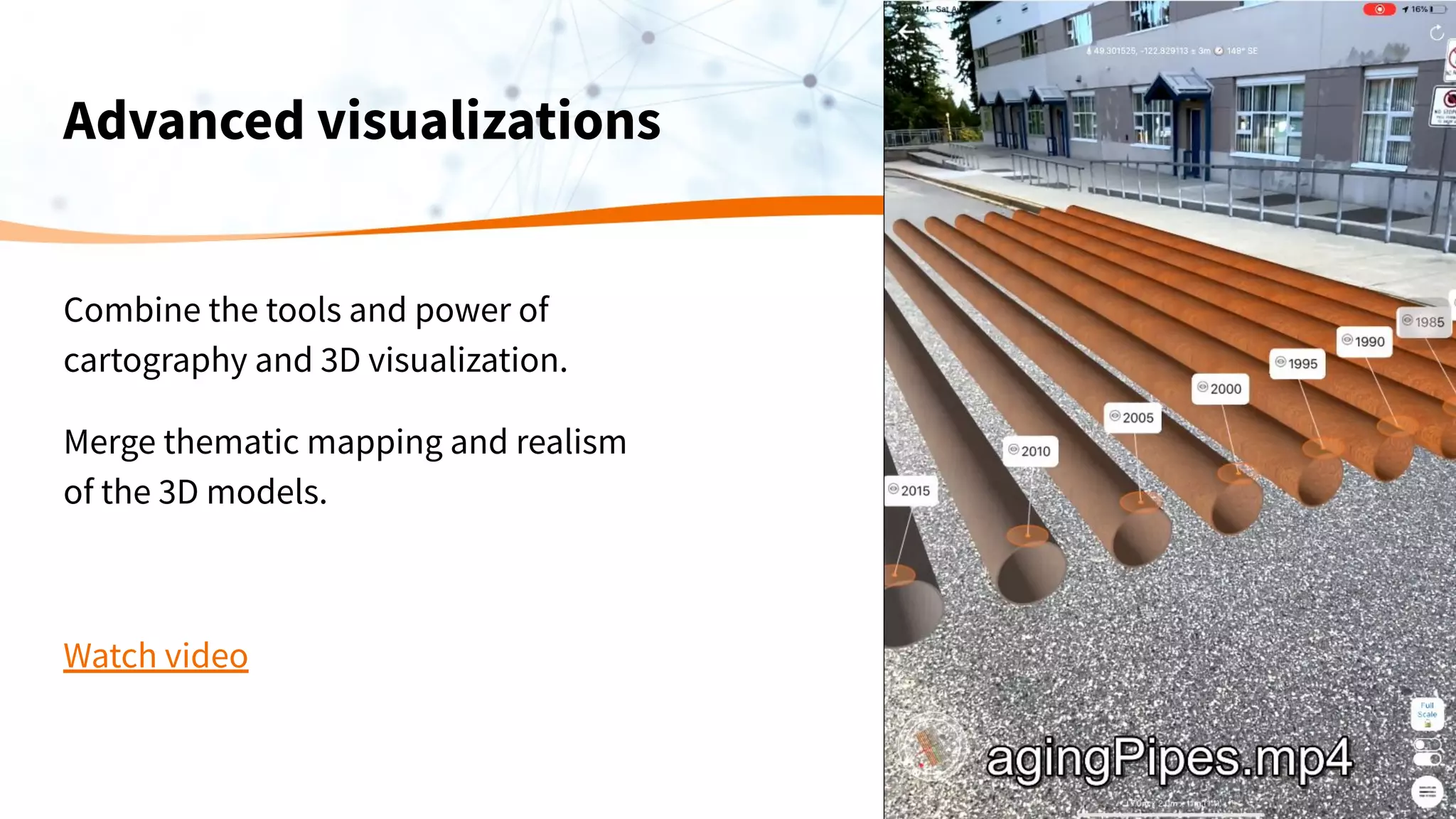
Advanced visualizations
Combine the tools and power of
cartography and 3D visualization.
Merge thematic mapping and realism
of the 3D models.
Watch video
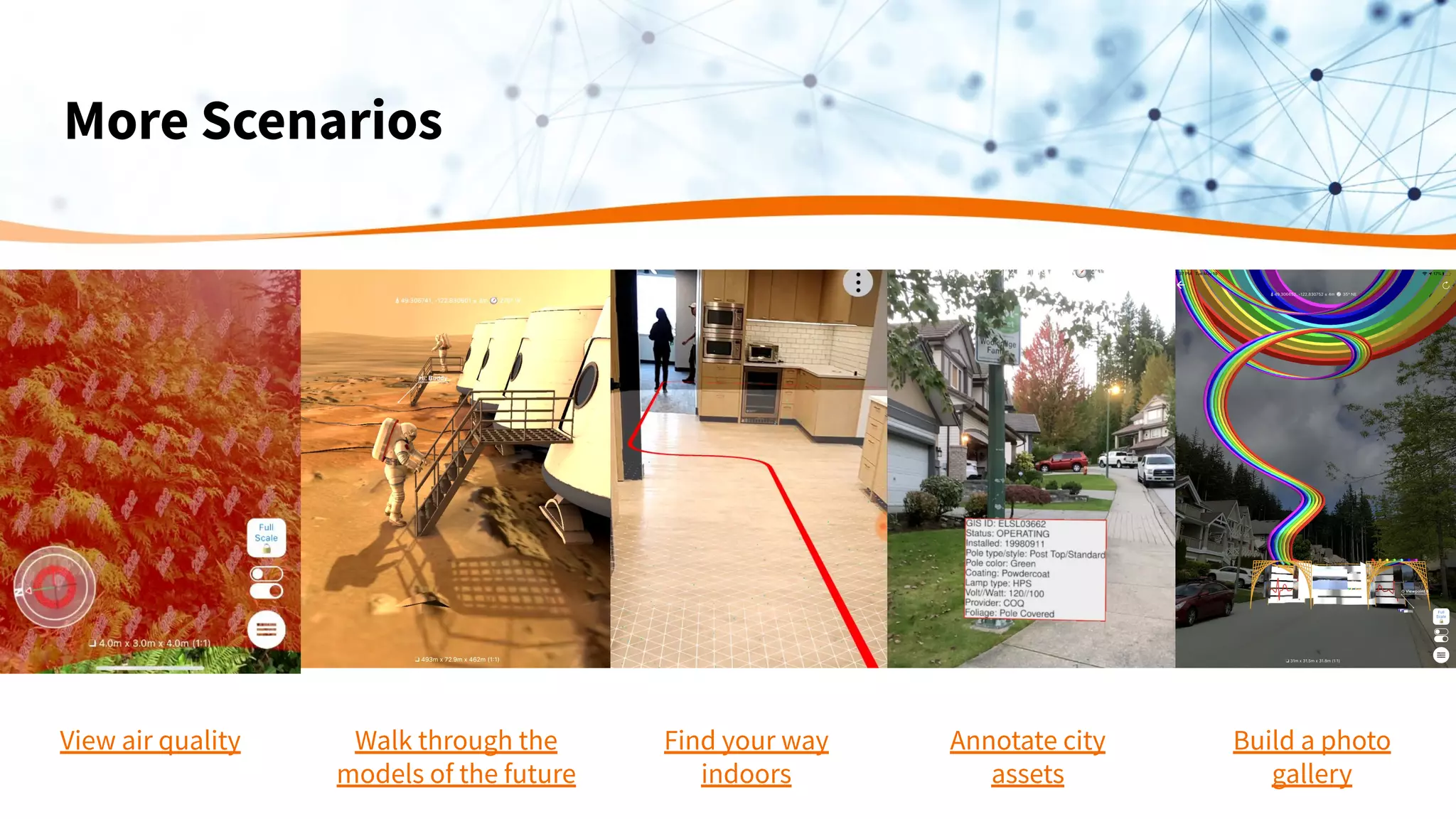
More Scenarios
View air quality Walk through the
models of the future
Find your way
indoors
Annotate city
assets
Build a photo
gallery
Don’t just look
at your data,
experience it.
You can be more productive
and focus on the work that
matters when your data is
visually layed out in front of
you and easy to understand.
Resources:
Blogs:
Visualizing Data with Location-based Augmented Reality
Preserving the History of Amache Using AR & Virtual Worlds
5 Ways to View Your Data in Augmented Reality
FME Free Trial
safe.com/trial
Or talk to me directly
dmitri@safe.com
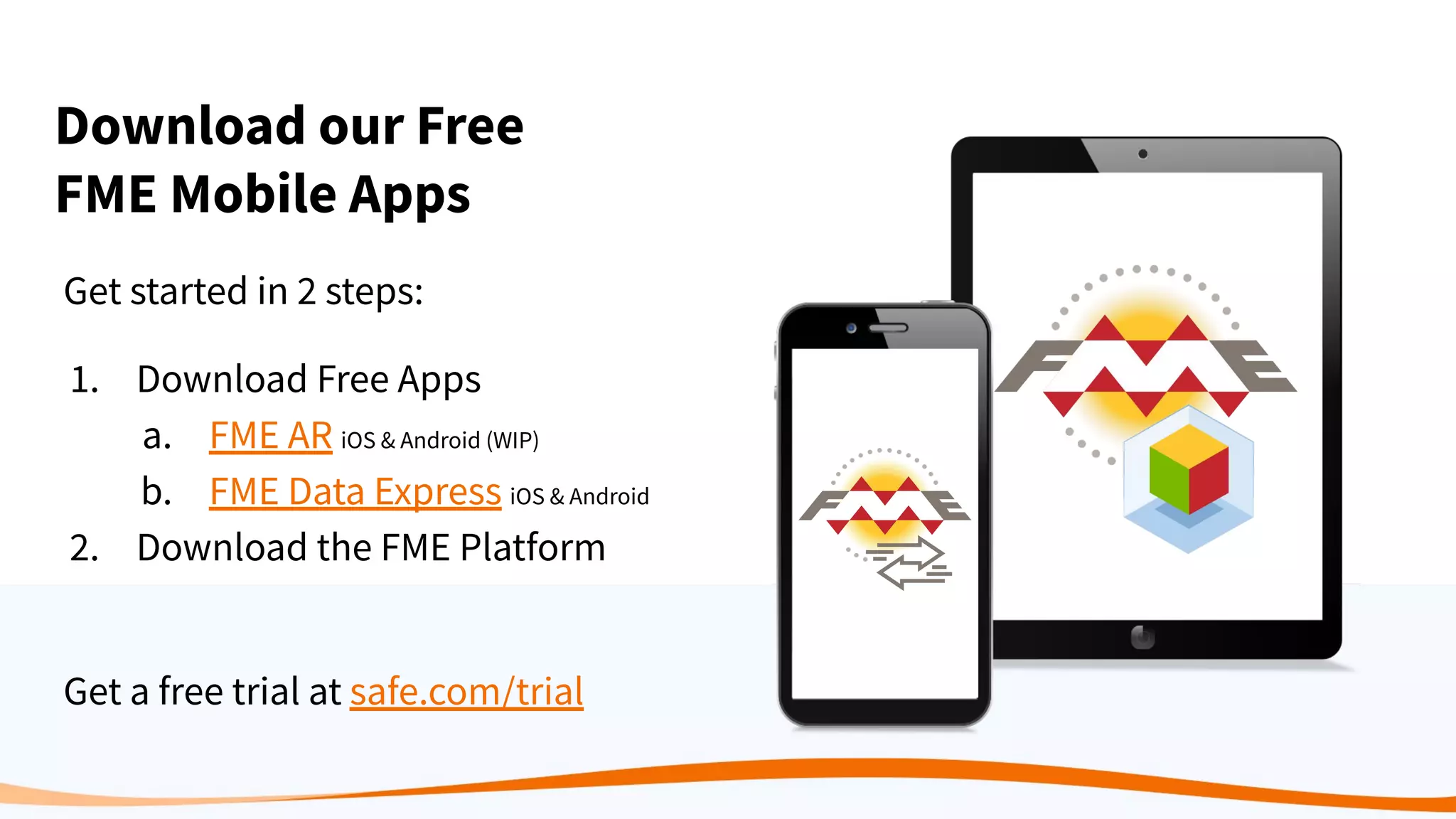
Download our Free
FME Mobile Apps
Get started in 2 steps:
1. Download Free Apps
a. FME AR iOS & Android (WIP)
b. FME Data Express iOS & Android
2. Download the FME Platform
Get a free trial at safe.com/trial
Thank you!
Questions?
Ask them in the
GoToWebinar Control Panel
For a free trial of FME visit safe.com/trial

Data in the Real World: FME AR and FME Data Express

  • 1.
    Data in theReal-World: FME AR and FME Data Express
  • 2.
    Meet the Presenters DmitriBagh Scenario Creation Analyst Don Murray Co-Founder
  • 3.
    Agenda ● Intro toSafe Software & the FME Platform ● Why Augmented Reality? ● How to Bring Your Data Into Augmented Reality ○ Demos: FME AR ■ Simple model ■ City Assets ■ Model viewing ■ Advanced visualizations ● Live Q&A
  • 4.
    Our Mission To helpyou maximize the value of data.
  • 5.
    Augmented Reality allowsanyone to experience and understand data.
  • 6.
    No one supportsData like Safe Software CAD GIS FME release by year NumberofsupportedformatsinFME 1995 10500100300 20202015201020052000 TABULAR DATABASE RASTER POINT CLOUD BIM 3D WEB XML CLOUD BIG DATA IOT BI AR / VR AI / ML INDOOR MAPPING GAMING
  • 7.
    Safe Software: Makers ofthe FME® Integration Platform 25+ Years of Solving Data Challenges FME Desktop Build & Run Data Workflows FME Server Automate Data Workflows (on-premises) FME Cloud Automate Data Workflows (cloud)
  • 8.
    FME Mobile Apps Accessthe power of FME wherever you are. ● FME AR ● FME Data Express
  • 9.
    Augmented Reality Augmented reality(AR) uses the real world as a backdrop for computer generated elements.
  • 10.
    Why Augmented Reality? Thereis great value in bringing your data into AR: ● It’s easily available through phones and computers ● See invisible objects (like underground assets) ● “Experience data” in the context of the real world ○ See design problems and discrepancies ○ Rich look at the data - realistic or totally artificial ● Technology is getting better and better.
  • 11.
    Augmented Reality: Stateof the Art The technology is still developing. Some issues include ● GPS precision ● Indoor navigation ● Model stability ● Blending with real world
  • 12.
    Do more withyour data through AR We can make better decisions if we can visualize what our data actually means in the real world. This becomes possible with FME AR.
  • 13.
    How to BringYour Data into Augmented Reality
  • 14.
    FME can beused to transform your data into AR format no matter what format it comes from. ● Bring your data into workbench ● Transform it to 3D if necessary, set styles ● Save it to FME AR Data needs to be prepared for AR
  • 15.
    Spatially-aware AR. Let’stry it. It is simple with an FME workspace to place an object at any location on the planet. Watch video Try it yourself
  • 16.
    Location-based AR ondemand What if we need AR data that is: ● Up-to-date ● Relevant to a particular location ● Available in the field ● Created and and delivered on-demand
  • 17.
    FME Data Express sendsthe current location of a device FME Cloud (hosted FME Server) transforms the data into FMEAR file and sends it back to the device FME AR opens the AR file and augments the reality Automation
  • 18.
    Prepare AR modelson demand Set Up ● Prepare the workspace that includes: ○ Reading data in any format(s) around submitted location ○ Transforming (2D to 3D, setting styles, scaling); ○ Saving as an AR model. NO CONVERSION AT THIS POINT ● Upload the workspace to FME Cloud. Workflow ● Create the model in FME Cloud for the location sent by mobile device through FME Data Express ● Stream the model to FME AR app (or just open pre-created models).
  • 19.
    DEMO. Source Materials ●City Infrastructure in shapefile, geodatabase, DWG, geopackage… you name it. ● Style information in MS Excel ● 3D models in SketchUp, Collada, KML, OBJ etc.
  • 20.
  • 21.
  • 22.
  • 23.
    Results The model isrelevant to the current location and was generated from the most recent version of the original dataset Watch video
  • 24.
    Model viewing. Thepower of FME ● Explore safely ● Scale 1:1 ● Viewpoints - geospatial bookmarks ● Draping viewpoints Watch video
  • 25.
    Model viewing. Explorewhat’s coming Watch video
  • 26.
    Advanced visualizations Combine thetools and power of cartography and 3D visualization. Merge thematic mapping and realism of the 3D models. Watch video
  • 27.
    More Scenarios View airquality Walk through the models of the future Find your way indoors Annotate city assets Build a photo gallery
  • 28.
    Don’t just look atyour data, experience it. You can be more productive and focus on the work that matters when your data is visually layed out in front of you and easy to understand.
  • 29.
    Resources: Blogs: Visualizing Data withLocation-based Augmented Reality Preserving the History of Amache Using AR & Virtual Worlds 5 Ways to View Your Data in Augmented Reality FME Free Trial safe.com/trial Or talk to me directly dmitri@safe.com
  • 30.
    Download our Free FMEMobile Apps Get started in 2 steps: 1. Download Free Apps a. FME AR iOS & Android (WIP) b. FME Data Express iOS & Android 2. Download the FME Platform Get a free trial at safe.com/trial
  • 31.
    Thank you! Questions? Ask themin the GoToWebinar Control Panel For a free trial of FME visit safe.com/trial