Download to read offline
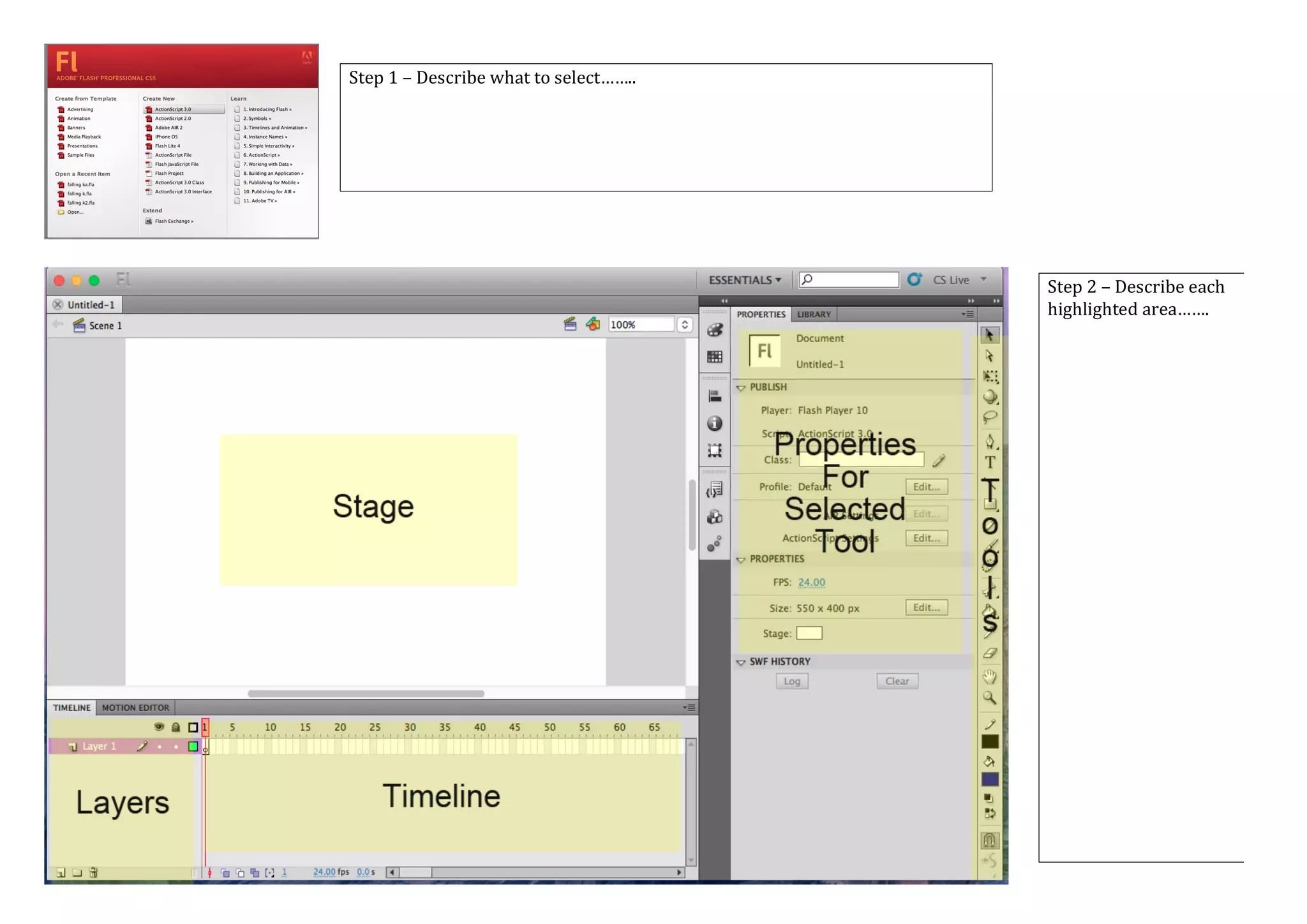
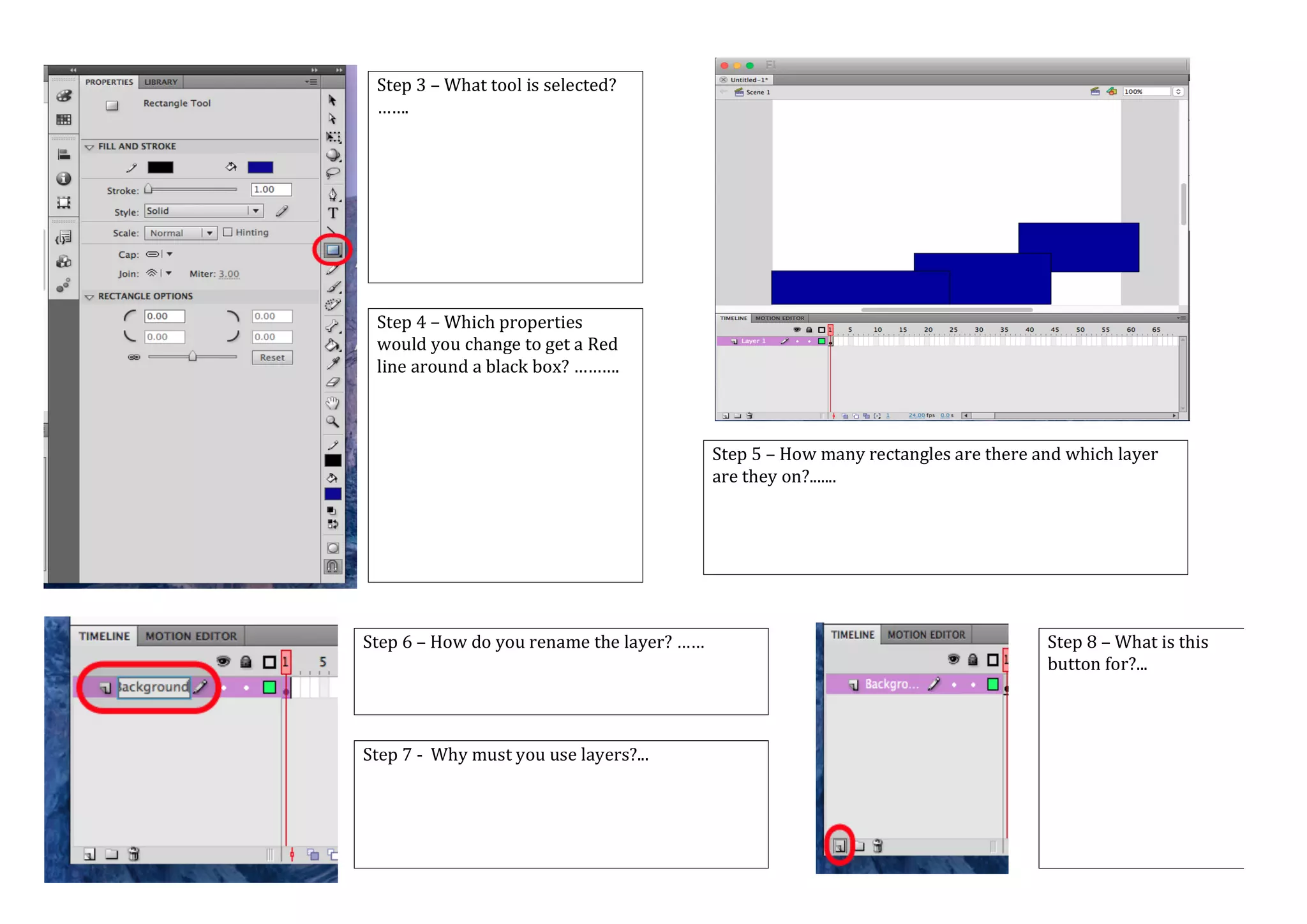
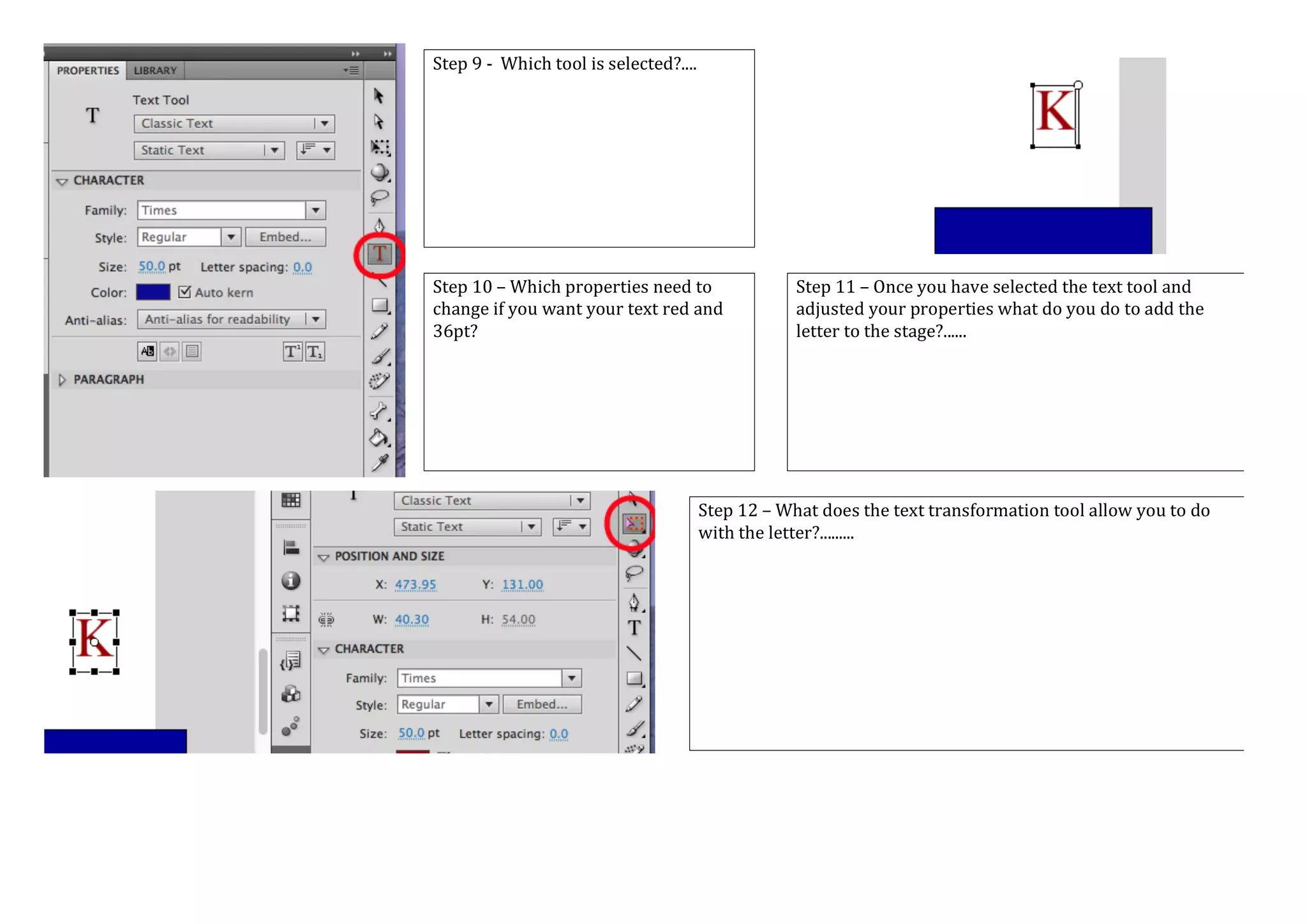
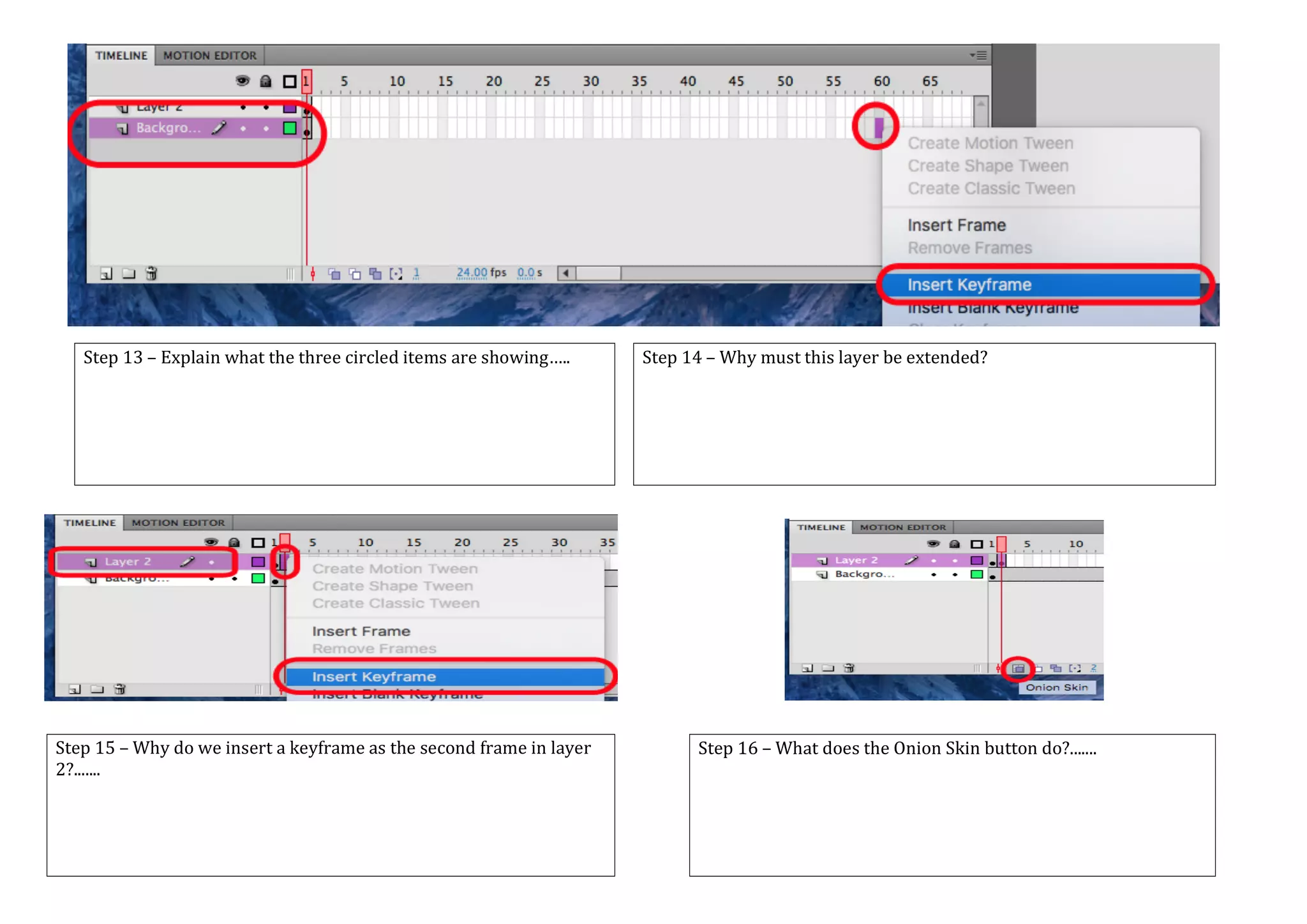


This document outlines 16 steps for using animation software. It describes selecting tools, adjusting properties for color and size, adding objects to layers on the stage, and using the timeline to insert keyframes and create motions between frames. Keywords are also defined related to the animation process, including terms like stage, tools, properties, layers, frames, and tweens.


![What are entrepreneurs_all_about[1]](https://cdn.slidesharecdn.com/ss_thumbnails/whatareentrepreneursallabout1-120531021746-phpapp02-thumbnail.jpg?width=640&height=640&fit=bounds)


