Firebase Introduction
Firebase in Flutter
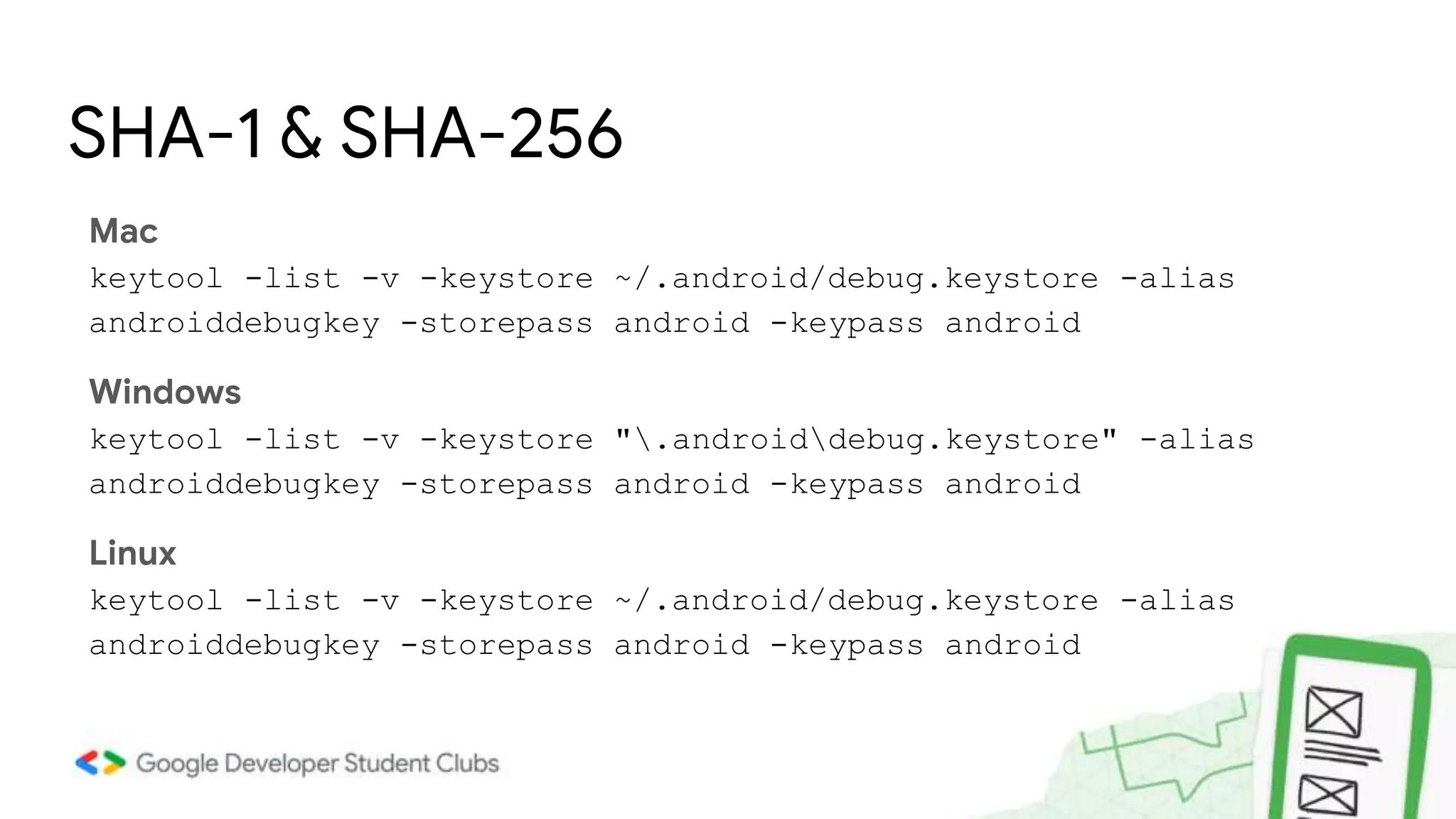
Mac
keytool -list -v -keystore ~/.android/debug.keystore -alias
androiddebugkey -storepass android -keypass android
Windows
keytool -list -v -keystore ".androiddebug.keystore" -alias
androiddebugkey -storepass android -keypass android
Linux
keytool -list -v -keystore ~/.android/debug.keystore -alias
androiddebugkey -storepass android -keypass android
SHA-1 & SHA-256
Firebase Firestore
• Cloud Firestore is a flexible, scalable database for mobile, web, and server
development from Firebase and Google Cloud.
• NoSQL cloud database to store and sync data for client- and server-side
development.
Firestore Introduction
Firebase Firestore
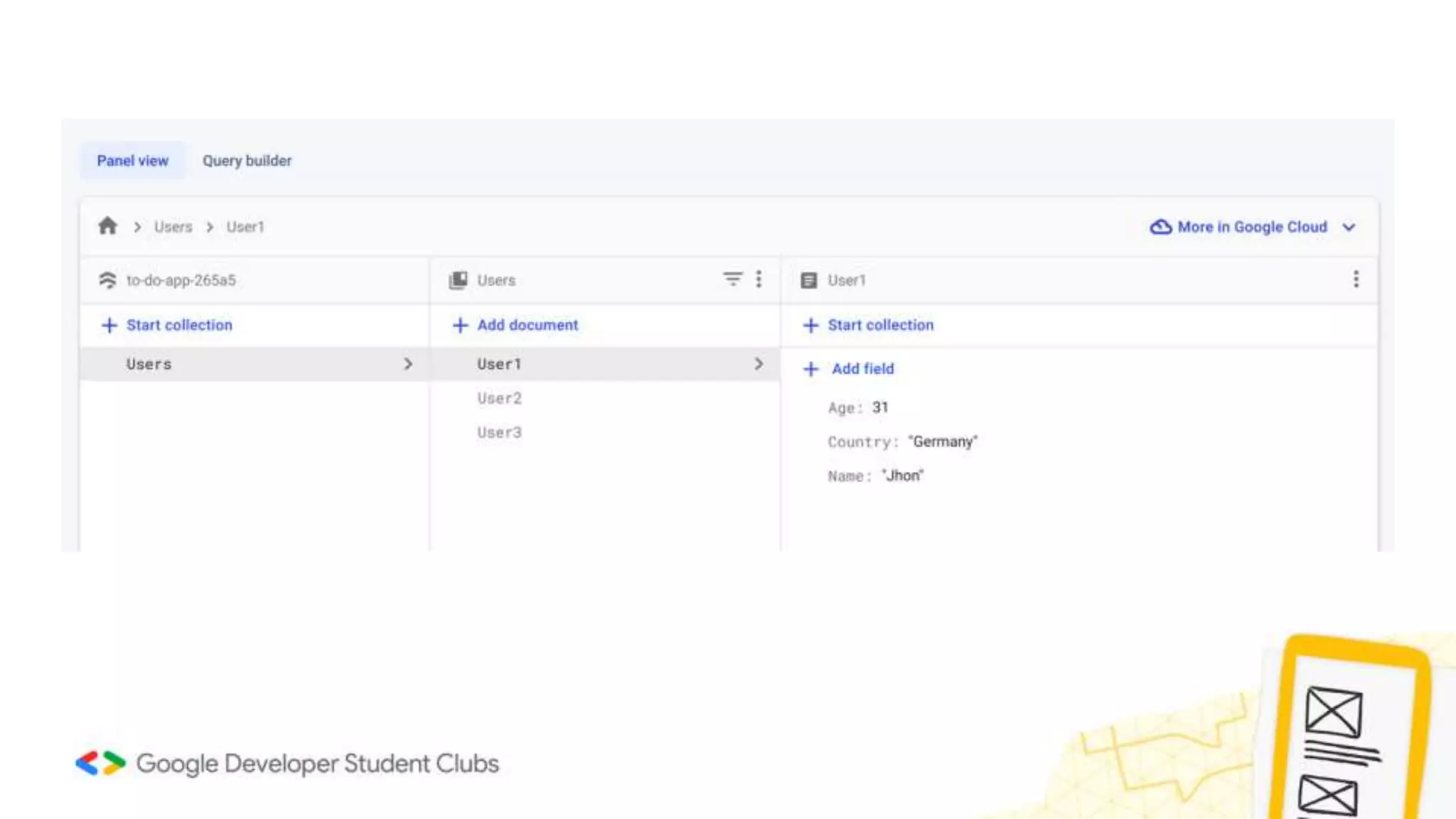
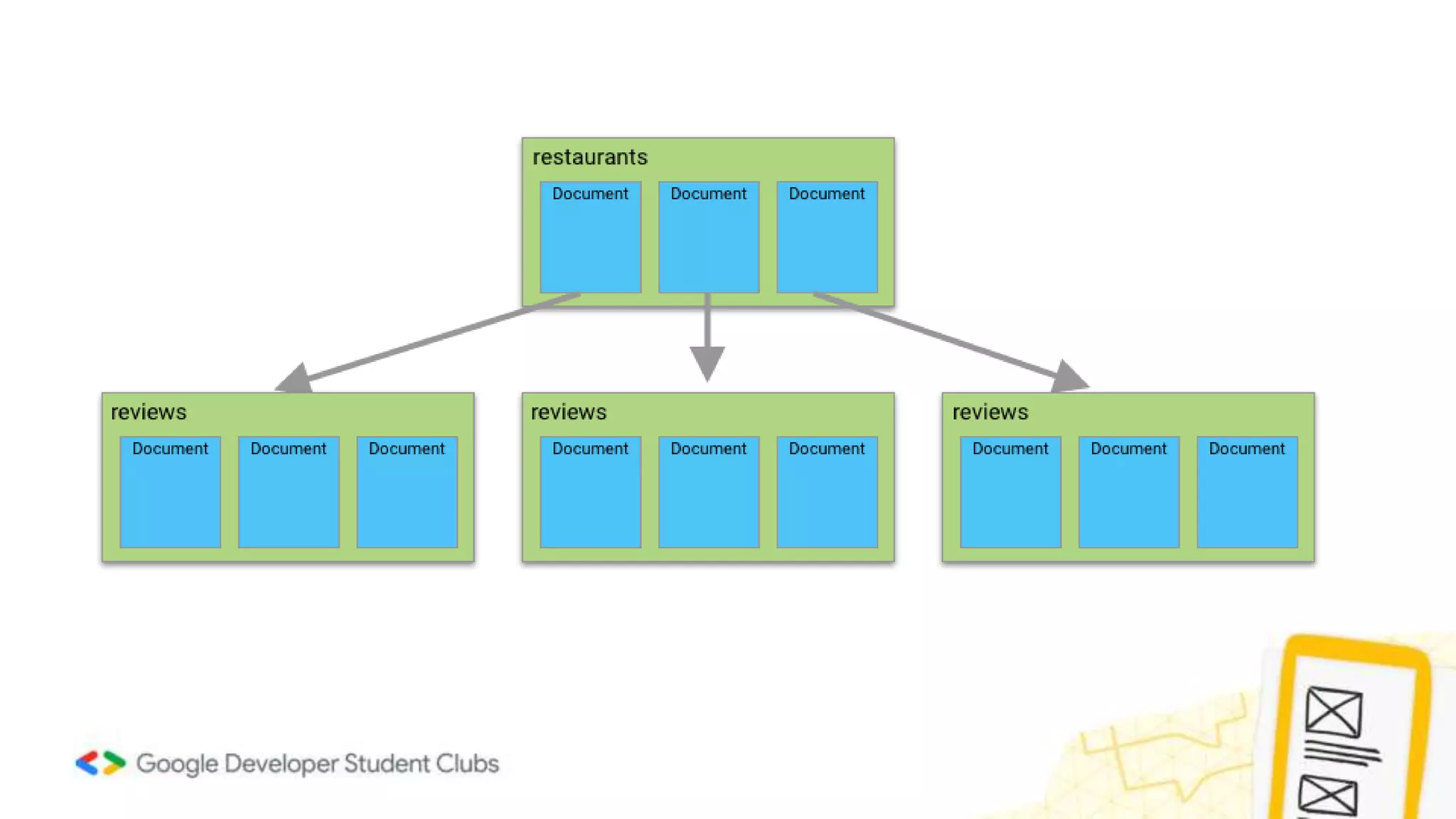
• Firestore stores data within "documents", which are contained
within "collections".
Firestore Documents
Firebase Firestore
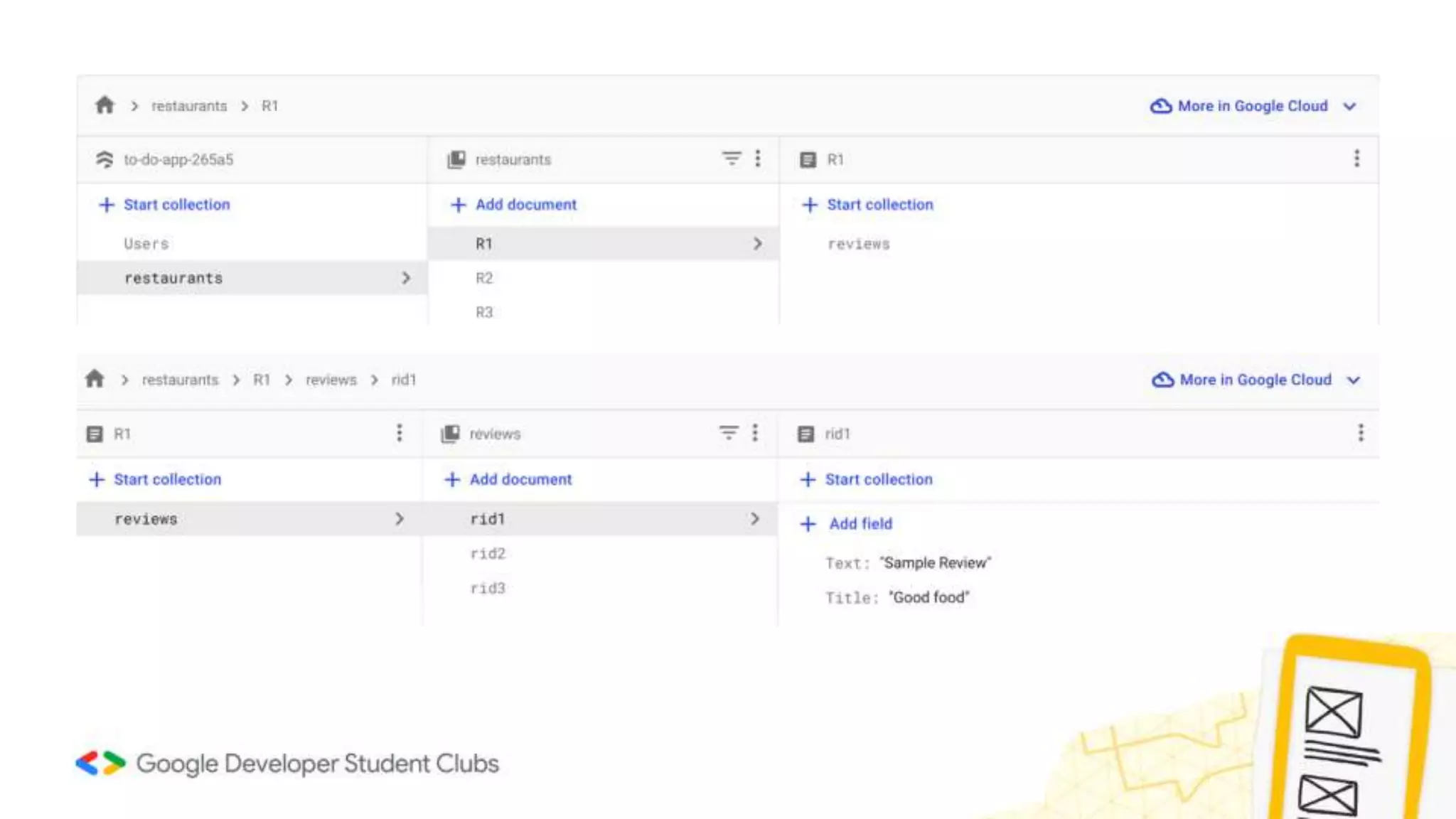
• Documents can also contain nested collections.
Firestore Documents
Map method
The map() is a method of the Iterable class. The map() method creates a new
iterable object that contains all elements of the iterable that pass a test.
Syntax:
listvar_name.map(mapping_function);
void main() {
List<String> ls = ["GDSC", "Flutter", "Forward"];
List<int> newls = [];
for(String s in ls) {
newls.add(s.length);
}
print(newls);
}
void main() {
List<String> ls = ["GDSC","Flutter","Forward"];
List<int> newls = ls.map((e)=>e.length).toList();
print(newls);
}
Output:
[4, 7, 7]
Async and Await
Async/await is a feature in Dart that allows us to write asynchronous code that looks
and behaves like synchronous code, making it easier to read.
When a function is marked async, it signifies that it will carry out some work that could
take some time and will return a Future object that wraps the result of that work.
The await keyword, on the other hand, allows you to delay the execution of an async
function until the awaited Future has finished. This enables us to create code that
appears to be synchronous but is actually asynchronous.
Future<void> fetchUserOrder() {
// Imagine that this function is fetching user info from another service or
database.
return Future.delayed(
const Duration(seconds: 2), () => print('Order Placed'));
}
void main() async {
print('Fetching order status...');
await fetchUserOrder();
print(‘Details Fetched...');
}
Output:
Fetching order status...
Order Placed

Firebase Introduction.pptx

  • 1.
  • 2.
    Mac keytool -list -v-keystore ~/.android/debug.keystore -alias androiddebugkey -storepass android -keypass android Windows keytool -list -v -keystore ".androiddebug.keystore" -alias androiddebugkey -storepass android -keypass android Linux keytool -list -v -keystore ~/.android/debug.keystore -alias androiddebugkey -storepass android -keypass android SHA-1 & SHA-256
  • 3.
    Firebase Firestore • CloudFirestore is a flexible, scalable database for mobile, web, and server development from Firebase and Google Cloud. • NoSQL cloud database to store and sync data for client- and server-side development. Firestore Introduction
  • 4.
    Firebase Firestore • Firestorestores data within "documents", which are contained within "collections". Firestore Documents
  • 8.
    Firebase Firestore • Documentscan also contain nested collections. Firestore Documents
  • 11.
    Map method The map()is a method of the Iterable class. The map() method creates a new iterable object that contains all elements of the iterable that pass a test. Syntax: listvar_name.map(mapping_function);
  • 12.
    void main() { List<String>ls = ["GDSC", "Flutter", "Forward"]; List<int> newls = []; for(String s in ls) { newls.add(s.length); } print(newls); } void main() { List<String> ls = ["GDSC","Flutter","Forward"]; List<int> newls = ls.map((e)=>e.length).toList(); print(newls); } Output: [4, 7, 7]
  • 13.
    Async and Await Async/awaitis a feature in Dart that allows us to write asynchronous code that looks and behaves like synchronous code, making it easier to read. When a function is marked async, it signifies that it will carry out some work that could take some time and will return a Future object that wraps the result of that work. The await keyword, on the other hand, allows you to delay the execution of an async function until the awaited Future has finished. This enables us to create code that appears to be synchronous but is actually asynchronous.
  • 14.
    Future<void> fetchUserOrder() { //Imagine that this function is fetching user info from another service or database. return Future.delayed( const Duration(seconds: 2), () => print('Order Placed')); } void main() async { print('Fetching order status...'); await fetchUserOrder(); print(‘Details Fetched...'); } Output: Fetching order status... Order Placed