Finding Resources
Video 1
Created by: Inforum Librarians
Edited by: Kathleen Scheaffer & Victoria McAuley
Design update & Narration by: Victoria McAuley
Template by: Brenna Pladsen
University of Toronto Libraries
Over 40 libraries
UTM and UTSC campus
libraries are also available to
you
Image source: GIS and Cartography Office, Department of Geography, and Campus and
Facilities Planning Office (2017-2018). University of Toronto St. George Campus [Map].
Retrieved from http://map.utoronto.ca/_assets/_files/3D_Map20170516.pdf
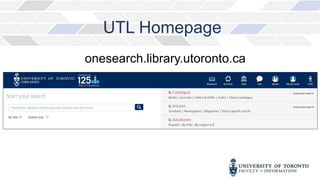
UTL Homepage
onesearch.library.utoronto.ca
UTL Homepage
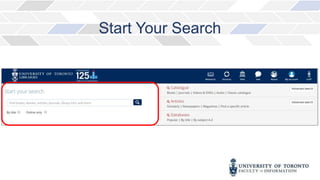
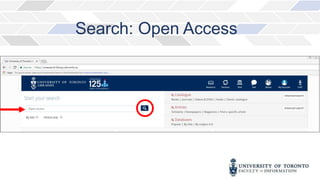
Start Your Search
For example…
Search: Open Access
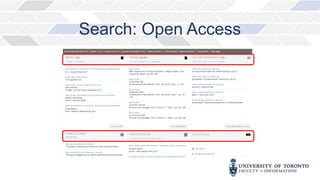
Search: Open Access
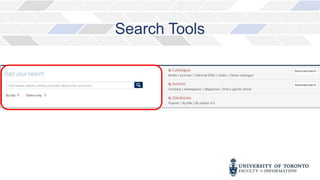
Search Tools
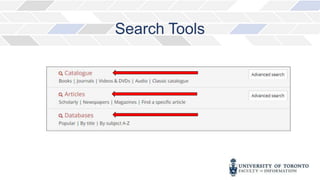
Search Tools
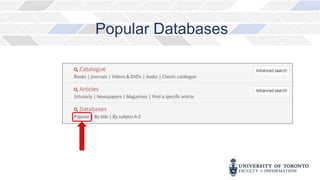
Popular Databases
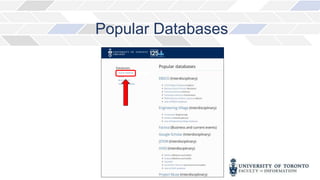
Popular Databases
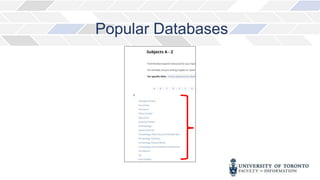
Popular Databases
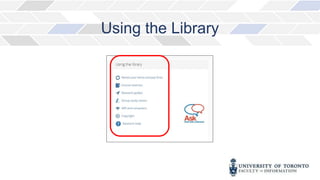
Using the Library
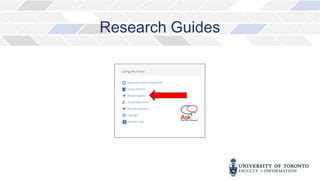
Research Guides
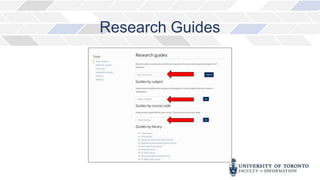
Research Guides
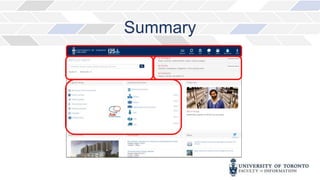
Summary
References
GIS and Cartography Office, Department of Geography, and Campus and Facilities Planning Office.
(2017- 2018). University of Toronto, St. George Campus 2017-2018 [Digital Map]. Scale not given.
Retrieved from: http://map.utoronto.ca/_assets/_files/3D_Map20170516.pdf
Robarts Reference and Research
Services
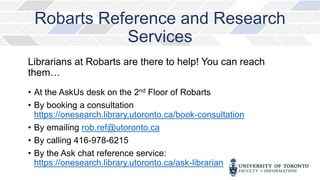
Librarians at Robarts are there to help! You can reach
them…
• At the AskUs desk on the 2nd Floor of Robarts
• By booking a consultation
https://onesearch.library.utoronto.ca/book-consultation
• By emailing rob.ref@utoronto.ca
• By calling 416-978-6215
• By the Ask chat reference service:
https://onesearch.library.utoronto.ca/ask-librarian
Connect with
the Inforum
Inforum
Faculty of Information (iSchool)
140 St. George Street, 4th & 5th Floors
Toronto, Ontario M5S 3G6
Inforum Website
416-978-7060
help.ischool@utoronto.ca
@ischooltorontoinfoservices
@ischool_infosrv

Finding resources 1

Editor's Notes

  • #2  Welcome to the Inforum's video Orientation Series. This first video will introduce you to the University of Toronto's Library website and give you basic information about finding resources.
  • #3  The University of Toronto Libraries, also referred to as UTL, is made up of over 40 libraries, including the libraries on the UTM and UTSC campuses. This website is your access point to all of the library materials available to you as U of T students. The UTL website is responsive, so the display will adapt to whatever device you are using.
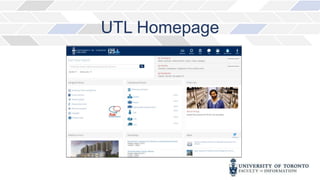
  • #5  Let's begin by going to the UTL homepage. From the library homepage, you can search for what you need in one broad search that covers many types of resources, or you can do more focused searches in different types of information containers. The main search box is a search tool that gives you access to articles, journals, books, and library information all in one place.
  • #6 The main search box is a search tool that gives you access to articles, journals, books, and library information all in one place. It searches for: Books and journals in the UTL catalogue and Articles from over 1000 databases
  • #7 Let’s say I want to find out more about open access.
  • #8  I type that phrase into the search box and press search.
  • #9  My results are displayed in a variety of information containers-the search has found books in the catalogue on open access as well as articles and journals It has also found research guides and web pages related to my search and questions & answers in the libraries’ frequently asked question collection.
  • #10  If you require more focused searching, there are search tools on the far right of the homepage that allow you to search the catalogue specifically just for books or journals…
  • #11  or search over 1000 databases in the article search for just scholarly articles or just newspaper articles. More information on searching the catalogue will be covered in other videos in this series.
  • #12  As a U of T student you have access to an extensive amount of research materials that are not available on the public web or through a Google search. By selecting “popular databases” on the right-hand side of the main page, you’ll get a view of interdisciplinary databases.
  • #14 Selecting “by Subjects A-Z” shows you which databases exist in a particular subject area. UTL subscribes to over 1000 databases in all subjects.
  • #15 The “using the library” section at the middle left of the homepage gives you many useful resources that help you take quick advantage of library services. You can manage your library account renewing items and paying your library fees.
  • #16 You can also access UTL’s extensive research guide collection and search for them by keyword, subject or course code.
  • #18 This video has given you a brief overview of UTL and its homepage and demonstrated how you can use the search box to find articles, journals, books, and library information all in one place.
  • #19 These are the references used in this presentation
  • #20 The Faculty of Information and Robarts Library have a great team of professionals here to help you with your research and citation questions. For quick reference, you can visit the Inforum, visit our website, or reach us by telephone and email. Robarts has in depth reference help available to University of Toronto students. Their “Ask Us” desks can help with quick reference questions, and librarians are available by consultation, email, telephone, or their website.
  • #21 Connect with the Inforum: Online: https://inforum.library.utoronto.ca Phone: 416.978.7060 Email: help.ischool@utoronto.ca Facebook: iSchool@Toronto Information Services Twitter: @ischool_infosrv This is the end of Finding Resources Video 1. Thank you.