EXPLORATORY TESTING
Kari Kakkonen, Director, Quality and Competences, Knowit Oy, Finland
at Knowit Developer Summit, 14.11. 2015
© Copyright Knowit Oy 2015 | Confidential
Kari Kakkonen, Knowit
• Speaks, train, coach and mentor regularly
about
• ISTQB Advanced, Foundation and Agile
Testing + Knowit Quality Professional
• Quality & Test process and organization
development
• Agile testing, Scrum, Kanban, Lean
• Metrics
• Leadership
• Test automation, mobile, cloud, DevOps
• Quality, Cost, Benefits
• Speaking & writing highlights
• EuroSTAR and Iqnite several times
• ASTQB in USA, OOP in Germany, TEST-IT in
South-Africa, Nordic Testing Days in Estonia,
Testing Days in Czech, Israel Testing Week
• Numerous times in Finland at Testing
Assembly, Aalto Testing Days, Tieturi Testing,
Talentum Testing Forum, Quality Assurance &
Software Testing, ICT Expo, TestIT Summit,
Microsoft, HP, IBM, Borland etc. events
• Testing Experience magazine, Quality and
Testing magazine, Sytyke-magazine,
Tietoviikko
• Education
• ISTQB Expert Level Test Management Full &
Advanced Full & Agile Tester certified
• SPICE provisionary assessor certified
• M.Sc, Helsinki University of Technology / Aalto-
university
• Marketing studies, University of Wisconsin-
Madison
• Professional achievements
• Wide spread of business domain knowledge
• Embedded, Industry, Public,
• Training, Telecom, Commerce,
• Insurance, Banking, Pension
• ISTQB Treasurer, Executive Committee 2015-
• Finnish Software Testing Board FiSTB, chairman
• TestausOSY/FAST founding member
• Knowit, Director, Quality and Competences
• Chairman of research project STX, Lappeenranta
University of Technology
• Finnish Software Measurement Association FiSMA
ry ex-board member
• Ranked in 100 most influential IT-persons in
Finland
© Knowit Oy
Twitter: @kkakkonen
LinkedIn: fi.linkedin.com/in/
karikakkonen/
kari.kakkonen@knowit.fi
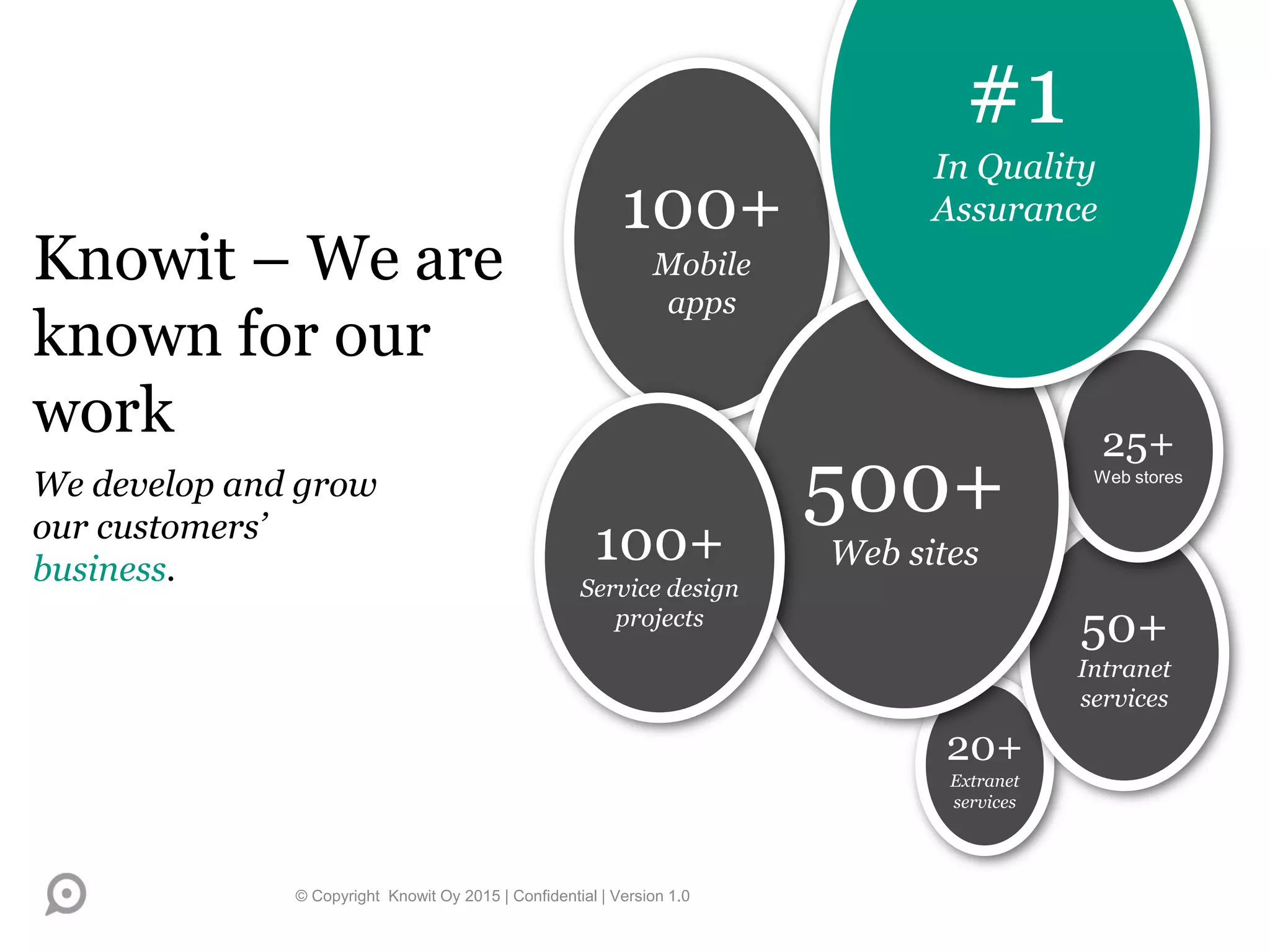
100+
Mobile
apps
20+
Extranet
services
50+
Intranet
services
25+
Web stores
500+
Web sites100+
Service design
projects
Knowit – We are
known for our
work
We develop and grow
our customers’
business.
© Copyright Knowit Oy 2015 | Confidential | Version 1.0
#1
In Quality
Assurance
What it is?
© Copyright Knowit Oy 2015 | Confidential 4
CHARACTERIZATION OF EXPLORATORY
TESTING
• ”Planning and execution of testing is done at the same time”
(After James Bach)
• Test cases are not necessarily documented even afterwards (Cem
Kaner)
• Testing is done iteratively piece by piece
• Continuous learning and interpretation of conceptions
• Utilization of knowledge gained from experience
© Copyright Knowit Oy 2015 | Confidential 5
EXPLORATORY TESTING - TERMS
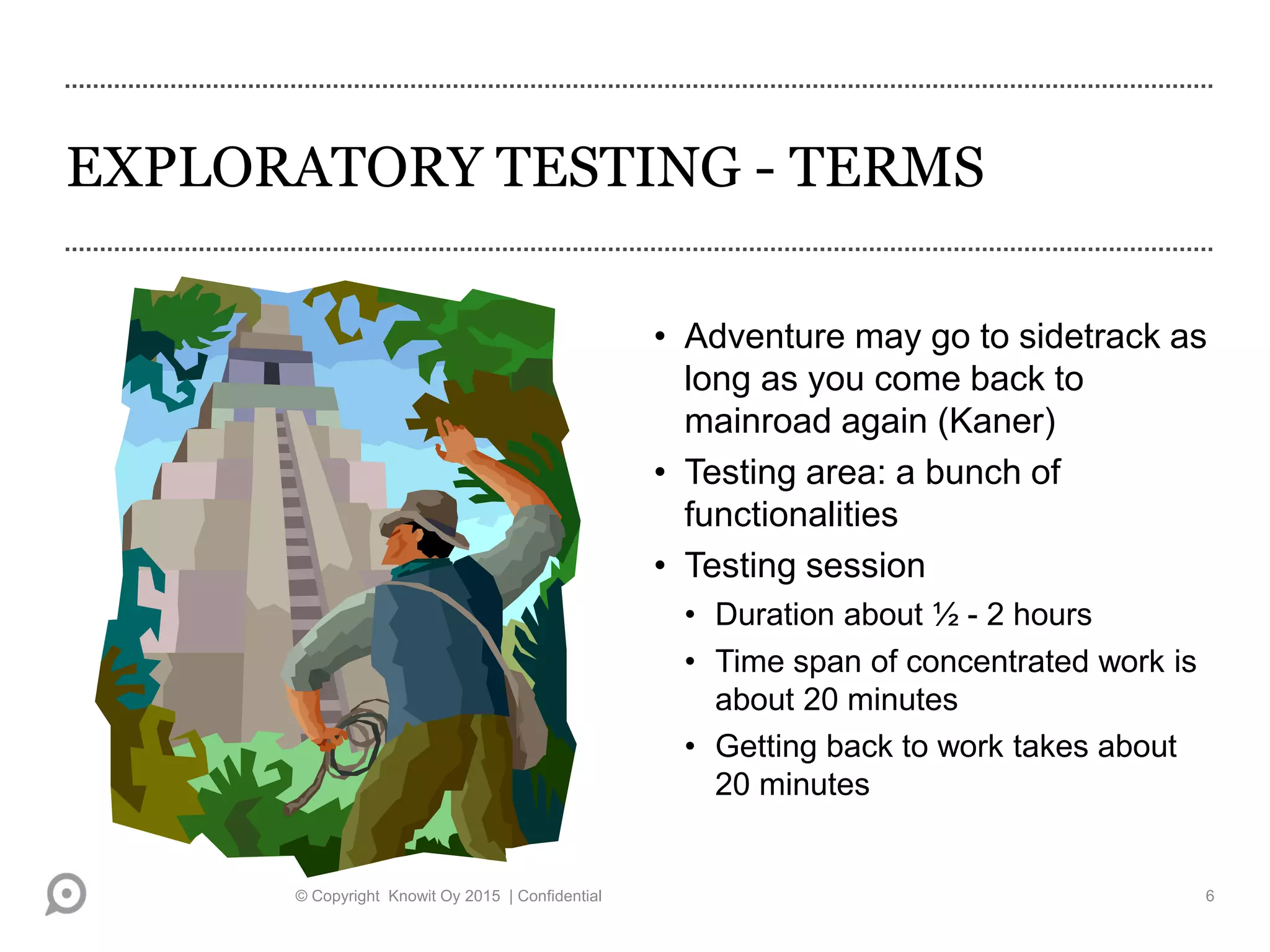
• Adventure may go to sidetrack as
long as you come back to
mainroad again (Kaner)
• Testing area: a bunch of
functionalities
• Testing session
• Duration about ½ - 2 hours
• Time span of concentrated work is
about 20 minutes
• Getting back to work takes about
20 minutes
© Copyright Knowit Oy 2015 | Confidential 6
AN EXAMPLE: WWW.TOPSELLERS.COM, A
FICTIONAL E-COMMERCE SHOP
• Test case: ”Log in. Browse the content of your shopping cart. Result:
Shopping cart is empty, because no items have been picked.”
• During testing it is noticed that the shopping cart contains items! Items
have been picked with the same user account and the e-commerce
shop keeps the earlier picked things in shopping cart.
• Aftertaste: ”The test should have considered this. Let’s change the test
data and the test itself, and design a new test case, which takes into
account that the shopping cart can store items.”
• A familiar situation?
© Copyright Knowit Oy 2015 | Confidential 7
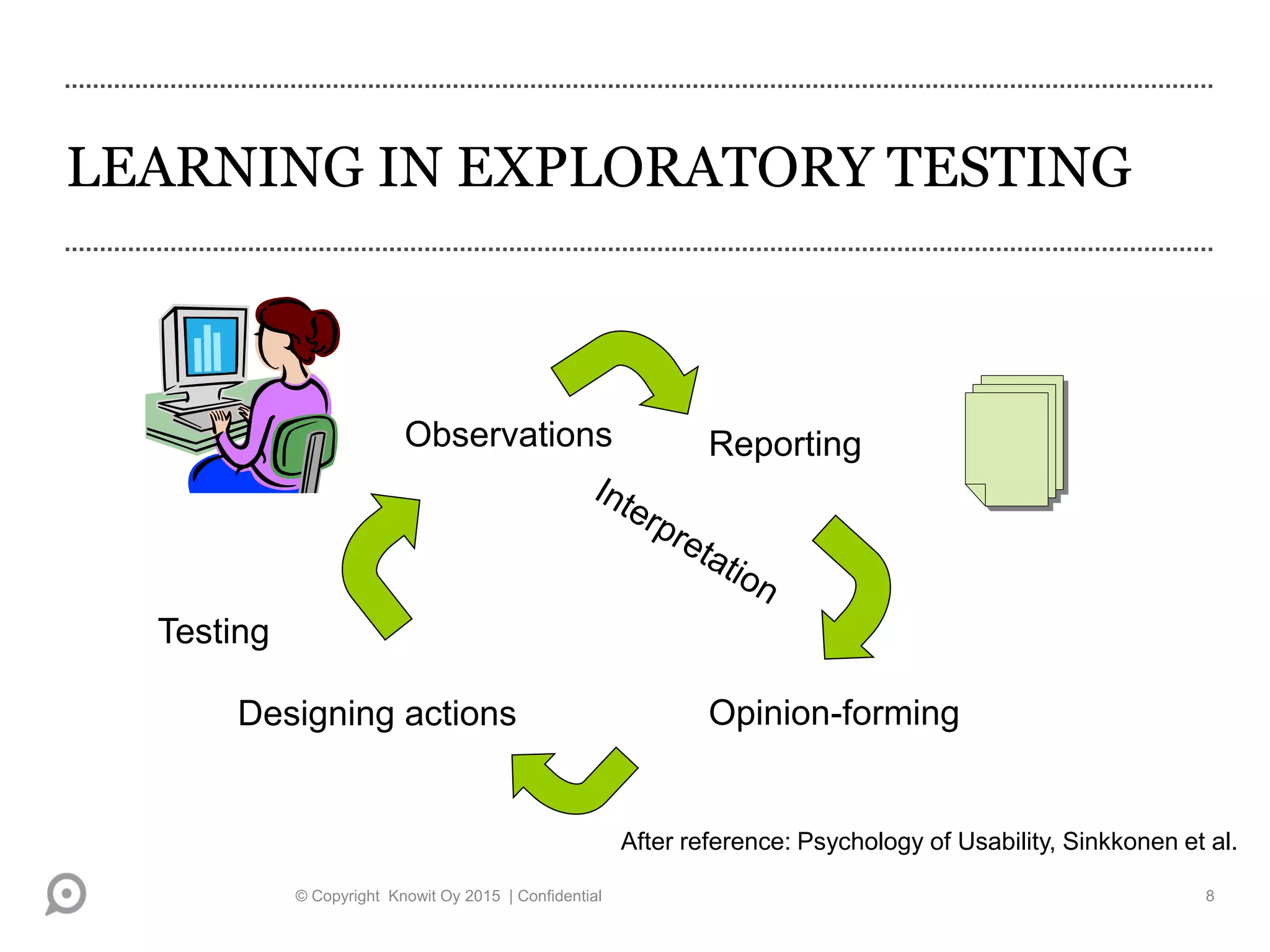
LEARNING IN EXPLORATORY TESTING
Testing
Opinion-forming
Reporting
Designing actions
Observations
After reference: Psychology of Usability, Sinkkonen et al.
© Copyright Knowit Oy 2015 | Confidential 8
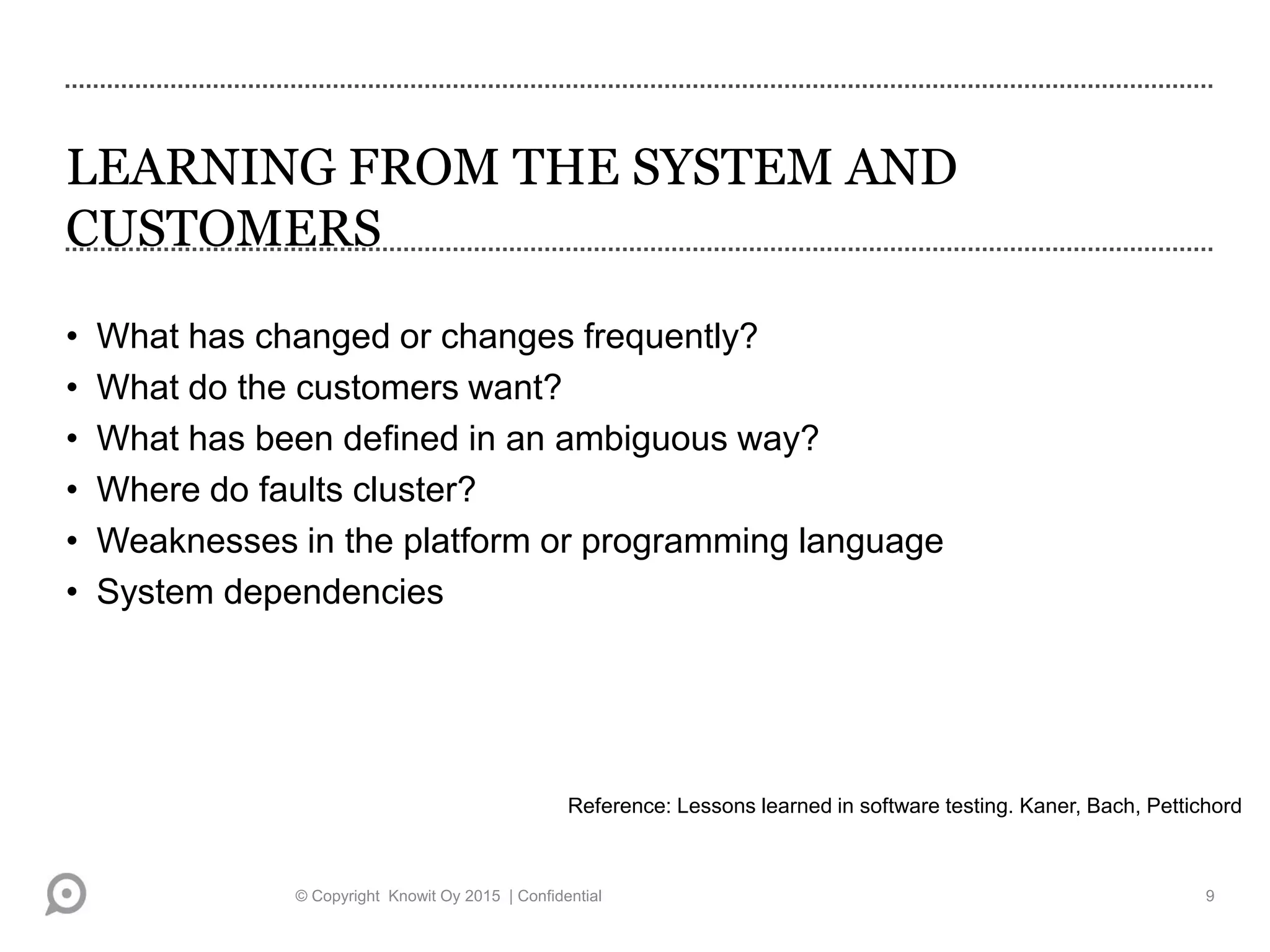
LEARNING FROM THE SYSTEM AND
CUSTOMERS
• What has changed or changes frequently?
• What do the customers want?
• What has been defined in an ambiguous way?
• Where do faults cluster?
• Weaknesses in the platform or programming language
• System dependencies
Reference: Lessons learned in software testing. Kaner, Bach, Pettichord
© Copyright Knowit Oy 2015 | Confidential 9
LEARN FROM OTHER TESTERS,
DESIGNERS, FROM YOURSELF..
• What kind of errors do certain programmers make and how to report to
and communicate with them
• What typical errors can there be in the system
• What functionalities have been built in a hurry
• What have you misunderstood and what is typically misunderstood
• How can the system be tested (especially in pair testing!)
© Copyright Knowit Oy 2015 | Confidential 10
WHY EXPLORATORY TESTING?
KNOWLEDGE-BASED PERSPECTIVE
• Exploit the natural diversity of people in testing *)
• ”Do not plan for store”
• Systematic variation of testing
• Quick feedback to the designers intensifies learning process *)
• Spread the knowledge of a tester of a special area
*) Reference: Exploratory testing: A multiple case study. Itkonen,
Rautiainen
© Copyright Knowit Oy 2015 | Confidential 11
WHY EXPLORATORY TESTING?
TESTERS’ APPROACH
• Want to add more test cases and increase the coverage of the tests *)
• For defining the degree of automation of tests
• Quick overview of the quality *)
• Testing the side effects of changes – scripted testing can end up testing
only the documented features *)
• The problem in regression testing is the selection of test cases, which
requires user experience and understanding of the system
• When the test documentation can not be written in advance *)
*) Reference: Exploratory testing: A multiple case study. Itkonen,
Rautiainen
© Copyright Knowit Oy 2015 | Confidential 12
WHY EXPLORATORY TESTING?
MANAGEMENT APPROACH
• Low management costs of test documentation
• Finding out the features of a poorly-documented component
• Optimizing the productivity of testing?
• When the available workload is limited *)
• When you want to train the customer support at the same time
*) Reference: Exploratory testing: A multiple case study. Itkonen,
Rautiainen
© Copyright Knowit Oy 2015 | Confidential 13
How is it done?
© Copyright Knowit Oy 2015 | Confidential 14
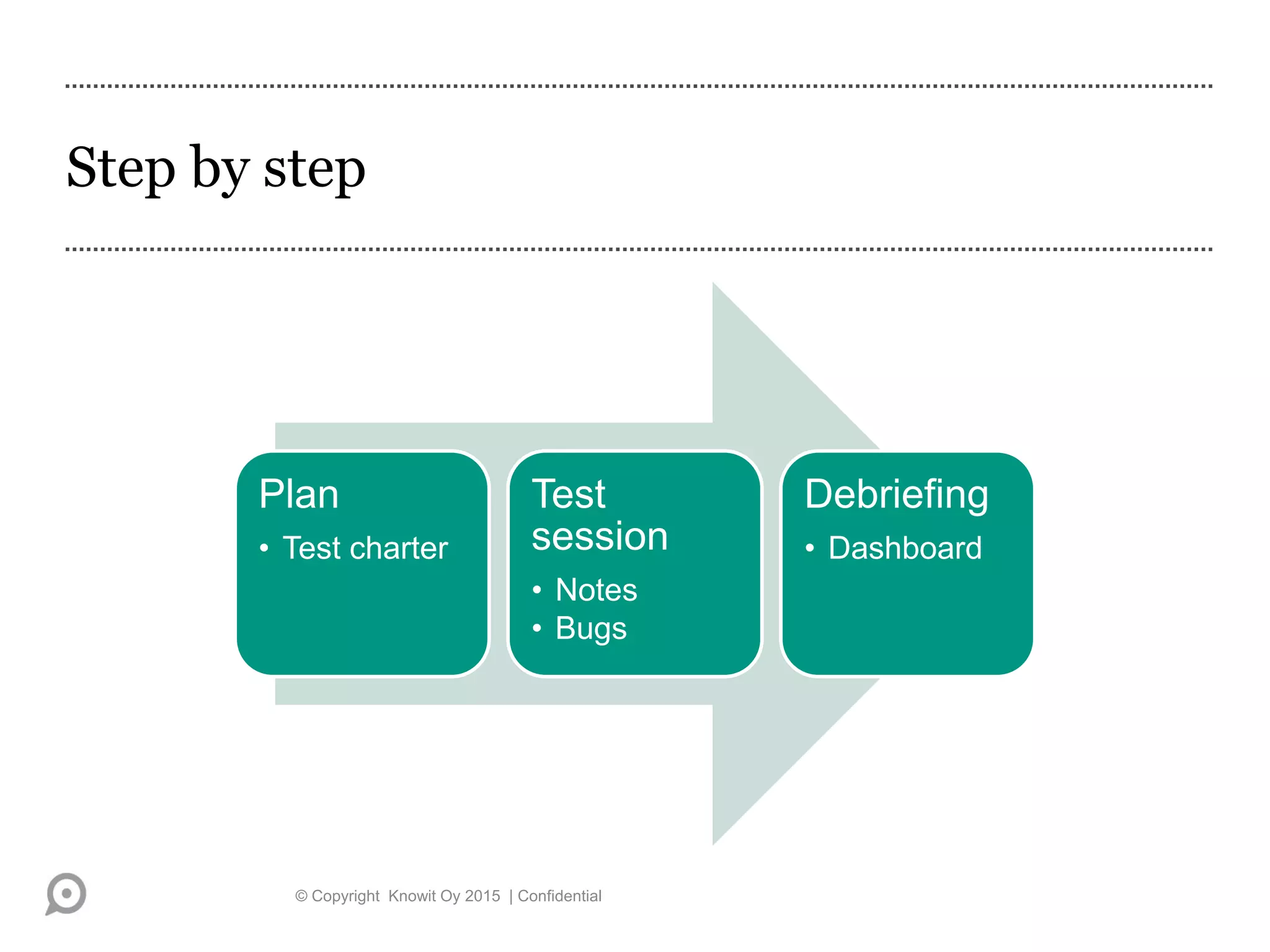
Step by step
© Copyright Knowit Oy 2015 | Confidential
Plan
• Test charter
Test
session
• Notes
• Bugs
Debriefing
• Dashboard
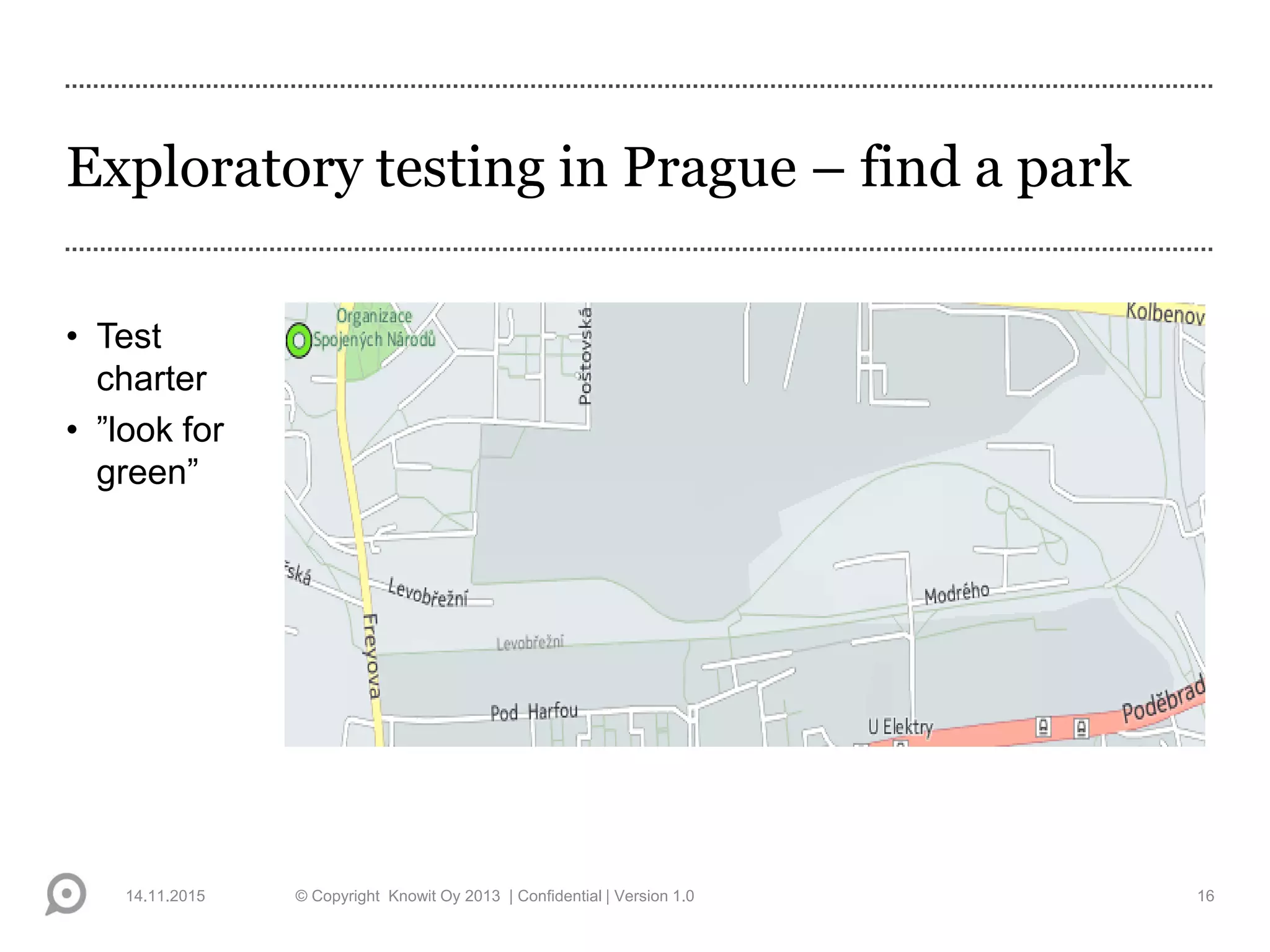
Exploratory testing in Prague – find a park
• Test
charter
• ”look for
green”
14.11.2015 © Copyright Knowit Oy 2013 | Confidential | Version 1.0 16
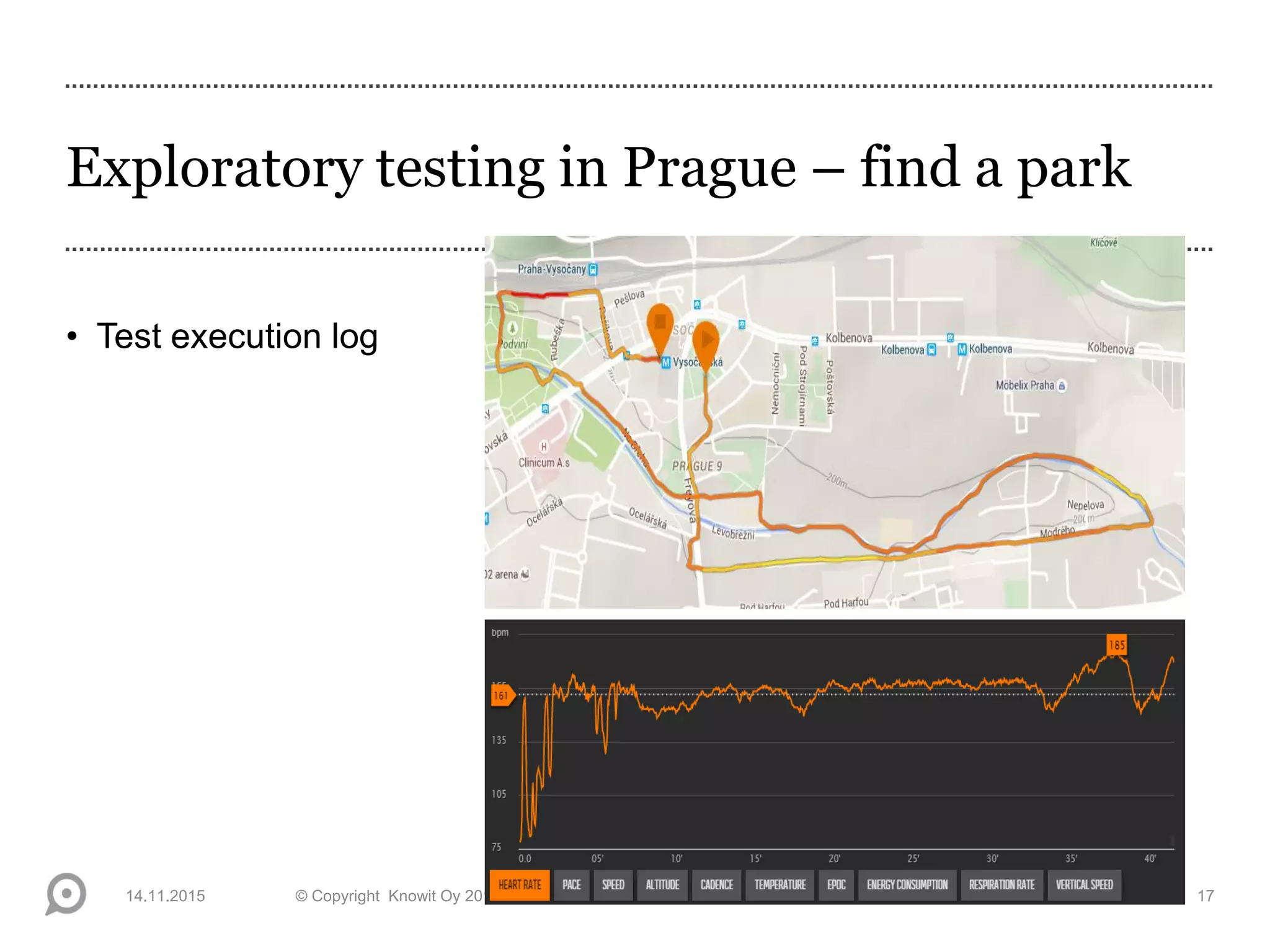
Exploratory testing in Prague – find a park
• Test execution log
14.11.2015 © Copyright Knowit Oy 2013 | Confidential | Version 1.0 17
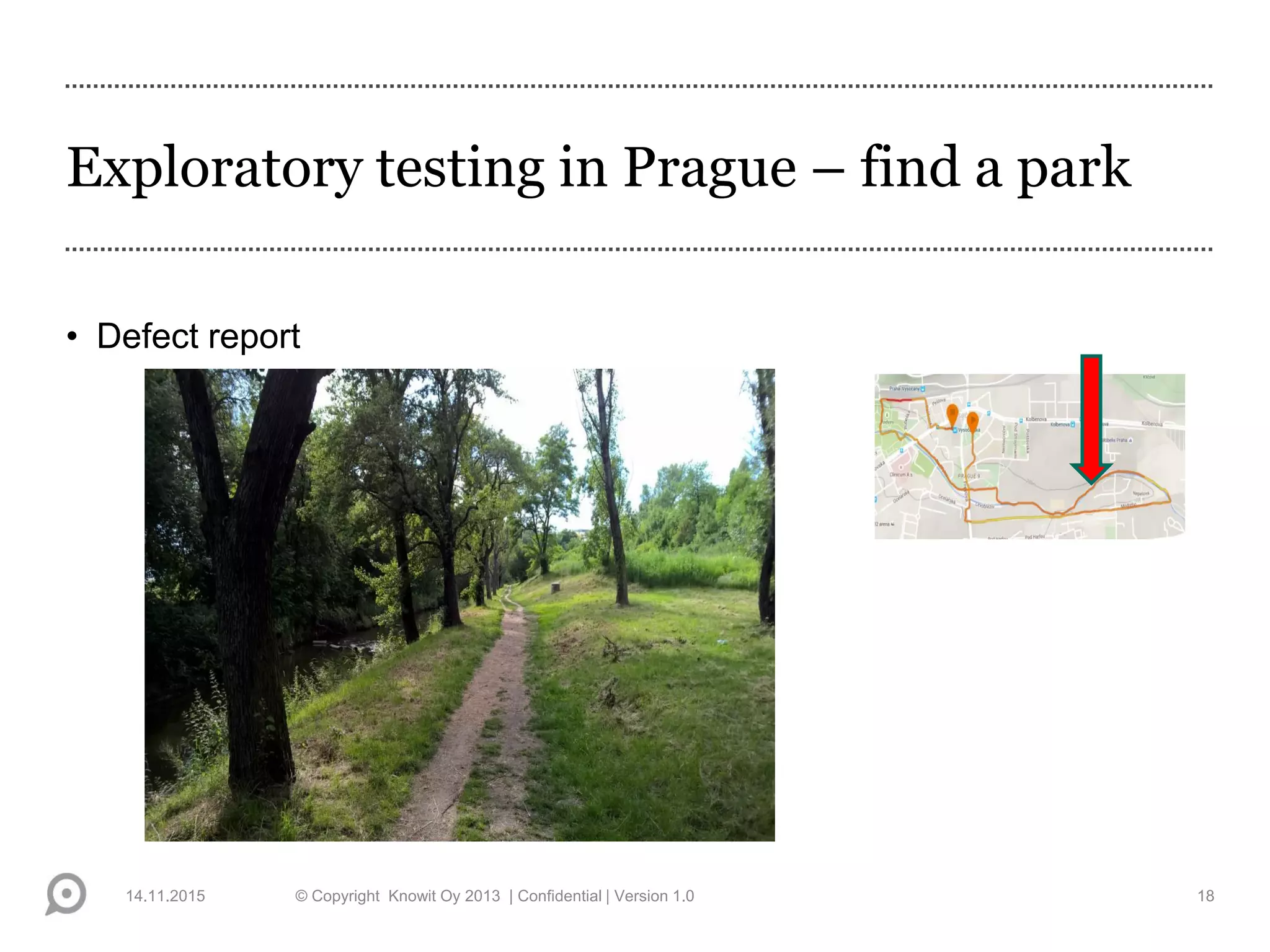
Exploratory testing in Prague – find a park
• Defect report
14.11.2015 © Copyright Knowit Oy 2013 | Confidential | Version 1.0 18
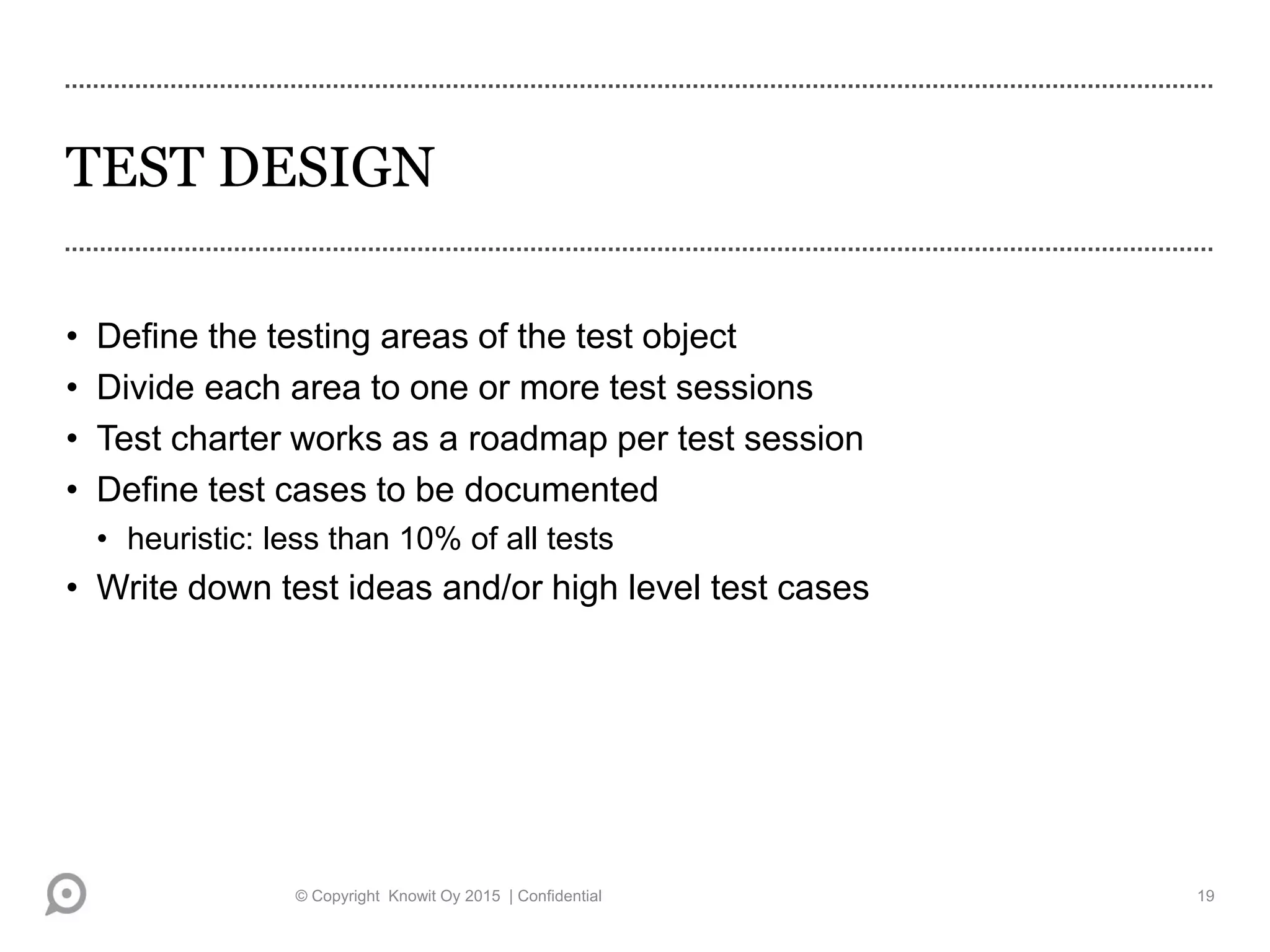
TEST DESIGN
• Define the testing areas of the test object
• Divide each area to one or more test sessions
• Test charter works as a roadmap per test session
• Define test cases to be documented
• heuristic: less than 10% of all tests
• Write down test ideas and/or high level test cases
© Copyright Knowit Oy 2015 | Confidential 19
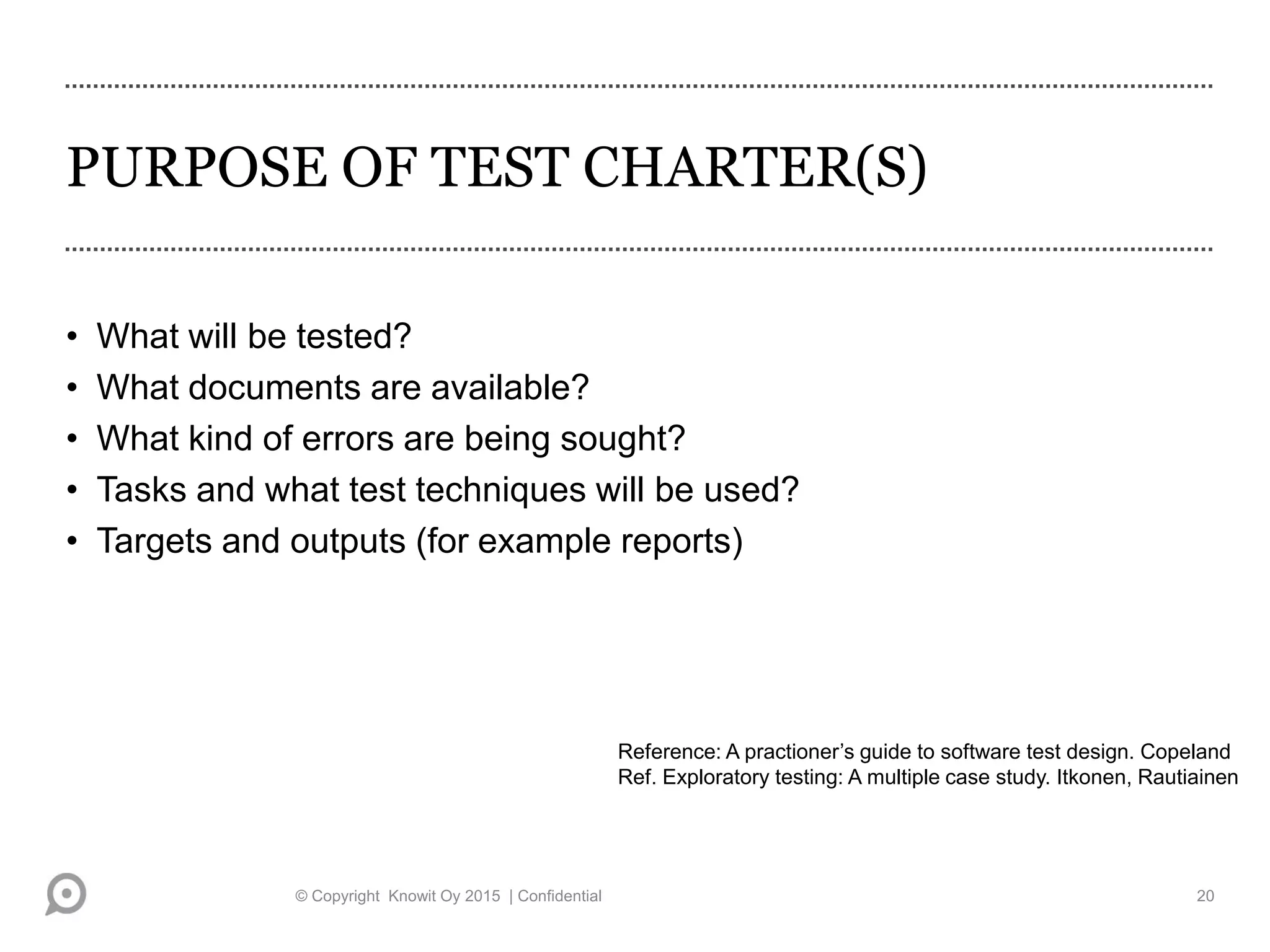
PURPOSE OF TEST CHARTER(S)
• What will be tested?
• What documents are available?
• What kind of errors are being sought?
• Tasks and what test techniques will be used?
• Targets and outputs (for example reports)
Reference: A practioner’s guide to software test design. Copeland
Ref. Exploratory testing: A multiple case study. Itkonen, Rautiainen
© Copyright Knowit Oy 2015 | Confidential 20
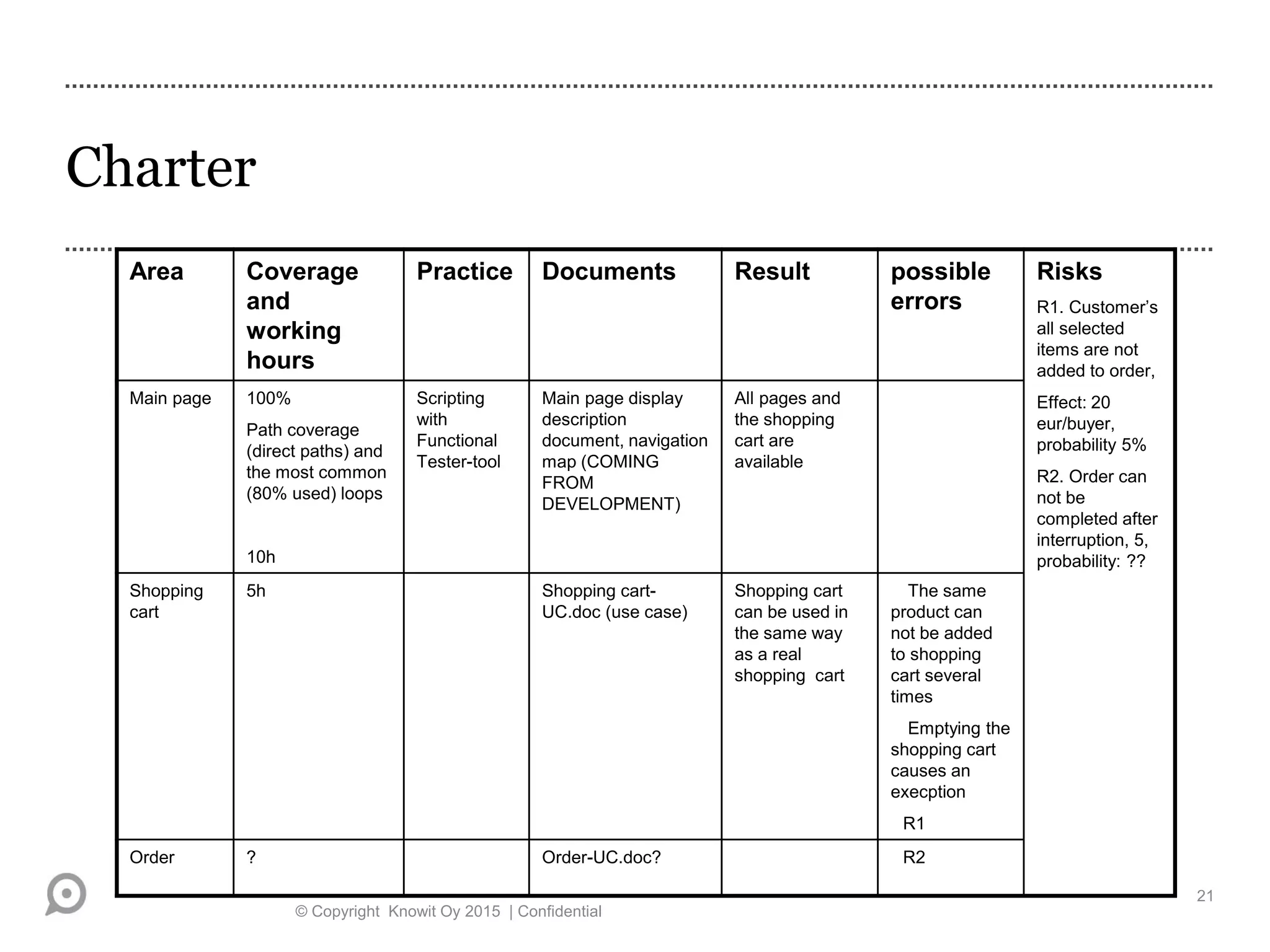
Charter
© Copyright Knowit Oy 2015 | Confidential
21
Area Coverage
and
working
hours
Practice Documents Result possible
errors
Risks
R1. Customer’s
all selected
items are not
added to order,
Effect: 20
eur/buyer,
probability 5%
R2. Order can
not be
completed after
interruption, 5,
probability: ??
Main page 100%
Path coverage
(direct paths) and
the most common
(80% used) loops
10h
Scripting
with
Functional
Tester-tool
Main page display
description
document, navigation
map (COMING
FROM
DEVELOPMENT)
All pages and
the shopping
cart are
available
Shopping
cart
5h Shopping cart-
UC.doc (use case)
Shopping cart
can be used in
the same way
as a real
shopping cart
The same
product can
not be added
to shopping
cart several
times
Emptying the
shopping cart
causes an
execption
R1
Order ? Order-UC.doc? R2
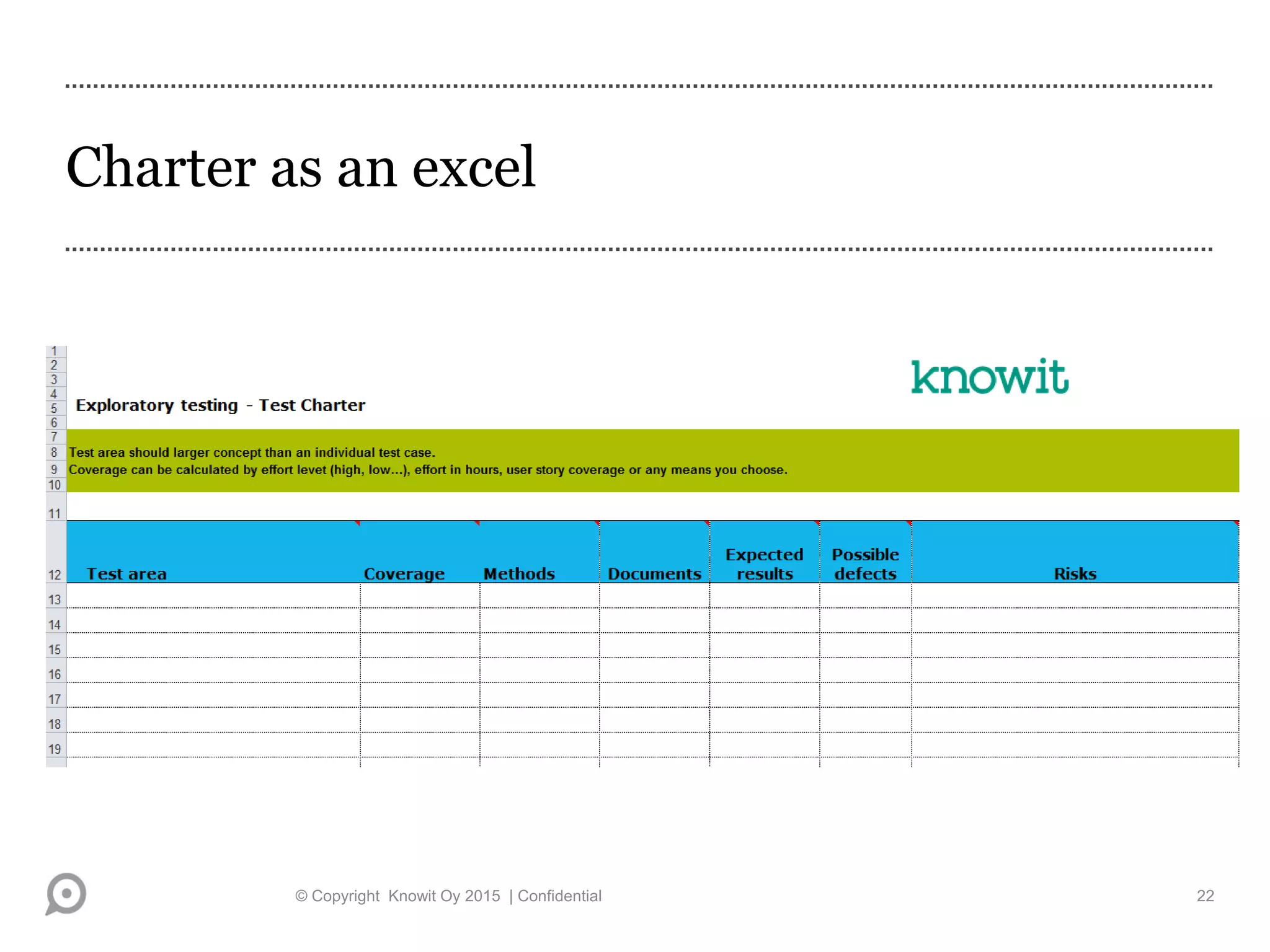
Charter as an excel
© Copyright Knowit Oy 2015 | Confidential 22
DOCUMENTS SUPPORTING TESTING 1 (2)
• Charter
• List of different testing strategies
• Lists of heuristics
• List of typical errors
• Kaner’s bug taxonomies*) (bug taxonomies are introduced in more
detail in risk-based testing course)
• Legal notices, standards, de facto-standards…
*) Reference: Testing Computer Software. Kaner et al.
© Copyright Knowit Oy 2015 | Confidential 23
DOCUMENTS SUPPORTING TESTING 2 (2)
• Requirements and design documentation of the
system
• Self made description of the system behavior
• User guide *)
• Documents that help to evaluate the conformity
• HICCUP- mnemonics: History, Image, users' Claims, Comparable products,
Users' expectations, Purpose, Product
*) Reference: Exploratory testing: A multiple case study. Itkonen, Rautiainen
© Copyright Knowit Oy 2015 | Confidential 24
Kaner’s bug taxonomies:
(Testing computer software, p. 60 – 64)
• User interface errors
• Error handling
• Boundary-related errors
• Calculation errors
• Initial and later states
• Control Flow errors
• Errors in handling or interpreting data
• Race conditions
• Load Conditions
• Hardware
• Source and version control
• Documentation
• Testing errors
© Copyright Knowit Oy 2015 | Confidential 25
PERFORMANCE ATTITUDE -
PROFESSIONAL WORKING
• Keep the targets of testing in mind
• You can visit bypaths but only for a moment
• Write down observations and questions about the system
• Report in a disciplined and systematical way
• During the execution, write only the most essential test cases and in
high level
• Test cases can be refined later
© Copyright Knowit Oy 2015 | Confidential 26
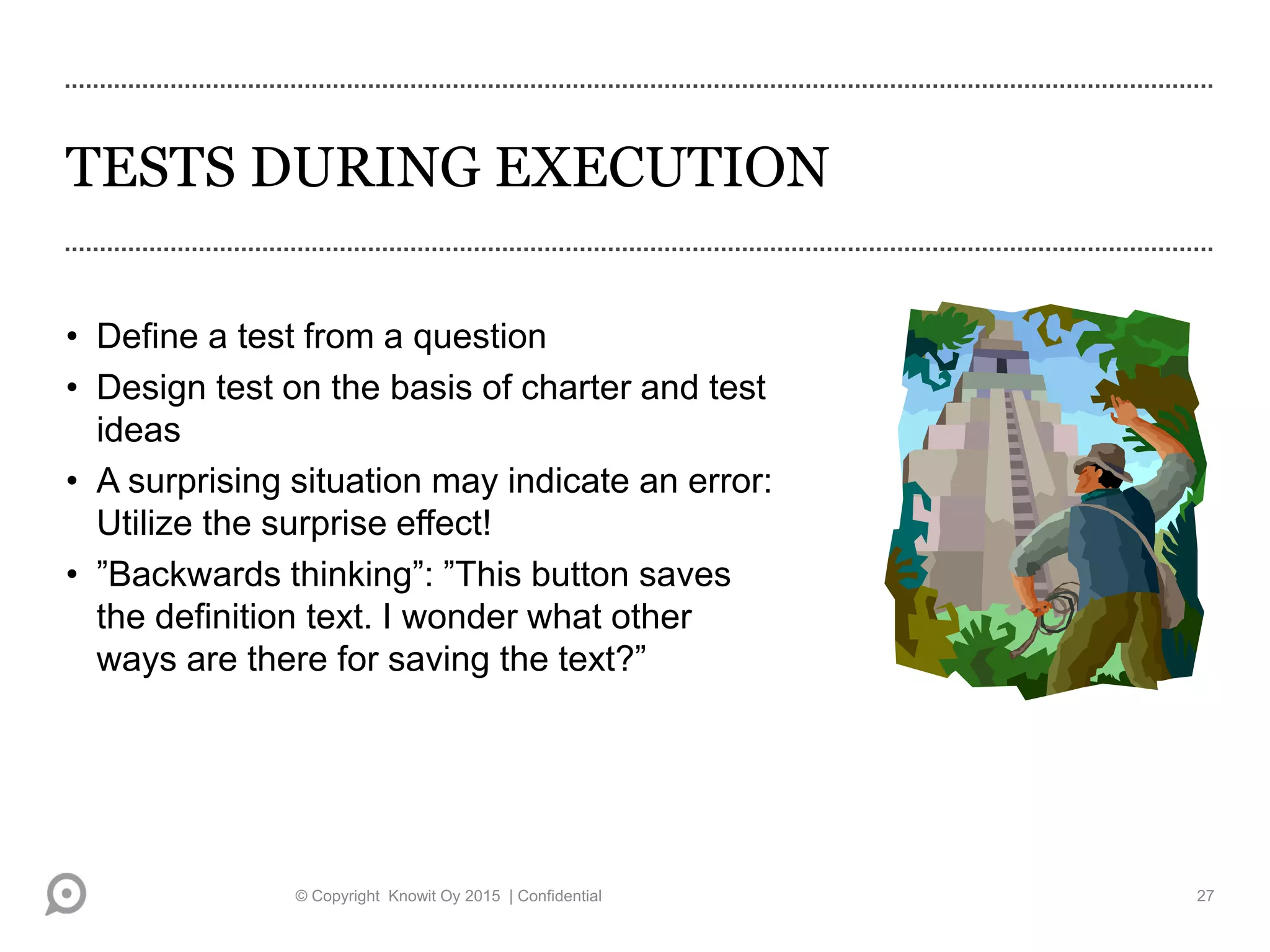
TESTS DURING EXECUTION
• Define a test from a question
• Design test on the basis of charter and test
ideas
• A surprising situation may indicate an error:
Utilize the surprise effect!
• ”Backwards thinking”: ”This button saves
the definition text. I wonder what other
ways are there for saving the text?”
© Copyright Knowit Oy 2015 | Confidential 27
NOTE TAKING: TEST EXECUTION LOGS
• Keep a test execution log
• Keep track of the tests carried out
• Main thing is that executed tests are noted
• You may create scripted test cases of some of the tests
• Keep the most important test cases that have been executed, which show
how the testing has been done, e.g. what values have been used
• You may record your execution
• Write down also test notes for test session post-mortem and your own
learning
© Copyright Knowit Oy 2015 | Confidential 28
NOTE TAKING: DEFECT LOGS
• In defect reporting, traceability to the requirements must be
maintained so that coverage can be evaluated
• A well written error log is the best evidence of the existence of a fault
• Report a bug clearly, so that the failure can be repeated
• You may use defect reporting systems
© Copyright Knowit Oy 2015 | Confidential 29
TESTING DASHBOARD AS A TEST REPORT
- AN EXAMPLE
© Copyright Knowit Oy 2015 | Confidential 30
Test area Workload Coverage Quality
level/risks
Comment
Main page !Interrupted High,
5h
Very high [all
parts + stress
tests etc..]
49: 1435, 36:
1469,
42: 1501
wait for more
pictures of
user interface
Shopping
cart
!Started
High, 2h (reserved
4h)
Low [main parts
to testing] (High)
81: 1425
[probability 9 x
effect 9; error
number. 1425]
Order !Done
6h (reserved 4h)
High [all parts]
Feedback !Not done
Low (reserved 1h)
Low [main parts
to testing]
MEASURING EXPLORATORY TESTING
• The duration of the session
• The relative change in the number of test cases by the same tester
• Coverage of testing per session
• The number of interruptions (Suspension criteria)
• Number of rejected defects in defect database
• …
• Metrics are the eyeglasses of testing that you need in order to be fully
aware of the situation and potential problems in testing
 It is recommended that you choose metrics that are suitable for the
challenges of exploratory testing
© Copyright Knowit Oy 2015 | Confidential 31
Some Tools
• Notetaking:
• Screenshots With Annotation
• Video with Annotation
• Intergrated bug reporting
• HP Sprinter
• QA Symphony qTest eXplorer
• Telerik Test Studio Explore
• Bug Magnet
• Notepad++ (pad tools in general)
• Xmind (mindmap tools in general)
• Rapid Reporter
• Pivotal Tracker
• Test charter planning
• Task and backlog tools
• Test charter planning
• Trello
• Jira Agile
• HP Agile
• Excel
© Copyright Knowit Oy 2015 | Confidential 32
Who can do it?
© Copyright Knowit Oy 2015 | Confidential 33
WHO TO RECRUIT? THE PROFILE OF AN
EXPLORATORY TESTER
• Exploratory testing is particularly well suitable for a person, who…
• likes to take risks
• is not afraid of changes or new things
• is open-minded
• sets challenges and goals to themselves
• is smart and quick in finding test conditions
• ”Pioneer-style”
• Everyone can learn to be an exploratory tester
Reference: Choosing and Managing the Ideal Test Team. Lloyd Roden
© Copyright Knowit Oy 2015 | Confidential 34
EXPLORATORY TESTING REQUIRES
LEARNING SKILLS
• Outline the functionality of the system on paper
• Aim at understanding
• Don’t force yourself to remember facts, use documents
• Ask questions about the functionality of the system
• Recognize the items on which you need more information
Reference: Tutkiva oppiminen. Hakkarainen et al.
© Copyright Knowit Oy 2015 | Confidential 35
CONSIDER THE LEARNING STYLES
• When you explore the system functionality, *)
• are you trying the system yourself?
• do you ask a colleague to explain?
• do you create models of the software functionality?
• are you interested in the details or are you trying to understand the overall
picture?
• Some learn by trying, others socially, others by thinking…
*) Reference: Learning Styles and Exploratory Testing. Kaner, Tinkham.
© Copyright Knowit Oy 2015 | Confidential 36
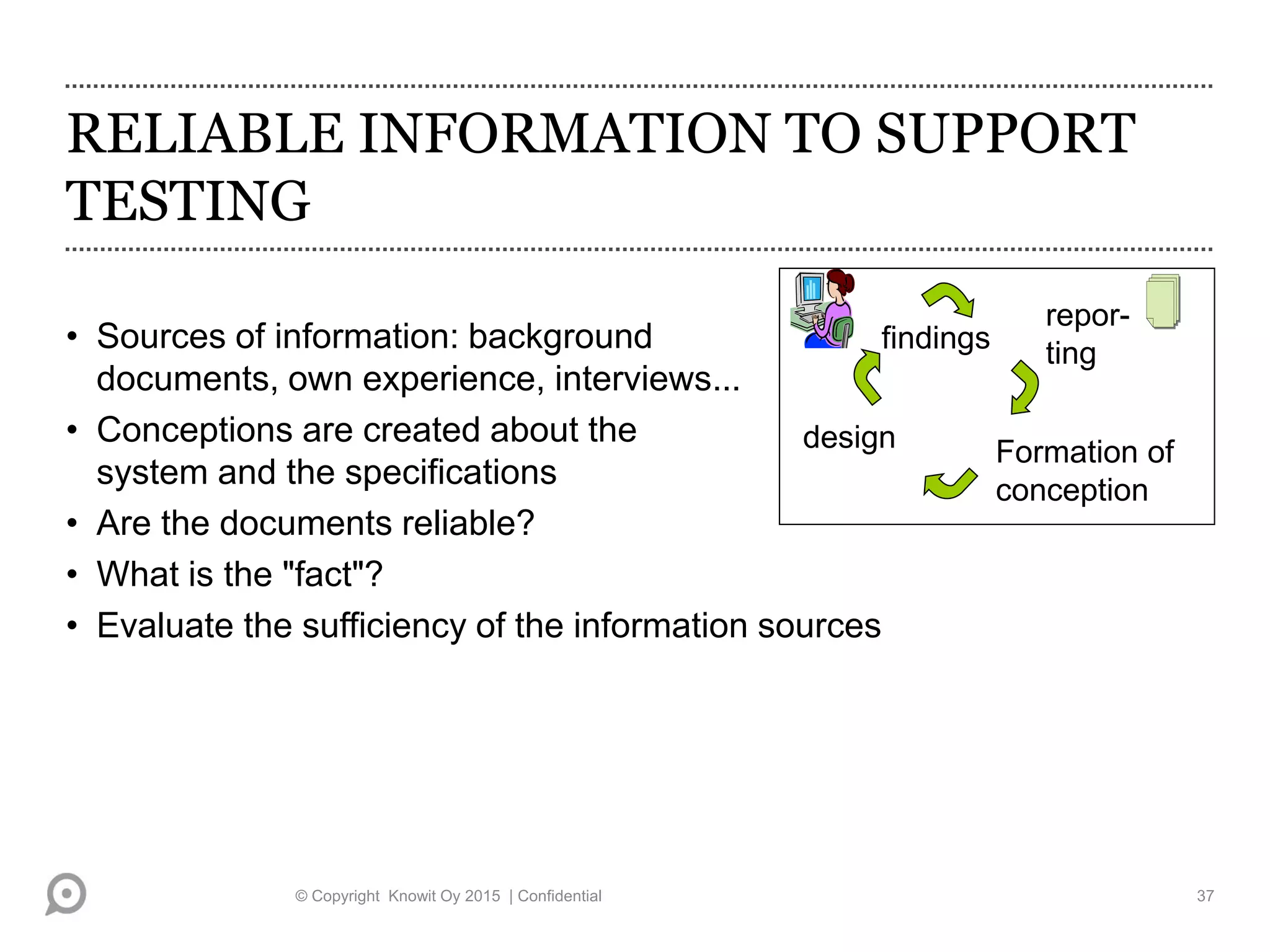
RELIABLE INFORMATION TO SUPPORT
TESTING
• Sources of information: background
documents, own experience, interviews...
• Conceptions are created about the
system and the specifications
• Are the documents reliable?
• What is the "fact"?
• Evaluate the sufficiency of the information sources
Formation of
conception
repor-
ting
design
findings
© Copyright Knowit Oy 2015 | Confidential 37
BE CRITICAL
• Information has inconsistencies and errors
• Exploratory testing is not a substitute for professional documentation
• Find out what data sources the customer considers to be stone carved
definitions of and facts about the software
• Find out what to do if the specifications contradict each other
• Be suspicious! Suspect everything!
© Copyright Knowit Oy 2015 | Confidential 38
IMPROVE YOUR TESTING THINKING
SKILLS
• Observe your own testing habits
• Recognize your own ways of thinking
• Learn from misunderstandings and mistakes
• Select the testing techniques according to the situation *)
• Improve your skills to deduce the states of the system *)
Adapted from the reference: Tutkiva oppiminen. Hakkarainen et al.,
*) Reference: Rapid Software Testing. James Bach
© Copyright Knowit Oy 2015 | Confidential 39
Questions?
kari.kakkonen@knowit.fi
Exploratory testing Kari Kakkonen KDS2015

Exploratory testing Kari Kakkonen KDS2015

  • 1.
    EXPLORATORY TESTING Kari Kakkonen,Director, Quality and Competences, Knowit Oy, Finland at Knowit Developer Summit, 14.11. 2015 © Copyright Knowit Oy 2015 | Confidential
  • 2.
    Kari Kakkonen, Knowit •Speaks, train, coach and mentor regularly about • ISTQB Advanced, Foundation and Agile Testing + Knowit Quality Professional • Quality & Test process and organization development • Agile testing, Scrum, Kanban, Lean • Metrics • Leadership • Test automation, mobile, cloud, DevOps • Quality, Cost, Benefits • Speaking & writing highlights • EuroSTAR and Iqnite several times • ASTQB in USA, OOP in Germany, TEST-IT in South-Africa, Nordic Testing Days in Estonia, Testing Days in Czech, Israel Testing Week • Numerous times in Finland at Testing Assembly, Aalto Testing Days, Tieturi Testing, Talentum Testing Forum, Quality Assurance & Software Testing, ICT Expo, TestIT Summit, Microsoft, HP, IBM, Borland etc. events • Testing Experience magazine, Quality and Testing magazine, Sytyke-magazine, Tietoviikko • Education • ISTQB Expert Level Test Management Full & Advanced Full & Agile Tester certified • SPICE provisionary assessor certified • M.Sc, Helsinki University of Technology / Aalto- university • Marketing studies, University of Wisconsin- Madison • Professional achievements • Wide spread of business domain knowledge • Embedded, Industry, Public, • Training, Telecom, Commerce, • Insurance, Banking, Pension • ISTQB Treasurer, Executive Committee 2015- • Finnish Software Testing Board FiSTB, chairman • TestausOSY/FAST founding member • Knowit, Director, Quality and Competences • Chairman of research project STX, Lappeenranta University of Technology • Finnish Software Measurement Association FiSMA ry ex-board member • Ranked in 100 most influential IT-persons in Finland © Knowit Oy Twitter: @kkakkonen LinkedIn: fi.linkedin.com/in/ karikakkonen/ kari.kakkonen@knowit.fi
  • 3.
    100+ Mobile apps 20+ Extranet services 50+ Intranet services 25+ Web stores 500+ Web sites100+ Servicedesign projects Knowit – We are known for our work We develop and grow our customers’ business. © Copyright Knowit Oy 2015 | Confidential | Version 1.0 #1 In Quality Assurance
  • 4.
    What it is? ©Copyright Knowit Oy 2015 | Confidential 4
  • 5.
    CHARACTERIZATION OF EXPLORATORY TESTING •”Planning and execution of testing is done at the same time” (After James Bach) • Test cases are not necessarily documented even afterwards (Cem Kaner) • Testing is done iteratively piece by piece • Continuous learning and interpretation of conceptions • Utilization of knowledge gained from experience © Copyright Knowit Oy 2015 | Confidential 5
  • 6.
    EXPLORATORY TESTING -TERMS • Adventure may go to sidetrack as long as you come back to mainroad again (Kaner) • Testing area: a bunch of functionalities • Testing session • Duration about ½ - 2 hours • Time span of concentrated work is about 20 minutes • Getting back to work takes about 20 minutes © Copyright Knowit Oy 2015 | Confidential 6
  • 7.
    AN EXAMPLE: WWW.TOPSELLERS.COM,A FICTIONAL E-COMMERCE SHOP • Test case: ”Log in. Browse the content of your shopping cart. Result: Shopping cart is empty, because no items have been picked.” • During testing it is noticed that the shopping cart contains items! Items have been picked with the same user account and the e-commerce shop keeps the earlier picked things in shopping cart. • Aftertaste: ”The test should have considered this. Let’s change the test data and the test itself, and design a new test case, which takes into account that the shopping cart can store items.” • A familiar situation? © Copyright Knowit Oy 2015 | Confidential 7
  • 8.
    LEARNING IN EXPLORATORYTESTING Testing Opinion-forming Reporting Designing actions Observations After reference: Psychology of Usability, Sinkkonen et al. © Copyright Knowit Oy 2015 | Confidential 8
  • 9.
    LEARNING FROM THESYSTEM AND CUSTOMERS • What has changed or changes frequently? • What do the customers want? • What has been defined in an ambiguous way? • Where do faults cluster? • Weaknesses in the platform or programming language • System dependencies Reference: Lessons learned in software testing. Kaner, Bach, Pettichord © Copyright Knowit Oy 2015 | Confidential 9
  • 10.
    LEARN FROM OTHERTESTERS, DESIGNERS, FROM YOURSELF.. • What kind of errors do certain programmers make and how to report to and communicate with them • What typical errors can there be in the system • What functionalities have been built in a hurry • What have you misunderstood and what is typically misunderstood • How can the system be tested (especially in pair testing!) © Copyright Knowit Oy 2015 | Confidential 10
  • 11.
    WHY EXPLORATORY TESTING? KNOWLEDGE-BASEDPERSPECTIVE • Exploit the natural diversity of people in testing *) • ”Do not plan for store” • Systematic variation of testing • Quick feedback to the designers intensifies learning process *) • Spread the knowledge of a tester of a special area *) Reference: Exploratory testing: A multiple case study. Itkonen, Rautiainen © Copyright Knowit Oy 2015 | Confidential 11
  • 12.
    WHY EXPLORATORY TESTING? TESTERS’APPROACH • Want to add more test cases and increase the coverage of the tests *) • For defining the degree of automation of tests • Quick overview of the quality *) • Testing the side effects of changes – scripted testing can end up testing only the documented features *) • The problem in regression testing is the selection of test cases, which requires user experience and understanding of the system • When the test documentation can not be written in advance *) *) Reference: Exploratory testing: A multiple case study. Itkonen, Rautiainen © Copyright Knowit Oy 2015 | Confidential 12
  • 13.
    WHY EXPLORATORY TESTING? MANAGEMENTAPPROACH • Low management costs of test documentation • Finding out the features of a poorly-documented component • Optimizing the productivity of testing? • When the available workload is limited *) • When you want to train the customer support at the same time *) Reference: Exploratory testing: A multiple case study. Itkonen, Rautiainen © Copyright Knowit Oy 2015 | Confidential 13
  • 14.
    How is itdone? © Copyright Knowit Oy 2015 | Confidential 14
  • 15.
    Step by step ©Copyright Knowit Oy 2015 | Confidential Plan • Test charter Test session • Notes • Bugs Debriefing • Dashboard
  • 16.
    Exploratory testing inPrague – find a park • Test charter • ”look for green” 14.11.2015 © Copyright Knowit Oy 2013 | Confidential | Version 1.0 16
  • 17.
    Exploratory testing inPrague – find a park • Test execution log 14.11.2015 © Copyright Knowit Oy 2013 | Confidential | Version 1.0 17
  • 18.
    Exploratory testing inPrague – find a park • Defect report 14.11.2015 © Copyright Knowit Oy 2013 | Confidential | Version 1.0 18
  • 19.
    TEST DESIGN • Definethe testing areas of the test object • Divide each area to one or more test sessions • Test charter works as a roadmap per test session • Define test cases to be documented • heuristic: less than 10% of all tests • Write down test ideas and/or high level test cases © Copyright Knowit Oy 2015 | Confidential 19
  • 20.
    PURPOSE OF TESTCHARTER(S) • What will be tested? • What documents are available? • What kind of errors are being sought? • Tasks and what test techniques will be used? • Targets and outputs (for example reports) Reference: A practioner’s guide to software test design. Copeland Ref. Exploratory testing: A multiple case study. Itkonen, Rautiainen © Copyright Knowit Oy 2015 | Confidential 20
  • 21.
    Charter © Copyright KnowitOy 2015 | Confidential 21 Area Coverage and working hours Practice Documents Result possible errors Risks R1. Customer’s all selected items are not added to order, Effect: 20 eur/buyer, probability 5% R2. Order can not be completed after interruption, 5, probability: ?? Main page 100% Path coverage (direct paths) and the most common (80% used) loops 10h Scripting with Functional Tester-tool Main page display description document, navigation map (COMING FROM DEVELOPMENT) All pages and the shopping cart are available Shopping cart 5h Shopping cart- UC.doc (use case) Shopping cart can be used in the same way as a real shopping cart The same product can not be added to shopping cart several times Emptying the shopping cart causes an execption R1 Order ? Order-UC.doc? R2
  • 22.
    Charter as anexcel © Copyright Knowit Oy 2015 | Confidential 22
  • 23.
    DOCUMENTS SUPPORTING TESTING1 (2) • Charter • List of different testing strategies • Lists of heuristics • List of typical errors • Kaner’s bug taxonomies*) (bug taxonomies are introduced in more detail in risk-based testing course) • Legal notices, standards, de facto-standards… *) Reference: Testing Computer Software. Kaner et al. © Copyright Knowit Oy 2015 | Confidential 23
  • 24.
    DOCUMENTS SUPPORTING TESTING2 (2) • Requirements and design documentation of the system • Self made description of the system behavior • User guide *) • Documents that help to evaluate the conformity • HICCUP- mnemonics: History, Image, users' Claims, Comparable products, Users' expectations, Purpose, Product *) Reference: Exploratory testing: A multiple case study. Itkonen, Rautiainen © Copyright Knowit Oy 2015 | Confidential 24
  • 25.
    Kaner’s bug taxonomies: (Testingcomputer software, p. 60 – 64) • User interface errors • Error handling • Boundary-related errors • Calculation errors • Initial and later states • Control Flow errors • Errors in handling or interpreting data • Race conditions • Load Conditions • Hardware • Source and version control • Documentation • Testing errors © Copyright Knowit Oy 2015 | Confidential 25
  • 26.
    PERFORMANCE ATTITUDE - PROFESSIONALWORKING • Keep the targets of testing in mind • You can visit bypaths but only for a moment • Write down observations and questions about the system • Report in a disciplined and systematical way • During the execution, write only the most essential test cases and in high level • Test cases can be refined later © Copyright Knowit Oy 2015 | Confidential 26
  • 27.
    TESTS DURING EXECUTION •Define a test from a question • Design test on the basis of charter and test ideas • A surprising situation may indicate an error: Utilize the surprise effect! • ”Backwards thinking”: ”This button saves the definition text. I wonder what other ways are there for saving the text?” © Copyright Knowit Oy 2015 | Confidential 27
  • 28.
    NOTE TAKING: TESTEXECUTION LOGS • Keep a test execution log • Keep track of the tests carried out • Main thing is that executed tests are noted • You may create scripted test cases of some of the tests • Keep the most important test cases that have been executed, which show how the testing has been done, e.g. what values have been used • You may record your execution • Write down also test notes for test session post-mortem and your own learning © Copyright Knowit Oy 2015 | Confidential 28
  • 29.
    NOTE TAKING: DEFECTLOGS • In defect reporting, traceability to the requirements must be maintained so that coverage can be evaluated • A well written error log is the best evidence of the existence of a fault • Report a bug clearly, so that the failure can be repeated • You may use defect reporting systems © Copyright Knowit Oy 2015 | Confidential 29
  • 30.
    TESTING DASHBOARD ASA TEST REPORT - AN EXAMPLE © Copyright Knowit Oy 2015 | Confidential 30 Test area Workload Coverage Quality level/risks Comment Main page !Interrupted High, 5h Very high [all parts + stress tests etc..] 49: 1435, 36: 1469, 42: 1501 wait for more pictures of user interface Shopping cart !Started High, 2h (reserved 4h) Low [main parts to testing] (High) 81: 1425 [probability 9 x effect 9; error number. 1425] Order !Done 6h (reserved 4h) High [all parts] Feedback !Not done Low (reserved 1h) Low [main parts to testing]
  • 31.
    MEASURING EXPLORATORY TESTING •The duration of the session • The relative change in the number of test cases by the same tester • Coverage of testing per session • The number of interruptions (Suspension criteria) • Number of rejected defects in defect database • … • Metrics are the eyeglasses of testing that you need in order to be fully aware of the situation and potential problems in testing  It is recommended that you choose metrics that are suitable for the challenges of exploratory testing © Copyright Knowit Oy 2015 | Confidential 31
  • 32.
    Some Tools • Notetaking: •Screenshots With Annotation • Video with Annotation • Intergrated bug reporting • HP Sprinter • QA Symphony qTest eXplorer • Telerik Test Studio Explore • Bug Magnet • Notepad++ (pad tools in general) • Xmind (mindmap tools in general) • Rapid Reporter • Pivotal Tracker • Test charter planning • Task and backlog tools • Test charter planning • Trello • Jira Agile • HP Agile • Excel © Copyright Knowit Oy 2015 | Confidential 32
  • 33.
    Who can doit? © Copyright Knowit Oy 2015 | Confidential 33
  • 34.
    WHO TO RECRUIT?THE PROFILE OF AN EXPLORATORY TESTER • Exploratory testing is particularly well suitable for a person, who… • likes to take risks • is not afraid of changes or new things • is open-minded • sets challenges and goals to themselves • is smart and quick in finding test conditions • ”Pioneer-style” • Everyone can learn to be an exploratory tester Reference: Choosing and Managing the Ideal Test Team. Lloyd Roden © Copyright Knowit Oy 2015 | Confidential 34
  • 35.
    EXPLORATORY TESTING REQUIRES LEARNINGSKILLS • Outline the functionality of the system on paper • Aim at understanding • Don’t force yourself to remember facts, use documents • Ask questions about the functionality of the system • Recognize the items on which you need more information Reference: Tutkiva oppiminen. Hakkarainen et al. © Copyright Knowit Oy 2015 | Confidential 35
  • 36.
    CONSIDER THE LEARNINGSTYLES • When you explore the system functionality, *) • are you trying the system yourself? • do you ask a colleague to explain? • do you create models of the software functionality? • are you interested in the details or are you trying to understand the overall picture? • Some learn by trying, others socially, others by thinking… *) Reference: Learning Styles and Exploratory Testing. Kaner, Tinkham. © Copyright Knowit Oy 2015 | Confidential 36
  • 37.
    RELIABLE INFORMATION TOSUPPORT TESTING • Sources of information: background documents, own experience, interviews... • Conceptions are created about the system and the specifications • Are the documents reliable? • What is the "fact"? • Evaluate the sufficiency of the information sources Formation of conception repor- ting design findings © Copyright Knowit Oy 2015 | Confidential 37
  • 38.
    BE CRITICAL • Informationhas inconsistencies and errors • Exploratory testing is not a substitute for professional documentation • Find out what data sources the customer considers to be stone carved definitions of and facts about the software • Find out what to do if the specifications contradict each other • Be suspicious! Suspect everything! © Copyright Knowit Oy 2015 | Confidential 38
  • 39.
    IMPROVE YOUR TESTINGTHINKING SKILLS • Observe your own testing habits • Recognize your own ways of thinking • Learn from misunderstandings and mistakes • Select the testing techniques according to the situation *) • Improve your skills to deduce the states of the system *) Adapted from the reference: Tutkiva oppiminen. Hakkarainen et al., *) Reference: Rapid Software Testing. James Bach © Copyright Knowit Oy 2015 | Confidential 39
  • 40.