Evaluation
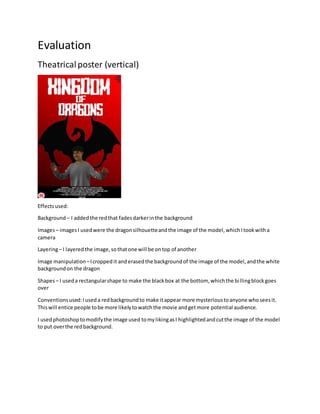
Theatricalposter (vertical)
Effectsused:
Background – I addedthe redthat fadesdarkerinthe background
Images– imagesI usedwere the dragonsilhouetteandthe image of the model,whichItookwitha
camera
Layering– I layeredthe image,sothatone will be ontop of another
Image manipulation –Icroppedit anderasedthe backgroundof the image of the model,andthe white
backgroundon the dragon
Shapes– I useda rectangularshape to make the blackbox at the bottom, whichthe billingblockgoes
over
Conventionsused:Iuseda redbackgroundto make itappear more mysterioustoanyone whoseesit.
Thiswill entice people tobe more likelytowatchthe movie andgetmore potential audience.
I usedphotoshoptomodifythe image used tomylikingasI highlightedandcutthe image of the model
to put overthe redbackground.
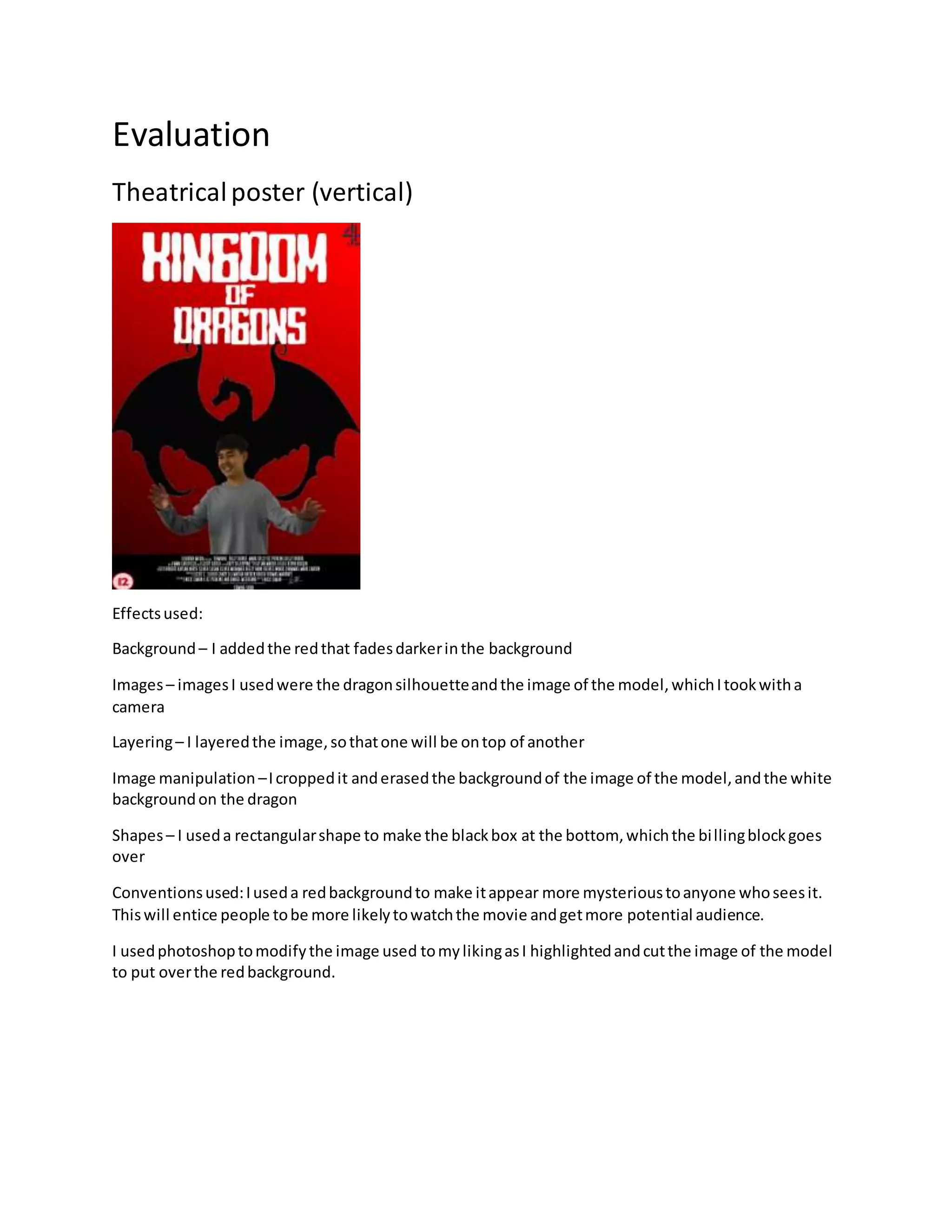
Theatricalposter (horizontal)
Effectsused:
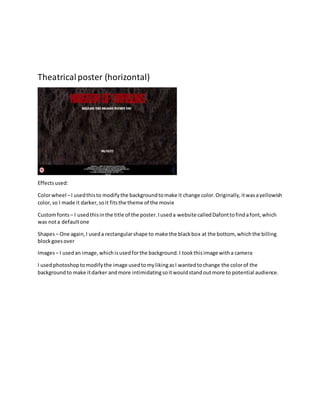
Colorwheel –I usedthisto modifythe backgroundtomake it change color.Originally,itwasayellowish
color,so I made it darker,soit fitsthe theme of the movie
Customfonts – I usedthisinthe title of the poster.Iuseda website calledDafonttofindafont,which
was nota defaultone
Shapes– One again,I useda rectangularshape to make the blackbox at the bottom, whichthe billing
blockgoesover
Images– I usedan image,whichisusedforthe background.I tookthisimage witha camera
I usedphotoshoptomodifythe image usedtomylikingasI wantedtochange the colorof the
backgroundto make itdarker andmore intimidatingsoitwouldstandoutmore to potential audience.
Conventionsused:Iuseda redtitle tomake it appearmore mysterioustoanyone whoseesit.Thiswill
entice people tobe more likelytowatchthe movie.Thisalsomakes the title standoutmore to potential
audience.
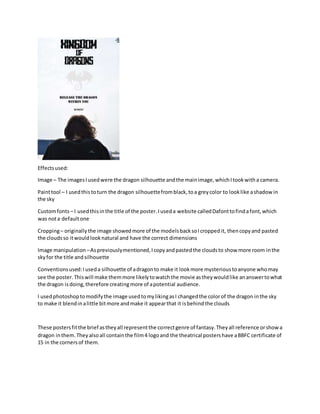
Teaser poster (vertical)
Effectsused:
Image – The imagesIusedwere the dragon silhouette andthe mainimage,whichItookwitha camera.
Painttool – I usedthistoturn the dragon silhouettefromblack,toa greycolor to looklike ashadowin
the sky
Customfonts – I usedthisinthe title of the poster.Iuseda website calledDafonttofindafont,which
was nota defaultone
Cropping– originallythe image showedmore of the modelsbacksoIcroppedit, thencopyand pasted
the cloudsso itwouldlooknatural and have the correct dimensions
Image manipulation –Aspreviouslymentioned,Icopyandpastedthe cloudsto show more room inthe
skyfor the title andsilhouette
Conventionsused:Iuseda silhouette of adragonto make it lookmore mysterioustoanyone whomay
see the poster.Thiswill make themmore likelytowatchthe movie astheywouldlike ananswertowhat
the dragon isdoing,therefore creatingmore of apotential audience.
I usedphotoshoptomodifythe image usedtomylikingasI changedthe colorof the dragon inthe sky
to make it blendinalittle bitmore andmake it appearthat it isbehindthe clouds
These postersfitthe brief astheyall representthe correctgenre of fantasy.Theyall reference orshowa
dragon inthem.Theyalsoall containthe film4 logoand the theatrical postershave aBBFC certificate of
15 in the cornersof them.
Evaluation.docx

Evaluation.docx

  • 1.
    Evaluation Theatricalposter (vertical) Effectsused: Background –I addedthe redthat fadesdarkerinthe background Images– imagesI usedwere the dragonsilhouetteandthe image of the model,whichItookwitha camera Layering– I layeredthe image,sothatone will be ontop of another Image manipulation –Icroppedit anderasedthe backgroundof the image of the model,andthe white backgroundon the dragon Shapes– I useda rectangularshape to make the blackbox at the bottom, whichthe billingblockgoes over Conventionsused:Iuseda redbackgroundto make itappear more mysterioustoanyone whoseesit. Thiswill entice people tobe more likelytowatchthe movie andgetmore potential audience. I usedphotoshoptomodifythe image used tomylikingasI highlightedandcutthe image of the model to put overthe redbackground.
  • 2.
    Theatricalposter (horizontal) Effectsused: Colorwheel –Iusedthisto modifythe backgroundtomake it change color.Originally,itwasayellowish color,so I made it darker,soit fitsthe theme of the movie Customfonts – I usedthisinthe title of the poster.Iuseda website calledDafonttofindafont,which was nota defaultone Shapes– One again,I useda rectangularshape to make the blackbox at the bottom, whichthe billing blockgoesover Images– I usedan image,whichisusedforthe background.I tookthisimage witha camera I usedphotoshoptomodifythe image usedtomylikingasI wantedtochange the colorof the backgroundto make itdarker andmore intimidatingsoitwouldstandoutmore to potential audience.
  • 3.
    Conventionsused:Iuseda redtitle tomakeit appearmore mysterioustoanyone whoseesit.Thiswill entice people tobe more likelytowatchthe movie.Thisalsomakes the title standoutmore to potential audience. Teaser poster (vertical)
  • 4.
    Effectsused: Image – TheimagesIusedwere the dragon silhouette andthe mainimage,whichItookwitha camera. Painttool – I usedthistoturn the dragon silhouettefromblack,toa greycolor to looklike ashadowin the sky Customfonts – I usedthisinthe title of the poster.Iuseda website calledDafonttofindafont,which was nota defaultone Cropping– originallythe image showedmore of the modelsbacksoIcroppedit, thencopyand pasted the cloudsso itwouldlooknatural and have the correct dimensions Image manipulation –Aspreviouslymentioned,Icopyandpastedthe cloudsto show more room inthe skyfor the title andsilhouette Conventionsused:Iuseda silhouette of adragonto make it lookmore mysterioustoanyone whomay see the poster.Thiswill make themmore likelytowatchthe movie astheywouldlike ananswertowhat the dragon isdoing,therefore creatingmore of apotential audience. I usedphotoshoptomodifythe image usedtomylikingasI changedthe colorof the dragon inthe sky to make it blendinalittle bitmore andmake it appearthat it isbehindthe clouds These postersfitthe brief astheyall representthe correctgenre of fantasy.Theyall reference orshowa dragon inthem.Theyalsoall containthe film4 logoand the theatrical postershave aBBFC certificate of 15 in the cornersof them.