Evaluating Internet Sources
A brief lesson on how to assess the
quality and worth of an Internet
source
Does the Web have high-quality,
accurate, and reliable information?
 The answer is certainly yes ... and no.
 The Web includes some very accurate and reliable
resources, along with many inaccurate, unreliable,
misleading, and outright false ones
Anyone can print anything on the
Internet
Internet sources must be evaluated to assure
their authenticity and relevance because Web
sites and pages do not go through the intensive
editing processes that traditional print and
visual resources do.
Therefore, YOU, the user, must learn to
assess (evaluate)the validity of the sources you
use in your research.
Don’t be fooled (‫)يخدع‬into believing that just
because it’s on the Internet, it’s true. In
essence, don’t believe everything that you read!
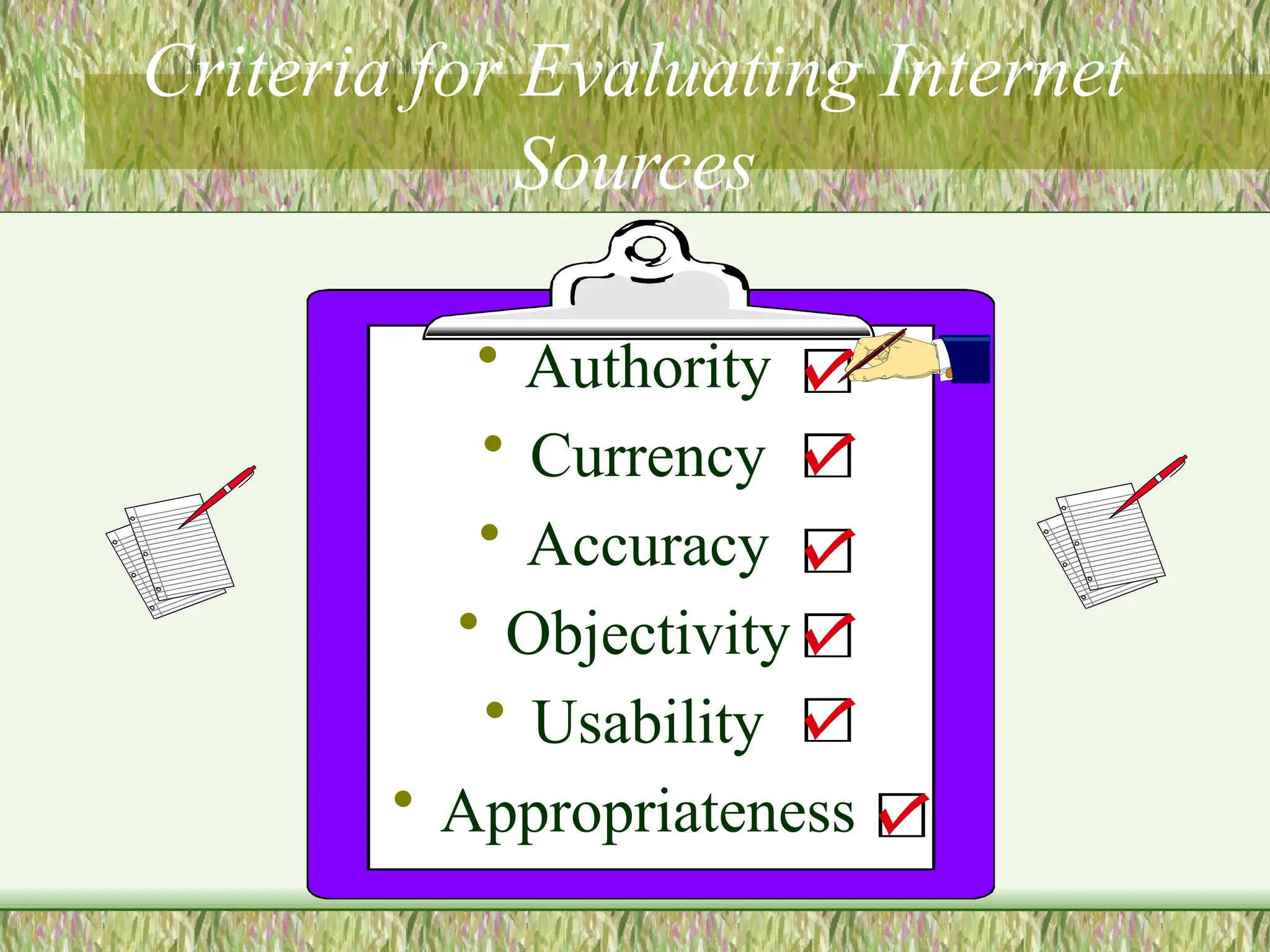
Criteria for Evaluating Internet
Sources
• Authority
• Currency
• Accuracy
• Objectivity
• Usability
• Appropriateness
Authority
• Authority refers to the reliability and
credibility of the source.
• What are the author’s qualifications?
• Is the author or source affiliated with a
reputable organization?
• Is there a contact person listed?
• Is there evidence of quality control?
Examine the Domain
One good way to assess)evaluate) the credibility
of an authority or web site is to examine the URL
• edu = college or university
• gov = government agency or organization
• org = non-profit organization
• mil = military organization
• com = commercial organization
• info = general information site
• net = network provider
• int = intergovernmental organization
Be wary ...
• A tilde ~ after the domain type usually
indicates a personal web page and not an
official part of that organization’s site
• Look for personal data about the author
or organization
• Look for contact information, an email
address, webmaster, editor, etc.
Currency … or timeliness
Very often, Internet sources offer a real
advantage in that they are often even
more current than traditional print
sources.
The information can be updated
constantly(continuously).
However, you must be aware that the dates on an Internet
site have various meanings.
Examine the date...
• Date of information - usually indicates
when the material was originally written
• Date of publication - usually indicates when
the material first appeared on the Web
• Date of last revision or update - usually
indicates the latest revision
• And check the links to make sure that they
are up-do-date!!!
Accuracy
• Dependable?
• Error-free?
• Documented?
• Accurate?
• Comprehensive?
• Understandable?
Accuracy refers to the
reliability of the
information.
To examine the quality
of the content on the
site, ask the following
questions:
Is the information
?
?
?
?
?
?
Objectivity
• Is there evidence
of bias?
• Is only one side of
an issue
presented?
• Is any information
purposely
omitted?
• What is the
purpose of the
site? To persuade,
inform, explain,
sell, promote, or
ridicule?
• Can you tell facts
from opinions?
This refers to purpose of the site, evidence of bias
or prejudice(‫)تعصب‬, and facts vs. opinion.
Usability
• User friendliness-
Is it easy to find, read,
and use the information?
• Organization- Is it
logically and clearly
arranged?
• Table of Contents
or Index- Is it labeled
clearly and is it
• Design- Is it clean,
clear, and uncluttered
(orderly)?
• Consistency- Are
navigation buttons the
same throughout?
• Links- Are they clear,
accurate, workable,
valuable?
Usability refers to user friendliness and how easily the site allows
you to retrieve information. Consider the following criteria:
Appropriateness
• Advocacy Webpages
• Business/Marketing Webpages
• Informational Webpages
• News Webpages
• Personal Webpages
Various types of webpages exist. Examine the purpose of the site
to help you to determine the appropriateness for use in your
research. Five types are listed below.
(from Jan Alexander and Marsha Ann Tate of Widenour University)
Dupe Detector:
Website: Trustworthy Questionable
1. Do large companies you know advertise on the site? Yes □ No □
2. Are there any ‘dead links’, or links to ‘moved pages’? No □ Yes □
3. Do the images support the stated facts? Yes □ No □
4. Is the site hosted by a credible provider and reside in a ‘trustworthy’ domain. Yes □ No □
5.
Are there links and references to other websites, resources and experts that corroborate this
information?
Yes □ No □
6. Is the resource available in another format? Yes □ No □
7. Do the site’s authors have other publications with credible sites and publishers? Yes □ No □
8.
Are the site’s authors experts in the subject? (Do they have any credentials or experience around
the topic?)
Yes □ No □
9. Is contact information provided and does the place/e-mail exist and work? Yes □ No □
10.
Does the site present highly biased visuals (e.g. racist statements, derogatory remarks, and
emotional language)?
No □ Yes □
11. Is the site professional (grammar and typing errors are not present or very minimal)? Yes □ No □
Totals**:
Available at: http://www.lerc.educ.ubc.ca/LERC/outreach/lomcira2006/lomcirahandoutapril06.doc
Remember Anyone can post
information on the Internet!
• Make sure the information you are using comes from a
person or organization that can be trusted.
• One simple way to tell if a site is reliable is to
• look at who runs the site.
• looking at the first section of a web address will tell
you where it came from(a museum, university, or
some other place that it can be trusted)
.
Remember that the Internet is not the only source of information.
.
• It is very useful for some topics and almost
useless for others.
Use a variety of sources, both Internet and
traditional sources
Always question the validity of the
information that you find.
Remember the important evaluation criteria to
consider.
How to Cite Internet Sources:
Citing your sources means telling people where you got your
information(books , encyclopedias and the internet sources listed in
bibliography “reference”).
Citing your sources is important because it shows others how to find
the same information you found.
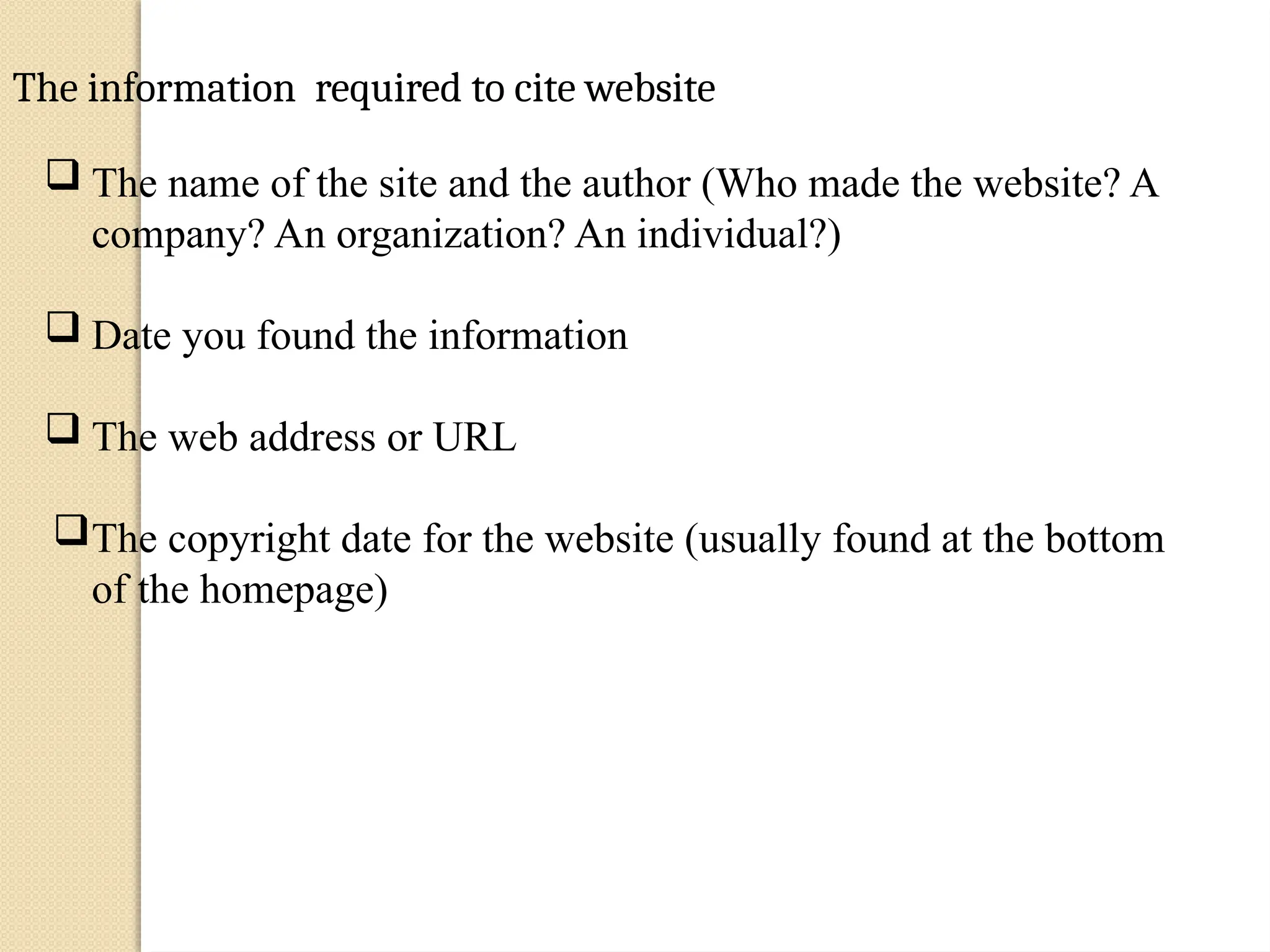
The information required to cite website
 The name of the site and the author (Who made the website? A
company? An organization? An individual?)
 Date you found the information
 The web address or URL
The copyright date for the website (usually found at the bottom
of the homepage)
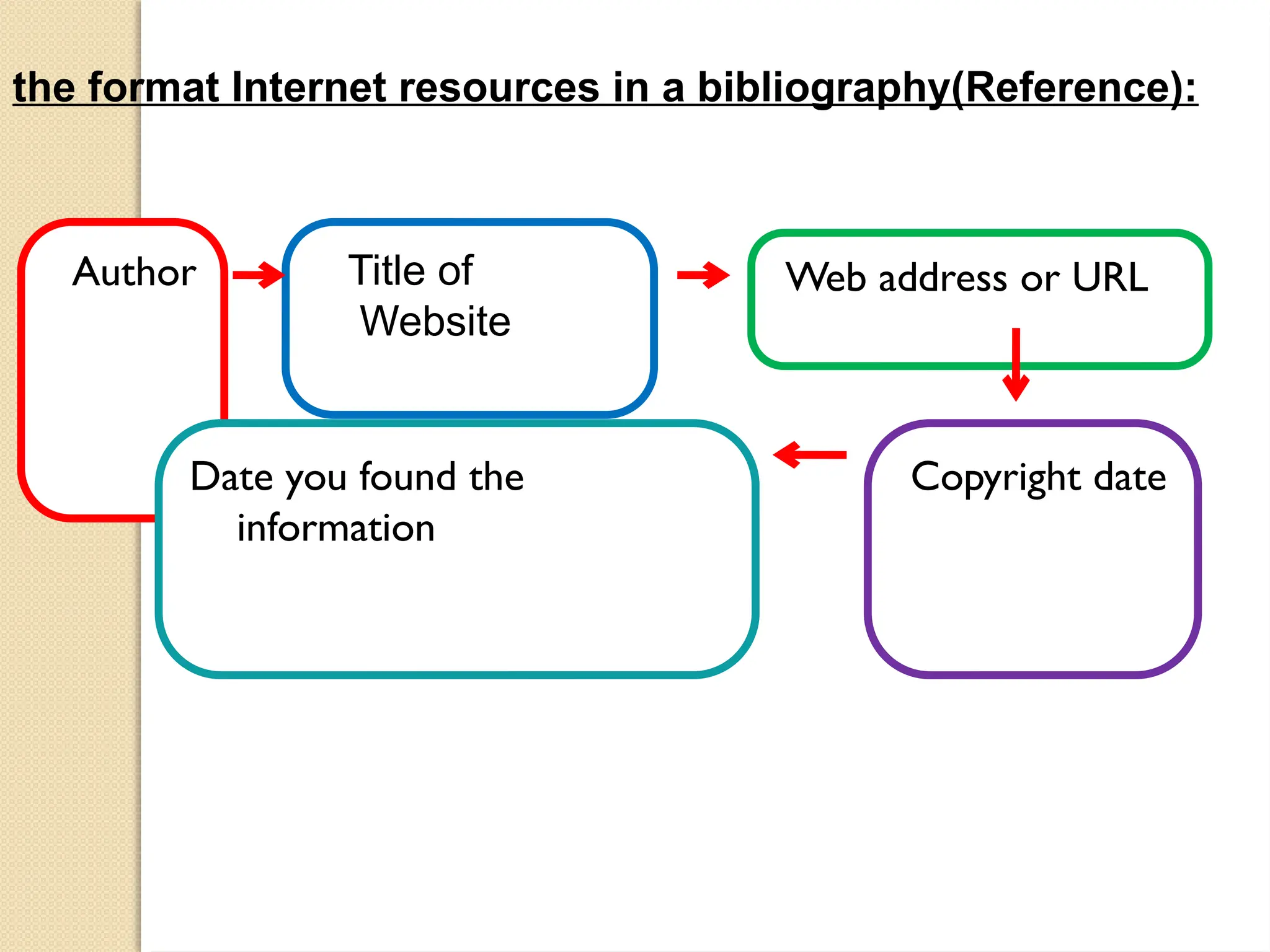
the format Internet resources in a bibliography(Reference):
Author Title of
Website
Web address or URL
Copyright date
Date you found the
information
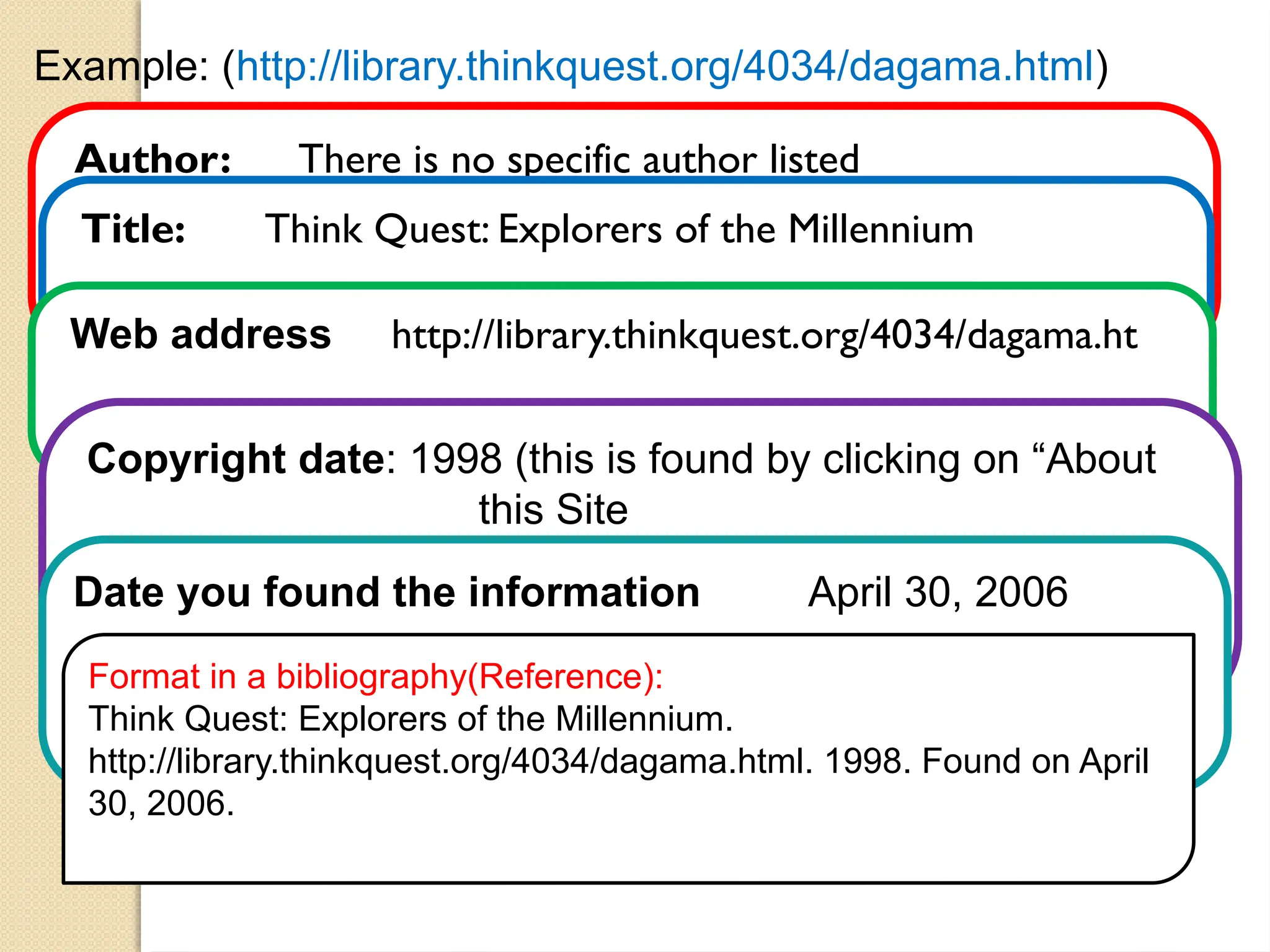
Example: (http://library.thinkquest.org/4034/dagama.html)
Author: There is no specific author listed
Title: Think Quest: Explorers of the Millennium
Web address http://library.thinkquest.org/4034/dagama.ht
Copyright date: 1998 (this is found by clicking on “About
this Site
Date you found the information April 30, 2006
Format in a bibliography(Reference):
Think Quest: Explorers of the Millennium.
http://library.thinkquest.org/4034/dagama.html. 1998. Found on April
30, 2006.
Finally...
• It is very useful for
some topics and
almost useless for
others.
• Use a variety of
sources, both
Internet and
traditional sources
• Always question
the validity of the
information that
you find.
• Remember the
important
evaluation criteria
to consider.
Remember that Anyone can post information on the
Internet .
And you’ll be a...
Happier,
Smarter,
More Successful
Researcher!!

Evaluating internet sourcess m power.pptx

  • 1.
    Evaluating Internet Sources Abrief lesson on how to assess the quality and worth of an Internet source
  • 2.
    Does the Webhave high-quality, accurate, and reliable information?  The answer is certainly yes ... and no.  The Web includes some very accurate and reliable resources, along with many inaccurate, unreliable, misleading, and outright false ones
  • 3.
    Anyone can printanything on the Internet Internet sources must be evaluated to assure their authenticity and relevance because Web sites and pages do not go through the intensive editing processes that traditional print and visual resources do. Therefore, YOU, the user, must learn to assess (evaluate)the validity of the sources you use in your research. Don’t be fooled (‫)يخدع‬into believing that just because it’s on the Internet, it’s true. In essence, don’t believe everything that you read!
  • 4.
    Criteria for EvaluatingInternet Sources • Authority • Currency • Accuracy • Objectivity • Usability • Appropriateness
  • 5.
    Authority • Authority refersto the reliability and credibility of the source. • What are the author’s qualifications? • Is the author or source affiliated with a reputable organization? • Is there a contact person listed? • Is there evidence of quality control?
  • 6.
    Examine the Domain Onegood way to assess)evaluate) the credibility of an authority or web site is to examine the URL • edu = college or university • gov = government agency or organization • org = non-profit organization • mil = military organization • com = commercial organization • info = general information site • net = network provider • int = intergovernmental organization
  • 7.
    Be wary ... •A tilde ~ after the domain type usually indicates a personal web page and not an official part of that organization’s site • Look for personal data about the author or organization • Look for contact information, an email address, webmaster, editor, etc.
  • 8.
    Currency … ortimeliness Very often, Internet sources offer a real advantage in that they are often even more current than traditional print sources. The information can be updated constantly(continuously). However, you must be aware that the dates on an Internet site have various meanings.
  • 9.
    Examine the date... •Date of information - usually indicates when the material was originally written • Date of publication - usually indicates when the material first appeared on the Web • Date of last revision or update - usually indicates the latest revision • And check the links to make sure that they are up-do-date!!!
  • 10.
    Accuracy • Dependable? • Error-free? •Documented? • Accurate? • Comprehensive? • Understandable? Accuracy refers to the reliability of the information. To examine the quality of the content on the site, ask the following questions: Is the information ? ? ? ? ? ?
  • 11.
    Objectivity • Is thereevidence of bias? • Is only one side of an issue presented? • Is any information purposely omitted? • What is the purpose of the site? To persuade, inform, explain, sell, promote, or ridicule? • Can you tell facts from opinions? This refers to purpose of the site, evidence of bias or prejudice(‫)تعصب‬, and facts vs. opinion.
  • 12.
    Usability • User friendliness- Isit easy to find, read, and use the information? • Organization- Is it logically and clearly arranged? • Table of Contents or Index- Is it labeled clearly and is it • Design- Is it clean, clear, and uncluttered (orderly)? • Consistency- Are navigation buttons the same throughout? • Links- Are they clear, accurate, workable, valuable? Usability refers to user friendliness and how easily the site allows you to retrieve information. Consider the following criteria:
  • 13.
    Appropriateness • Advocacy Webpages •Business/Marketing Webpages • Informational Webpages • News Webpages • Personal Webpages Various types of webpages exist. Examine the purpose of the site to help you to determine the appropriateness for use in your research. Five types are listed below. (from Jan Alexander and Marsha Ann Tate of Widenour University)
  • 14.
    Dupe Detector: Website: TrustworthyQuestionable 1. Do large companies you know advertise on the site? Yes □ No □ 2. Are there any ‘dead links’, or links to ‘moved pages’? No □ Yes □ 3. Do the images support the stated facts? Yes □ No □ 4. Is the site hosted by a credible provider and reside in a ‘trustworthy’ domain. Yes □ No □ 5. Are there links and references to other websites, resources and experts that corroborate this information? Yes □ No □ 6. Is the resource available in another format? Yes □ No □ 7. Do the site’s authors have other publications with credible sites and publishers? Yes □ No □ 8. Are the site’s authors experts in the subject? (Do they have any credentials or experience around the topic?) Yes □ No □ 9. Is contact information provided and does the place/e-mail exist and work? Yes □ No □ 10. Does the site present highly biased visuals (e.g. racist statements, derogatory remarks, and emotional language)? No □ Yes □ 11. Is the site professional (grammar and typing errors are not present or very minimal)? Yes □ No □ Totals**: Available at: http://www.lerc.educ.ubc.ca/LERC/outreach/lomcira2006/lomcirahandoutapril06.doc
  • 15.
    Remember Anyone canpost information on the Internet! • Make sure the information you are using comes from a person or organization that can be trusted. • One simple way to tell if a site is reliable is to • look at who runs the site. • looking at the first section of a web address will tell you where it came from(a museum, university, or some other place that it can be trusted) .
  • 16.
    Remember that theInternet is not the only source of information. . • It is very useful for some topics and almost useless for others. Use a variety of sources, both Internet and traditional sources Always question the validity of the information that you find. Remember the important evaluation criteria to consider.
  • 17.
    How to CiteInternet Sources: Citing your sources means telling people where you got your information(books , encyclopedias and the internet sources listed in bibliography “reference”). Citing your sources is important because it shows others how to find the same information you found.
  • 18.
    The information requiredto cite website  The name of the site and the author (Who made the website? A company? An organization? An individual?)  Date you found the information  The web address or URL The copyright date for the website (usually found at the bottom of the homepage)
  • 19.
    the format Internetresources in a bibliography(Reference): Author Title of Website Web address or URL Copyright date Date you found the information
  • 20.
    Example: (http://library.thinkquest.org/4034/dagama.html) Author: Thereis no specific author listed Title: Think Quest: Explorers of the Millennium Web address http://library.thinkquest.org/4034/dagama.ht Copyright date: 1998 (this is found by clicking on “About this Site Date you found the information April 30, 2006 Format in a bibliography(Reference): Think Quest: Explorers of the Millennium. http://library.thinkquest.org/4034/dagama.html. 1998. Found on April 30, 2006.
  • 21.
    Finally... • It isvery useful for some topics and almost useless for others. • Use a variety of sources, both Internet and traditional sources • Always question the validity of the information that you find. • Remember the important evaluation criteria to consider. Remember that Anyone can post information on the Internet .
  • 22.
    And you’ll bea... Happier, Smarter, More Successful Researcher!!