Ethics and Technology in Education Michael Langlois Director of Technology Brimmer and May School
What are the Ethics of Technology? “ Ethical judgments are no different in the area of computing and technology from those in any other area, as computers raise problems of privacy, ownership, theft and power, to name but a few examples.” Ethics in Computing, NCSU
How Does This Apply in Education? Ethical behavior is defined at multiple levels in a society The community level is one of the most influential A prototypical community is a school A school is both a subset and superset of prevailing ethical norms Ethical behavior in education is no different than ethical behavior elsewhere It’s the same
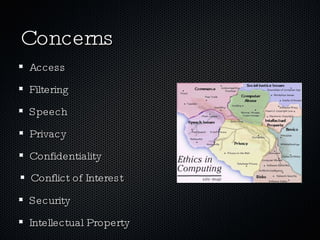
Concerns Conflict of Interest Confidentiality Privacy Security Speech Filtering Access Intellectual Property
The Ten Commandments of Computer Ethics 1. Thou shalt not use a computer to harm other people. 2. Thou shalt not interfere with other people's computer work. 3. Thou shalt not snoop around in other people's computer files. 4. Thou shalt not use a computer to steal. 5. Thou shalt not use a computer to bear false witness. 6. Thou shalt not copy or use proprietary software for which you have not paid. 7. Thou shalt not use other people's computer resources without authorization or proper compensation. 8. Thou shalt not appropriate other people's intellectual output. 9. Thou shalt think about the social consequences of the program you are writing or the system you are designing. 10. Thou shalt always use a computer in ways that ensure consideration and respect for your fellow humans. the Computer Ethics Institute http://computerethicsinstitute.org
AASL foundational beliefs Reading is a window to the world. Inquiry provides a framework for learning. Ethical behavior in the use of information must be taught. Technology skills are crucial for future employment needs. Equitable access is a key component for education. The definition of information literacy has become more complex as resources and technologies have changed. The continuing expansion of information demands that all individuals acquire the thinking skills that will enable them to learn on their own. Learning has a social context. School libraries are essential to the development of learning skills.
Mechanisms Communication: Web E-mail Text Chat Newsgroups VOIP Publication: Websites Wikis Podcasts Blogs Newsgroups Lists
Minefields Citations: making sure what isn’t original is attributed Metadata: check the veracity of data that’s hard to see Advertising: beware of bias Disposal (of data, hardware, etc.): security issue Archiving: saving what deserved to preserved Creation: making the content original
Some Scenarios Jules has walked away from a lab computer without logging off. Trish sits down and, still logged in as Jules, sends inflammatory e-mail messages out to a number of students and posts similar messages on the class newsgroup. Brad has posted a note on his class newsgroup stating his (highly unflattering) opinion of a new teacher. He wants to know what others think. Some of the responses that follow say nice things. Other comments are quite critical; a few are personal. Like many of her friends, Minnie has a blog. But unlike her friends, she keeps its location secret. She doesn’t link to anyone else’s blog and she doesn’t comment on other blogs using her blog identity. Somehow, though, Edward finds out the URL for Minnie’s blog and adds it to the “friends” list on his blog. Word spreads, and soon everyone has read Minnie’s blog. Unfortunately, she has used her blog to criticize most everyone she knows, including other students, teachers, and her parents. Everyone is furious with her.
Scenario links University Laboratory High School Doug Johnson
Educators should... Draw parallels between the real world and the electronic world. Make direct comparisons between what students do on the Internet and how they behave in their daily lives. Post a written acceptable use policy in your classroom, and include the consequences for violating it. Reinforce proper behavior. Treat offenses as mistakes rather than "crimes," especially in the beginning. Assign students to work with technology buddies, other students who have already worked with technology and will set a good example. Peers can help sell a point that students might not accept from adults. In addition, kids who are working together are less likely to get off task. Don't model inappropriate behavior. Instill a sense of responsibility, point out the real costs of misusing technology, and express a belief in students' ability to handle technology properly. Students will live up to or down to your expectations.
Good Practice authentication: login and logout passwords encryption revision tracking saving backup
Practices con’t. proper research methods appropriate/correct citation CRITICAL THOUGHT collaborate and share ask questions
Resources Markkula Center for Applied Ethics  at Santa Clara University Ethics in Computing  at NC State Computer Professionals for Social Responsibility The Computer Ethics Institute The Electronic Frontier Foundation TurnItIn.com AASL Learning Standards Computer Ethics for Educators , U. of Illinois, Urbana/Champaign Education World,  Tools for Teaching Cyber Ethics Doug Johnson
More Resources DoJ site for kids  http://www.usdoj.gov/criminal/cybercrime/rules/kidinternet.htm DoJ for teachers  http://www.usdoj.gov/criminal/cybercrime/rules/lessonplan1.htm Institute for Global Ethics

Ethics

  • 1.
    Ethics and Technologyin Education Michael Langlois Director of Technology Brimmer and May School
  • 2.
    What are theEthics of Technology? “ Ethical judgments are no different in the area of computing and technology from those in any other area, as computers raise problems of privacy, ownership, theft and power, to name but a few examples.” Ethics in Computing, NCSU
  • 3.
    How Does ThisApply in Education? Ethical behavior is defined at multiple levels in a society The community level is one of the most influential A prototypical community is a school A school is both a subset and superset of prevailing ethical norms Ethical behavior in education is no different than ethical behavior elsewhere It’s the same
  • 4.
    Concerns Conflict ofInterest Confidentiality Privacy Security Speech Filtering Access Intellectual Property
  • 5.
    The Ten Commandmentsof Computer Ethics 1. Thou shalt not use a computer to harm other people. 2. Thou shalt not interfere with other people's computer work. 3. Thou shalt not snoop around in other people's computer files. 4. Thou shalt not use a computer to steal. 5. Thou shalt not use a computer to bear false witness. 6. Thou shalt not copy or use proprietary software for which you have not paid. 7. Thou shalt not use other people's computer resources without authorization or proper compensation. 8. Thou shalt not appropriate other people's intellectual output. 9. Thou shalt think about the social consequences of the program you are writing or the system you are designing. 10. Thou shalt always use a computer in ways that ensure consideration and respect for your fellow humans. the Computer Ethics Institute http://computerethicsinstitute.org
  • 6.
    AASL foundational beliefsReading is a window to the world. Inquiry provides a framework for learning. Ethical behavior in the use of information must be taught. Technology skills are crucial for future employment needs. Equitable access is a key component for education. The definition of information literacy has become more complex as resources and technologies have changed. The continuing expansion of information demands that all individuals acquire the thinking skills that will enable them to learn on their own. Learning has a social context. School libraries are essential to the development of learning skills.
  • 7.
    Mechanisms Communication: WebE-mail Text Chat Newsgroups VOIP Publication: Websites Wikis Podcasts Blogs Newsgroups Lists
  • 8.
    Minefields Citations: makingsure what isn’t original is attributed Metadata: check the veracity of data that’s hard to see Advertising: beware of bias Disposal (of data, hardware, etc.): security issue Archiving: saving what deserved to preserved Creation: making the content original
  • 9.
    Some Scenarios Juleshas walked away from a lab computer without logging off. Trish sits down and, still logged in as Jules, sends inflammatory e-mail messages out to a number of students and posts similar messages on the class newsgroup. Brad has posted a note on his class newsgroup stating his (highly unflattering) opinion of a new teacher. He wants to know what others think. Some of the responses that follow say nice things. Other comments are quite critical; a few are personal. Like many of her friends, Minnie has a blog. But unlike her friends, she keeps its location secret. She doesn’t link to anyone else’s blog and she doesn’t comment on other blogs using her blog identity. Somehow, though, Edward finds out the URL for Minnie’s blog and adds it to the “friends” list on his blog. Word spreads, and soon everyone has read Minnie’s blog. Unfortunately, she has used her blog to criticize most everyone she knows, including other students, teachers, and her parents. Everyone is furious with her.
  • 10.
    Scenario links UniversityLaboratory High School Doug Johnson
  • 11.
    Educators should... Drawparallels between the real world and the electronic world. Make direct comparisons between what students do on the Internet and how they behave in their daily lives. Post a written acceptable use policy in your classroom, and include the consequences for violating it. Reinforce proper behavior. Treat offenses as mistakes rather than "crimes," especially in the beginning. Assign students to work with technology buddies, other students who have already worked with technology and will set a good example. Peers can help sell a point that students might not accept from adults. In addition, kids who are working together are less likely to get off task. Don't model inappropriate behavior. Instill a sense of responsibility, point out the real costs of misusing technology, and express a belief in students' ability to handle technology properly. Students will live up to or down to your expectations.
  • 12.
    Good Practice authentication:login and logout passwords encryption revision tracking saving backup
  • 13.
    Practices con’t. properresearch methods appropriate/correct citation CRITICAL THOUGHT collaborate and share ask questions
  • 14.
    Resources Markkula Centerfor Applied Ethics at Santa Clara University Ethics in Computing at NC State Computer Professionals for Social Responsibility The Computer Ethics Institute The Electronic Frontier Foundation TurnItIn.com AASL Learning Standards Computer Ethics for Educators , U. of Illinois, Urbana/Champaign Education World, Tools for Teaching Cyber Ethics Doug Johnson
  • 15.
    More Resources DoJsite for kids http://www.usdoj.gov/criminal/cybercrime/rules/kidinternet.htm DoJ for teachers http://www.usdoj.gov/criminal/cybercrime/rules/lessonplan1.htm Institute for Global Ethics

Editor's Notes

  • #4 Circumstances may differ a bit by time and place but one of the traits of a cohesive society is a certain universality of ethical beliefs
  • #5 we have the same concerns in education that people have in other professions they are only modified by the population we serve... children, whose ethical standards are still developing
  • #6 Trite and overly simplistic, as most short codes of ethics tend to be... Lacking in practical guidance, but still useful as a starting point
  • #8 these are the major vectors by which those concerns are realized
  • #9 Advertising: everywhere on the net, teachers and students need to always be aware of the dangers of partiality Disposal: today, once information is created, it is almost impossible to destroy
  • #13 from very technical...
  • #14 to social and educational