ICT POLICIES AND ISSUES:
IMPLICATIONS TO TEACHING AND
LEARNING
Definition: ICT Policy
• a roadmap or course of actions to be pursued and adopted by
various governments, organizations, entities involving ICT
• includes principles and guidelines in the use of ICT which cover
three main areas: telecommunications (telephone),
broadcasting (radio and television), and internet
Three Categories of Technological Innovations:
• Information Technology – includes the use of computers to
process data and save time and effort [needs: computer
hardware and peripherals, software and for the user, computer
literacy]
• Telecommunication Technologies – include telephones (with fax)
and the broadcasting of radio and television often through
satellites [needs: telephone system, radio and TV broadcasting]
• Networking Technologies – includes the Internet, mobile phone
technology, Voice Over Internet Protocol (VOIP) satellite
communications, cable, DSL, and other broadband connectivity
The DICT Roadmap
The Department of Information and Communications Technology (DICT) has
formulated a roadmap to guide all agencies in the utilization, regulation and
enhancement of ICT. Each project has corresponding policy statements and
guidelines.
The ICT for Education (ICT4E) is a program under the DICT that supports all the
efforts of the education sector in incorporating the use of ICT as well as in
determining and gaining access to the infrastructure which are necessary to use
and deploy learning technologies at all levels of education.
The DICT Roadmap
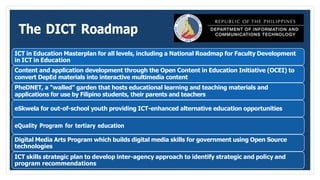
ICT in Education Masterplan for all levels, including a National Roadmap for Faculty Development
in ICT in Education
Content and application development through the Open Content in Education Initiative (OCEI) to
convert DepEd materials into interactive multimedia content
PheDNET, a “walled” garden that hosts educational learning and teaching materials and
applications for use by Filipino students, their parents and teachers
eSkwela for out-of-school youth providing ICT-enhanced alternative education opportunities
eQuality Program for tertiary education
Digital Media Arts Program which builds digital media skills for government using Open Source
technologies
ICT skills strategic plan to develop inter-agency approach to identify strategic and policy and
program recommendations
Some Issues on ICT and Internet Policy Regulations
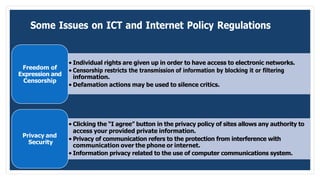
Freedom of
Expression and
Censorship
• Individual rights are given up in order to have access to electronic networks.
• Censorship restricts the transmission of information by blocking it or filtering
information.
• Defamation actions may be used to silence critics.
Privacy and
Security
• Clicking the “I agree” button in the privacy policy of sites allows any authority to
access your provided private information.
• Privacy of communication refers to the protection from interference with
communication over the phone or internet.
• Information privacy related to the use of computer communications system.
Some Issues on ICT and Internet Policy Regulations
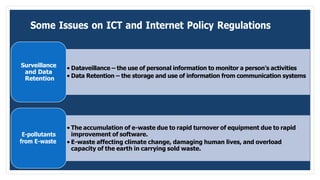
Surveillance
and Data
Retention
• Dataveillance – the use of personal information to monitor a person’s activities
• Data Retention – the storage and use of information from communication systems
E-pollutants
from E-waste
• The accumulation of e-waste due to rapid turnover of equipment due to rapid
improvement of software.
• E-waste affecting climate change, damaging human lives, and overload
capacity of the earth in carrying sold waste.
Implications to Teaching and Learning
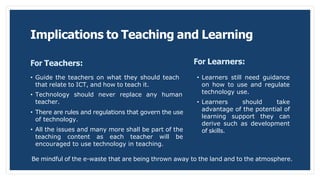
For Teachers:
• Guide the teachers on what they should teach
that relate to ICT, and how to teach it.
• Technology should never replace any human
teacher.
• There are rules and regulations that govern the use
of technology.
• All the issues and many more shall be part of the
teaching content as each teacher will be
encouraged to use technology in teaching.
For Learners:
• Learners still need guidance
on how to use and regulate
technology use.
• Learners should take
advantage of the potential of
learning support they can
derive such as development
of skills.
Be mindful of the e-waste that are being thrown away to the land and to the atmosphere.
Some Risks in the Use of ICT and e-Networking
Exposure to inappropriate content, including on-line pornography and extremism
Lifestyle websites like self-harms and suicide sites, and hate sites
Cyber-bullying is all forms, receiving sexually explicit images and messages
Privacy issues including disclosure of personal information
Health and well-being (amount of time spent online, internet gaming, etc)
Prolonged exposure to online technologies, particularly at an early age
Addiction to gambling and gaming
Theft and fraud activities such as phishing
Viruses, Trojans, spyware and other malware
Social pressure to maintain online networks via texting and social networking sites
Minor Misuse of ICT
In schools, some minor misuse made by learners include the following:
Copying information into assignment and failing to acknowledge the
source (plagiarism and copyright infringement)
Downloading materials not relevant to their studies
Misconduct associated with subject logins, such as using someone
else’s password
Leaving a mobile phone turned on during class period
Unauthorized taking of pictures or images with mobile phone camera,
still or moving
e-Safety Issues
 helps safeguard children and young people in the digital world
 emphasizes learning to understand and new technologies in a
positive way
 educates children about the risks as well as the benefits so we
can feel confident online
 support young learners and adults to develop safer online
behaviors, both in and out of school
Network Management
1. Safety in the Use of Network in Schools
1. Make clear that no one should log on as another use.
2. Require all users to always log off when they finish working.
3. Maintain equipment to ensure health and safety
4. Provide students with access to content and resources through guided e-learning.
5. Set up a clear disaster recovery system in place for critical data that include secure, remote back up of critical data.
6. Secure wireless network to appropriate standards suitable for educational use.
7. Install all computer equipment professionally and meet health and safety standards.
8. Review the school ICT system regularly with regard to health and safety security.
2. Password Policy
1. Only authorized users will have individual passwords.
2. Computers shall be set to a time out if they become unused for a certain period of time.
3. Personal mobile phones and mobile devices
1. All mobile phones shall be kept away from learners and accessed only during breaktime, at the end of classes, or when
needed.
4. Cameras
1. Taking pictures only from parents or caregivers and not from any other family member or friend while the child attends
class.
2. Any picture taken of children shall be on cameras solely for the purpose.
Setting Up an Educational Technology Room
Schools that plan to dedicate a room where the students can access
technologies for learning should establish and enforce basic safety rules such as
(but not exclusive to):
providing tiltable tables
providing anti-glare screen filters
providing adjustable chairs
providing foot support
suitable lighting
work stations are not cramped
plan work at a computer so that there are frequent breaks
safety rules to reduce risks of accidents in the working stations

educ 103

  • 1.
    ICT POLICIES ANDISSUES: IMPLICATIONS TO TEACHING AND LEARNING
  • 2.
    Definition: ICT Policy •a roadmap or course of actions to be pursued and adopted by various governments, organizations, entities involving ICT • includes principles and guidelines in the use of ICT which cover three main areas: telecommunications (telephone), broadcasting (radio and television), and internet
  • 3.
    Three Categories ofTechnological Innovations: • Information Technology – includes the use of computers to process data and save time and effort [needs: computer hardware and peripherals, software and for the user, computer literacy] • Telecommunication Technologies – include telephones (with fax) and the broadcasting of radio and television often through satellites [needs: telephone system, radio and TV broadcasting] • Networking Technologies – includes the Internet, mobile phone technology, Voice Over Internet Protocol (VOIP) satellite communications, cable, DSL, and other broadband connectivity
  • 4.
    The DICT Roadmap TheDepartment of Information and Communications Technology (DICT) has formulated a roadmap to guide all agencies in the utilization, regulation and enhancement of ICT. Each project has corresponding policy statements and guidelines. The ICT for Education (ICT4E) is a program under the DICT that supports all the efforts of the education sector in incorporating the use of ICT as well as in determining and gaining access to the infrastructure which are necessary to use and deploy learning technologies at all levels of education.
  • 5.
    The DICT Roadmap ICTin Education Masterplan for all levels, including a National Roadmap for Faculty Development in ICT in Education Content and application development through the Open Content in Education Initiative (OCEI) to convert DepEd materials into interactive multimedia content PheDNET, a “walled” garden that hosts educational learning and teaching materials and applications for use by Filipino students, their parents and teachers eSkwela for out-of-school youth providing ICT-enhanced alternative education opportunities eQuality Program for tertiary education Digital Media Arts Program which builds digital media skills for government using Open Source technologies ICT skills strategic plan to develop inter-agency approach to identify strategic and policy and program recommendations
  • 6.
    Some Issues onICT and Internet Policy Regulations Freedom of Expression and Censorship • Individual rights are given up in order to have access to electronic networks. • Censorship restricts the transmission of information by blocking it or filtering information. • Defamation actions may be used to silence critics. Privacy and Security • Clicking the “I agree” button in the privacy policy of sites allows any authority to access your provided private information. • Privacy of communication refers to the protection from interference with communication over the phone or internet. • Information privacy related to the use of computer communications system.
  • 7.
    Some Issues onICT and Internet Policy Regulations Surveillance and Data Retention • Dataveillance – the use of personal information to monitor a person’s activities • Data Retention – the storage and use of information from communication systems E-pollutants from E-waste • The accumulation of e-waste due to rapid turnover of equipment due to rapid improvement of software. • E-waste affecting climate change, damaging human lives, and overload capacity of the earth in carrying sold waste.
  • 8.
    Implications to Teachingand Learning For Teachers: • Guide the teachers on what they should teach that relate to ICT, and how to teach it. • Technology should never replace any human teacher. • There are rules and regulations that govern the use of technology. • All the issues and many more shall be part of the teaching content as each teacher will be encouraged to use technology in teaching. For Learners: • Learners still need guidance on how to use and regulate technology use. • Learners should take advantage of the potential of learning support they can derive such as development of skills. Be mindful of the e-waste that are being thrown away to the land and to the atmosphere.
  • 9.
    Some Risks inthe Use of ICT and e-Networking Exposure to inappropriate content, including on-line pornography and extremism Lifestyle websites like self-harms and suicide sites, and hate sites Cyber-bullying is all forms, receiving sexually explicit images and messages Privacy issues including disclosure of personal information Health and well-being (amount of time spent online, internet gaming, etc) Prolonged exposure to online technologies, particularly at an early age Addiction to gambling and gaming Theft and fraud activities such as phishing Viruses, Trojans, spyware and other malware Social pressure to maintain online networks via texting and social networking sites
  • 10.
    Minor Misuse ofICT In schools, some minor misuse made by learners include the following: Copying information into assignment and failing to acknowledge the source (plagiarism and copyright infringement) Downloading materials not relevant to their studies Misconduct associated with subject logins, such as using someone else’s password Leaving a mobile phone turned on during class period Unauthorized taking of pictures or images with mobile phone camera, still or moving
  • 11.
    e-Safety Issues  helpssafeguard children and young people in the digital world  emphasizes learning to understand and new technologies in a positive way  educates children about the risks as well as the benefits so we can feel confident online  support young learners and adults to develop safer online behaviors, both in and out of school
  • 12.
    Network Management 1. Safetyin the Use of Network in Schools 1. Make clear that no one should log on as another use. 2. Require all users to always log off when they finish working. 3. Maintain equipment to ensure health and safety 4. Provide students with access to content and resources through guided e-learning. 5. Set up a clear disaster recovery system in place for critical data that include secure, remote back up of critical data. 6. Secure wireless network to appropriate standards suitable for educational use. 7. Install all computer equipment professionally and meet health and safety standards. 8. Review the school ICT system regularly with regard to health and safety security. 2. Password Policy 1. Only authorized users will have individual passwords. 2. Computers shall be set to a time out if they become unused for a certain period of time. 3. Personal mobile phones and mobile devices 1. All mobile phones shall be kept away from learners and accessed only during breaktime, at the end of classes, or when needed. 4. Cameras 1. Taking pictures only from parents or caregivers and not from any other family member or friend while the child attends class. 2. Any picture taken of children shall be on cameras solely for the purpose.
  • 13.
    Setting Up anEducational Technology Room Schools that plan to dedicate a room where the students can access technologies for learning should establish and enforce basic safety rules such as (but not exclusive to): providing tiltable tables providing anti-glare screen filters providing adjustable chairs providing foot support suitable lighting work stations are not cramped plan work at a computer so that there are frequent breaks safety rules to reduce risks of accidents in the working stations