Ivo MurrisMolten TechnologiesFebruary 3, 2011Enterprise Desktops Well Served Technical Review
2
Cloud, virtual or ...as a Service?Options for desktopsNew on the block: Desktops as a Service (DaaS)What is an Enterprise desktop well served?Deploying Desktops as a Service (and other hosted virtual desktop solutions)Technical challengesRecommendationsThe future for Enterprise desktopsAgenda3
From Cloud to ...as a Service4
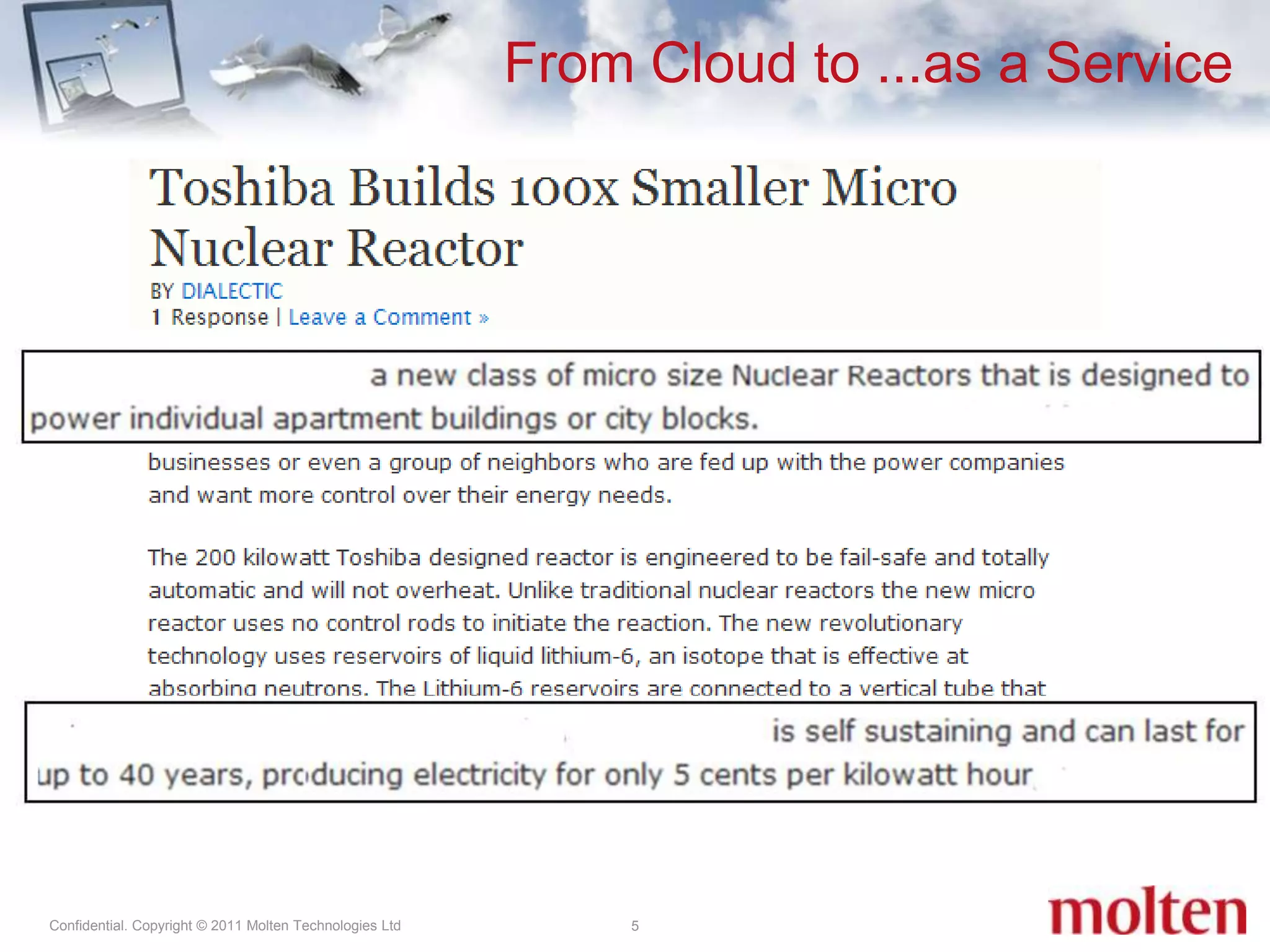
5From Cloud to ...as a Service
From Cloud to ...as a Service6IT services are available all around us, with common examples across the industry: Software as a Service (SaaS)Infrastructure as a Service (IaaS)Platform as a Service (PaaS)Storage BackupData‘Everything’ as a Service
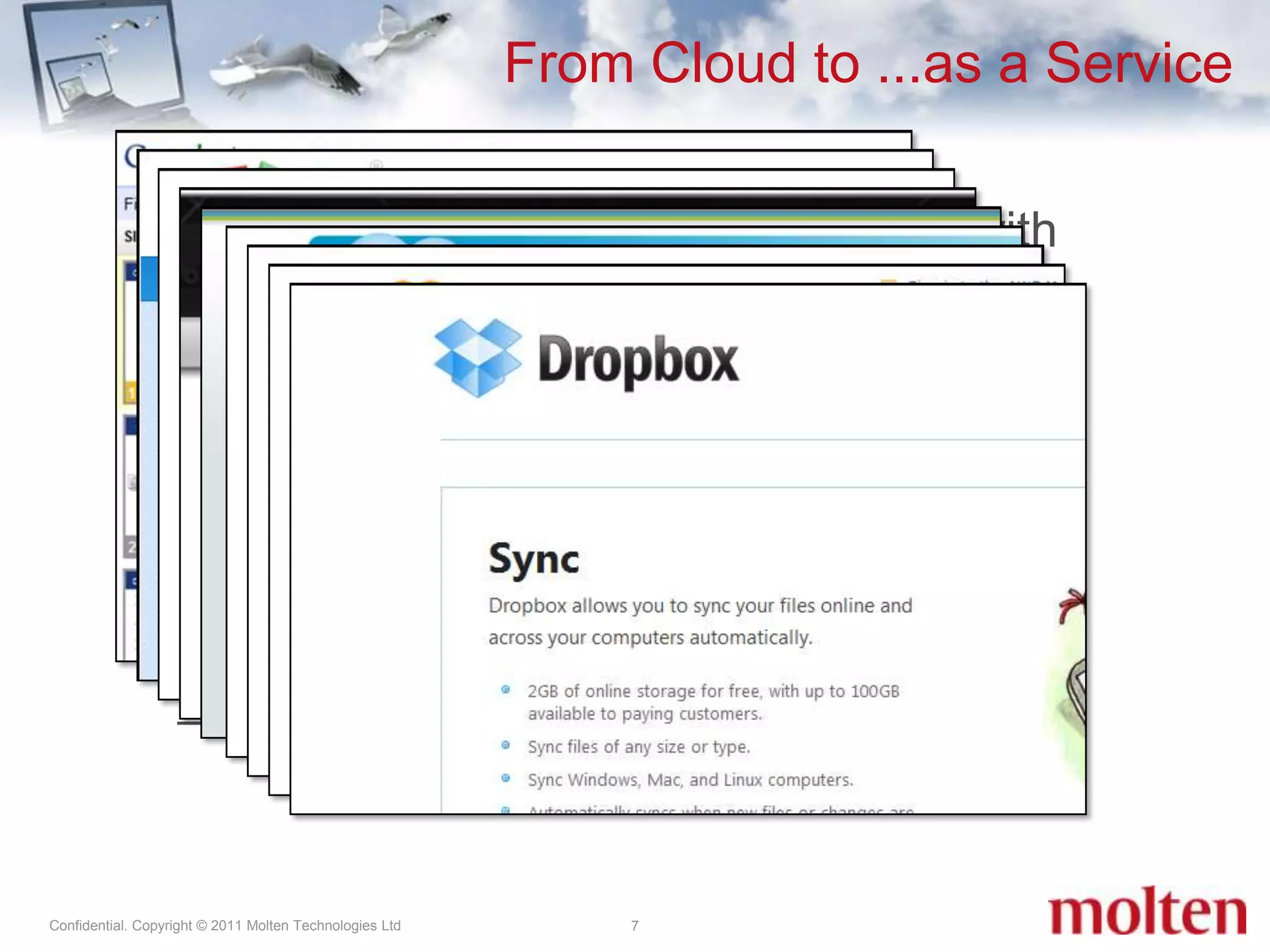
From Cloud to ...as a Service7IT services are available all around us, with common examples across the industry: Software as a Service (SaaS)Infrastructure as a Service (IaaS)Platform as a Service (PaaS)Storage BackupData‘Everything’ as a Service
Desktops as a Service8‘New’ is Desktops as a Service (DaaS)Outsourced virtual desktop infrastructure (VDI)Looks like VDI but isn’tCloud Genes: Universal access (Internet, WAN, LAN)‘Pay as you go’Scale (Elasticity)Resilient (reliability in many Nines)Multi-tenant architectureDesktops are common flavors of Windows or Linux, not yet purelyweb based
What is an Enterprise Desktop Well Served?
A great desktop for a user:Has a consistent and intuitive UI which appears to run very, very fastHas all the applications you need (or want), with all the settings to make them run as expectedFeels like their ownA great desktop for an administrator:Is easily managed on a user, OS, and application levelEnabled by clicking a buttonIs secureA Desktop Well Served10
An Enterprise Well Served11Every company has its ‘own’ way of doing their desktops and applications.Every company has its ‘own’ reasons for outsourcing and centralising their desktops.Security, Scalability, OpEx vs CapEx, Windows 7 migration and application testing, helpdesk outsourcing, ... Moving desktops out to the Cloud is a consultative process.
An Enterprise Well Served12Virtual desktops can be hosted in-house, at a service provider, or using a hybrid model.Moving from physical edge computing to hosted virtual is often more complicated than expected.Don’t expect to move the desktops ‘to the cloud’ by doing a straightforward physical-to-virtual (P2V) conversion. It is not the same as server virtualisation.
Desktops as a ServiceChallenges and Recommendations
DaaS Challenges14To deliver Desktops as a Service well, it must be planned the right way. The major challenges can be grouped into seven key areas:Networking – ensure that each customer can use their desktops securely in ‘their’ subnet Remoting(part of networking) – ensure that each customer gets the required desktop functionality (e.g. VoIP device support, printing)Storage – ensure that each desktop gets fast access to their  harddisk (on central or local server storage)Servers – ensure that you get the desktop numbers per rack right while maintaining flexibility Offline Access – Management of users requiring offline access (not necessarily for required for mobile users)Users – The consumers of this new way of delivering desktops are often overlooked. Ensure the use cases are well understood before starting. Licensing – Most licensing schemes are old school and made for physical desktops owned by the company. Do this early in the project.
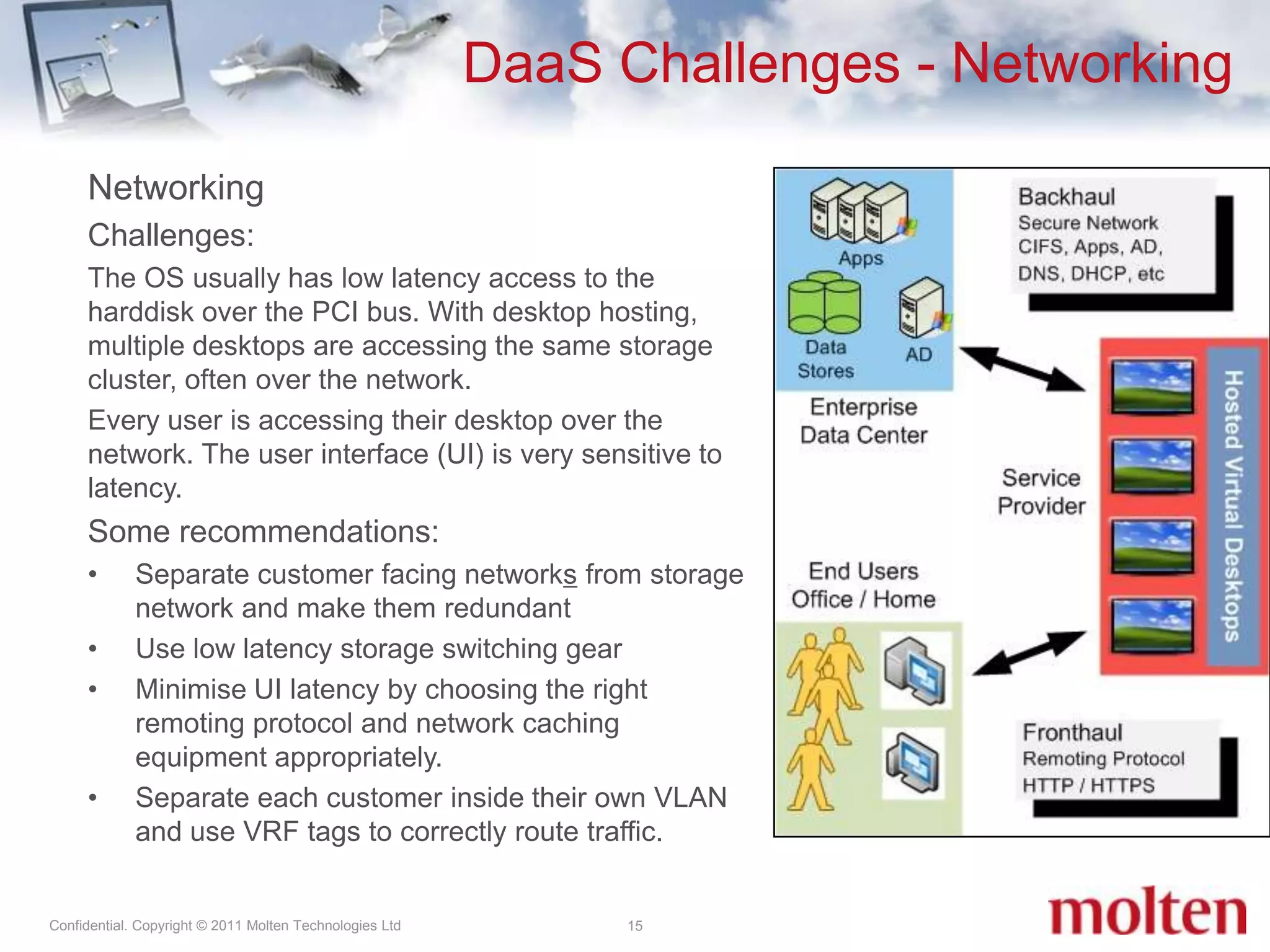
DaaS Challenges - Networking15NetworkingChallenges: The OS usually has low latency access to the harddisk over the PCI bus. With desktop hosting, multiple desktops are accessing the same storage cluster, often over the network.Every user is accessing their desktop over the network. The user interface (UI) is very sensitive to latency.Some recommendations:Separate customer facing networks from storage network and make them redundantUse low latency storage switching gearMinimise UI latency by choosing the right remoting protocol and network caching  equipment appropriately.Separate each customer inside their own VLAN and use VRF tags to correctly route traffic.
DaaS Challenges - Storage16Storage Challenges:Each desktop consumes harddisk space and requires I/O to the storage cluster. Common practices require updating of the OS, anti-virus signature files and applications at fixed times, which cause central storage problems.Some recommendations:Don’t use storage geared for server workloads but get dedicated storage for the desktop hosts. High IOPS (75%/25% write/read) and deduplication are required.Traditional storage vendors don’t deliver optimal IOPS/$ performance. Look into new vendors delivering SSD-only or hybrid solutions and Cloud characteristics. Ensure performance 24/7, also in degraded state. Assume 15-25 IOPS/desktop. Align virtual desktop storage with the hypervisor: http://tiny.cc/bo151 (EMC), http://tiny.cc/79y87 (VMware), http://tiny.cc/73i3q (Virtuall - recommended)Optimise the desktop image for virtual delivery by disabling unwanted services and functionality: http://tiny.cc/6yz2l (Virtuall Blog), http://tiny.cc/nq570 (Microsoft TN - recommended), http://tiny.cc/bo151 (EMC). Measure IOPS/desktop during pilots.Think virtual (outside the  box): Use dynamic desktop pools with frequently updated golden images, combined with application and user state virtualisation. Use anti-virus appliances on the desktop hosts
DaaS Challenges - Servers17ServersChallenges:Each virtual desktop consumes CPU cycles. Desktop density per server is dependent on resident services and applications on each desktop, similar to thinking about storage. One server = 100 desktops, so reliability is key.Some recommendations:Pilot to gauge virtual desktop density per physical server core. Normal figures are 6 to 10 hosted desktops per physical core, translating to ~96 desktops per dual socket, 12 core server Depending on power and cooling restrictions, density > 8000 desktops per 46U rack is possible (e.g. SGI Rackable, HP Blades) From a reliability and networking density perspective, blade technology makes senseSmarter to build desktop infrastructure Lego style:Each rack has its own storage appliances, networking gear, and server nodes Rackbased storage speed is ample to deliver bulk of storage I/O to local desktopsLarger customers will require storage replication across these Lego blocks (elements) Use Green IT management solutions to turn off desktop nodes or even complete elements when not in use
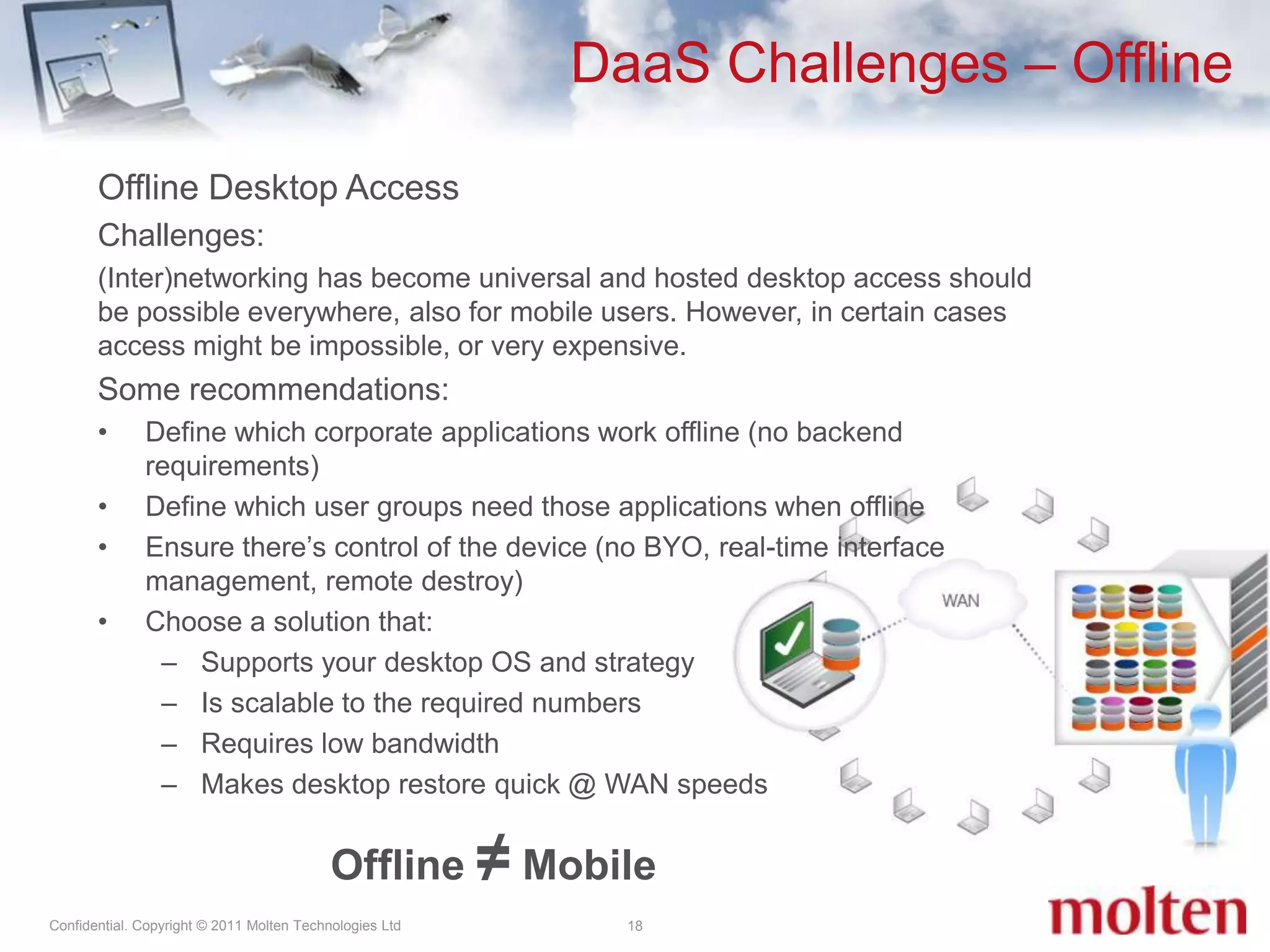
DaaS Challenges – Offline18Offline Desktop AccessChallenges:(Inter)networking has become universal and hosted desktop access should be possible everywhere, also for mobile users. However, in certain cases access might be impossible, or very expensive.  Some recommendations:Define which corporate applications work offline (no backend requirements)Define which user groups need those applications when offline Ensure there’s control of the device (no BYO, real-time interface management, remote destroy)Choose a solution that:Supports your desktop OS and strategyIs scalable to the required numbers Requires low bandwidth Makes desktop restore quick @ WAN speedsOffline ≠Mobile
DaaS – my thoughts19Moving to the cloud can be daunting. Current datacenter practices at the SP and Enterprise are not geared to DaaS.Storage is important, invest intelligently. Explicitly think through a company’s own desktop practice. Analyse which desktops, user groups, applications can move out to hosted cloud. Don't do direct P2V - disasters can happen that way.Multi-tenancy is the way forward for large scale DaaS for both the service provider and large clients.
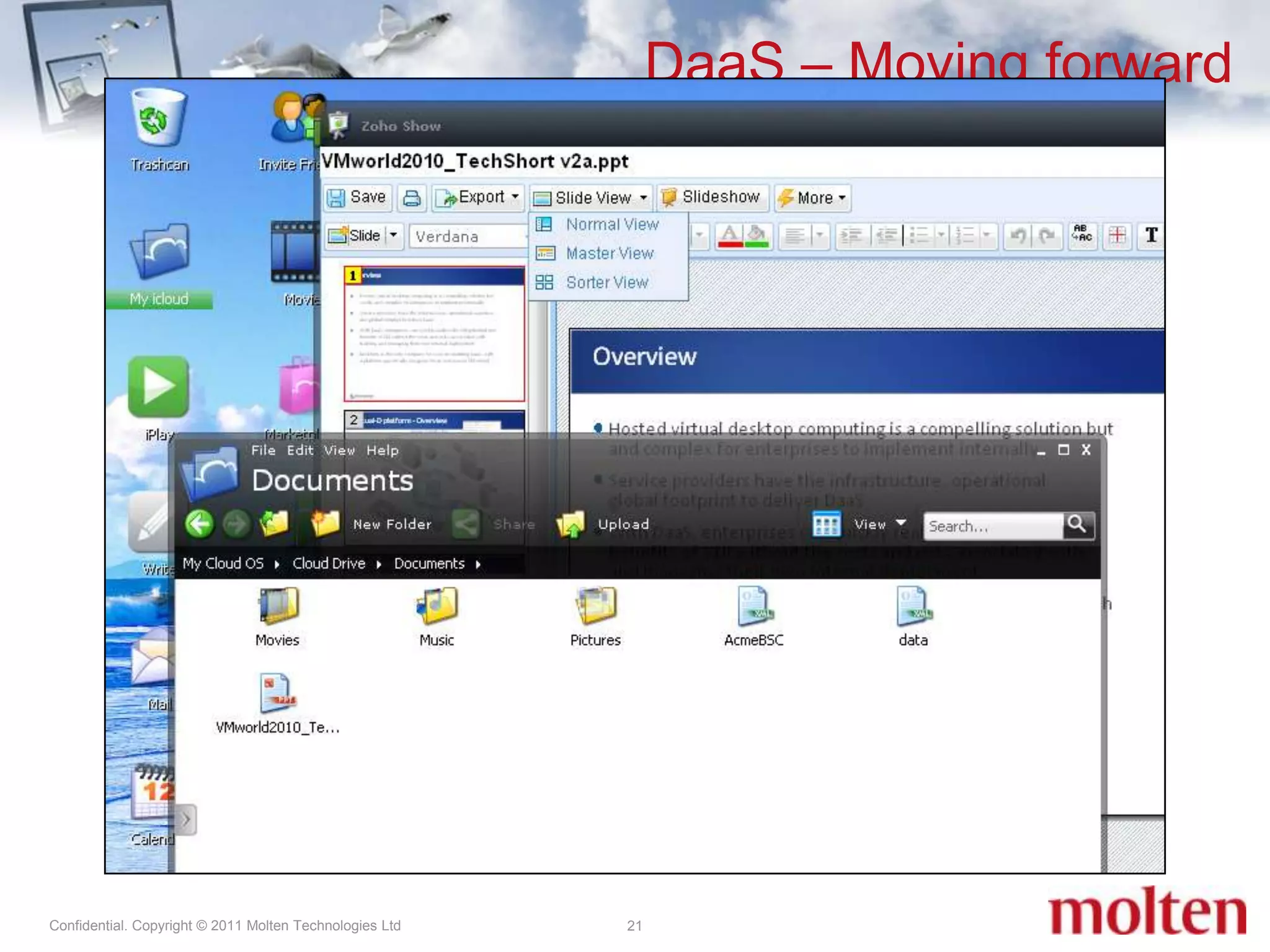
DaaS – Moving forward20When everything comes together ...With the development of web technologies like Rich Internet Applications (RIA), we can be certain that DaaS will move away from delivering a true desktop OS. Further development is however needed:Applications and cloud services need to integrate and communicate seamlessly and securely. Technologies are there and expected to expand quickly from 2014 (Gartner http://tiny.cc/yhlzb) Multimedia and rich display technologies need to be established and agreed upon (HTML 5, Ajax, Silverlight, Flash, ..)Web browsers must become reliable platforms to deliver the needed functionality The state and place of company data must be known and visibleNot only self-servicing but also central management is required
DaaS – Moving forward21When everything comes together ...With the development of web technologies like Rich Internet Applications (RIA), we can be certain that DaaS will move away from delivering a true desktop OS. Further development is however needed:Applications and cloud services need to integrate and communicate seamlessly and securely. Technologies are there and expected to expand quickly from 2014 (Gartner http://tiny.cc/yhlzb) Multimedia and rich display technologies need to be established and agreed upon (HTML 5, Ajax, Silverlight, Flash, ..)Web browsers must become reliable platforms to deliver the needed functionality The state and place of company data must be known and visibleNot only self-servicing but also central management is required
Q & A22Questions?
Ivo Murris www.moltentechnologies.comhttp://uk.linkedin.com/in/ivomurrisEnterprise Desktops Well Served Technical Review

Enterprise Desktops Well Served - a technical perspective on virtual desktops

  • 1.
    Ivo MurrisMolten TechnologiesFebruary3, 2011Enterprise Desktops Well Served Technical Review
  • 2.
  • 3.
    Cloud, virtual or...as a Service?Options for desktopsNew on the block: Desktops as a Service (DaaS)What is an Enterprise desktop well served?Deploying Desktops as a Service (and other hosted virtual desktop solutions)Technical challengesRecommendationsThe future for Enterprise desktopsAgenda3
  • 4.
    From Cloud to...as a Service4
  • 5.
    5From Cloud to...as a Service
  • 6.
    From Cloud to...as a Service6IT services are available all around us, with common examples across the industry: Software as a Service (SaaS)Infrastructure as a Service (IaaS)Platform as a Service (PaaS)Storage BackupData‘Everything’ as a Service
  • 7.
    From Cloud to...as a Service7IT services are available all around us, with common examples across the industry: Software as a Service (SaaS)Infrastructure as a Service (IaaS)Platform as a Service (PaaS)Storage BackupData‘Everything’ as a Service
  • 8.
    Desktops as aService8‘New’ is Desktops as a Service (DaaS)Outsourced virtual desktop infrastructure (VDI)Looks like VDI but isn’tCloud Genes: Universal access (Internet, WAN, LAN)‘Pay as you go’Scale (Elasticity)Resilient (reliability in many Nines)Multi-tenant architectureDesktops are common flavors of Windows or Linux, not yet purelyweb based
  • 9.
    What is anEnterprise Desktop Well Served?
  • 10.
    A great desktopfor a user:Has a consistent and intuitive UI which appears to run very, very fastHas all the applications you need (or want), with all the settings to make them run as expectedFeels like their ownA great desktop for an administrator:Is easily managed on a user, OS, and application levelEnabled by clicking a buttonIs secureA Desktop Well Served10
  • 11.
    An Enterprise WellServed11Every company has its ‘own’ way of doing their desktops and applications.Every company has its ‘own’ reasons for outsourcing and centralising their desktops.Security, Scalability, OpEx vs CapEx, Windows 7 migration and application testing, helpdesk outsourcing, ... Moving desktops out to the Cloud is a consultative process.
  • 12.
    An Enterprise WellServed12Virtual desktops can be hosted in-house, at a service provider, or using a hybrid model.Moving from physical edge computing to hosted virtual is often more complicated than expected.Don’t expect to move the desktops ‘to the cloud’ by doing a straightforward physical-to-virtual (P2V) conversion. It is not the same as server virtualisation.
  • 13.
    Desktops as aServiceChallenges and Recommendations
  • 14.
    DaaS Challenges14To deliverDesktops as a Service well, it must be planned the right way. The major challenges can be grouped into seven key areas:Networking – ensure that each customer can use their desktops securely in ‘their’ subnet Remoting(part of networking) – ensure that each customer gets the required desktop functionality (e.g. VoIP device support, printing)Storage – ensure that each desktop gets fast access to their harddisk (on central or local server storage)Servers – ensure that you get the desktop numbers per rack right while maintaining flexibility Offline Access – Management of users requiring offline access (not necessarily for required for mobile users)Users – The consumers of this new way of delivering desktops are often overlooked. Ensure the use cases are well understood before starting. Licensing – Most licensing schemes are old school and made for physical desktops owned by the company. Do this early in the project.
  • 15.
    DaaS Challenges -Networking15NetworkingChallenges: The OS usually has low latency access to the harddisk over the PCI bus. With desktop hosting, multiple desktops are accessing the same storage cluster, often over the network.Every user is accessing their desktop over the network. The user interface (UI) is very sensitive to latency.Some recommendations:Separate customer facing networks from storage network and make them redundantUse low latency storage switching gearMinimise UI latency by choosing the right remoting protocol and network caching equipment appropriately.Separate each customer inside their own VLAN and use VRF tags to correctly route traffic.
  • 16.
    DaaS Challenges -Storage16Storage Challenges:Each desktop consumes harddisk space and requires I/O to the storage cluster. Common practices require updating of the OS, anti-virus signature files and applications at fixed times, which cause central storage problems.Some recommendations:Don’t use storage geared for server workloads but get dedicated storage for the desktop hosts. High IOPS (75%/25% write/read) and deduplication are required.Traditional storage vendors don’t deliver optimal IOPS/$ performance. Look into new vendors delivering SSD-only or hybrid solutions and Cloud characteristics. Ensure performance 24/7, also in degraded state. Assume 15-25 IOPS/desktop. Align virtual desktop storage with the hypervisor: http://tiny.cc/bo151 (EMC), http://tiny.cc/79y87 (VMware), http://tiny.cc/73i3q (Virtuall - recommended)Optimise the desktop image for virtual delivery by disabling unwanted services and functionality: http://tiny.cc/6yz2l (Virtuall Blog), http://tiny.cc/nq570 (Microsoft TN - recommended), http://tiny.cc/bo151 (EMC). Measure IOPS/desktop during pilots.Think virtual (outside the box): Use dynamic desktop pools with frequently updated golden images, combined with application and user state virtualisation. Use anti-virus appliances on the desktop hosts
  • 17.
    DaaS Challenges -Servers17ServersChallenges:Each virtual desktop consumes CPU cycles. Desktop density per server is dependent on resident services and applications on each desktop, similar to thinking about storage. One server = 100 desktops, so reliability is key.Some recommendations:Pilot to gauge virtual desktop density per physical server core. Normal figures are 6 to 10 hosted desktops per physical core, translating to ~96 desktops per dual socket, 12 core server Depending on power and cooling restrictions, density > 8000 desktops per 46U rack is possible (e.g. SGI Rackable, HP Blades) From a reliability and networking density perspective, blade technology makes senseSmarter to build desktop infrastructure Lego style:Each rack has its own storage appliances, networking gear, and server nodes Rackbased storage speed is ample to deliver bulk of storage I/O to local desktopsLarger customers will require storage replication across these Lego blocks (elements) Use Green IT management solutions to turn off desktop nodes or even complete elements when not in use
  • 18.
    DaaS Challenges –Offline18Offline Desktop AccessChallenges:(Inter)networking has become universal and hosted desktop access should be possible everywhere, also for mobile users. However, in certain cases access might be impossible, or very expensive. Some recommendations:Define which corporate applications work offline (no backend requirements)Define which user groups need those applications when offline Ensure there’s control of the device (no BYO, real-time interface management, remote destroy)Choose a solution that:Supports your desktop OS and strategyIs scalable to the required numbers Requires low bandwidth Makes desktop restore quick @ WAN speedsOffline ≠Mobile
  • 19.
    DaaS – mythoughts19Moving to the cloud can be daunting. Current datacenter practices at the SP and Enterprise are not geared to DaaS.Storage is important, invest intelligently. Explicitly think through a company’s own desktop practice. Analyse which desktops, user groups, applications can move out to hosted cloud. Don't do direct P2V - disasters can happen that way.Multi-tenancy is the way forward for large scale DaaS for both the service provider and large clients.
  • 20.
    DaaS – Movingforward20When everything comes together ...With the development of web technologies like Rich Internet Applications (RIA), we can be certain that DaaS will move away from delivering a true desktop OS. Further development is however needed:Applications and cloud services need to integrate and communicate seamlessly and securely. Technologies are there and expected to expand quickly from 2014 (Gartner http://tiny.cc/yhlzb) Multimedia and rich display technologies need to be established and agreed upon (HTML 5, Ajax, Silverlight, Flash, ..)Web browsers must become reliable platforms to deliver the needed functionality The state and place of company data must be known and visibleNot only self-servicing but also central management is required
  • 21.
    DaaS – Movingforward21When everything comes together ...With the development of web technologies like Rich Internet Applications (RIA), we can be certain that DaaS will move away from delivering a true desktop OS. Further development is however needed:Applications and cloud services need to integrate and communicate seamlessly and securely. Technologies are there and expected to expand quickly from 2014 (Gartner http://tiny.cc/yhlzb) Multimedia and rich display technologies need to be established and agreed upon (HTML 5, Ajax, Silverlight, Flash, ..)Web browsers must become reliable platforms to deliver the needed functionality The state and place of company data must be known and visibleNot only self-servicing but also central management is required
  • 22.
  • 23.

Editor's Notes

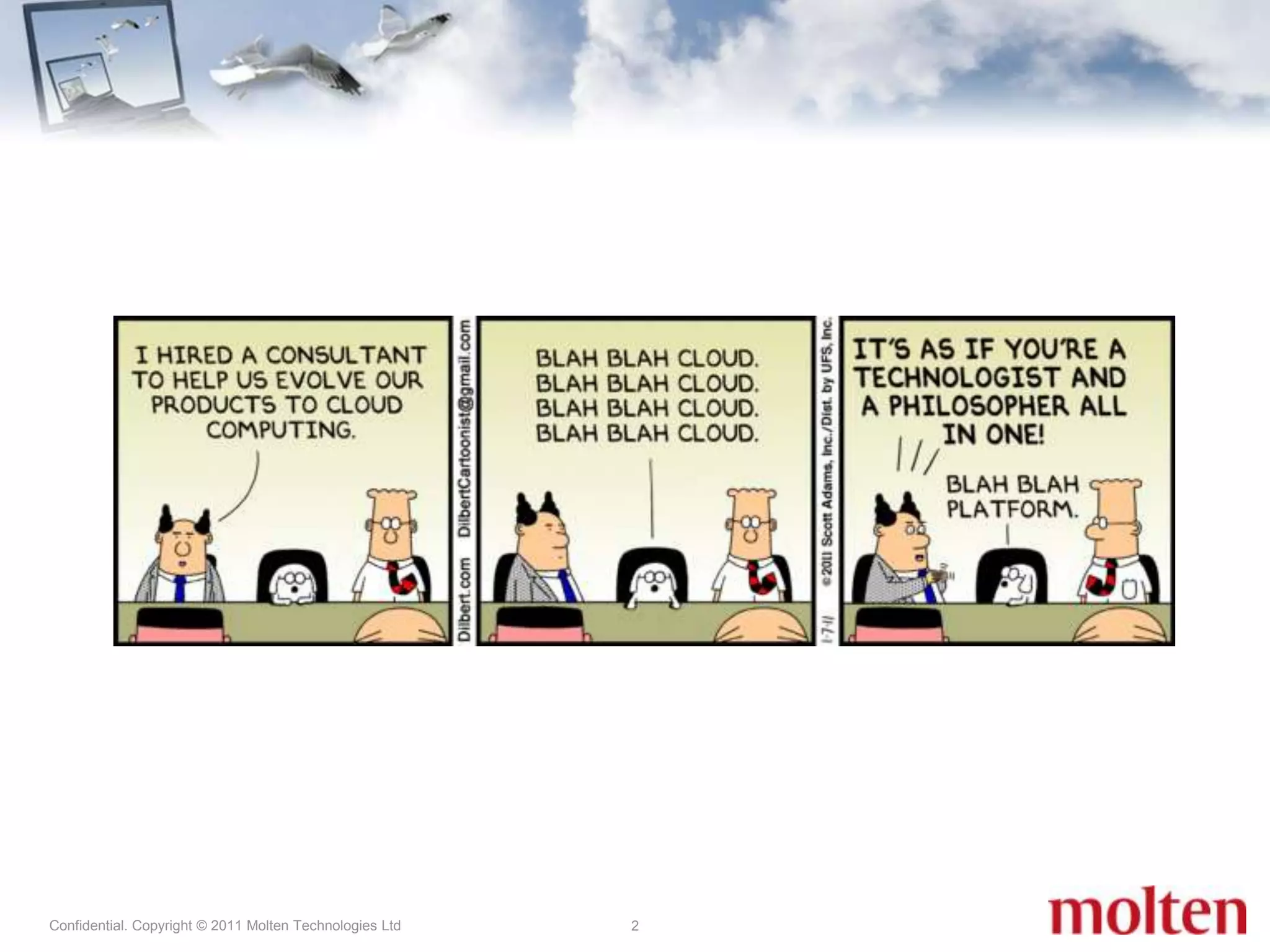
  • #2 Intro / background on myself and Molten Technologies. Today I’ll be talking about the cloud or the ....as a Service paradigm as it relates to delivering a great desktop experience for Enterprise. Getting to Desktops as a Service can offer major advantages and a great user experience for Enterprise clients, but over the last 15 years that I have been helping virtualise desktops, getting to well served desktops can have some bears on the road. Today I will be sharing some suggestions for getting aroung them. OREverybody understands cloud computing or the ... as a service paradigm.Desktops can be delivered as a Service as well, but it is not as easy as some of the other IT services out there because of the inherent complexity of them. In this presentation/workshop I’ll walk through some of hurdles on the road to DaaS
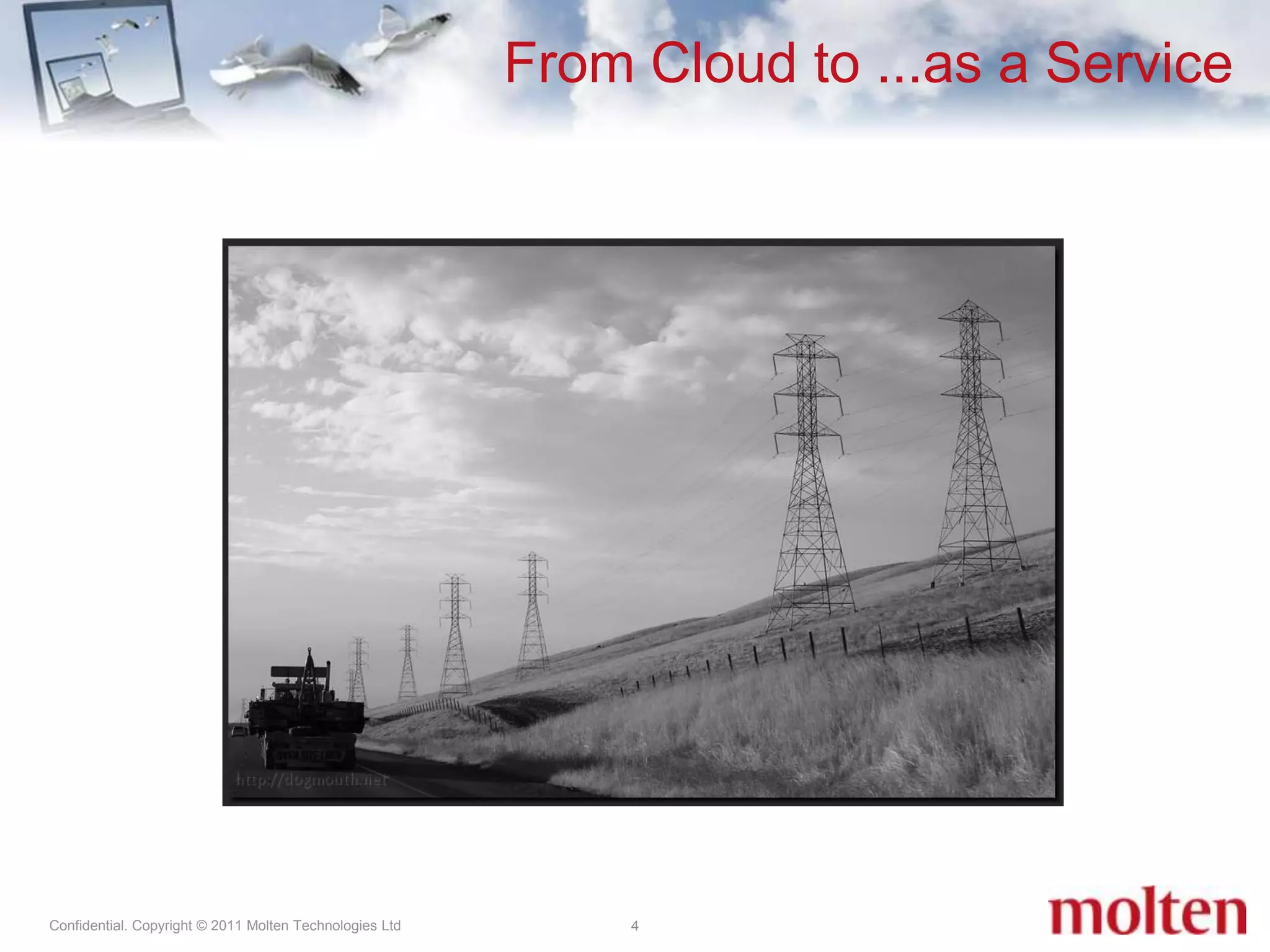
  • #5 Shared services are everywhere...Electricity Water, HeatingTelephone InternetPublic Transport
  • #6 Why would you do something like this? Pro’s: maybe cheaper$/kWh (OpEx), no or unreliable grid to deliver the service, service you deliver is dependent on the power (UPS in rack, generator in DC)Con’s: Very rigid, so you have to overprovision for future growth = CapEx, expertise in house needed and in this case regulations
  • #7 Cloud computing is location-independent computing, whereby shared servers provide resources, software, and data to computers and other devices on demand.Cloud computing describes a new delivery model for IT services, and it typically involves over-the-Internet provision of dynamically scalable and often virtualized resources.---So, Cloud Computing is not just Software as a Service, Rich Internet Applications, Web 2.0, or Software & Services. Google Apps, Microsoft BPOS, SAP?, Slideshare AWS, Azure, GoGrid, SymetriqSalesForceAmazon S3, DropBoxGladinet?
  • #8 Cloud computing is location-independent computing, whereby shared servers provide resources, software, and data to computers and other devices on demand.Cloud computing describes a new delivery model for IT services, and it typically involves over-the-Internet provision of dynamically scalable and often virtualized resources.---So, Cloud Computing is not just Software as a Service, Rich Internet Applications, Web 2.0, or Software & Services. Google Apps, Microsoft BPOS, SAP?, Slideshare AWS, Azure, GoGrid, SymetriqSalesForceAmazon S3, DropBoxGladinet?
  • #9 Used to be called ASP (often based on WTS/Citrix)
  • #12 Small businesses: Pricing (£/$/€ per month, per user)Self servicing – add users/applications and services (hosted)Access only over the InternetMidsized businesses: Pricing and flexibility (£/$/€ per month, per user depending on numbers)Service level agreements, dedicated customer support and contacts Tiered servicing – rights to add users/applications/services inside companyAccess to bespoke applications inside their own datacenter (VPN/MPLS)Enterprise / Government: Mostly interested in virtual containers – used to host their own desktop imagesService level agreements, Disaster Recovery, Multi Datacenters across Geo’sVirtual desktops on premise and at the service provider, but single point of administration
  • #13 Notes;Hybrid model is predicted by analysts to be the dominant one for the next 3 years as many of Enterprises are starting to move towards the cloud, but many are doing so in a staged process.
  • #15 Make it short and sweet, this will be discussed in the next few slides
  • #17 For the first para: Central storage problems – commonly called ‘storms’Final point: (Use local storage) – if possible but be smart about it
  • #20 Working with experienced and deeply knowledgable specialists will help.
  • #21 While RIA is from the early 2000’s, it’s still not a true standard. Cloud application intercommunication is a known issue – XML is supposed to fix that, but there’s no standard like OLE/DDE of a Windows desktopFlash and HTML 5 are obvious points of attention here with Google/Adobe on one side (flash) and Apple on the other one (HTML5), Microsoft in the middle (Ajax, Silverlight).
  • #22 While RIA is from the early 2000’s, it’s still not a true standard. Cloud application intercommunication is a known issue – XML is supposed to fix that, but there’s no standard like OLE/DDE of a Windows desktopFlash and HTML 5 are obvious points of attention here with Google/Adobe on one side (flash) and Apple on the other one (HTML5), Microsoft in the middle (Ajax, Silverlight).
  • #24 Intro / background on myself and Molten Technologies. Today I’ll be talking about the cloud or the ....as a Service paradigm as it relates to delivering a great desktop experience for Enterprise. Getting to Desktops as a Service can offer major advantages and a great user experience for Enterprise clients, but over the last 15 years that I have been helping virtualise desktops, getting to well served desktops can have some bears on the road. Today I will be sharing some suggestions for getting aroung them. OREverybody understands cloud computing or the ... as a service paradigm.Desktops can be delivered as a Service as well, but it is not as easy as some of the other IT services out there because of the inherent complexity of them. In this presentation/workshop I’ll walk through some of hurdles on the road to DaaS