No Limits. Helping the Enterprise to Adopt Collaborative Work Processes and Technologies Extending eRoom’s Functions and Value presented by
Agenda Welcome NextStep Features  Benefits from NextStep Wrap-up
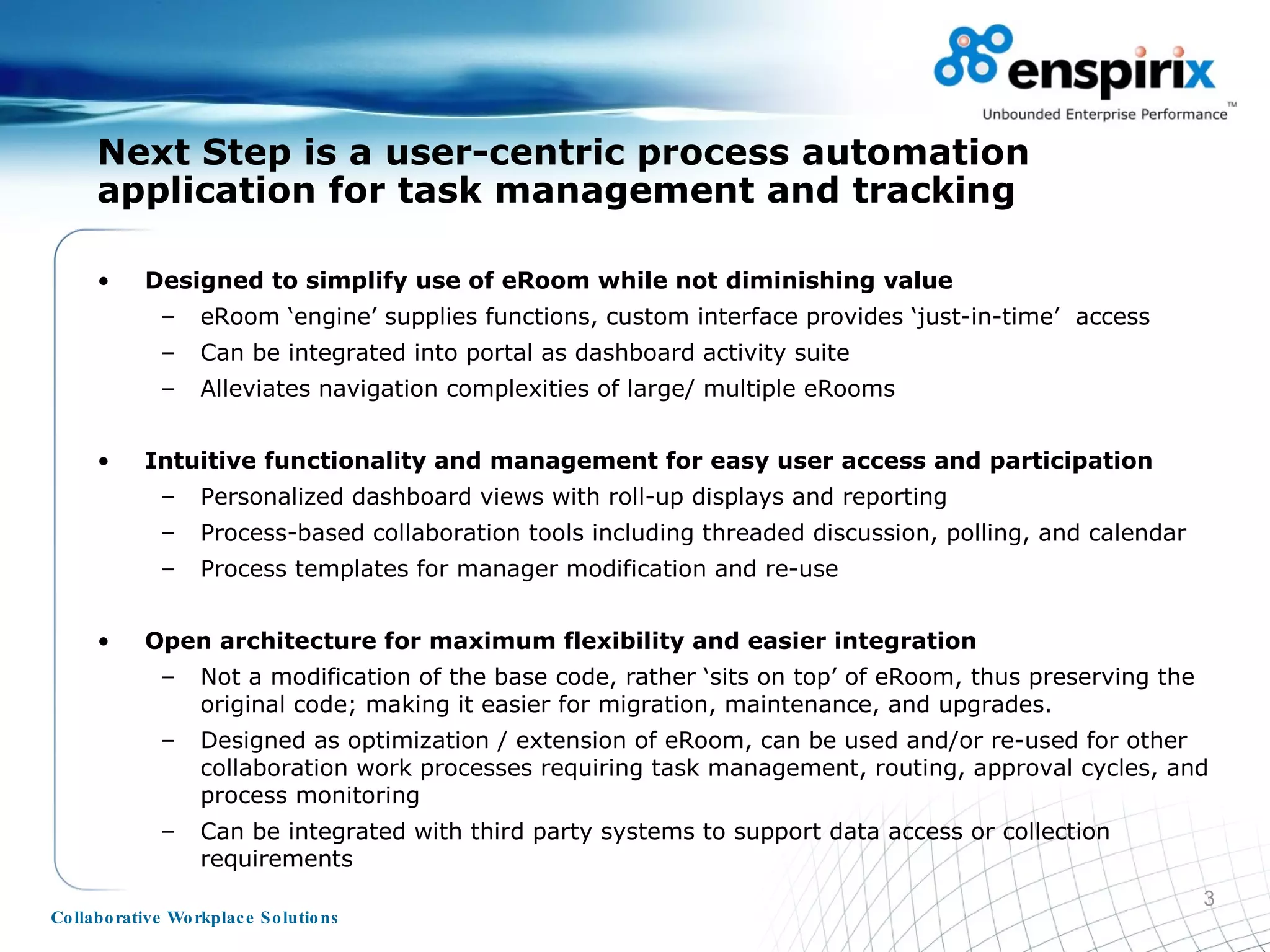
Designed to simplify use of eRoom while not diminishing value eRoom ‘engine’ supplies functions, custom interface provides ‘just-in-time’  access Can be integrated into portal as dashboard activity suite Alleviates navigation complexities of large/ multiple eRooms  Intuitive functionality and management for easy user access and participation Personalized dashboard views with roll-up displays and reporting Process-based collaboration tools including threaded discussion, polling, and calendar Process templates for manager modification and re-use Open architecture for maximum flexibility and easier integration Not a modification of the base code, rather ‘sits on top’ of eRoom, thus preserving the original code; making it easier for migration, maintenance, and upgrades. Designed as optimization / extension of eRoom, can be used and/or re-used for other collaboration work processes requiring task management, routing, approval cycles, and process monitoring Can be integrated with third party systems to support data access or collection requirements Next Step is a user-centric process automation application for task management and tracking
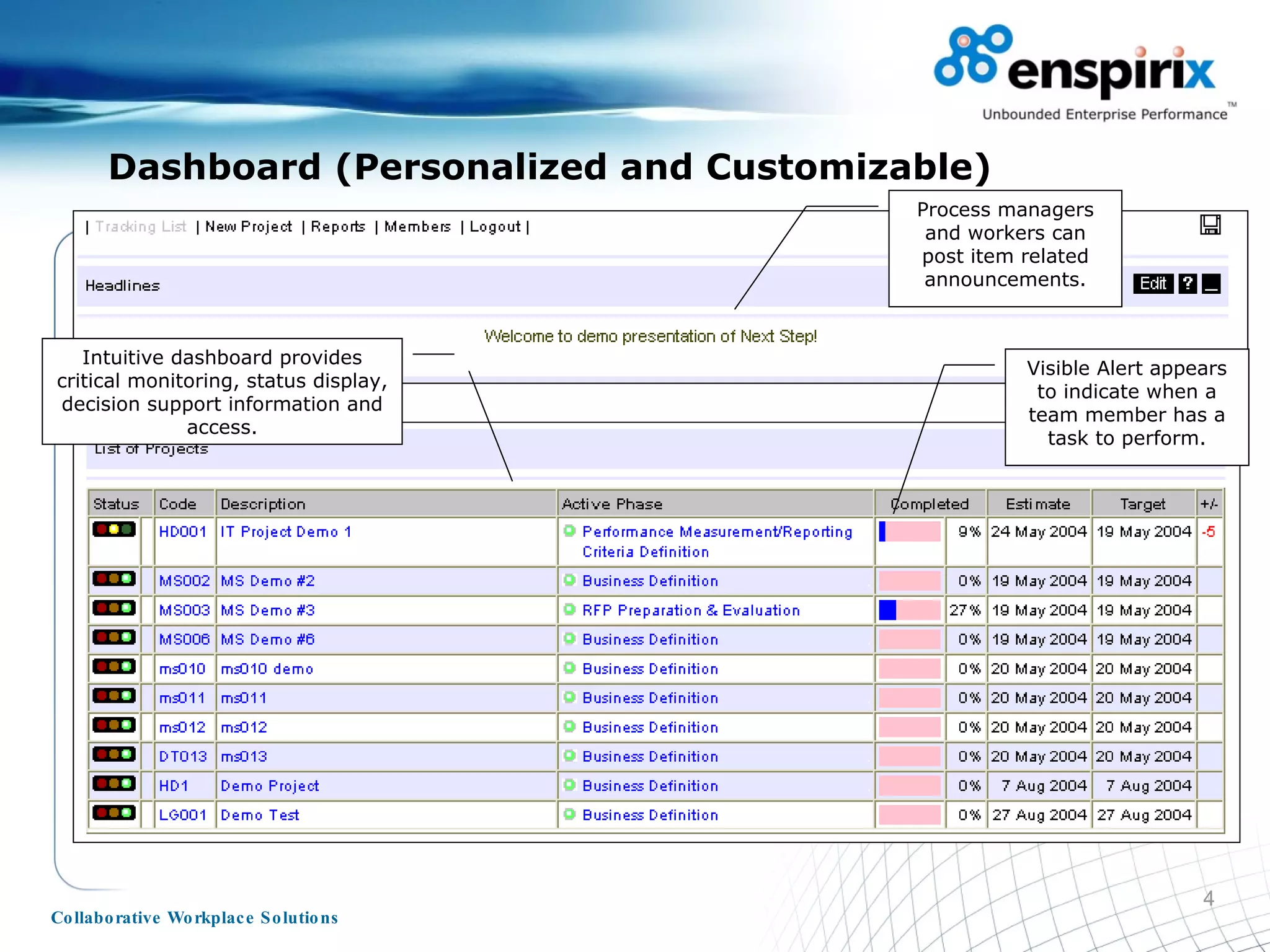
Dashboard (Personalized and Customizable) Visible Alert appears to indicate when a team member has a task to perform. Intuitive dashboard provides critical monitoring, status display, decision support information and access. Process managers and workers can post item related announcements.
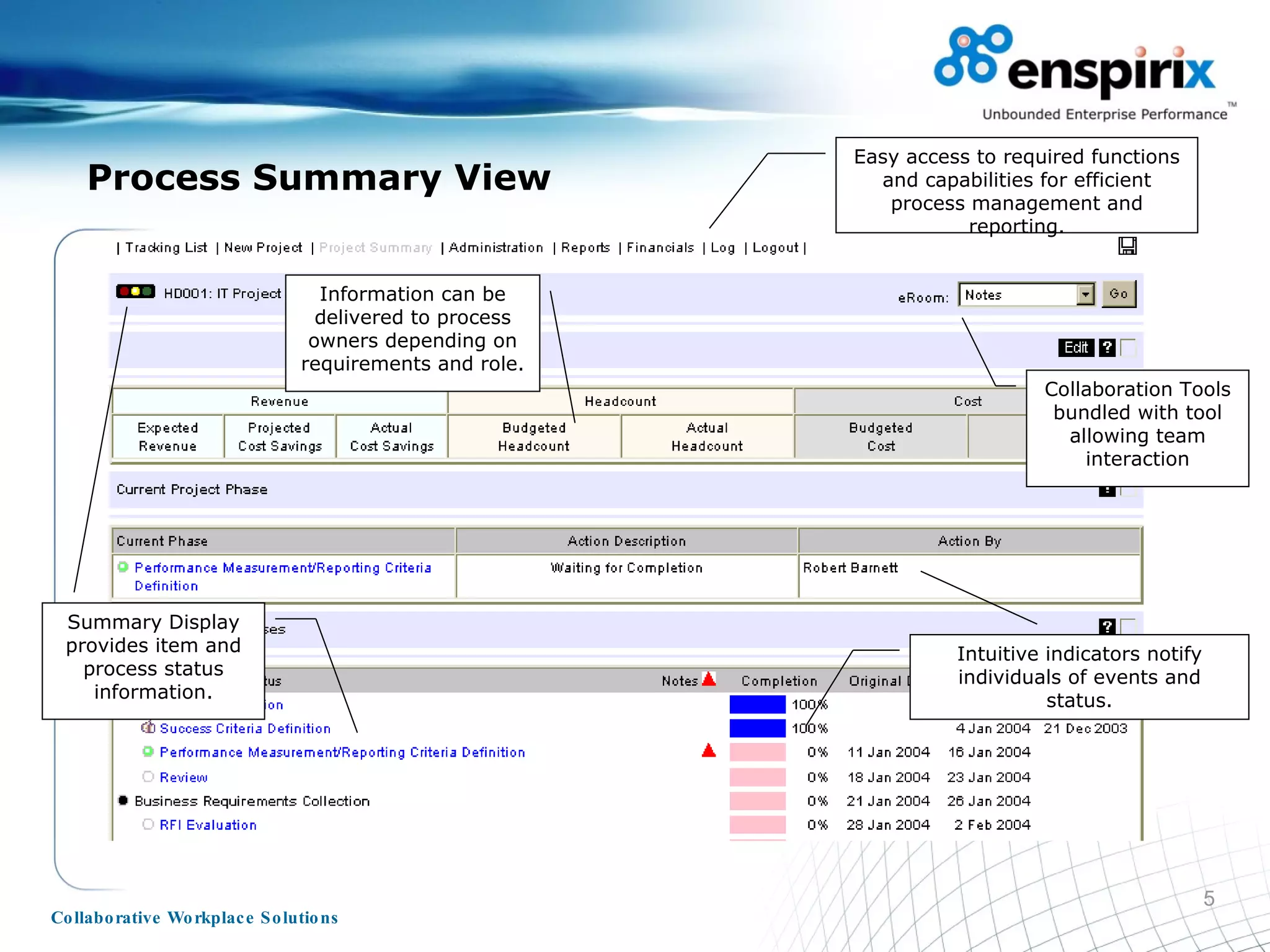
Process Summary View Easy access to required functions and capabilities for efficient process management and reporting. Intuitive indicators notify individuals of events and status. Summary Display provides item and process status information. Information can be delivered to process owners depending on requirements and role. Collaboration Tools bundled with tool allowing team interaction
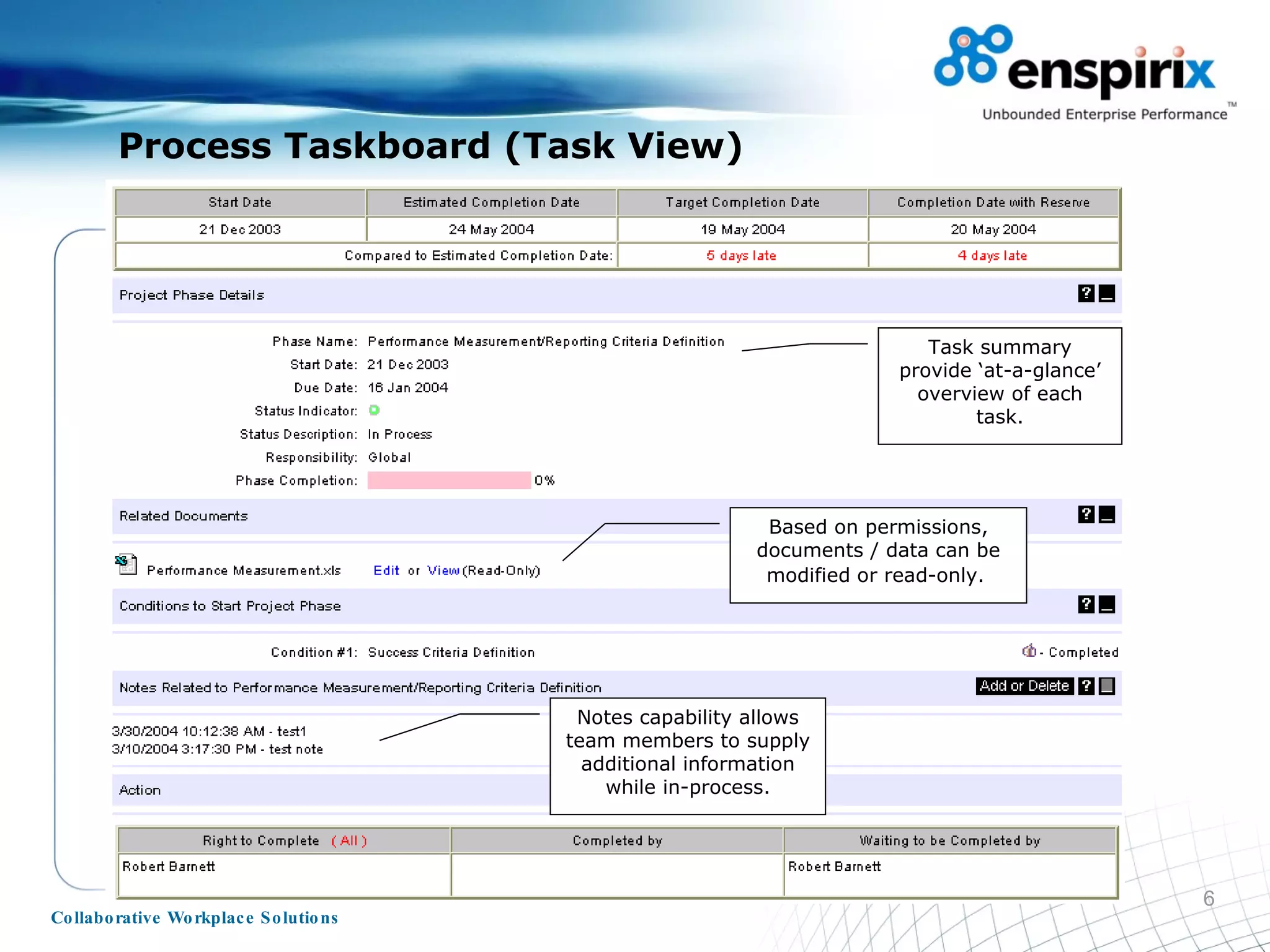
Process Taskboard (Task View) Task summary provide ‘at-a-glance’ overview of each task. Based on permissions, documents / data can be modified or read-only.   Notes capability allows team members to supply additional information while in-process.
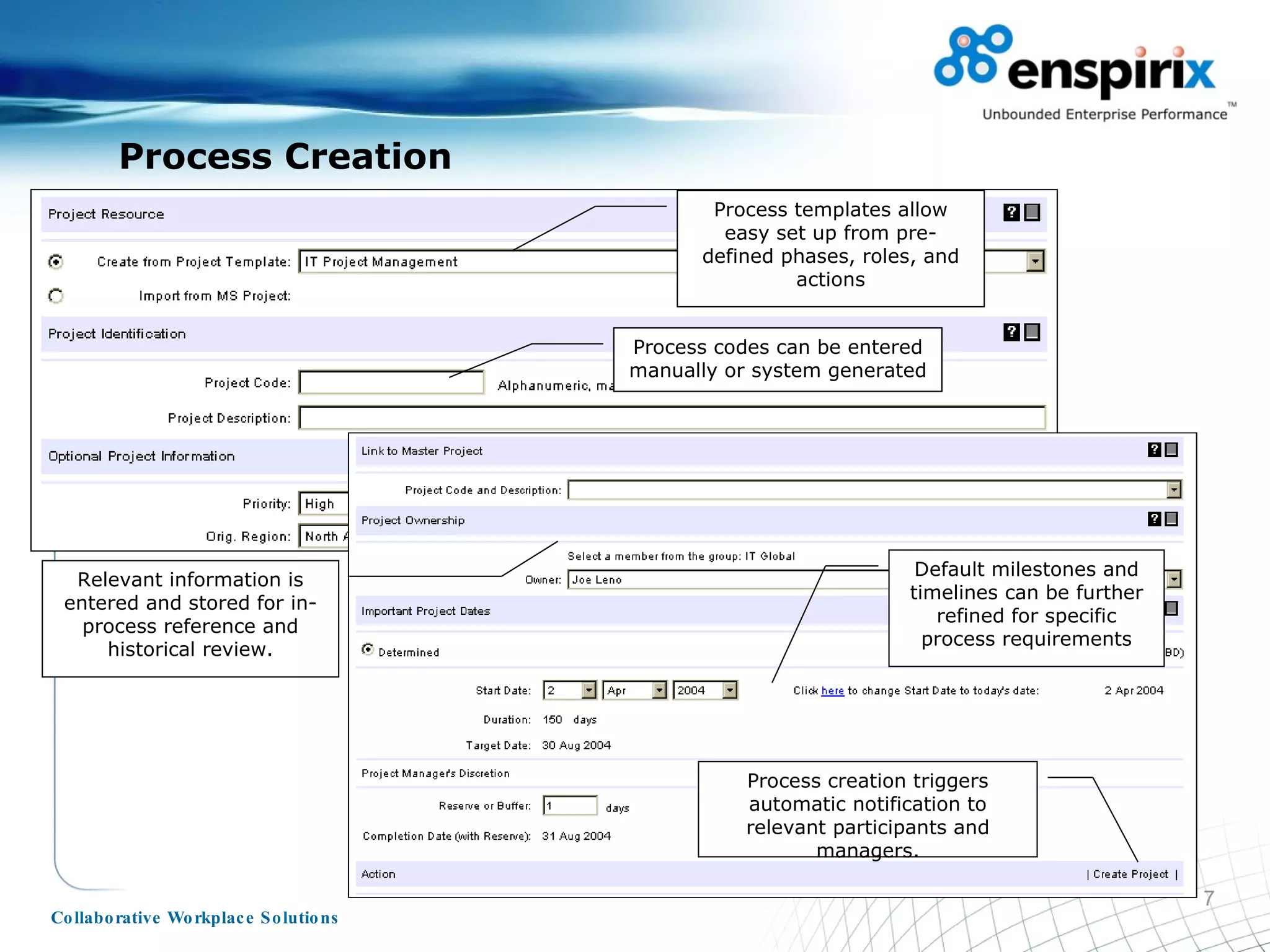
Process Creation Process templates allow easy set up from pre-defined phases, roles, and actions Relevant information is entered and stored for in-process reference and historical review. Default milestones and timelines can be further refined for specific process requirements Process codes can be entered manually or system generated Process creation triggers automatic notification to relevant participants and managers.
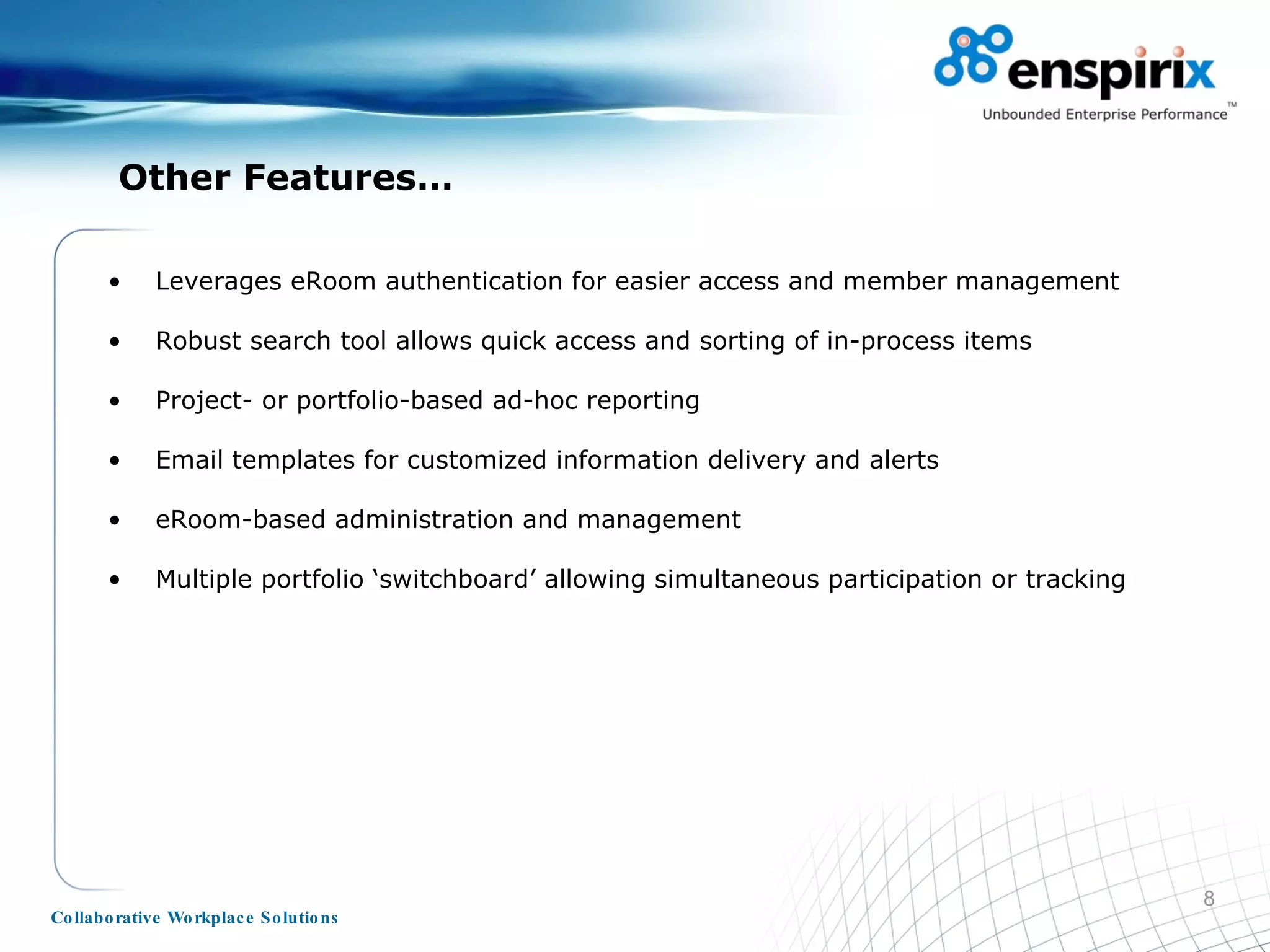
Other Features… Leverages eRoom authentication for easier access and member management Robust search tool allows quick access and sorting of in-process items Project- or portfolio-based ad-hoc reporting Email templates for customized information delivery and alerts eRoom-based administration and management Multiple portfolio ‘switchboard’ allowing simultaneous participation or tracking
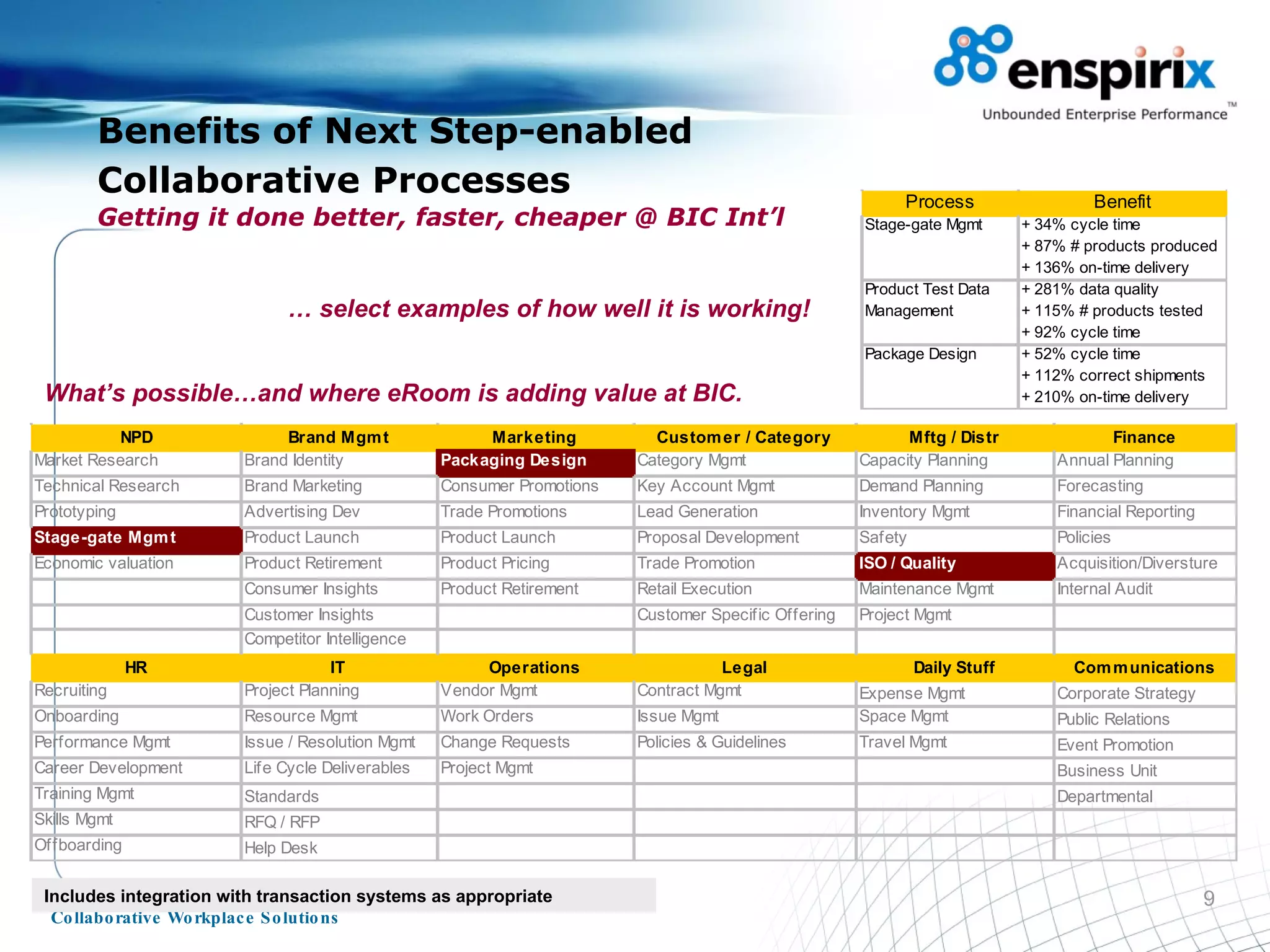
Benefits of Next Step-enabled Collaborative Processes   Getting it done better, faster, cheaper @ BIC Int’l What’s possible…and where eRoom is adding value at BIC. …  select examples of how well it is working! Includes integration with transaction systems as appropriate
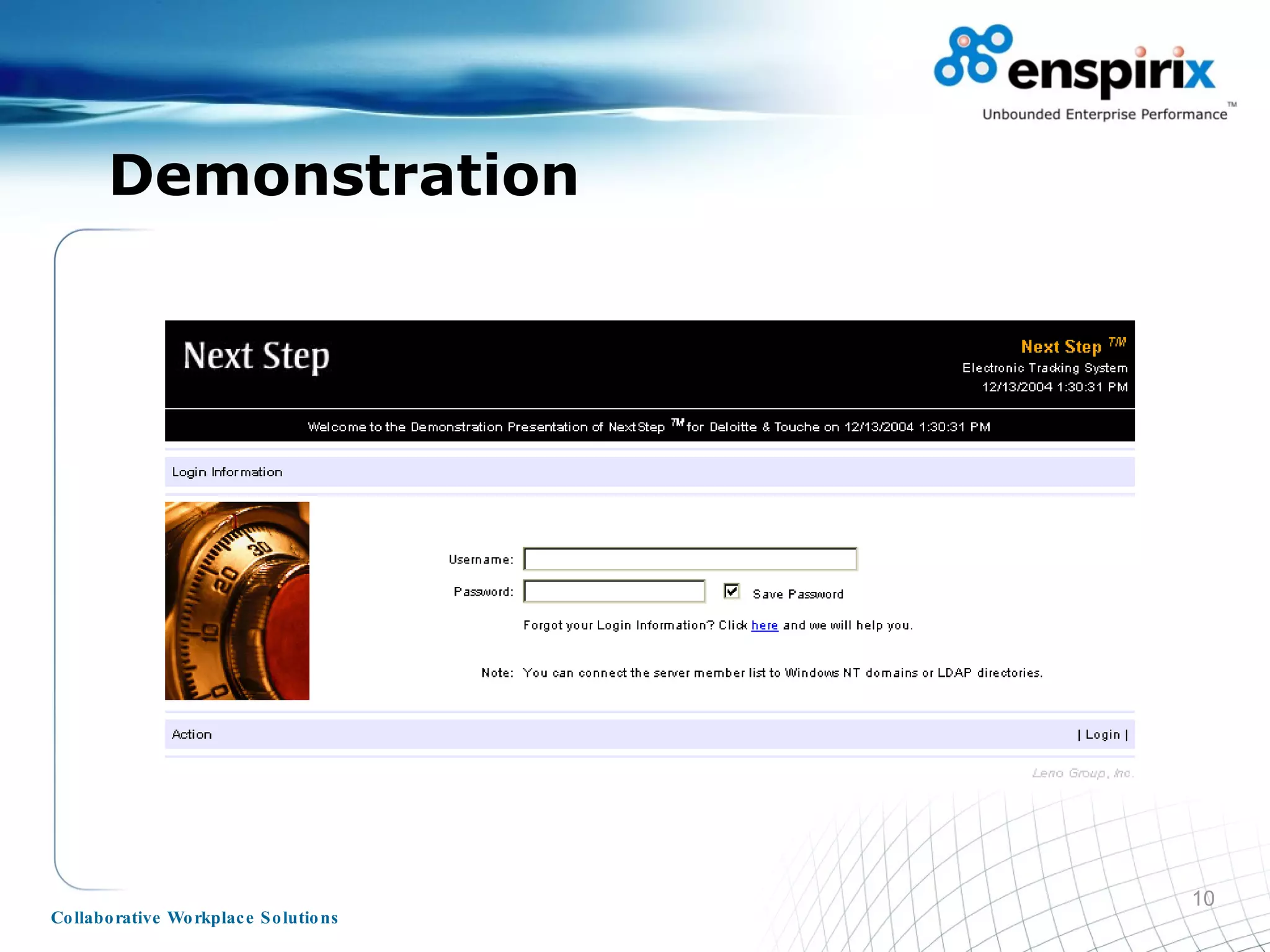
Demonstration
No Limits.  ©  Copyright 2006 – A Joint Venture of Leno Group and The Timely Ideas Corporation

Enspirix's NextStep Process Engine

  • 1.
    No Limits. Helpingthe Enterprise to Adopt Collaborative Work Processes and Technologies Extending eRoom’s Functions and Value presented by
  • 2.
    Agenda Welcome NextStepFeatures Benefits from NextStep Wrap-up
  • 3.
    Designed to simplifyuse of eRoom while not diminishing value eRoom ‘engine’ supplies functions, custom interface provides ‘just-in-time’ access Can be integrated into portal as dashboard activity suite Alleviates navigation complexities of large/ multiple eRooms Intuitive functionality and management for easy user access and participation Personalized dashboard views with roll-up displays and reporting Process-based collaboration tools including threaded discussion, polling, and calendar Process templates for manager modification and re-use Open architecture for maximum flexibility and easier integration Not a modification of the base code, rather ‘sits on top’ of eRoom, thus preserving the original code; making it easier for migration, maintenance, and upgrades. Designed as optimization / extension of eRoom, can be used and/or re-used for other collaboration work processes requiring task management, routing, approval cycles, and process monitoring Can be integrated with third party systems to support data access or collection requirements Next Step is a user-centric process automation application for task management and tracking
  • 4.
    Dashboard (Personalized andCustomizable) Visible Alert appears to indicate when a team member has a task to perform. Intuitive dashboard provides critical monitoring, status display, decision support information and access. Process managers and workers can post item related announcements.
  • 5.
    Process Summary ViewEasy access to required functions and capabilities for efficient process management and reporting. Intuitive indicators notify individuals of events and status. Summary Display provides item and process status information. Information can be delivered to process owners depending on requirements and role. Collaboration Tools bundled with tool allowing team interaction
  • 6.
    Process Taskboard (TaskView) Task summary provide ‘at-a-glance’ overview of each task. Based on permissions, documents / data can be modified or read-only. Notes capability allows team members to supply additional information while in-process.
  • 7.
    Process Creation Processtemplates allow easy set up from pre-defined phases, roles, and actions Relevant information is entered and stored for in-process reference and historical review. Default milestones and timelines can be further refined for specific process requirements Process codes can be entered manually or system generated Process creation triggers automatic notification to relevant participants and managers.
  • 8.
    Other Features… LeverageseRoom authentication for easier access and member management Robust search tool allows quick access and sorting of in-process items Project- or portfolio-based ad-hoc reporting Email templates for customized information delivery and alerts eRoom-based administration and management Multiple portfolio ‘switchboard’ allowing simultaneous participation or tracking
  • 9.
    Benefits of NextStep-enabled Collaborative Processes Getting it done better, faster, cheaper @ BIC Int’l What’s possible…and where eRoom is adding value at BIC. … select examples of how well it is working! Includes integration with transaction systems as appropriate
  • 10.
  • 11.
    No Limits. © Copyright 2006 – A Joint Venture of Leno Group and The Timely Ideas Corporation