Easy steps to enhancing your personal brand with a blog. Return to Work Center April 14, 2010
Today’s agenda For beginners and neophytes More ‘how-to’ than ‘what-to’ Why blog? Relation to personal branding Where to start/models of blogging Cool things you can do Getting started Refining and enhancing
Why blog? “ A blog can lead to bigger and better things.” --Personal branding guru Dan Schawbel, personalbranding.com
Why blog? Key component of your personal brand Establish credibility Maximize SEO Hone writing and expertise Update LinkedIn, Facebook, Twitter Reinforce your website OR Serve as your website
Personal branding across platforms Establish your full name, consistently LinkedIn profile Twitter name Facebook Purchase domain name Multiple email addresses Your blog and/or website Make it look right!
Where to start blogging? Blogger.com Part of Google, free Relatively easy to use, many options Typically ‘blogname.blogspot.com’ TypePad.com Also free (paid options) Many templates Good reputation among blogging community
Where to start blogging? WordPress More like TypePad than like Blogger Free and paid options Highly customizable Easy to use (in 5 minutes!) Clean, elegant look and feel Growing use for both blogs and web pages
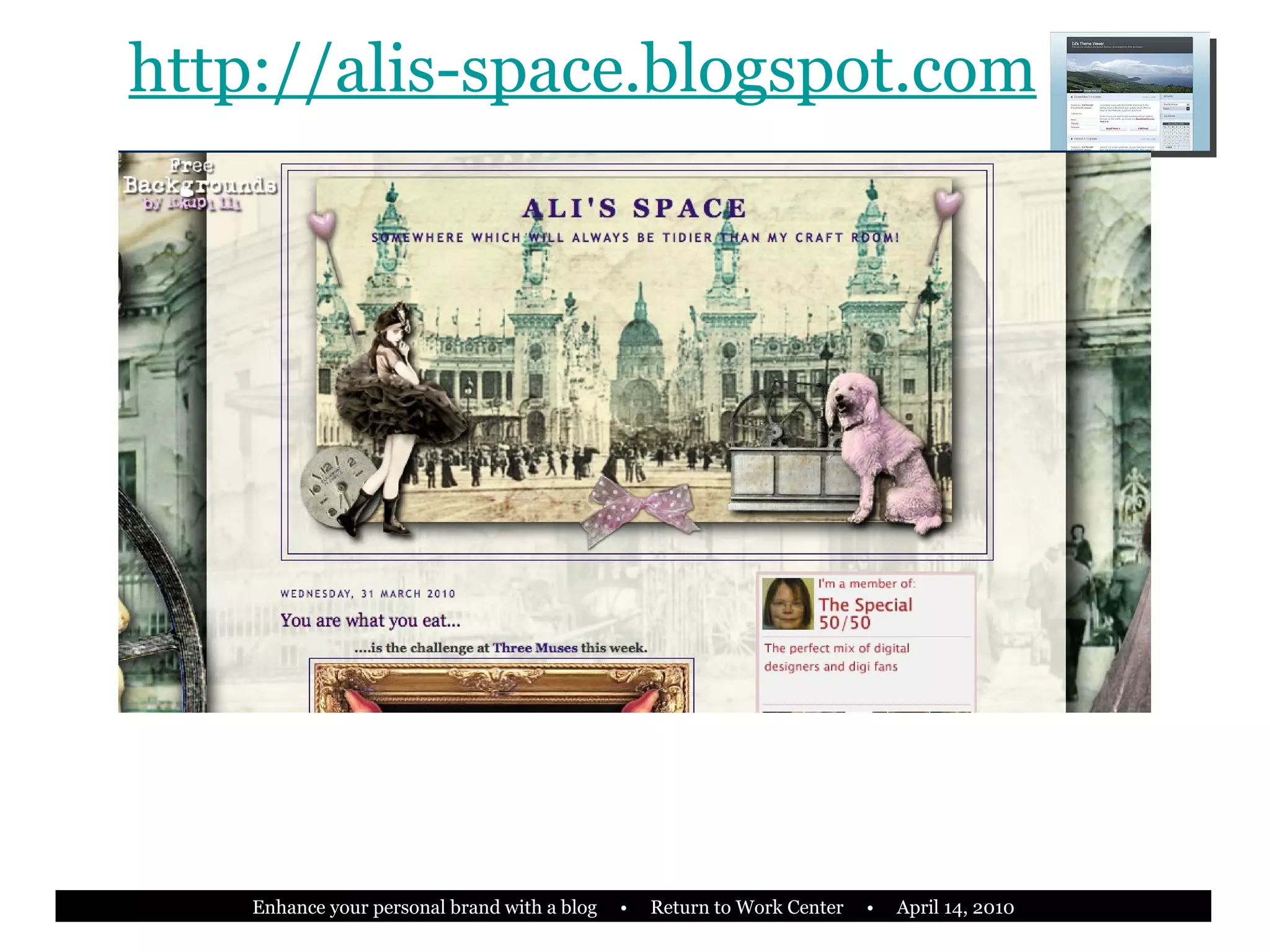
http://alis-space.blogspot.com
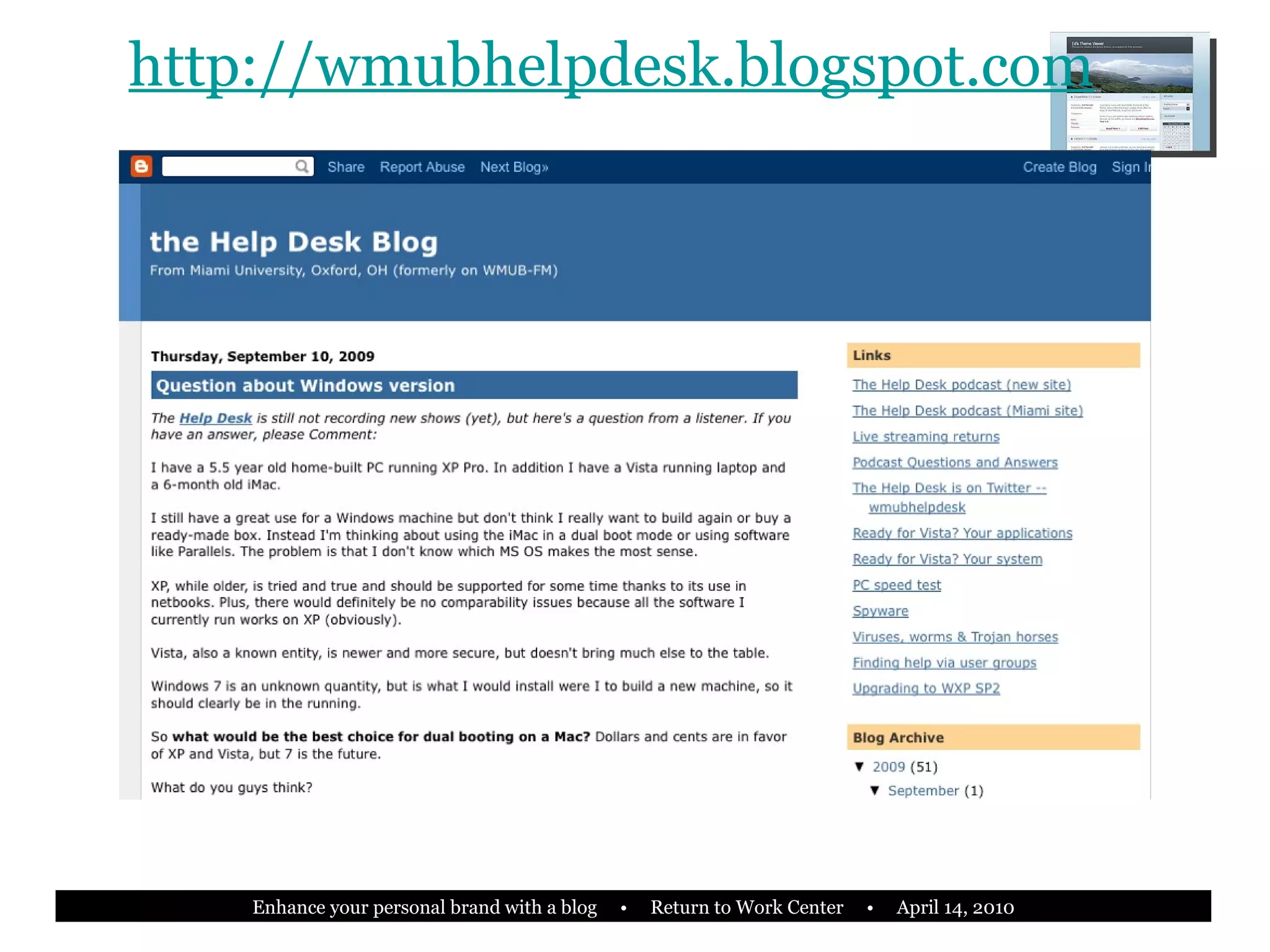
http://wmubhelpdesk.blogspot.com
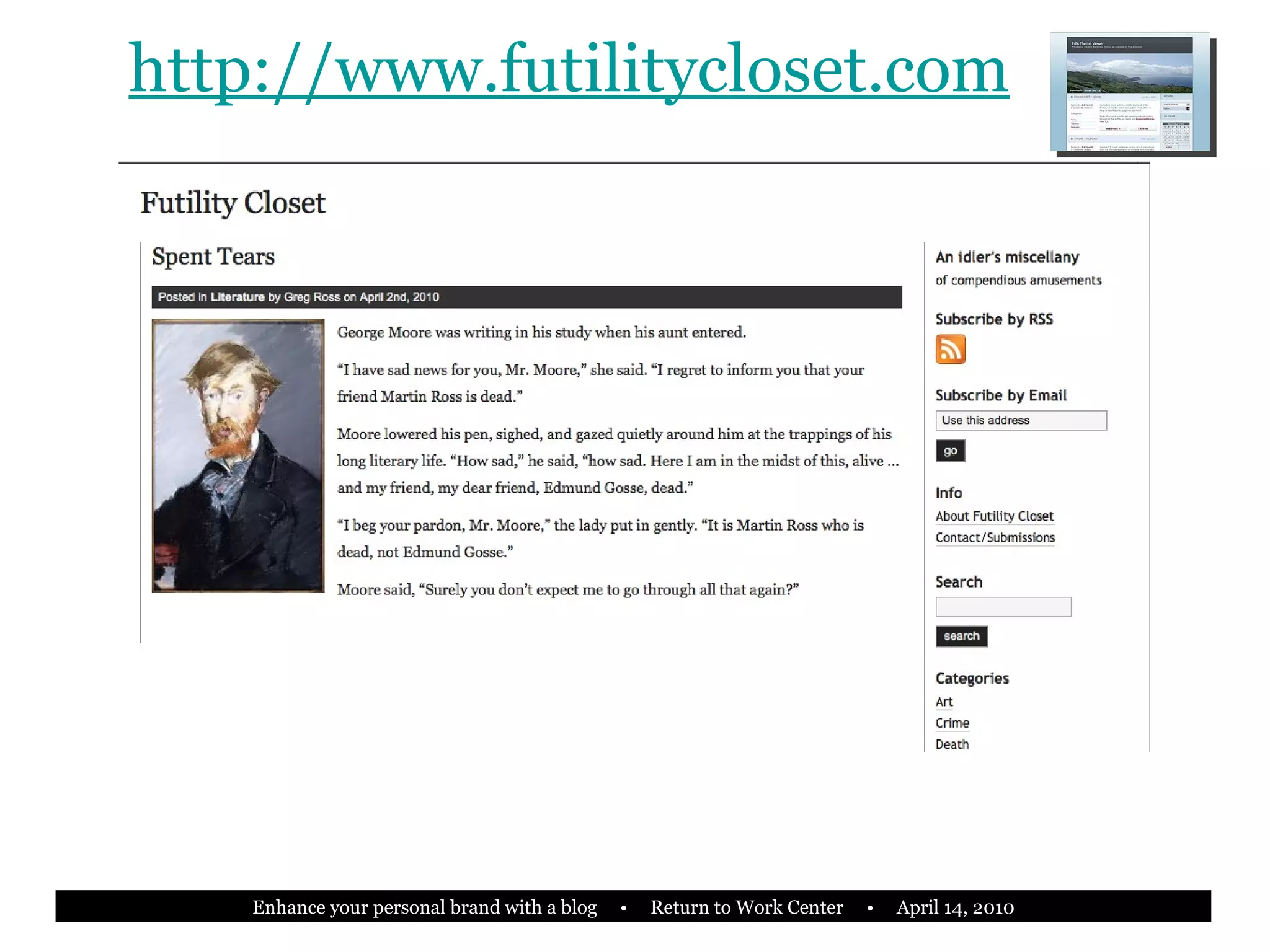
http://www.futilitycloset.com
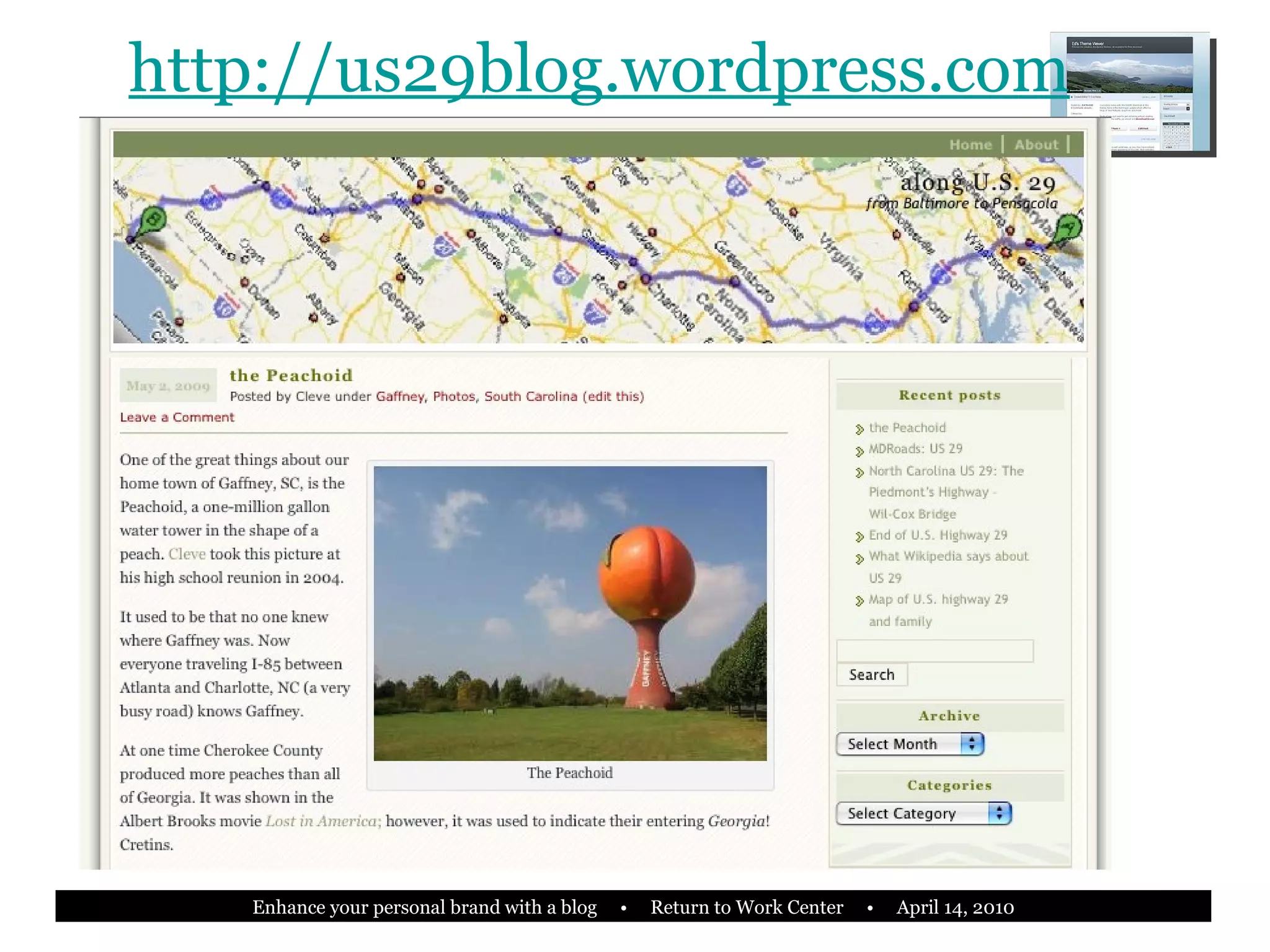
http://us29blog.wordpress.com
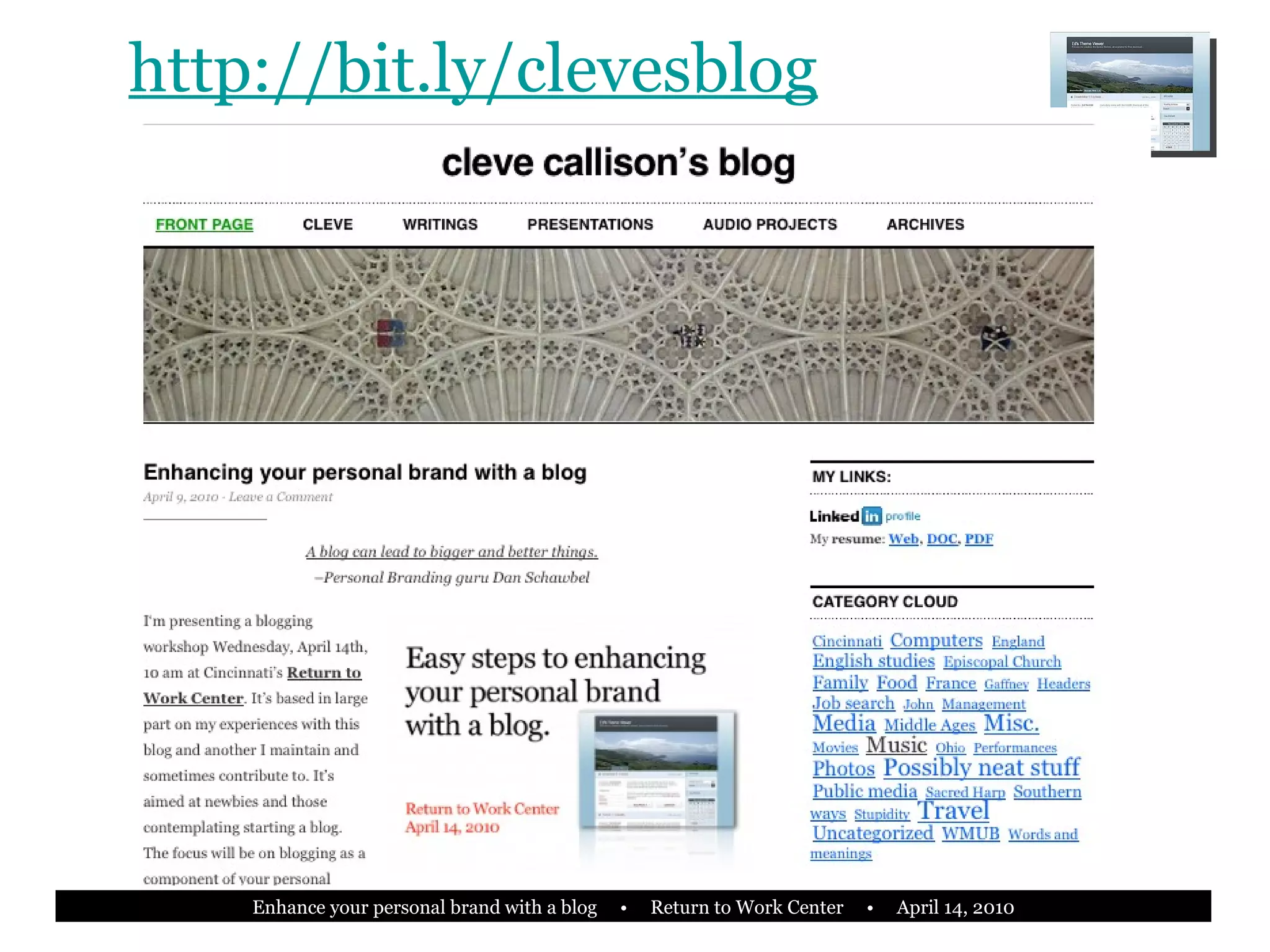
http://bit.ly/clevesblog
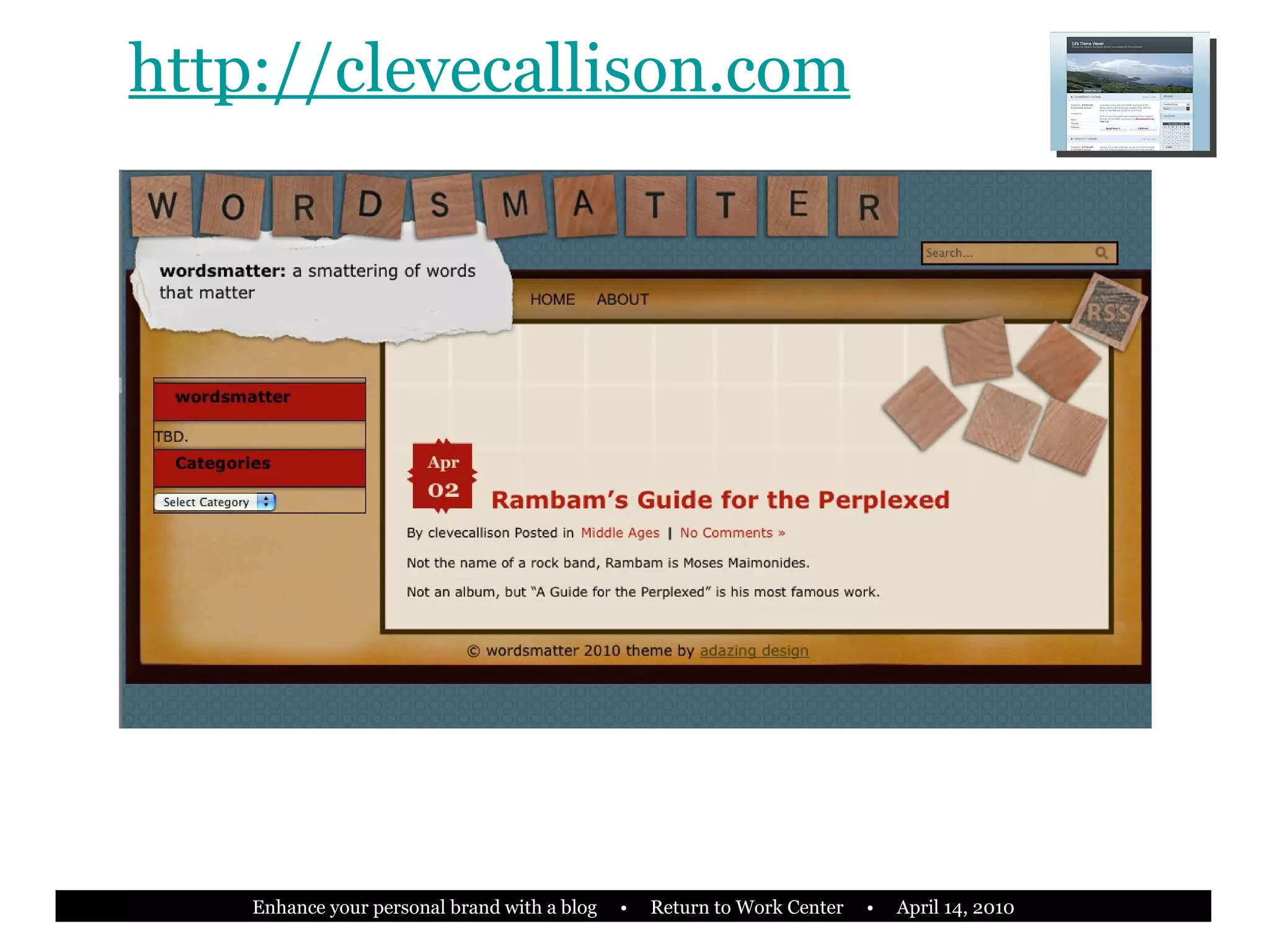
http://clevecallison.com
Three models of blogging with WordPress 1) Install WordPress. org   Content Management System (CMS) on your own web hosted space 2) Publish as ‘yourname.wordpress. com ’ 3) Publish as ‘yourname. com ’
WordPress.org CMS on your space Domain and web space Most flexibility and control Strong personal brand Cost is reasonable ($50-100 per year) Greatest refinement of look and feel Requires some knowledge of HTML and/or SQL and PHP, at least for now
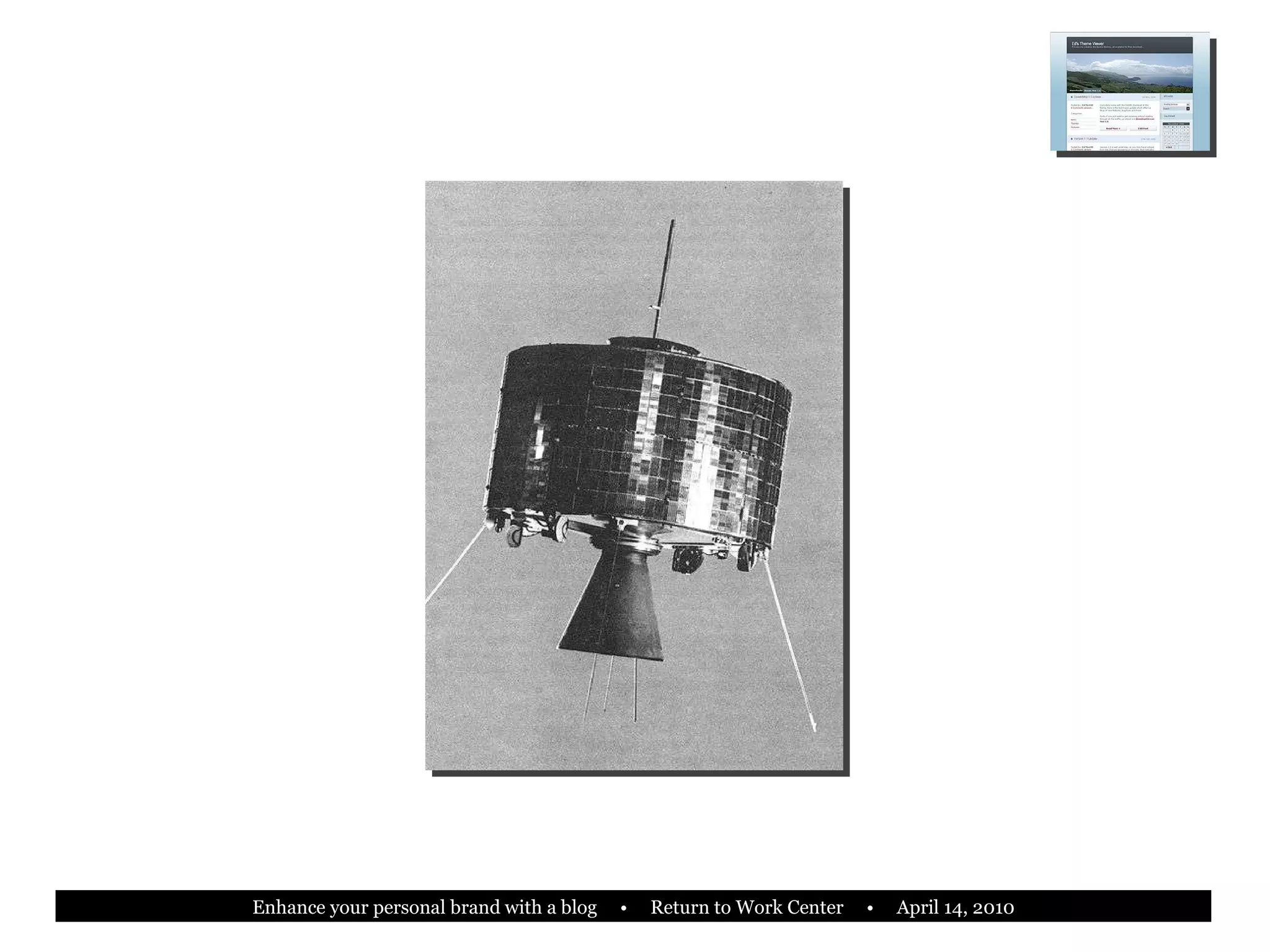
Arthur C. Clarke “ Any smoothly functioning technology will have the appearance of magic.”
 
 
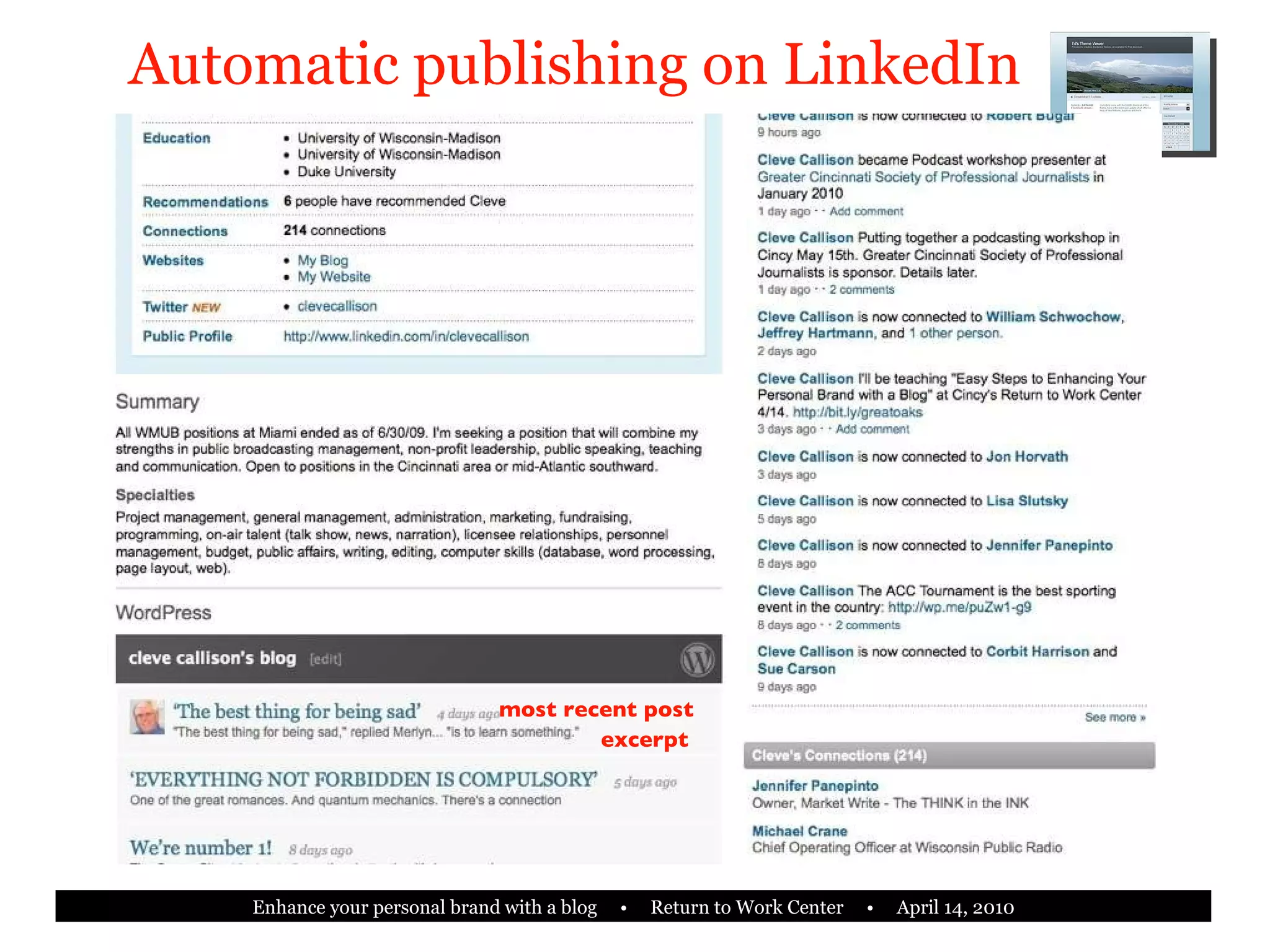
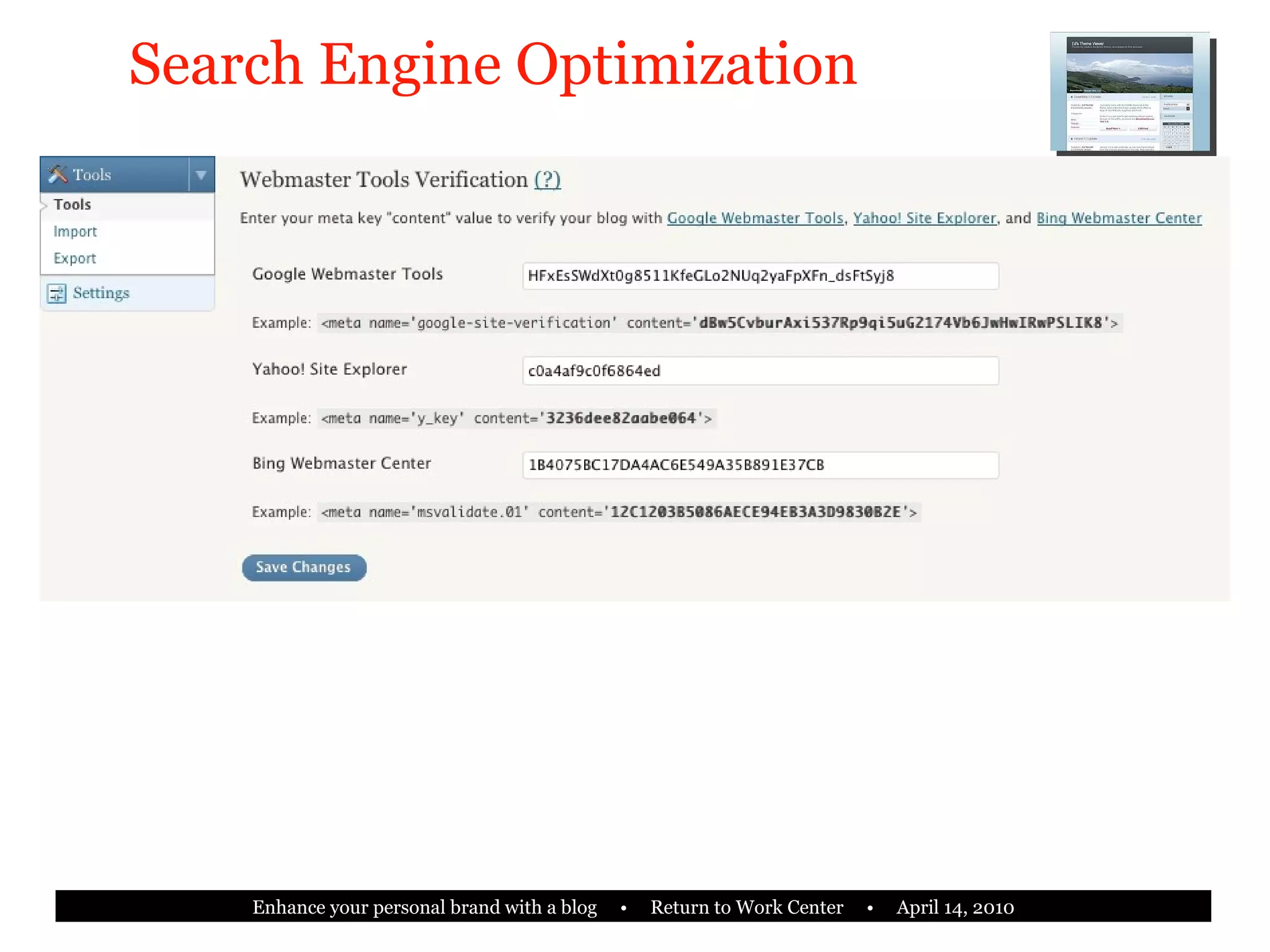
5 cool things you can do with a WordPress blog (automatically) New content on your LinkedIn profile Tweet Update your Facebook status Maximize SEO For Google, Yahoo and Bing Post from your cell phone
‘ yourname.wordpress.com’ Most common FREE! Easy to use Good technical support online Starts in 5 minutes Little or no HTML required Partial personal branding
Publish blog as ‘yourname.com’ Strong personal brand Minimal technical requirements (same as ‘yourname.wordpress.com’) Low cost (c. $50-$100 annually) Can be made to integrate with your website
Starting your WordPress blog •••••••• X johnsmith •••••••• [email_address]
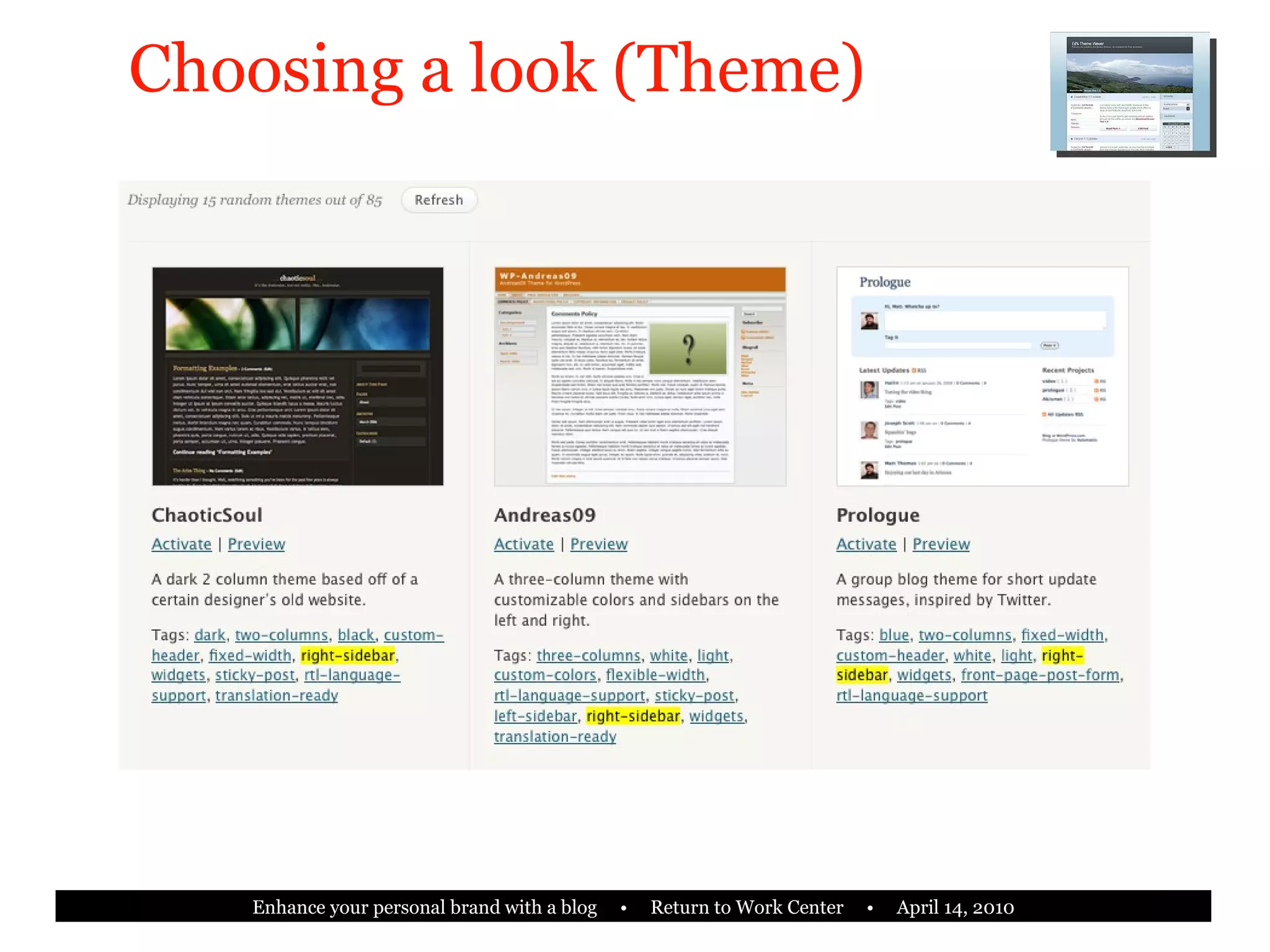
Choosing a look (Theme)
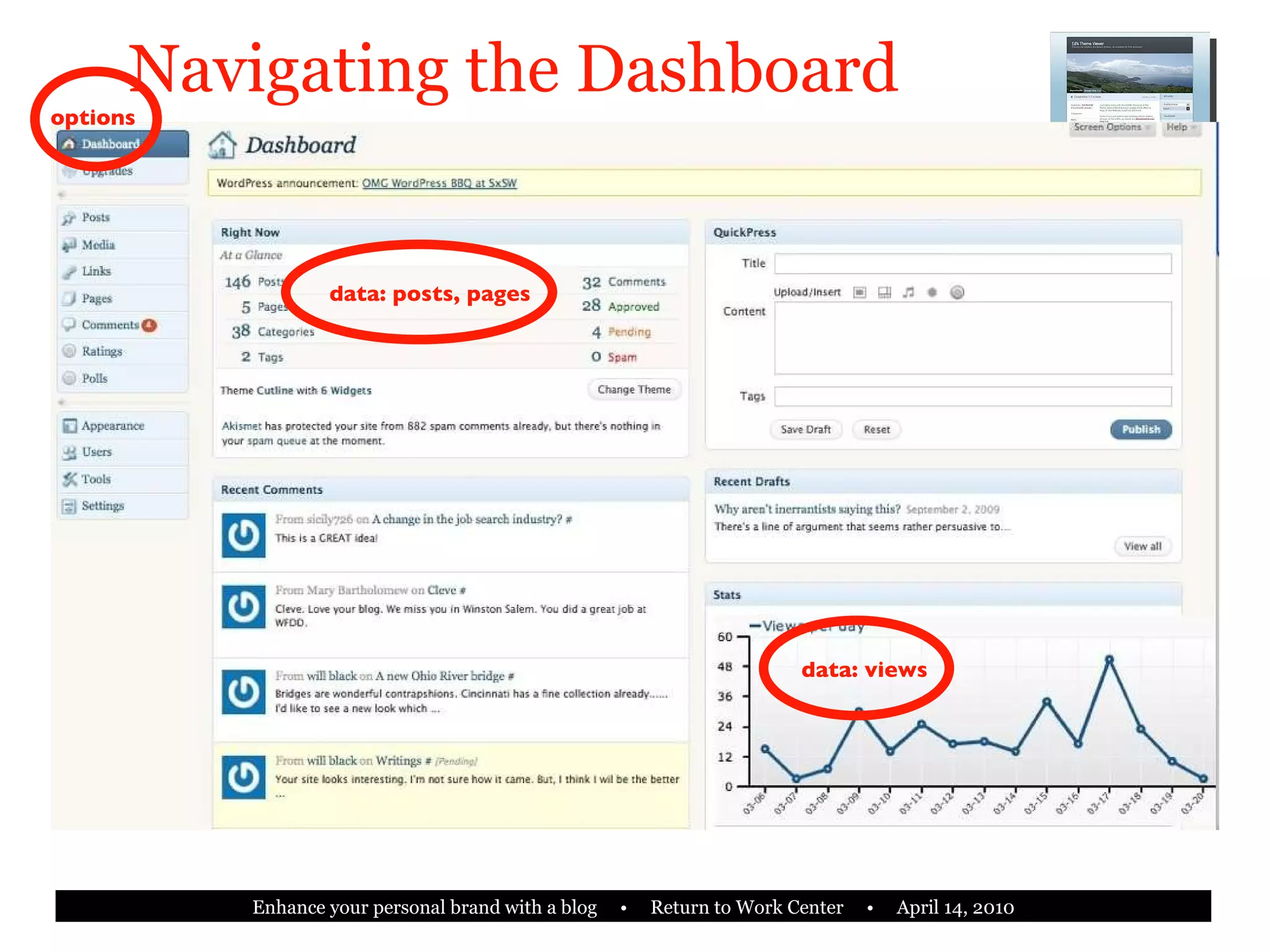
Navigating the Dashboard data: posts, pages data: views options
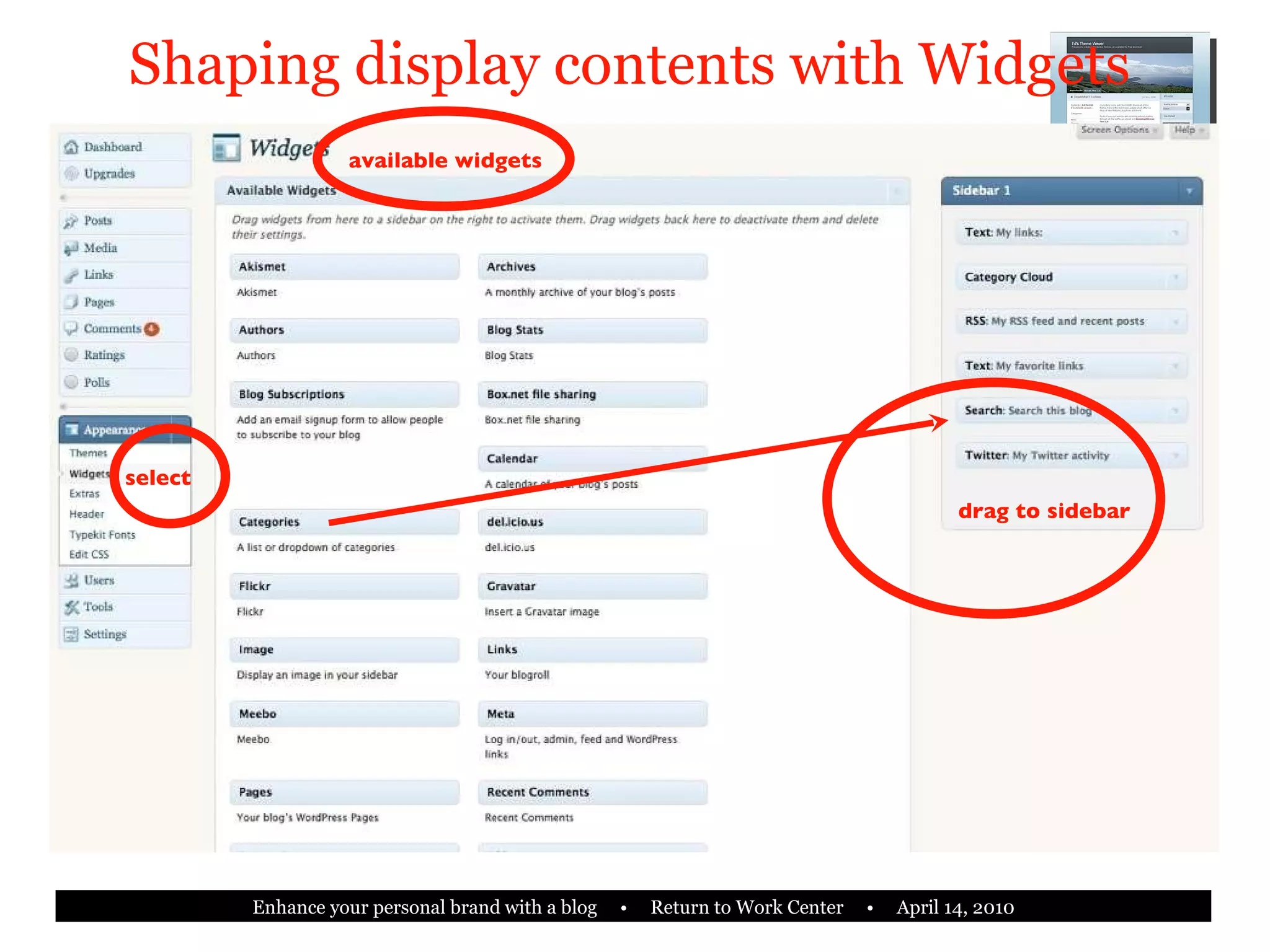
Shaping display contents with Widgets select available widgets drag to sidebar
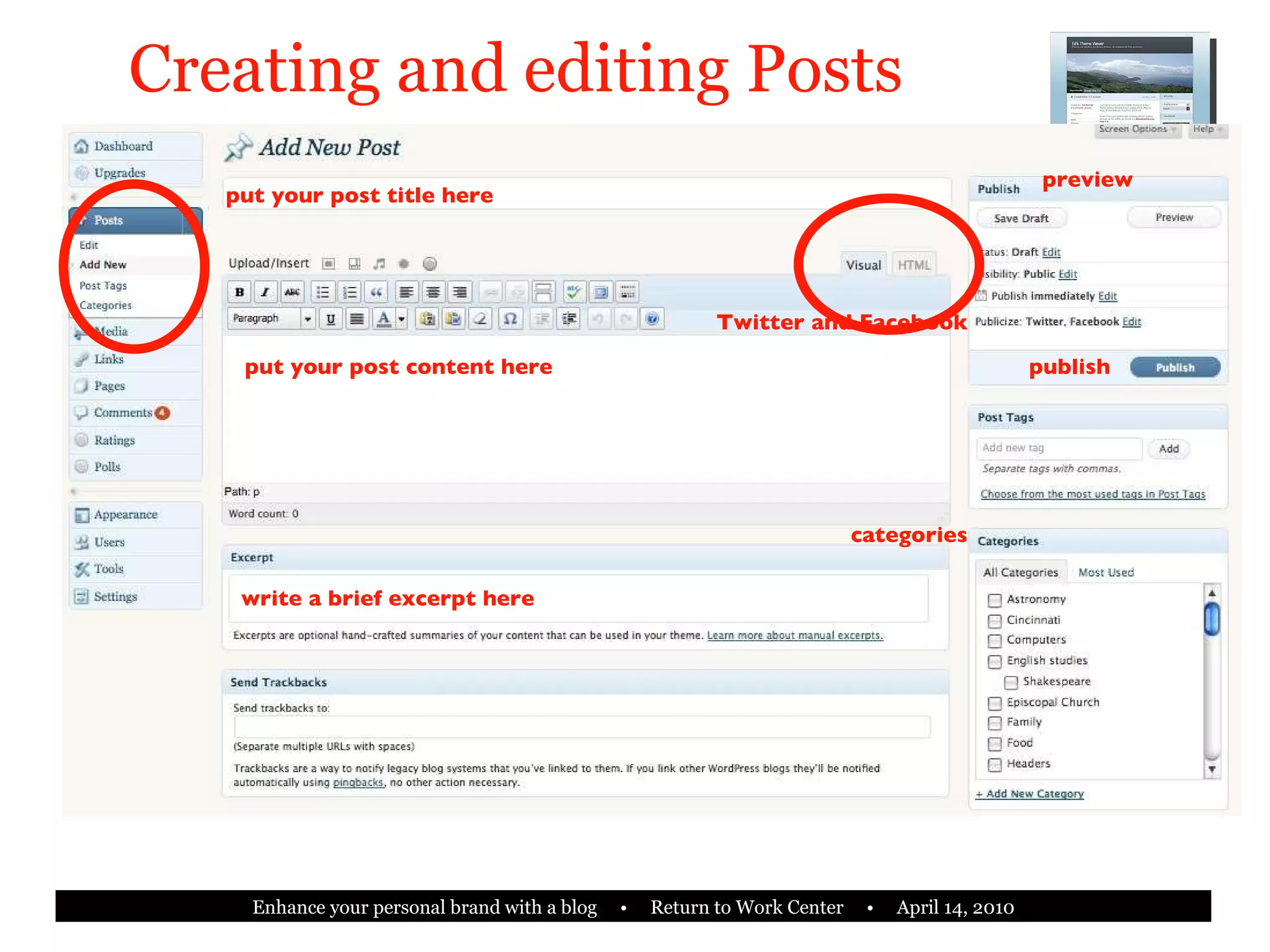
Creating and editing Posts put your post title here put your post content here preview categories write a brief excerpt here Twitter and Facebook publish
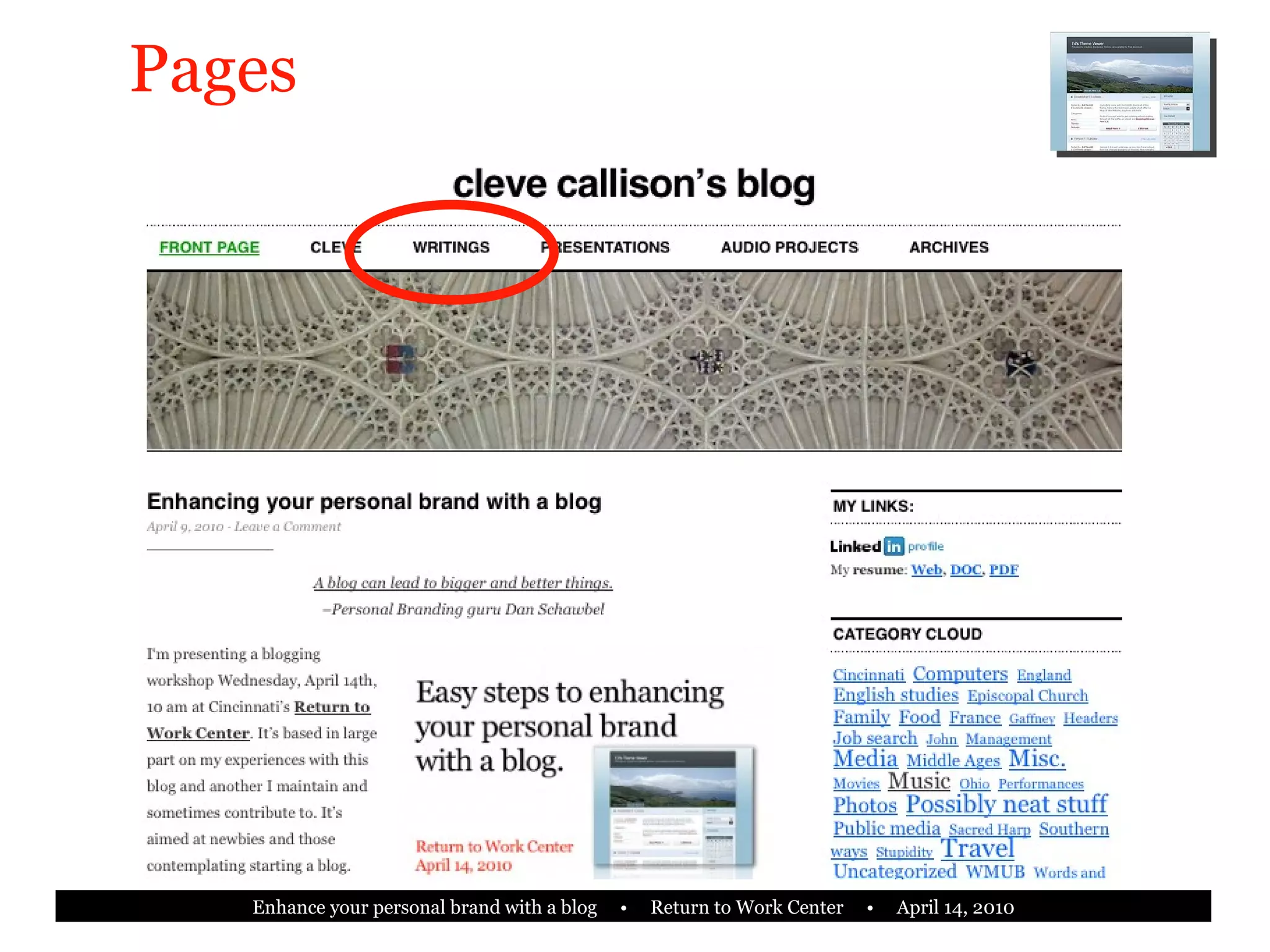
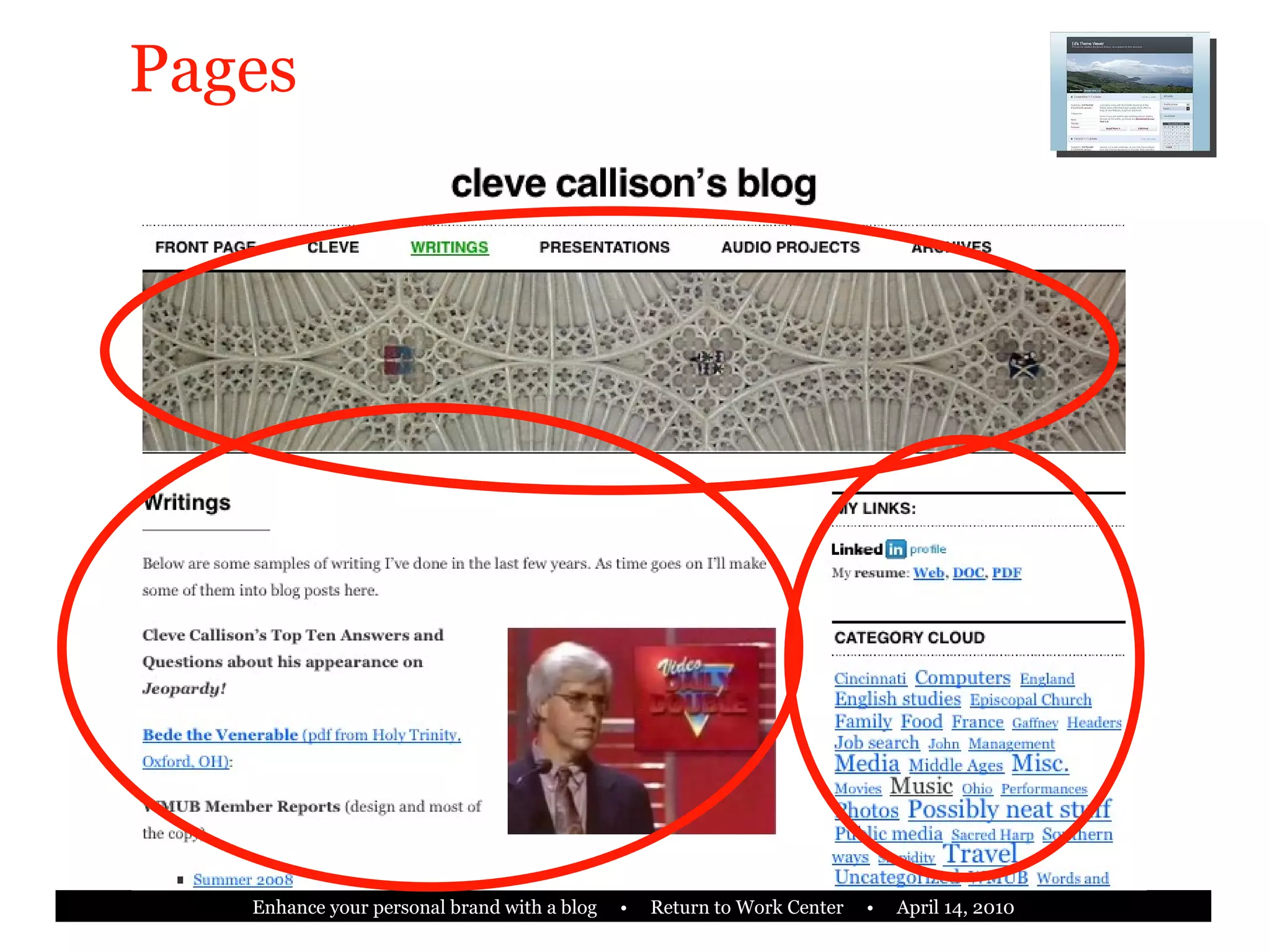
Pages
Pages
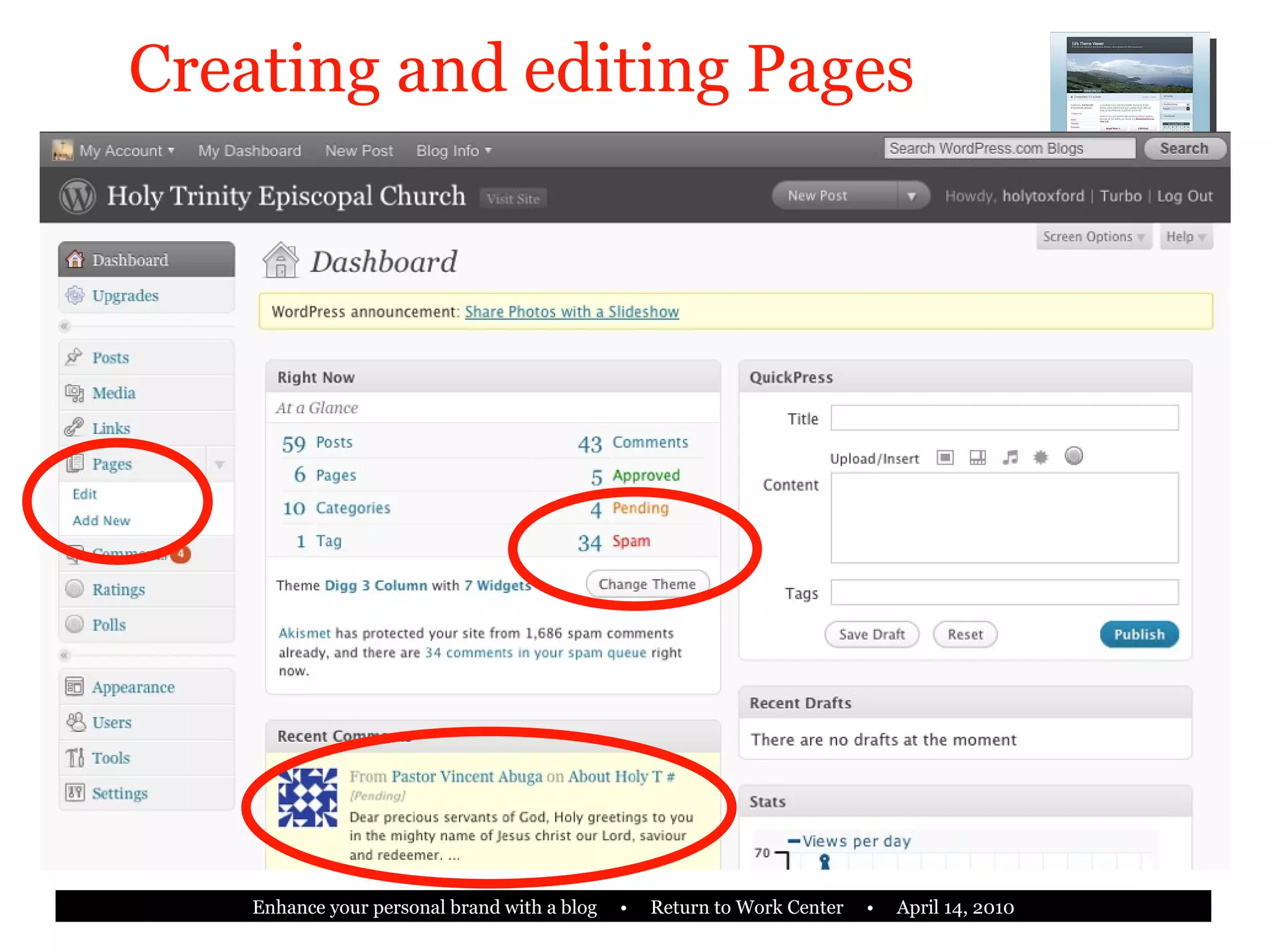
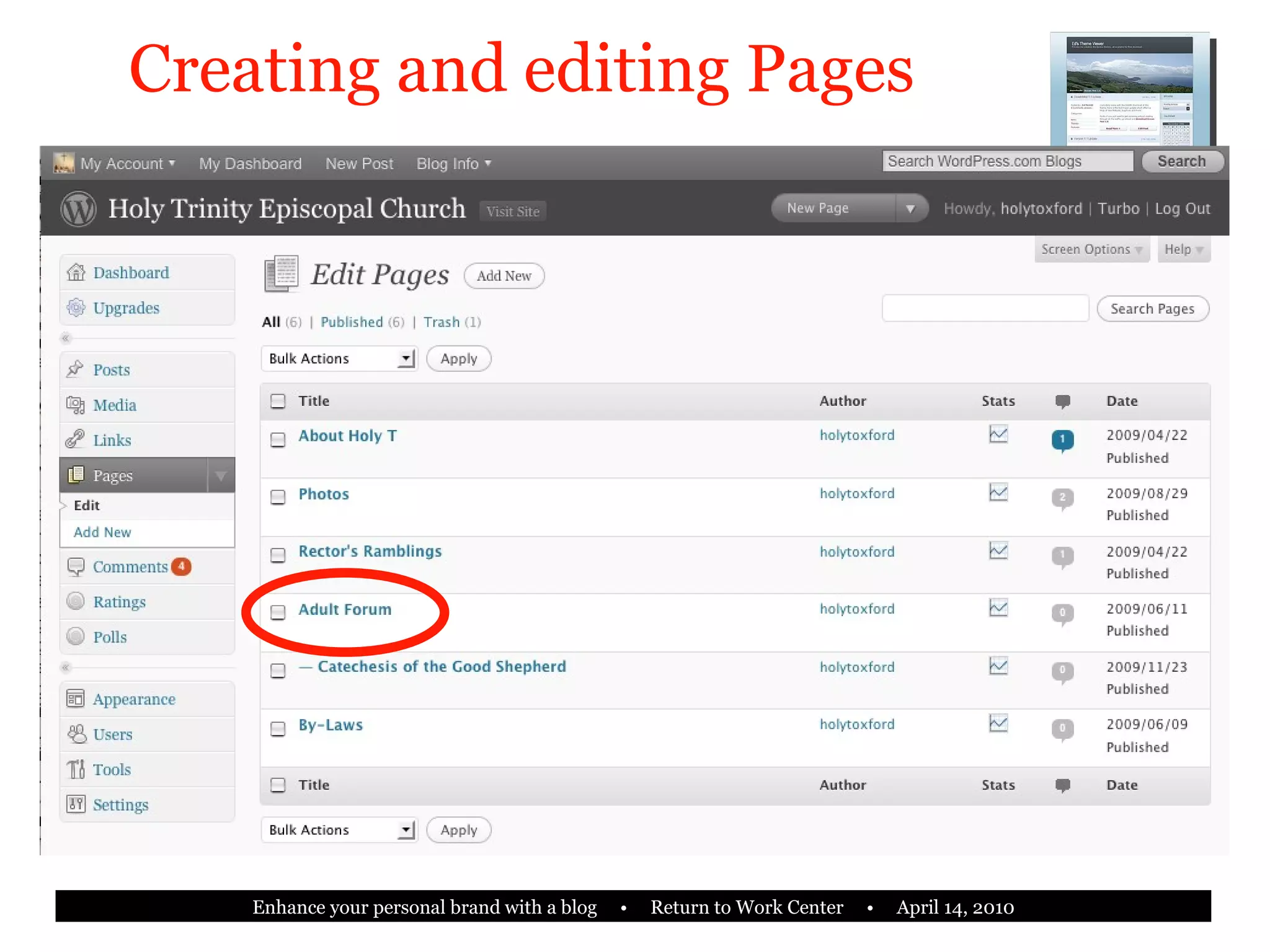
Creating and editing Pages
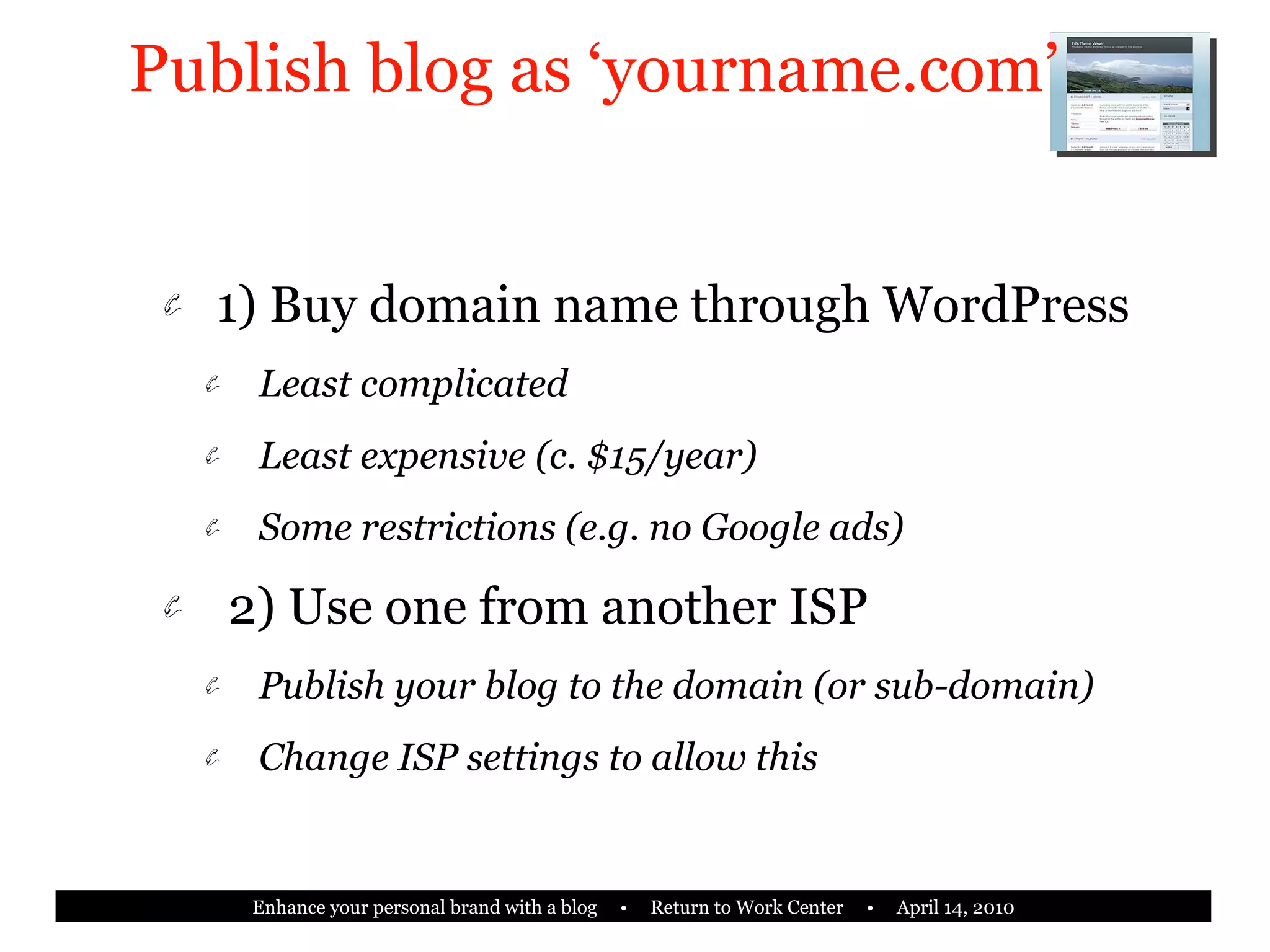
Publish blog as ‘yourname.com’ 1) Buy domain name through WordPress Least complicated Least expensive (c. $15/year) Some restrictions (e.g. no Google ads) 2) Use one from another ISP Publish your blog to the domain (or sub-domain) Change ISP settings to allow this
Profile photo Comments -- allow/ moderated? Jump posts, or full? PermaLink to full post Private or public? Allow search engines? Other items
Using your blog as your web site “ Not every website is a blog. But every blog is a website.” Easy to update without HTML Multiple contributors if desired Automatically creates an archive Archive is searchable
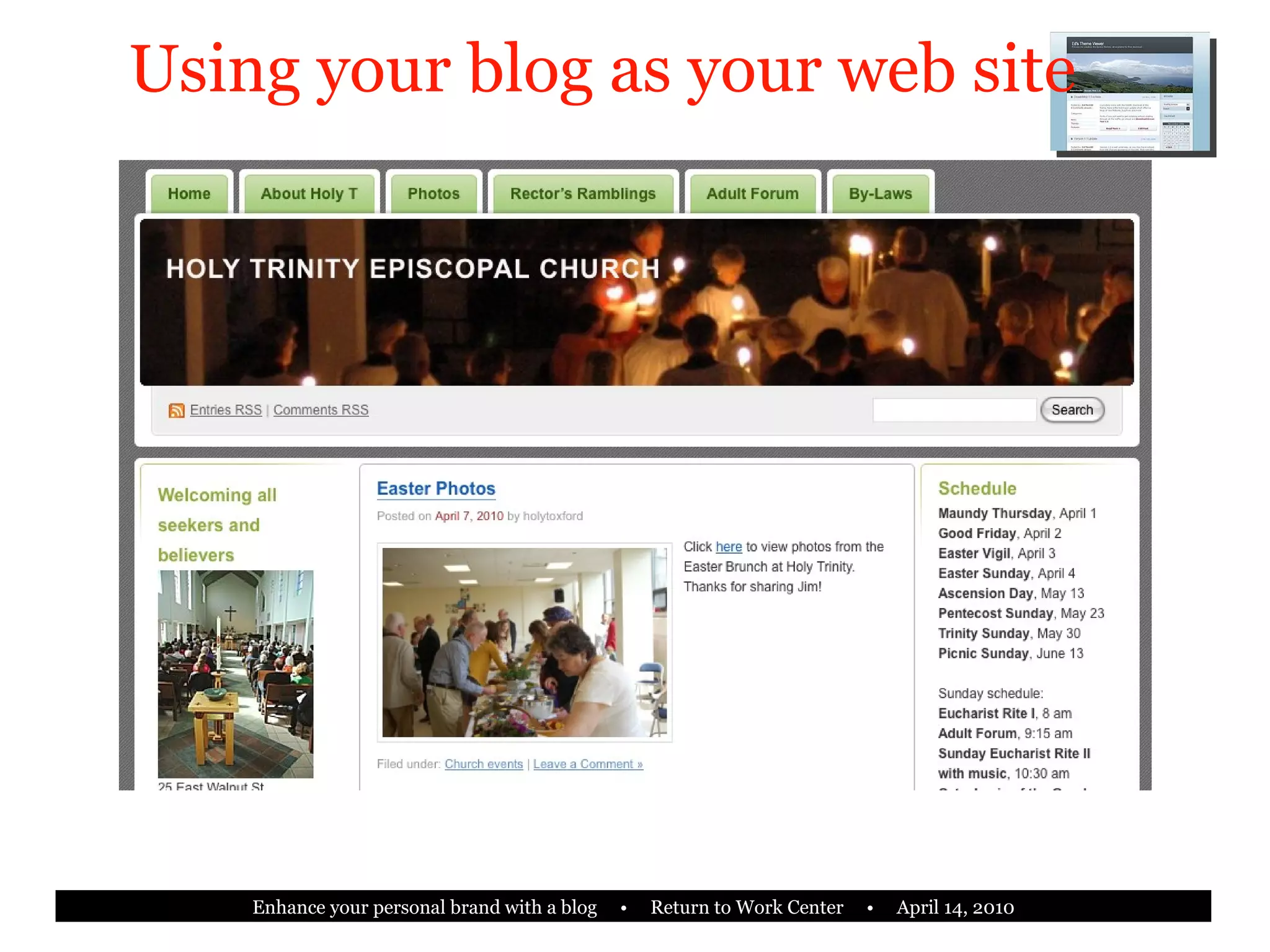
Using your blog as your web site
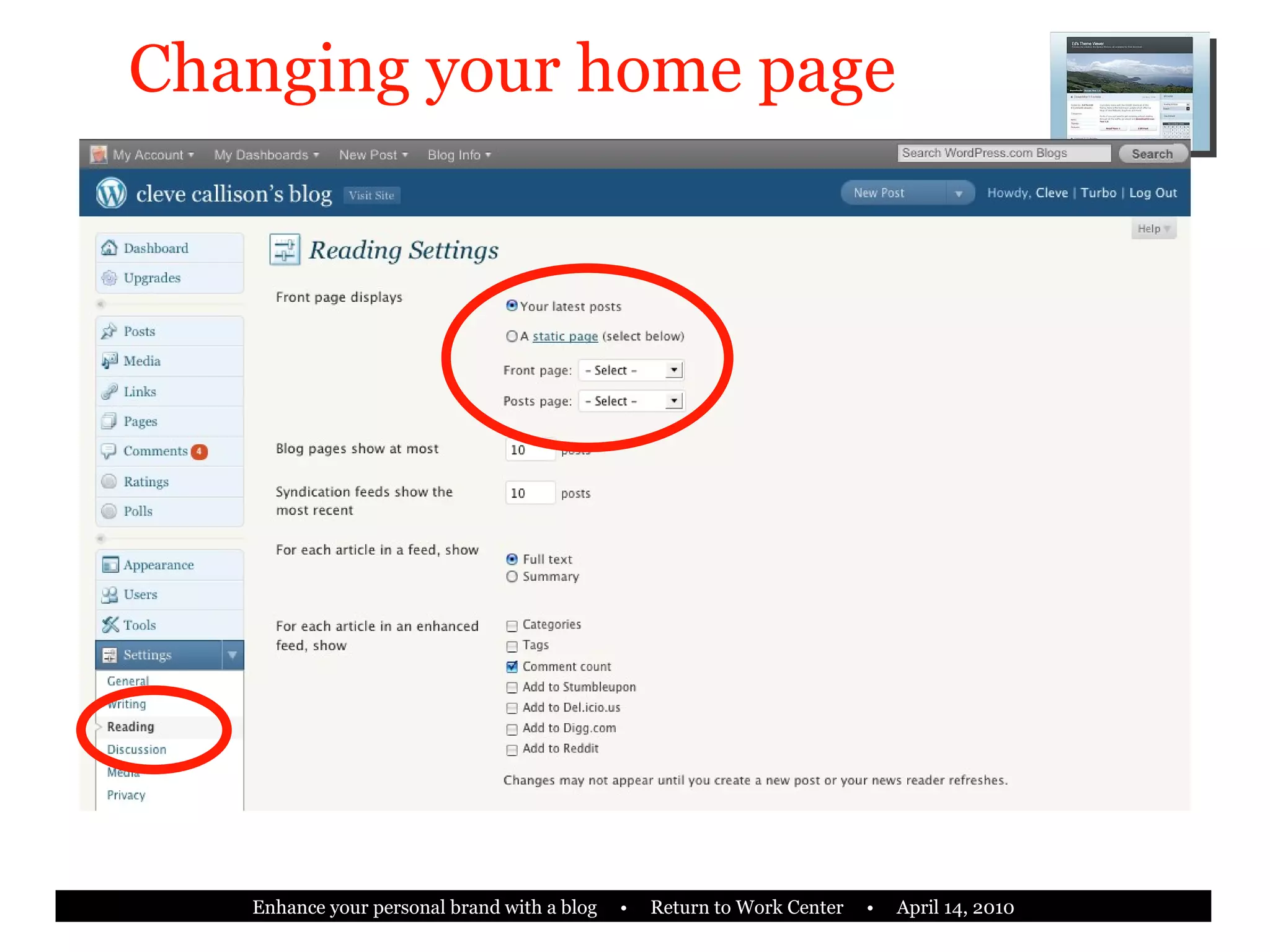
Using your blog as your web site Modify blog so structure is minimal Look at entries per page Modify navigation and other elements Make a static page the home page Blog can still be one of the alternate pages Requires careful construction of widgets
Changing your home page
Automatic publishing on LinkedIn excerpt most recent post
Search Engine Optimization
Goodbye.
Cleve’s contact info [email_address] LinkedIn: linkedin.com/in/clevecallison Twitter: clevecallison Blog: bit.ly/clevesblog

Enhance Your Personal Brand With A Blog

  • 1.
    Easy steps toenhancing your personal brand with a blog. Return to Work Center April 14, 2010
  • 2.
    Today’s agenda Forbeginners and neophytes More ‘how-to’ than ‘what-to’ Why blog? Relation to personal branding Where to start/models of blogging Cool things you can do Getting started Refining and enhancing
  • 3.
    Why blog? “A blog can lead to bigger and better things.” --Personal branding guru Dan Schawbel, personalbranding.com
  • 4.
    Why blog? Keycomponent of your personal brand Establish credibility Maximize SEO Hone writing and expertise Update LinkedIn, Facebook, Twitter Reinforce your website OR Serve as your website
  • 5.
    Personal branding acrossplatforms Establish your full name, consistently LinkedIn profile Twitter name Facebook Purchase domain name Multiple email addresses Your blog and/or website Make it look right!
  • 6.
    Where to startblogging? Blogger.com Part of Google, free Relatively easy to use, many options Typically ‘blogname.blogspot.com’ TypePad.com Also free (paid options) Many templates Good reputation among blogging community
  • 7.
    Where to startblogging? WordPress More like TypePad than like Blogger Free and paid options Highly customizable Easy to use (in 5 minutes!) Clean, elegant look and feel Growing use for both blogs and web pages
  • 8.
  • 9.
  • 10.
  • 11.
  • 12.
  • 13.
  • 14.
    Three models ofblogging with WordPress 1) Install WordPress. org Content Management System (CMS) on your own web hosted space 2) Publish as ‘yourname.wordpress. com ’ 3) Publish as ‘yourname. com ’
  • 15.
    WordPress.org CMS onyour space Domain and web space Most flexibility and control Strong personal brand Cost is reasonable ($50-100 per year) Greatest refinement of look and feel Requires some knowledge of HTML and/or SQL and PHP, at least for now
  • 16.
    Arthur C. Clarke“ Any smoothly functioning technology will have the appearance of magic.”
  • 17.
  • 18.
  • 19.
    5 cool thingsyou can do with a WordPress blog (automatically) New content on your LinkedIn profile Tweet Update your Facebook status Maximize SEO For Google, Yahoo and Bing Post from your cell phone
  • 20.
    ‘ yourname.wordpress.com’ Mostcommon FREE! Easy to use Good technical support online Starts in 5 minutes Little or no HTML required Partial personal branding
  • 21.
    Publish blog as‘yourname.com’ Strong personal brand Minimal technical requirements (same as ‘yourname.wordpress.com’) Low cost (c. $50-$100 annually) Can be made to integrate with your website
  • 22.
    Starting your WordPressblog •••••••• X johnsmith •••••••• [email_address]
  • 23.
  • 24.
    Navigating the Dashboarddata: posts, pages data: views options
  • 25.
    Shaping display contentswith Widgets select available widgets drag to sidebar
  • 26.
    Creating and editingPosts put your post title here put your post content here preview categories write a brief excerpt here Twitter and Facebook publish
  • 27.
  • 28.
  • 29.
  • 30.
  • 31.
    Publish blog as‘yourname.com’ 1) Buy domain name through WordPress Least complicated Least expensive (c. $15/year) Some restrictions (e.g. no Google ads) 2) Use one from another ISP Publish your blog to the domain (or sub-domain) Change ISP settings to allow this
  • 32.
    Profile photo Comments-- allow/ moderated? Jump posts, or full? PermaLink to full post Private or public? Allow search engines? Other items
  • 33.
    Using your blogas your web site “ Not every website is a blog. But every blog is a website.” Easy to update without HTML Multiple contributors if desired Automatically creates an archive Archive is searchable
  • 34.
    Using your blogas your web site
  • 35.
    Using your blogas your web site Modify blog so structure is minimal Look at entries per page Modify navigation and other elements Make a static page the home page Blog can still be one of the alternate pages Requires careful construction of widgets
  • 36.
  • 37.
    Automatic publishing onLinkedIn excerpt most recent post
  • 38.
  • 39.
  • 40.
    Cleve’s contact info[email_address] LinkedIn: linkedin.com/in/clevecallison Twitter: clevecallison Blog: bit.ly/clevesblog