Welcome to ENG 112-63 Online
        Orientation


             Pam Alderman
             Adjunct Instructor,
             English
Course Information
   ENG 112-63 is an on-line course that uses
    Blackboard. The primary course objective is
    to help you become a better writer by
    completing writing assignments, while getting
    feedback from other students and the
    instructor. All the information you need to
    complete assignments is in Blackboard or the
    required textbook.
IS ENG 112 FLO FOR YOU?
   Since this is an on-line Blackboard course,
    you need certain attributes. You need to be
    an independent learner with the motivation
    and discipline required to stick to a schedule
    and finish assignments on time. You also
    need to be able to read and follow directions
    exactly and ask questions when you need
    help. Estimated time per week, regular
    session = 8-10 hours; summer session =
    10-15 hours.
Instructor Information

   Pam Alderman
   Warsaw Campus, Adjunct Room on
    appointment
   804 333-5445 Attention: P.
    Alderman fax
   804 761-2014 cell—use first
   palderman@rappahannock.edu
Instructor Availability

   Campus Office Hours: by appointment
   I check my email six days a week; I take off most of
    the weekend, but I check email Sunday night. I am
    rarely online after 9 p.m.
   If you email me and do not hear from me with 24
    hours, then assume I did not receive the email and
    send it to me again.
   Changes to my schedule will be posted on the
    Announcements page in Blackboard or an email will
    be sent.
Course Materials

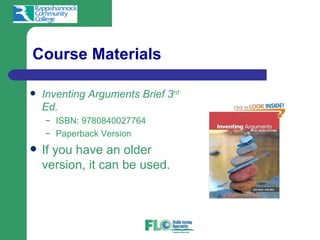
   Inventing Arguments Brief 3rd
    Ed.
    –   ISBN: 9780840027764
    –   Paperback Version
   If you have an older
    version, it can be used.
Technical Requirements

   Students MUST have daily access to a computer
    and Internet.
   Students MUST have skills in keyboarding, word
    processing, sending and receiving email with
    attachments.
   Students MUST send files in Word format or RTF.
    Use of Microsoft Word is highly recommended.
   Students MUST meet the technical requirements and
    minimum computer skills set by the college.
Dates to Remember

   Distance Learning Orientation
   Add/Drop— Last day to get a refund
   Withdrawal Deadline- Last day to withdraw
    without failing
   Last Day Work Due
   Day Grades Due
   See Blackboard for specific dates
Things to Do Today

   Download the syllabus and the course calendar.
   Send the following information to the instructor in an
    email: name, mailing address, and phone number
    (cell and home).
   Make sure you can get into Blackboard.
   Get the textbook for the course.
   Go into BB and being at the “Start Here” link.
Things To Do Tomorrow

   Read the entire packet carefully.
   Make sure you understand:
    –   Course requirements,
    –   Grading,
    –   Rewrite Policies,
    –   Incomplete Policy,
    –   Withdrawal Policy.
   Take the Orientation Quiz.
Requirements
   Orientation Quiz
   Five Unit Writing Assignments
   One 2,000-2,500 word research paper
   Five General Discussion Boards
   Four Postings to Writing Partner Discussion
   Eight Group Forums
   Four Prewriting/planning Worksheets
   Five Unit Quizzes
   Meeting Deadlines
   Meeting the technology requirements for the course
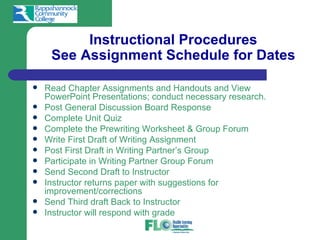
Instructional Procedures
     See Assignment Schedule for Dates

   Read Chapter Assignments and Handouts and View
    PowerPoint Presentations; conduct necessary research.
   Post General Discussion Board Response
   Complete Unit Quiz
   Complete the Prewriting Worksheet & Group Forum
   Write First Draft of Writing Assignment
   Post First Draft in Writing Partner’s Group
   Participate in Writing Partner Group Forum
   Send Second Draft to Instructor
   Instructor returns paper with suggestions for
    improvement/corrections
   Send Third draft Back to Instructor
   Instructor will respond with grade
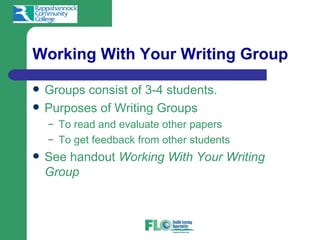
Working With Your Writing Group

   Groups consist of 3-4 students.
   Purposes of Writing Groups
    –   To read and evaluate other papers
    –   To get feedback from other students
   See handout Working With Your Writing
    Group
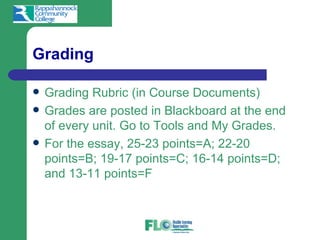
Grading

   Grading Rubric (in Course Documents)
   Grades are posted in Blackboard at the end
    of every unit. Go to Tools and My Grades.
   For the essay, 25-23 points=A; 22-20
    points=B; 19-17 points=C; 16-14 points=D;
    and 13-11 points=F
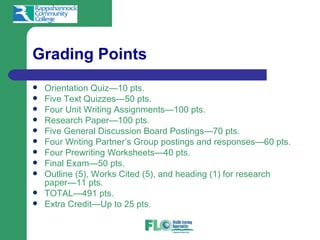
Grading Points
   Orientation Quiz—10 pts.
   Five Text Quizzes—50 pts.
   Four Unit Writing Assignments—100 pts.
   Research Paper—100 pts.
   Five General Discussion Board Postings—70 pts.
   Four Writing Partner’s Group postings and responses—60 pts.
   Four Prewriting Worksheets—40 pts.
   Final Exam—50 pts.
   Outline (5), Works Cited (5), and heading (1) for research
    paper—11 pts.
   TOTAL—491 pts.
   Extra Credit—Up to 25 pts.
Grading Scale

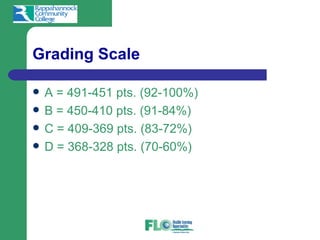
   A = 491-451 pts. (92-100%)
   B = 450-410 pts. (91-84%)
   C = 409-369 pts. (83-72%)
   D = 368-328 pts. (70-60%)
Rewrite/Late Policy

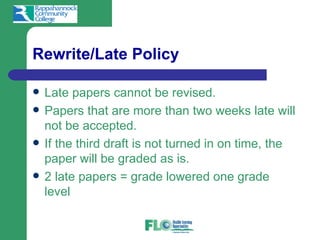
   Late papers cannot be revised.
   Papers that are more than two weeks late will
    not be accepted.
   If the third draft is not turned in on time, the
    paper will be graded as is.
   2 late papers = grade lowered one grade
    level
Late Policy

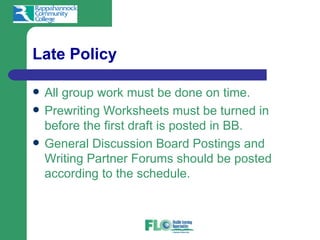
   All group work must be done on time.
   Prewriting Worksheets must be turned in
    before the first draft is posted in BB.
   General Discussion Board Postings and
    Writing Partner Forums should be posted
    according to the schedule.
Incomplete Policy

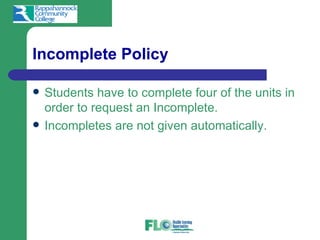
   Students have to complete four of the units in
    order to request an Incomplete.
   Incompletes are not given automatically.
Withdrawal Policy

   Students who do not attend Orientation, do
    not contact the instructor, and/or do not
    complete Unit One assignments 1-9 due by
    the add/drop date will be withdrawn on the
    add/drop date after student contact has been
    tried.
   Students who are two or more units behind
    by the withdrawal date will be withdrawn.
Getting Started with Assignments

   Unit One—Introduction to the Course: See Due Dates in Packet and
    Blackboard
     – Read the course packet and take the Orientation Quiz.
     – Get into Blackboard and read the assigned handouts/PowerPoints in
         Course Documents.
     – Read the assignments in the text.
     – Post General Discussion #1.
     – Take Quiz #1.
     – Submit prewriting/planning worksheet to instructor in BB.
     – Complete the Argument Analysis paper; save it in Word or RTF format.
     – Post the Argument Analysis in the Writing Partner’s Group Discussion #1.
     – Get into your group discussion board, and participate in Forum #1:
         Evaluating the Argument Analysis.
     – Revise the Argument Analysis and send the second draft to the instructor
         as an attachment in BB under Unit One.
     – Revise the paper according to the instructor’s comments and post the third
         draft where the second was posted.
Posting a Paper
          in Writing Partner Forum

   Get into ENG 112-63 in Blackboard.
   Click Writing Partner’s button on left.
   Click Group Pages.
   Find your group and click on it.
   Click on the Discussion Forum for the Unit.
   Click to Add a thread and attach paper.
Posting a Paper
in the Writing Partner Forum

   In the title space, put the type of paper you
    are submitting and your name.
    –   For example, Personal Narrative by Jane Smith.
   Browse for your file and click on it.
   Now hit Submit.
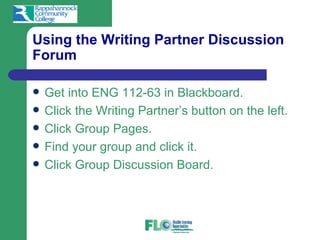
Using the Writing Partner Discussion
Forum

   Get into ENG 112-63 in Blackboard.
   Click the Writing Partner’s button on the left.
   Click Group Pages.
   Find your group and click it.
   Click Group Discussion Board.
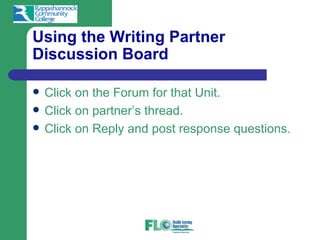
Using the Writing Partner
Discussion Board

   Click on the Forum for that Unit.
   Click on partner’s thread.
   Click on Reply and post response questions.
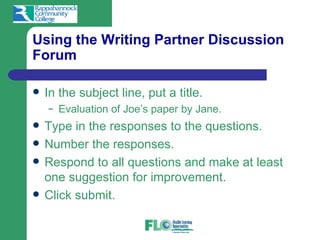
Using the Writing Partner Discussion
Forum

   In the subject line, put a title.
    –   Evaluation of Joe’s paper by Jane.
   Type in the responses to the questions.
   Number the responses.
   Respond to all questions and make at least
    one suggestion for improvement.
   Click submit.
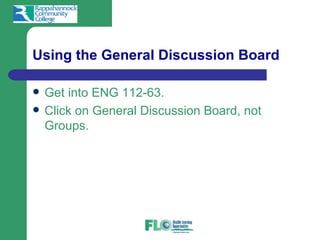
Using the General Discussion Board

   Get into ENG 112-63.
   Click on General Discussion Board, not
    Groups.
Using the General Discussion Board

   Click the discussion for that unit.
   Click on add new thread.
   In the subject line, put Response to General
    Discussion (#) by (your name).
    –   For example, Response to General Discussion #1
        by John Doe.
   Respond to the prompt and then click
    Submit.
Important Notices!

   The course packet is intended to be used
    only as an introduction to the course. The
    official information is in Blackboard.
   The instructor will not change course
    requirements to meet individual student
    needs. Students who cannot meet the course
    requirements, including technology
    requirements, should withdraw.
Evaluation

   To improve the course, students must
    evaluate the class. Please complete your
    course evaluation when posted in
    Blackboard near the end of the semester.
   Only you can make the course better by
    giving the college and the instructor
    constructive feedback.
Important Reminder

   Check the Announcements page of your
    Blackboard course every week to see the
    “Weekly Memo” and to see if I have posted
    important information.
   Check your RCC email frequently.
   Students are responsible for information
    posted on the Announcements page or sent
    in an email. I send memos every week—read
    them!
Any Questions?

   Text,
   Call,
   Or email me.
IMPORTANT NOTICE

   The course syllabus is just intended as a
    guide, and as the instructor, I reserve the
    right to make changes as needed for the
    benefit of my students and meeting the
    VCCS objectives.
   ALL WORK MUST BE COMPLETED AND
    POSTED IN BLACKBOARD.
Have a great semester and get
started on your assignments!


              I’m looking forward to
              hearing from you.

Eng112 flo orien 12

  • 1.
    Welcome to ENG112-63 Online Orientation Pam Alderman Adjunct Instructor, English
  • 2.
    Course Information  ENG 112-63 is an on-line course that uses Blackboard. The primary course objective is to help you become a better writer by completing writing assignments, while getting feedback from other students and the instructor. All the information you need to complete assignments is in Blackboard or the required textbook.
  • 3.
    IS ENG 112FLO FOR YOU?  Since this is an on-line Blackboard course, you need certain attributes. You need to be an independent learner with the motivation and discipline required to stick to a schedule and finish assignments on time. You also need to be able to read and follow directions exactly and ask questions when you need help. Estimated time per week, regular session = 8-10 hours; summer session = 10-15 hours.
  • 4.
    Instructor Information  Pam Alderman  Warsaw Campus, Adjunct Room on appointment  804 333-5445 Attention: P. Alderman fax  804 761-2014 cell—use first  palderman@rappahannock.edu
  • 5.
    Instructor Availability  Campus Office Hours: by appointment  I check my email six days a week; I take off most of the weekend, but I check email Sunday night. I am rarely online after 9 p.m.  If you email me and do not hear from me with 24 hours, then assume I did not receive the email and send it to me again.  Changes to my schedule will be posted on the Announcements page in Blackboard or an email will be sent.
  • 6.
    Course Materials  Inventing Arguments Brief 3rd Ed. – ISBN: 9780840027764 – Paperback Version  If you have an older version, it can be used.
  • 7.
    Technical Requirements  Students MUST have daily access to a computer and Internet.  Students MUST have skills in keyboarding, word processing, sending and receiving email with attachments.  Students MUST send files in Word format or RTF. Use of Microsoft Word is highly recommended.  Students MUST meet the technical requirements and minimum computer skills set by the college.
  • 8.
    Dates to Remember  Distance Learning Orientation  Add/Drop— Last day to get a refund  Withdrawal Deadline- Last day to withdraw without failing  Last Day Work Due  Day Grades Due  See Blackboard for specific dates
  • 9.
    Things to DoToday  Download the syllabus and the course calendar.  Send the following information to the instructor in an email: name, mailing address, and phone number (cell and home).  Make sure you can get into Blackboard.  Get the textbook for the course.  Go into BB and being at the “Start Here” link.
  • 10.
    Things To DoTomorrow  Read the entire packet carefully.  Make sure you understand: – Course requirements, – Grading, – Rewrite Policies, – Incomplete Policy, – Withdrawal Policy.  Take the Orientation Quiz.
  • 11.
    Requirements  Orientation Quiz  Five Unit Writing Assignments  One 2,000-2,500 word research paper  Five General Discussion Boards  Four Postings to Writing Partner Discussion  Eight Group Forums  Four Prewriting/planning Worksheets  Five Unit Quizzes  Meeting Deadlines  Meeting the technology requirements for the course
  • 12.
    Instructional Procedures See Assignment Schedule for Dates  Read Chapter Assignments and Handouts and View PowerPoint Presentations; conduct necessary research.  Post General Discussion Board Response  Complete Unit Quiz  Complete the Prewriting Worksheet & Group Forum  Write First Draft of Writing Assignment  Post First Draft in Writing Partner’s Group  Participate in Writing Partner Group Forum  Send Second Draft to Instructor  Instructor returns paper with suggestions for improvement/corrections  Send Third draft Back to Instructor  Instructor will respond with grade
  • 13.
    Working With YourWriting Group  Groups consist of 3-4 students.  Purposes of Writing Groups – To read and evaluate other papers – To get feedback from other students  See handout Working With Your Writing Group
  • 14.
    Grading  Grading Rubric (in Course Documents)  Grades are posted in Blackboard at the end of every unit. Go to Tools and My Grades.  For the essay, 25-23 points=A; 22-20 points=B; 19-17 points=C; 16-14 points=D; and 13-11 points=F
  • 15.
    Grading Points  Orientation Quiz—10 pts.  Five Text Quizzes—50 pts.  Four Unit Writing Assignments—100 pts.  Research Paper—100 pts.  Five General Discussion Board Postings—70 pts.  Four Writing Partner’s Group postings and responses—60 pts.  Four Prewriting Worksheets—40 pts.  Final Exam—50 pts.  Outline (5), Works Cited (5), and heading (1) for research paper—11 pts.  TOTAL—491 pts.  Extra Credit—Up to 25 pts.
  • 16.
    Grading Scale  A = 491-451 pts. (92-100%)  B = 450-410 pts. (91-84%)  C = 409-369 pts. (83-72%)  D = 368-328 pts. (70-60%)
  • 17.
    Rewrite/Late Policy  Late papers cannot be revised.  Papers that are more than two weeks late will not be accepted.  If the third draft is not turned in on time, the paper will be graded as is.  2 late papers = grade lowered one grade level
  • 18.
    Late Policy  All group work must be done on time.  Prewriting Worksheets must be turned in before the first draft is posted in BB.  General Discussion Board Postings and Writing Partner Forums should be posted according to the schedule.
  • 19.
    Incomplete Policy  Students have to complete four of the units in order to request an Incomplete.  Incompletes are not given automatically.
  • 20.
    Withdrawal Policy  Students who do not attend Orientation, do not contact the instructor, and/or do not complete Unit One assignments 1-9 due by the add/drop date will be withdrawn on the add/drop date after student contact has been tried.  Students who are two or more units behind by the withdrawal date will be withdrawn.
  • 21.
    Getting Started withAssignments  Unit One—Introduction to the Course: See Due Dates in Packet and Blackboard – Read the course packet and take the Orientation Quiz. – Get into Blackboard and read the assigned handouts/PowerPoints in Course Documents. – Read the assignments in the text. – Post General Discussion #1. – Take Quiz #1. – Submit prewriting/planning worksheet to instructor in BB. – Complete the Argument Analysis paper; save it in Word or RTF format. – Post the Argument Analysis in the Writing Partner’s Group Discussion #1. – Get into your group discussion board, and participate in Forum #1: Evaluating the Argument Analysis. – Revise the Argument Analysis and send the second draft to the instructor as an attachment in BB under Unit One. – Revise the paper according to the instructor’s comments and post the third draft where the second was posted.
  • 22.
    Posting a Paper in Writing Partner Forum  Get into ENG 112-63 in Blackboard.  Click Writing Partner’s button on left.  Click Group Pages.  Find your group and click on it.  Click on the Discussion Forum for the Unit.  Click to Add a thread and attach paper.
  • 23.
    Posting a Paper inthe Writing Partner Forum  In the title space, put the type of paper you are submitting and your name. – For example, Personal Narrative by Jane Smith.  Browse for your file and click on it.  Now hit Submit.
  • 24.
    Using the WritingPartner Discussion Forum  Get into ENG 112-63 in Blackboard.  Click the Writing Partner’s button on the left.  Click Group Pages.  Find your group and click it.  Click Group Discussion Board.
  • 25.
    Using the WritingPartner Discussion Board  Click on the Forum for that Unit.  Click on partner’s thread.  Click on Reply and post response questions.
  • 26.
    Using the WritingPartner Discussion Forum  In the subject line, put a title. – Evaluation of Joe’s paper by Jane.  Type in the responses to the questions.  Number the responses.  Respond to all questions and make at least one suggestion for improvement.  Click submit.
  • 27.
    Using the GeneralDiscussion Board  Get into ENG 112-63.  Click on General Discussion Board, not Groups.
  • 28.
    Using the GeneralDiscussion Board  Click the discussion for that unit.  Click on add new thread.  In the subject line, put Response to General Discussion (#) by (your name). – For example, Response to General Discussion #1 by John Doe.  Respond to the prompt and then click Submit.
  • 29.
    Important Notices!  The course packet is intended to be used only as an introduction to the course. The official information is in Blackboard.  The instructor will not change course requirements to meet individual student needs. Students who cannot meet the course requirements, including technology requirements, should withdraw.
  • 30.
    Evaluation  To improve the course, students must evaluate the class. Please complete your course evaluation when posted in Blackboard near the end of the semester.  Only you can make the course better by giving the college and the instructor constructive feedback.
  • 31.
    Important Reminder  Check the Announcements page of your Blackboard course every week to see the “Weekly Memo” and to see if I have posted important information.  Check your RCC email frequently.  Students are responsible for information posted on the Announcements page or sent in an email. I send memos every week—read them!
  • 32.
    Any Questions?  Text,  Call,  Or email me.
  • 33.
    IMPORTANT NOTICE  The course syllabus is just intended as a guide, and as the instructor, I reserve the right to make changes as needed for the benefit of my students and meeting the VCCS objectives.  ALL WORK MUST BE COMPLETED AND POSTED IN BLACKBOARD.
  • 34.
    Have a greatsemester and get started on your assignments! I’m looking forward to hearing from you.