Classroom applicationsEmerging Technologies
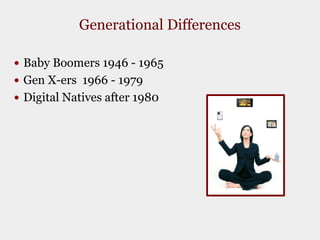
Generational DifferencesBaby Boomers 1946 - 1965Gen X-ers  1966 - 1979Digital Natives after 1980
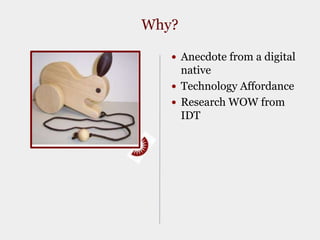
Why?Anecdote from a digital nativeTechnology AffordanceResearch WOW from IDT
Horizon ReportOne year or lessMobile devicesCloud computingTwo to three yearsGeolocation in everythingThe personal webFour to five yearsSemantic-aware applicationsSmart objects2009 Horizon ReportJohnson, Laurence F., Levine, Alan, and Smith, Rachel S. 2009 Horizon Report. Austin, TX: The New Media Consortium, 2009.
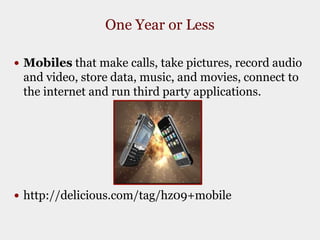
One Year or LessMobiles that make calls, take pictures, record audio and video, store data, music, and movies, connect to the internet and run third party applications.  http://delicious.com/tag/hz09+mobile
One Year or LessCloud Computing Google, YouTube, Flickr all use data farms, or networked computers to process information.  You TubeFlikrSplashupSlideshare

Emerging Technologies

  • 1.
  • 2.
    Generational DifferencesBaby Boomers1946 - 1965Gen X-ers 1966 - 1979Digital Natives after 1980
  • 3.
    Why?Anecdote from adigital nativeTechnology AffordanceResearch WOW from IDT
  • 4.
    Horizon ReportOne yearor lessMobile devicesCloud computingTwo to three yearsGeolocation in everythingThe personal webFour to five yearsSemantic-aware applicationsSmart objects2009 Horizon ReportJohnson, Laurence F., Levine, Alan, and Smith, Rachel S. 2009 Horizon Report. Austin, TX: The New Media Consortium, 2009.
  • 5.
    One Year orLessMobiles that make calls, take pictures, record audio and video, store data, music, and movies, connect to the internet and run third party applications. http://delicious.com/tag/hz09+mobile
  • 6.
    One Year orLessCloud Computing Google, YouTube, Flickr all use data farms, or networked computers to process information. You TubeFlikrSplashupSlideshare

Editor's Notes

  • #3 Marc Prensky coined the digital native phrase in 2001 with this article http://www.marcprensky.com/writing/Prensky%20-%20Digital%20Natives,%20Digital%20Immigrants%20-%20Part1.pdf His analogy is that technology is like a country in which you were born or immigrated into. Baby Boomers immigrated into this new and strange country of technology and do what I call “speak geek” with a heavy accent. Digital Natives have no accent when speaking because they were born into a world with technology. As faculty, you may have multiple generations in your courses all with different viewpoints of technology and different levels of technology knowledge. Group membership may not always dictate your level of technology knowledge. I am technically a baby boomer as I was born in 1962, but “speak geek” with very little accent. Bill Gates is a boomer. The surprising thing about the digital natives is that they are not always going to initially know about a piece of technology just because they are members of the digital native generation. Once confronted with new technology, they may persist until they figure it out, or they may not. Prensky maintains that natives’ brains are wired differently. I would like to see the empirical evidence of such a claim, but have plenty of anecdotal evidence as a high school teacher and higher education faculty myself to make me wonder…
  • #4 The anecdote is from my son in 1992 when he was one year old, walking and talking in one word utterances that were revealing of the way the digital natives think. He picked up a wooden rabbit on wheels and asked why? When I demonstrated that it followed him while he walked, he gave me the OK… look. It was not until he realized that the toy drove the dog insane which made his sister laugh hysterically, that the toy had utility. The moral of the story is for the digital natives, an emerging technology must have utility or they will not use it.Another important question is what does technology do for us as digital immigrants? In the world of instructional design a technology can give us an affordance that we previously did not have. For example, an application like Twitter allows an instructor to send instant updates to multiple communication devices at one time. One entry in twitter will send messages to the mobile phones, facebook, MySpace, and blogs of students. The affordance comes in the form of convenience. In the “old days” teachers wrote homework assignments on the board, sent notes home, etc. If the teacher wanted to remind you to do your homework the night before, they would have to call home to each individual student. Students could have asynchronous discussions in Blackboard in between classes (affordance) or written journal entries could be passed around on paper for students to read (old way). Instructional Design and Technology research is rich with information about technology use but before the latest tools goes the way of the laserdisc, consider why you want to use this tool. A research word to the wise about technology “no significant differences” may be in your future if you are measuring a technology affordance in terms of learning outcomes. Instead, investigate an instructional strategy inside a technology tool such as requiring students to summarize vs. generate examples inside of a discussion board.
  • #6 Let’s say I am a student who wants to find out some information about a professor before signing up for a class while I am walking across campus. There is an app for that… Rate my professor is coming soon to an iPhone app near you! You can also rate your campus, and rate the on campus activities. Consider using your mobile device to learn a language, graph an equation, train you ear to distinguish between types of heart murmurs, find out historical information about a building in front of which you are standing, use your device to give answers to polls or questions in class, google using speech capabilities. There are 200 bookmarks on this delicious site http://delicious.com/tag/hz09+mobile about how to use mobile devices for learning.
  • #7 Google, YouTube, Flickr all use data farms, or networked computers to process information and this system is known as cloud computing. What does this mean to you? Power and space for cheap or even FREE! Applications like email, word processing, spreadsheets, presentations, all done on your computer, but the applications are running in the cloud. You see them through your browser window. Applications like YouTube, Flickr, and Blogger are commonly used browser-based applications.