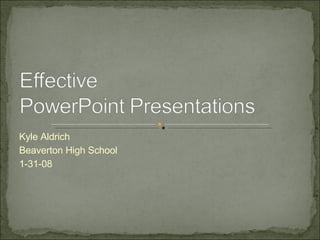
Kyle Aldrich Beaverton High School 1-31-08
Select san serif fonts No smaller than 24 points Each Page should have a title Use the same font on all pages Avoid  italicized  fonts No more than 6-8 words per line
Use the 6 x 6 rule for bullet points Use contrast Dark text on light background Light text on dark background Do not use ALL CAPS except for titles Test font by standing six feet from monitor
Keep the background consistent Keep the background subtle Keep the design clean and uncluttered Limit number of transitions Avoid flashy of noisy animation
Use clipart sparingly Use the same style graphic throughout Limit number of graphics All graphics should relate to the presentation
Limit the number of colors on a single screen Use on a single screen Use no more than colors on a chart Check all colors on a projection screen before presentation
Check spelling and grammar Do not read the presentation Give a brief overview at start, present information, review important points Have bulleted items appear one at a time
Use a wireless mouse If sound effects are used, wait until sound finishes before speaking If content is complex, give audience handouts Do not turn your back to the audience
Practice before you present Show up early to test equipment Turn off screen savers and power management
Backup your slide show and take an extra copy with you Provide the audience with contact information if they have questions Avoid dark backgrounds if presenting in a poorly-lit room Avoid light backgrounds if presenting in well-lit room

Effective PowerPoint Presentations

  • 1.
    Kyle Aldrich BeavertonHigh School 1-31-08
  • 2.
    Select san seriffonts No smaller than 24 points Each Page should have a title Use the same font on all pages Avoid italicized fonts No more than 6-8 words per line
  • 3.
    Use the 6x 6 rule for bullet points Use contrast Dark text on light background Light text on dark background Do not use ALL CAPS except for titles Test font by standing six feet from monitor
  • 4.
    Keep the backgroundconsistent Keep the background subtle Keep the design clean and uncluttered Limit number of transitions Avoid flashy of noisy animation
  • 5.
    Use clipart sparinglyUse the same style graphic throughout Limit number of graphics All graphics should relate to the presentation
  • 6.
    Limit the numberof colors on a single screen Use on a single screen Use no more than colors on a chart Check all colors on a projection screen before presentation
  • 7.
    Check spelling andgrammar Do not read the presentation Give a brief overview at start, present information, review important points Have bulleted items appear one at a time
  • 8.
    Use a wirelessmouse If sound effects are used, wait until sound finishes before speaking If content is complex, give audience handouts Do not turn your back to the audience
  • 9.
    Practice before youpresent Show up early to test equipment Turn off screen savers and power management
  • 10.
    Backup your slideshow and take an extra copy with you Provide the audience with contact information if they have questions Avoid dark backgrounds if presenting in a poorly-lit room Avoid light backgrounds if presenting in well-lit room