Educational Technology
Professional Development
        Yuri Zepeda
         Dr. Chen
         EDIT 556
The role of Educational
               Technology
 Provides authentic learning experiences
 Improves instruction
 Enhances student learning
 Prepares students for the 21st century
 Students gain & develop new set of skills: critical,
 analytical, cultural, global, and digital
The need for high-quality ETPD
 In order for students to be prepared for the 21st
  century and gain technology skills & fluency,
  teachers need to learn how to integrate
  technology into their classrooms successfully.
 It educates teachers the value of technology
 It provides constant support for teachers, thus
  developing confidence
 It exposes teachers to innovative/ creative ideas
  & resources
Reasons why many PD programs
                 fail
 No explicit connection between the use
    technology and instruction
   Short-term workshops that focus on technical
    assistance
   Lack of meaningful opportunities for teachers to
    share ideas and reflect on their instructional
    practices
   Little teacher support or feedback
   Follow “one-size- fits- all” workshops
   Fails to address the needs of teachers, school,
    students, etc.
What defines a high-quality ETPD?
 Longer duration
 Follow-up support and feedback
 Access to new technologies
 Collaboration and reflection
 Shared vision for student learning
 Community building
 Moves beyond technical assistance/ skills
 Engages teachers in meaningful & relevant
  learning activities
 Helps teacher to become comfortable using
  technology
“Online communities”
 Lock (2006) introduces “online communities” to
  facilitate teacher professional development
 Creates authentic learning communities where
  teachers become active participants
 Focuses on “designing, building, and supporting a
  structure and a process… meeting the personal
  ongoing professional development needs of
  teachers” (pg. 663)
 Function outside “conventional practices and
  timeframes (e.g., workshops)” (pg. 675)
“Knowledge Brokers”
 Plair (2008) introduces the notion of “knowledge
 brokers, or a intermediary to sort through a
 wealth of information about programs, tools, and
 Web resources and o explain and demonstrate to
 them (teachers) how to use it in a way that
 supports and enhances student learning and
 personal productivity” (pg. 71).
“Master Technology Teacher”
 Wright (2010) describes that the Master
  Technology Teacher, a professional development
  program that focuses on “training teachers how
  to use technology in classroom instruction” (pg.
  139).
 Classroom observation to see how a teacher
  uses & implements technology
 Opportunities for reflection, feedback, support,
  collaboration, and active participation
“The Centers for Quality Teaching
         and Learning”
 This professional development places technology
  in the “context of student-centered instructional
  practices “ (Matzen & Edmunds, 2007, pg. 417)
 Shift from “traditional instruction” to a more
  “constructivist- compatible instruction” (pg. 417)
 Alternative vision for the use of technology
 Teachers are able to connect technology and
  instruction
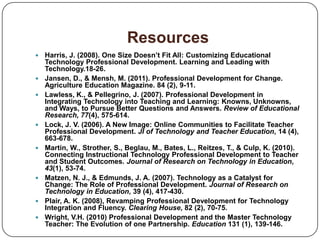
Resources
   Harris, J. (2008). One Size Doesn’t Fit All: Customizing Educational
    Technology Professional Development. Learning and Leading with
    Technology.18-26.
   Jansen, D., & Mensh, M. (2011). Professional Development for Change.
    Agriculture Education Magazine. 84 (2), 9-11.
   Lawless, K., & Pellegrino, J. (2007). Professional Development in
    Integrating Technology into Teaching and Learning: Knowns, Unknowns,
    and Ways, to Pursue Better Questions and Answers. Review of Educational
    Research, 77(4), 575-614.
   Lock, J. V. (2006). A New Image: Online Communities to Facilitate Teacher
    Professional Development. JI of Technology and Teacher Education, 14 (4),
    663-678.
   Martin, W., Strother, S., Beglau, M., Bates, L., Reitzes, T., & Culp, K. (2010).
    Connecting Instructional Technology Professional Development to Teacher
    and Student Outcomes. Journal of Research on Technology in Education,
    43(1), 53-74.
   Matzen, N. J., & Edmunds, J. A. (2007). Technology as a Catalyst for
    Change: The Role of Professional Development. Journal of Research on
    Technology in Education, 39 (4), 417-430.
   Plair, A. K. (2008), Revamping Professional Development for Technology
    Integration and Fluency. Clearing House, 82 (2), 70-75.
   Wright, V.H. (2010) Professional Development and the Master Technology
    Teacher: The Evolution of one Partnership. Education 131 (1), 139-146.

Educational Technology Professional Development

  • 1.
  • 2.
    The role ofEducational Technology  Provides authentic learning experiences  Improves instruction  Enhances student learning  Prepares students for the 21st century  Students gain & develop new set of skills: critical, analytical, cultural, global, and digital
  • 3.
    The need forhigh-quality ETPD  In order for students to be prepared for the 21st century and gain technology skills & fluency, teachers need to learn how to integrate technology into their classrooms successfully.  It educates teachers the value of technology  It provides constant support for teachers, thus developing confidence  It exposes teachers to innovative/ creative ideas & resources
  • 4.
    Reasons why manyPD programs fail  No explicit connection between the use technology and instruction  Short-term workshops that focus on technical assistance  Lack of meaningful opportunities for teachers to share ideas and reflect on their instructional practices  Little teacher support or feedback  Follow “one-size- fits- all” workshops  Fails to address the needs of teachers, school, students, etc.
  • 5.
    What defines ahigh-quality ETPD?  Longer duration  Follow-up support and feedback  Access to new technologies  Collaboration and reflection  Shared vision for student learning  Community building  Moves beyond technical assistance/ skills  Engages teachers in meaningful & relevant learning activities  Helps teacher to become comfortable using technology
  • 6.
    “Online communities”  Lock(2006) introduces “online communities” to facilitate teacher professional development  Creates authentic learning communities where teachers become active participants  Focuses on “designing, building, and supporting a structure and a process… meeting the personal ongoing professional development needs of teachers” (pg. 663)  Function outside “conventional practices and timeframes (e.g., workshops)” (pg. 675)
  • 7.
    “Knowledge Brokers”  Plair(2008) introduces the notion of “knowledge brokers, or a intermediary to sort through a wealth of information about programs, tools, and Web resources and o explain and demonstrate to them (teachers) how to use it in a way that supports and enhances student learning and personal productivity” (pg. 71).
  • 8.
    “Master Technology Teacher” Wright (2010) describes that the Master Technology Teacher, a professional development program that focuses on “training teachers how to use technology in classroom instruction” (pg. 139).  Classroom observation to see how a teacher uses & implements technology  Opportunities for reflection, feedback, support, collaboration, and active participation
  • 9.
    “The Centers forQuality Teaching and Learning”  This professional development places technology in the “context of student-centered instructional practices “ (Matzen & Edmunds, 2007, pg. 417)  Shift from “traditional instruction” to a more “constructivist- compatible instruction” (pg. 417)  Alternative vision for the use of technology  Teachers are able to connect technology and instruction
  • 10.
    Resources  Harris, J. (2008). One Size Doesn’t Fit All: Customizing Educational Technology Professional Development. Learning and Leading with Technology.18-26.  Jansen, D., & Mensh, M. (2011). Professional Development for Change. Agriculture Education Magazine. 84 (2), 9-11.  Lawless, K., & Pellegrino, J. (2007). Professional Development in Integrating Technology into Teaching and Learning: Knowns, Unknowns, and Ways, to Pursue Better Questions and Answers. Review of Educational Research, 77(4), 575-614.  Lock, J. V. (2006). A New Image: Online Communities to Facilitate Teacher Professional Development. JI of Technology and Teacher Education, 14 (4), 663-678.  Martin, W., Strother, S., Beglau, M., Bates, L., Reitzes, T., & Culp, K. (2010). Connecting Instructional Technology Professional Development to Teacher and Student Outcomes. Journal of Research on Technology in Education, 43(1), 53-74.  Matzen, N. J., & Edmunds, J. A. (2007). Technology as a Catalyst for Change: The Role of Professional Development. Journal of Research on Technology in Education, 39 (4), 417-430.  Plair, A. K. (2008), Revamping Professional Development for Technology Integration and Fluency. Clearing House, 82 (2), 70-75.  Wright, V.H. (2010) Professional Development and the Master Technology Teacher: The Evolution of one Partnership. Education 131 (1), 139-146.