EDU 614: Boardmaker
Assignment
By: Jessie Lorton
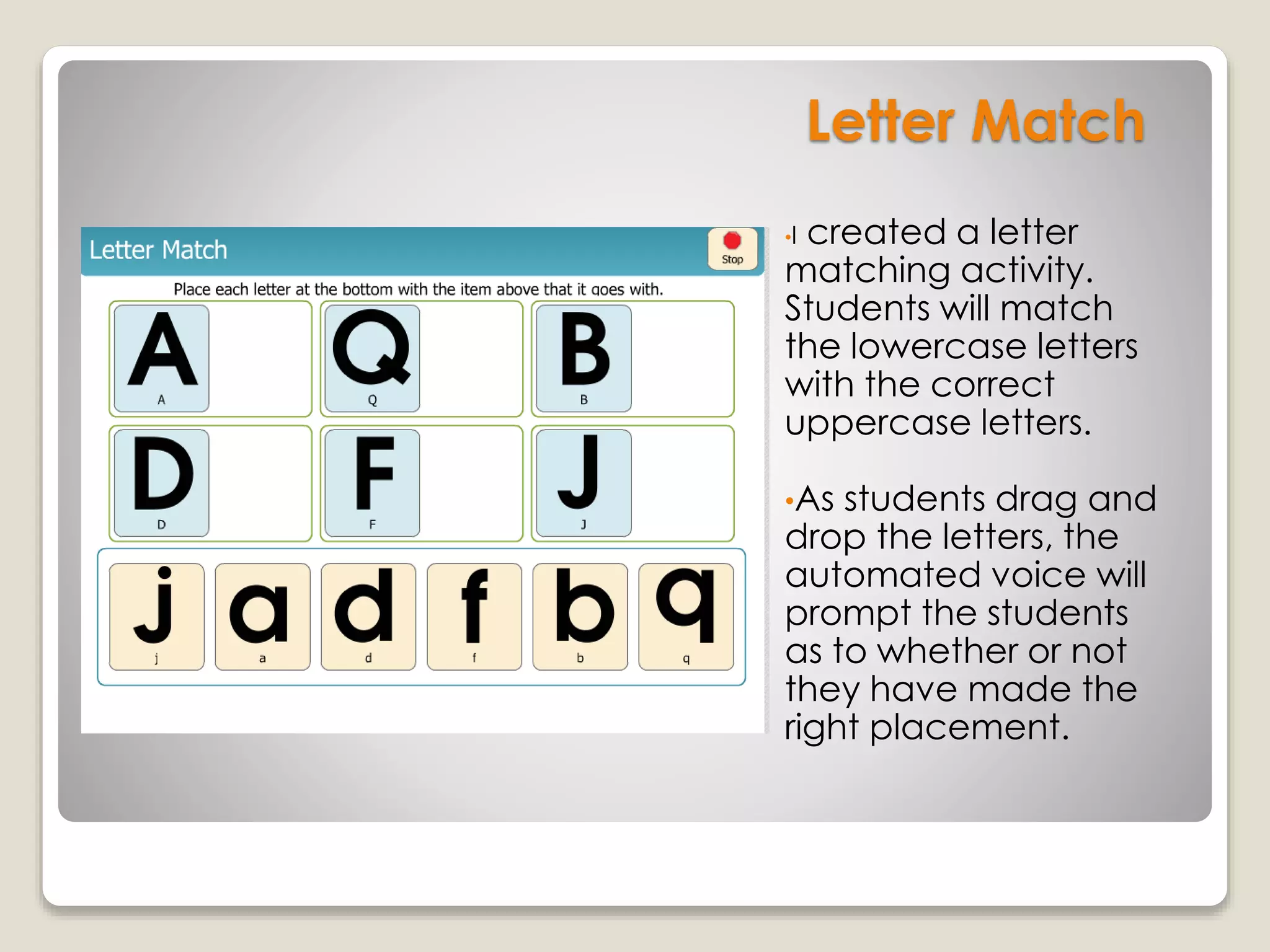
Letter Match
•I created a letter
matching activity.
Students will match
the lowercase letters
with the correct
uppercase letters.
•As students drag and
drop the letters, the
automated voice will
prompt the students
as to whether or not
they have made the
right placement.
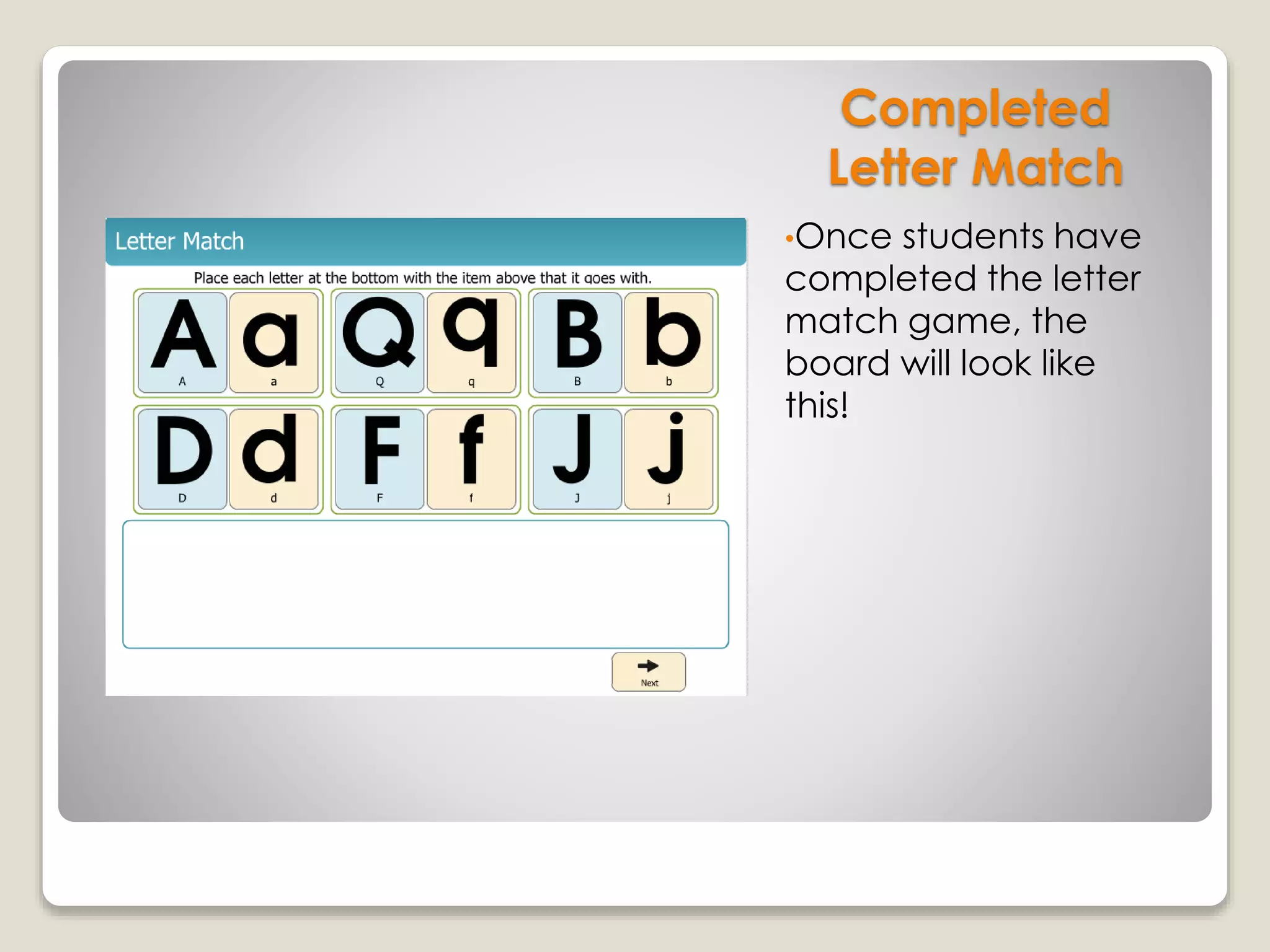
Completed
Letter Match
•Once students have
completed the letter
match game, the
board will look like
this!
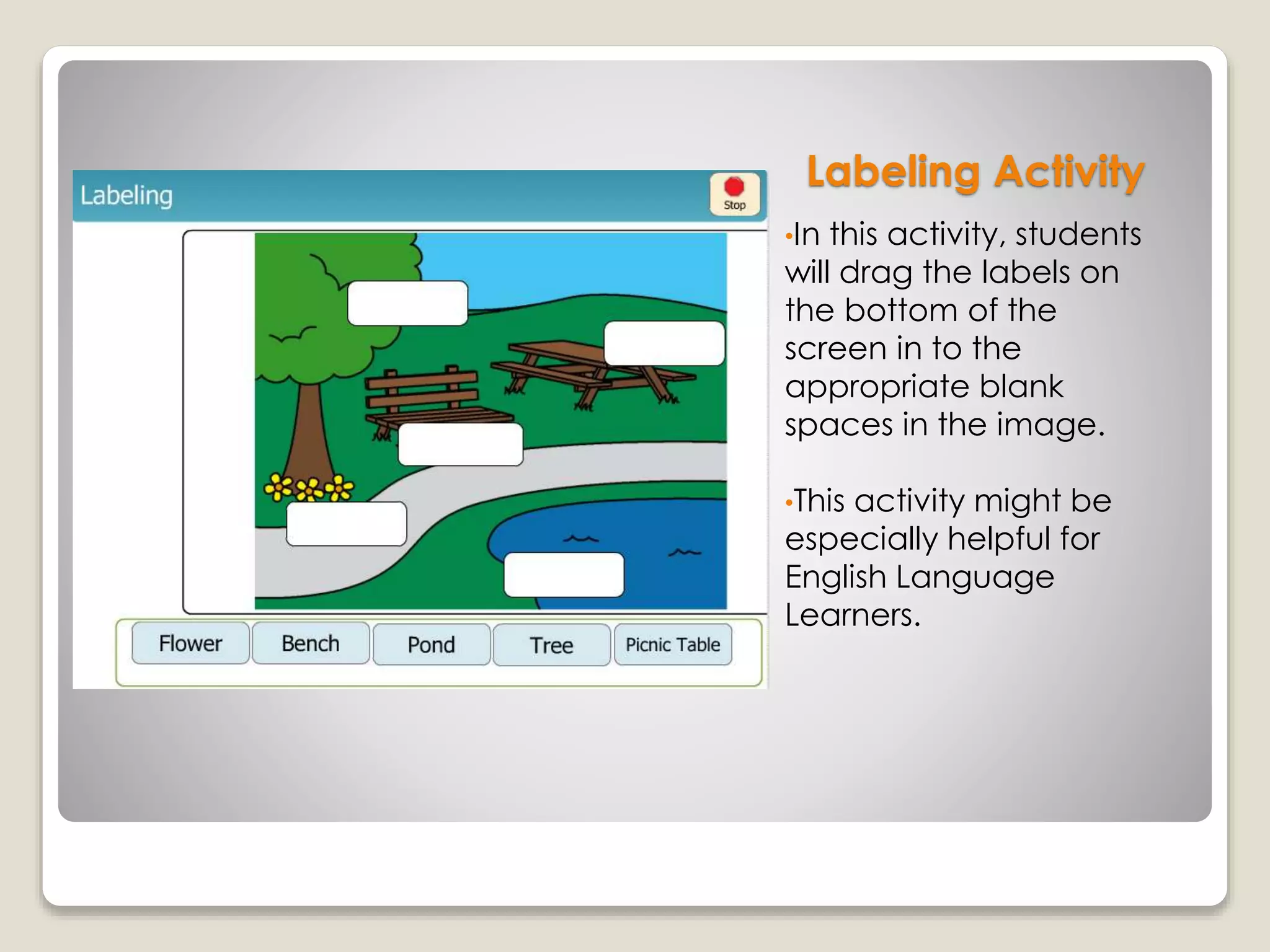
Labeling Activity
•In this activity, students
will drag the labels on
the bottom of the
screen in to the
appropriate blank
spaces in the image.
•This activity might be
especially helpful for
English Language
Learners.
Sorting Objects
into Groups
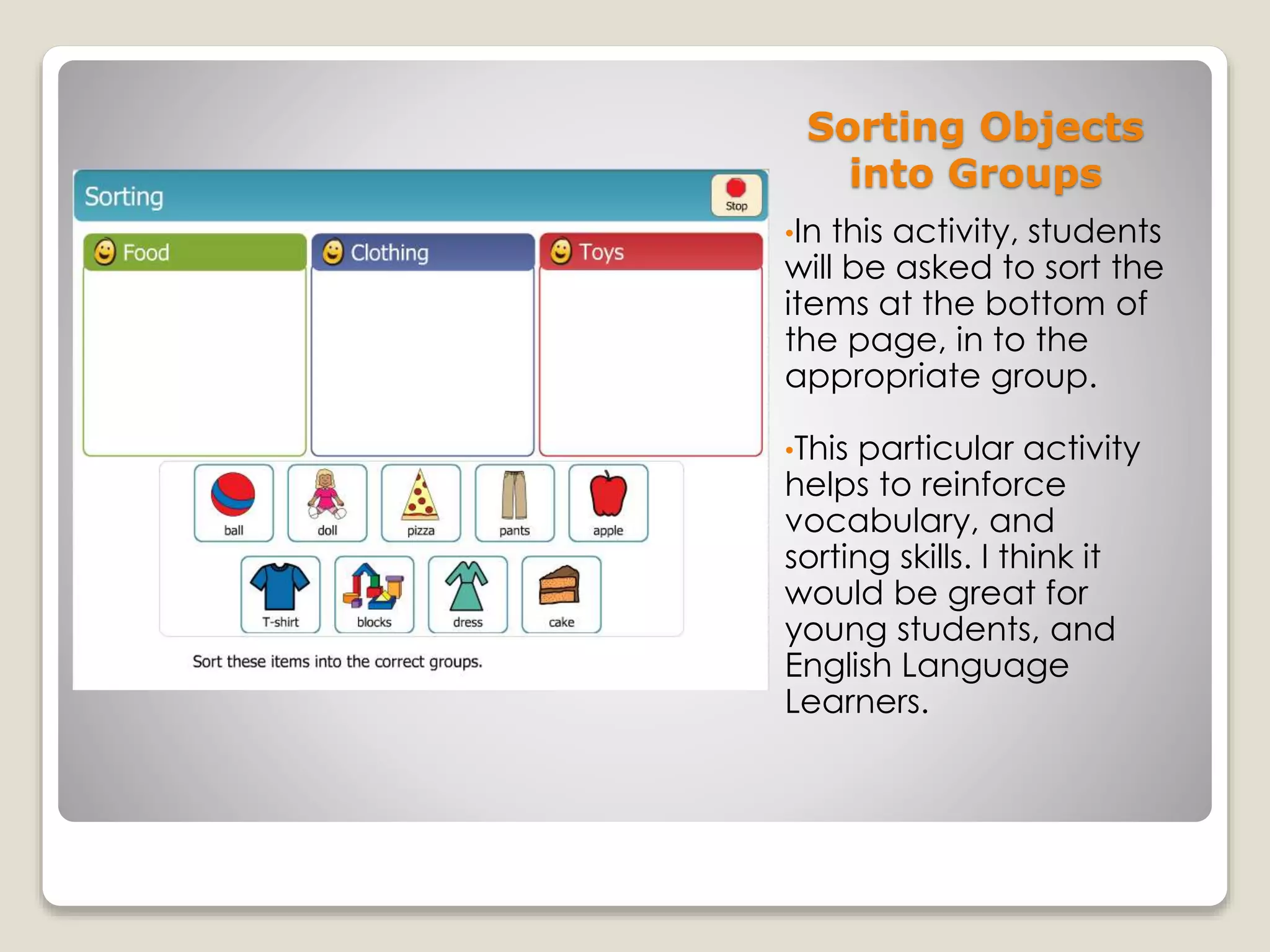
•In this activity, students
will be asked to sort the
items at the bottom of
the page, in to the
appropriate group.
•This particular activity
helps to reinforce
vocabulary, and
sorting skills. I think it
would be great for
young students, and
English Language
Learners.
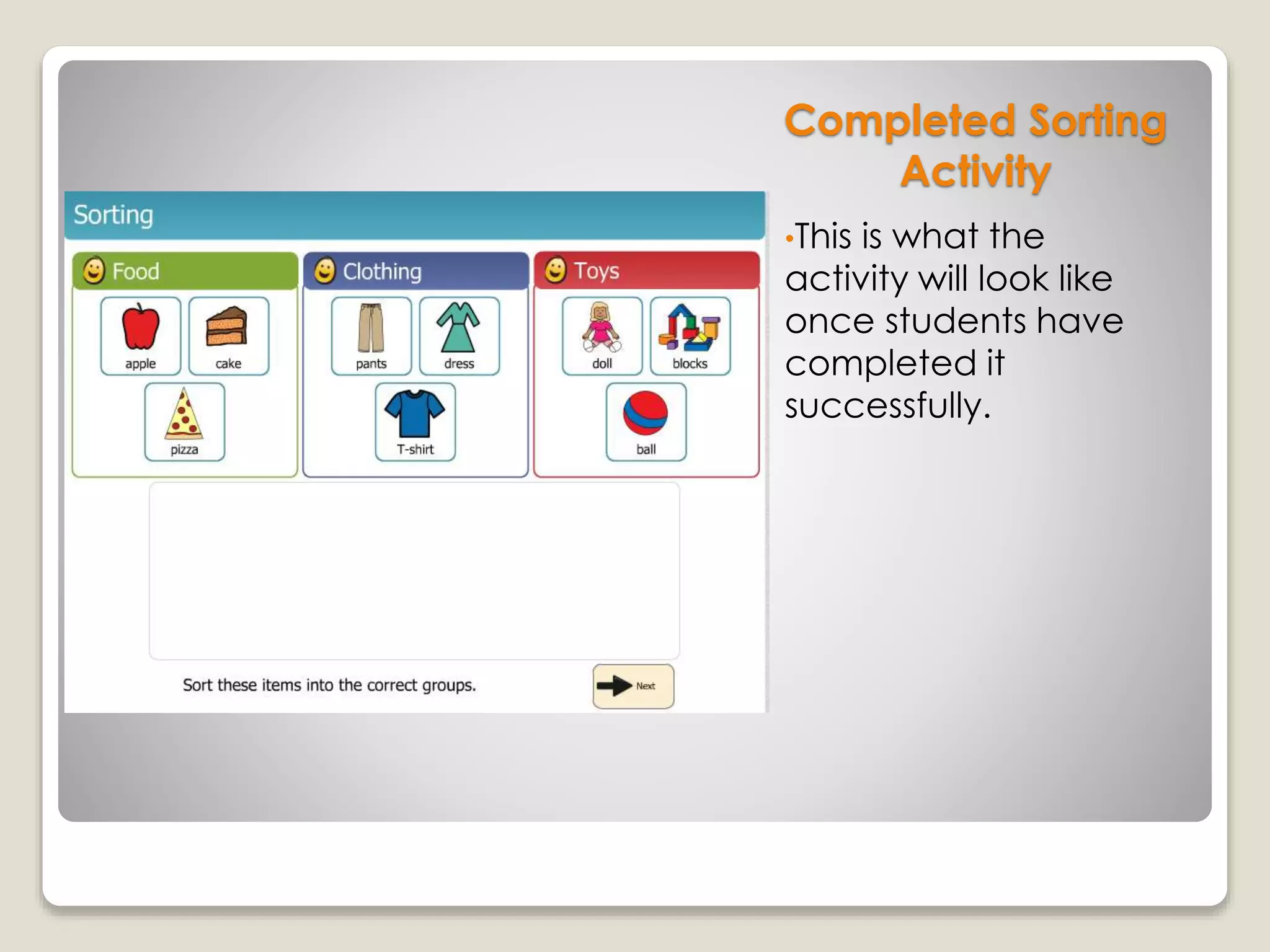
Completed Sorting
Activity
•This is what the
activity will look like
once students have
completed it
successfully.
Sorting “EN” and “AT”
Word Family Words
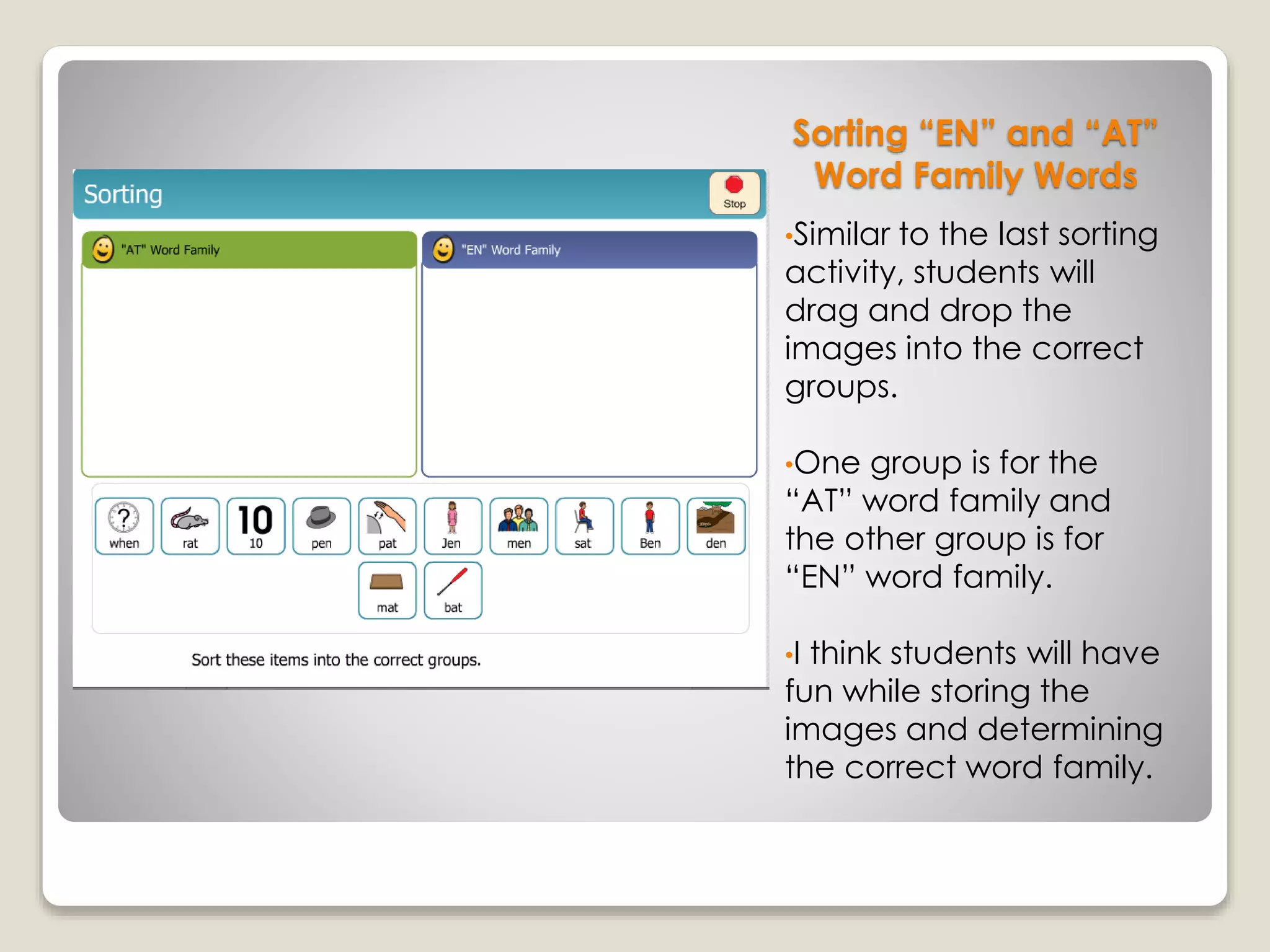
•Similar to the last sorting
activity, students will
drag and drop the
images into the correct
groups.
•One group is for the
“AT” word family and
the other group is for
“EN” word family.
•I think students will have
fun while storing the
images and determining
the correct word family.
Completed Word
Family Sorting
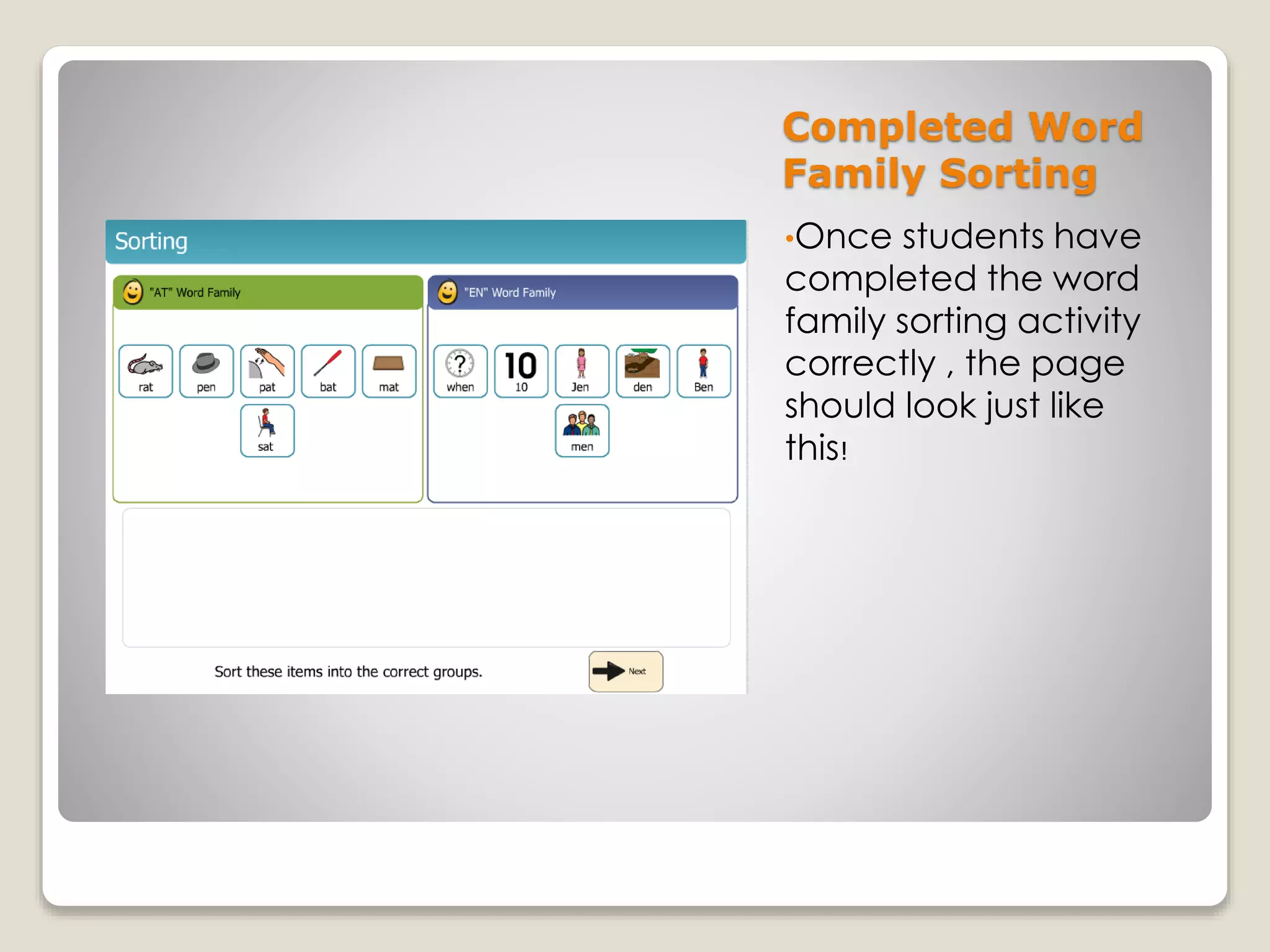
•Once students have
completed the word
family sorting activity
correctly , the page
should look just like
this!
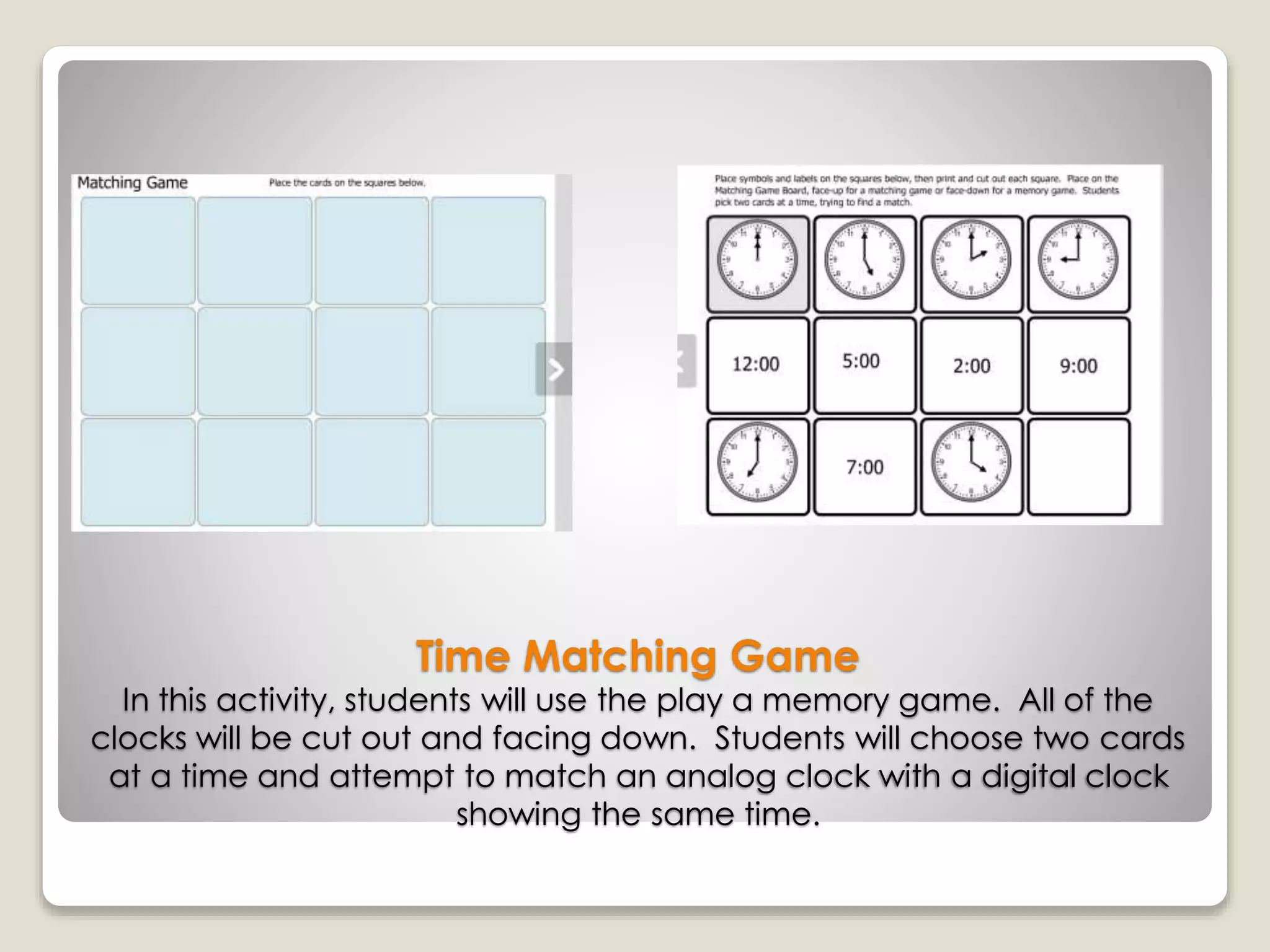
Time Matching Game
In this activity, students will use the play a memory game. All of the
clocks will be cut out and facing down. Students will choose two cards
at a time and attempt to match an analog clock with a digital clock
showing the same time.
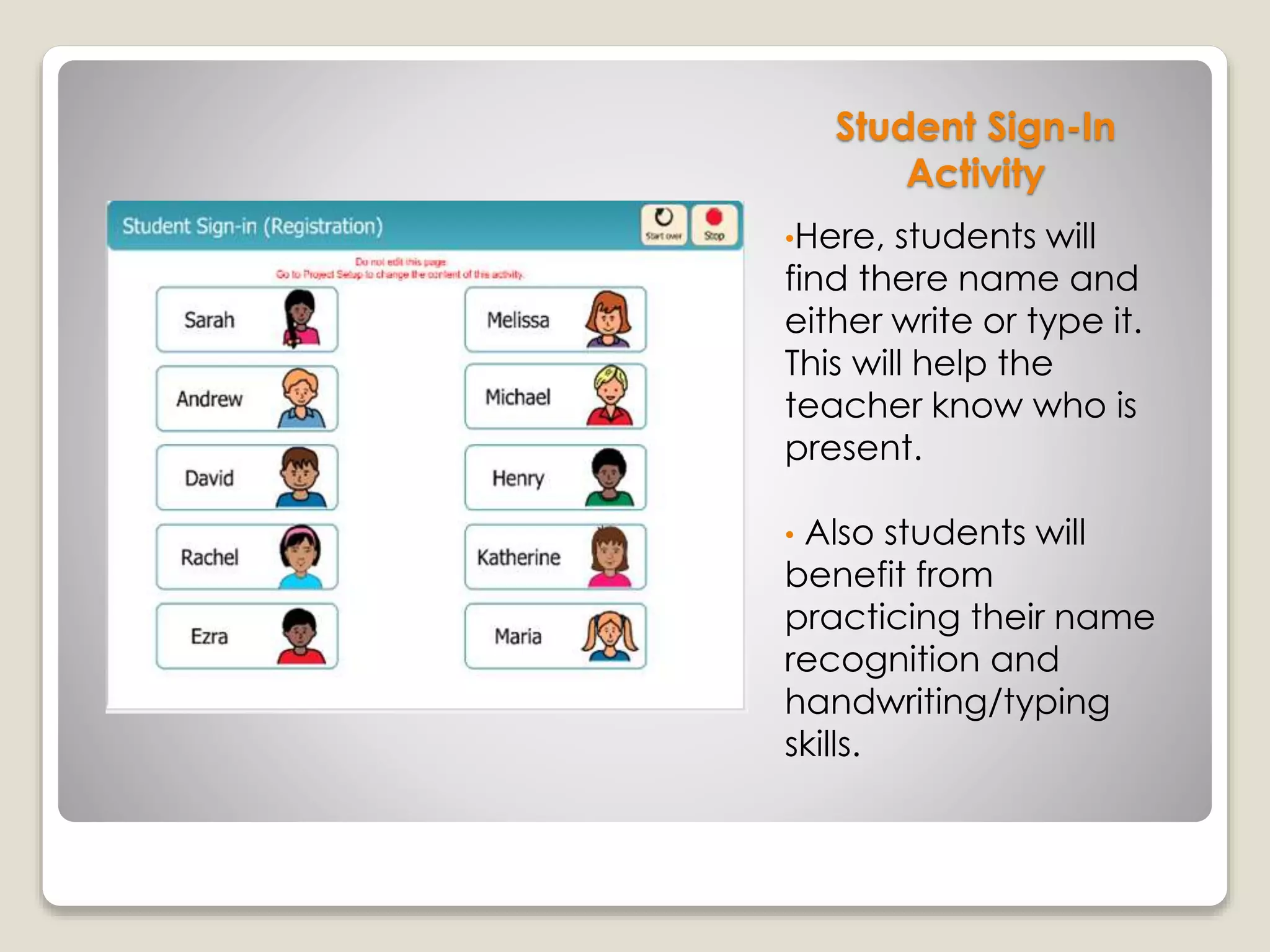
Student Sign-In
Activity
•Here, students will
find there name and
either write or type it.
This will help the
teacher know who is
present.
• Also students will
benefit from
practicing their name
recognition and
handwriting/typing
skills.
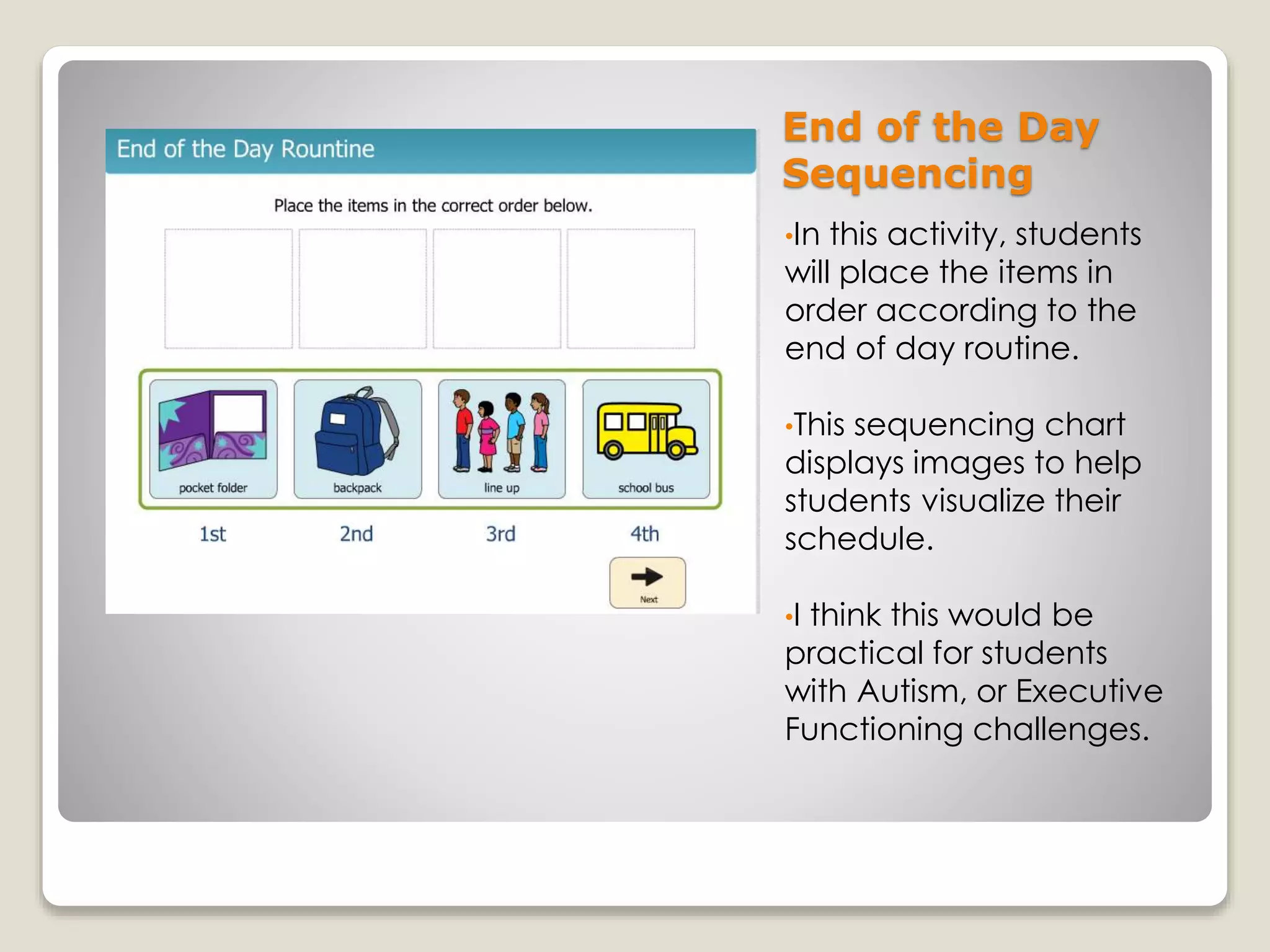
End of the Day
Sequencing
•In this activity, students
will place the items in
order according to the
end of day routine.
•This sequencing chart
displays images to help
students visualize their
schedule.
•I think this would be
practical for students
with Autism, or Executive
Functioning challenges.
Thank you!

Edu 614 Boardmaker Project

  • 1.
  • 2.
    Letter Match •I createda letter matching activity. Students will match the lowercase letters with the correct uppercase letters. •As students drag and drop the letters, the automated voice will prompt the students as to whether or not they have made the right placement.
  • 3.
    Completed Letter Match •Once studentshave completed the letter match game, the board will look like this!
  • 4.
    Labeling Activity •In thisactivity, students will drag the labels on the bottom of the screen in to the appropriate blank spaces in the image. •This activity might be especially helpful for English Language Learners.
  • 5.
    Sorting Objects into Groups •Inthis activity, students will be asked to sort the items at the bottom of the page, in to the appropriate group. •This particular activity helps to reinforce vocabulary, and sorting skills. I think it would be great for young students, and English Language Learners.
  • 6.
    Completed Sorting Activity •This iswhat the activity will look like once students have completed it successfully.
  • 7.
    Sorting “EN” and“AT” Word Family Words •Similar to the last sorting activity, students will drag and drop the images into the correct groups. •One group is for the “AT” word family and the other group is for “EN” word family. •I think students will have fun while storing the images and determining the correct word family.
  • 8.
    Completed Word Family Sorting •Oncestudents have completed the word family sorting activity correctly , the page should look just like this!
  • 9.
    Time Matching Game Inthis activity, students will use the play a memory game. All of the clocks will be cut out and facing down. Students will choose two cards at a time and attempt to match an analog clock with a digital clock showing the same time.
  • 10.
    Student Sign-In Activity •Here, studentswill find there name and either write or type it. This will help the teacher know who is present. • Also students will benefit from practicing their name recognition and handwriting/typing skills.
  • 11.
    End of theDay Sequencing •In this activity, students will place the items in order according to the end of day routine. •This sequencing chart displays images to help students visualize their schedule. •I think this would be practical for students with Autism, or Executive Functioning challenges.
  • 12.