LEARNING OBJECTIVES
•At the end of the 45 minutes discussion, 80% of
the students are expected to:
a. identify the different types of Interactive Media;
b. create an essay about the efficient use of social
media; and
c. participate actively in a group activity.
INTERACTIVE MEDIA
INTERACTIVE MEDIA
- A method of communication in which the program’s
outputs depend on the user’s inputs, and the user’s
inputs in turn affect the program’s outputs.
Common types of interactive media:
 Websites(Social networking websites)
 Video Games
Other different types of Interactive Media:
 Digital Video Recorders
 Online Forums
 Email
Non-Interactive Media
 Radio
 Movies
 TV Shows
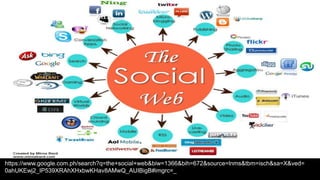
SOCIAL MEDIA
- Is the collective of online communications
channels dedicated to community based input,
interaction, content-sharing and collaboration.
Prominent examples of social media:
 Facebook – is a popular free social networking website that allows
registered users to create profiles, upload photos and video, send
messages and keep in touch with friends, family and colleagues.
 Twitter – is a free micro blogging service that allows registered
members to broadcast short posts called tweets.
 Google+ - is Google’s social networking project, designed to
replicate the way people interact offline more closely than is the
case in other social networking services.
 Wikipedia - is a free, open content online encyclopedia created
through the collaborative effort of a community of users known as
Wikipedians.
 LinkedIn - is a social networking site designed specifically for the
business community.
 Reddit – is a social news website and forum where stories are
socially curated and promoted by site members.
 Instagram – is an online mobile photo-sharing, video-sharing
and social networking service that enables its users to take
pictures and videos, and share them on a variety of social
networking platforms, such as Facebook, Twitter, Tumblr and
Flickr.
 Pinterest – is a social curation website for sharing and
categorizing images found online.
 Youtube – is a video sharing service that allows users to watch
videos posted by other users and upload videos of their own.
https://www.google.com.ph/search?q=the+social+web&biw=1366&bih=672&source=lnms&tbm=isch&sa=X&ved=
0ahUKEwj2_IP539XRAhXHxbwKHav8AMwQ_AUIBigB#imgrc=_
INSTANT MESSAGING
Instant Messaging often allows the sharing of pictures
and files
 IM can also combine the use of microphones and webcams
 Instant Messaging is done between users that have
approved each other
 Conversations can be saved or printed
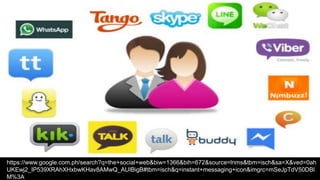
Most Popular IM programs (all are free):
- Skype
- AOL Instant Messenger
- MSN (orWindows) Messenger
- Yahoo Messenger
- Google Chat
- Facebook Chat
Most IM programs provide these features:
Instant messages – Send notes back and forth with a friend who is offline
Chat – Create a chat room with friends or co-workers
Web links – Share links to your favorite Web sites
Video – Send and view videos, and chat face to face with friends
Images – Look at an image stored on your friend’s computer
Sounds – Play sounds for your friends
Files – Share files by sending them directly to your friends
Talk – Use the Internet instead of a phone to actually talk with friends
Streaming content – Real-time or near-real-time stock quotes and news
Mobile capabilities – Send instant messages from your cell phone
INSTANT MESSAGING
- Instant Messaging (IM) is a primary communication technology that has
been rapidly adopted by the younger generation as it allows a real-
time communication with friends anytime, anywhere.
- Educators should embrace IM to the educational environment, as it
is a collaborative tool that goes beyond the classroom walls,
motivates students to develop their skills, enables a rapid feedback
and promotes the student’s engagement in the learning process.
Benefits of instant messaging in the classroom
- Encourages contact between students and faculty.
- Facilitates feedback and promotes an active learning.
- Develops cooperation among students.
- High levels of interactivity and engagement
- Gives confidence to shy students
- Alternative way of learning
- Presence for distance/remote students
- Connect from anywhere – home, school, mobile
- Promotes a more informal and intimate student-educator relationship
https://www.google.com.ph/search?q=the+social+web&biw=1366&bih=672&source=lnms&tbm=isch&sa=X&ved=0ah
UKEwj2_IP539XRAhXHxbwKHav8AMwQ_AUIBigB#tbm=isch&q=instant+messaging+icon&imgrc=mSeJpTdV50DBl
M%3A
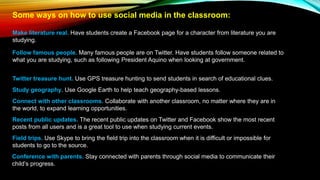
Some ways on how to use social media in the classroom:
Make literature real. Have students create a Facebook page for a character from literature you are
studying.
Follow famous people. Many famous people are on Twitter. Have students follow someone related to
what you are studying, such as following President Aquino when looking at government.
Twitter treasure hunt. Use GPS treasure hunting to send students in search of educational clues.
Study geography. Use Google Earth to help teach geography-based lessons.
Connect with other classrooms. Collaborate with another classroom, no matter where they are in
the world, to expand learning opportunities.
Recent public updates. The recent public updates on Twitter and Facebook show the most recent
posts from all users and is a great tool to use when studying current events.
Field trips. Use Skype to bring the field trip into the classroom when it is difficult or impossible for
students to go to the source.
Conference with parents. Stay connected with parents through social media to communicate their
child’s progress.
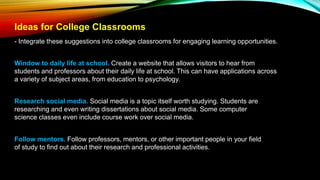
Ideas for College Classrooms
- Integrate these suggestions into college classrooms for engaging learning opportunities.
Window to daily life at school. Create a website that allows visitors to hear from
students and professors about their daily life at school. This can have applications across
a variety of subject areas, from education to psychology.
Research social media. Social media is a topic itself worth studying. Students are
researching and even writing dissertations about social media. Some computer
science classes even include course work over social media.
Follow mentors. Follow professors, mentors, or other important people in your field
of study to find out about their research and professional activities.
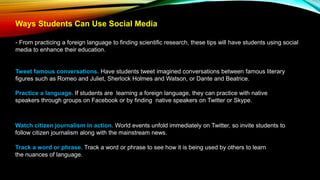
Ways Students Can Use Social Media
- From practicing a foreign language to finding scientific research, these tips will have students using social
media to enhance their education.
Tweet famous conversations. Have students tweet imagined conversations between famous literary
figures such as Romeo and Juliet, Sherlock Holmes and Watson, or Dante and Beatrice.
Practice a language. If students are learning a foreign language, they can practice with native
speakers through groups on Facebook or by finding native speakers on Twitter or Skype.
Watch citizen journalism in action. World events unfold immediately on Twitter, so invite students to
follow citizen journalism along with the mainstream news.
Track a word or phrase. Track a word or phrase to see how it is being used by others to learn
the nuances of language.
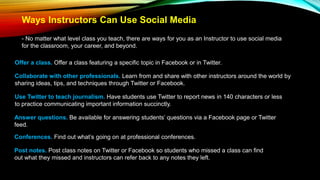
Ways Instructors Can Use Social Media
- No matter what level class you teach, there are ways for you as an Instructor to use social media
for the classroom, your career, and beyond.
Offer a class. Offer a class featuring a specific topic in Facebook or in Twitter.
Collaborate with other professionals. Learn from and share with other instructors around the world by
sharing ideas, tips, and techniques through Twitter or Facebook.
Use Twitter to teach journalism. Have students use Twitter to report news in 140 characters or less
to practice communicating important information succinctly.
Answer questions. Be available for answering students’ questions via a Facebook page or Twitter
feed.
Conferences. Find out what’s going on at professional conferences.
Post notes. Post class notes on Twitter or Facebook so students who missed a class can find
out what they missed and instructors can refer back to any notes they left.
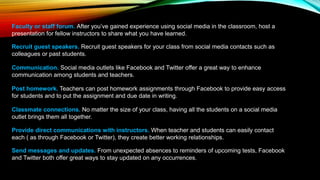
Faculty or staff forum. After you’ve gained experience using social media in the classroom, host a
presentation for fellow instructors to share what you have learned.
Recruit guest speakers. Recruit guest speakers for your class from social media contacts such as
colleagues or past students.
Communication. Social media outlets like Facebook and Twitter offer a great way to enhance
communication among students and teachers.
Post homework. Teachers can post homework assignments through Facebook to provide easy access
for students and to put the assignment and due date in writing.
Classmate connections. No matter the size of your class, having all the students on a social media
outlet brings them all together.
Provide direct communications with instructors. When teacher and students can easily contact
each ( as through Facebook or Twitter), they create better working relationships.
Send messages and updates. From unexpected absences to reminders of upcoming tests, Facebook
and Twitter both offer great ways to stay updated on any occurrences.
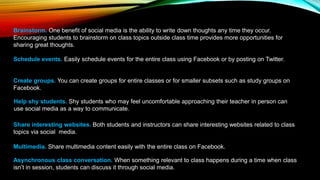
Brainstorm. One benefit of social media is the ability to write down thoughts any time they occur.
Encouraging students to brainstorm on class topics outside class time provides more opportunities for
sharing great thoughts.
Schedule events. Easily schedule events for the entire class using Facebook or by posting on Twitter.
Create groups. You can create groups for entire classes or for smaller subsets such as study groups on
Facebook.
Help shy students. Shy students who may feel uncomfortable approaching their teacher in person can
use social media as a way to communicate.
Share interesting websites. Both students and instructors can share interesting websites related to class
topics via social media.
Multimedia. Share multimedia content easily with the entire class on Facebook.
Asynchronous class conversation. When something relevant to class happens during a time when class
isn’t in session, students can discuss it through social media.
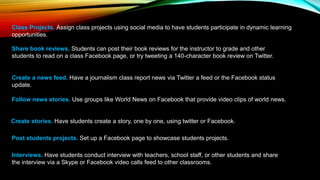
Class Projects. Assign class projects using social media to have students participate in dynamic learning
opportunities.
Share book reviews. Students can post their book reviews for the instructor to grade and other
students to read on a class Facebook page, or try tweeting a 140-character book review on Twitter.
Create a news feed. Have a journalism class report news via Twitter a feed or the Facebook status
update.
Follow news stories. Use groups like World News on Facebook that provide video clips of world news.
Create stories. Have students create a story, one by one, using twitter or Facebook.
Post students projects. Set up a Facebook page to showcase students projects.
Interviews. Have students conduct interview with teachers, school staff, or other students and share
the interview via a Skype or Facebook video calls feed to other classrooms.
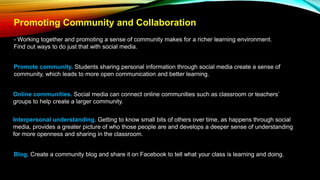
Promoting Community and Collaboration
- Working together and promoting a sense of community makes for a richer learning environment.
Find out ways to do just that with social media.
Promote community. Students sharing personal information through social media create a sense of
community, which leads to more open communication and better learning.
Online communities. Social media can connect online communities such as classroom or teachers’
groups to help create a larger community.
Interpersonal understanding. Getting to know small bits of others over time, as happens through social
media, provides a greater picture of who those people are and develops a deeper sense of understanding
for more openness and sharing in the classroom.
Blog. Create a community blog and share it on Facebook to tell what your class is learning and doing.
Guest lecturers. Have guest lecturers visit the classroom through Skype if they are located too far
away to come in person.
Collaboration. By definition, social media outlets are designed to promote social interchange, so
harness that capability to have students work on activities together through social media.
Stay relevant. Schools moving from an old, skill-centered approach to one that embraces
connectivity through social media will provide a better learning environment for students.
Inclusion. Students who may have to be out of the classroom due to special needs or illness can be
connected to the class remotely and stay a part of the community.
Edtechdemo 2

Edtechdemo 2

  • 1.
    LEARNING OBJECTIVES •At theend of the 45 minutes discussion, 80% of the students are expected to: a. identify the different types of Interactive Media; b. create an essay about the efficient use of social media; and c. participate actively in a group activity.
  • 2.
  • 3.
    INTERACTIVE MEDIA - Amethod of communication in which the program’s outputs depend on the user’s inputs, and the user’s inputs in turn affect the program’s outputs.
  • 4.
    Common types ofinteractive media:  Websites(Social networking websites)  Video Games
  • 5.
    Other different typesof Interactive Media:  Digital Video Recorders  Online Forums  Email
  • 6.
  • 7.
    SOCIAL MEDIA - Isthe collective of online communications channels dedicated to community based input, interaction, content-sharing and collaboration.
  • 8.
    Prominent examples ofsocial media:  Facebook – is a popular free social networking website that allows registered users to create profiles, upload photos and video, send messages and keep in touch with friends, family and colleagues.  Twitter – is a free micro blogging service that allows registered members to broadcast short posts called tweets.
  • 9.
     Google+ -is Google’s social networking project, designed to replicate the way people interact offline more closely than is the case in other social networking services.  Wikipedia - is a free, open content online encyclopedia created through the collaborative effort of a community of users known as Wikipedians.  LinkedIn - is a social networking site designed specifically for the business community.  Reddit – is a social news website and forum where stories are socially curated and promoted by site members.
  • 10.
     Instagram –is an online mobile photo-sharing, video-sharing and social networking service that enables its users to take pictures and videos, and share them on a variety of social networking platforms, such as Facebook, Twitter, Tumblr and Flickr.  Pinterest – is a social curation website for sharing and categorizing images found online.  Youtube – is a video sharing service that allows users to watch videos posted by other users and upload videos of their own.
  • 11.
  • 12.
    INSTANT MESSAGING Instant Messagingoften allows the sharing of pictures and files  IM can also combine the use of microphones and webcams  Instant Messaging is done between users that have approved each other  Conversations can be saved or printed
  • 13.
    Most Popular IMprograms (all are free): - Skype - AOL Instant Messenger - MSN (orWindows) Messenger - Yahoo Messenger - Google Chat - Facebook Chat
  • 14.
    Most IM programsprovide these features: Instant messages – Send notes back and forth with a friend who is offline Chat – Create a chat room with friends or co-workers Web links – Share links to your favorite Web sites Video – Send and view videos, and chat face to face with friends Images – Look at an image stored on your friend’s computer Sounds – Play sounds for your friends Files – Share files by sending them directly to your friends Talk – Use the Internet instead of a phone to actually talk with friends Streaming content – Real-time or near-real-time stock quotes and news Mobile capabilities – Send instant messages from your cell phone
  • 15.
    INSTANT MESSAGING - InstantMessaging (IM) is a primary communication technology that has been rapidly adopted by the younger generation as it allows a real- time communication with friends anytime, anywhere. - Educators should embrace IM to the educational environment, as it is a collaborative tool that goes beyond the classroom walls, motivates students to develop their skills, enables a rapid feedback and promotes the student’s engagement in the learning process.
  • 16.
    Benefits of instantmessaging in the classroom - Encourages contact between students and faculty. - Facilitates feedback and promotes an active learning. - Develops cooperation among students. - High levels of interactivity and engagement - Gives confidence to shy students - Alternative way of learning - Presence for distance/remote students - Connect from anywhere – home, school, mobile - Promotes a more informal and intimate student-educator relationship
  • 17.
  • 18.
    Some ways onhow to use social media in the classroom: Make literature real. Have students create a Facebook page for a character from literature you are studying. Follow famous people. Many famous people are on Twitter. Have students follow someone related to what you are studying, such as following President Aquino when looking at government. Twitter treasure hunt. Use GPS treasure hunting to send students in search of educational clues. Study geography. Use Google Earth to help teach geography-based lessons. Connect with other classrooms. Collaborate with another classroom, no matter where they are in the world, to expand learning opportunities. Recent public updates. The recent public updates on Twitter and Facebook show the most recent posts from all users and is a great tool to use when studying current events. Field trips. Use Skype to bring the field trip into the classroom when it is difficult or impossible for students to go to the source. Conference with parents. Stay connected with parents through social media to communicate their child’s progress.
  • 19.
    Ideas for CollegeClassrooms - Integrate these suggestions into college classrooms for engaging learning opportunities. Window to daily life at school. Create a website that allows visitors to hear from students and professors about their daily life at school. This can have applications across a variety of subject areas, from education to psychology. Research social media. Social media is a topic itself worth studying. Students are researching and even writing dissertations about social media. Some computer science classes even include course work over social media. Follow mentors. Follow professors, mentors, or other important people in your field of study to find out about their research and professional activities.
  • 20.
    Ways Students CanUse Social Media - From practicing a foreign language to finding scientific research, these tips will have students using social media to enhance their education. Tweet famous conversations. Have students tweet imagined conversations between famous literary figures such as Romeo and Juliet, Sherlock Holmes and Watson, or Dante and Beatrice. Practice a language. If students are learning a foreign language, they can practice with native speakers through groups on Facebook or by finding native speakers on Twitter or Skype. Watch citizen journalism in action. World events unfold immediately on Twitter, so invite students to follow citizen journalism along with the mainstream news. Track a word or phrase. Track a word or phrase to see how it is being used by others to learn the nuances of language.
  • 21.
    Ways Instructors CanUse Social Media - No matter what level class you teach, there are ways for you as an Instructor to use social media for the classroom, your career, and beyond. Offer a class. Offer a class featuring a specific topic in Facebook or in Twitter. Collaborate with other professionals. Learn from and share with other instructors around the world by sharing ideas, tips, and techniques through Twitter or Facebook. Use Twitter to teach journalism. Have students use Twitter to report news in 140 characters or less to practice communicating important information succinctly. Answer questions. Be available for answering students’ questions via a Facebook page or Twitter feed. Conferences. Find out what’s going on at professional conferences. Post notes. Post class notes on Twitter or Facebook so students who missed a class can find out what they missed and instructors can refer back to any notes they left.
  • 22.
    Faculty or staffforum. After you’ve gained experience using social media in the classroom, host a presentation for fellow instructors to share what you have learned. Recruit guest speakers. Recruit guest speakers for your class from social media contacts such as colleagues or past students. Communication. Social media outlets like Facebook and Twitter offer a great way to enhance communication among students and teachers. Post homework. Teachers can post homework assignments through Facebook to provide easy access for students and to put the assignment and due date in writing. Classmate connections. No matter the size of your class, having all the students on a social media outlet brings them all together. Provide direct communications with instructors. When teacher and students can easily contact each ( as through Facebook or Twitter), they create better working relationships. Send messages and updates. From unexpected absences to reminders of upcoming tests, Facebook and Twitter both offer great ways to stay updated on any occurrences.
  • 23.
    Brainstorm. One benefitof social media is the ability to write down thoughts any time they occur. Encouraging students to brainstorm on class topics outside class time provides more opportunities for sharing great thoughts. Schedule events. Easily schedule events for the entire class using Facebook or by posting on Twitter. Create groups. You can create groups for entire classes or for smaller subsets such as study groups on Facebook. Help shy students. Shy students who may feel uncomfortable approaching their teacher in person can use social media as a way to communicate. Share interesting websites. Both students and instructors can share interesting websites related to class topics via social media. Multimedia. Share multimedia content easily with the entire class on Facebook. Asynchronous class conversation. When something relevant to class happens during a time when class isn’t in session, students can discuss it through social media.
  • 24.
    Class Projects. Assignclass projects using social media to have students participate in dynamic learning opportunities. Share book reviews. Students can post their book reviews for the instructor to grade and other students to read on a class Facebook page, or try tweeting a 140-character book review on Twitter. Create a news feed. Have a journalism class report news via Twitter a feed or the Facebook status update. Follow news stories. Use groups like World News on Facebook that provide video clips of world news. Create stories. Have students create a story, one by one, using twitter or Facebook. Post students projects. Set up a Facebook page to showcase students projects. Interviews. Have students conduct interview with teachers, school staff, or other students and share the interview via a Skype or Facebook video calls feed to other classrooms.
  • 25.
    Promoting Community andCollaboration - Working together and promoting a sense of community makes for a richer learning environment. Find out ways to do just that with social media. Promote community. Students sharing personal information through social media create a sense of community, which leads to more open communication and better learning. Online communities. Social media can connect online communities such as classroom or teachers’ groups to help create a larger community. Interpersonal understanding. Getting to know small bits of others over time, as happens through social media, provides a greater picture of who those people are and develops a deeper sense of understanding for more openness and sharing in the classroom. Blog. Create a community blog and share it on Facebook to tell what your class is learning and doing.
  • 26.
    Guest lecturers. Haveguest lecturers visit the classroom through Skype if they are located too far away to come in person. Collaboration. By definition, social media outlets are designed to promote social interchange, so harness that capability to have students work on activities together through social media. Stay relevant. Schools moving from an old, skill-centered approach to one that embraces connectivity through social media will provide a better learning environment for students. Inclusion. Students who may have to be out of the classroom due to special needs or illness can be connected to the class remotely and stay a part of the community.