EDITING LOG
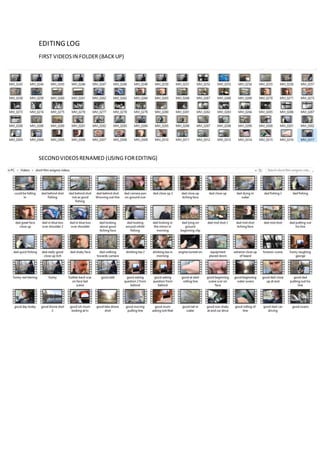
FIRST VIDEOSIN FOLDER (BACKUP)
SECONDVIDEOSRENAMED (USING FOREDITING)
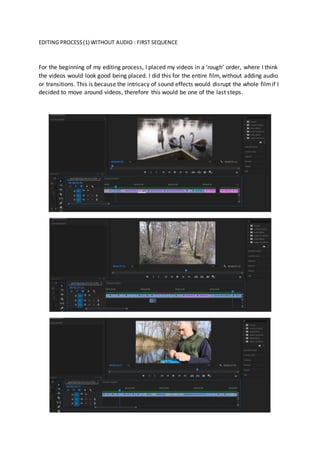
EDITING PROCESS(1) WITHOUT AUDIO : FIRST SEQUENCE
For the beginning of my editing process, I placed my videos in a ‘rough’ order, where I think
the videos would look good being placed. I did this for the entire film, without adding audio
or transitions. This is because the intricacy of sound effects would disrupt the whole filmif I
decided to move around videos, therefore this would be one of the last steps.
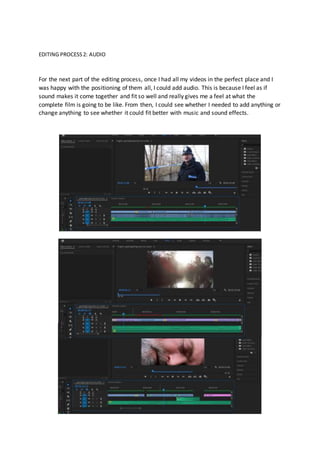
EDITING PROCESS2: AUDIO
For the next part of the editing process, once I had all my videos in the perfect place and I
was happy with the positioning of them all, I could add audio. This is because I feel as if
sound makes it come together and fit so well and really gives me a feel at what the
complete film is going to be like. From then, I could see whether I needed to add anything or
change anything to see whether it could fit better with music and sound effects.
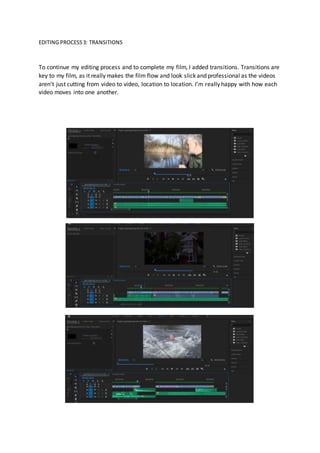
EDITING PROCESS3: TRANSITIONS
To continue my editing process and to complete my film, I added transitions. Transitions are
key to my film, as it really makes the film flow and look slick and professional as the videos
aren’t just cutting from video to video, location to location. I’m really happy with how each
video moves into one another.
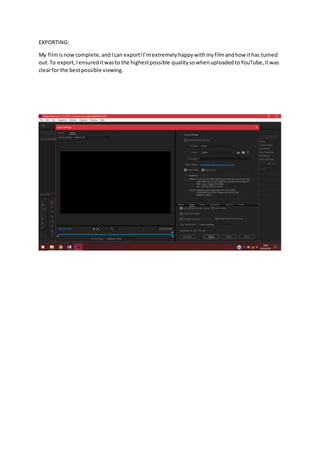
EXPORTING:
My filmisnowcomplete,andIcan export!I’mextremelyhappywithmyfilmandhow ithas turned
out.To export,Iensureditwasto the highestpossible quality sowhenuploadedtoYouTube,itwas
clearfor the bestpossible viewing.

Editing Log

  • 1.
    EDITING LOG FIRST VIDEOSINFOLDER (BACKUP) SECONDVIDEOSRENAMED (USING FOREDITING)
  • 2.
    EDITING PROCESS(1) WITHOUTAUDIO : FIRST SEQUENCE For the beginning of my editing process, I placed my videos in a ‘rough’ order, where I think the videos would look good being placed. I did this for the entire film, without adding audio or transitions. This is because the intricacy of sound effects would disrupt the whole filmif I decided to move around videos, therefore this would be one of the last steps.
  • 3.
    EDITING PROCESS2: AUDIO Forthe next part of the editing process, once I had all my videos in the perfect place and I was happy with the positioning of them all, I could add audio. This is because I feel as if sound makes it come together and fit so well and really gives me a feel at what the complete film is going to be like. From then, I could see whether I needed to add anything or change anything to see whether it could fit better with music and sound effects.
  • 4.
    EDITING PROCESS3: TRANSITIONS Tocontinue my editing process and to complete my film, I added transitions. Transitions are key to my film, as it really makes the film flow and look slick and professional as the videos aren’t just cutting from video to video, location to location. I’m really happy with how each video moves into one another.
  • 5.
    EXPORTING: My filmisnowcomplete,andIcan export!I’mextremelyhappywithmyfilmandhowithas turned out.To export,Iensureditwasto the highestpossible quality sowhenuploadedtoYouTube,itwas clearfor the bestpossible viewing.