Christophe Humbert
San Diego SharePoint User Group
March 1st, 2011
   Get a grasp of how client side scripting can
    enhance the user experience

   Be aware of the risks that come with such
    solutions
   Demos
   Rendering Web Pages:
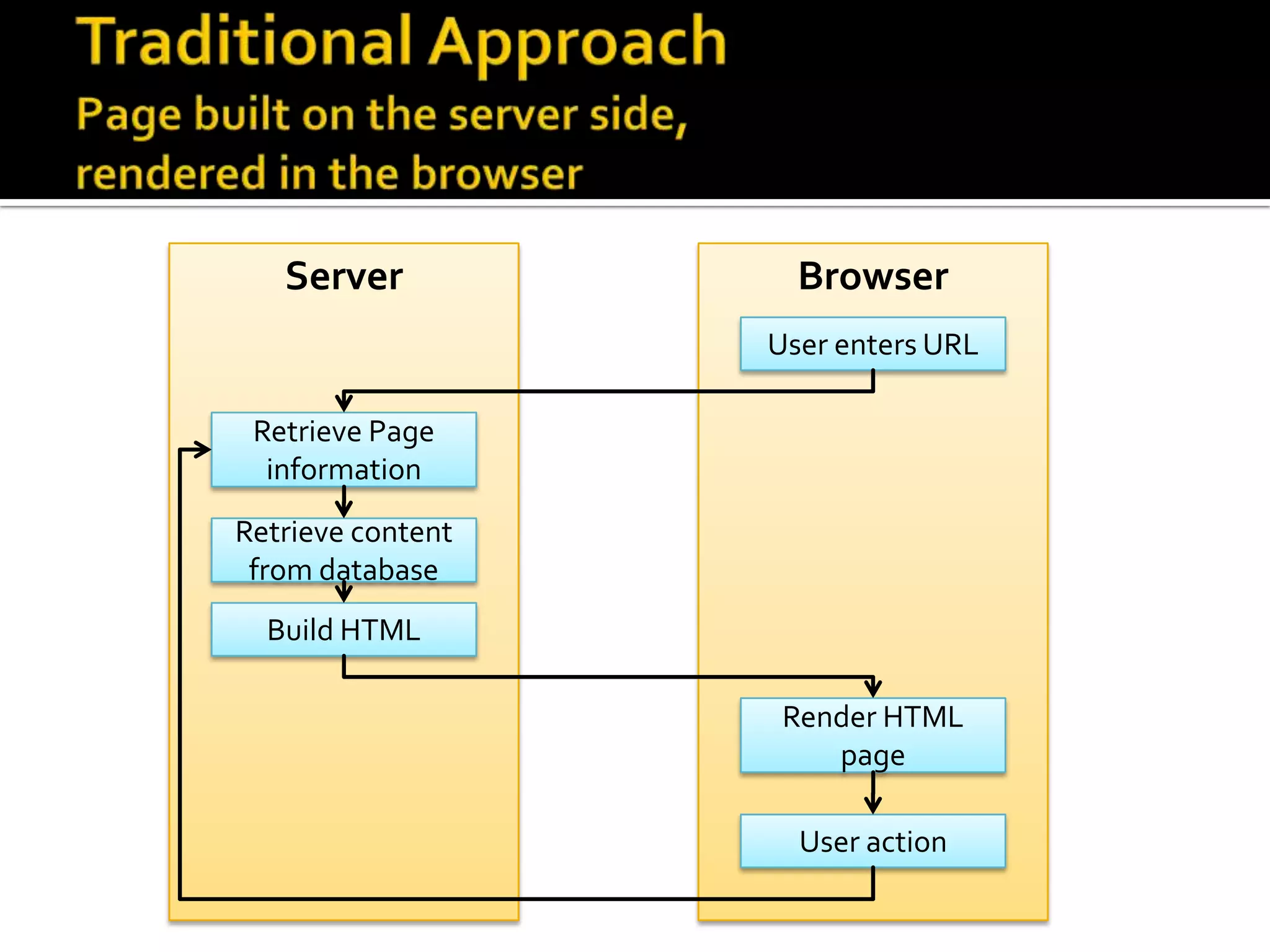
     The traditional approach: server/browser
     Client side scripting:
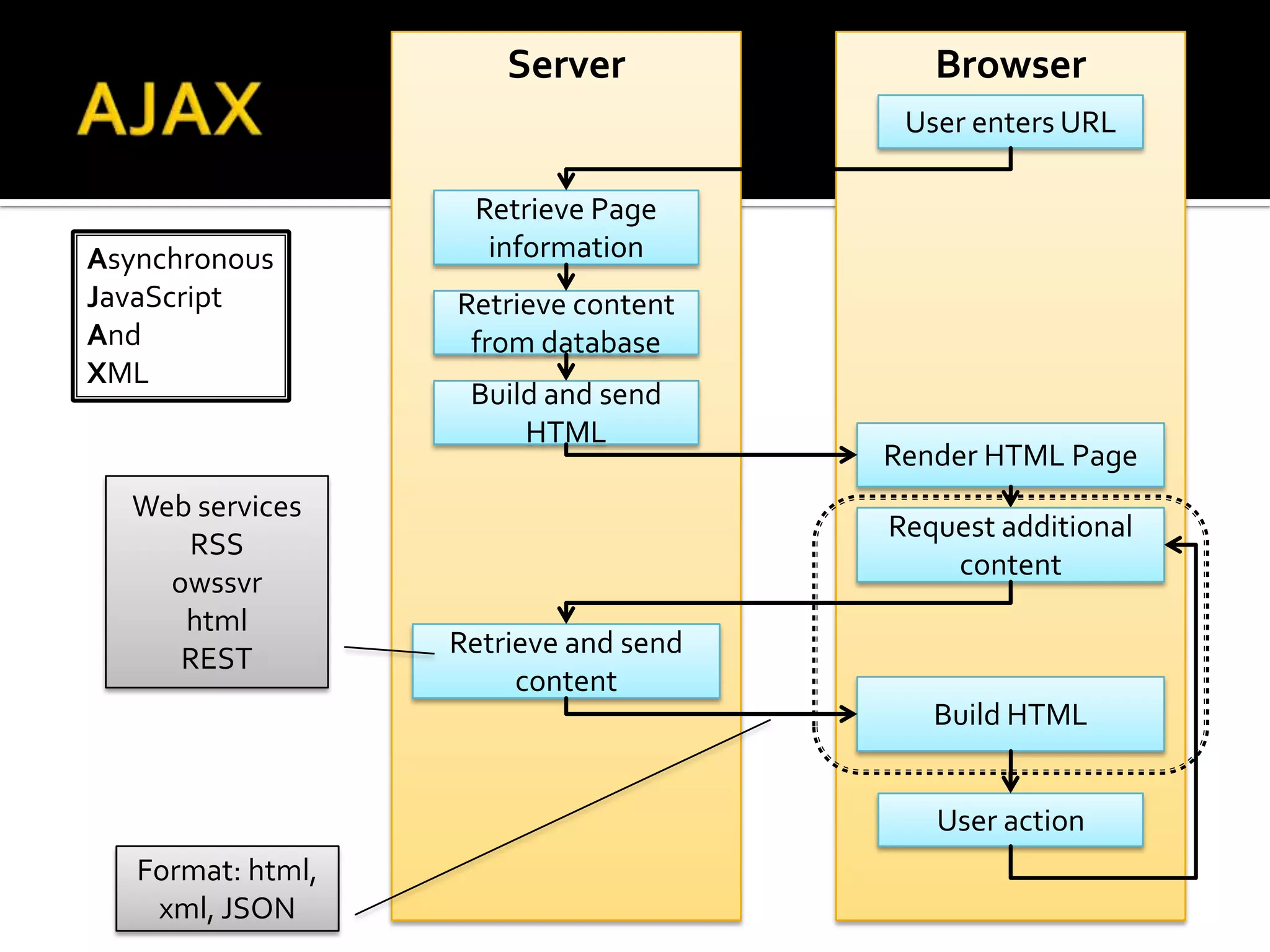
      ▪ AJAX
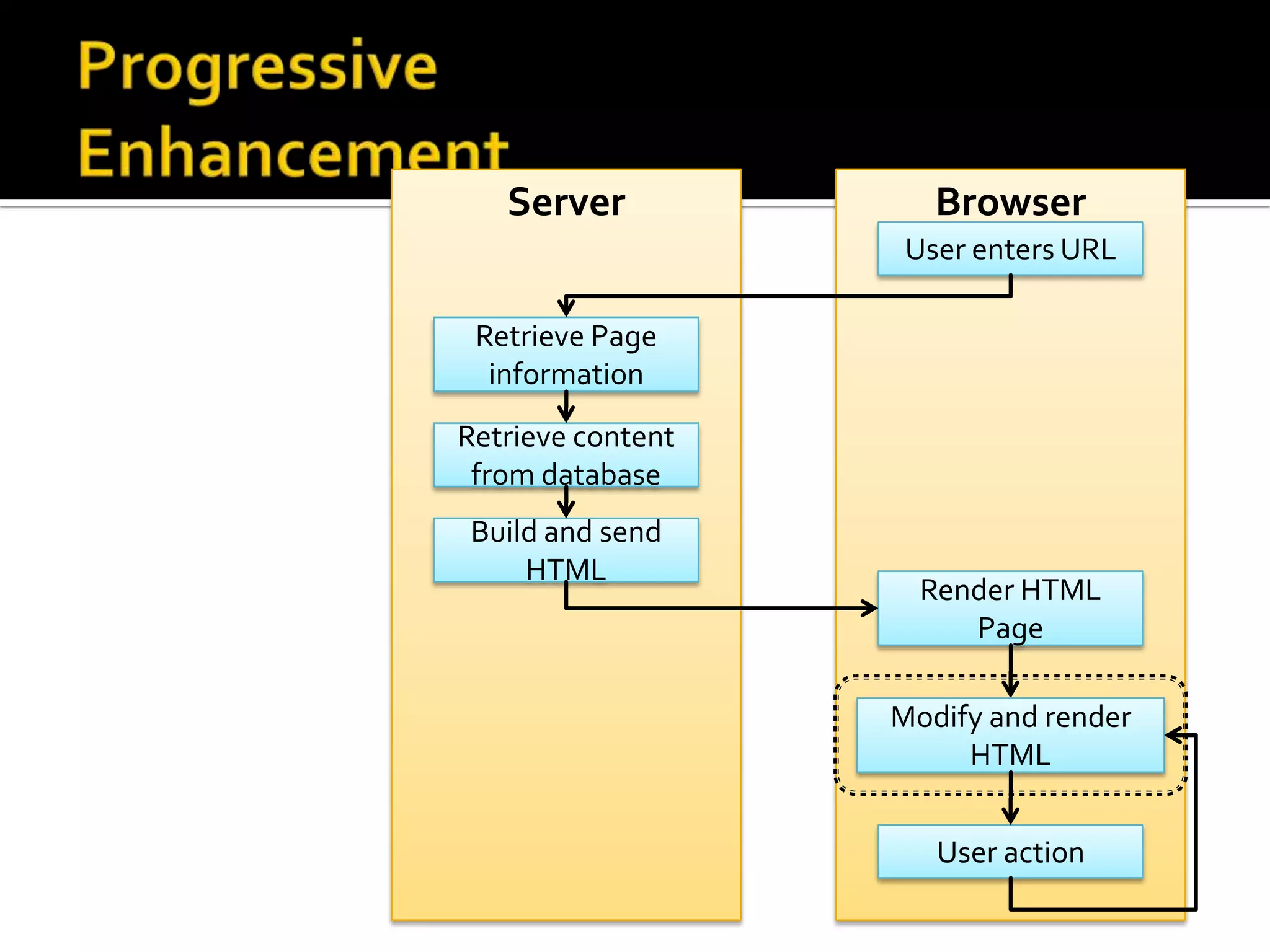
      ▪ Progressive enhancement
   The demos explained
   Advantages/shortcomings
   Step by step: Easy Tabs installation
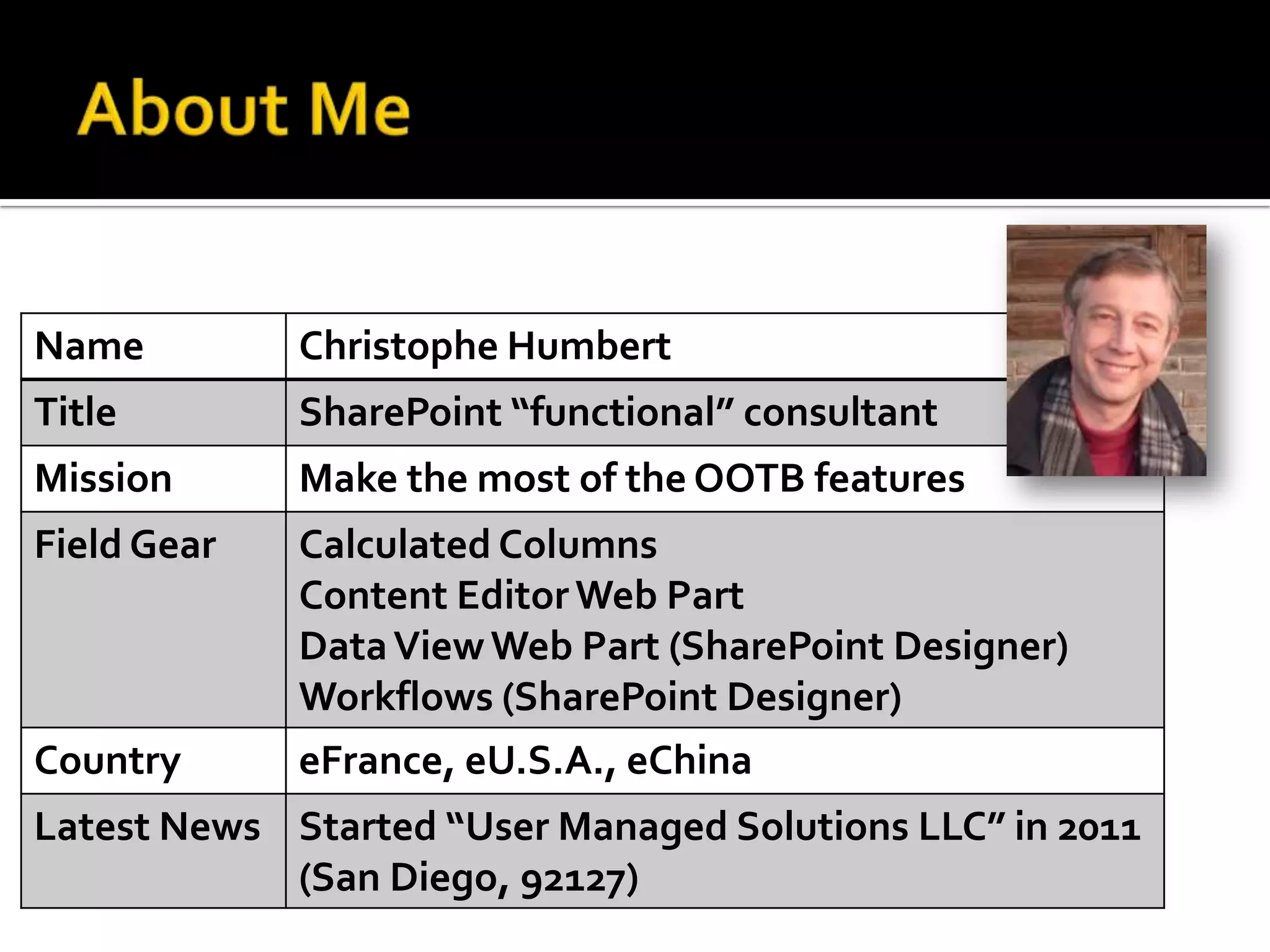
Name         Christophe Humbert
Title        SharePoint “functional” consultant
Mission      Make the most of the OOTB features
Field Gear   Calculated Columns
             Content Editor Web Part
             Data View Web Part (SharePoint Designer)
             Workflows (SharePoint Designer)
Country      eFrance, eU.S.A., eChina
Latest News Started “User Managed Solutions LLC” in 2011
            (San Diego, 92127)
   The solutions presented here apply to all
    flavors of SharePoint 2007 and 2010
   They can be installed via the standard
    SharePoint UI
   They rely on custom code, and are not
    available out of the box.
    However, many of them:
     Are packaged, and can easily be installed by end
      users or power users
     Are available for free
   Standard


   Styled tabs


   Accordion
   Snapshot

   Original list
   Tutorial


   Live demo
   Image Rotator

   Slideshow
     Slideshows or sliders are obviously a popular trend
     right now in the web design world – and for good
     reason. It’s an effective way to highlight something
     important and create some visual interest. [Source]
   Various visual indicators


   Countdown
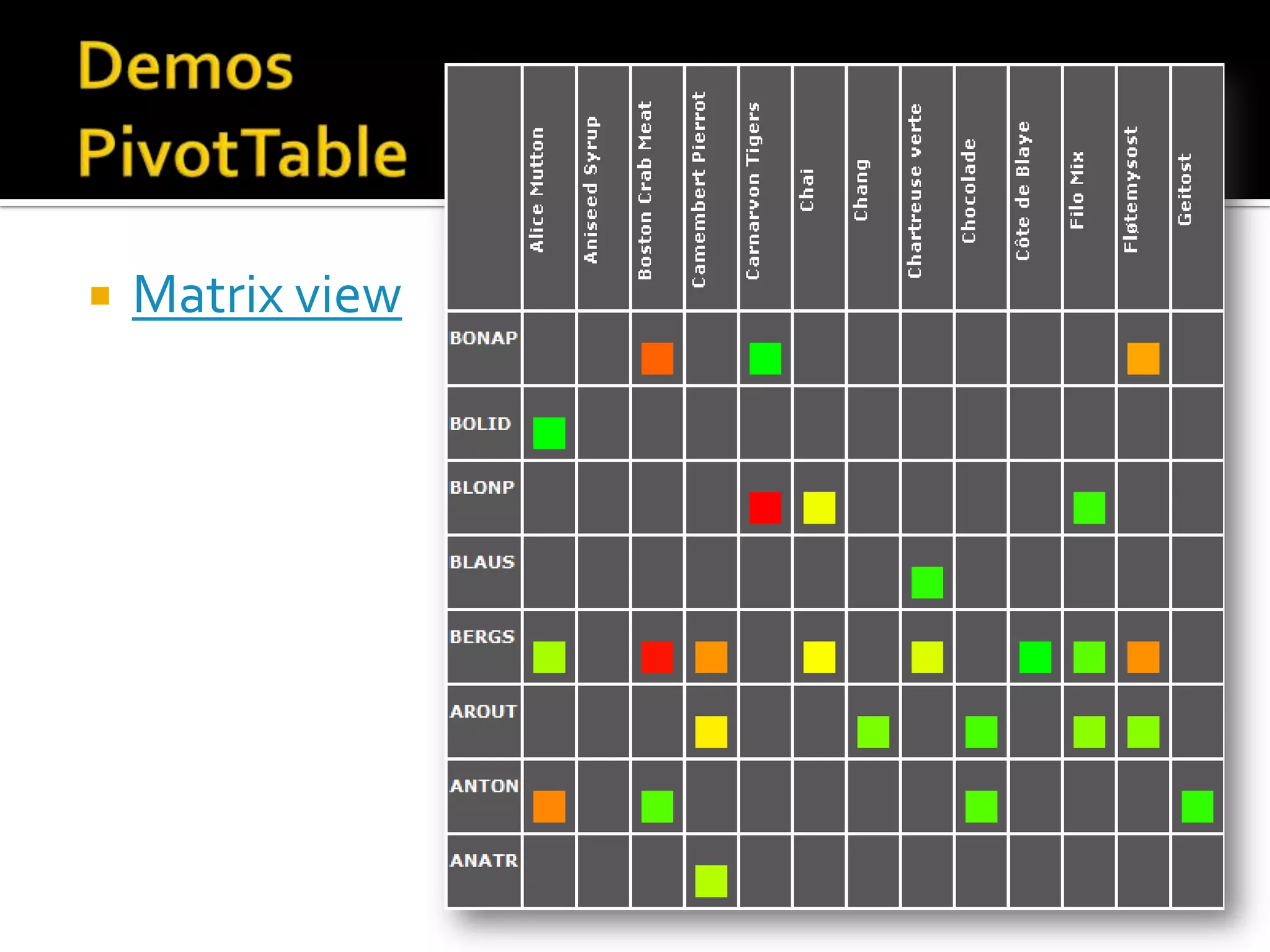
   Matrix view
Server            Browser
                   User enters URL

 Retrieve Page
  information
Retrieve content
 from database
  Build HTML

                    Render HTML
                       page

                     User action
Server             Browser
                                        User enters URL

                    Retrieve Page
Asynchronous         information
JavaScript         Retrieve content
And                 from database
XML
                    Build and send
                        HTML
                                       Render HTML Page
  Web services
                                       Request additional
     RSS
                                           content
    owssvr
     html
                   Retrieve and send
     REST
                        content
                                          Build HTML


                                          User action
   Format: html,
    xml, JSON
Server             Browser
                    User enters URL

 Retrieve Page
  information
Retrieve content
 from database
Build and send
    HTML
                     Render HTML
                        Page

                   Modify and render
                        HTML


                      User action
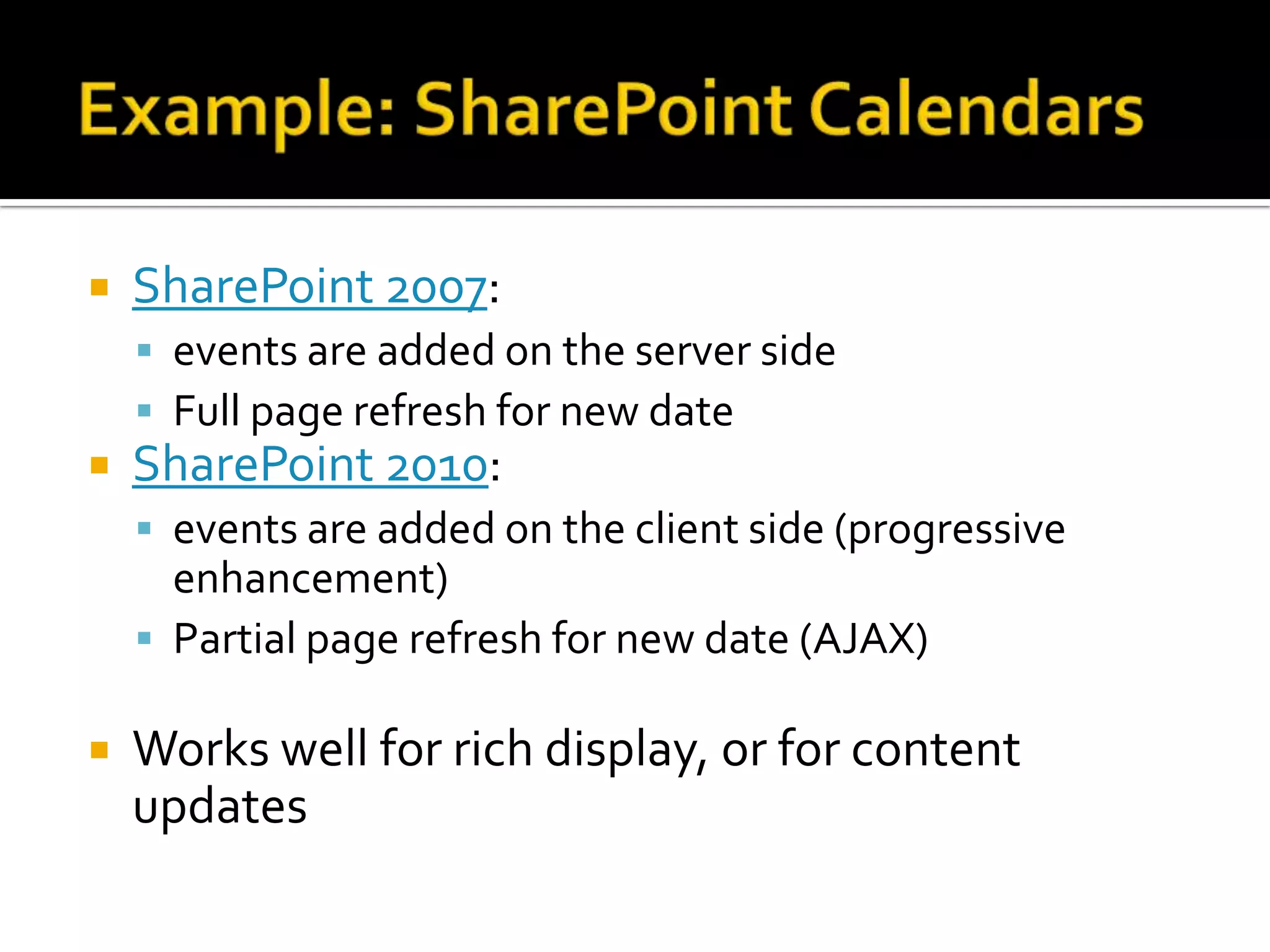
   SharePoint 2007:
     events are added on the server side
     Full page refresh for new date
   SharePoint 2010:
     events are added on the client side (progressive
      enhancement)
     Partial page refresh for new date (AJAX)

   Works well for rich display, or for content
    updates
   Image Rotator

   Slideshow

   Cross-site snapshot
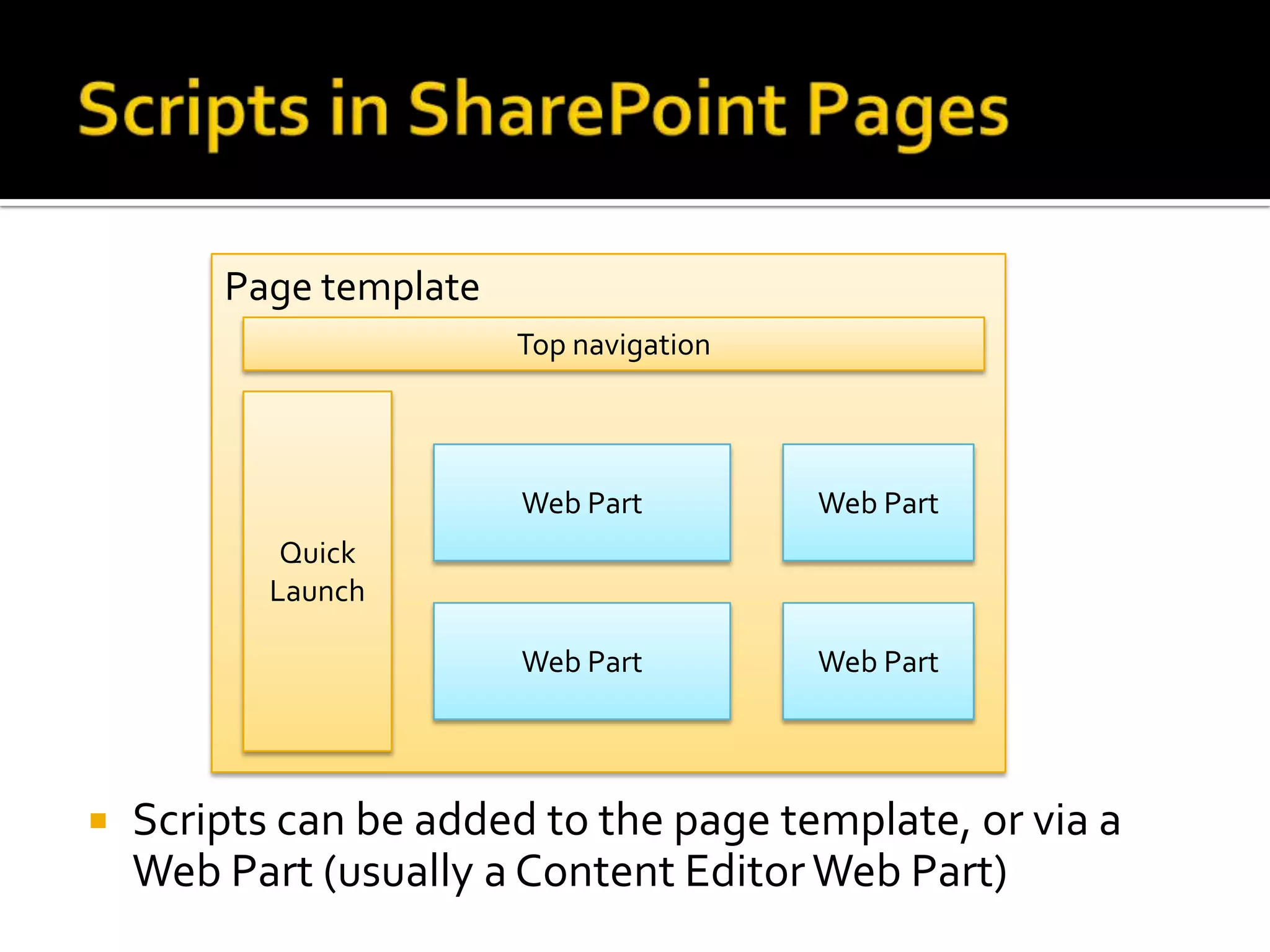
Page template
                        Top navigation


                        Web Part         Web Part
            Quick
           Launch

                        Web Part         Web Part


   Scripts can be added to the page template, or via a
    Web Part (usually a Content Editor Web Part)
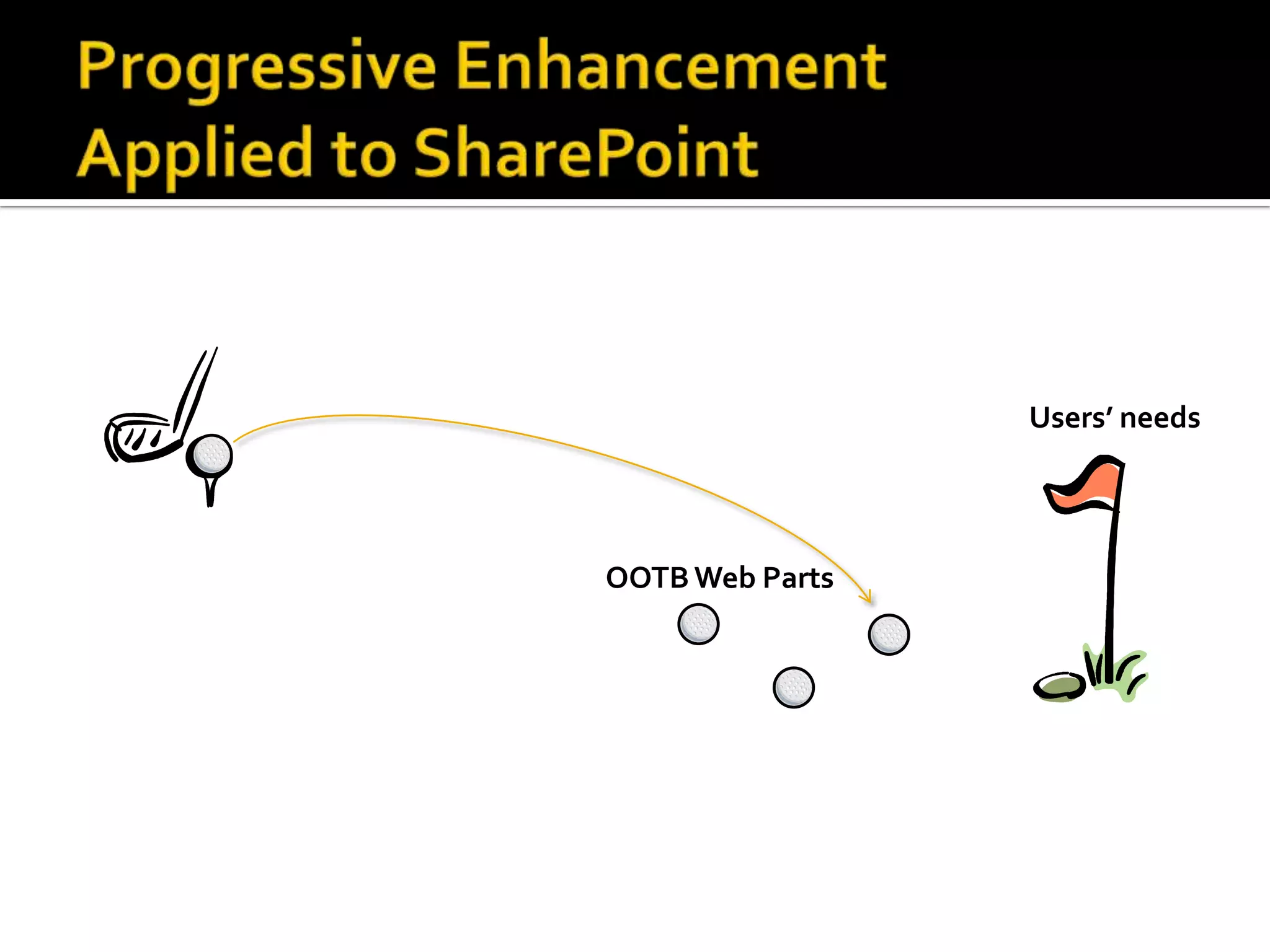
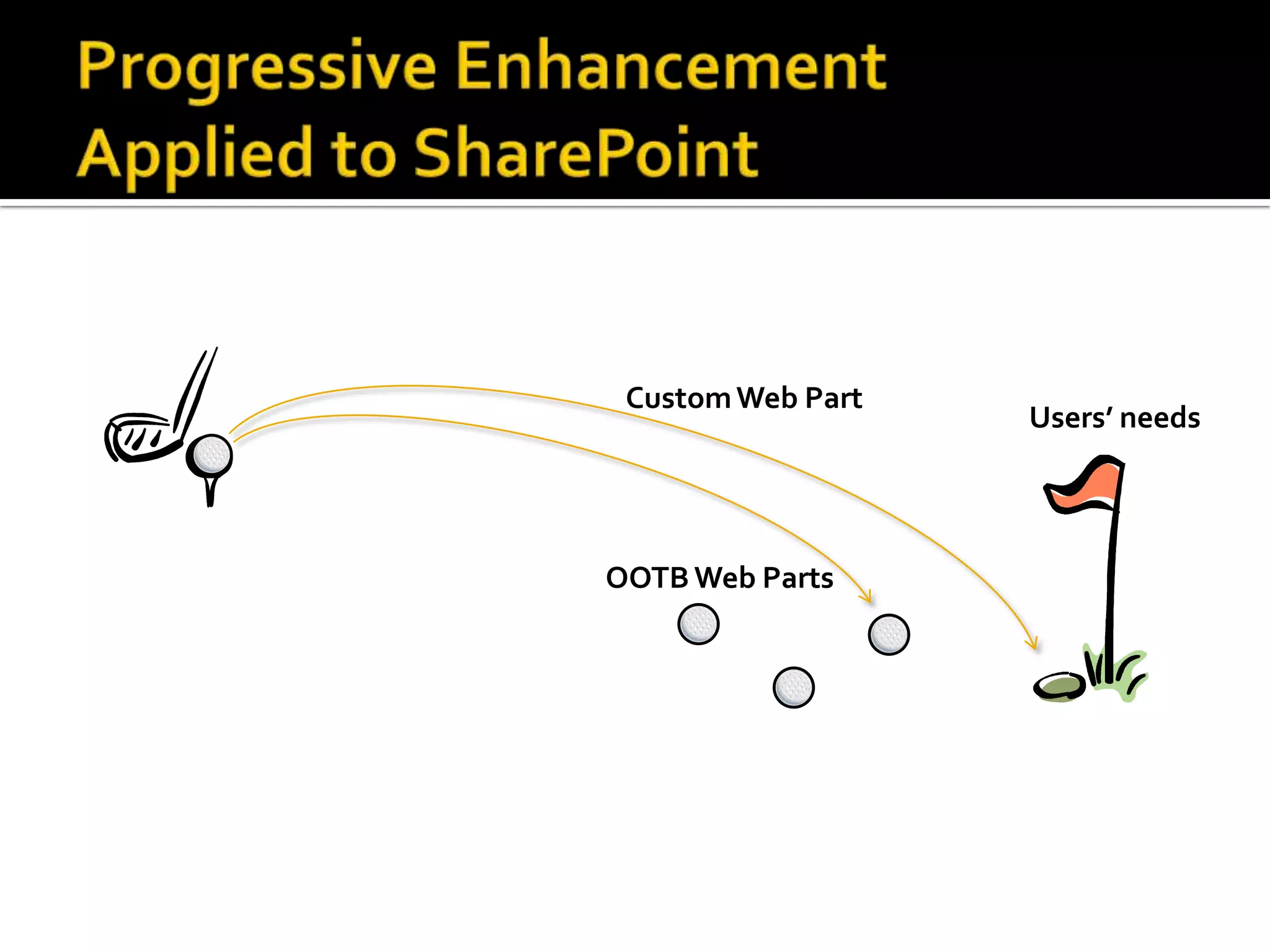
Users’ needs


OOTB Web Parts
Custom Web Part
                   Users’ needs


OOTB Web Parts
Custom Web Part
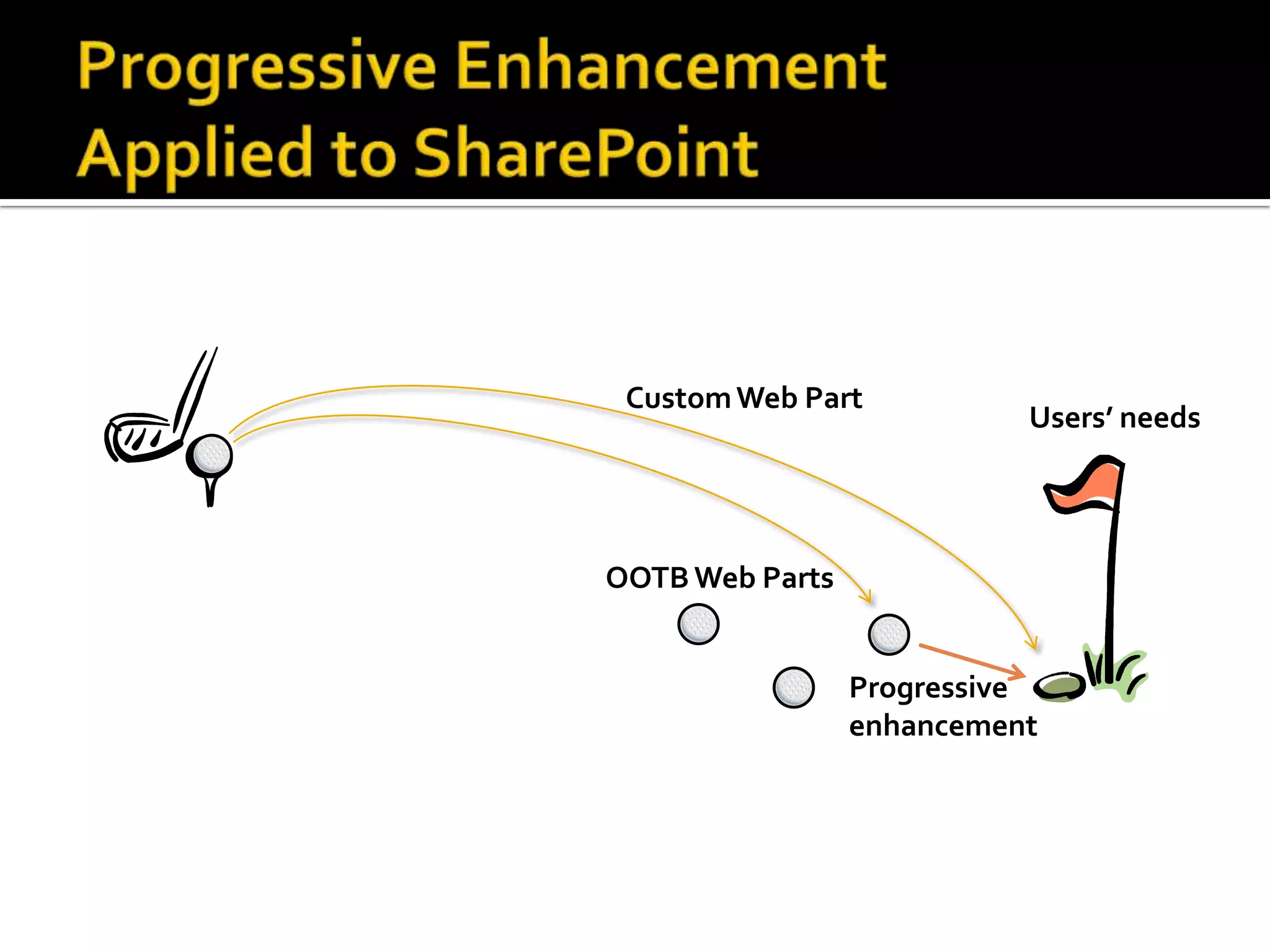
                           Users’ needs


OOTB Web Parts


                 Progressive
                 enhancement
   Easy Tabs

   Color coded calendar

   PivotTable
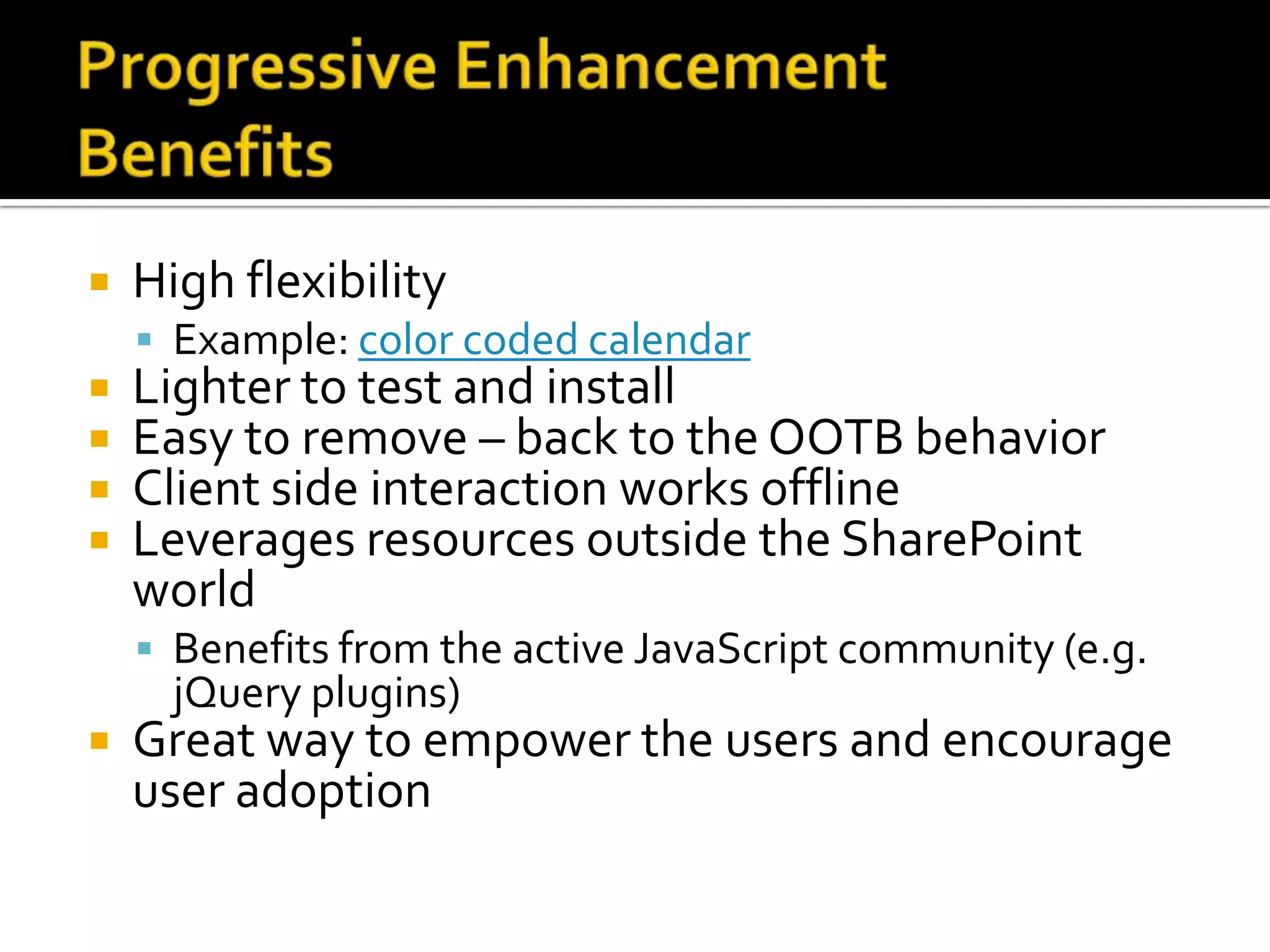
   High flexibility
     Example: color coded calendar
   Lighter to test and install
   Easy to remove – back to the OOTB behavior
   Client side interaction works offline
   Leverages resources outside the SharePoint
    world
     Benefits from the active JavaScript community (e.g.
      jQuery plugins)
   Great way to empower the users and encourage
    user adoption
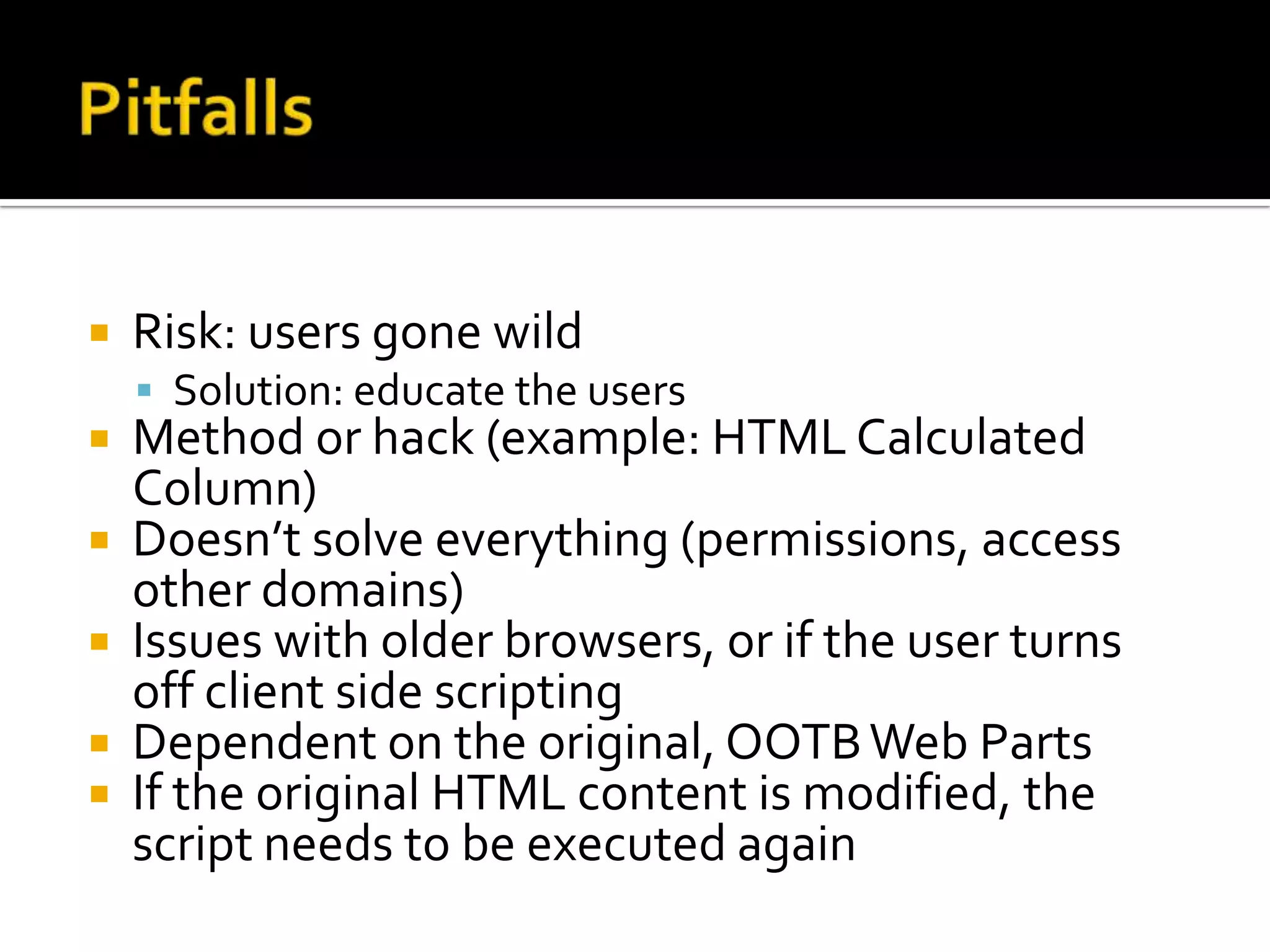
   Risk: users gone wild
     Solution: educate the users
   Method or hack (example: HTML Calculated
    Column)
   Doesn’t solve everything (permissions, access
    other domains)
   Issues with older browsers, or if the user turns
    off client side scripting
   Dependent on the original, OOTB Web Parts
   If the original HTML content is modified, the
    script needs to be executed again
   Get the script
   Upload the script to the Site Assets library
     Tagging
   Add a Content Editor Web Part
   Link the CEWP to the script
   [optional] Export the CEWP, upload it to the
    Web Part gallery
   Client side scripting is a powerful addition to
    your SharePoint toolbox
   See it as a complement to server side
    options, rather than a competitor
   It is code that requires attention and
    maintenance, don’t be fooled by its apparent
    ease of use
   SharePoint User Toolkit
     http://sp2010.pathtosharepoint.com/sharepoint-
     user-toolkit/
   SharePoint User Managed Solutions (SUMS)
     LinkedIn open group (everybody has read access)
   Sites regularly updated with fresh, up-to-date
    content:
   jQuery Library for SharePoint Web Services –
    Marc Anderson, SharePoint MVP
   SharePoint JavaScripts – Alexander Bautz
   Path to SharePoint
   Search the Web for “SharePoint JavaScript”
    or “SharePoint jQuery”
   Allows users to embed custom html in a
    SharePoint page
    HTML includes <script> and <link> tags
   Best practice: store the script in a central
    library and link to it
   jQuery is a popular JavaScript library
     Built on JavaScript
     Strengths:
      ▪ Offers AJAX in a packaged, user friendly interface
      ▪ Addresses cross-browser inconsistencies
      ▪ Has prebuilt animation functions (fade, etc.)
   Recognition of AJAX as a standard way to
    interact with the browser
   Development of JavaScript libraries that
    address cross-browser issues
   New generation of browsers with JavaScript
    engines that boost performance
   New standards that increase the features of
    client side scripting (e.g. canvas element)

Easy tabs, Slideshows, Dashboards, etc - Client Side Scripts for SharePoint

  • 1.
    Christophe Humbert San DiegoSharePoint User Group March 1st, 2011
  • 2.
    Get a grasp of how client side scripting can enhance the user experience  Be aware of the risks that come with such solutions
  • 3.
    Demos  Rendering Web Pages:  The traditional approach: server/browser  Client side scripting: ▪ AJAX ▪ Progressive enhancement  The demos explained  Advantages/shortcomings  Step by step: Easy Tabs installation
  • 4.
    Name Christophe Humbert Title SharePoint “functional” consultant Mission Make the most of the OOTB features Field Gear Calculated Columns Content Editor Web Part Data View Web Part (SharePoint Designer) Workflows (SharePoint Designer) Country eFrance, eU.S.A., eChina Latest News Started “User Managed Solutions LLC” in 2011 (San Diego, 92127)
  • 5.
    The solutions presented here apply to all flavors of SharePoint 2007 and 2010  They can be installed via the standard SharePoint UI  They rely on custom code, and are not available out of the box. However, many of them:  Are packaged, and can easily be installed by end users or power users  Are available for free
  • 6.
    Standard  Styled tabs  Accordion
  • 7.
    Snapshot  Original list
  • 8.
    Tutorial  Live demo
  • 9.
    Image Rotator  Slideshow  Slideshows or sliders are obviously a popular trend right now in the web design world – and for good reason. It’s an effective way to highlight something important and create some visual interest. [Source]
  • 10.
    Various visual indicators  Countdown
  • 11.
    Matrix view
  • 12.
    Server Browser User enters URL Retrieve Page information Retrieve content from database Build HTML Render HTML page User action
  • 13.
    Server Browser User enters URL Retrieve Page Asynchronous information JavaScript Retrieve content And from database XML Build and send HTML Render HTML Page Web services Request additional RSS content owssvr html Retrieve and send REST content Build HTML User action Format: html, xml, JSON
  • 14.
    Server Browser User enters URL Retrieve Page information Retrieve content from database Build and send HTML Render HTML Page Modify and render HTML User action
  • 15.
    SharePoint 2007:  events are added on the server side  Full page refresh for new date  SharePoint 2010:  events are added on the client side (progressive enhancement)  Partial page refresh for new date (AJAX)  Works well for rich display, or for content updates
  • 16.
    Image Rotator  Slideshow  Cross-site snapshot
  • 17.
    Page template Top navigation Web Part Web Part Quick Launch Web Part Web Part  Scripts can be added to the page template, or via a Web Part (usually a Content Editor Web Part)
  • 18.
  • 19.
    Custom Web Part Users’ needs OOTB Web Parts
  • 20.
    Custom Web Part Users’ needs OOTB Web Parts Progressive enhancement
  • 21.
    Easy Tabs  Color coded calendar  PivotTable
  • 22.
    High flexibility  Example: color coded calendar  Lighter to test and install  Easy to remove – back to the OOTB behavior  Client side interaction works offline  Leverages resources outside the SharePoint world  Benefits from the active JavaScript community (e.g. jQuery plugins)  Great way to empower the users and encourage user adoption
  • 23.
    Risk: users gone wild  Solution: educate the users  Method or hack (example: HTML Calculated Column)  Doesn’t solve everything (permissions, access other domains)  Issues with older browsers, or if the user turns off client side scripting  Dependent on the original, OOTB Web Parts  If the original HTML content is modified, the script needs to be executed again
  • 24.
    Get the script  Upload the script to the Site Assets library  Tagging  Add a Content Editor Web Part  Link the CEWP to the script  [optional] Export the CEWP, upload it to the Web Part gallery
  • 25.
    Client side scripting is a powerful addition to your SharePoint toolbox  See it as a complement to server side options, rather than a competitor  It is code that requires attention and maintenance, don’t be fooled by its apparent ease of use
  • 26.
    SharePoint User Toolkit  http://sp2010.pathtosharepoint.com/sharepoint- user-toolkit/  SharePoint User Managed Solutions (SUMS)  LinkedIn open group (everybody has read access)
  • 27.
    Sites regularly updated with fresh, up-to-date content:  jQuery Library for SharePoint Web Services – Marc Anderson, SharePoint MVP  SharePoint JavaScripts – Alexander Bautz  Path to SharePoint  Search the Web for “SharePoint JavaScript” or “SharePoint jQuery”
  • 28.
    Allows users to embed custom html in a SharePoint page HTML includes <script> and <link> tags  Best practice: store the script in a central library and link to it
  • 29.
    jQuery is a popular JavaScript library  Built on JavaScript  Strengths: ▪ Offers AJAX in a packaged, user friendly interface ▪ Addresses cross-browser inconsistencies ▪ Has prebuilt animation functions (fade, etc.)
  • 30.
    Recognition of AJAX as a standard way to interact with the browser  Development of JavaScript libraries that address cross-browser issues  New generation of browsers with JavaScript engines that boost performance  New standards that increase the features of client side scripting (e.g. canvas element)