Downloaded 16 times
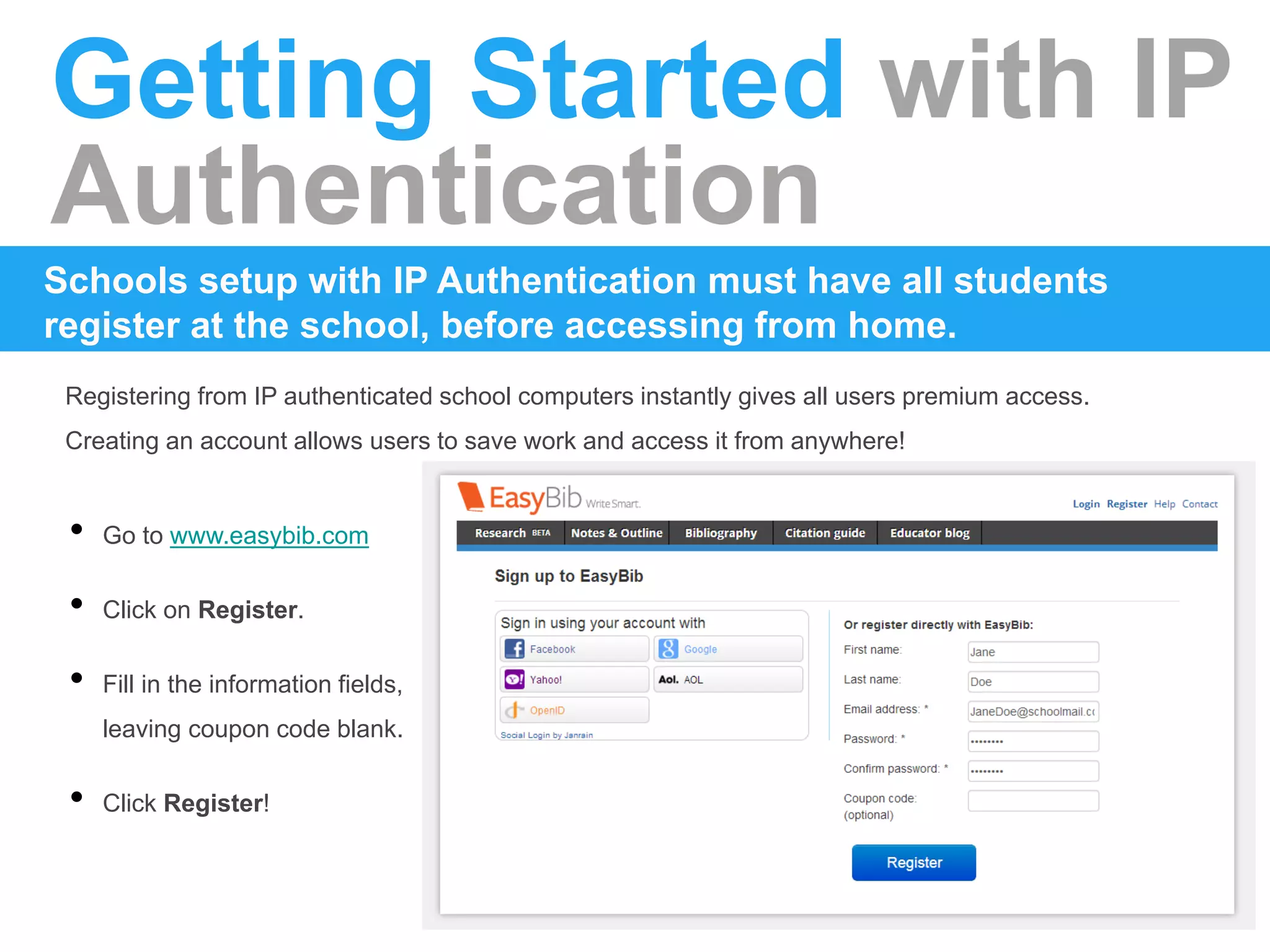
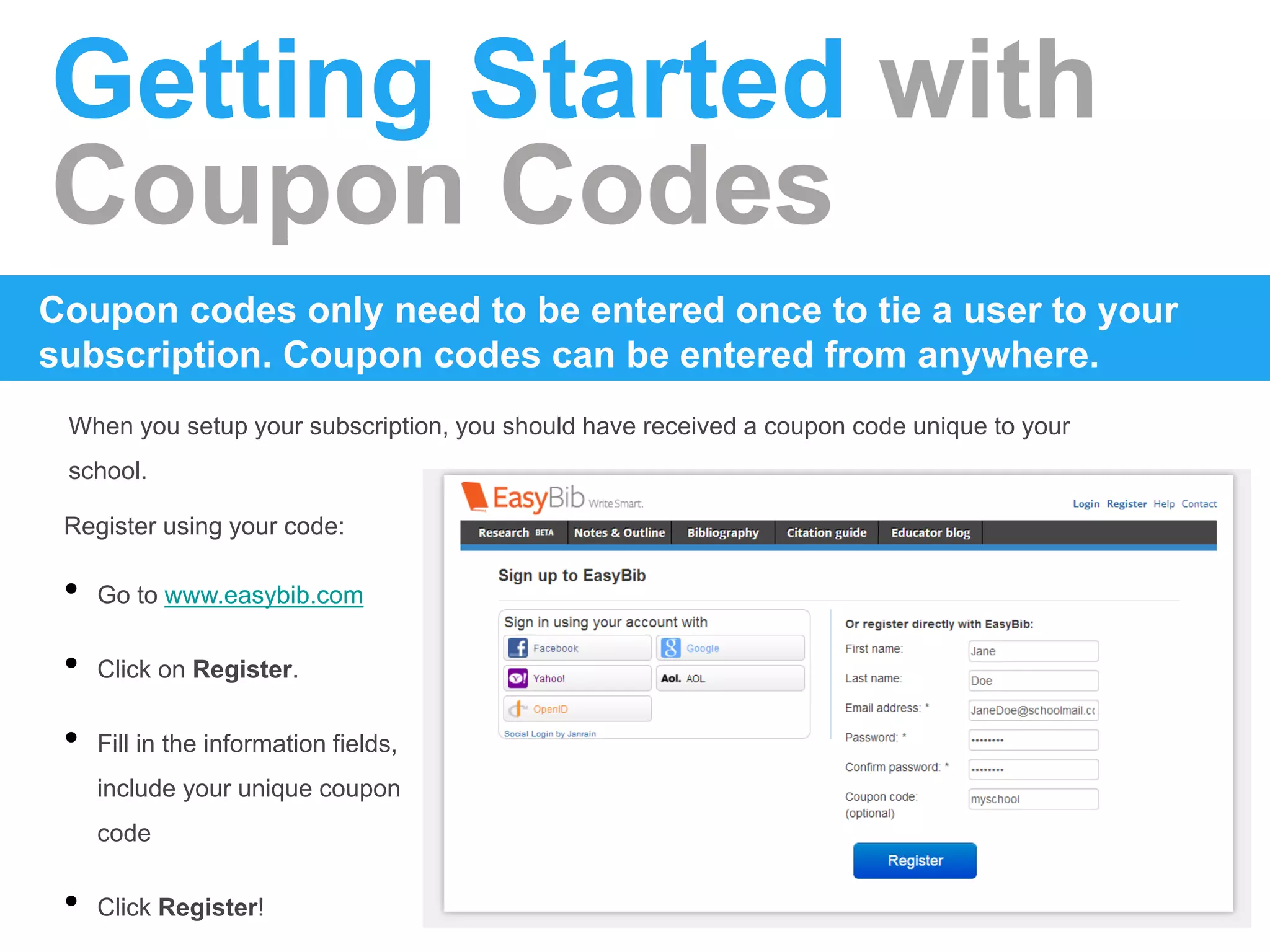
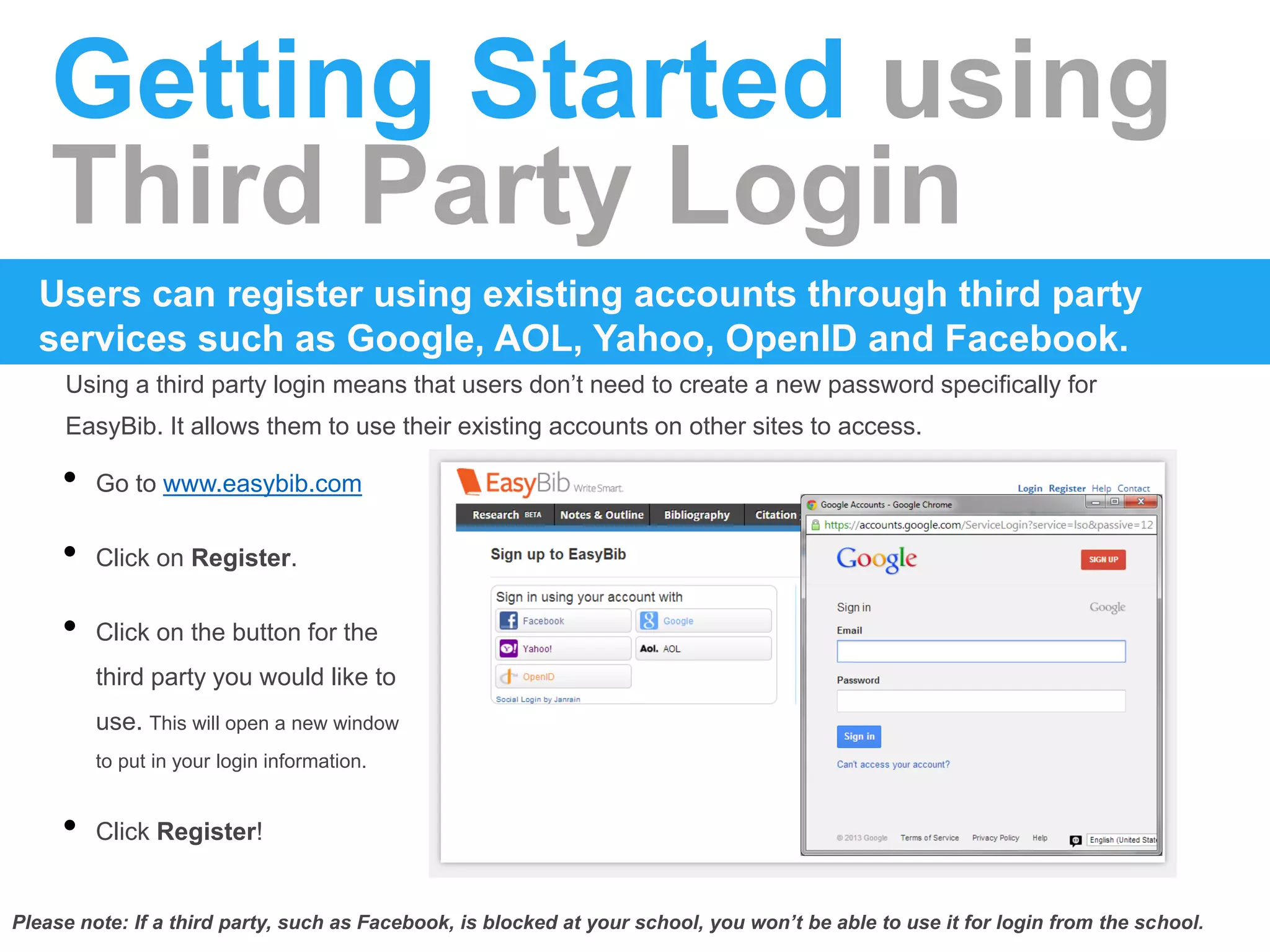
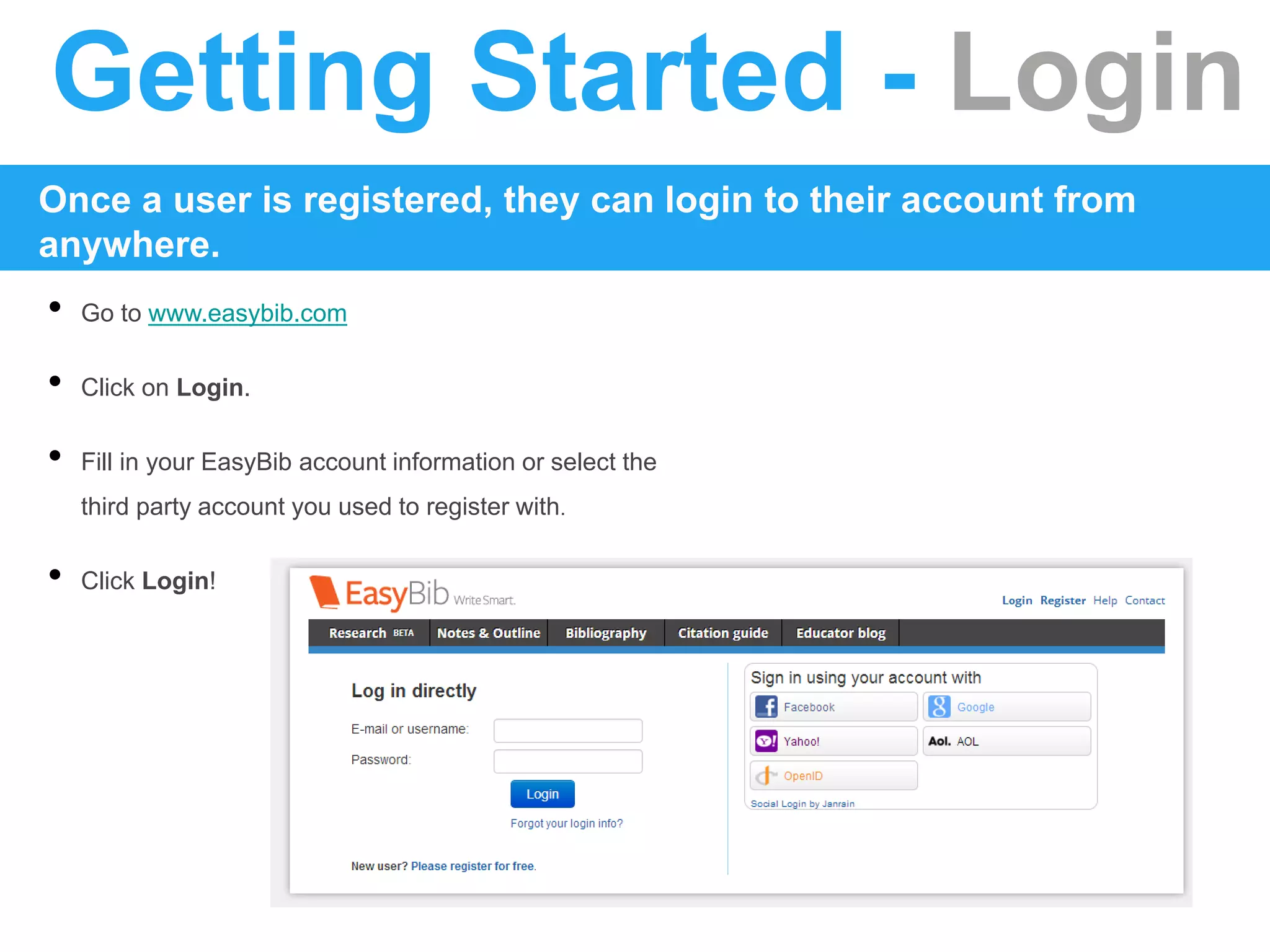
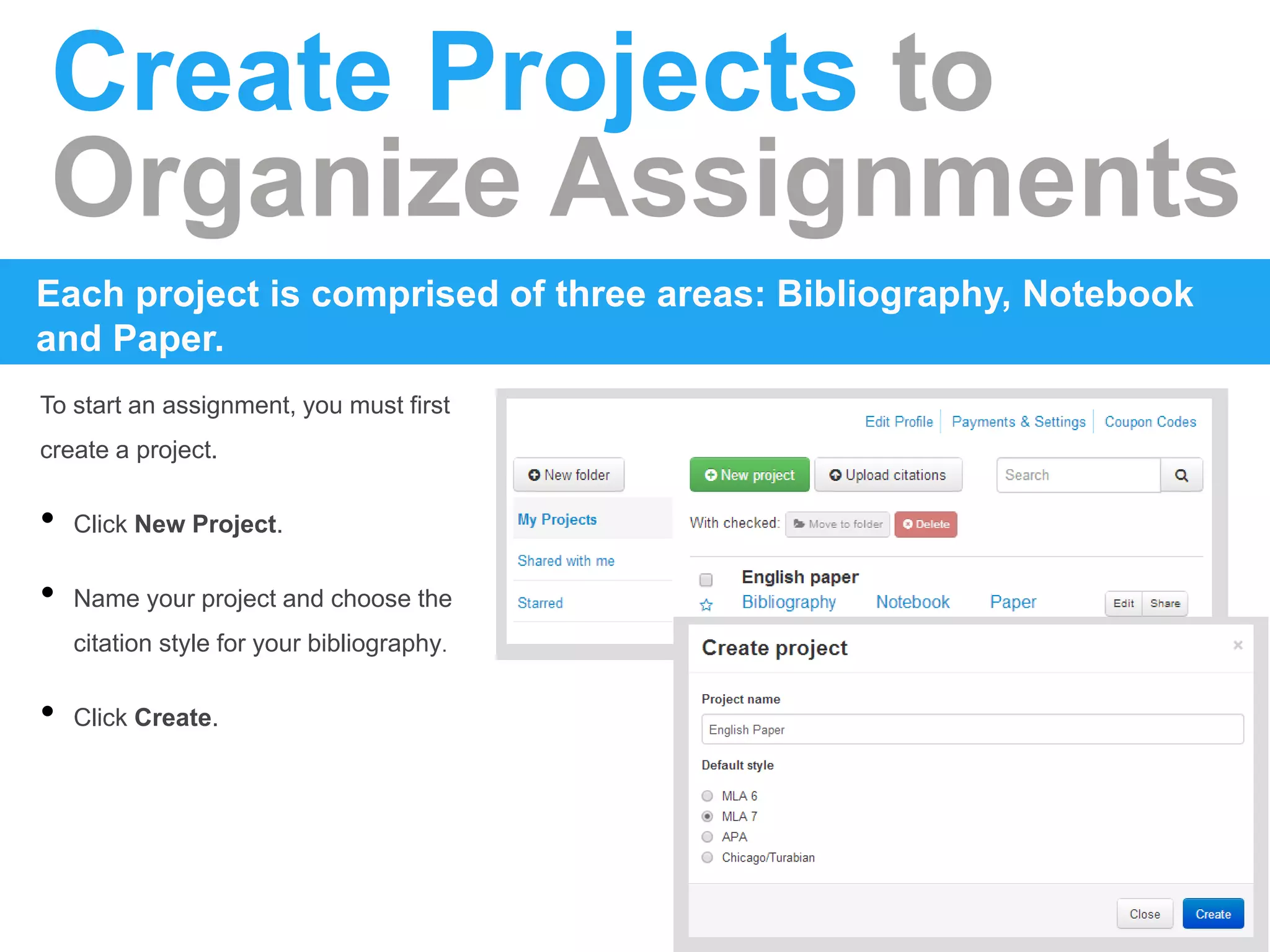
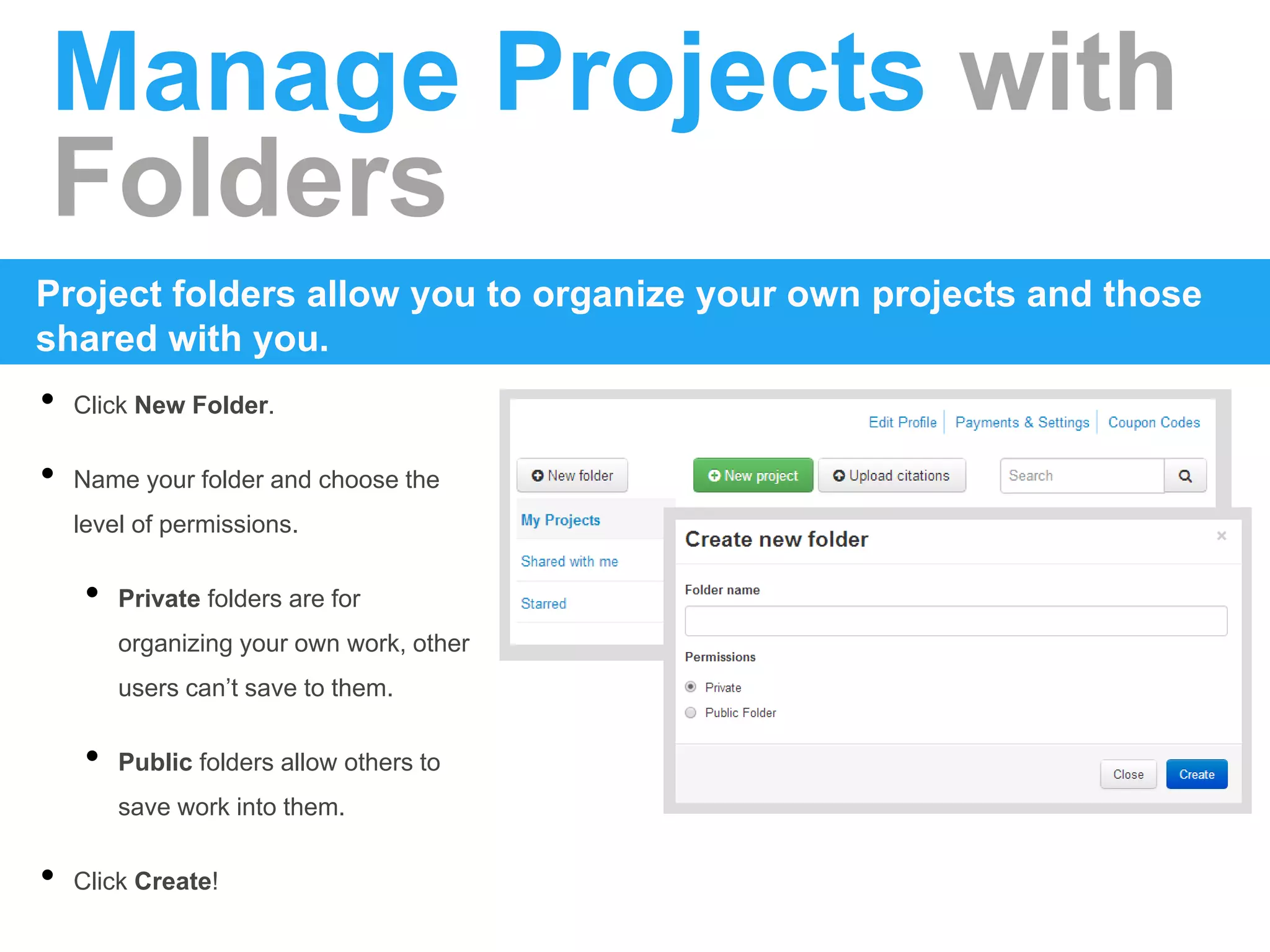
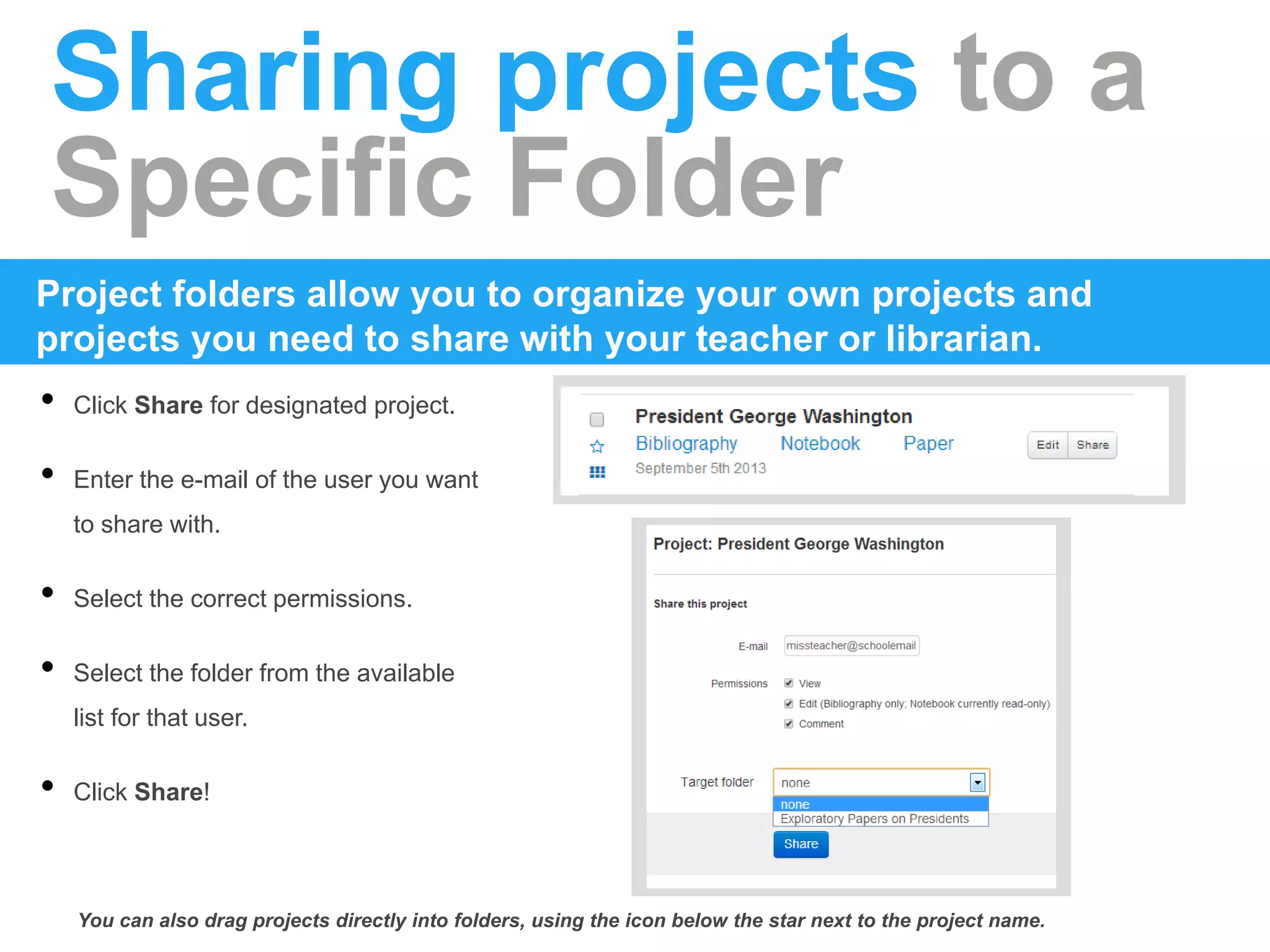
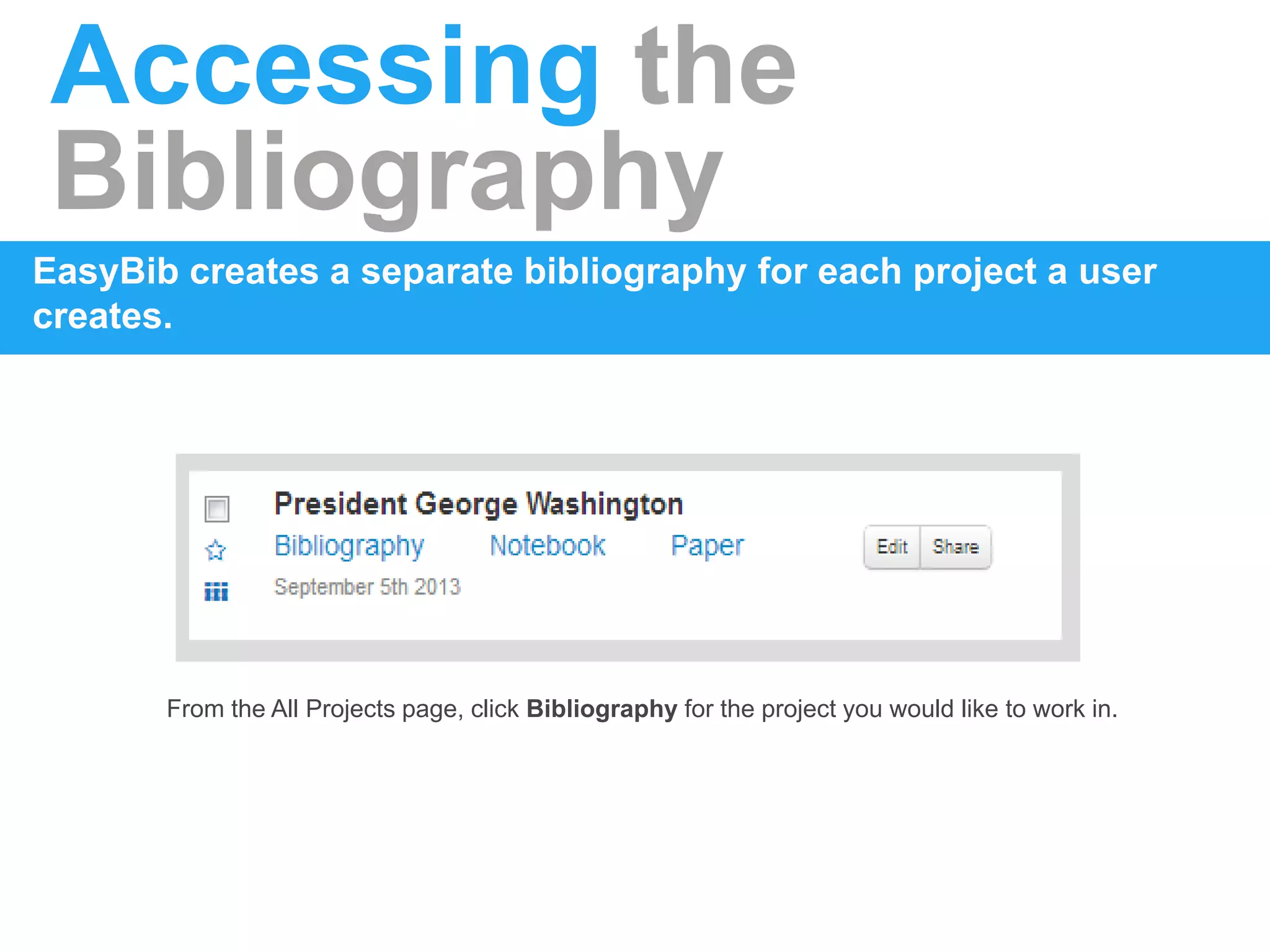
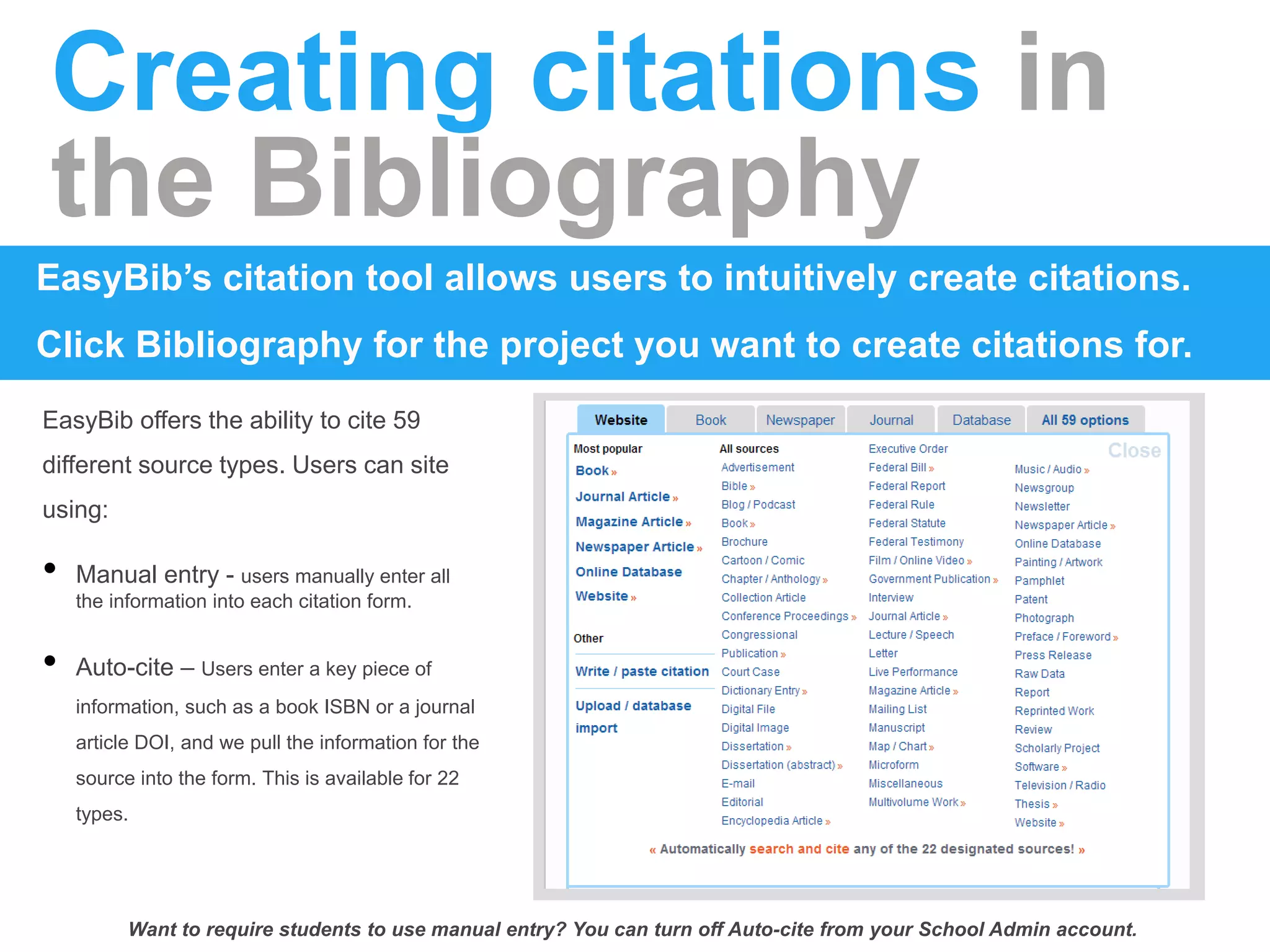
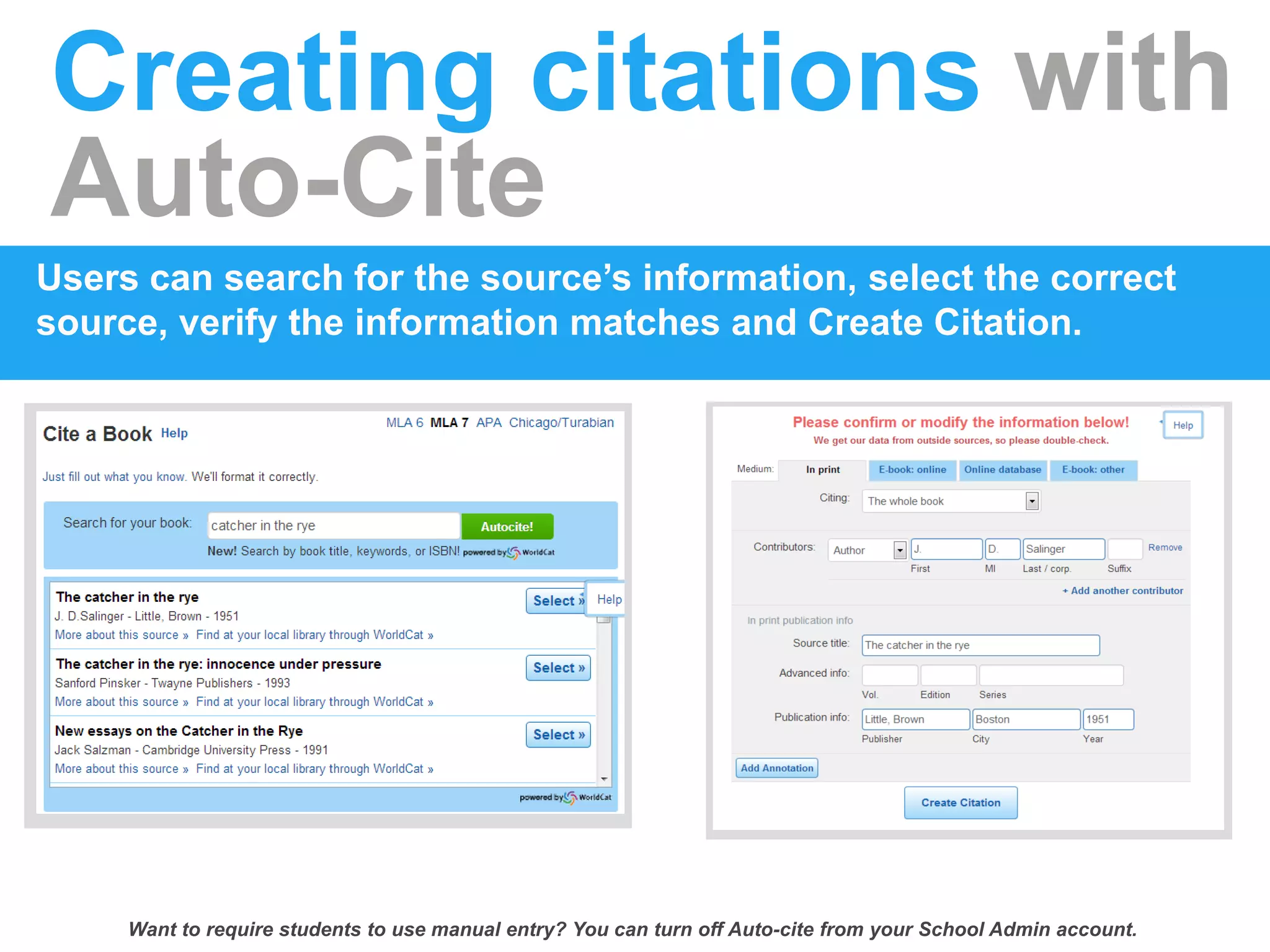
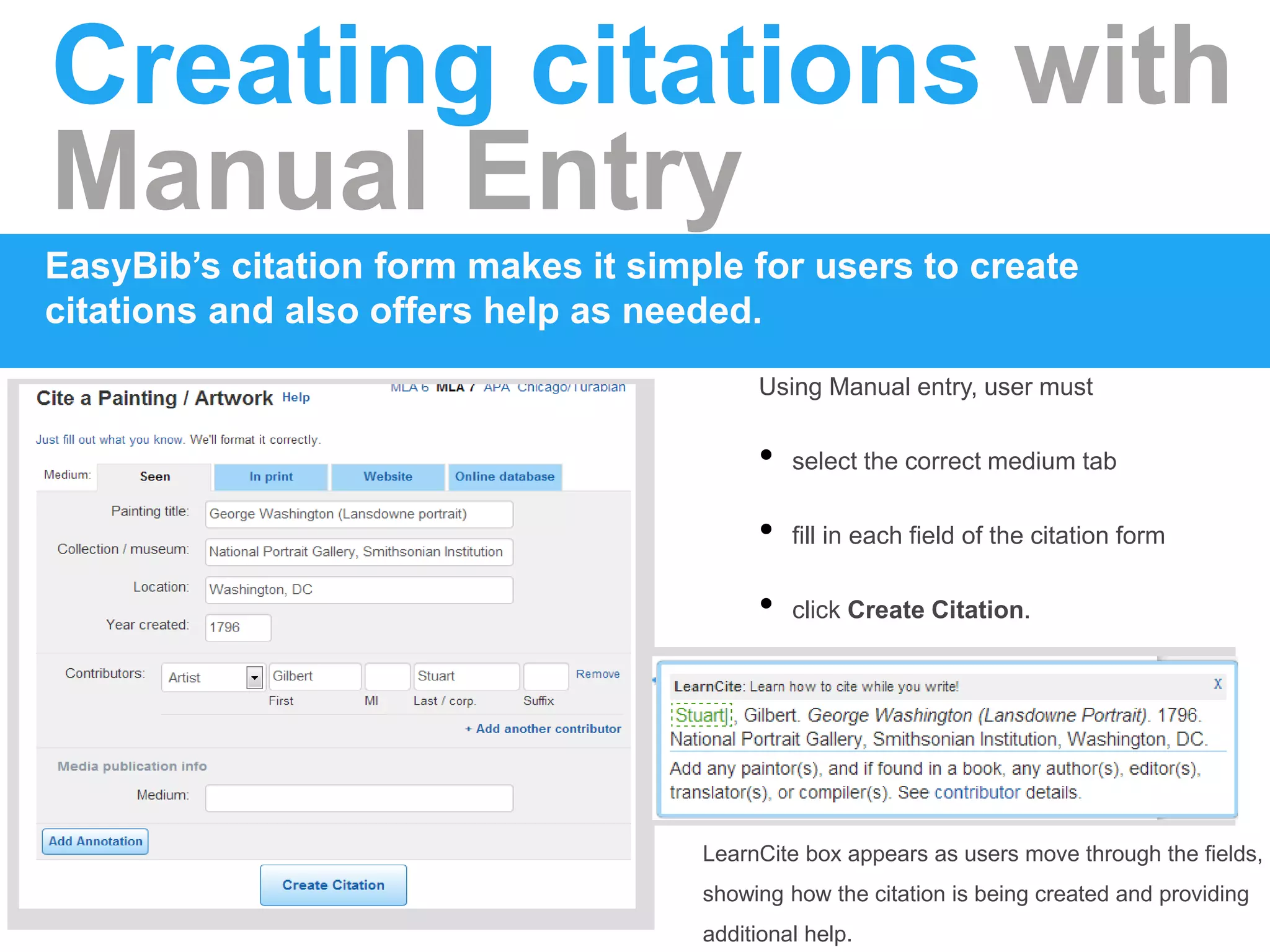
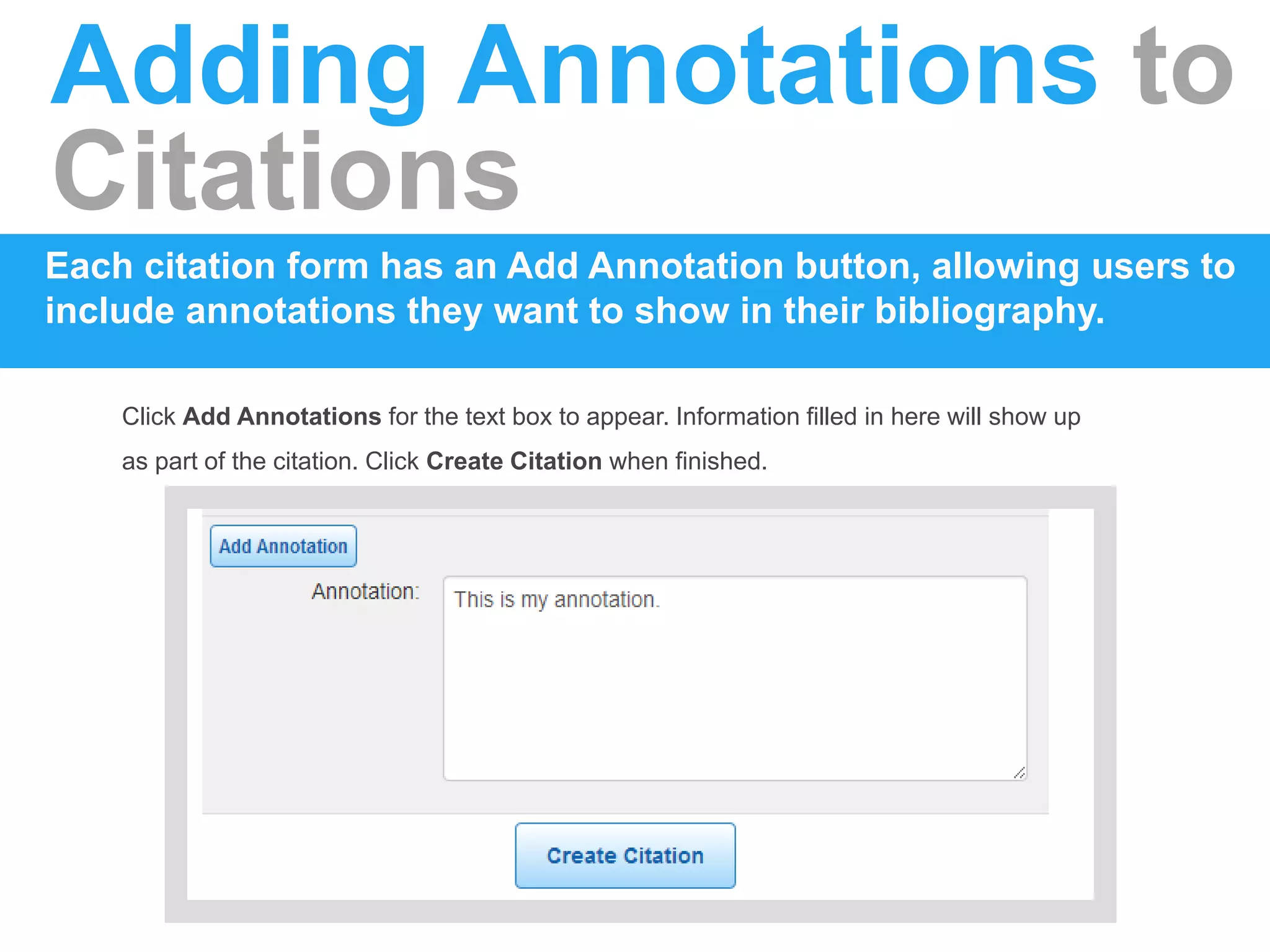
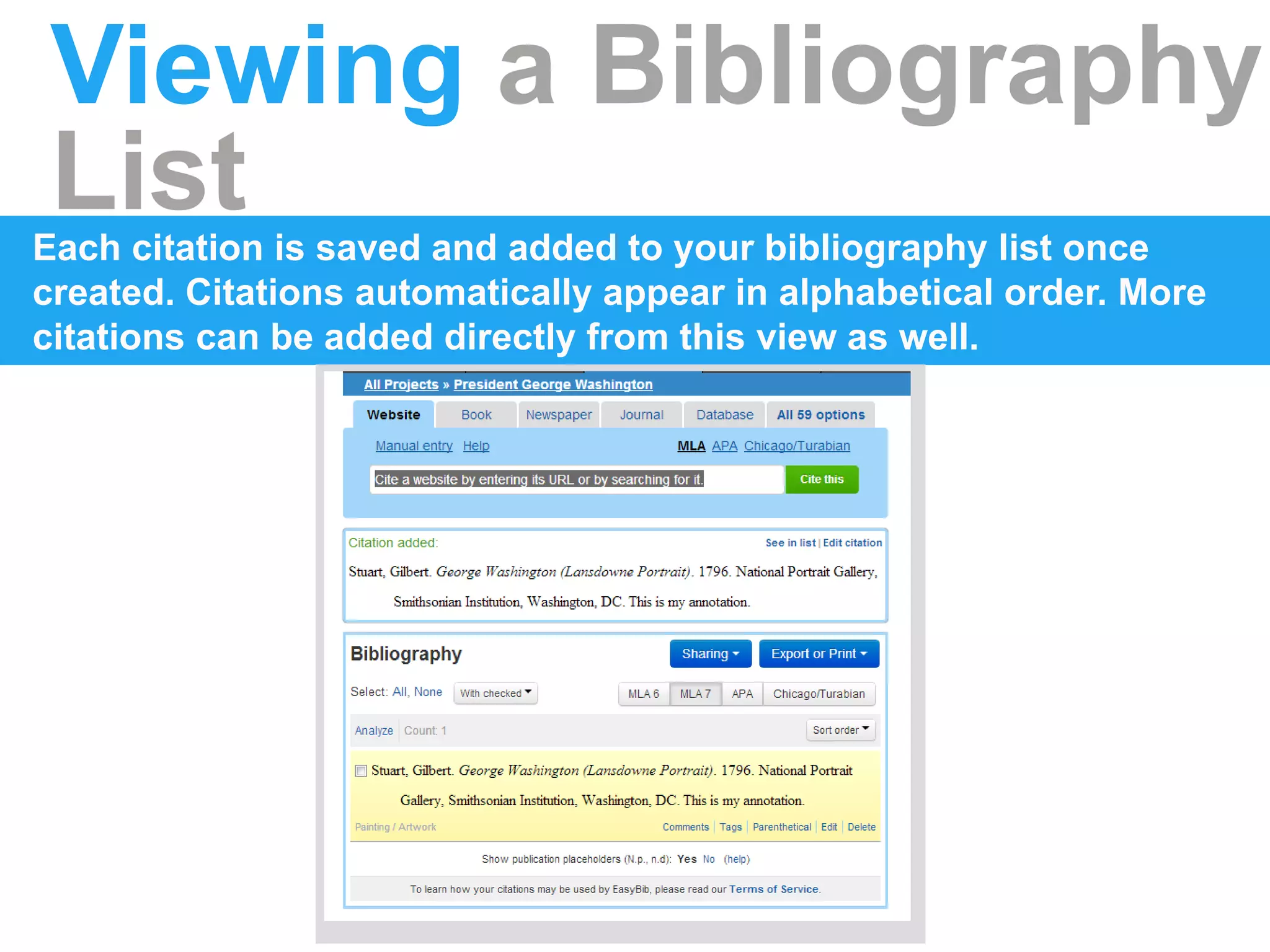
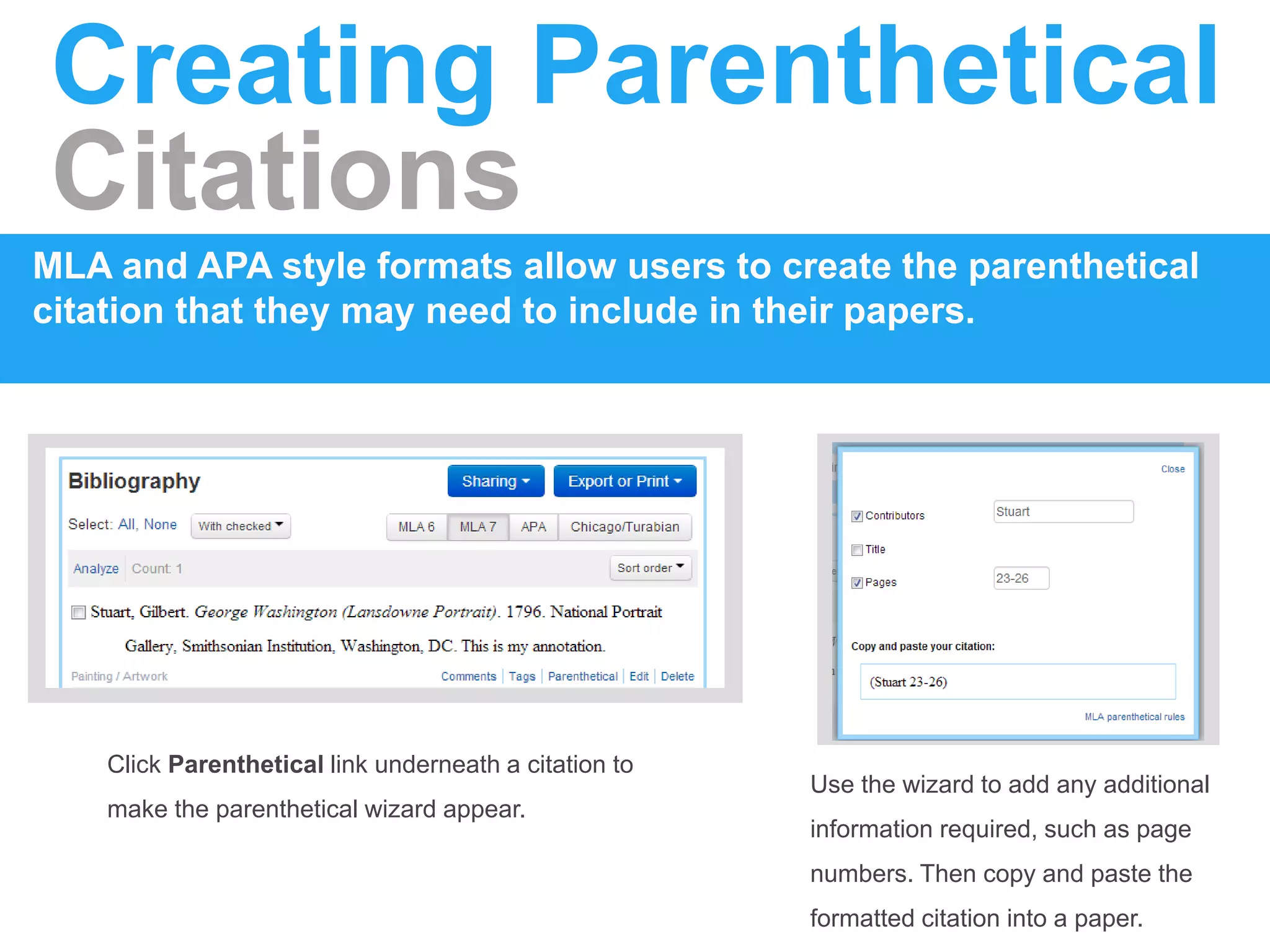
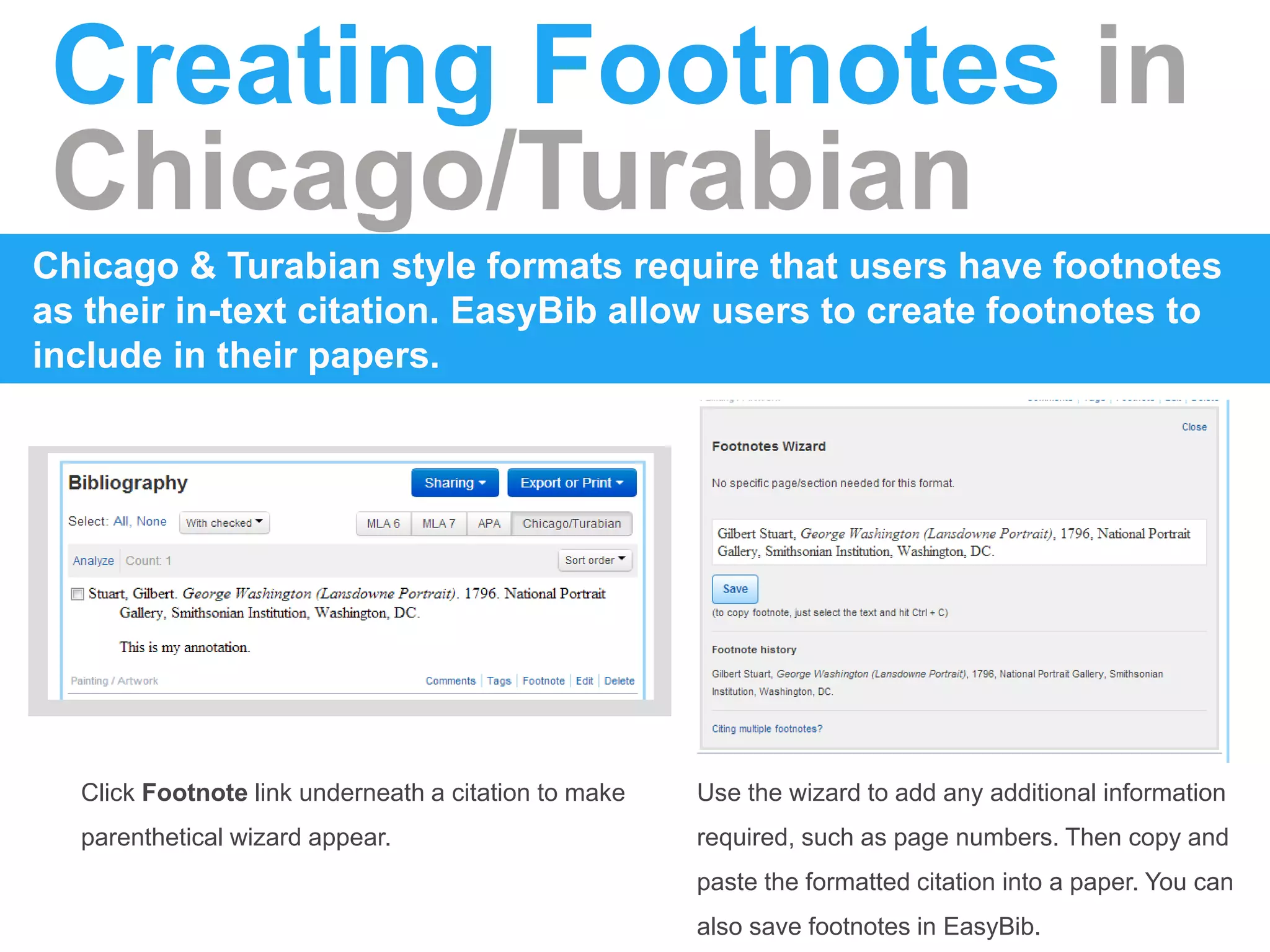
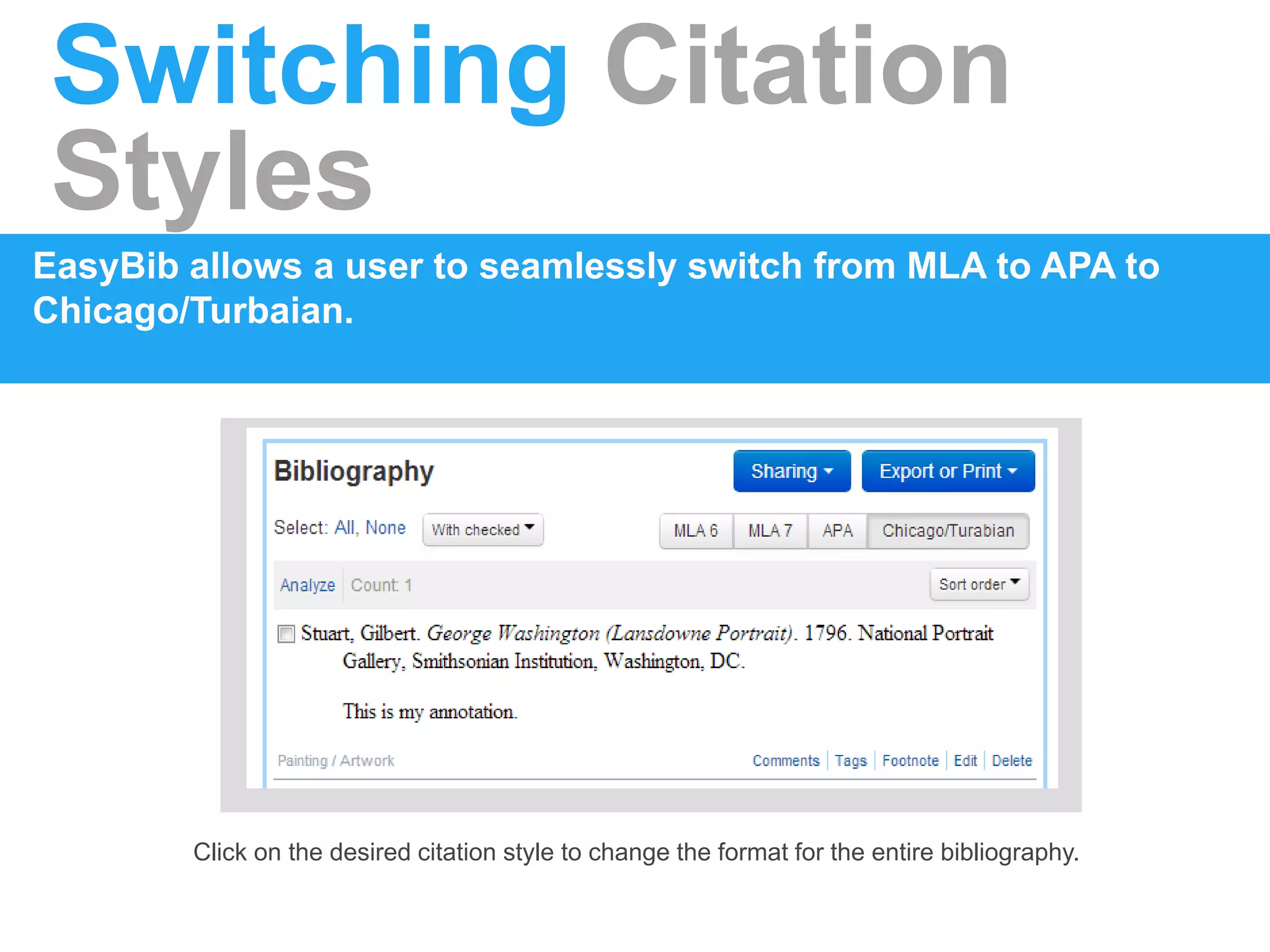
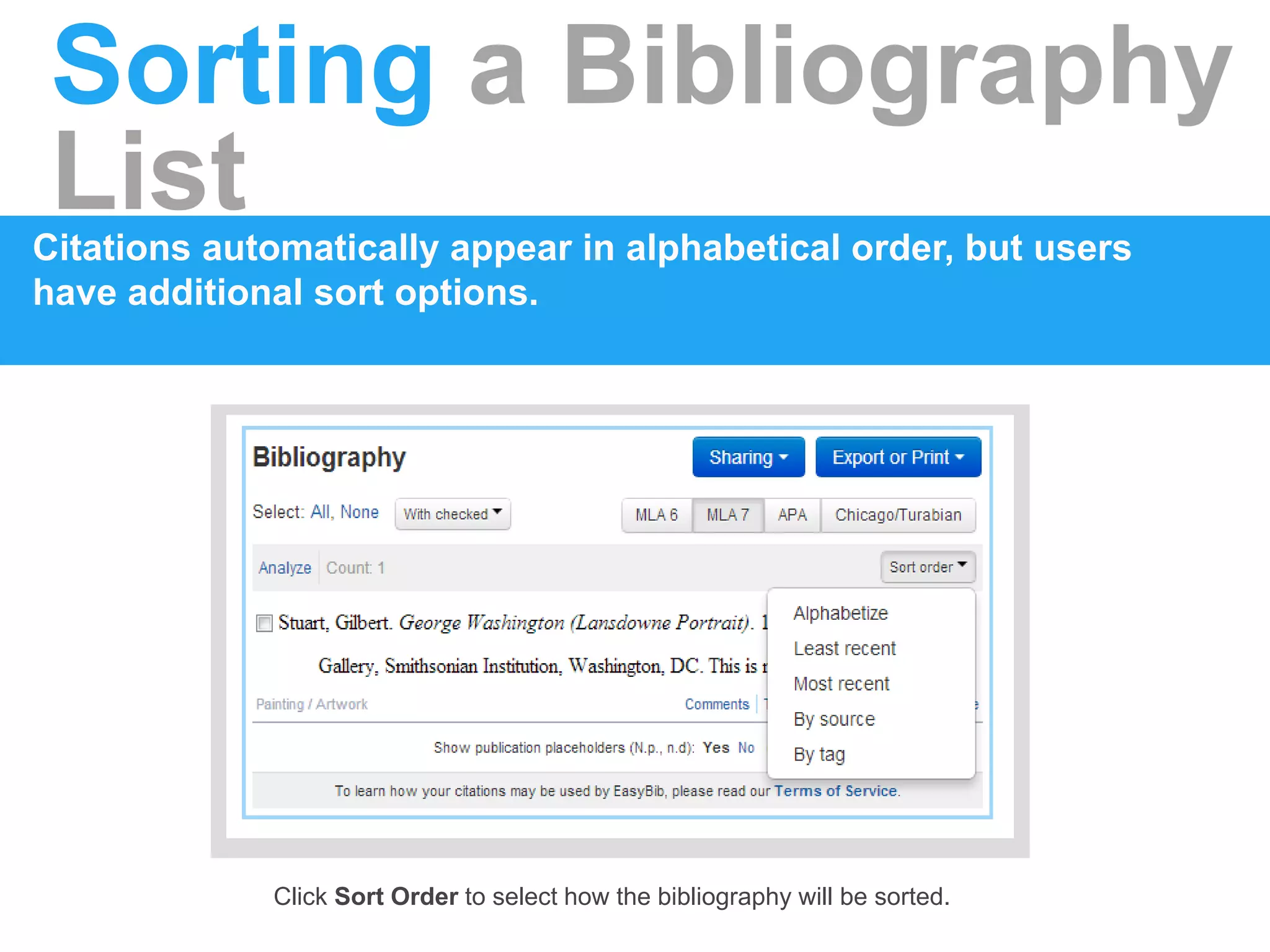
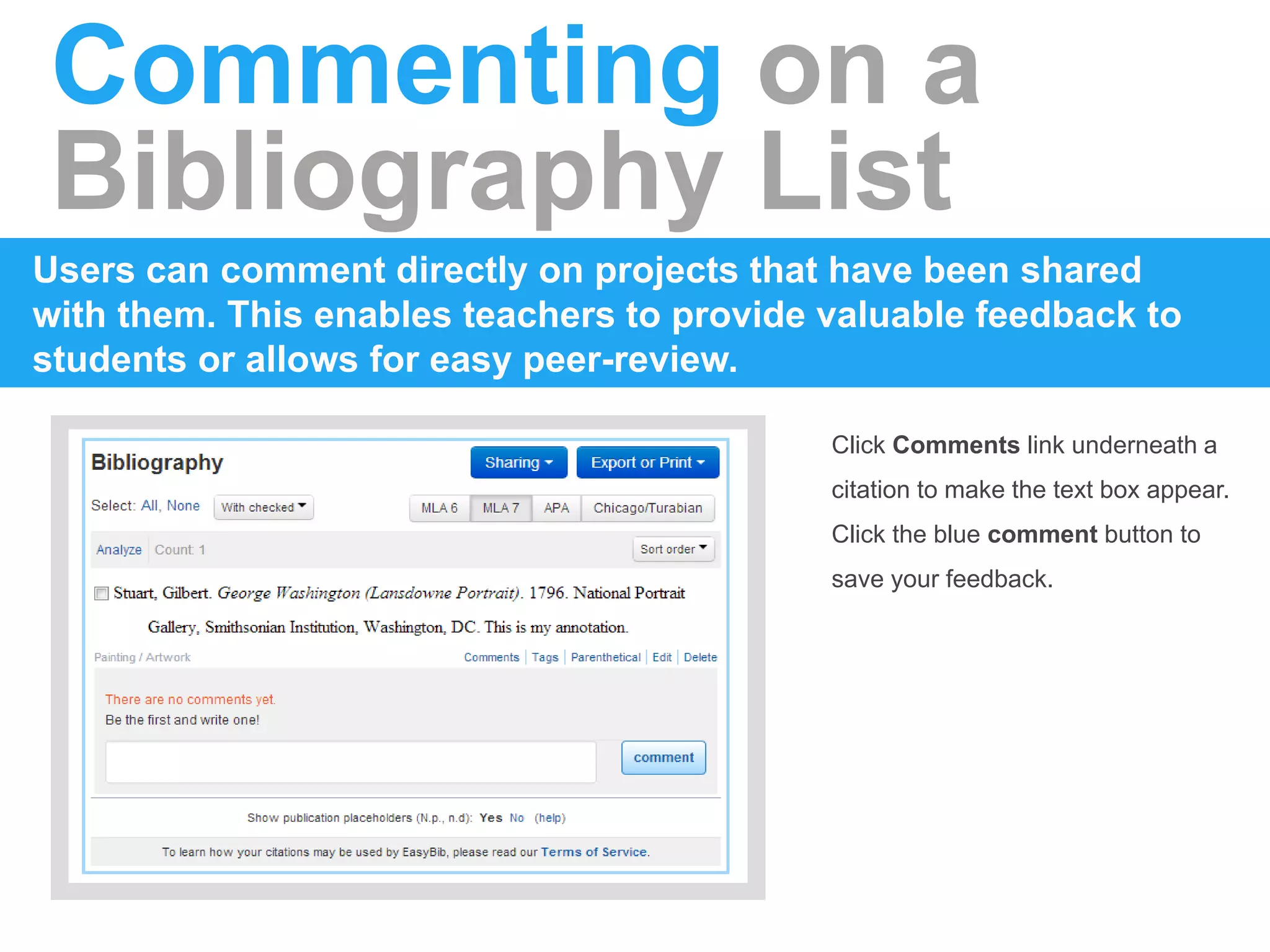
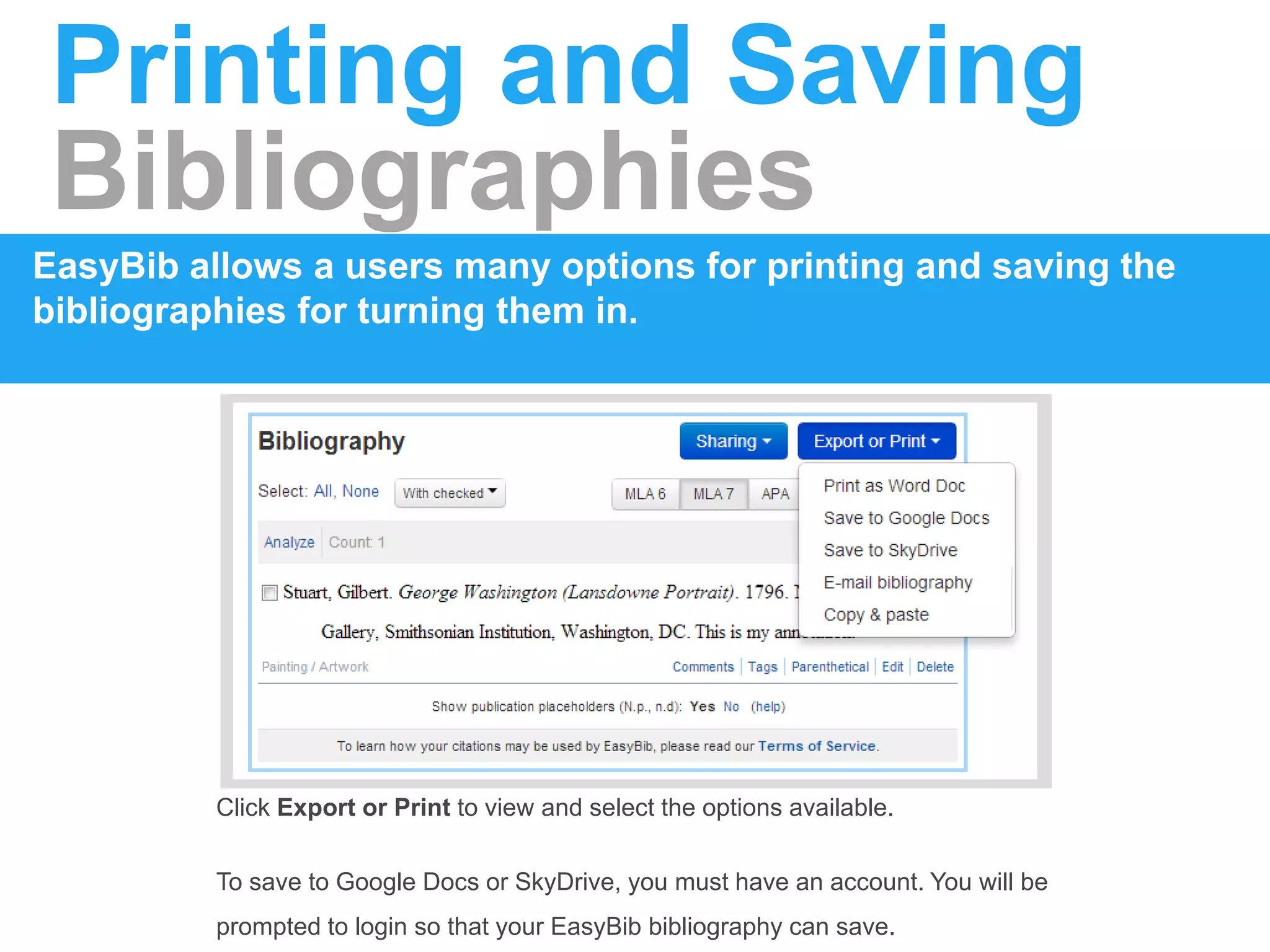
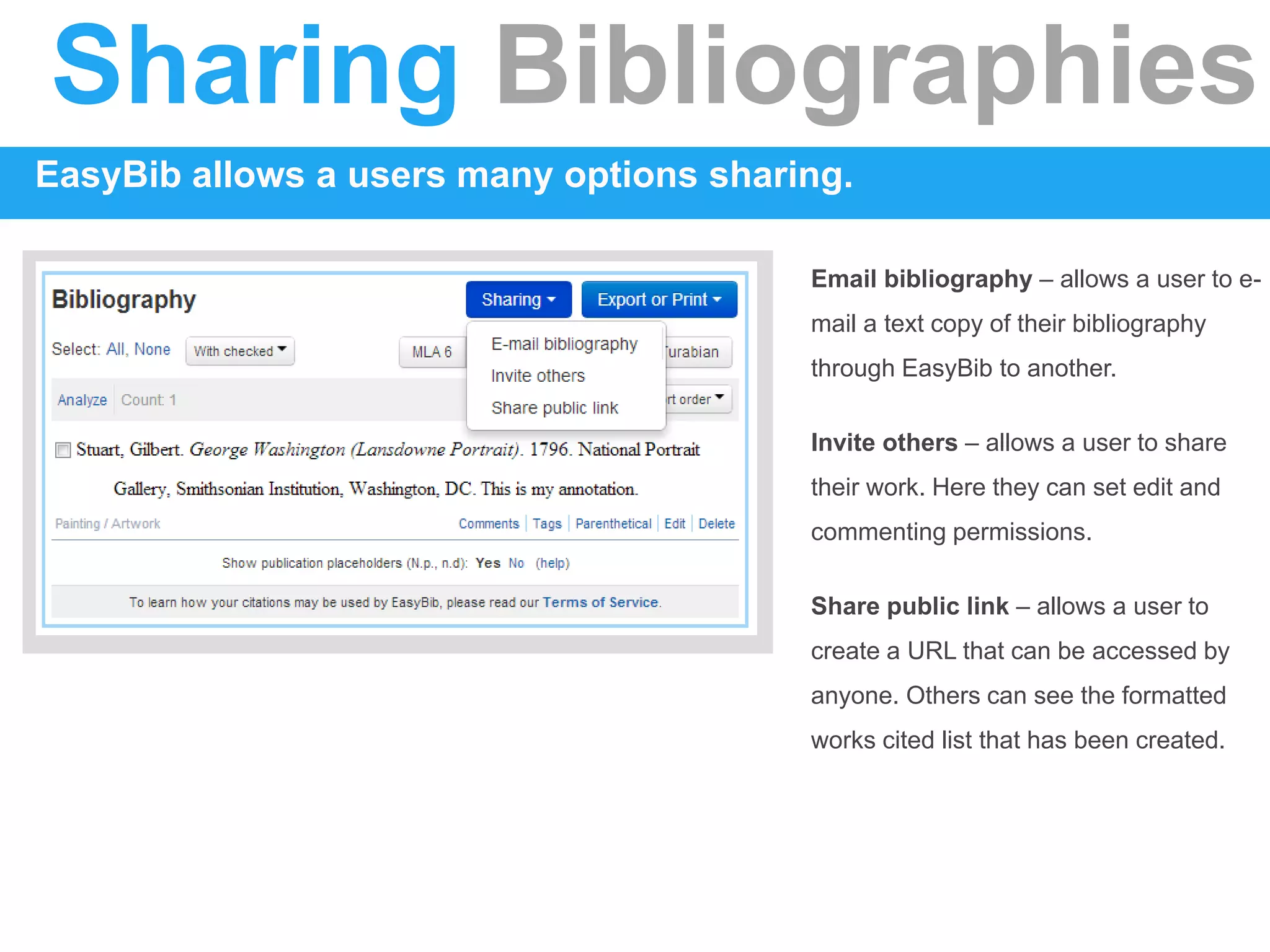
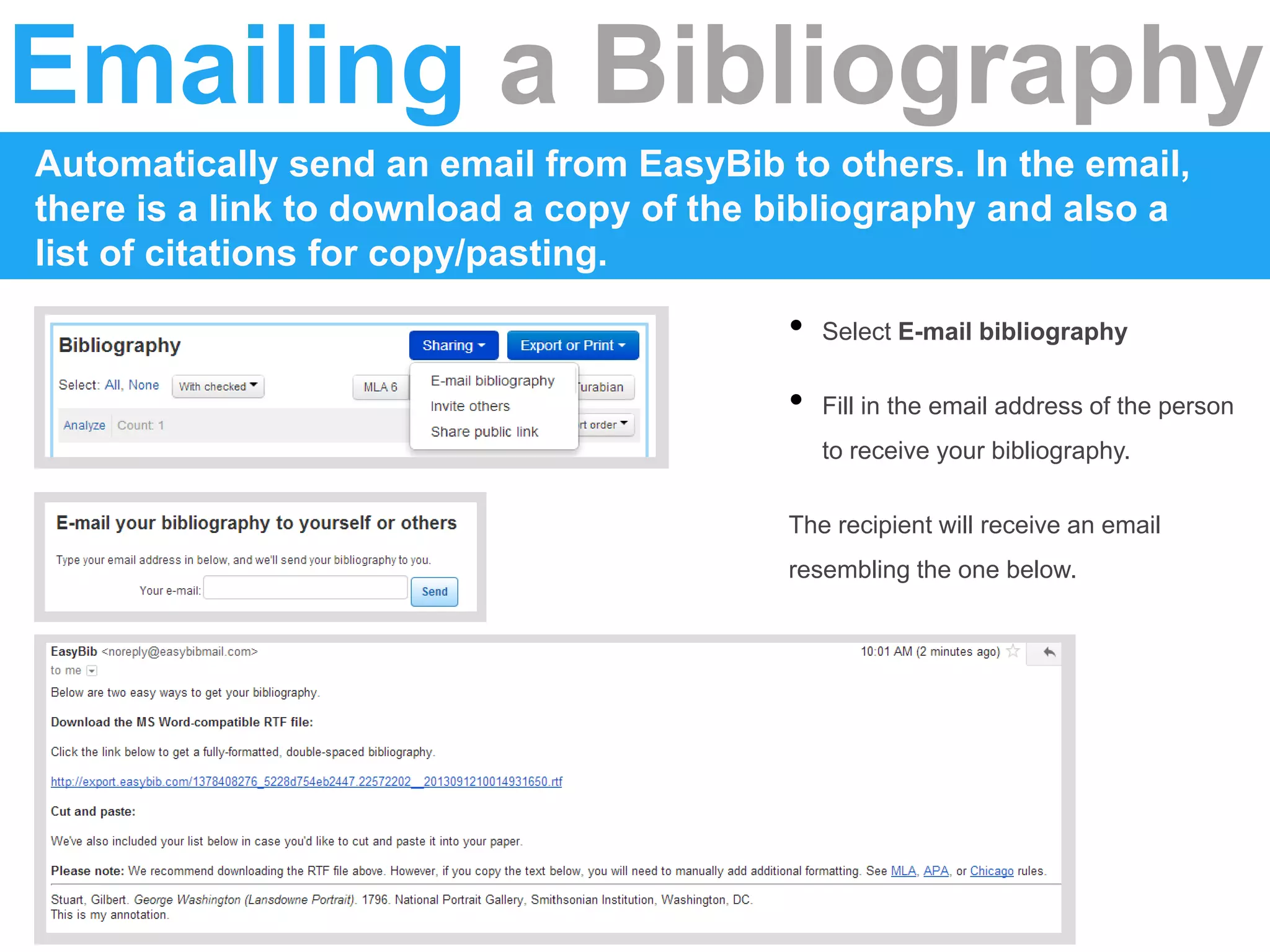
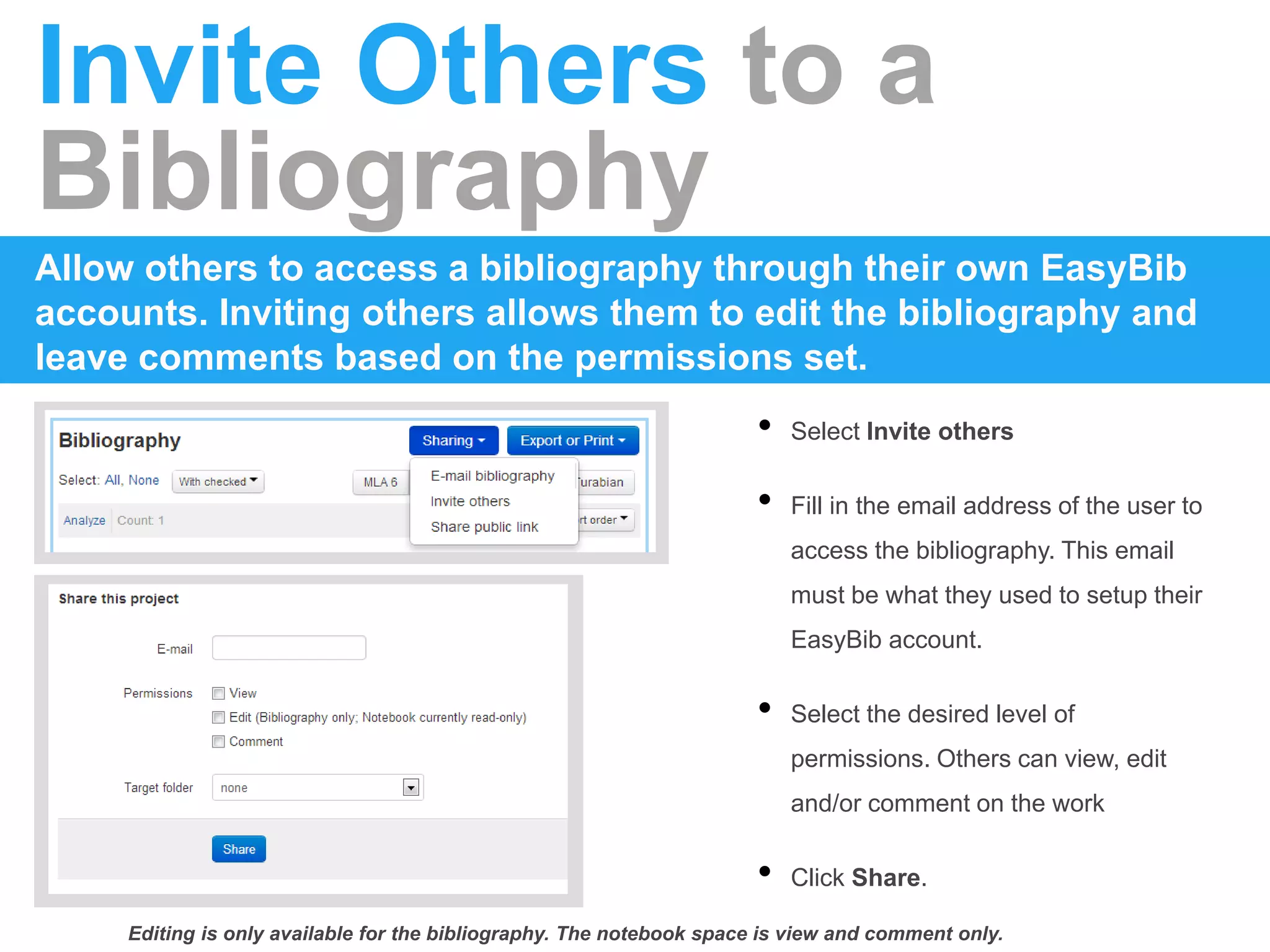
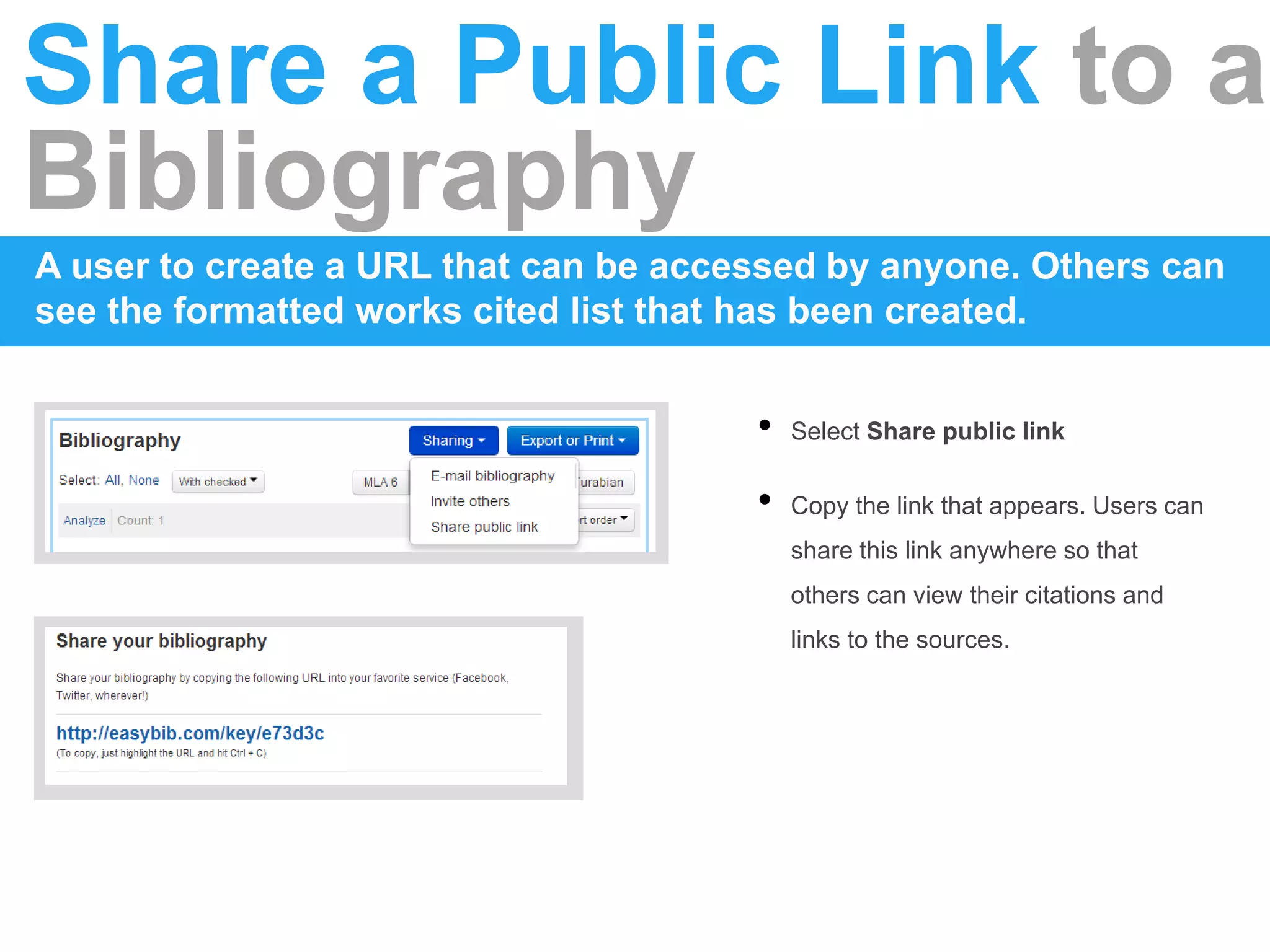
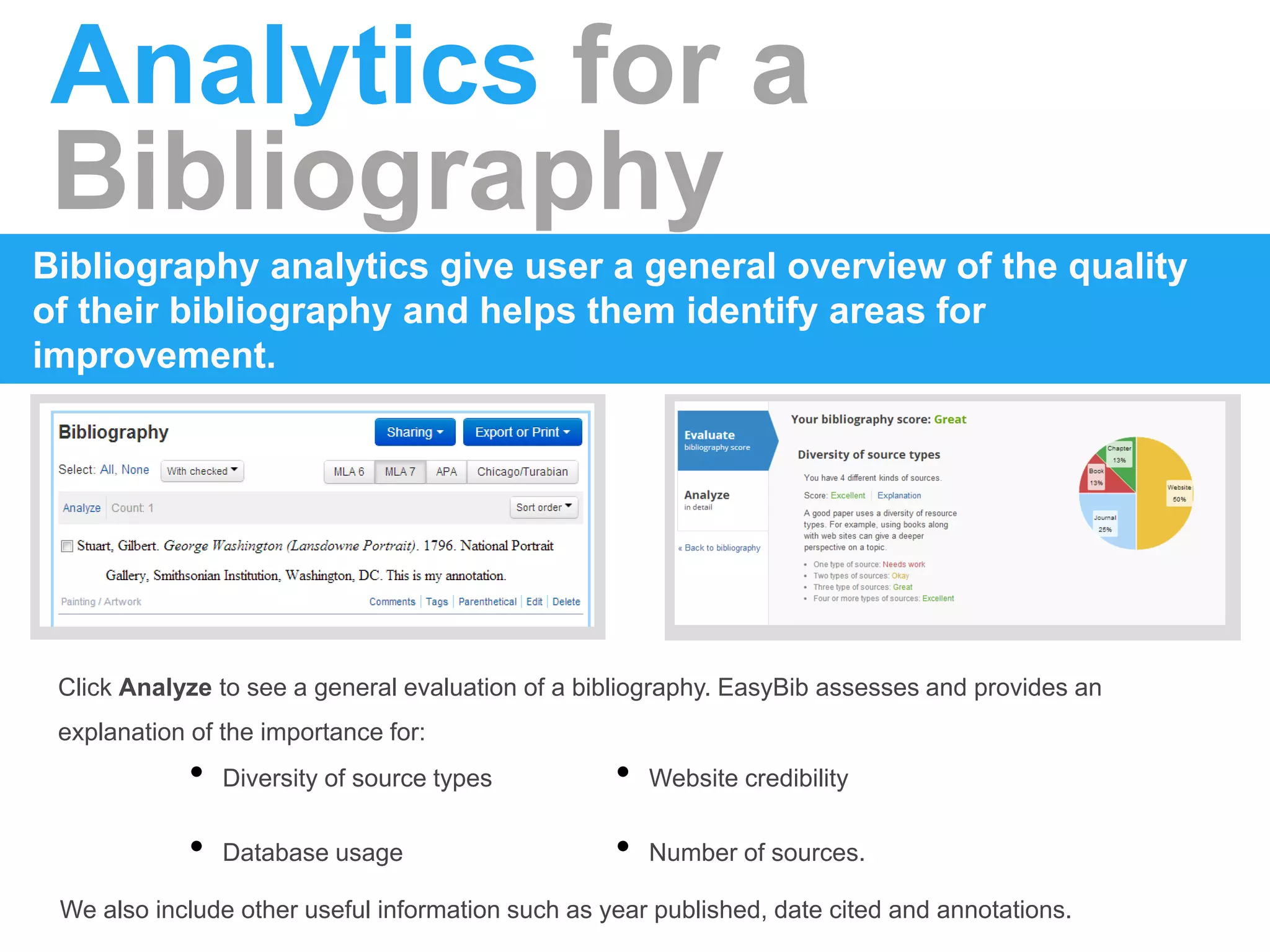
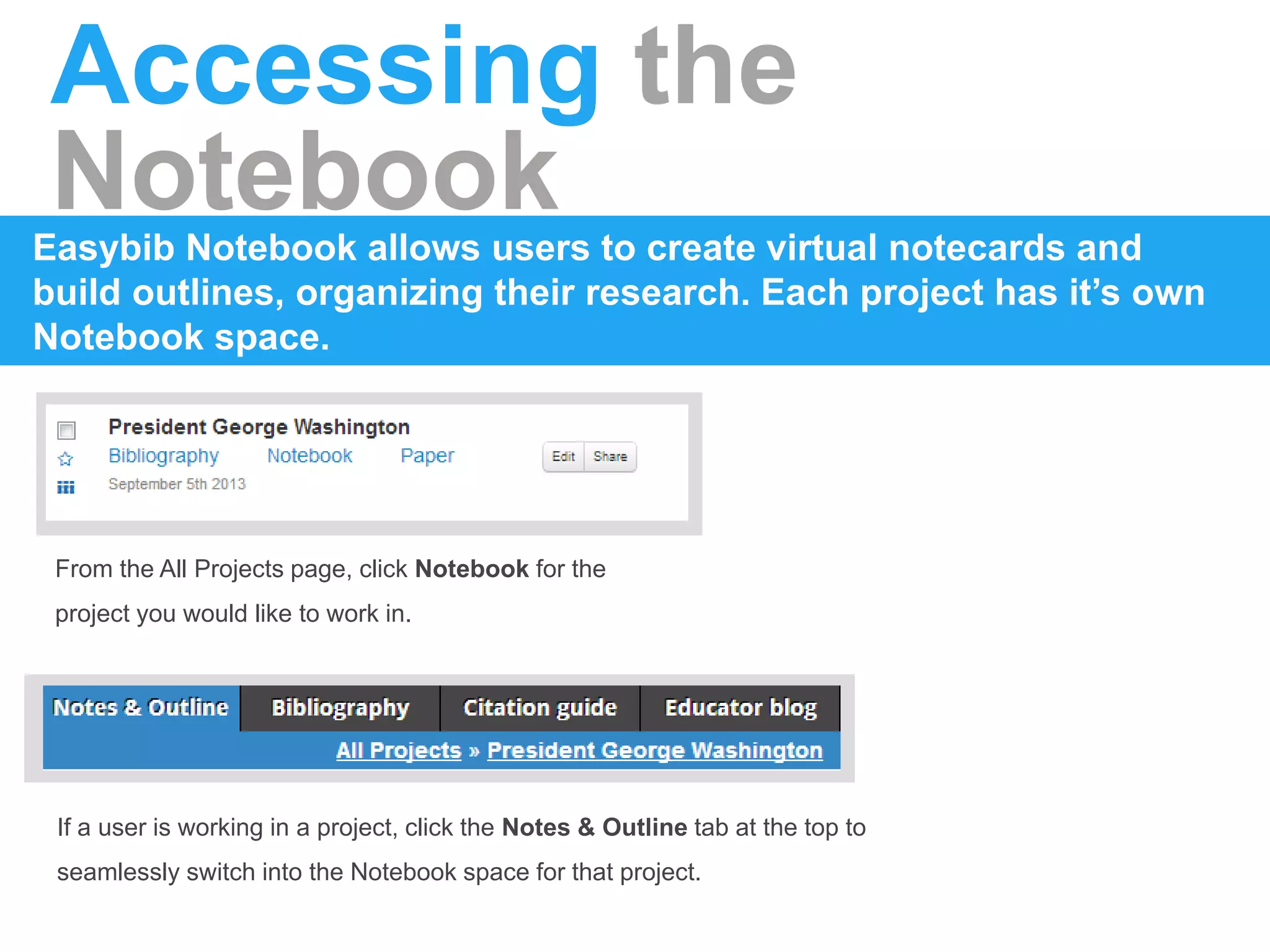
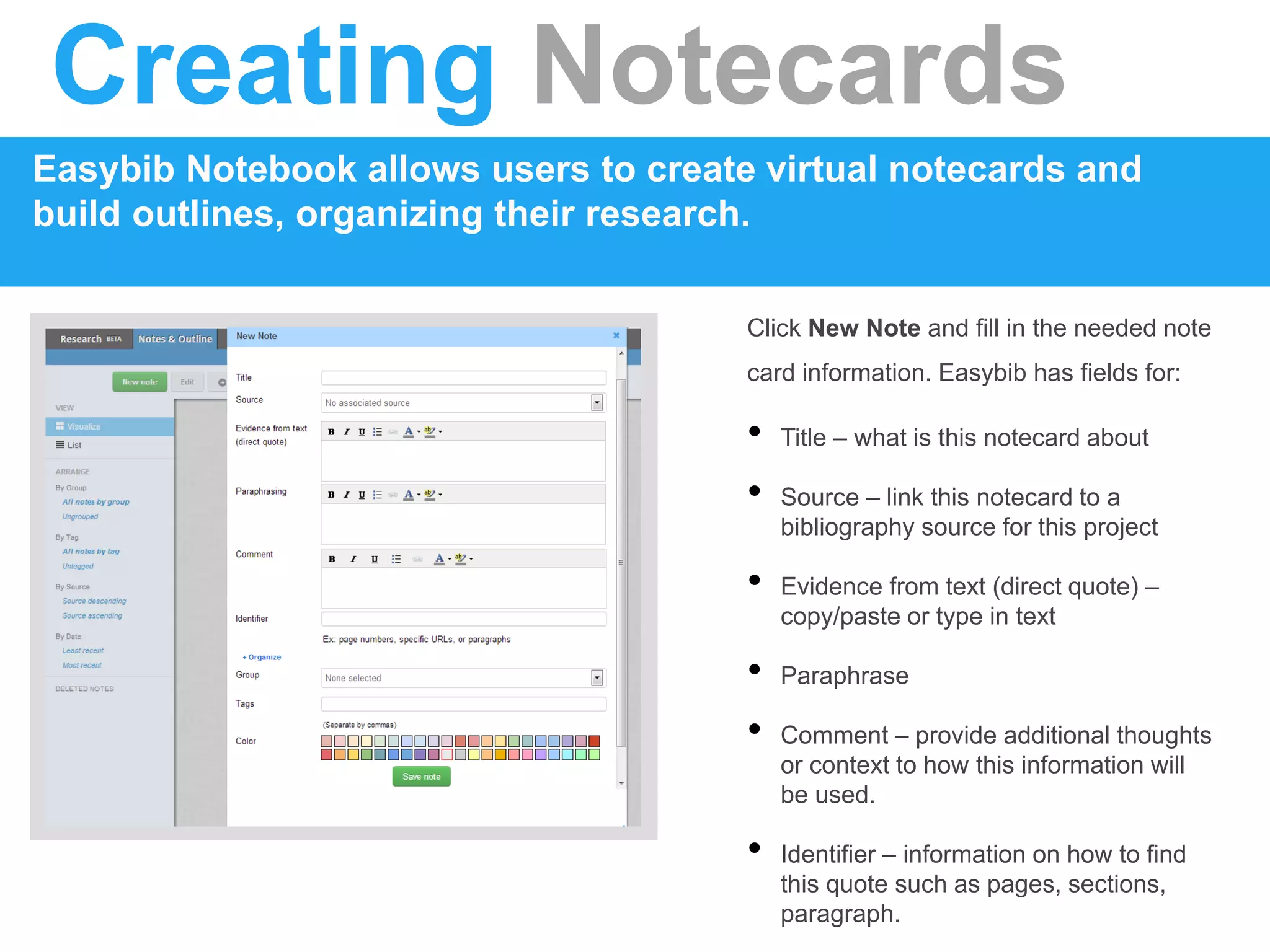
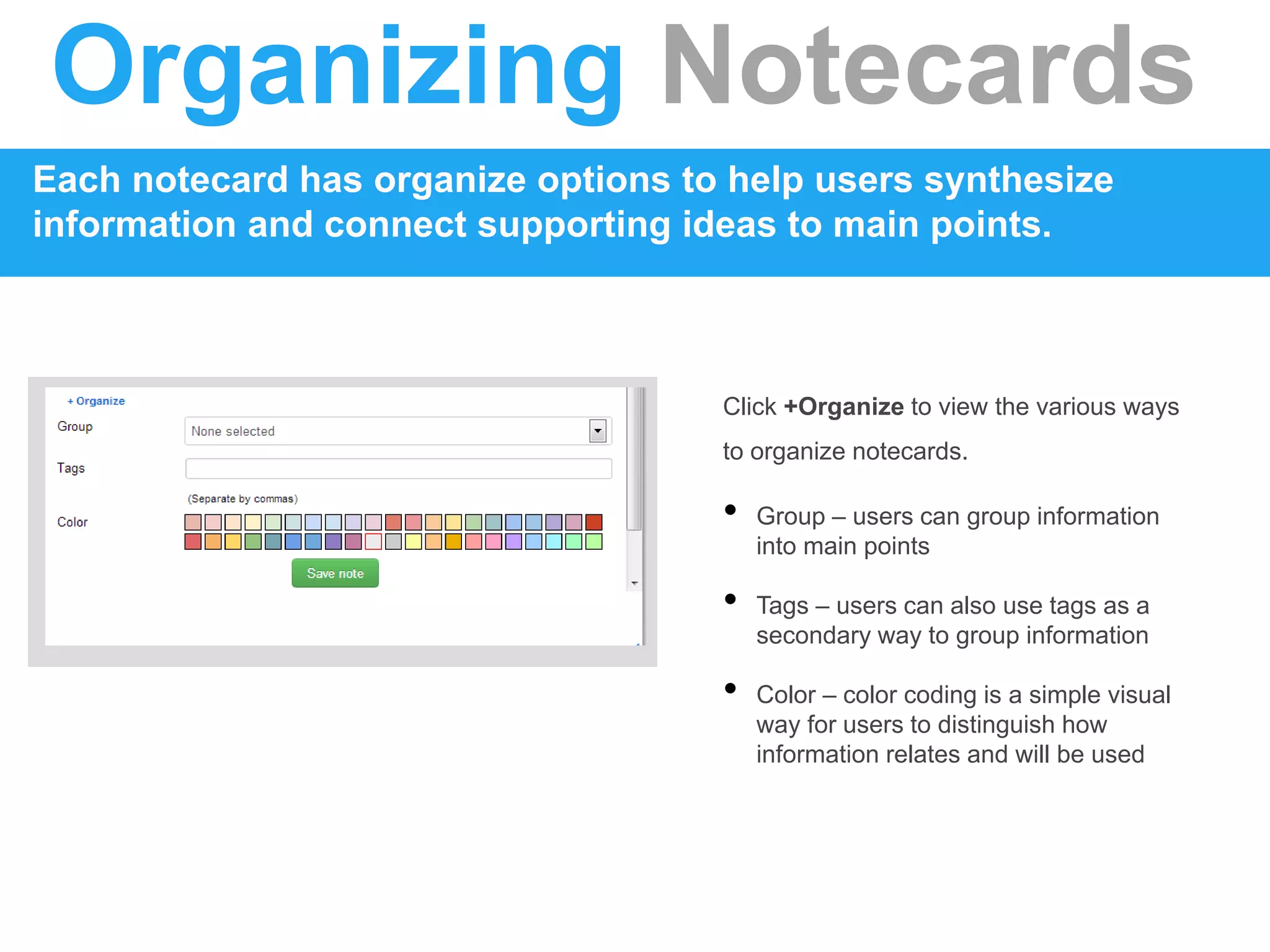
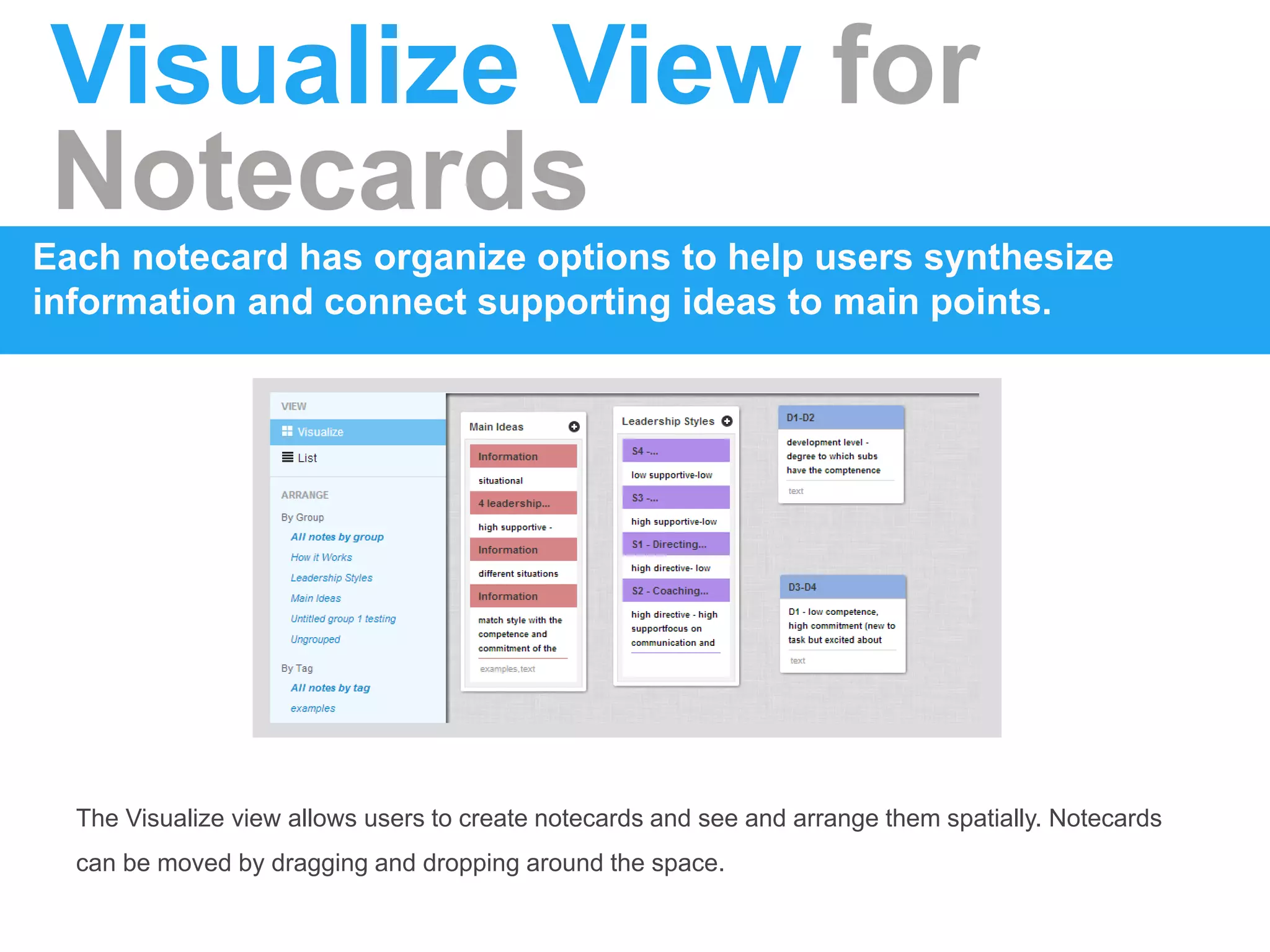
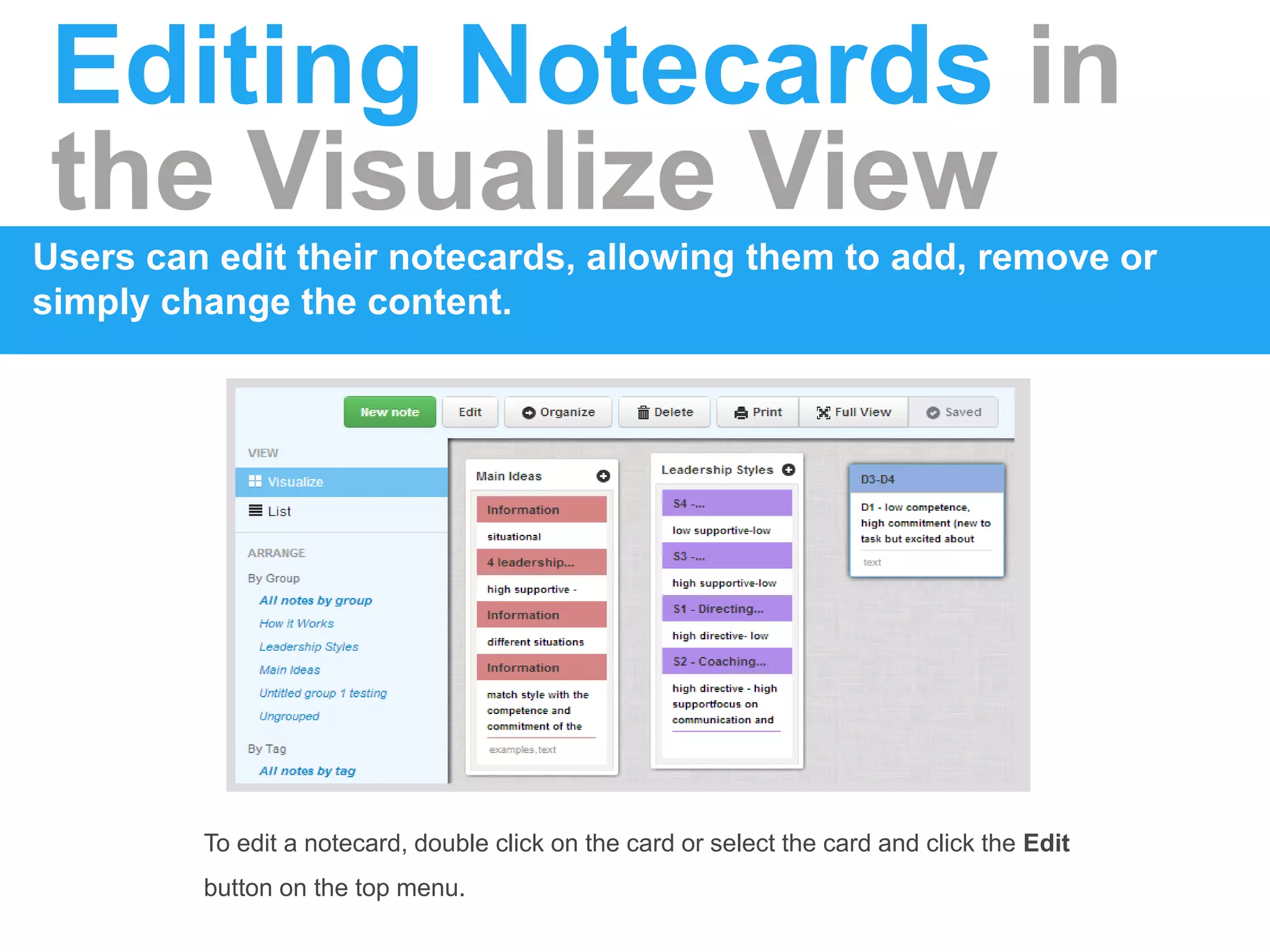
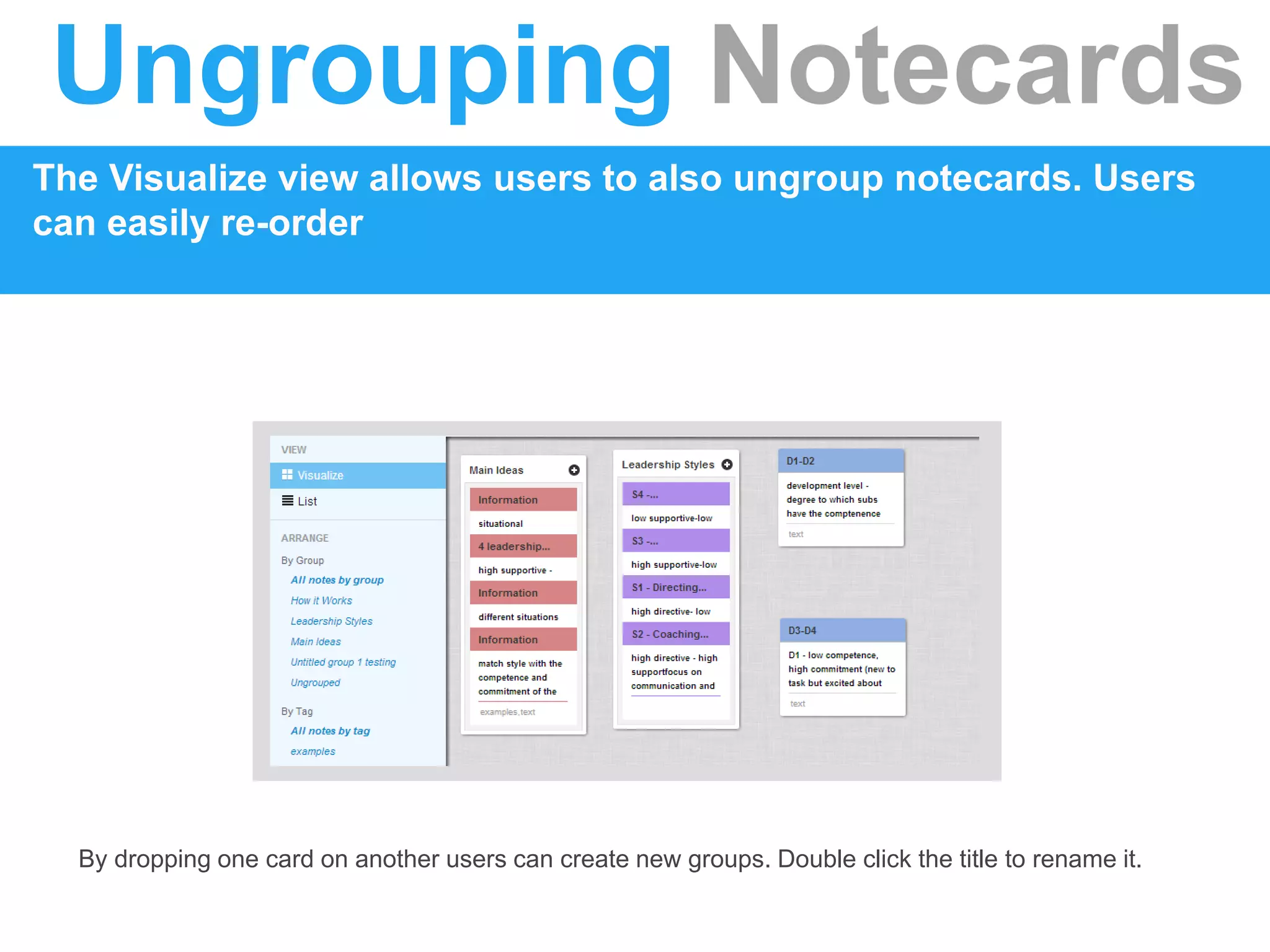
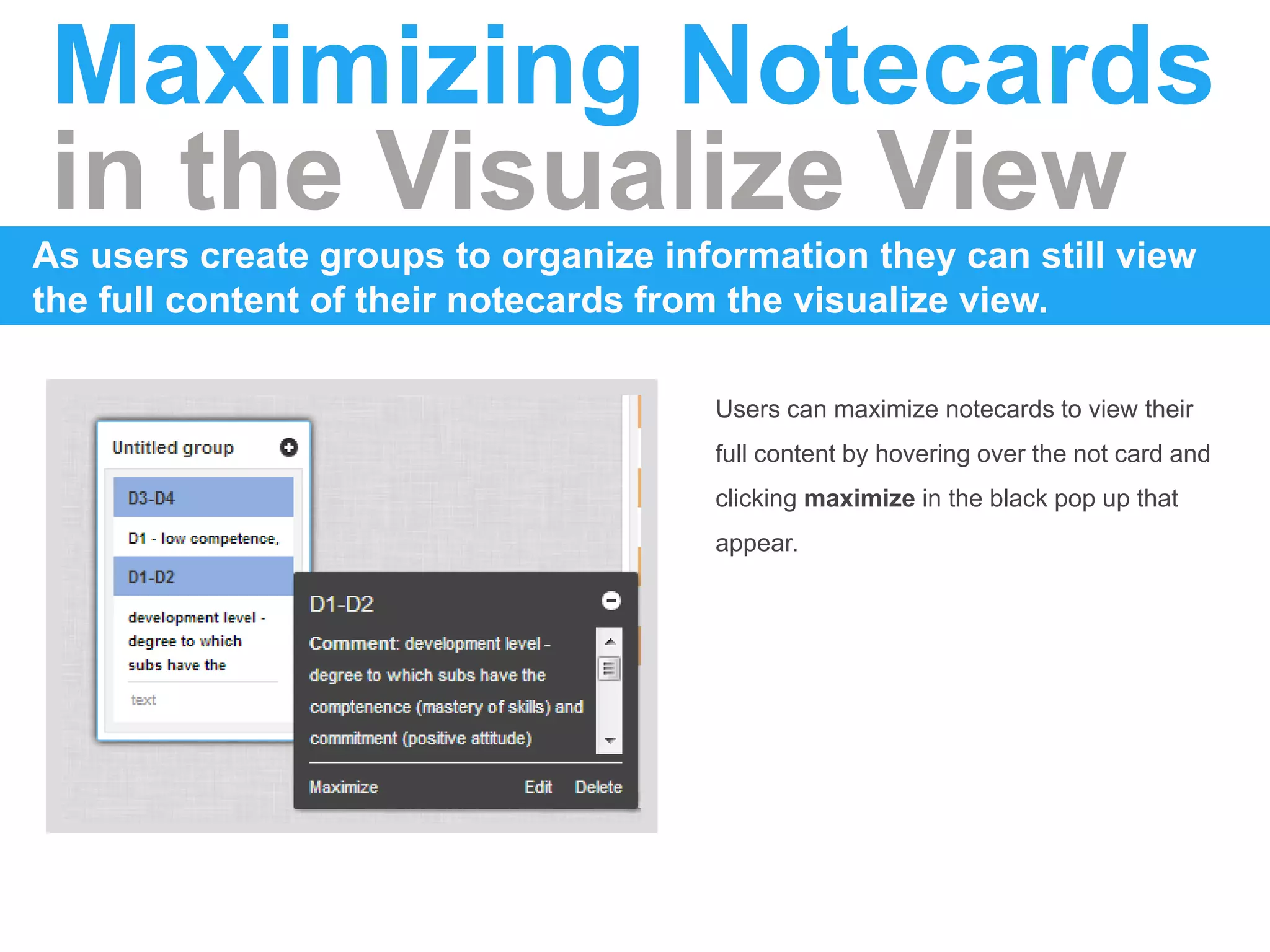
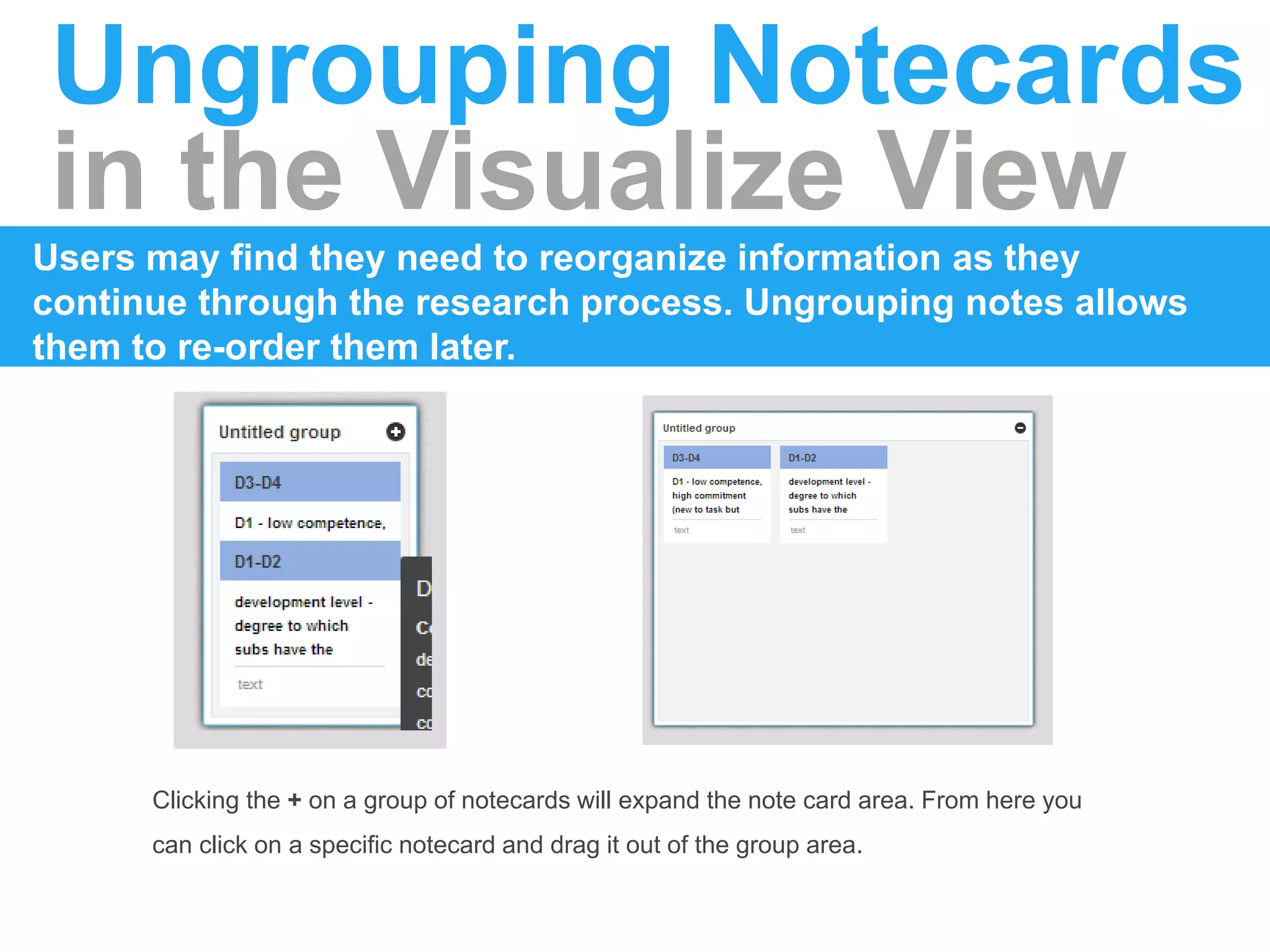
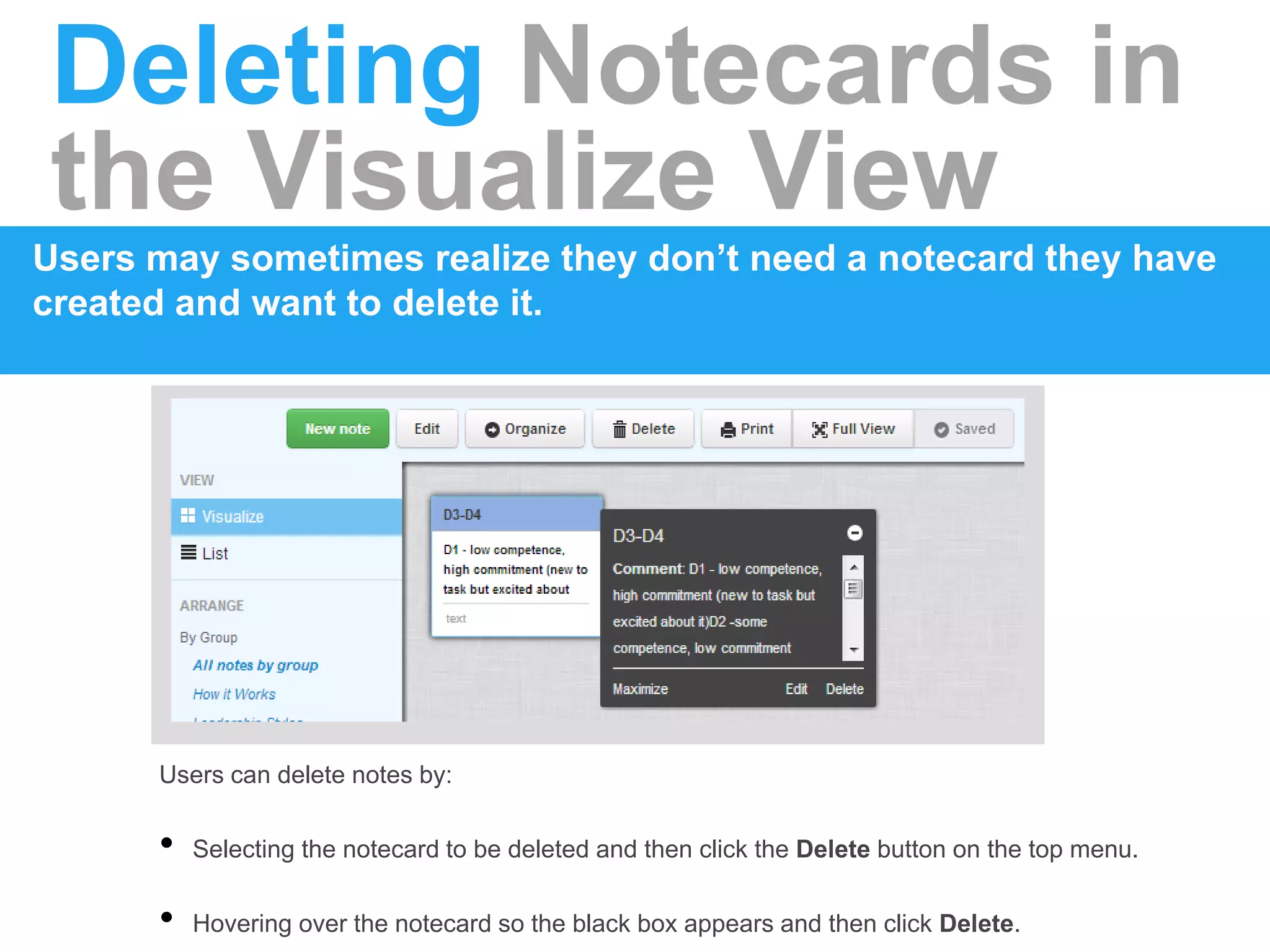
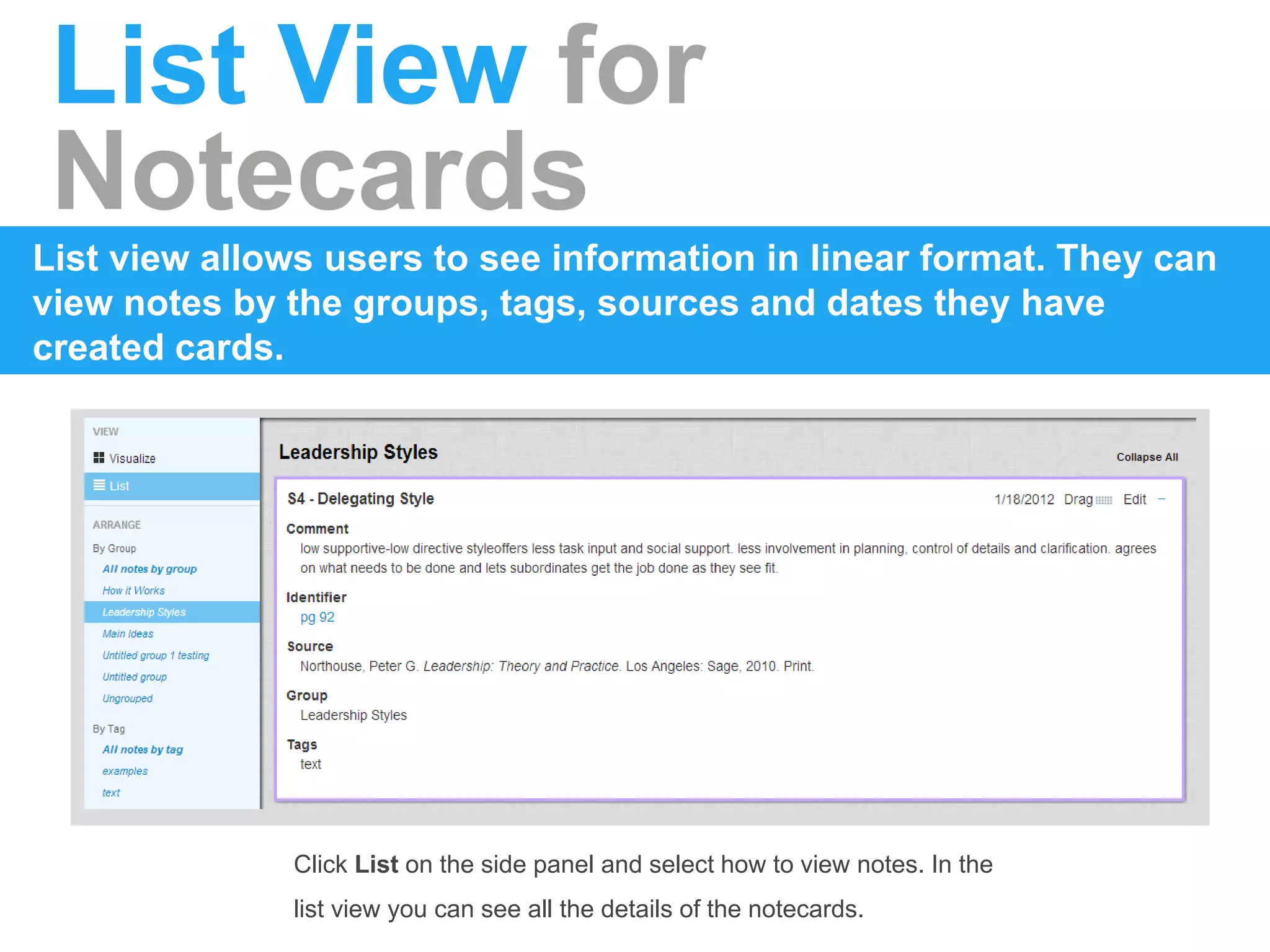
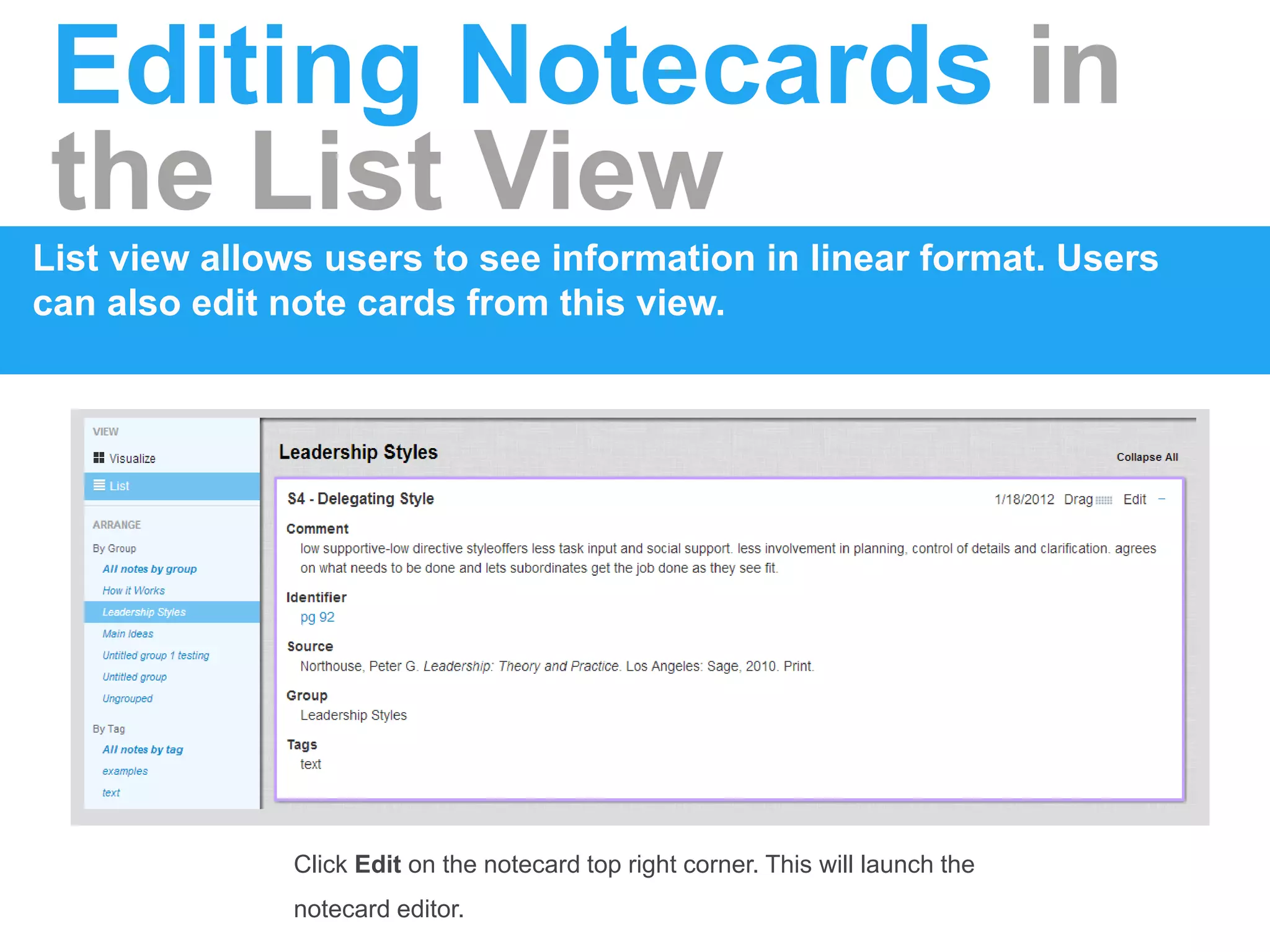
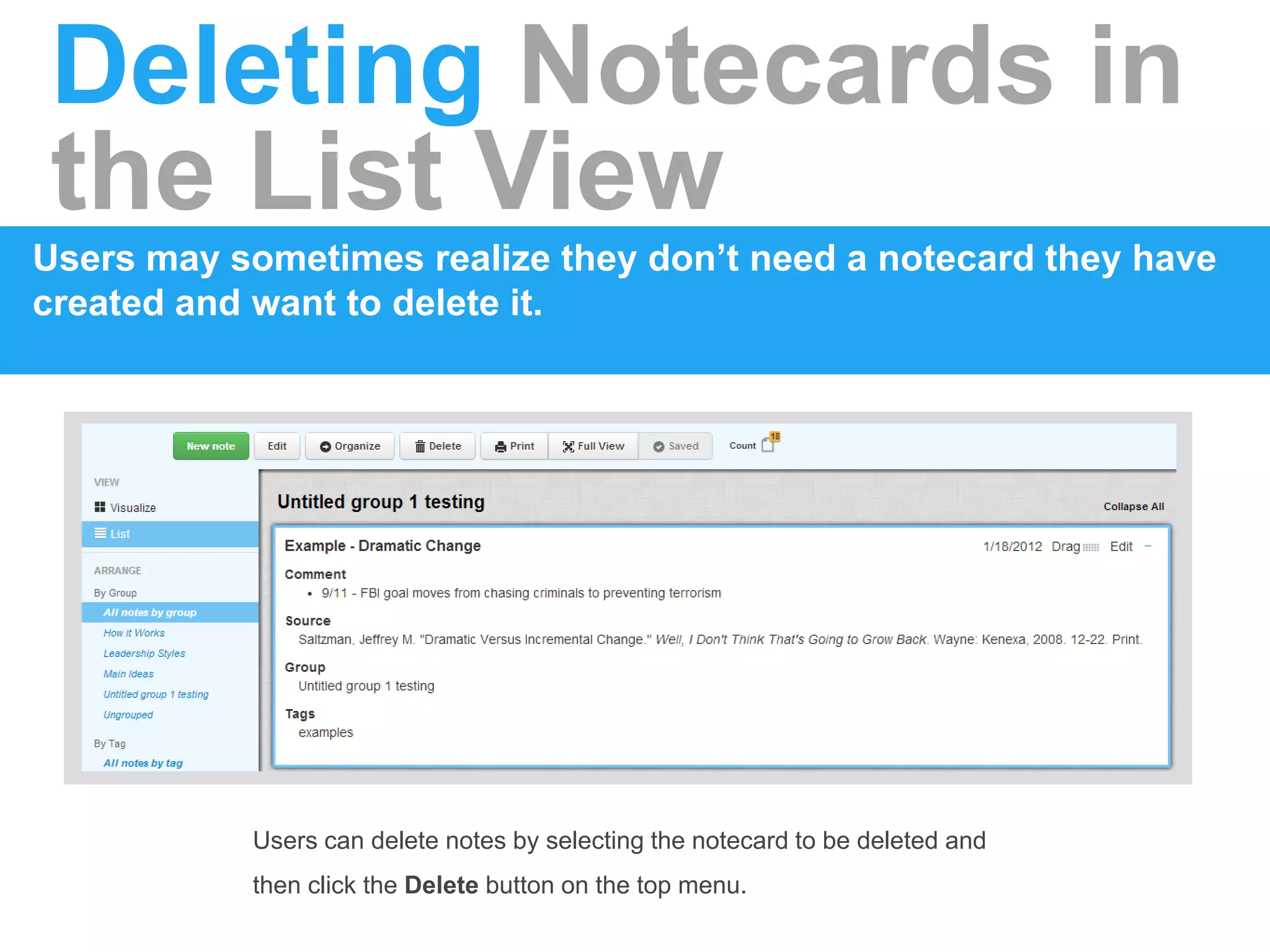
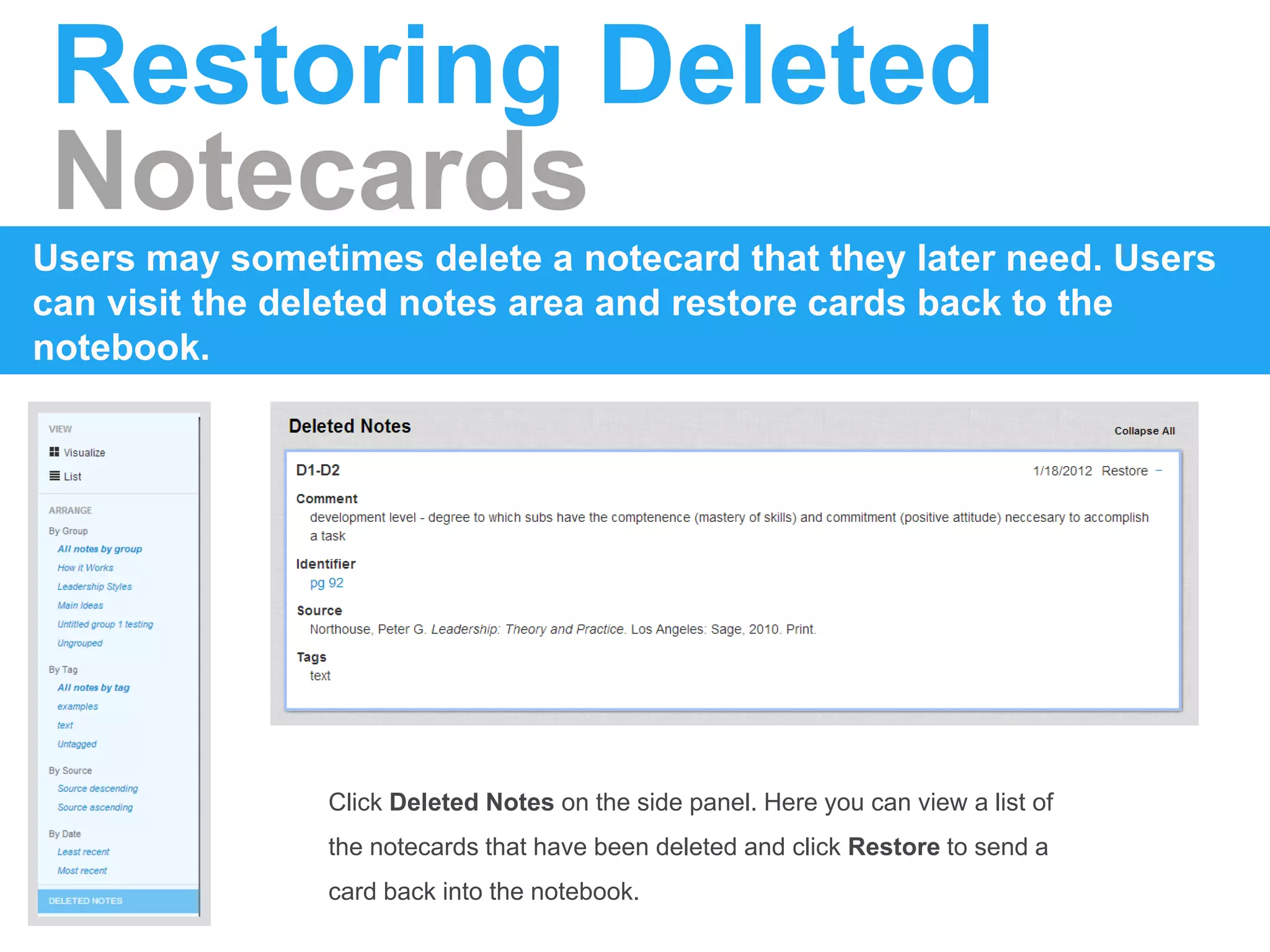
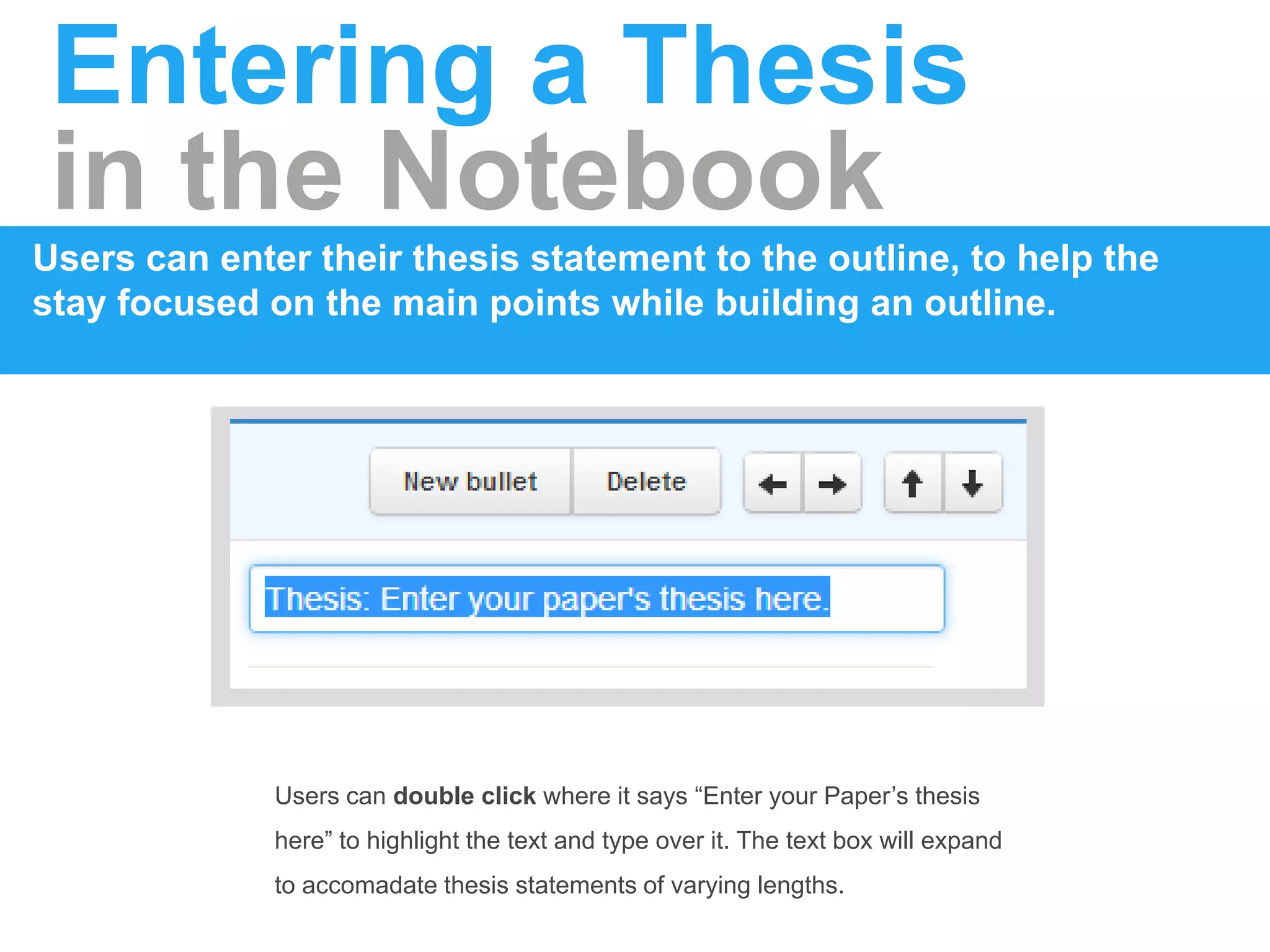
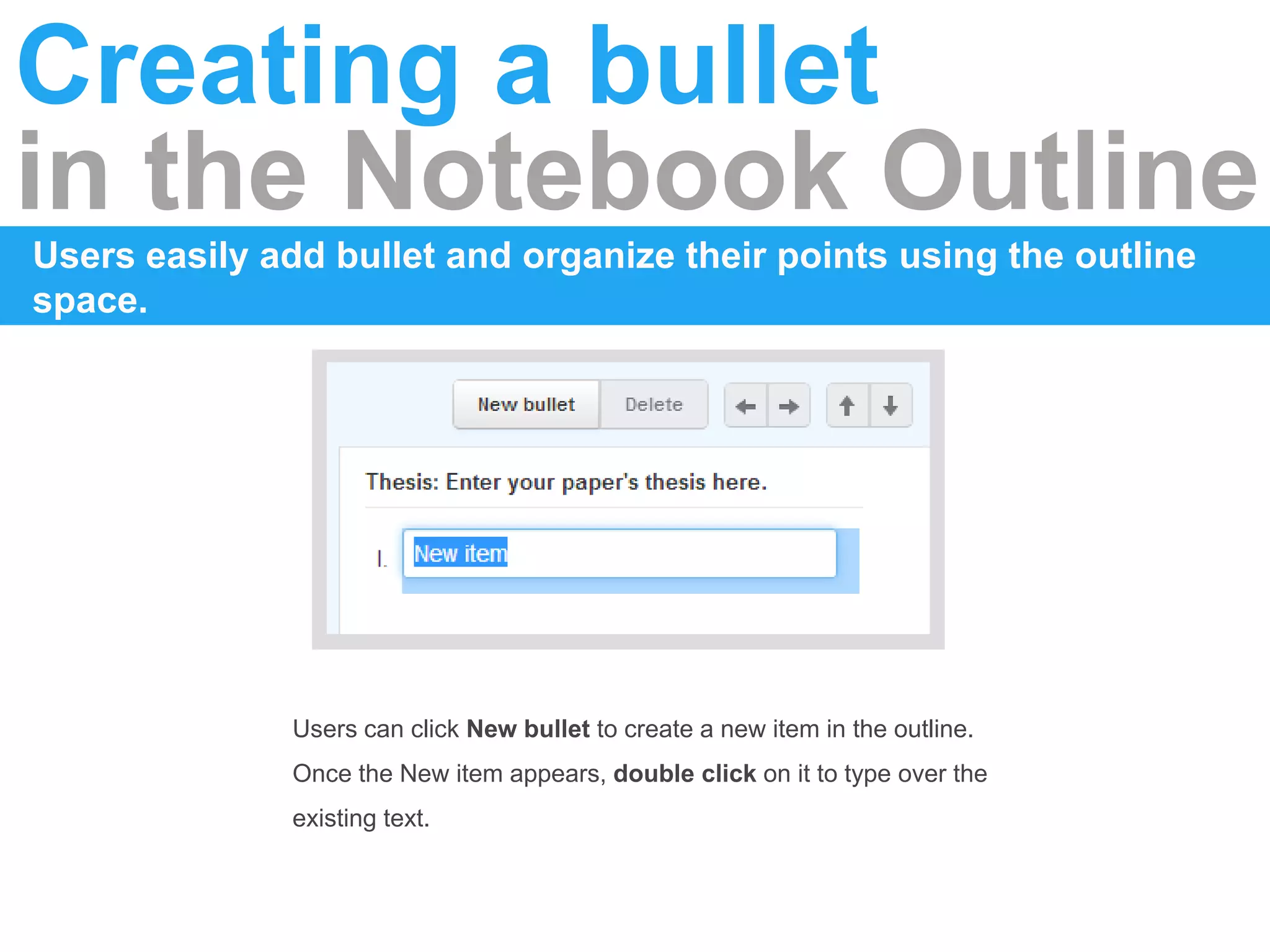
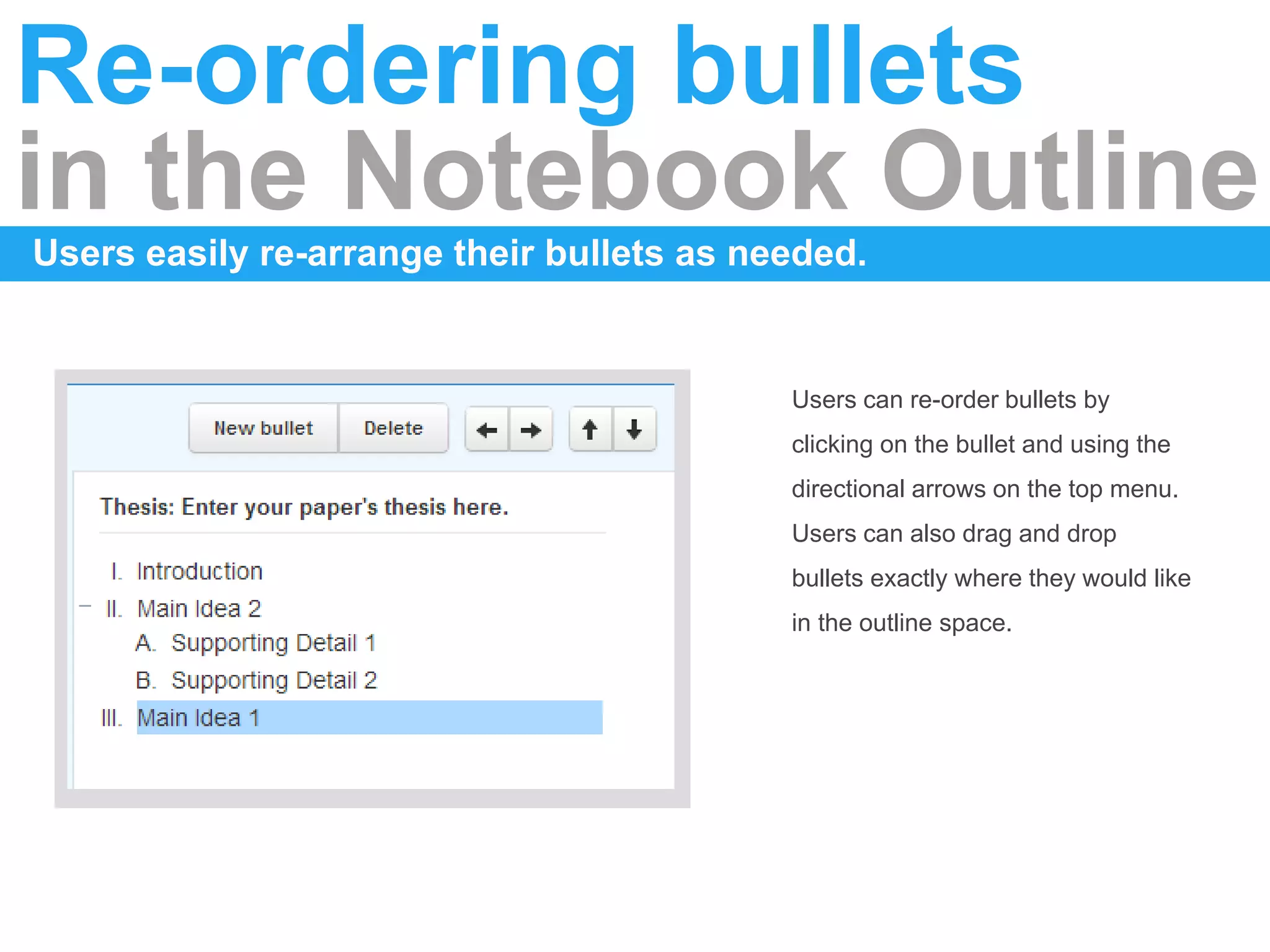
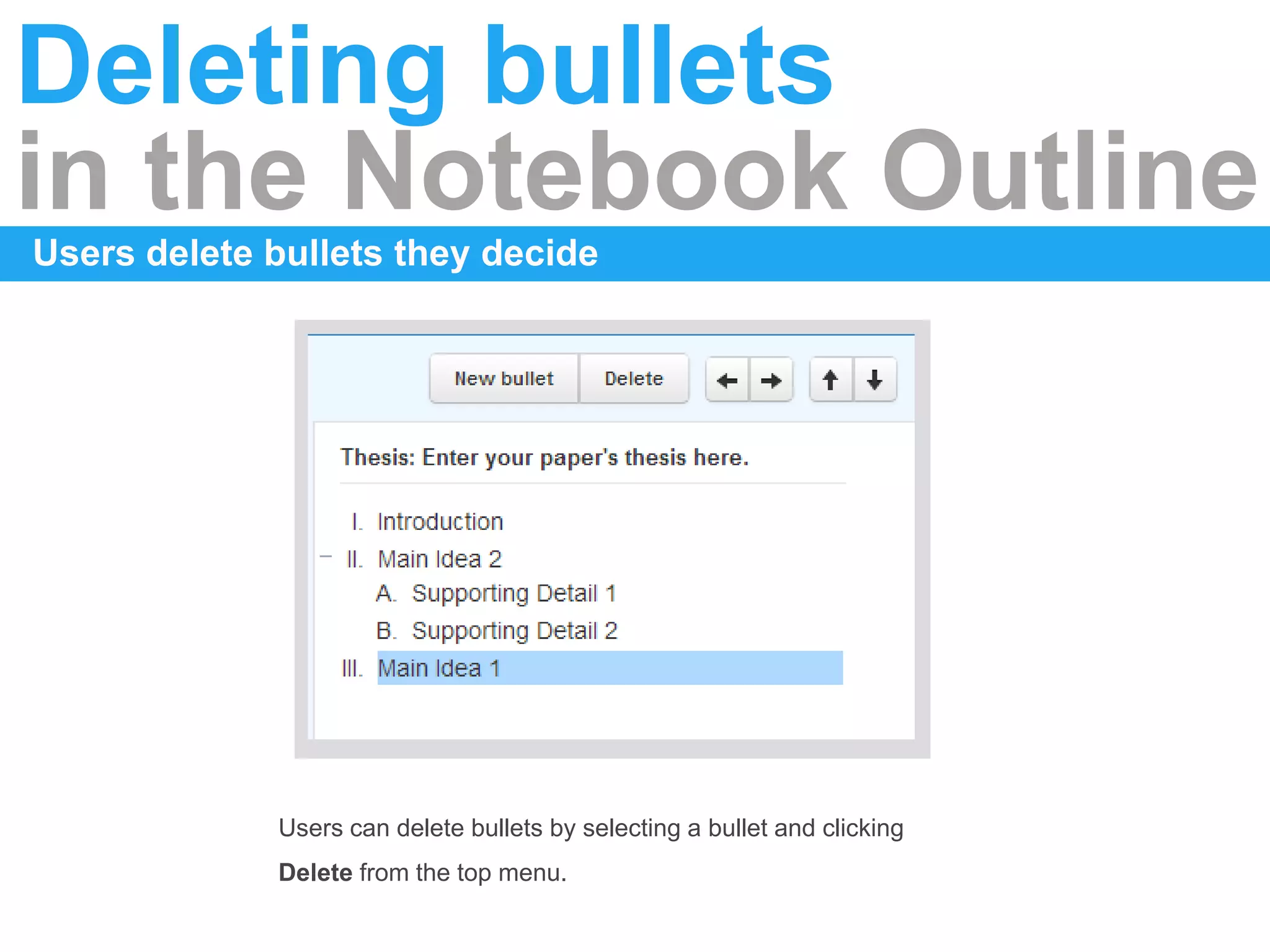
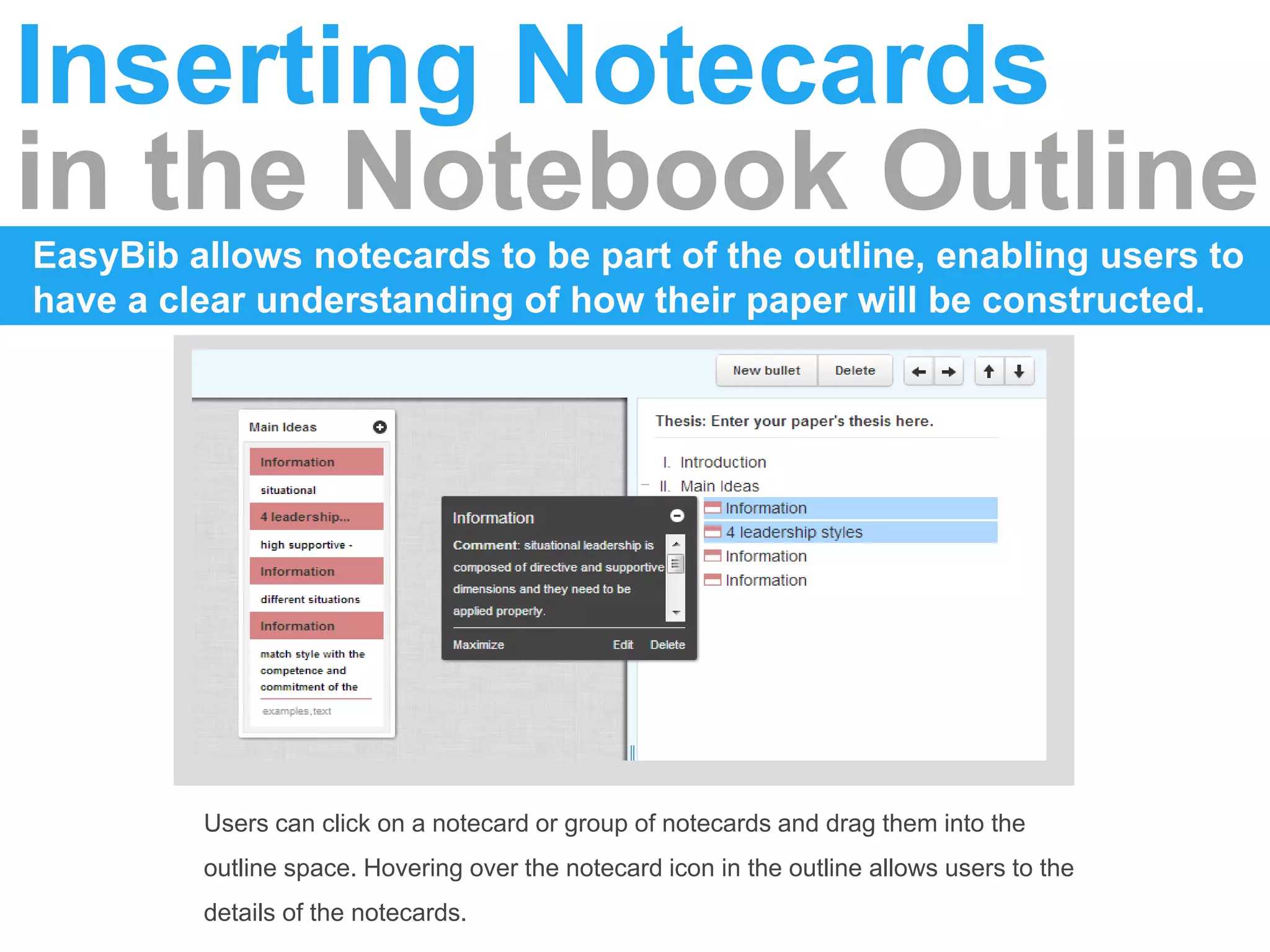
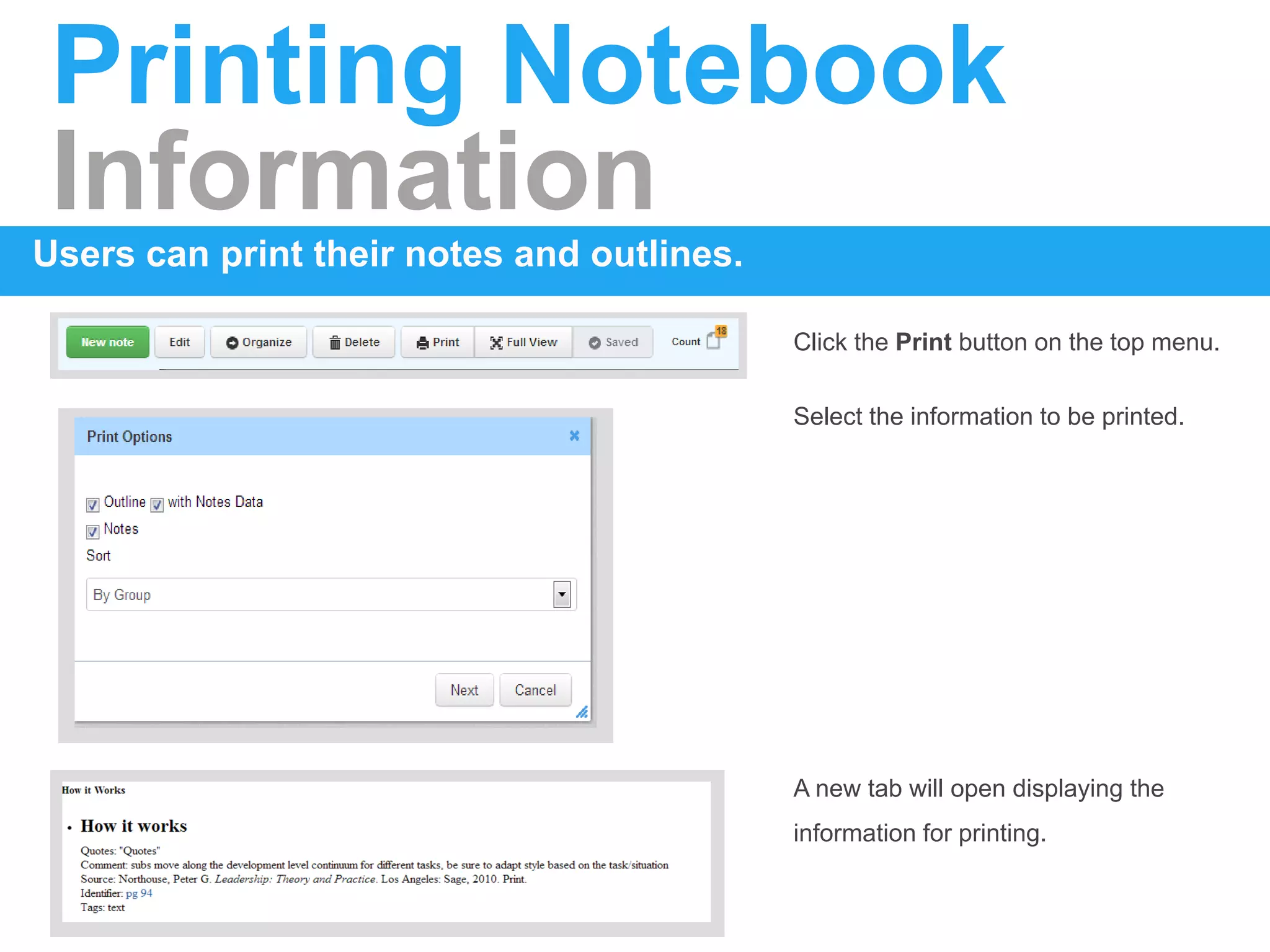
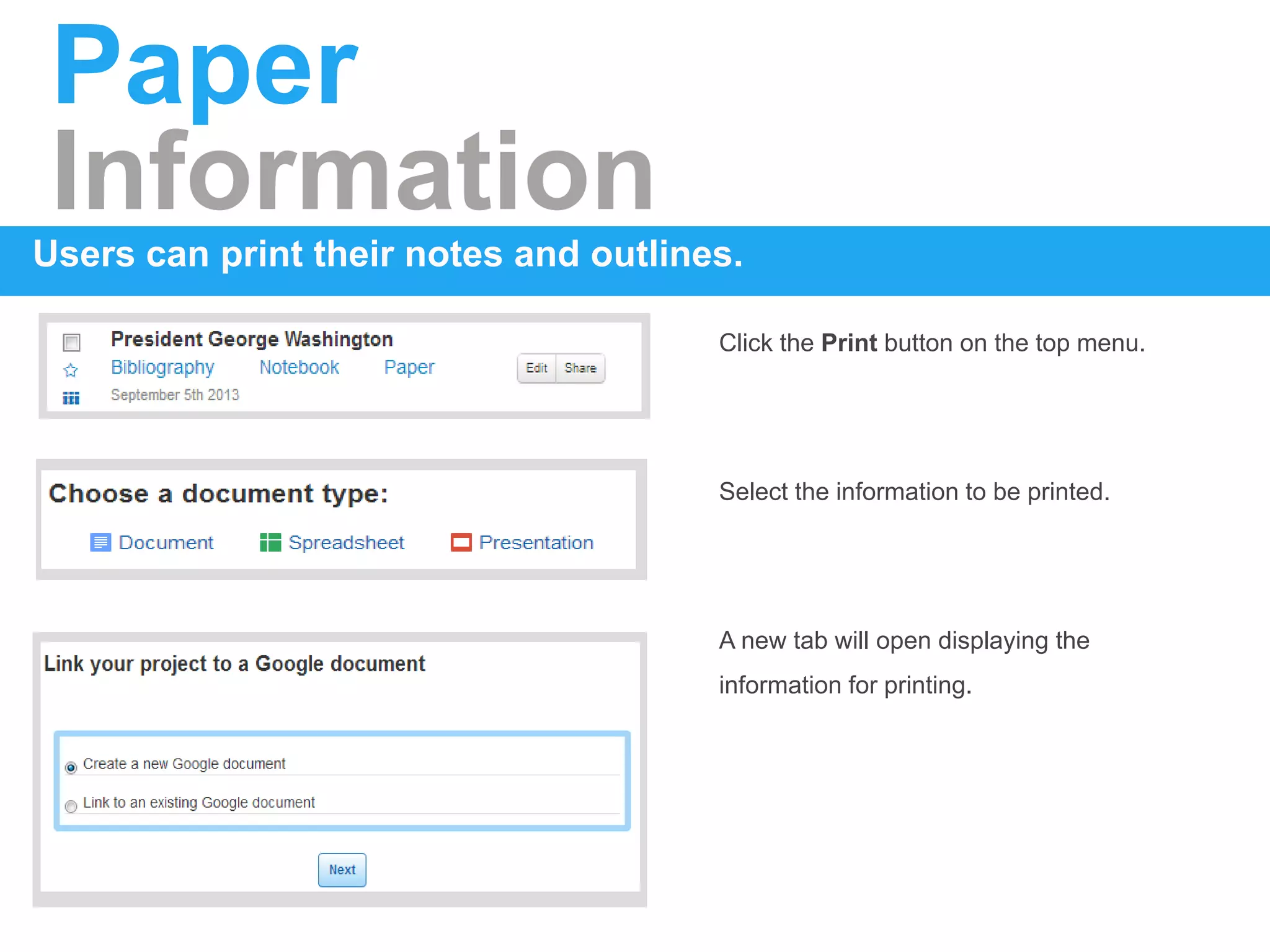

The document provides instructions for getting started with and using EasyBib School Edition. It covers how to register using IP authentication or coupon codes, create projects and organize them using folders, add citations to bibliographies using auto-cite or manual entry, take notes and create outlines in the notebook, and share or print bibliographies and research materials. The steps are broken down into concise sections with clear headings.


![Coded Agents – with UiPath SDK + LangGraph [Virtual Hands-on Workshop]](https://cdn.slidesharecdn.com/ss_thumbnails/codedagentsdeck-251215155422-5497c599-thumbnail.jpg?width=640&height=640&fit=bounds)


