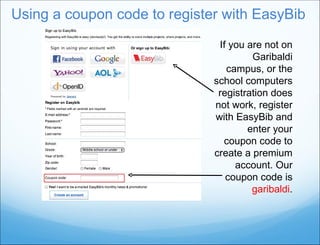
This document provides instructions for registering for EasyBib and setting up a new project bibliography. It explains how to register from school computers to get a premium EasyBib account, or by entering a coupon code if not on a school computer. It then guides the user through creating a new project, selecting a citation style, starting a bibliography, choosing a source type to cite, viewing all source types, and getting help citing specific sources.