EarthLink Business
IT Services
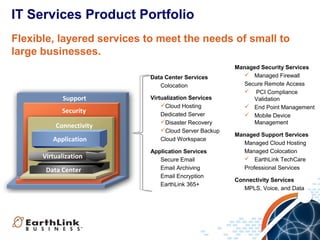
IT Services Product Portfolio
Flexible, layered services to meet the needs of small to
large businesses.
Data Center Services
Colocation

Support
Security
Connectivity
Application
Virtualization
Data Center

Virtualization Services
Cloud Hosting
Dedicated Server
Disaster Recovery
Cloud Server Backup
Cloud Workspace
Application Services
Secure Email
Email Archiving
Email Encryption
EarthLink 365+

Managed Security Services
 Managed Firewall
Secure Remote Access
 PCI Compliance
Validation
 End Point Management
 Mobile Device
Management
Managed Support Services
Managed Cloud Hosting
Managed Colocation
 EarthLink TechCare
Professional Services
Connectivity Services
MPLS, Voice, and Data
“Network will sometimes enable IT Services sales. IT
Services will always enable Network sales.”
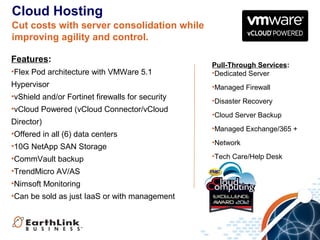
Cloud Hosting
Cut costs with server consolidation while
improving agility and control.
Features:
•Flex Pod architecture with VMWare 5.1

Pull-Through Services:
•Dedicated Server

Hypervisor

•Managed Firewall

•vShield and/or Fortinet firewalls for security
•vCloud Powered (vCloud Connector/vCloud
Director)
•Offered in all (6) data centers

•Disaster Recovery
•Cloud Server Backup
•Managed Exchange/365 +

•10G NetApp SAN Storage

•Network

•CommVault backup

•Tech Care/Help Desk

•TrendMicro AV/AS
•Nimsoft Monitoring
•Can be sold as just IaaS or with management
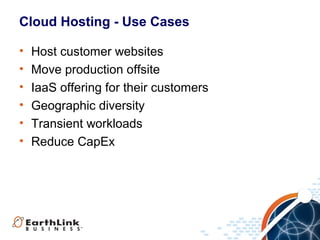
Cloud Hosting - Use Cases
•
•
•
•
•
•

Host customer websites
Move production offsite
IaaS offering for their customers
Geographic diversity
Transient workloads
Reduce CapEx
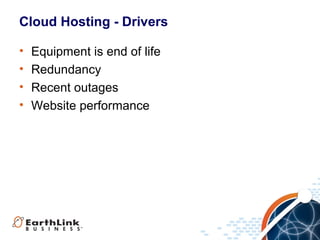
Cloud Hosting - Drivers
•
•
•
•

Equipment is end of life
Redundancy
Recent outages
Website performance
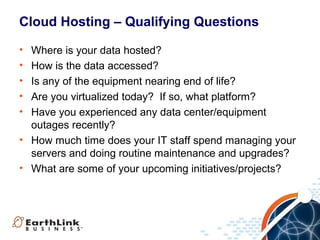
Cloud Hosting – Qualifying Questions
•
•
•
•
•

Where is your data hosted?
How is the data accessed?
Is any of the equipment nearing end of life?
Are you virtualized today? If so, what platform?
Have you experienced any data center/equipment
outages recently?
• How much time does your IT staff spend managing your
servers and doing routine maintenance and upgrades?
• What are some of your upcoming initiatives/projects?
Cloud Disaster Recovery

Features:
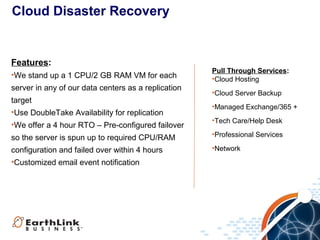
•We stand up a 1 CPU/2 GB RAM VM for each
server in any of our data centers as a replication
target
•Use DoubleTake Availability for replication
•We offer a 4 hour RTO – Pre-configured failover

Pull Through Services:
•Cloud Hosting
•Cloud Server Backup
•Managed Exchange/365 +
•Tech Care/Help Desk

so the server is spun up to required CPU/RAM

•Professional Services

configuration and failed over within 4 hours
•Customized email event notification

•Network
Cloud Disaster Recovery - Drivers
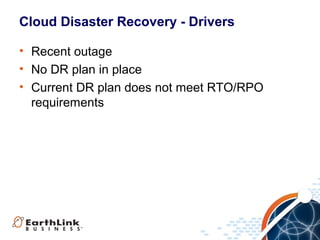
• Recent outage
• No DR plan in place
• Current DR plan does not meet RTO/RPO
requirements
Cloud Hosting – Qualifying Questions
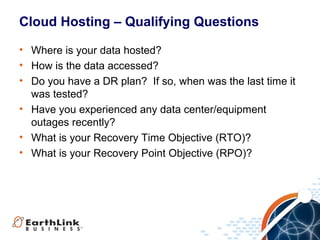
• Where is your data hosted?
• How is the data accessed?
• Do you have a DR plan? If so, when was the last time it
was tested?
• Have you experienced any data center/equipment
outages recently?
• What is your Recovery Time Objective (RTO)?
• What is your Recovery Point Objective (RPO)?
Cloud Server Backup
Features:
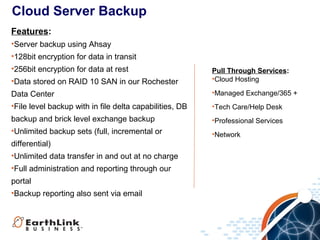
•Server backup using Ahsay
•128bit encryption for data in transit
•256bit encryption for data at rest
•Data stored on RAID 10 SAN in our Rochester

Pull Through Services:
•Cloud Hosting

Data Center
•File level backup with in file delta capabilities, DB

•Managed Exchange/365 +

backup and brick level exchange backup
•Unlimited backup sets (full, incremental or

•Professional Services

differential)
•Unlimited data transfer in and out at no charge
•Full administration and reporting through our
portal
•Backup reporting also sent via email

•Tech Care/Help Desk

•Network
Cloud Server Backup - Drivers
• Recent data loss
• Need to get data offsite
• Current backup is to tape
Cloud Server Backup – Qualifying Questions
•
•
•
•

Where is your data hosted?
Is the data backed up today? If so, how?
Are your backups encrypted?
Have you experienced any data center/equipment
outages recently?
• What is your Recovery Time Objective (RTO)?
• What is your Recovery Point Objective (RPO)?
• How much time does your staff spend managing
backups?
Managed Firewall
Features:
•Flexible services, on-premises or cloud
Integrated risk management across IT and
voice/data networks
•CISSP & CISA-certified security professionals
Industry expertise & documented security
policies/procedures to support compliance
•24/7/365 monitoring, alerts, and support

Pull Through Services:
•Cloud Hosting
•Cloud Disaster Recovery
•Tech Care/Help Desk
•Professional Services
•Network
Managed Firewall
Fortinet Premise Based firewall
•URL filtering
•Content filtering
•Intrusion prevention
•AV/AS
•Application control
•Hosted Network Security
Cloud based Fortinet FW
•URL filtering
•Content filtering
•Intrusion prevention
•AV/AS
•Application control
Data Center FW:
•Fortinet shared FW
•URL filtering
•Intrusion prevention
•AV/AS
•Application control
Managed Firewall - Drivers
• Recent security breach
• Using multiple devices for security
• Multiple sites
Managed Firewall – Qualifying Questions
•
•
•
•
•

Where is your data hosted?
How are you securing your data?
Who manages your firewall?
Do you have IPS protection? AV/AS? Content filtering?
How much time does your staff spend managing
security?
PCI Compliance Validation
Features:
•Supports PCI DSS Level 2 – 4
•Supported by ANX
•Portal based
•PCI knowledge base
•Training for business owner, IT manager and
cashiers with tracking
•ASV scans
•SAQ wizard
•Policy templates
•$100k data breach protection per site (max $500k)
•Free with EarthLink MPLS (promo)

Pull-Through Services:
•Direct Connect
•Managed Firewall
•Professional Services
•Network
PCI Compliance Validation - Drivers
• Letter/Fines from credit card processor
• Does not have formal PCI training and tracking
in place
• Need assistance completing SAQ
• Multiple sites
PCI Compliance Validation – Qualifying Questions
• Have you completed your SAQ?
• Do you have formal PCI training in place? If yes, how
are you tracking it?
• Can you demonstrate that each employee has read and
understood the company security policy and
procedures?
• When is the last time you performed a ASV scan? Was
it successful?
Endpoint Management/Mobile Device Management
Features:
•Endpoint security for all PC/Macs in customer’s
environment
•AV/AS protection
•Patch Management
•Asset tracking
•Software distribution
•Web content filtering
•Monitoring
•Helpdesk with case tracking & reporting
•Policy control
•Device Encryption and remote data destruction
(add on)
•Backup and restore (add on)

Pull-Through Services:
•EarthLink 365 +
•Network
•Professional Services
EPM/MDM - Drivers
• Small IT staff
• Remote users
• Frequent travel by employees requiring remote
access
• Need automated patching and software
deployment
• Need automated equipment tracking
• IT staff spending excessive time on internal
support
EPM/MDM – Qualifying Questions
• How do you support workstations and mobile devices
today?
• How do you track assets?
• How do you deploy software?
• How do you patch workstations in your environment?
• Where are your employees based?
• How do you handle support for employees who are
traveling?
• How do you handle data on user mobile devices when
they leave the company?
• How much of your IT staff time is spent on strategic
initiatives versus routine maintenance issues?
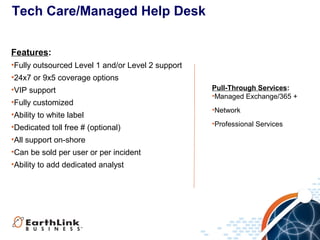
Tech Care/Managed Help Desk
Features:
•Fully outsourced Level 1 and/or Level 2 support
•24x7 or 9x5 coverage options
•VIP support
•Fully customized
•Ability to white label
•Dedicated toll free # (optional)
•All support on-shore
•Can be sold per user or per incident
•Ability to add dedicated analyst

Pull-Through Services:
•Managed Exchange/365 +
•Network
•Professional Services
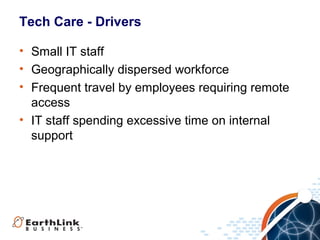
Tech Care - Drivers
• Small IT staff
• Geographically dispersed workforce
• Frequent travel by employees requiring remote
access
• IT staff spending excessive time on internal
support
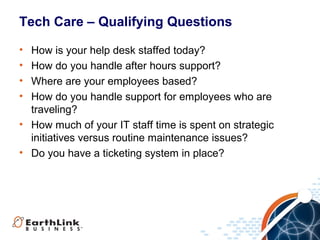
Tech Care – Qualifying Questions
•
•
•
•

How is your help desk staffed today?
How do you handle after hours support?
Where are your employees based?
How do you handle support for employees who are
traveling?
• How much of your IT staff time is spent on strategic
initiatives versus routine maintenance issues?
• Do you have a ticketing system in place?
Pull-Through
Products
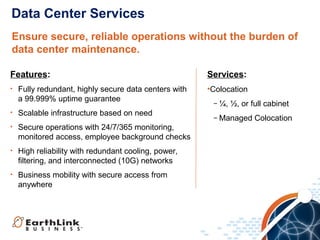
Data Center Services
Ensure secure, reliable operations without the burden of
data center maintenance.
Features:
•

Fully redundant, highly secure data centers with
a 99.999% uptime guarantee

•

Scalable infrastructure based on need

•

Secure operations with 24/7/365 monitoring,
monitored access, employee background checks

•

High reliability with redundant cooling, power,
filtering, and interconnected (10G) networks

•

Business mobility with secure access from
anywhere

Services:
•Colocation
− ¼, ½, or full cabinet
− Managed Colocation
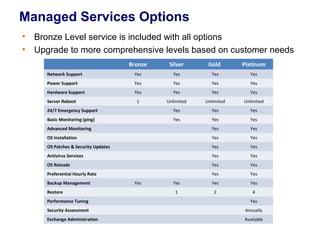
Managed Services Options
•
•

Bronze Level service is included with all options
Upgrade to more comprehensive levels based on customer needs
Bronze

Silver

Gold

Platinum

Network Support

Yes

Yes

Yes

Yes

Power Support

Yes

Yes

Yes

Yes

Hardware Support

Yes

Yes

Yes

Yes

1

Unlimited

Unlimited

Unlimited

24/7 Emergency Support

Yes

Yes

Yes

Basic Monitoring (ping)

Yes

Yes

Yes

Advanced Monitoring

Yes

Yes

OS Installation

Yes

Yes

OS Patches & Security Updates

Yes

Yes

Antivirus Services

Yes

Yes

OS Reloads

Yes

Yes

Preferential Hourly Rate

Yes

Yes

Yes

Yes

Yes

1

2

4

Server Reboot

Backup Management
Restore

Yes

Performance Tuning

Yes

Security Assessment

Annually

Exchange Administration

Available
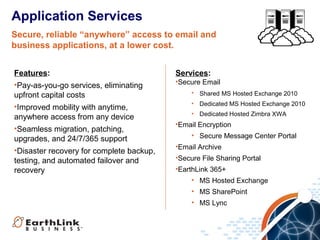
Application Services
Secure, reliable “anywhere” access to email and
business applications, at a lower cost.
Features:
•Pay-as-you-go services, eliminating
upfront capital costs
•Improved mobility with anytime,
anywhere access from any device
•Seamless migration, patching,
upgrades, and 24/7/365 support
•Disaster recovery for complete backup,
testing, and automated failover and
recovery

Services:
•Secure Email
• Shared MS Hosted Exchange 2010
• Dedicated MS Hosted Exchange 2010
• Dedicated Hosted Zimbra XWA

•Email Encryption
• Secure Message Center Portal
•Email Archive
•Secure File Sharing Portal
•EarthLink 365+
• MS Hosted Exchange
• MS SharePoint
• MS Lync
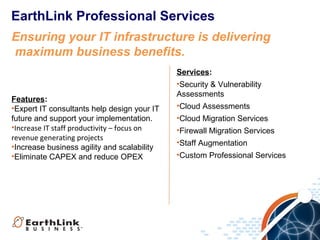
EarthLink Professional Services
Ensuring your IT infrastructure is delivering
maximum business benefits.

Features:
•Expert IT consultants help design your IT
future and support your implementation.
•Increase IT staff productivity – focus on
revenue generating projects
•Increase business agility and scalability
•Eliminate CAPEX and reduce OPEX

Services:
•Security & Vulnerability
Assessments
•Cloud Assessments
•Cloud Migration Services
•Firewall Migration Services
•Staff Augmentation
•Custom Professional Services

Earth linkit servicesoverview

  • 1.
  • 2.
    IT Services ProductPortfolio Flexible, layered services to meet the needs of small to large businesses. Data Center Services Colocation Support Security Connectivity Application Virtualization Data Center Virtualization Services Cloud Hosting Dedicated Server Disaster Recovery Cloud Server Backup Cloud Workspace Application Services Secure Email Email Archiving Email Encryption EarthLink 365+ Managed Security Services  Managed Firewall Secure Remote Access  PCI Compliance Validation  End Point Management  Mobile Device Management Managed Support Services Managed Cloud Hosting Managed Colocation  EarthLink TechCare Professional Services Connectivity Services MPLS, Voice, and Data
  • 3.
    “Network will sometimesenable IT Services sales. IT Services will always enable Network sales.”
  • 4.
    Cloud Hosting Cut costswith server consolidation while improving agility and control. Features: •Flex Pod architecture with VMWare 5.1 Pull-Through Services: •Dedicated Server Hypervisor •Managed Firewall •vShield and/or Fortinet firewalls for security •vCloud Powered (vCloud Connector/vCloud Director) •Offered in all (6) data centers •Disaster Recovery •Cloud Server Backup •Managed Exchange/365 + •10G NetApp SAN Storage •Network •CommVault backup •Tech Care/Help Desk •TrendMicro AV/AS •Nimsoft Monitoring •Can be sold as just IaaS or with management
  • 5.
    Cloud Hosting -Use Cases • • • • • • Host customer websites Move production offsite IaaS offering for their customers Geographic diversity Transient workloads Reduce CapEx
  • 6.
    Cloud Hosting -Drivers • • • • Equipment is end of life Redundancy Recent outages Website performance
  • 7.
    Cloud Hosting –Qualifying Questions • • • • • Where is your data hosted? How is the data accessed? Is any of the equipment nearing end of life? Are you virtualized today? If so, what platform? Have you experienced any data center/equipment outages recently? • How much time does your IT staff spend managing your servers and doing routine maintenance and upgrades? • What are some of your upcoming initiatives/projects?
  • 8.
    Cloud Disaster Recovery Features: •Westand up a 1 CPU/2 GB RAM VM for each server in any of our data centers as a replication target •Use DoubleTake Availability for replication •We offer a 4 hour RTO – Pre-configured failover Pull Through Services: •Cloud Hosting •Cloud Server Backup •Managed Exchange/365 + •Tech Care/Help Desk so the server is spun up to required CPU/RAM •Professional Services configuration and failed over within 4 hours •Customized email event notification •Network
  • 9.
    Cloud Disaster Recovery- Drivers • Recent outage • No DR plan in place • Current DR plan does not meet RTO/RPO requirements
  • 10.
    Cloud Hosting –Qualifying Questions • Where is your data hosted? • How is the data accessed? • Do you have a DR plan? If so, when was the last time it was tested? • Have you experienced any data center/equipment outages recently? • What is your Recovery Time Objective (RTO)? • What is your Recovery Point Objective (RPO)?
  • 11.
    Cloud Server Backup Features: •Serverbackup using Ahsay •128bit encryption for data in transit •256bit encryption for data at rest •Data stored on RAID 10 SAN in our Rochester Pull Through Services: •Cloud Hosting Data Center •File level backup with in file delta capabilities, DB •Managed Exchange/365 + backup and brick level exchange backup •Unlimited backup sets (full, incremental or •Professional Services differential) •Unlimited data transfer in and out at no charge •Full administration and reporting through our portal •Backup reporting also sent via email •Tech Care/Help Desk •Network
  • 12.
    Cloud Server Backup- Drivers • Recent data loss • Need to get data offsite • Current backup is to tape
  • 13.
    Cloud Server Backup– Qualifying Questions • • • • Where is your data hosted? Is the data backed up today? If so, how? Are your backups encrypted? Have you experienced any data center/equipment outages recently? • What is your Recovery Time Objective (RTO)? • What is your Recovery Point Objective (RPO)? • How much time does your staff spend managing backups?
  • 14.
    Managed Firewall Features: •Flexible services,on-premises or cloud Integrated risk management across IT and voice/data networks •CISSP & CISA-certified security professionals Industry expertise & documented security policies/procedures to support compliance •24/7/365 monitoring, alerts, and support Pull Through Services: •Cloud Hosting •Cloud Disaster Recovery •Tech Care/Help Desk •Professional Services •Network
  • 15.
    Managed Firewall Fortinet PremiseBased firewall •URL filtering •Content filtering •Intrusion prevention •AV/AS •Application control •Hosted Network Security Cloud based Fortinet FW •URL filtering •Content filtering •Intrusion prevention •AV/AS •Application control Data Center FW: •Fortinet shared FW •URL filtering •Intrusion prevention •AV/AS •Application control
  • 16.
    Managed Firewall -Drivers • Recent security breach • Using multiple devices for security • Multiple sites
  • 17.
    Managed Firewall –Qualifying Questions • • • • • Where is your data hosted? How are you securing your data? Who manages your firewall? Do you have IPS protection? AV/AS? Content filtering? How much time does your staff spend managing security?
  • 18.
    PCI Compliance Validation Features: •SupportsPCI DSS Level 2 – 4 •Supported by ANX •Portal based •PCI knowledge base •Training for business owner, IT manager and cashiers with tracking •ASV scans •SAQ wizard •Policy templates •$100k data breach protection per site (max $500k) •Free with EarthLink MPLS (promo) Pull-Through Services: •Direct Connect •Managed Firewall •Professional Services •Network
  • 19.
    PCI Compliance Validation- Drivers • Letter/Fines from credit card processor • Does not have formal PCI training and tracking in place • Need assistance completing SAQ • Multiple sites
  • 20.
    PCI Compliance Validation– Qualifying Questions • Have you completed your SAQ? • Do you have formal PCI training in place? If yes, how are you tracking it? • Can you demonstrate that each employee has read and understood the company security policy and procedures? • When is the last time you performed a ASV scan? Was it successful?
  • 21.
    Endpoint Management/Mobile DeviceManagement Features: •Endpoint security for all PC/Macs in customer’s environment •AV/AS protection •Patch Management •Asset tracking •Software distribution •Web content filtering •Monitoring •Helpdesk with case tracking & reporting •Policy control •Device Encryption and remote data destruction (add on) •Backup and restore (add on) Pull-Through Services: •EarthLink 365 + •Network •Professional Services
  • 22.
    EPM/MDM - Drivers •Small IT staff • Remote users • Frequent travel by employees requiring remote access • Need automated patching and software deployment • Need automated equipment tracking • IT staff spending excessive time on internal support
  • 23.
    EPM/MDM – QualifyingQuestions • How do you support workstations and mobile devices today? • How do you track assets? • How do you deploy software? • How do you patch workstations in your environment? • Where are your employees based? • How do you handle support for employees who are traveling? • How do you handle data on user mobile devices when they leave the company? • How much of your IT staff time is spent on strategic initiatives versus routine maintenance issues?
  • 24.
    Tech Care/Managed HelpDesk Features: •Fully outsourced Level 1 and/or Level 2 support •24x7 or 9x5 coverage options •VIP support •Fully customized •Ability to white label •Dedicated toll free # (optional) •All support on-shore •Can be sold per user or per incident •Ability to add dedicated analyst Pull-Through Services: •Managed Exchange/365 + •Network •Professional Services
  • 25.
    Tech Care -Drivers • Small IT staff • Geographically dispersed workforce • Frequent travel by employees requiring remote access • IT staff spending excessive time on internal support
  • 26.
    Tech Care –Qualifying Questions • • • • How is your help desk staffed today? How do you handle after hours support? Where are your employees based? How do you handle support for employees who are traveling? • How much of your IT staff time is spent on strategic initiatives versus routine maintenance issues? • Do you have a ticketing system in place?
  • 27.
  • 28.
    Data Center Services Ensuresecure, reliable operations without the burden of data center maintenance. Features: • Fully redundant, highly secure data centers with a 99.999% uptime guarantee • Scalable infrastructure based on need • Secure operations with 24/7/365 monitoring, monitored access, employee background checks • High reliability with redundant cooling, power, filtering, and interconnected (10G) networks • Business mobility with secure access from anywhere Services: •Colocation − ¼, ½, or full cabinet − Managed Colocation
  • 29.
    Managed Services Options • • BronzeLevel service is included with all options Upgrade to more comprehensive levels based on customer needs Bronze Silver Gold Platinum Network Support Yes Yes Yes Yes Power Support Yes Yes Yes Yes Hardware Support Yes Yes Yes Yes 1 Unlimited Unlimited Unlimited 24/7 Emergency Support Yes Yes Yes Basic Monitoring (ping) Yes Yes Yes Advanced Monitoring Yes Yes OS Installation Yes Yes OS Patches & Security Updates Yes Yes Antivirus Services Yes Yes OS Reloads Yes Yes Preferential Hourly Rate Yes Yes Yes Yes Yes 1 2 4 Server Reboot Backup Management Restore Yes Performance Tuning Yes Security Assessment Annually Exchange Administration Available
  • 30.
    Application Services Secure, reliable“anywhere” access to email and business applications, at a lower cost. Features: •Pay-as-you-go services, eliminating upfront capital costs •Improved mobility with anytime, anywhere access from any device •Seamless migration, patching, upgrades, and 24/7/365 support •Disaster recovery for complete backup, testing, and automated failover and recovery Services: •Secure Email • Shared MS Hosted Exchange 2010 • Dedicated MS Hosted Exchange 2010 • Dedicated Hosted Zimbra XWA •Email Encryption • Secure Message Center Portal •Email Archive •Secure File Sharing Portal •EarthLink 365+ • MS Hosted Exchange • MS SharePoint • MS Lync
  • 31.
    EarthLink Professional Services Ensuringyour IT infrastructure is delivering maximum business benefits. Features: •Expert IT consultants help design your IT future and support your implementation. •Increase IT staff productivity – focus on revenue generating projects •Increase business agility and scalability •Eliminate CAPEX and reduce OPEX Services: •Security & Vulnerability Assessments •Cloud Assessments •Cloud Migration Services •Firewall Migration Services •Staff Augmentation •Custom Professional Services

Editor's Notes

  • #29 Data Center Colocation keeps your company's data safe and available by taking advantage of the reliability, security and power redundancy that has been engineered into the EarthLink Data Center's infrastructure. There are 3 standard Colocation Packages and we can design a customized solution to meet your specific needs. You may select a fully managed or unmanaged solution.
  • #30 Network security and reliability is our top priority within our highly secure Data Centers. That's why our Bronze level of management is automatically included in our EarthLink Cloud Hosting and Dedicated Server services plans. You can gain increased levels of support by choosing to upgrade your services to the Silver, Gold or Platinum support packages. Opt for Silver to get 24x7x35 emergency assistance and basic monitoring or opt for Gold or Platinum to rely on our team for more advanced tasks like OS installations, systems patches and reloads. The four levels of managed support increasingly offloads the burden from your IT team in running your servers and operating systems - giving you greater security and reliability. Let our certified server engineers manage your hardware, OS and IT infrastructure, so you can reduce costs and focus on optimizing your core business
  • #31 Secure Email assures that your email is protected against both inbound and outbound threats. Our approach to securing your email is flexible, easy to use and cost effective. With powerful anti-spam and anti-virus, Secure Email protects your business systems from email infections. Through an end user control panel, you have administration capabilities to allow only those users you designate to have the appropriate services and features. The EarthLink Secure Email Suite is offered on a Shared or Dedicated infrastructure with MS Exchange 2010 and Zimbra XWA. Email Encryption services utilizes a gateway approach that inspects all outbound email to ensure compliance with your defined email privacy policies. The service only encrypts sensitive data and determines the best method for delivering these emails. Email Encryption provides full content scanning of the subject line, content and attachments and the gateway will encrypt, block, or brand outbound emails based on your corporate security policies. We also offer a Secure Message Center Portal enabling encrypted communications with partners and clients that don't support email encryption. Secure Email Archive is a secure vault providing email preservation for compliance and operational purposes. The email archiving system automatically extracts message contents and attachments from incoming/outgoing emails and after indexing, it stores them in read-only format. This ensures that archived records are maintained in their original state. Secure File Sharing Portal enables both sender and recipient to push and pull very large documents (up to 800 MB) to and from the site with complete security. Users can specify the duration that their files remain in the portal before the files will be automatically purged from the site.