






April 15-18, 2019 | Anaheim, CA
Brian Maxin | Journyx
Jeremy Gunn | Journyx
SESSION ID: ABC01
Getting Actionable Insight From Your Workforce
Time Data with Journyx, SL, and Power BI
MEET YOUR PRESENTERS
Brian Maxin
Director of Sales
Journyx
Jeremy Gunn
Director of Professional
Services
Journyx
Session Agenda
 About Journyx
 Journyx SL focus
 Why track time and expense data?
 Top challenges
 Journyx demonstration
About Journyx
 Based in Austin, TX
 Over 1,200 customers worldwide
 Over 23 years helping companies
track time, expense and resources on
projects
 Cloud (AWS) and on-premise solution
options
 SSAE18 Certified and GDPR
compliant
Our Focus on SL
 Core focus on the Dynamics NAV space for
the past 10 years
 We understand the business of time and
expense tracking for NAV
 Integration solution between NAV and
Journyx
 Help fill in the gaps that exists with native
NAV time and expense tracking options
Our Dynamics Customers
Integrate With Your Existing Microsoft
Solutions
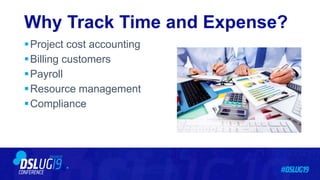
Why Track Time and Expense?
Project cost accounting
Billing customers
Payroll
Resource management
Compliance
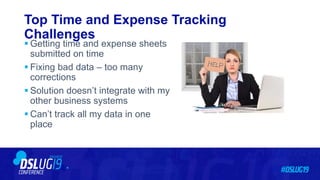
Top Time and Expense Tracking
Challenges
 Getting time and expense sheets
submitted on time
 Fixing bad data – too many
corrections
 Solution doesn’t integrate with my
other business systems
 Can’t track all my data in one
place
How Journyx Helps: Getting Time and Expense
Sheets Submitted on Time
 Easy-to-use web and mobile entry
 Robust approval workflow with
email reminders/notifications
 Missing timesheet reports and
views
How Journyx Helps: Fixing Bad Data & Reducing
Corrections
 Keep it simple – improve the user
experience
 Data entry validation rules to reduce the
amount of bad data going into the
system
 Flexible approval sheet and project
approval workflows to review the
accuracy of the data
 Prior period correction and other admin
tools to fix the data before it goes to SL
How Journyx Helps: Tracking All Time and Expense In One
Place
 Project time
 Project expense
 PTO/Leave tracking
 Accrual calculation
 “Crew”-based entry
 Resource planning
 Auditing and compliance
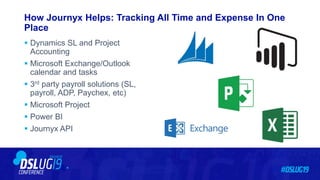
How Journyx Helps: Tracking All Time and Expense In One
Place
 Dynamics SL and Project
Accounting
 Microsoft Exchange/Outlook
calendar and tasks
 3rd party payroll solutions (SL,
payroll, ADP, Paychex, etc)
 Microsoft Project
 Power BI
 Journyx API
Journyx Time and Expense Demonstration
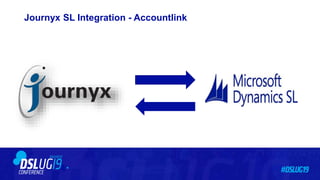
 SL integration – Accountlink
‒ Business sync
‒ Time/expense sync
 Project time entry
‒ “Suggested” entries
‒ Data entry validation
‒ Time entry templates/favorites
 Time off
‒ Accruals
‒ Leave request
Journyx Time and Expense Demonstration
 Expense entry
‒ Receipt image attachment
‒ Mileage conversion
‒ Multi-currency
Per diem validation
 Approval workflows
‒ Sheet approvals
‒ Project approvals
 Reporting
‒ Power BI
‒ Reportlink
‒ Native reporting
Journyx SL Integration - Accountlink
Journyx Time and Expense Demonstration
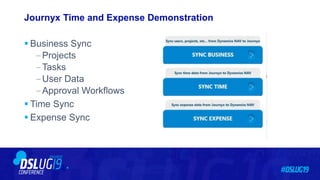
 Business Sync
‒Projects
‒Tasks
‒User Data
‒Approval Workflows
 Time Sync
 Expense Sync
Journyx Demonstration
THANKS!Brian Maxin
Director of Sales
maxin@Journyx.com
Jeremy Gunn
Director of Professional Services
Jeremy@Journyx.com

Journyx DSLUG 2019

  • 1.
    April 15-18, 2019| Anaheim, CA Brian Maxin | Journyx Jeremy Gunn | Journyx SESSION ID: ABC01 Getting Actionable Insight From Your Workforce Time Data with Journyx, SL, and Power BI
  • 2.
    MEET YOUR PRESENTERS BrianMaxin Director of Sales Journyx Jeremy Gunn Director of Professional Services Journyx
  • 3.
    Session Agenda  AboutJournyx  Journyx SL focus  Why track time and expense data?  Top challenges  Journyx demonstration
  • 4.
    About Journyx  Basedin Austin, TX  Over 1,200 customers worldwide  Over 23 years helping companies track time, expense and resources on projects  Cloud (AWS) and on-premise solution options  SSAE18 Certified and GDPR compliant
  • 5.
    Our Focus onSL  Core focus on the Dynamics NAV space for the past 10 years  We understand the business of time and expense tracking for NAV  Integration solution between NAV and Journyx  Help fill in the gaps that exists with native NAV time and expense tracking options
  • 6.
  • 7.
    Integrate With YourExisting Microsoft Solutions
  • 8.
    Why Track Timeand Expense? Project cost accounting Billing customers Payroll Resource management Compliance
  • 9.
    Top Time andExpense Tracking Challenges  Getting time and expense sheets submitted on time  Fixing bad data – too many corrections  Solution doesn’t integrate with my other business systems  Can’t track all my data in one place
  • 10.
    How Journyx Helps:Getting Time and Expense Sheets Submitted on Time  Easy-to-use web and mobile entry  Robust approval workflow with email reminders/notifications  Missing timesheet reports and views
  • 11.
    How Journyx Helps:Fixing Bad Data & Reducing Corrections  Keep it simple – improve the user experience  Data entry validation rules to reduce the amount of bad data going into the system  Flexible approval sheet and project approval workflows to review the accuracy of the data  Prior period correction and other admin tools to fix the data before it goes to SL
  • 12.
    How Journyx Helps:Tracking All Time and Expense In One Place  Project time  Project expense  PTO/Leave tracking  Accrual calculation  “Crew”-based entry  Resource planning  Auditing and compliance
  • 13.
    How Journyx Helps:Tracking All Time and Expense In One Place  Dynamics SL and Project Accounting  Microsoft Exchange/Outlook calendar and tasks  3rd party payroll solutions (SL, payroll, ADP, Paychex, etc)  Microsoft Project  Power BI  Journyx API
  • 14.
    Journyx Time andExpense Demonstration  SL integration – Accountlink ‒ Business sync ‒ Time/expense sync  Project time entry ‒ “Suggested” entries ‒ Data entry validation ‒ Time entry templates/favorites  Time off ‒ Accruals ‒ Leave request
  • 15.
    Journyx Time andExpense Demonstration  Expense entry ‒ Receipt image attachment ‒ Mileage conversion ‒ Multi-currency Per diem validation  Approval workflows ‒ Sheet approvals ‒ Project approvals  Reporting ‒ Power BI ‒ Reportlink ‒ Native reporting
  • 16.
  • 17.
    Journyx Time andExpense Demonstration  Business Sync ‒Projects ‒Tasks ‒User Data ‒Approval Workflows  Time Sync  Expense Sync
  • 18.
  • 19.
    THANKS!Brian Maxin Director ofSales maxin@Journyx.com Jeremy Gunn Director of Professional Services Jeremy@Journyx.com