vDesk                                  What is vDesk?
At-a-Glance
— — — — — — — — — — — — —
 — — — — — — — — — — — — —             Virtualization, which has saved enterprises millions in the data center,
vDesk is a high-performance            is now moving to the desktop. However, the deployment of existing
enterprise desktop virtualization
solution that simplifies the           virtual desktop solutions have been hampered by poor performance,
creation, access and management        provisioning difficulties, daunting infrastructure costs and limited mobility
of Windows desktops through
Workspace Virtualization.                                                 options. RingCube vDesk solution
                                                                          reduces desktop virtualization costs
v D E S K A D V A N TA G E S :
                                                                          by 75%, requires minimal upfront
• No second operating system
  to license or manage                                                    capital expenditures, lowers desktop
• High-performance virtualization                                         management costs and eliminates the
  technology
• 4 Flexible deployment options                                           performance and resource overhead
  (PC, Drive, Network, VDI)                                               of legacy virtualization technologies.
• MobileSync provides offline
  synchronization                                                         Users can run their vDesk workspace
• No need for data center                                                 at the office or on unmanaged PCs –
  build out
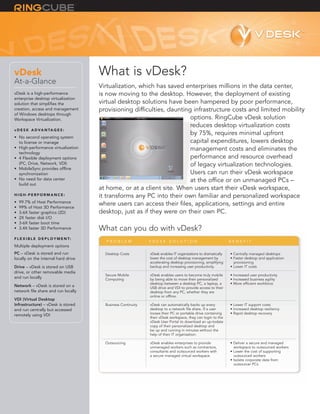
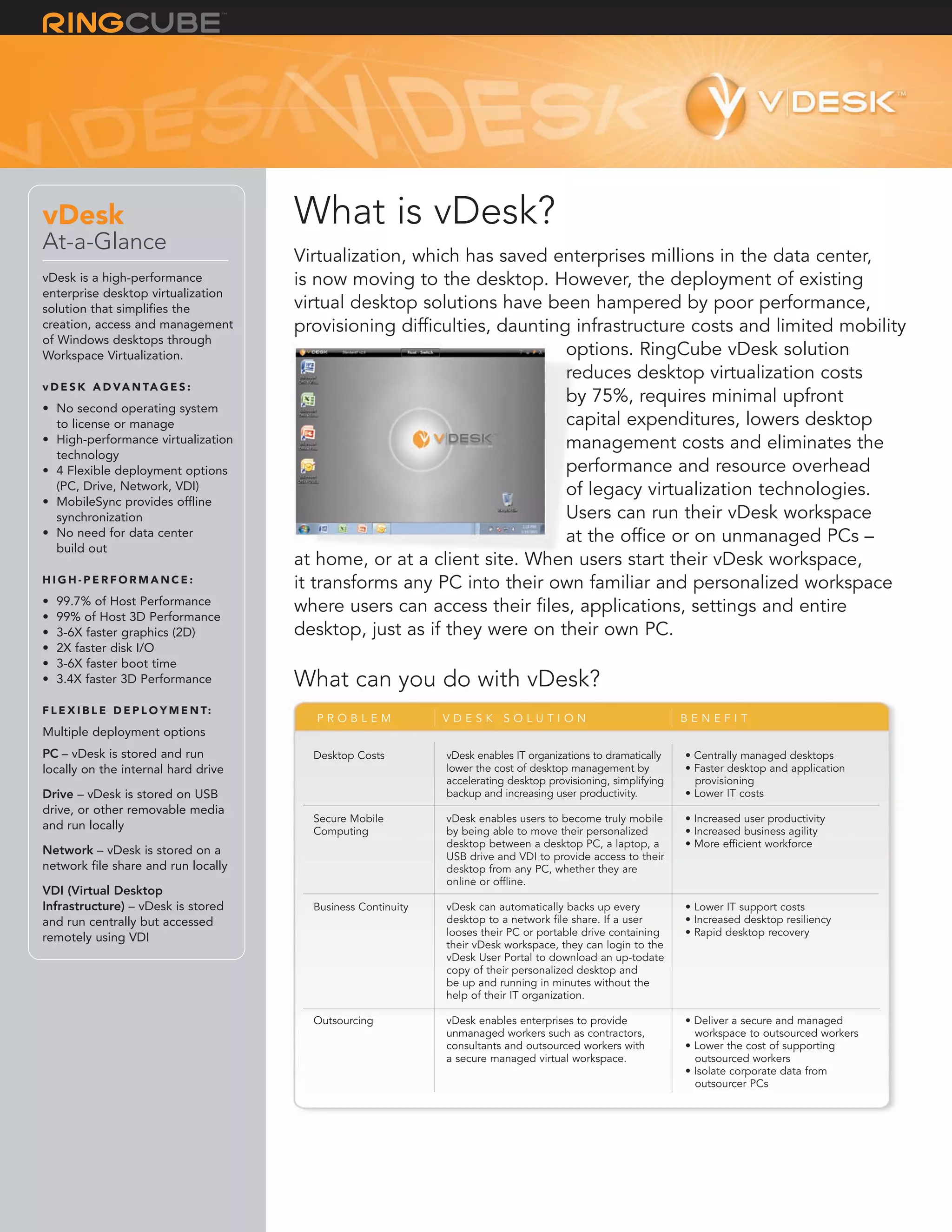
                                       at home, or at a client site. When users start their vDesk workspace,
HIGH-PERFORMANCE:                      it transforms any PC into their own familiar and personalized workspace
•   99.7% of Host Performance
•   99% of Host 3D Performance
                                       where users can access their files, applications, settings and entire
•   3-6X faster graphics (2D)          desktop, just as if they were on their own PC.
•   2X faster disk I/O
•   3-6X faster boot time
•   3.4X faster 3D Performance         What can you do with vDesk?
F L E X I B L E D E P L O Y M E N T:
                                         PROBLEM               VDESK SOLUTION                                   BENEFIT
Multiple deployment options
PC – vDesk is stored and run             Desktop Costs         vDesk enables IT organizations to dramatically   • Centrally managed desktops
locally on the internal hard drive                             lower the cost of desktop management by          • Faster desktop and application
                                                               accelerating desktop provisioning, simplifying     provisioning
Drive – vDesk is stored on USB                                 backup and increasing user productivity.         • Lower IT costs
drive, or other removable media
                                         Secure Mobile         vDesk enables users to become truly mobile       • Increased user productivity
and run locally                          Computing             by being able to move their personalized         • Increased business agility
                                                               desktop between a desktop PC, a laptop, a        • More efficient workforce
Network – vDesk is stored on a                                 USB drive and VDI to provide access to their
network file share and run locally                             desktop from any PC, whether they are
                                                               online or offline.
VDI (Virtual Desktop
Infrastructure) – vDesk is stored        Business Continuity   vDesk can automatically backs up every           • Lower IT support costs
and run centrally but accessed                                 desktop to a network file share. If a user       • Increased desktop resiliency
                                                               looses their PC or portable drive containing     • Rapid desktop recovery
remotely using VDI
                                                               their vDesk workspace, they can login to the
                                                               vDesk User Portal to download an up-todate
                                                               copy of their personalized desktop and
                                                               be up and running in minutes without the
                                                               help of their IT organization.

                                         Outsourcing           vDesk enables enterprises to provide             • Deliver a secure and managed
                                                               unmanaged workers such as contractors,             workspace to outsourced workers
                                                               consultants and outsourced workers with          • Lower the cost of supporting
                                                               a secure managed virtual workspace.                outsourced workers
                                                                                                                • Isolate corporate data from
                                                                                                                  outsourcer PCs
How Does vDesk Work?
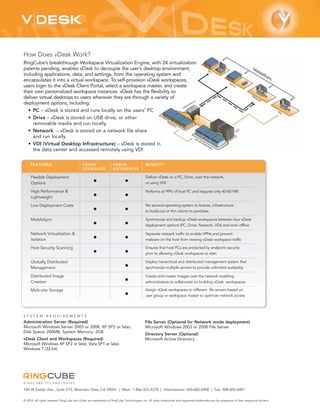
RingCube’s breakthrough Workspace Virtualization Engine, with 24 virtualization
patents pending, enables vDesk to decouple the user’s desktop environment,
including applications, data, and settings, from the operating system and
encapsulates it into a virtual workspace. To self-provision vDesk workspaces,
users login to the vDesk Client Portal, select a workspace master, and create
their own personalized workspace instances. vDesk has the flexibility to
deliver virtual desktops to users wherever they are through a variety of
deployment options, including:
  • PC – vDesk is stored and runs locally on the users’ PC
  • Drive – vDesk is stored on USB drive, or other
     removable media and run locally.
  • Network – vDesk is stored on a network file share
     and run locally
  • VDI (Virtual Desktop Infrastructure) – vDesk is stored in
     the data center and accessed remotely using VDI

     F E AT U R E S                          VDESK                  VDESK                    BENEFIT
                                             S TA N D A R D         ENTERPRISE

     Flexible Deployment                                                                     Deliver vDesk on a PC, Drive, over the network,
     Options                                         •                       •               or using VDI

     High Performance &                                                                      Performs at 99% of host PC and requires only 40-80 MB
     Lightweight                                     •                       •
     Low Deployment Costs                                                                    No second operating system to license, infrastructure
                                                     •                       •               to build-out or thin clients to purchase

     MobileSync                                                                              Synchronize and backup vDesk workspaces between four vDesk
                                                     •                       •               deployment options (PC, Drive, Network, VDI) and work offline

     Network Virtualization &                                                                Separate network traffic to enable VPNs and prevent
     Isolation                                       •                       •               malware on the host from viewing vDesk workspace traffic

     Host Security Scanning                                                                  Ensures that host PCs are protected by endpoint security
                                                     •                       •               prior to allowing vDesk workspaces to start

     Globally Distributed                                                                    Deploy hierarchical and distributed management system that
     Management                                                              •               synchronize multiple servers to provide unlimited scalability

     Distributed Image                                                                       Create and master images over the network enabling
     Creation                                                                •               administrators to collaborate on building vDesk workspaces

     Multi-site Storage                                                                      Assign vDesk workspaces to different file servers based on
                                                                             •               user group or workspace master to optimize network access


SYSTEM REQUIREMENTS
Administration Server (Required)                                                             File Server (Optional for Network mode deployment)
Microsoft Windows Server 2003 or 2008, XP SP2 or later,                                      Microsoft Windows 2003 or 2008 File Server
Disk Space: 200MB, System Memory: 2GB
                                                                                             Directory Server (Optional)
vDesk Client and Workspaces (Required)                                                       Microsoft Active Directory
Microsoft Windows XP SP2 or later, Vista SP1 or later,
Windows 7 (32-bit)


RINGCUBE TECHNOLOGIES

100 W Evelyn Ave., Suite 210, Mountain View, CA 94041 | Main: 1-866-323-4278 | International: 650-605-6900 | Fax: 408-605-6901

© 2010. All rights reserved. RingCube and vDesk are trademarks of RingCube Technologies, Inc. All other trademarks and registered trademarks are the properties of their respective holders.

Ds vdesk

  • 1.
    vDesk What is vDesk? At-a-Glance — — — — — — — — — — — — — — — — — — — — — — — — — — Virtualization, which has saved enterprises millions in the data center, vDesk is a high-performance is now moving to the desktop. However, the deployment of existing enterprise desktop virtualization solution that simplifies the virtual desktop solutions have been hampered by poor performance, creation, access and management provisioning difficulties, daunting infrastructure costs and limited mobility of Windows desktops through Workspace Virtualization. options. RingCube vDesk solution reduces desktop virtualization costs v D E S K A D V A N TA G E S : by 75%, requires minimal upfront • No second operating system to license or manage capital expenditures, lowers desktop • High-performance virtualization management costs and eliminates the technology • 4 Flexible deployment options performance and resource overhead (PC, Drive, Network, VDI) of legacy virtualization technologies. • MobileSync provides offline synchronization Users can run their vDesk workspace • No need for data center at the office or on unmanaged PCs – build out at home, or at a client site. When users start their vDesk workspace, HIGH-PERFORMANCE: it transforms any PC into their own familiar and personalized workspace • 99.7% of Host Performance • 99% of Host 3D Performance where users can access their files, applications, settings and entire • 3-6X faster graphics (2D) desktop, just as if they were on their own PC. • 2X faster disk I/O • 3-6X faster boot time • 3.4X faster 3D Performance What can you do with vDesk? F L E X I B L E D E P L O Y M E N T: PROBLEM VDESK SOLUTION BENEFIT Multiple deployment options PC – vDesk is stored and run Desktop Costs vDesk enables IT organizations to dramatically • Centrally managed desktops locally on the internal hard drive lower the cost of desktop management by • Faster desktop and application accelerating desktop provisioning, simplifying provisioning Drive – vDesk is stored on USB backup and increasing user productivity. • Lower IT costs drive, or other removable media Secure Mobile vDesk enables users to become truly mobile • Increased user productivity and run locally Computing by being able to move their personalized • Increased business agility desktop between a desktop PC, a laptop, a • More efficient workforce Network – vDesk is stored on a USB drive and VDI to provide access to their network file share and run locally desktop from any PC, whether they are online or offline. VDI (Virtual Desktop Infrastructure) – vDesk is stored Business Continuity vDesk can automatically backs up every • Lower IT support costs and run centrally but accessed desktop to a network file share. If a user • Increased desktop resiliency looses their PC or portable drive containing • Rapid desktop recovery remotely using VDI their vDesk workspace, they can login to the vDesk User Portal to download an up-todate copy of their personalized desktop and be up and running in minutes without the help of their IT organization. Outsourcing vDesk enables enterprises to provide • Deliver a secure and managed unmanaged workers such as contractors, workspace to outsourced workers consultants and outsourced workers with • Lower the cost of supporting a secure managed virtual workspace. outsourced workers • Isolate corporate data from outsourcer PCs
  • 2.
    How Does vDeskWork? RingCube’s breakthrough Workspace Virtualization Engine, with 24 virtualization patents pending, enables vDesk to decouple the user’s desktop environment, including applications, data, and settings, from the operating system and encapsulates it into a virtual workspace. To self-provision vDesk workspaces, users login to the vDesk Client Portal, select a workspace master, and create their own personalized workspace instances. vDesk has the flexibility to deliver virtual desktops to users wherever they are through a variety of deployment options, including: • PC – vDesk is stored and runs locally on the users’ PC • Drive – vDesk is stored on USB drive, or other removable media and run locally. • Network – vDesk is stored on a network file share and run locally • VDI (Virtual Desktop Infrastructure) – vDesk is stored in the data center and accessed remotely using VDI F E AT U R E S VDESK VDESK BENEFIT S TA N D A R D ENTERPRISE Flexible Deployment Deliver vDesk on a PC, Drive, over the network, Options • • or using VDI High Performance & Performs at 99% of host PC and requires only 40-80 MB Lightweight • • Low Deployment Costs No second operating system to license, infrastructure • • to build-out or thin clients to purchase MobileSync Synchronize and backup vDesk workspaces between four vDesk • • deployment options (PC, Drive, Network, VDI) and work offline Network Virtualization & Separate network traffic to enable VPNs and prevent Isolation • • malware on the host from viewing vDesk workspace traffic Host Security Scanning Ensures that host PCs are protected by endpoint security • • prior to allowing vDesk workspaces to start Globally Distributed Deploy hierarchical and distributed management system that Management • synchronize multiple servers to provide unlimited scalability Distributed Image Create and master images over the network enabling Creation • administrators to collaborate on building vDesk workspaces Multi-site Storage Assign vDesk workspaces to different file servers based on • user group or workspace master to optimize network access SYSTEM REQUIREMENTS Administration Server (Required) File Server (Optional for Network mode deployment) Microsoft Windows Server 2003 or 2008, XP SP2 or later, Microsoft Windows 2003 or 2008 File Server Disk Space: 200MB, System Memory: 2GB Directory Server (Optional) vDesk Client and Workspaces (Required) Microsoft Active Directory Microsoft Windows XP SP2 or later, Vista SP1 or later, Windows 7 (32-bit) RINGCUBE TECHNOLOGIES 100 W Evelyn Ave., Suite 210, Mountain View, CA 94041 | Main: 1-866-323-4278 | International: 650-605-6900 | Fax: 408-605-6901 © 2010. All rights reserved. RingCube and vDesk are trademarks of RingCube Technologies, Inc. All other trademarks and registered trademarks are the properties of their respective holders.