Download to read offline

![Attributes
• An attribute is a declarative tag that is used to convey information to
runtime about the behaviors of various elements like classes, methods,
structures, enumerators, assemblies etc.
• You can add declarative information to a program by using an attribute.
• A declarative tag is depicted by square ([ ]) brackets placed above the
element it is used for.
• Attributes are used for adding metadata, such as compiler instruction and
other information such as comments, description, methods and classes to a
program.](https://image.slidesharecdn.com/dotnet-181218160051/85/Dotnet-Attributes-2-320.jpg)
![Attributes
• The .Net Framework provides two types of attributes: the pre-defined
attributes and custom built attributes.
• Syntax for specifying an attribute is as follows:
[attribute(positional_parameters, name_parameter = value, ...)]
{
Element;
}](https://image.slidesharecdn.com/dotnet-181218160051/85/Dotnet-Attributes-3-320.jpg)


![Attributes
Example :
[AttributeUsage( AttributeTargets.Class |
AttributeTargets.Constructor | AttributeTargets.Field |
AttributeTargets.Method | AttributeTargets.Property, AllowMultiple
= true)]
public class DeBugInfo : System.Attribute
{ private int bugNo;
private string developer;
private string lastReview;
public string message; }](https://image.slidesharecdn.com/dotnet-181218160051/85/Dotnet-Attributes-7-320.jpg)
![Attributes
public DeBugInfo(int bg, string dev, string d)
{ this.bugNo = bg;
this.developer = dev;
this.lastReview = d; }
[DeBugInfo(55, "Zara Ali", "19/10/2012", Message = "Return type
mismatch")]
public double GetArea() { return length * width; }
}](https://image.slidesharecdn.com/dotnet-181218160051/85/Dotnet-Attributes-8-320.jpg)



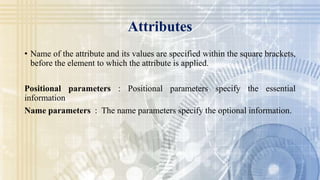
Attributes provide metadata about classes, methods, and other elements. There are two types of attributes - predefined attributes included in the .NET Framework and custom attributes that developers create. Attributes are specified with declarative tags - square brackets containing the attribute name and optional parameters before the targeted element. Attributes can specify additional information like compiler instructions, comments, and documentation to inform the runtime environment.


