Proposal for the Purchase
of New Technology
A Document Camera for Our Classroom
Judy Lehecka, Third Grade Teacher
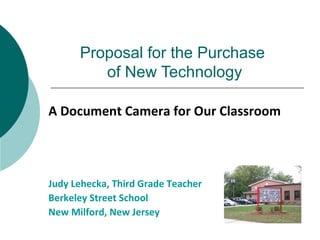
Berkeley Street School
New Milford, New Jersey
- 2 -
Document Cameras:
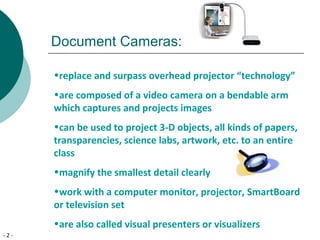
•replace and surpass overhead projector “technology”
•are composed of a video camera on a bendable arm
which captures and projects images
•can be used to project 3-D objects, all kinds of papers,
transparencies, science labs, artwork, etc. to an entire
class
•magnify the smallest detail clearly
•work with a computer monitor, projector, SmartBoard
or television set
•are also called visual presenters or visualizers
- 3 -
Document Cameras in the Classroom
The San Diego, CA, Unified District has found
document cameras enable them to:
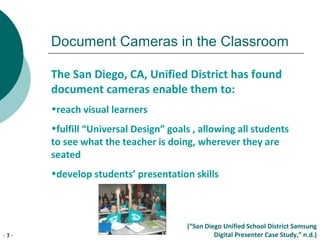
•reach visual learners
•fulfill “Universal Design” goals , allowing all students
to see what the teacher is doing, wherever they are
seated
•develop students’ presentation skills
(“San Diego Unified School District Samsung
Digital Presenter Case Study,” n.d.)
- 4 -
Document Cameras in the Classroom
Karina Clemmons of Orange County Public Schools,
Orlando, FL finds the document camera a powerful
tool for:
all students, whether advanced, regular, remedial,
English Language Learners or students with learning
disabilities in all grades and for many subject areas.
Her 95 page, Show Me Great Lessons! Interactive
Instructional Activities using an Elmo Document Camera is
available at:
www.elmousa.com/files/ShowMeGreatLessons!.pdf
- 5 -
Document Cameras in the Classroom
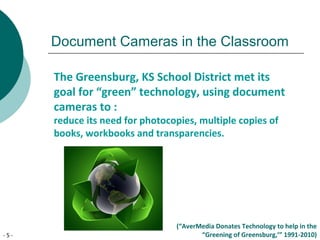
The Greensburg, KS School District met its
goal for “green” technology, using document
cameras to :
reduce its need for photocopies, multiple copies of
books, workbooks and transparencies.
(“AverMedia Donates Technology to help in the
“Greening of Greensburg,’” 1991-2010)
- 6 -
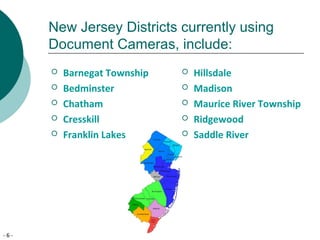
New Jersey Districts currently using
Document Cameras, include:
 Barnegat Township
 Bedminster
 Chatham
 Cresskill
 Franklin Lakes
 Hillsdale
 Madison
 Maurice River Township
 Ridgewood
 Saddle River
- 7 -
Use in the Curriculum
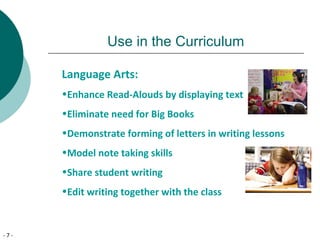
Language Arts:
•Enhance Read-Alouds by displaying text
•Eliminate need for Big Books
•Demonstrate forming of letters in writing lessons
•Model note taking skills
•Share student writing
•Edit writing together with the class
- 8 -
Use in the Curriculum
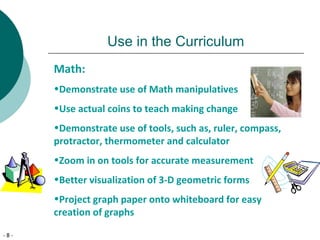
Math:
•Demonstrate use of Math manipulatives
•Use actual coins to teach making change
•Demonstrate use of tools, such as, ruler, compass,
protractor, thermometer and calculator
•Zoom in on tools for accurate measurement
•Better visualization of 3-D geometric forms
•Project graph paper onto whiteboard for easy
creation of graphs
- 9 -
Use in the Curriculum
Science:
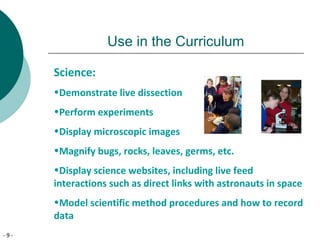
•Demonstrate live dissection
•Perform experiments
•Display microscopic images
•Magnify bugs, rocks, leaves, germs, etc.
•Display science websites, including live feed
interactions such as direct links with astronauts in space
•Model scientific method procedures and how to record
data
- 10 -
Use in the Curriculum
Social Studies:
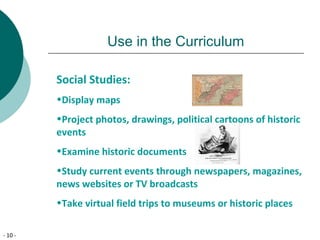
•Display maps
•Project photos, drawings, political cartoons of historic
events
•Examine historic documents
•Study current events through newspapers, magazines,
news websites or TV broadcasts
•Take virtual field trips to museums or historic places
- 11 -
Use in the Curriculum
Music:
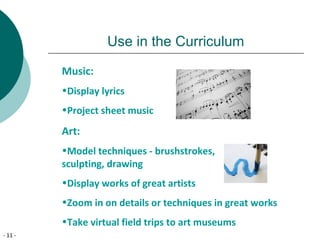
•Display lyrics
•Project sheet music
Art:
•Model techniques - brushstrokes,
sculpting, drawing
•Display works of great artists
•Zoom in on details or techniques in great works
•Take virtual field trips to art museums
- 12 -
Many More Uses!
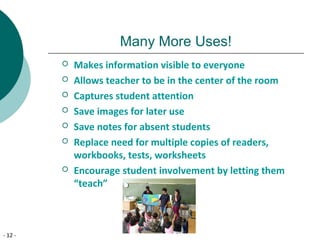
 Makes information visible to everyone
 Allows teacher to be in the center of the room
 Captures student attention
 Save images for later use
 Save notes for absent students
 Replace need for multiple copies of readers,
workbooks, tests, worksheets
 Encourage student involvement by letting them
“teach”
- 13 -
Even More Uses!
 Project lined paper onto whiteboard for straighter
writing
 Show & Tell objects don’t need to be passed around
 Model filling out of forms
 Zoom in on specific details
 Create backgrounds for class plays and activities
 Review rubrics
 Display student work for Back to School Night
 Display timer for timed activities
- 14 -
Impact Upon Learning
•Engages visual learners
•Encourages neater work since work will be displayed
for all to see
•Enlarges images for visually impaired students
•Excites students about sharing their work
•Promotes interactive learning
•Meets NJCCC Standards for 21st
century technology
- 15 -
Evidence of Effectiveness
Mary Anderson, Math Integration Specialist in Pasco, WA,
asked teachers how document cameras had affected their
classrooms. They identified 4 major changes:
1. more class time devoted to discussions of students’
written work and thought processes
2. increased numbers of students, especially ELLs, sharing
and explaining their work
3. growing student confidence in their mathematical abilities
and better comprehension of concepts
4. increased teacher understanding of students’ thought
processes
(Brooks-Young, S. 2007)
- 16 -
Evidence of Effectiveness
The City of Cape Coral, FL, Charter Schools found
document cameras to be of immeasurable benefit
to their students. Students:
•became incredibly engaged in lessons and wanted to
participate
•gained a better understanding of the lesson material
•greatly improved retention of subject matter
•developed their own presentation skills
(“The City of Cape Coral Charter School System Samsung
Digital Presenter Case Study,” n.d.)
- 17 -
Evidence of Effectiveness
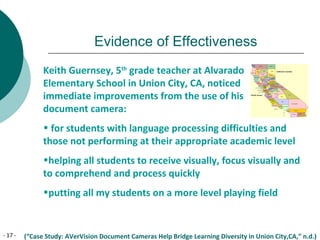
Keith Guernsey, 5th
grade teacher at Alvarado
Elementary School in Union City, CA, noticed
immediate improvements from the use of his
document camera:
• for students with language processing difficulties and
those not performing at their appropriate academic level
•helping all students to receive visually, focus visually and
to comprehend and process quickly
•putting all my students on a more level playing field
(“Case Study: AVerVision Document Cameras Help Bridge Learning Diversity in Union City,CA,” n.d.)
- 18 -
Proposal to Buy
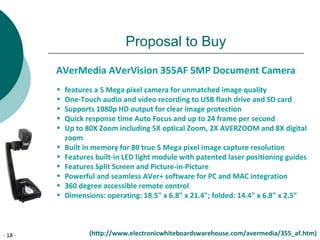
AVerMedia AVerVision 355AF 5MP Document Camera
• features a 5 Mega pixel camera for unmatched image quality
• One-Touch audio and video recording to USB flash drive and SD card
• Supports 1080p HD output for clear image protection
• Quick response time Auto Focus and up to 24 frame per second
• Up to 80X Zoom including 5X optical Zoom, 2X AVERZOOM and 8X digital
zoom
• Built in memory for 80 true 5 Mega pixel image capture resolution
• Features built-in LED light module with patented laser positioning guides
• Features Split Screen and Picture-in-Picture
• Powerful and seamless AVer+ software for PC and MAC integration
• 360 degree accessible remote control
• Dimensions: operating: 18.5" x 6.8" x 21.4"; folded: 14.4" x 6.8" x 2.5"
(http://www.electronicwhiteboardswarehouse.com/avermedia/355_af.htm)
- 19 -
Projected Costs
AVerMedia AVerVision 355AF 5MP
Document Camera
$ 797.00
$ 36.00Shipping Costs
Total Cost $ 833.00
•Document cameras are easy to set up and use, so there would
be no additional cost for training.
•This document camera will interface with the projectors,
computers and SmartBoards we already own.
- 20 -
Possible Funding Sources
•The National Council of Teachers of Mathematics
are offering a Geometry grant of up to $4000 to
PreK-8 teachers for the 2011-2012 school year
•Toshiba America Foundation offers yearly $1000
grants to K-6 teachers in support of Math or Science
education
•The New Milford Parents Association could be
petitioned to buy the document camera
- 21 -
References
•AVerMedia Donates Technology to help in the “Greening of
Greensburg” (n.d.) AVerMedia Case Studies. Retrieved on
11/6/2010 from http://
www.averusa.com/presentation/greensburg.asp
•Brooks-Young, S. (2007) Are Document Cameras the Next Big
Thing? T.H.E. Journal, 34(6), 20-21. Retrieved on11/5/2010 from
http://ezproxy.wpunj.edu:2048/login?url=http://search.ebscohost.com/l
•The City of Cape Coral Charter School System Samsung Digital
Presenter Case Study (n.d.) Samsung Pressroom: Success Stories.
Retrieved on 11/6/2010 from
http://www.samsungpresenterusa.com/board/success_stories_det
ail.asp?No=4
- 22 -
References
•Clemmons, K. (n.d.) Show Me Great Lessons! Interactive Instructional
Activities Using an Elmo Document Camera. Retrieved 11/5/2010 from
www.elmousa.com/files/ShowMeGreatLessons!.pdf
•De Rosa,T. (June 14, 2009) Top 7 Ways to Use a Document Camera in
the Classroom. I Want to Teach Forever weblog. Retrieved 11/4/2010
from
http://www.teachforever.com/2009/06/top-7-ways-to-use-document-cam
•Document Cameras in the Classroom (n.d.) Educational Technology
Network. Retrieved on 10/19/2010 from
http://www.edtechnetwork/document_cameras.html
•Grades K-5 for Teachers (n.d.) Toshiba America Foundation. Retrieved
on 11/6/2010 from http://www.toshiba.com/taf/k5_teachers.jsp
•How can a Document Camera Help in my Classroom? (n.d.) eSchool
News. Retrieved on 11/4/2010 from http://advanced-
education.com/assets/client/docs/research/docume~1.pdf
- 23 -
References
•Impacting Instruction with Document Cameras and Projectors.
(June 2009) Georgetown ISD Instructional Technology. Retrieved
on 10/19/2010 from
http://www.georgetownisd.org/ccorner/technology/projectors.
asp
•Improving Student’s Understanding of Geometry Grants for
Grades PreK-8 Teachers (2010) National Council of Teachers of
Mathematics. Retrieved on 11/6/2010 from
http://www.nctm.org/resources/content.aspx?id=1324
•Knapp,L. (January 13, 2007) Document Camera Enlarges
Learning. Getting Started column. Seattle Times. Retrieved
10/19/2010 from
http://seattletimes.nwsource.com/html/businesstechnology/2003523083
- 24 -
Resources
•San Diego Unified School District Digital Presenter Case Study.
Samsung Pressroom: Success Stories. Retrieved on 11/6/2010
from
http://www.samsungpresenterusa.com/board/success_stories_d
etail.asp?No=2
•Wylie,J. (August 7,2010) How to Use Document Cameras in the
Classroom. Technology in the Classroom. Retrieved on 10/19/2010
from www.brighthub.com/education/k-12/articles/63423.aspx
- 25 -
Image Sources
Image of AVerVision 355 retrieved 11/7/2010 from
http://www.abesofmaine.com/abeimg/avevisioncp355.jpg
Image of students raising hands retrieved 11/7/2010 from
http://americansfortruth.com/uploads/2008/07/students_raising_hands.jpg
Image of student writing retrieved 11/7/2010 from
http://blog.nj.com/warrenreporter/2008/06large_writing1gp.jpg
Image of students teaching retrieved 11/7/2010 from
http://www.calacademy.org/blogs/careersinscience/wp_content/uplods/2008/
Image of California retrieved 11/7/2010 from
http://www.city-data.com/forum/attachments/california
Image stopwatch retrieved 11/7/2010 from
http://www.contest-timer.com/timer-icon.gif
- 26 -
Image Sources
Image of teaching math retrieved 11/7/2010 from
http://departments.bloomu.edu/coe/Images/Teacher.jpg
Image of teaching science retrieved 11/7/2010 from
http://earthscience.rice.edu/department/research/dugan/Teaching/teaching_fro
Image of math tools retrieved 11/7/2010 from
http://www.eastchesterk12.ny.us/schools/ms/teachers/vantassell/images/matht
Image of teaching science retrieved 11/7/2010 from
http://esi.utexas.edu/gk12/images/011409_ellard_teaching.jpg
Image of Florida retrieved 11/7/2010 from
http://wwp.greenwichmeantime.com/images/usa/florida.jpg
Image of standardized test retrieved 11/7/2010 from
http://homeschool-your-boys.com/images/standardized-test.jpg
- 27 -
Image Sources
Image of sheet music retrieved 11/7/2010 from
http://www.impactvids.com/chz/sheet_music.jpg
Image of protractor and solids retrieved 11/7/2010 from
http://mathwise.net/pages/Math_Tools.jpg
Image of Berkley Street School retrieved 11/7/2010 from
http://www.newmilfordschools.org/Berkley/school1.jpg
Image of brush stroke retrieved 11/7/2010 from
http://o.tqn.com/d/painting/1/0/N/G/Brush-Strokes-S.jpg
Image of magnifying glass retrieved 11/7/2010 from
http://www.prattlibrary.org/uploadedImages/www/locations/centralsights_and_sou
Glass(1).jpg
Image of money retrieved 11/7/2010 from
http://www.preschools4all.com/image-files?preschool-lesson-plans-money.jpg
Image of technology retrieved 11/7/2010 from
http://www.usfst.com/media/focus-area-images/FSTUS/issues-9-

Documentcameraproposal

  • 1.
    Proposal for thePurchase of New Technology A Document Camera for Our Classroom Judy Lehecka, Third Grade Teacher Berkeley Street School New Milford, New Jersey
  • 2.
    - 2 - DocumentCameras: •replace and surpass overhead projector “technology” •are composed of a video camera on a bendable arm which captures and projects images •can be used to project 3-D objects, all kinds of papers, transparencies, science labs, artwork, etc. to an entire class •magnify the smallest detail clearly •work with a computer monitor, projector, SmartBoard or television set •are also called visual presenters or visualizers
  • 3.
    - 3 - DocumentCameras in the Classroom The San Diego, CA, Unified District has found document cameras enable them to: •reach visual learners •fulfill “Universal Design” goals , allowing all students to see what the teacher is doing, wherever they are seated •develop students’ presentation skills (“San Diego Unified School District Samsung Digital Presenter Case Study,” n.d.)
  • 4.
    - 4 - DocumentCameras in the Classroom Karina Clemmons of Orange County Public Schools, Orlando, FL finds the document camera a powerful tool for: all students, whether advanced, regular, remedial, English Language Learners or students with learning disabilities in all grades and for many subject areas. Her 95 page, Show Me Great Lessons! Interactive Instructional Activities using an Elmo Document Camera is available at: www.elmousa.com/files/ShowMeGreatLessons!.pdf
  • 5.
    - 5 - DocumentCameras in the Classroom The Greensburg, KS School District met its goal for “green” technology, using document cameras to : reduce its need for photocopies, multiple copies of books, workbooks and transparencies. (“AverMedia Donates Technology to help in the “Greening of Greensburg,’” 1991-2010)
  • 6.
    - 6 - NewJersey Districts currently using Document Cameras, include:  Barnegat Township  Bedminster  Chatham  Cresskill  Franklin Lakes  Hillsdale  Madison  Maurice River Township  Ridgewood  Saddle River
  • 7.
    - 7 - Usein the Curriculum Language Arts: •Enhance Read-Alouds by displaying text •Eliminate need for Big Books •Demonstrate forming of letters in writing lessons •Model note taking skills •Share student writing •Edit writing together with the class
  • 8.
    - 8 - Usein the Curriculum Math: •Demonstrate use of Math manipulatives •Use actual coins to teach making change •Demonstrate use of tools, such as, ruler, compass, protractor, thermometer and calculator •Zoom in on tools for accurate measurement •Better visualization of 3-D geometric forms •Project graph paper onto whiteboard for easy creation of graphs
  • 9.
    - 9 - Usein the Curriculum Science: •Demonstrate live dissection •Perform experiments •Display microscopic images •Magnify bugs, rocks, leaves, germs, etc. •Display science websites, including live feed interactions such as direct links with astronauts in space •Model scientific method procedures and how to record data
  • 10.
    - 10 - Usein the Curriculum Social Studies: •Display maps •Project photos, drawings, political cartoons of historic events •Examine historic documents •Study current events through newspapers, magazines, news websites or TV broadcasts •Take virtual field trips to museums or historic places
  • 11.
    - 11 - Usein the Curriculum Music: •Display lyrics •Project sheet music Art: •Model techniques - brushstrokes, sculpting, drawing •Display works of great artists •Zoom in on details or techniques in great works •Take virtual field trips to art museums
  • 12.
    - 12 - ManyMore Uses!  Makes information visible to everyone  Allows teacher to be in the center of the room  Captures student attention  Save images for later use  Save notes for absent students  Replace need for multiple copies of readers, workbooks, tests, worksheets  Encourage student involvement by letting them “teach”
  • 13.
    - 13 - EvenMore Uses!  Project lined paper onto whiteboard for straighter writing  Show & Tell objects don’t need to be passed around  Model filling out of forms  Zoom in on specific details  Create backgrounds for class plays and activities  Review rubrics  Display student work for Back to School Night  Display timer for timed activities
  • 14.
    - 14 - ImpactUpon Learning •Engages visual learners •Encourages neater work since work will be displayed for all to see •Enlarges images for visually impaired students •Excites students about sharing their work •Promotes interactive learning •Meets NJCCC Standards for 21st century technology
  • 15.
    - 15 - Evidenceof Effectiveness Mary Anderson, Math Integration Specialist in Pasco, WA, asked teachers how document cameras had affected their classrooms. They identified 4 major changes: 1. more class time devoted to discussions of students’ written work and thought processes 2. increased numbers of students, especially ELLs, sharing and explaining their work 3. growing student confidence in their mathematical abilities and better comprehension of concepts 4. increased teacher understanding of students’ thought processes (Brooks-Young, S. 2007)
  • 16.
    - 16 - Evidenceof Effectiveness The City of Cape Coral, FL, Charter Schools found document cameras to be of immeasurable benefit to their students. Students: •became incredibly engaged in lessons and wanted to participate •gained a better understanding of the lesson material •greatly improved retention of subject matter •developed their own presentation skills (“The City of Cape Coral Charter School System Samsung Digital Presenter Case Study,” n.d.)
  • 17.
    - 17 - Evidenceof Effectiveness Keith Guernsey, 5th grade teacher at Alvarado Elementary School in Union City, CA, noticed immediate improvements from the use of his document camera: • for students with language processing difficulties and those not performing at their appropriate academic level •helping all students to receive visually, focus visually and to comprehend and process quickly •putting all my students on a more level playing field (“Case Study: AVerVision Document Cameras Help Bridge Learning Diversity in Union City,CA,” n.d.)
  • 18.
    - 18 - Proposalto Buy AVerMedia AVerVision 355AF 5MP Document Camera • features a 5 Mega pixel camera for unmatched image quality • One-Touch audio and video recording to USB flash drive and SD card • Supports 1080p HD output for clear image protection • Quick response time Auto Focus and up to 24 frame per second • Up to 80X Zoom including 5X optical Zoom, 2X AVERZOOM and 8X digital zoom • Built in memory for 80 true 5 Mega pixel image capture resolution • Features built-in LED light module with patented laser positioning guides • Features Split Screen and Picture-in-Picture • Powerful and seamless AVer+ software for PC and MAC integration • 360 degree accessible remote control • Dimensions: operating: 18.5" x 6.8" x 21.4"; folded: 14.4" x 6.8" x 2.5" (http://www.electronicwhiteboardswarehouse.com/avermedia/355_af.htm)
  • 19.
    - 19 - ProjectedCosts AVerMedia AVerVision 355AF 5MP Document Camera $ 797.00 $ 36.00Shipping Costs Total Cost $ 833.00 •Document cameras are easy to set up and use, so there would be no additional cost for training. •This document camera will interface with the projectors, computers and SmartBoards we already own.
  • 20.
    - 20 - PossibleFunding Sources •The National Council of Teachers of Mathematics are offering a Geometry grant of up to $4000 to PreK-8 teachers for the 2011-2012 school year •Toshiba America Foundation offers yearly $1000 grants to K-6 teachers in support of Math or Science education •The New Milford Parents Association could be petitioned to buy the document camera
  • 21.
    - 21 - References •AVerMediaDonates Technology to help in the “Greening of Greensburg” (n.d.) AVerMedia Case Studies. Retrieved on 11/6/2010 from http:// www.averusa.com/presentation/greensburg.asp •Brooks-Young, S. (2007) Are Document Cameras the Next Big Thing? T.H.E. Journal, 34(6), 20-21. Retrieved on11/5/2010 from http://ezproxy.wpunj.edu:2048/login?url=http://search.ebscohost.com/l •The City of Cape Coral Charter School System Samsung Digital Presenter Case Study (n.d.) Samsung Pressroom: Success Stories. Retrieved on 11/6/2010 from http://www.samsungpresenterusa.com/board/success_stories_det ail.asp?No=4
  • 22.
    - 22 - References •Clemmons,K. (n.d.) Show Me Great Lessons! Interactive Instructional Activities Using an Elmo Document Camera. Retrieved 11/5/2010 from www.elmousa.com/files/ShowMeGreatLessons!.pdf •De Rosa,T. (June 14, 2009) Top 7 Ways to Use a Document Camera in the Classroom. I Want to Teach Forever weblog. Retrieved 11/4/2010 from http://www.teachforever.com/2009/06/top-7-ways-to-use-document-cam •Document Cameras in the Classroom (n.d.) Educational Technology Network. Retrieved on 10/19/2010 from http://www.edtechnetwork/document_cameras.html •Grades K-5 for Teachers (n.d.) Toshiba America Foundation. Retrieved on 11/6/2010 from http://www.toshiba.com/taf/k5_teachers.jsp •How can a Document Camera Help in my Classroom? (n.d.) eSchool News. Retrieved on 11/4/2010 from http://advanced- education.com/assets/client/docs/research/docume~1.pdf
  • 23.
    - 23 - References •ImpactingInstruction with Document Cameras and Projectors. (June 2009) Georgetown ISD Instructional Technology. Retrieved on 10/19/2010 from http://www.georgetownisd.org/ccorner/technology/projectors. asp •Improving Student’s Understanding of Geometry Grants for Grades PreK-8 Teachers (2010) National Council of Teachers of Mathematics. Retrieved on 11/6/2010 from http://www.nctm.org/resources/content.aspx?id=1324 •Knapp,L. (January 13, 2007) Document Camera Enlarges Learning. Getting Started column. Seattle Times. Retrieved 10/19/2010 from http://seattletimes.nwsource.com/html/businesstechnology/2003523083
  • 24.
    - 24 - Resources •SanDiego Unified School District Digital Presenter Case Study. Samsung Pressroom: Success Stories. Retrieved on 11/6/2010 from http://www.samsungpresenterusa.com/board/success_stories_d etail.asp?No=2 •Wylie,J. (August 7,2010) How to Use Document Cameras in the Classroom. Technology in the Classroom. Retrieved on 10/19/2010 from www.brighthub.com/education/k-12/articles/63423.aspx
  • 25.
    - 25 - ImageSources Image of AVerVision 355 retrieved 11/7/2010 from http://www.abesofmaine.com/abeimg/avevisioncp355.jpg Image of students raising hands retrieved 11/7/2010 from http://americansfortruth.com/uploads/2008/07/students_raising_hands.jpg Image of student writing retrieved 11/7/2010 from http://blog.nj.com/warrenreporter/2008/06large_writing1gp.jpg Image of students teaching retrieved 11/7/2010 from http://www.calacademy.org/blogs/careersinscience/wp_content/uplods/2008/ Image of California retrieved 11/7/2010 from http://www.city-data.com/forum/attachments/california Image stopwatch retrieved 11/7/2010 from http://www.contest-timer.com/timer-icon.gif
  • 26.
    - 26 - ImageSources Image of teaching math retrieved 11/7/2010 from http://departments.bloomu.edu/coe/Images/Teacher.jpg Image of teaching science retrieved 11/7/2010 from http://earthscience.rice.edu/department/research/dugan/Teaching/teaching_fro Image of math tools retrieved 11/7/2010 from http://www.eastchesterk12.ny.us/schools/ms/teachers/vantassell/images/matht Image of teaching science retrieved 11/7/2010 from http://esi.utexas.edu/gk12/images/011409_ellard_teaching.jpg Image of Florida retrieved 11/7/2010 from http://wwp.greenwichmeantime.com/images/usa/florida.jpg Image of standardized test retrieved 11/7/2010 from http://homeschool-your-boys.com/images/standardized-test.jpg
  • 27.
    - 27 - ImageSources Image of sheet music retrieved 11/7/2010 from http://www.impactvids.com/chz/sheet_music.jpg Image of protractor and solids retrieved 11/7/2010 from http://mathwise.net/pages/Math_Tools.jpg Image of Berkley Street School retrieved 11/7/2010 from http://www.newmilfordschools.org/Berkley/school1.jpg Image of brush stroke retrieved 11/7/2010 from http://o.tqn.com/d/painting/1/0/N/G/Brush-Strokes-S.jpg Image of magnifying glass retrieved 11/7/2010 from http://www.prattlibrary.org/uploadedImages/www/locations/centralsights_and_sou Glass(1).jpg Image of money retrieved 11/7/2010 from http://www.preschools4all.com/image-files?preschool-lesson-plans-money.jpg Image of technology retrieved 11/7/2010 from http://www.usfst.com/media/focus-area-images/FSTUS/issues-9-