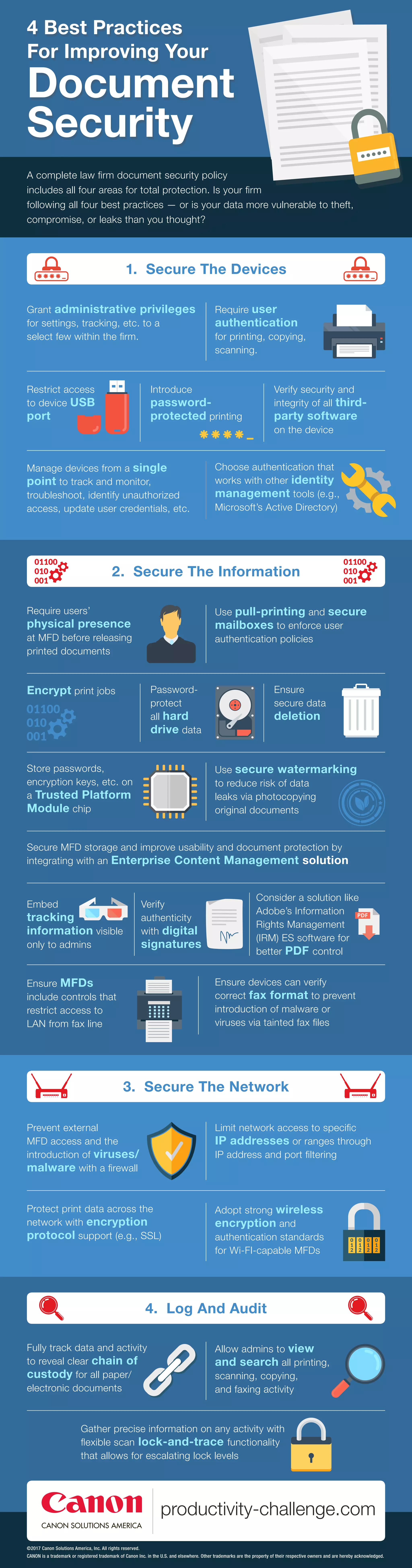
A complete law firm document security policy
includes all four areas for total protection. Is your firm
following all four best practices — or is your data more vulnerable to theft,
compromise, or leaks than you thought?
4 Best Practices
For Improving Your
Document
Security
3. Secure The Network
Limit network access to specific
IP addresses or ranges through
IP address and port filtering
Protect print data across the
network with encryption
protocol support (e.g., SSL)
Adopt strong wireless
encryption and
authentication standards
for Wi-FI-capable MFDs
Prevent external
MFD access and the
introduction of viruses/
malware with a firewall
4. Log And Audit
Allow admins to view
and search all printing,
scanning, copying,
and faxing activity
Gather precise information on any activity with
flexible scan lock-and-trace functionality
that allows for escalating lock levels
Fully track data and activity
to reveal clear chain of
custody for all paper/
electronic documents
2. Secure The Information
Use pull-printing and secure
mailboxes to enforce user
authentication policies
Encrypt print jobs Password-
protect
all hard
drive data
Ensure
secure data
deletion
Store passwords,
encryption keys, etc. on
a Trusted Platform
Module chip
Require users’
physical presence
at MFD before releasing
printed documents
Use secure watermarking
to reduce risk of data
leaks via photocopying
original documents
Embed
tracking
information visible
only to admins
Verify
authenticity
with digital
signatures
Ensure devices can verify
correct fax format to prevent
introduction of malware or
viruses via tainted fax files
Ensure MFDs
include controls that
restrict access to
LAN from fax line
Secure MFD storage and improve usability and document protection by
integrating with an Enterprise Content Management solution
Consider a solution like
Adobe’s Information
Rights Management
(IRM) ES software for
better PDF control
1. Secure The Devices
Require user
authentication
for printing, copying,
scanning.
Restrict access
to device USB
port
Introduce
password-
protected printing
Verify security and
integrity of all third-
party software
on the device
Choose authentication that
works with other identity
management tools (e.g.,
Microsoft’s Active Directory)
Grant administrative privileges
for settings, tracking, etc. to a
select few within the firm.
Manage devices from a single
point to track and monitor,
troubleshoot, identify unauthorized
access, update user credentials, etc.
©2017 Canon Solutions America, Inc. All rights reserved.
CANON is a trademark or registered trademark of Canon Inc. in the U.S. and elsewhere. Other trademarks are the property of their respective owners and are hereby acknowledged.

Document Security

  • 1.
    A complete lawfirm document security policy includes all four areas for total protection. Is your firm following all four best practices — or is your data more vulnerable to theft, compromise, or leaks than you thought? 4 Best Practices For Improving Your Document Security 3. Secure The Network Limit network access to specific IP addresses or ranges through IP address and port filtering Protect print data across the network with encryption protocol support (e.g., SSL) Adopt strong wireless encryption and authentication standards for Wi-FI-capable MFDs Prevent external MFD access and the introduction of viruses/ malware with a firewall 4. Log And Audit Allow admins to view and search all printing, scanning, copying, and faxing activity Gather precise information on any activity with flexible scan lock-and-trace functionality that allows for escalating lock levels Fully track data and activity to reveal clear chain of custody for all paper/ electronic documents 2. Secure The Information Use pull-printing and secure mailboxes to enforce user authentication policies Encrypt print jobs Password- protect all hard drive data Ensure secure data deletion Store passwords, encryption keys, etc. on a Trusted Platform Module chip Require users’ physical presence at MFD before releasing printed documents Use secure watermarking to reduce risk of data leaks via photocopying original documents Embed tracking information visible only to admins Verify authenticity with digital signatures Ensure devices can verify correct fax format to prevent introduction of malware or viruses via tainted fax files Ensure MFDs include controls that restrict access to LAN from fax line Secure MFD storage and improve usability and document protection by integrating with an Enterprise Content Management solution Consider a solution like Adobe’s Information Rights Management (IRM) ES software for better PDF control 1. Secure The Devices Require user authentication for printing, copying, scanning. Restrict access to device USB port Introduce password- protected printing Verify security and integrity of all third- party software on the device Choose authentication that works with other identity management tools (e.g., Microsoft’s Active Directory) Grant administrative privileges for settings, tracking, etc. to a select few within the firm. Manage devices from a single point to track and monitor, troubleshoot, identify unauthorized access, update user credentials, etc. ©2017 Canon Solutions America, Inc. All rights reserved. CANON is a trademark or registered trademark of Canon Inc. in the U.S. and elsewhere. Other trademarks are the property of their respective owners and are hereby acknowledged.