insight
19 November 2014 
Tiago Pires 
tiago-a-pires@telecom.pt 
Jérôme Petazzoni 
jerome@docker.com
Survey 
● Played with Docker Online Tutorial 
● Installed Docker locally 
● Has one, or more, images on Docker Hub 
● Works with Docker daily 
1
Agenda 
● What is Docker? Why bother? 
● Roadmap 
● Security 
● Advanced Concepts 
● Scenarios (Yay !!!) 
2
What is Docker? Why bother? 
● Deploy everything, (almost) everywhere 
● Reliability, Consistency 
● Efficiency (~ native speed) 
● Fundamentally… 
3
What is Docker? Why bother? 
Docker runs containers !!! 
3
What is Docker? Why bother? 
● Containers are “lighweight VMs” 
○ Own process space, network interface, /sbin/init 
● Container = isolated process(es) 
● Share kernel with host 
● No device emulation 
4
What is Docker? Why bother? 
● Dev env (Linux, OS X, Windows) 
○ boot2docker (OS X, Windows) 
○ Natively (Linux) 
● Linux Servers (Ubuntu, Debian, Fedora, Gentoo, Arch…) 
○ Single binary install 
○ Easy provisioning on Rackspace, Digital Ocean, EC2, GCE ... 
6
What is Docker? Why bother? 
4
Roadmap 
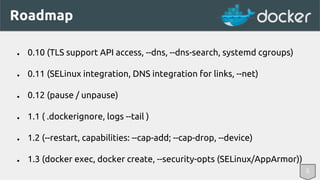
● 0.10 (TLS support API access, --dns, --dns-search, systemd cgroups) 
● 0.11 (SELinux integration, DNS integration for links, --net) 
● 0.12 (pause / unpause) 
● 1.1 ( .dockerignore, logs --tail ) 
● 1.2 (--restart, capabilities: --cap-add; --cap-drop, --device) 
● 1.3 (docker exec, docker create, --security-opts (SELinux/AppArmor)) 
5
Security 
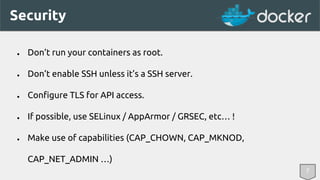
● Don’t run your containers as root. 
● Don’t enable SSH unless it’s a SSH server. 
● Configure TLS for API access. 
● If possible, use SELinux / AppArmor / GRSEC, etc… ! 
● Make use of capabilities (CAP_CHOWN, CAP_MKNOD, 
CAP_NET_ADMIN …) 
7
Advanced Concepts 
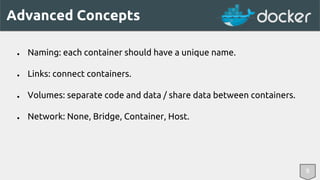
● Naming: each container should have a unique name. 
● Links: connect containers. 
● Volumes: separate code and data / share data between containers. 
● Network: None, Bridge, Container, Host. 
8
Advanced Concepts 
8 
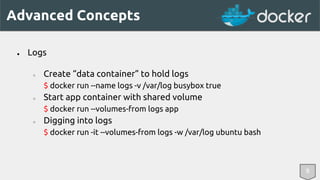
● Logs 
○ Create “data container” to hold logs 
$ docker run --name logs -v /var/log busybox true 
○ Start app container with shared volume 
$ docker run --volumes-from logs app 
○ Digging into logs 
$ docker run -it --volumes-from logs -w /var/log ubuntu bash
Advanced Concepts 
8 
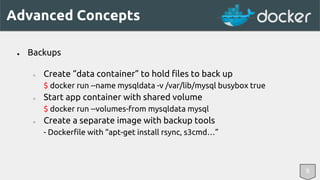
● Backups 
○ Create “data container” to hold files to back up 
$ docker run --name mysqldata -v /var/lib/mysql busybox true 
○ Start app container with shared volume 
$ docker run --volumes-from mysqldata mysql 
○ Create a separate image with backup tools 
- Dockerfile with “apt-get install rsync, s3cmd…”
Advanced Concepts 
8 
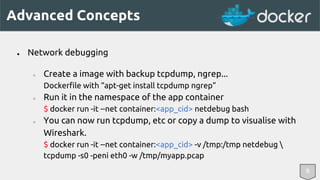
● Network debugging 
○ Create a image with backup tcpdump, ngrep... 
Dockerfile with “apt-get install tcpdump ngrep” 
○ Run it in the namespace of the app container 
$ docker run -it --net container:<app_cid> netdebug bash 
○ You can now run tcpdump, etc or copy a dump to visualise with 
Wireshark. 
$ docker run -it --net container:<app_cid> -v /tmp:/tmp netdebug  
tcpdump -s0 -peni eth0 -w /tmp/myapp.pcap
Advanced Concepts 
● Naming: each container should have a unique name. 
● Links: connect containers. 
● Volumes: separate code and data / share data between containers. 
● Network: None, Bridge, Container, Host. 
8 
● Capabilities: don’t use privileged! Instead use --cap-add / --cap-drop.
Advanced Concepts 
8 
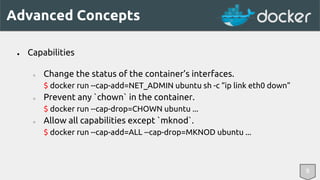
● Capabilities 
○ Change the status of the container’s interfaces. 
$ docker run --cap-add=NET_ADMIN ubuntu sh -c “ip link eth0 down” 
○ Prevent any `chown` in the container. 
$ docker run --cap-drop=CHOWN ubuntu ... 
○ Allow all capabilities except `mknod`. 
$ docker run --cap-add=ALL --cap-drop=MKNOD ubuntu ...
Advanced Concepts 
Orchestration 
● Fig, Chef, Puppet, Salt, Ansible 
● Mesos, Kubernetes, Helios 
● OpenShift, OpenStack 
8
Advanced Concepts 
Gathering Metrics 
● cgroups gives per-container: 
○ CPU usage 
○ Memory usage 
○ I/O usage (per device, reads and writes, in bytes and in ops) 
● cgroups doesn’t give: 
○ network metrics (https://github.com/tpires/packetbeat-setup) 
8
Scenarios 
SHUT UP AND 
DEMO !!! 
9
Yeoman in docker 
10
IDE in docker 
10
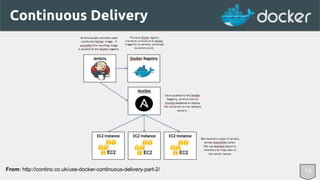
Continuous Delivery 
From: http://contino.co.uk/use-docker-continuous-delivery-part-2/ 10
11 
Coming next... 
● Volume management 
● IPv6 support 
● Cluster management 
● Logging improvements 
● Windows Server Containers
Thank you! 
Twitter @tpires Twitter @jpetazzo 
tiago-a-pires@telecom.pt jerome@docker.com

Docker Insight

  • 1.
  • 2.
    19 November 2014 Tiago Pires tiago-a-pires@telecom.pt Jérôme Petazzoni jerome@docker.com
  • 3.
    Survey ● Playedwith Docker Online Tutorial ● Installed Docker locally ● Has one, or more, images on Docker Hub ● Works with Docker daily 1
  • 4.
    Agenda ● Whatis Docker? Why bother? ● Roadmap ● Security ● Advanced Concepts ● Scenarios (Yay !!!) 2
  • 5.
    What is Docker?Why bother? ● Deploy everything, (almost) everywhere ● Reliability, Consistency ● Efficiency (~ native speed) ● Fundamentally… 3
  • 6.
    What is Docker?Why bother? Docker runs containers !!! 3
  • 7.
    What is Docker?Why bother? ● Containers are “lighweight VMs” ○ Own process space, network interface, /sbin/init ● Container = isolated process(es) ● Share kernel with host ● No device emulation 4
  • 8.
    What is Docker?Why bother? ● Dev env (Linux, OS X, Windows) ○ boot2docker (OS X, Windows) ○ Natively (Linux) ● Linux Servers (Ubuntu, Debian, Fedora, Gentoo, Arch…) ○ Single binary install ○ Easy provisioning on Rackspace, Digital Ocean, EC2, GCE ... 6
  • 9.
    What is Docker?Why bother? 4
  • 10.
    Roadmap ● 0.10(TLS support API access, --dns, --dns-search, systemd cgroups) ● 0.11 (SELinux integration, DNS integration for links, --net) ● 0.12 (pause / unpause) ● 1.1 ( .dockerignore, logs --tail ) ● 1.2 (--restart, capabilities: --cap-add; --cap-drop, --device) ● 1.3 (docker exec, docker create, --security-opts (SELinux/AppArmor)) 5
  • 11.
    Security ● Don’trun your containers as root. ● Don’t enable SSH unless it’s a SSH server. ● Configure TLS for API access. ● If possible, use SELinux / AppArmor / GRSEC, etc… ! ● Make use of capabilities (CAP_CHOWN, CAP_MKNOD, CAP_NET_ADMIN …) 7
  • 12.
    Advanced Concepts ●Naming: each container should have a unique name. ● Links: connect containers. ● Volumes: separate code and data / share data between containers. ● Network: None, Bridge, Container, Host. 8
  • 13.
    Advanced Concepts 8 ● Logs ○ Create “data container” to hold logs $ docker run --name logs -v /var/log busybox true ○ Start app container with shared volume $ docker run --volumes-from logs app ○ Digging into logs $ docker run -it --volumes-from logs -w /var/log ubuntu bash
  • 14.
    Advanced Concepts 8 ● Backups ○ Create “data container” to hold files to back up $ docker run --name mysqldata -v /var/lib/mysql busybox true ○ Start app container with shared volume $ docker run --volumes-from mysqldata mysql ○ Create a separate image with backup tools - Dockerfile with “apt-get install rsync, s3cmd…”
  • 15.
    Advanced Concepts 8 ● Network debugging ○ Create a image with backup tcpdump, ngrep... Dockerfile with “apt-get install tcpdump ngrep” ○ Run it in the namespace of the app container $ docker run -it --net container:<app_cid> netdebug bash ○ You can now run tcpdump, etc or copy a dump to visualise with Wireshark. $ docker run -it --net container:<app_cid> -v /tmp:/tmp netdebug tcpdump -s0 -peni eth0 -w /tmp/myapp.pcap
  • 16.
    Advanced Concepts ●Naming: each container should have a unique name. ● Links: connect containers. ● Volumes: separate code and data / share data between containers. ● Network: None, Bridge, Container, Host. 8 ● Capabilities: don’t use privileged! Instead use --cap-add / --cap-drop.
  • 17.
    Advanced Concepts 8 ● Capabilities ○ Change the status of the container’s interfaces. $ docker run --cap-add=NET_ADMIN ubuntu sh -c “ip link eth0 down” ○ Prevent any `chown` in the container. $ docker run --cap-drop=CHOWN ubuntu ... ○ Allow all capabilities except `mknod`. $ docker run --cap-add=ALL --cap-drop=MKNOD ubuntu ...
  • 18.
    Advanced Concepts Orchestration ● Fig, Chef, Puppet, Salt, Ansible ● Mesos, Kubernetes, Helios ● OpenShift, OpenStack 8
  • 19.
    Advanced Concepts GatheringMetrics ● cgroups gives per-container: ○ CPU usage ○ Memory usage ○ I/O usage (per device, reads and writes, in bytes and in ops) ● cgroups doesn’t give: ○ network metrics (https://github.com/tpires/packetbeat-setup) 8
  • 20.
    Scenarios SHUT UPAND DEMO !!! 9
  • 21.
  • 22.
  • 23.
    Continuous Delivery From:http://contino.co.uk/use-docker-continuous-delivery-part-2/ 10
  • 24.
    11 Coming next... ● Volume management ● IPv6 support ● Cluster management ● Logging improvements ● Windows Server Containers
  • 25.
    Thank you! Twitter@tpires Twitter @jpetazzo tiago-a-pires@telecom.pt jerome@docker.com