Alexander Akbashev
RootConf | June 06, 2017
Docker in Continuous
Integration
Agenda
01. Context
02. Very naive time
03. Start Project Docker
04. Something wend wrong
05. Chaos
06. Still not perfect
07. New day - new challenges
08. Morale
Context
What does CI System means
for us
Context
• Self-hosted Jenkins
• Cloud based
• Tons of configured project
• All changes are going through pre-commit validation
pipelines
• Different platform and different products
• Our users are our colleagues
Day 0
Very naive time
Everything was so simple… to break
Mutable host
- Yes, I really want to change /etc/
hosts for my integration test
- …
One agent - one package
You don’t want to mix some stuff on
one host
• one version of python
• one version of system library
• one version of everything
New package - new pain
- Oops, I didn’t know that
libXYZ-1.2 comes with new API
compare to libXYZ-1.1
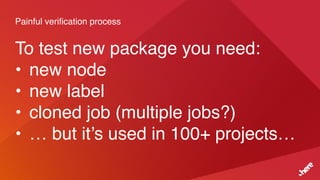
Painful verification process
To test new package you need:
• new node
• new label
• cloned job (multiple jobs?)
• … but it’s used in 100+ projects…
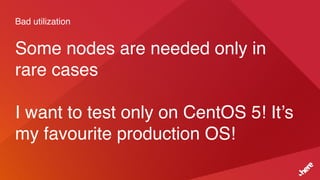
Bad utilization
Some nodes are needed only in
rare cases
I want to test only on CentOS 5! It’s
my favourite production OS!
Download to build
Java, Python, Ruby, nodeJs tends
to download staff on-the-fly
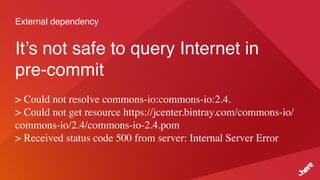
External dependency
It’s not safe to query Internet in
pre-commit
> Could not resolve commons-io:commons-io:2.4.
> Could not get resource https://jcenter.bintray.com/commons-io/
commons-io/2.4/commons-io-2.4.pom
> Received status code 500 from server: Internal Server Error
Day 0
Start Project Docker!
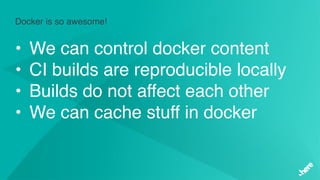
Docker is so awesome!
• We can control docker content
• CI builds are reproducible locally
• Builds do not affect each other
• We can cache stuff in docker
Docker
Small intro
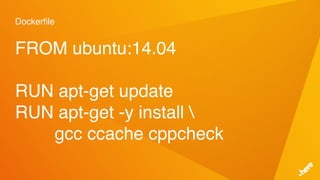
Dockerfile
FROM ubuntu:14.04
RUN apt-get update
RUN apt-get -y install 
gcc ccache cppcheck
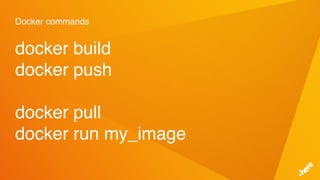
Docker commands
docker build
docker push
docker pull
docker run my_image
Day 1
Something went wrong
Our expectations didn’t meet reality
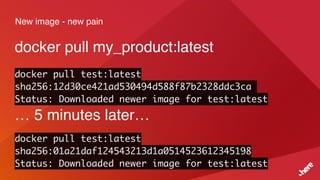
New image - new pain
docker pull my_product:latest
docker pull test:latest
sha256:12d30ce421ad530494d588f87b2328ddc3ca
Status: Downloaded newer image for test:latest
… 5 minutes later…
docker pull test:latest
sha256:01a21daf124543213d1a0514523612345198
Status: Downloaded newer image for test:latest
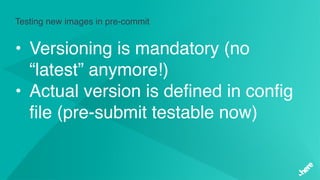
Testing new images in pre-commit
• Versioning is mandatory (no
“latest” anymore!)
• Actual version is defined in config
file (pre-submit testable now)
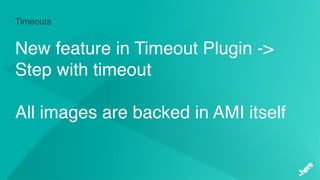
Timeouts
“docker pull” times out
docker pull my_image:1.0
b6f892c0043a: Downloading [===========> ] XX MB/YY MB
55010f332b02: Downloading [============> ] XX MB/YY MB
2955fb827c93: Downloading [=============> ] XX MB/YY MB
Timeouts
New feature in Timeout Plugin ->
Step with timeout
All images are backed in AMI itself
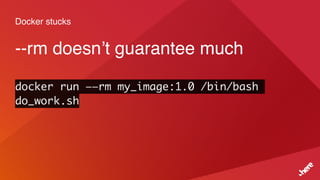
Docker stucks
--rm doesn’t guarantee much
docker run ——rm my_image:1.0 /bin/bash
do_work.sh
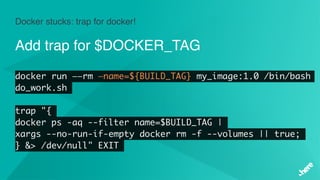
Docker stucks: trap for docker!
Add trap for $DOCKER_TAG
docker run ——rm —name=${BUILD_TAG} my_image:1.0 /bin/bash
do_work.sh
trap "{
docker ps -aq --filter name=$BUILD_TAG |
xargs --no-run-if-empty docker rm -f --volumes || true;
} &> /dev/null" EXIT
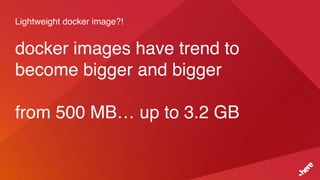
Lightweight docker image?!
docker images have trend to
become bigger and bigger
from 500 MB… up to 3.2 GB
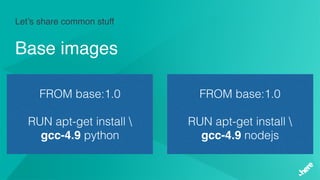
Let’s share common stuff
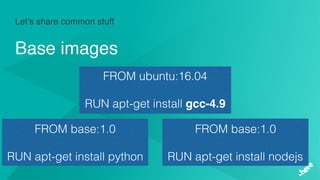
Base images
Let’s share common stuff
Base images
FROM base:1.0
RUN apt-get install 
gcc-4.9 python
FROM base:1.0
RUN apt-get install 
gcc-4.9 nodejs
Let’s share common stuff
Base images
FROM ubuntu:16.04
RUN apt-get install gcc-4.9
FROM base:1.0
RUN apt-get install python
FROM base:1.0
RUN apt-get install nodejs
Day 2
Chaos
Duplicated code is not worst duplicate problem
Docker image should do one thing only
Need something? Just put to the
basic image and enjoy!
Docker image should do one thing only
Split base image to test and build
images
Mandatory reviews
Too many images -> too easy to
copy/paste
Mandatory reviews
Restrict permissions to repository
Too many projects
Hard to review:
• Explain same things multiple
times
• Argue
Simplify review process
Static analyzes:
• versions
• number of layers
• etc.
Day 3
Still not perfect
But already much better!
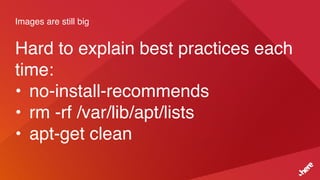
Images are still big
Hard to explain best practices each
time:
• no-install-recommends
• rm -rf /var/lib/apt/lists
• apt-get clean
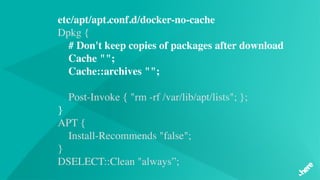
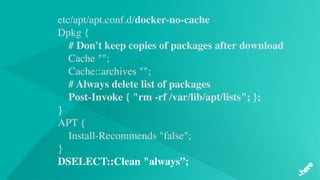
etc/apt/apt.conf.d/docker-no-cache
Dpkg {
# Don't keep copies of packages after download   
 Cache "";
    Cache::archives "";
    Post-Invoke { "rm -rf /var/lib/apt/lists"; };
}
APT {
    Install-Recommends "false";
}
DSELECT::Clean "always”;
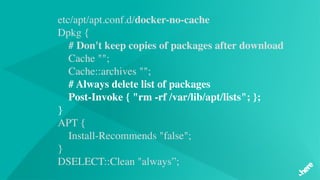
etc/apt/apt.conf.d/docker-no-cache
Dpkg {
# Don't keep copies of packages after download   
 Cache "";
    Cache::archives "";
# Always delete list of packages
    Post-Invoke { "rm -rf /var/lib/apt/lists"; };
}
APT {
    Install-Recommends "false";
}
DSELECT::Clean "always”;
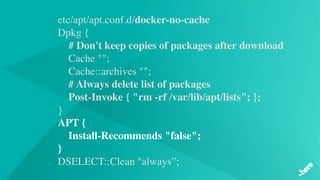
etc/apt/apt.conf.d/docker-no-cache
Dpkg {
# Don't keep copies of packages after download   
 Cache "";
    Cache::archives "";
# Always delete list of packages
    Post-Invoke { "rm -rf /var/lib/apt/lists"; };
}
APT {
    Install-Recommends "false";
}
DSELECT::Clean "always”;
etc/apt/apt.conf.d/docker-no-cache
Dpkg {
# Don't keep copies of packages after download   
 Cache "";
    Cache::archives "";
# Always delete list of packages
    Post-Invoke { "rm -rf /var/lib/apt/lists"; };
}
APT {
    Install-Recommends "false";
}
DSELECT::Clean "always”;
External dependency
It’s not safe to query Internet in
pre-commit
Still.
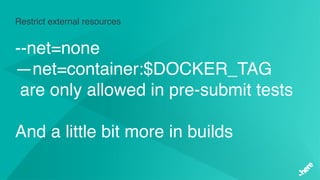
Restrict external resources
--net=none
—net=container:$DOCKER_TAG
are only allowed in pre-submit tests
And a little bit more in builds
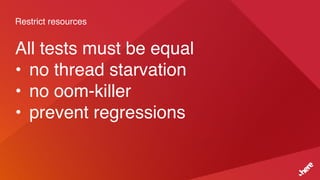
Restrict resources
All tests must be equal
• no thread starvation
• no oom-killer
• prevent regressions
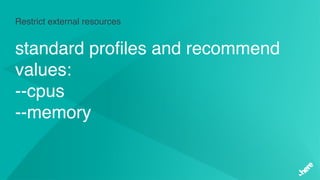
Restrict external resources
standard profiles and recommend
values:
--cpus
--memory
Docker registry returns 500
Docker registry is down
• everything is blocked
• nothing is really needed from
registry
Docker registry returns 500
Don’t do `docker pull` if it’s not
needed
• check existing images
• exclude “:latest”
• not our registry
Day X
New day - new challenges
Learn fast
Monitoring
We monitor:
- uptime for `docker run`
- parameters
- infra issues
Monitoring
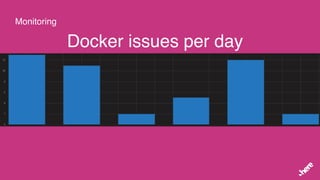
Docker issues per day
Monitoring
FluentD Plugin
Build Failure Analyzer Plugin
Groovy Event Listener Plugin
Morale
Morale
• There is no silver bullet
• Consider Dockerfile as a source code
• Build monitoring for your CI
• Docker really helps to stabilize CI
pipelines
Thank you
Contact
Alexander Akbashev
HERE
Invalidenstraße 116
10115 Berlin
GitHub: Jimilian
alexander.akbashev@here.com

Docker in Continuous Integration