


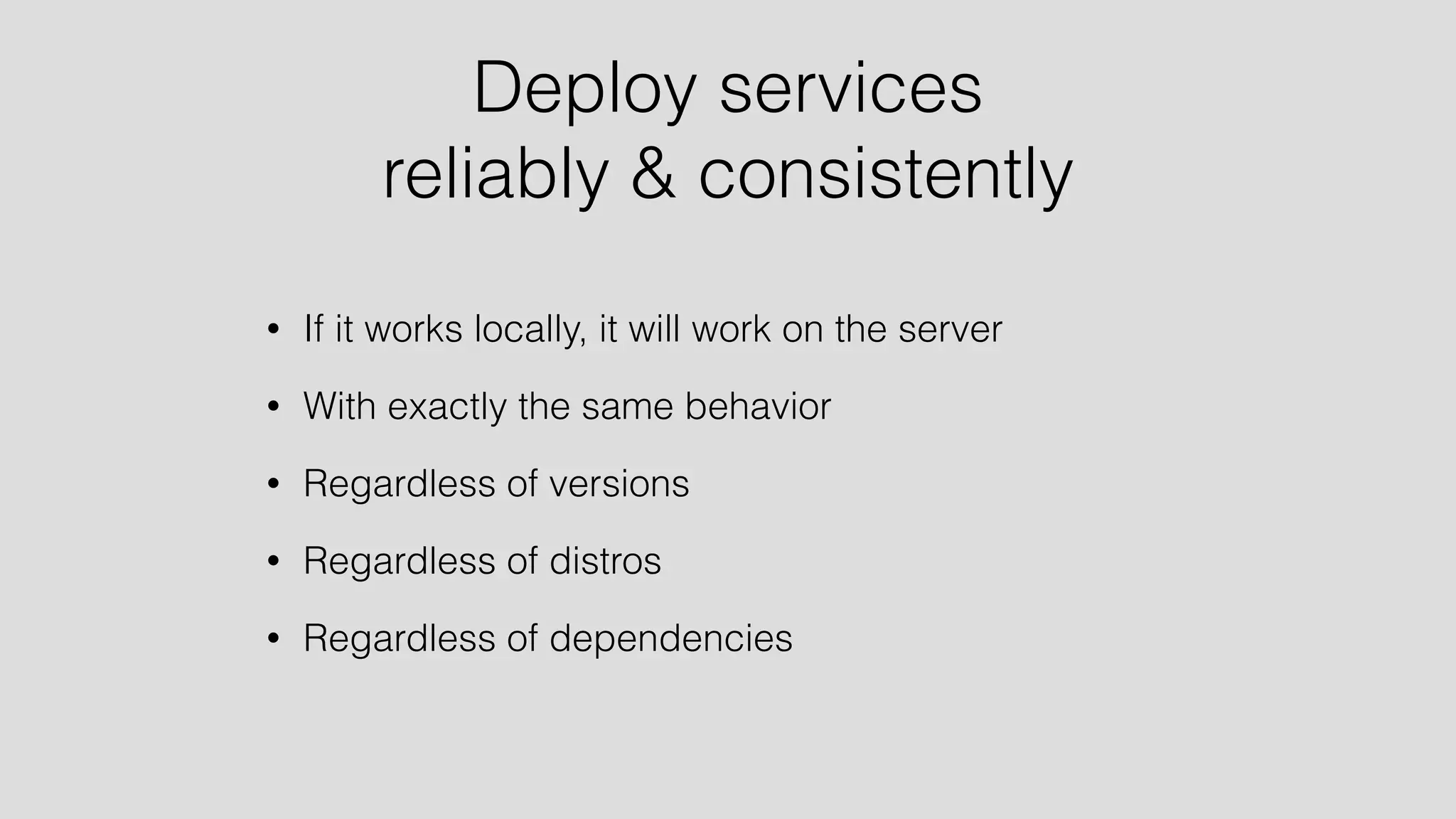

Deploy services 
reliably & consistently 
• If it works locally, it will work on the server 
• With exactly the same behavior 
• Regardless of versions 
• Regardless of distros 
• Regardless of dependencies
Just like the real thing 
• Work in dev environment 
• Other services (databases etc.) in containers 
• Whenever you want to test « for real »: 
• Build in seconds 
• Run instantly
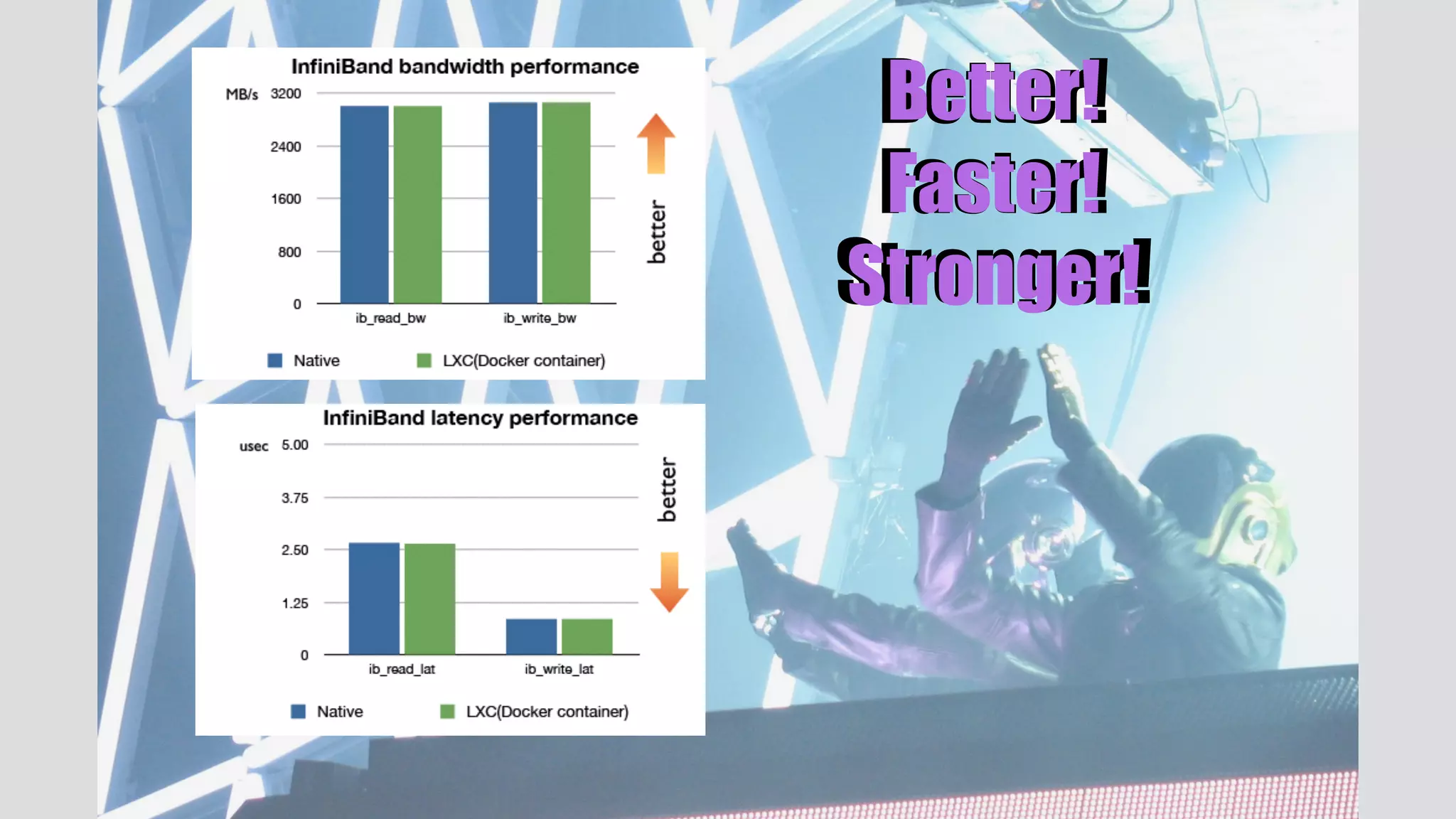
Better! 
Faster! 
Stronger!
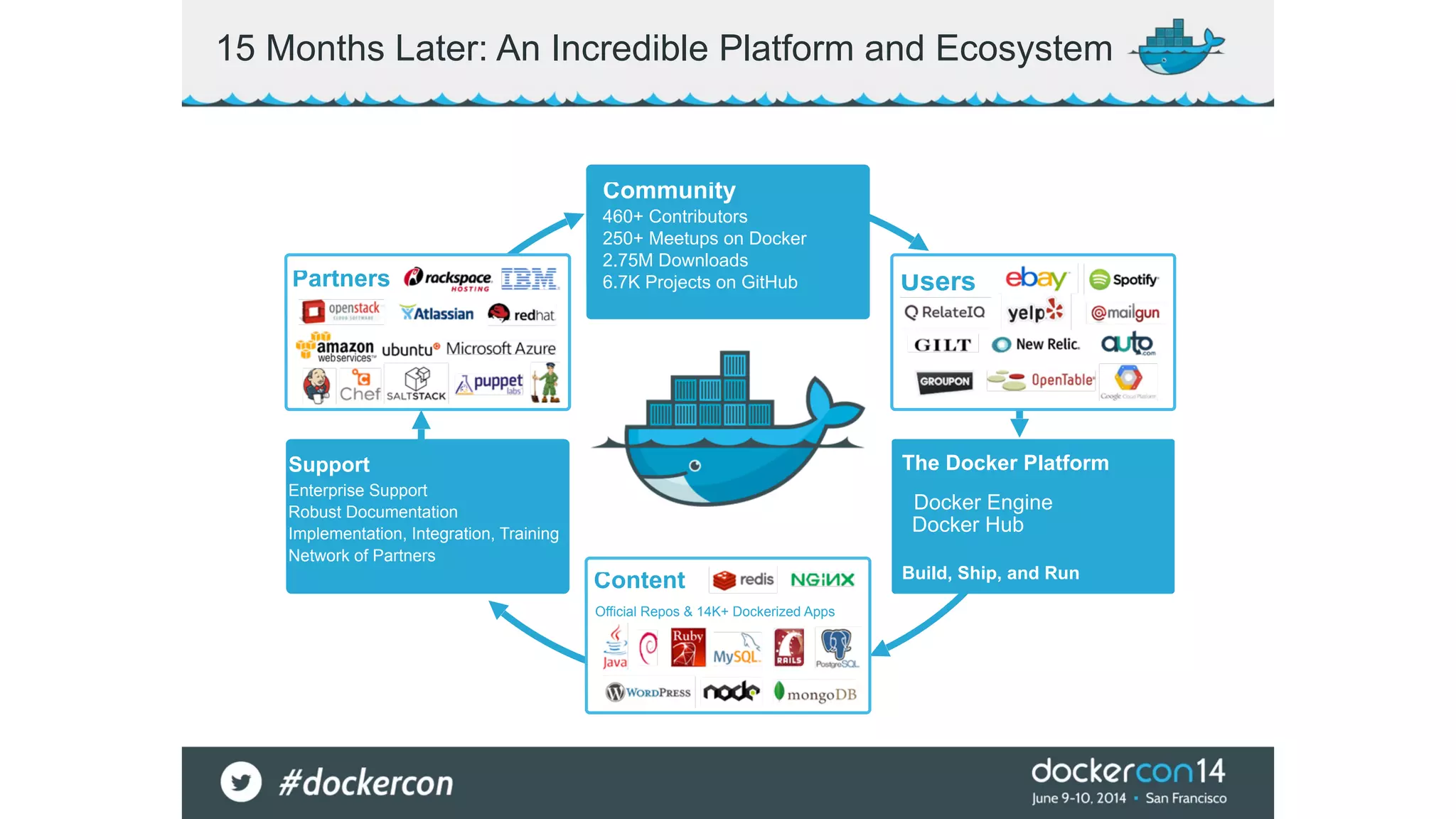
15 Months Later: An Incredible Platform and Ecosystem 
Community 
460+ Contributors 250+ Meetups on Docker 
2.75M Downloads 6.7K Projects on GitHub 
Official Repos & 14K+ Dockerized Apps 
Support 
Enterprise Support 
Robust Documentation 
Implementation, Integration, Training 
Network of Partners 
The Docker Platform 
! 
Docker Engine 
Docker Hub 
! 
Build, Ship, and Run 
Partners 
Content 
Users
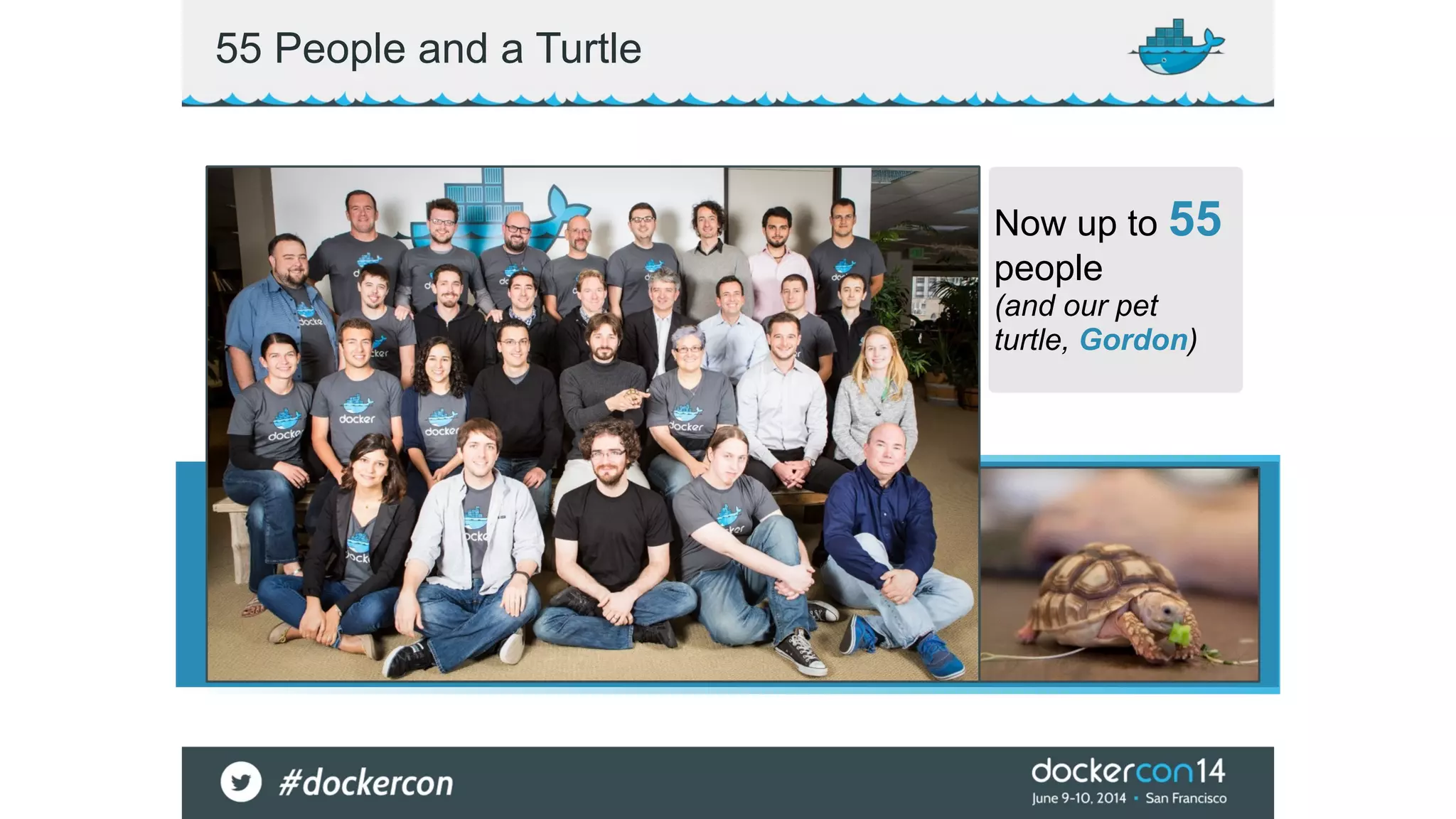
55 People and a Turtle 
Now up to 55 
people 
(and our pet 
turtle, Gordon)
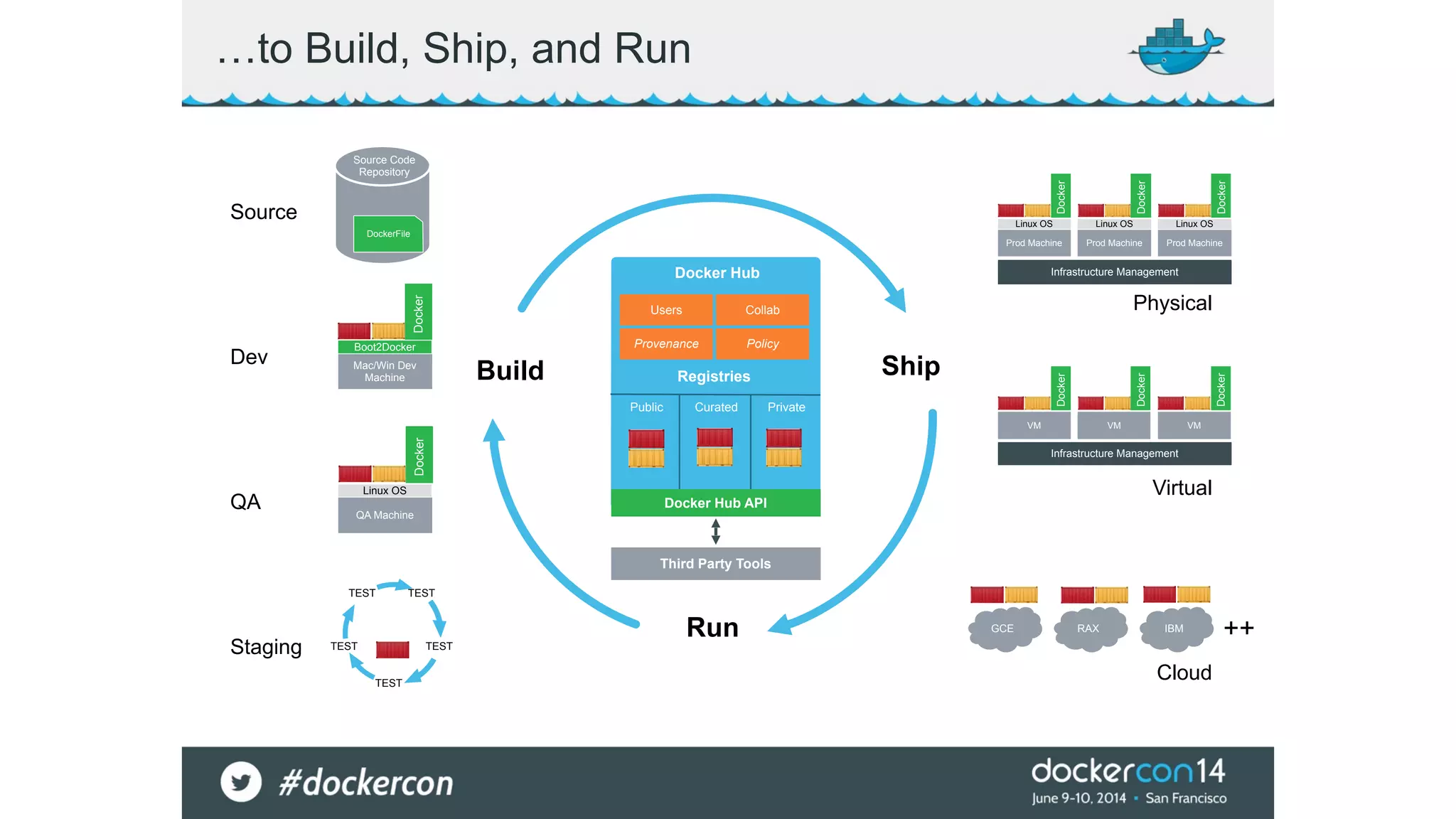
…to Build, Ship, and Run 
Docker Hub 
Build Ship 
Run 
Source 
Dev 
QA 
Staging 
Linux OS 
Doocckkeerr 
Linux OS 
Linux OS 
Doocckkeerr 
Infrastructure Management 
Physical 
Infrastructure Management 
Virtual 
Cloud 
Source Code 
Repository 
DockerFile 
Docker 
Boot2Docker 
Linux OS 
Doocckkeerr 
TEST TEST 
TEST TEST 
TEST 
GCE RAX IBM 
Mac/Win Dev 
Machine 
Analytics 
DB 
Prod Machine 
Doocckkeerr 
++ 
Users Collab 
Provenance Policy 
Registries 
Public Curated Private 
Docker Hub API 
Third Party Tools 
Prod Machine 
Prod Machine 
VM 
DoDcokcekrer 
VM 
DoDcokcekrer 
VM 
DoDcokcekrer 
QA Machine
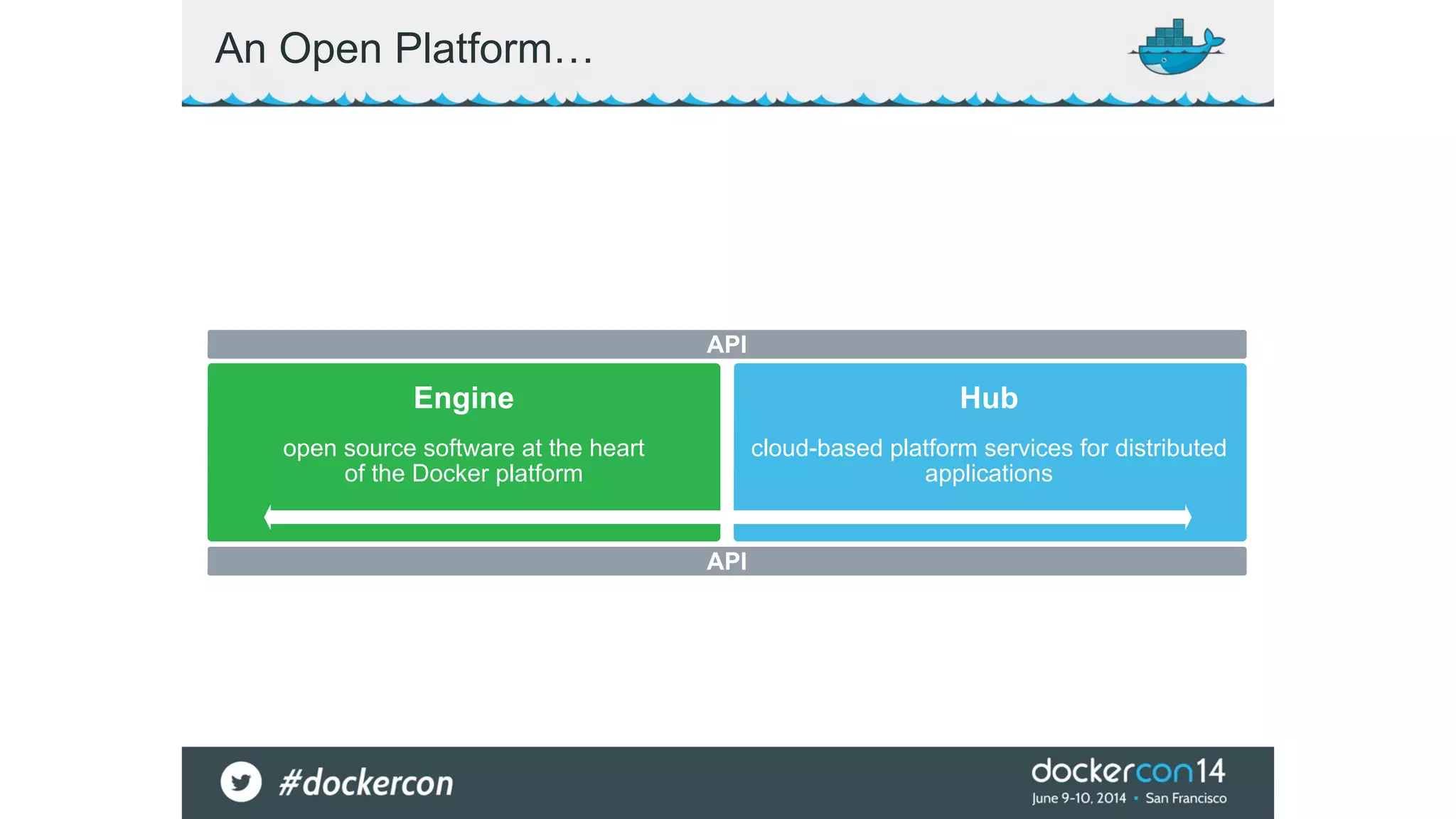
An Open Platform… 
API 
Engine Hub 
open source software at the heart 
of the Docker platform 
cloud-based platform services for distributed 
applications 
API
An Introduction to 
the Docker Engine
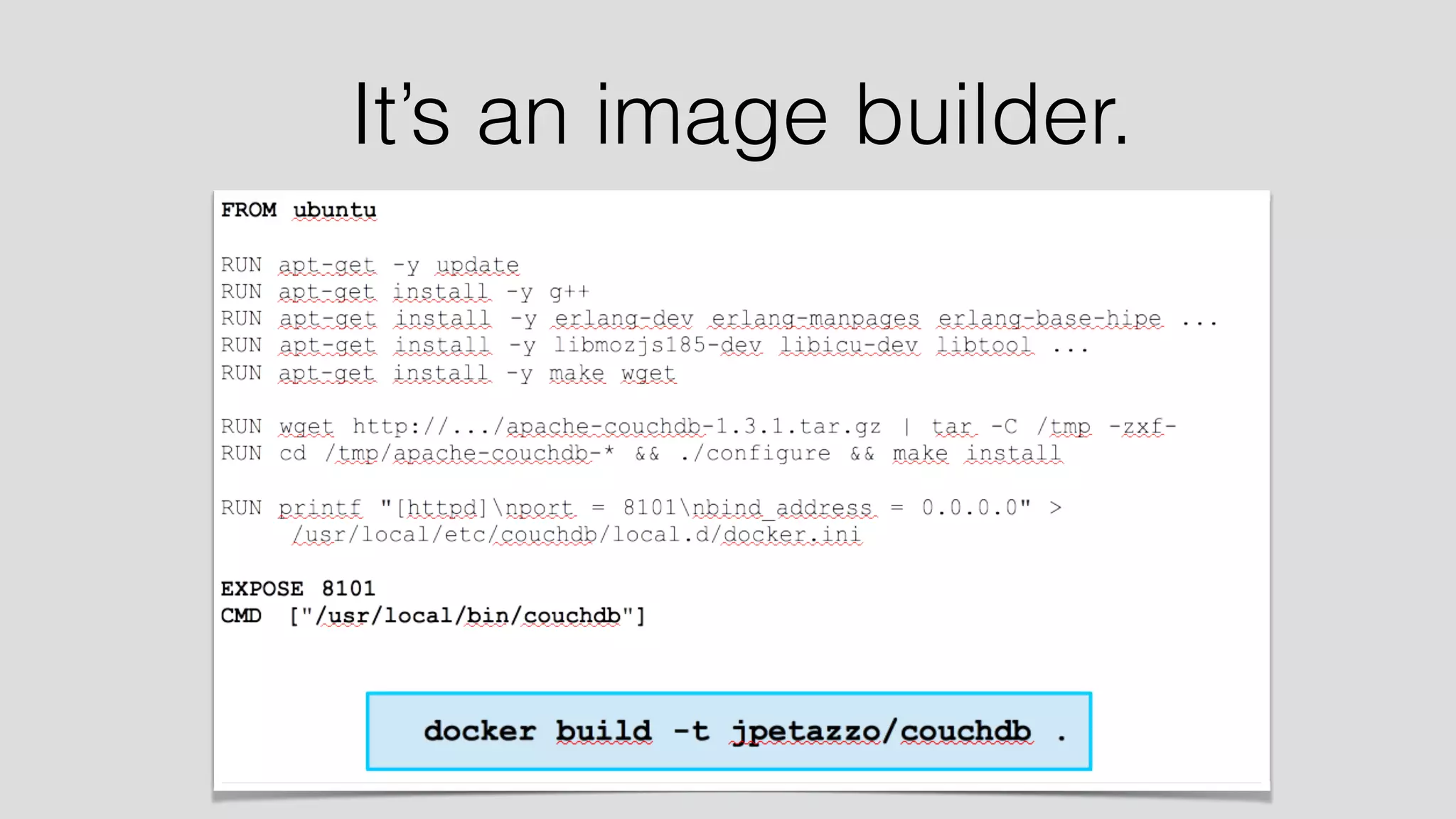
It’s an image builder.
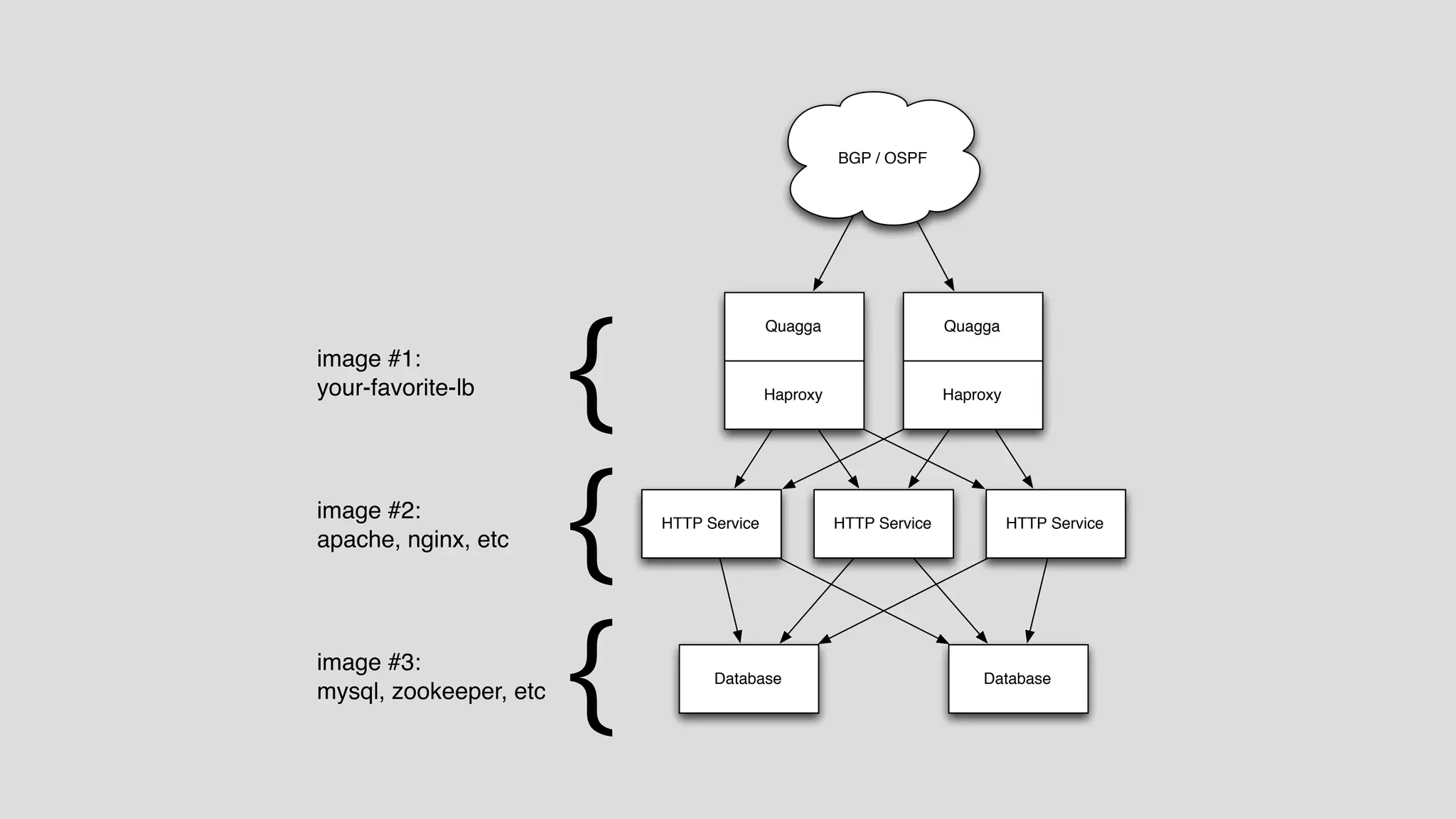
Quagga Quagga 
Haproxy Haproxy 
HTTP Service HTTP Service HTTP Service 
Database 
BGP / OSPF 
Database 
{ 
{ 
{ 
image #1: 
your-favorite-lb 
image #2: 
apache, nginx, etc 
image #3: 
mysql, zookeeper, etc
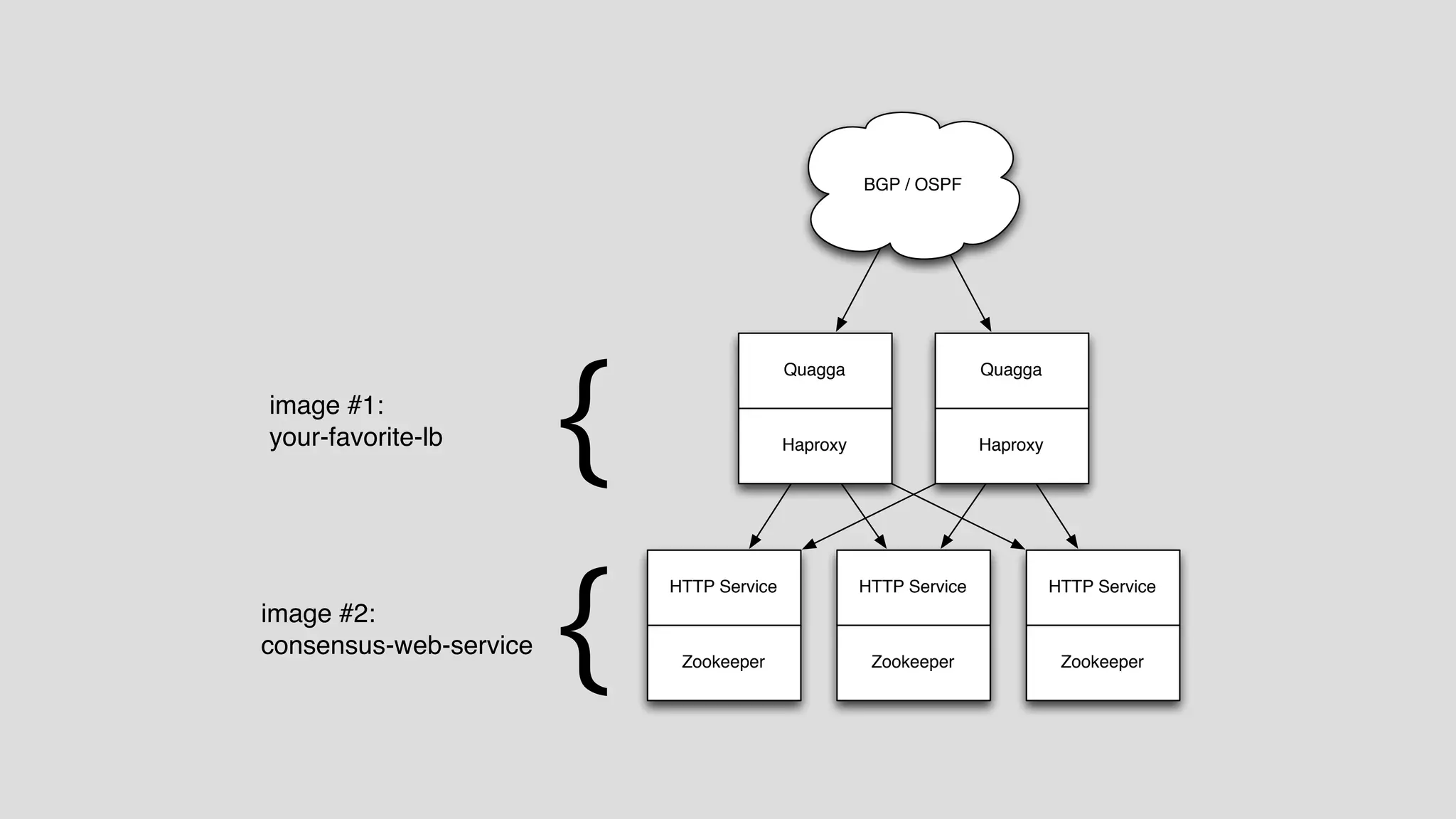
BGP / OSPF 
Quagga Quagga 
HTTP Service HTTP Service HTTP Service 
Zookeeper 
Haproxy Haproxy 
Zookeeper 
{ 
{ 
image #1: 
your-favorite-lb 
image #2: 
consensus-web-service 
Zookeeper
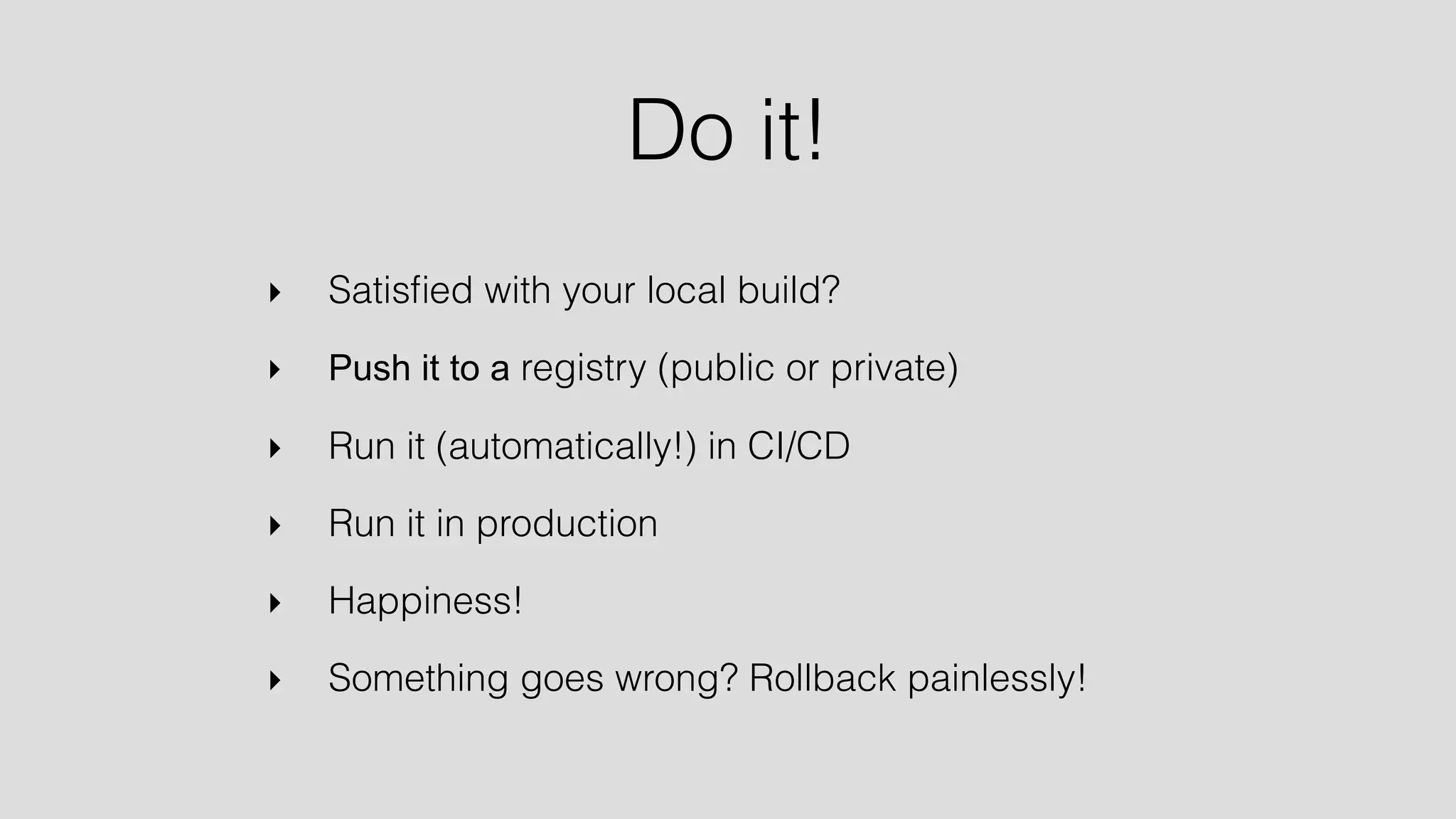
Do it! 
‣ Satisfied with your local build? 
‣ Push it to a registry (public or private) 
‣ Run it (automatically!) in CI/CD 
‣ Run it in production 
‣ Happiness! 
‣ Something goes wrong? Rollback painlessly!
Demo!
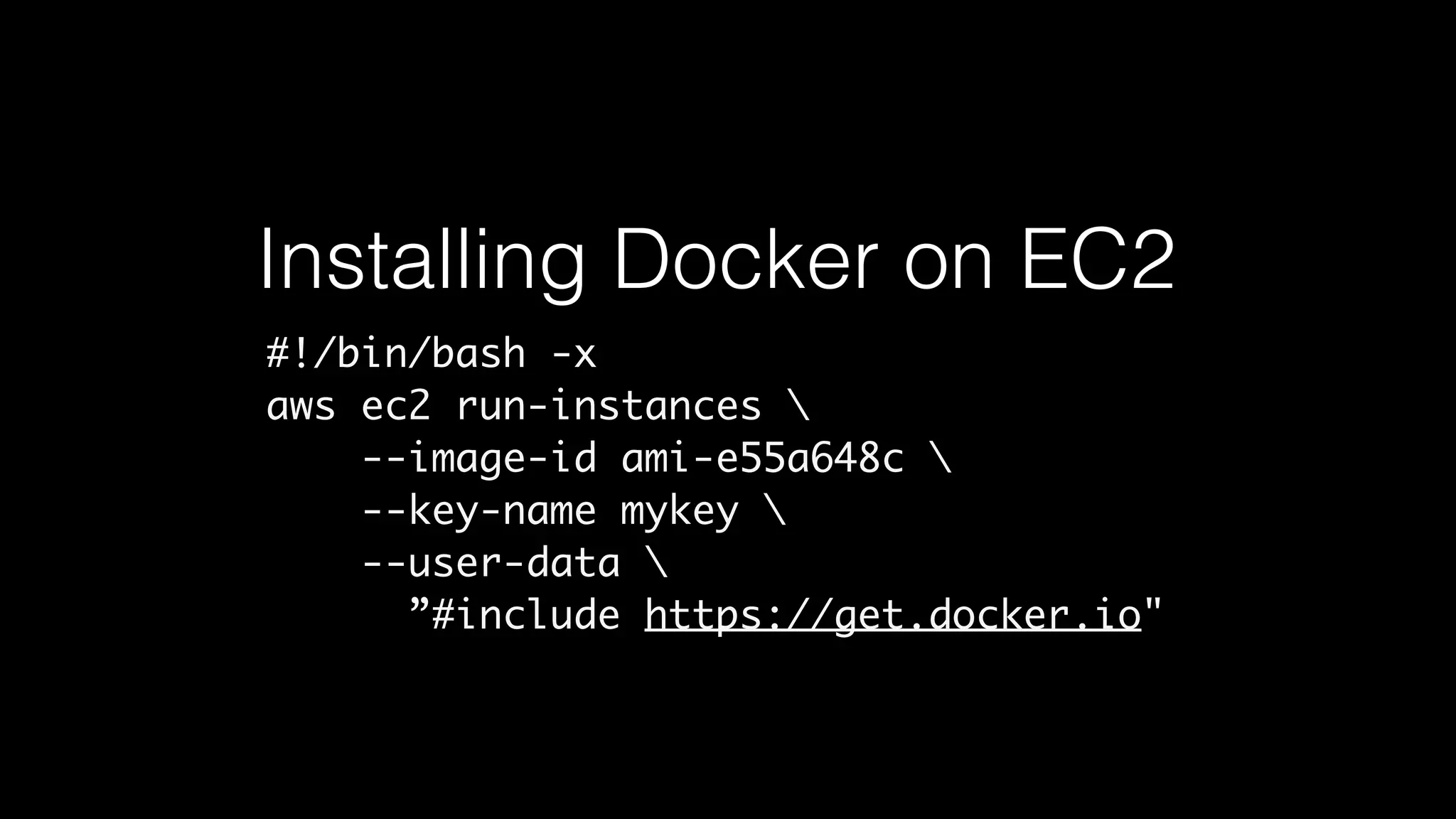
Installing Docker on EC2 
#!/bin/bash -x 
aws ec2 run-instances  
--image-id ami-e55a648c  
--key-name mykey  
--user-data  
”#include https://get.docker.io"
#!/bin/bash -x 
aws ec2 run-instances  
--image-id ami-e55a648c  
--key-name my-key  
--user-data "#include https://get.docker.io” 
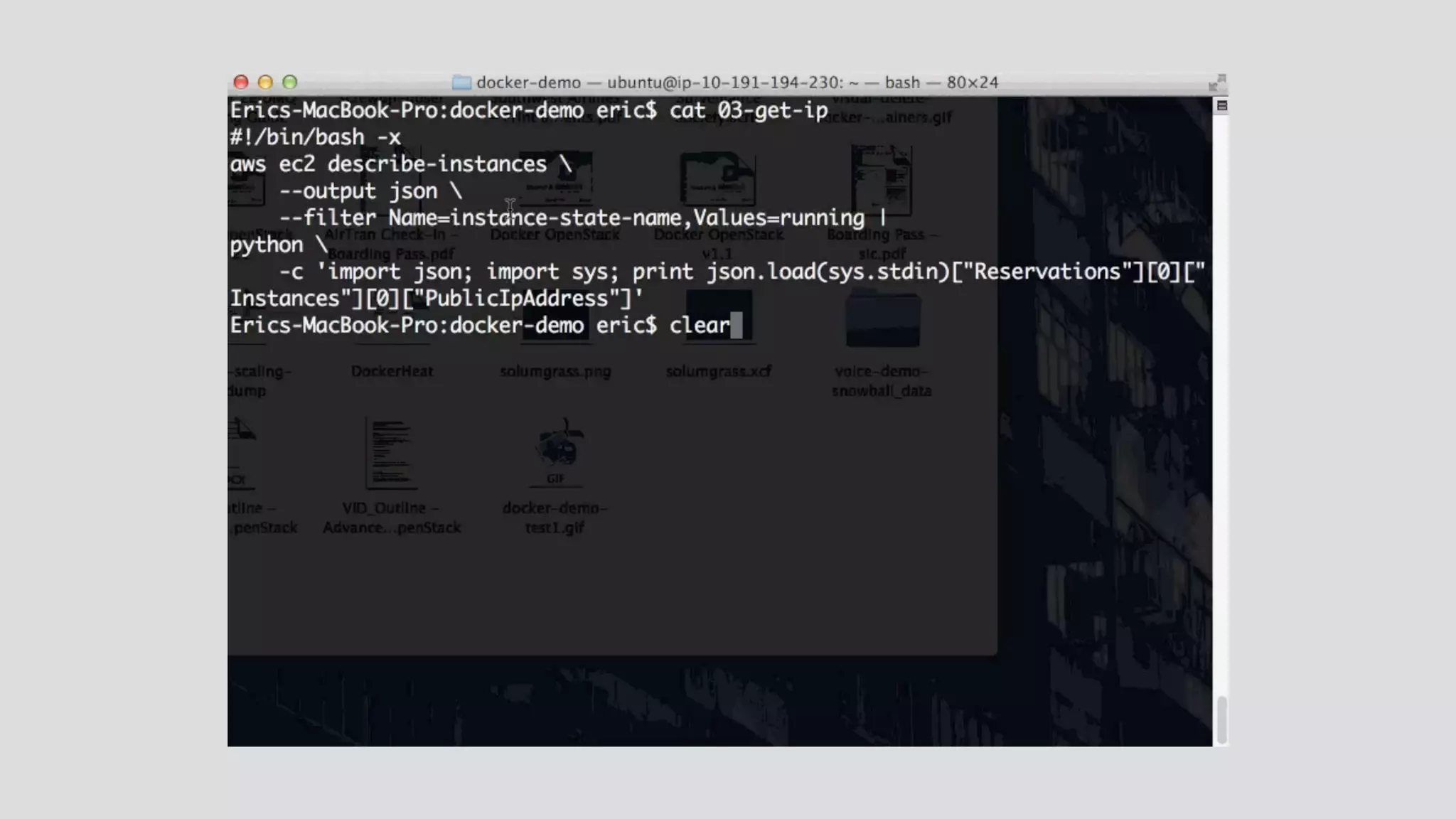
ip=$(aws ec2 describe-instances  
--output json  
--filter Name=instance-state-name,Values=running | python  
-c 'import json; import sys; print json.load(sys.stdin) 
[“Reservations”][0]["Instances"][0]["PublicIpAddress"]') 
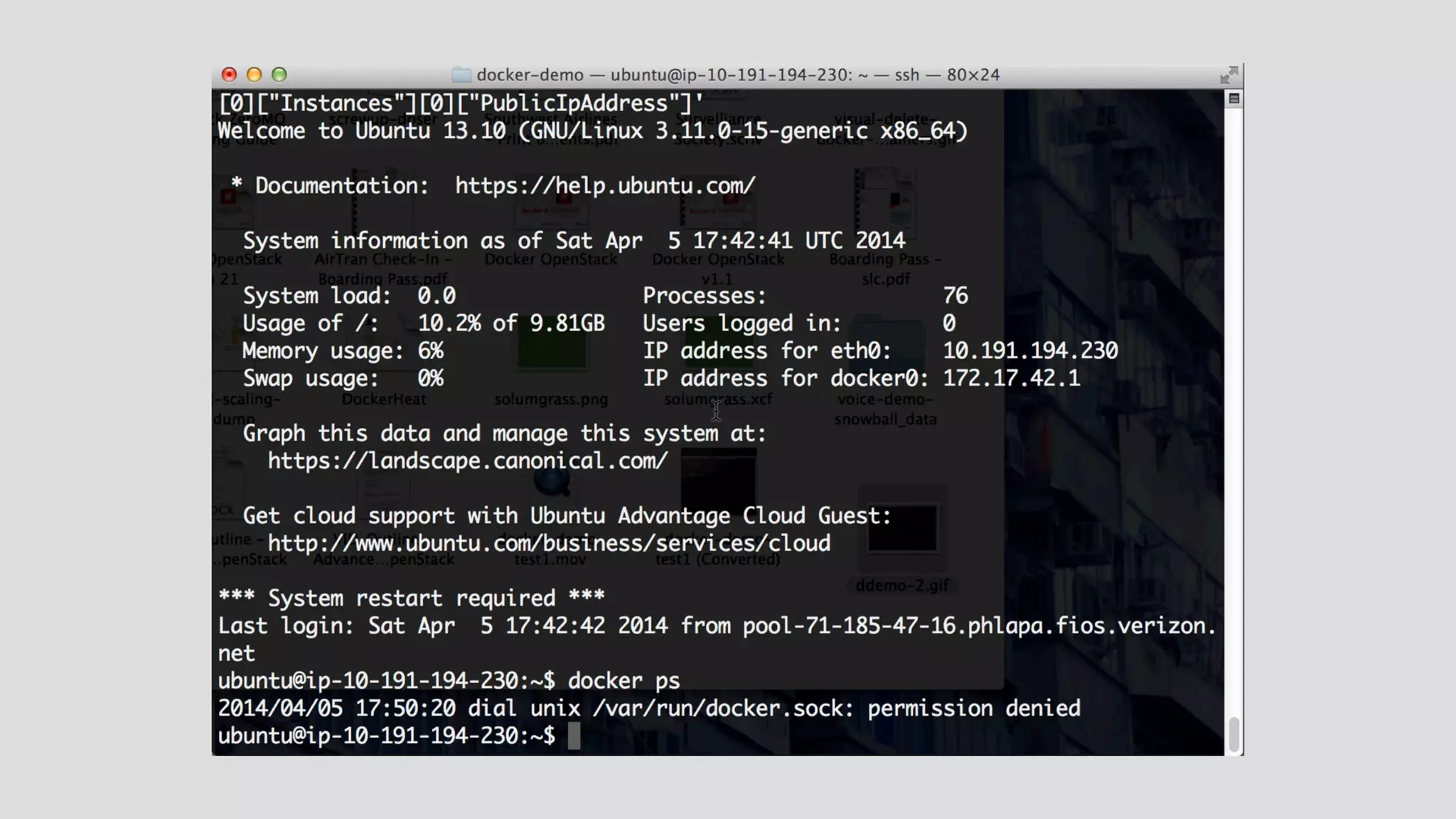
ssh ubuntu@$ip sudo docker run cirros
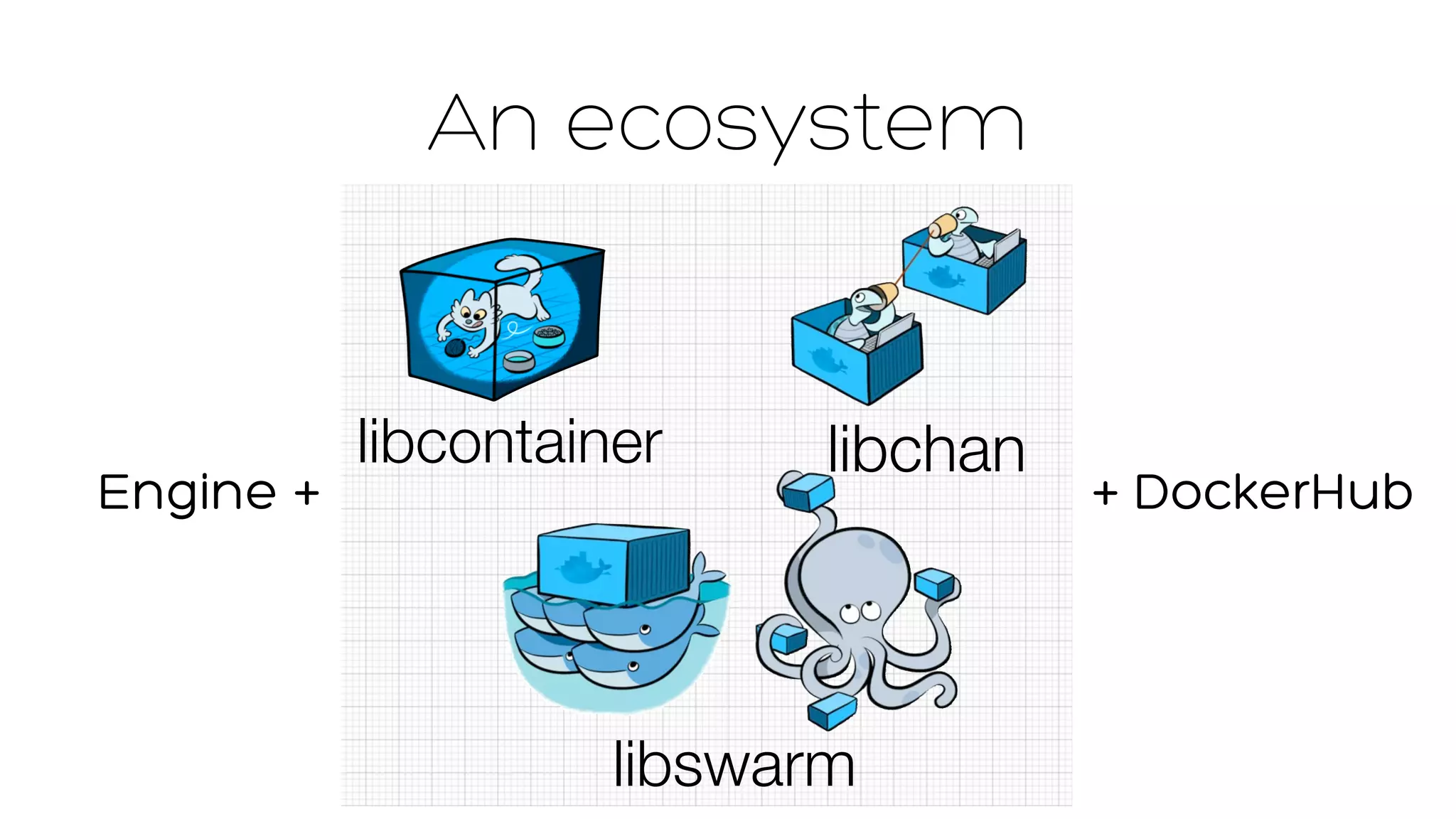
An ecosystem 
libcontainer libchan 
Engine + + DockerHub 
libswarm
libcontainer… 
a story of Linux 
namespaces
libcontainer… 
• Standalone project 
• Contributors: 
• RedHat 
• Google 
• Parallels (OpenVZ) 
• Ubuntu / LXC
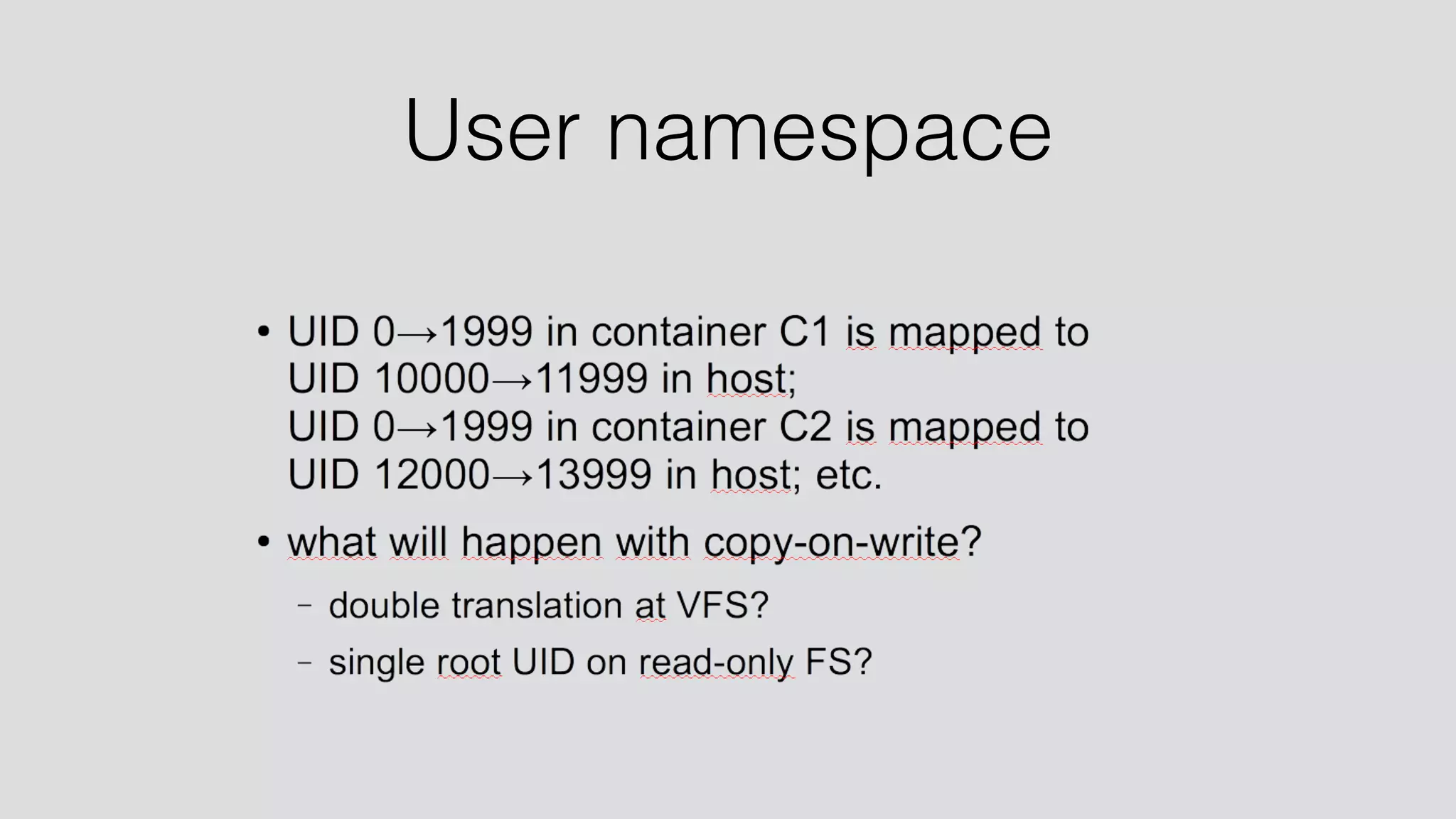
User namespace
Security
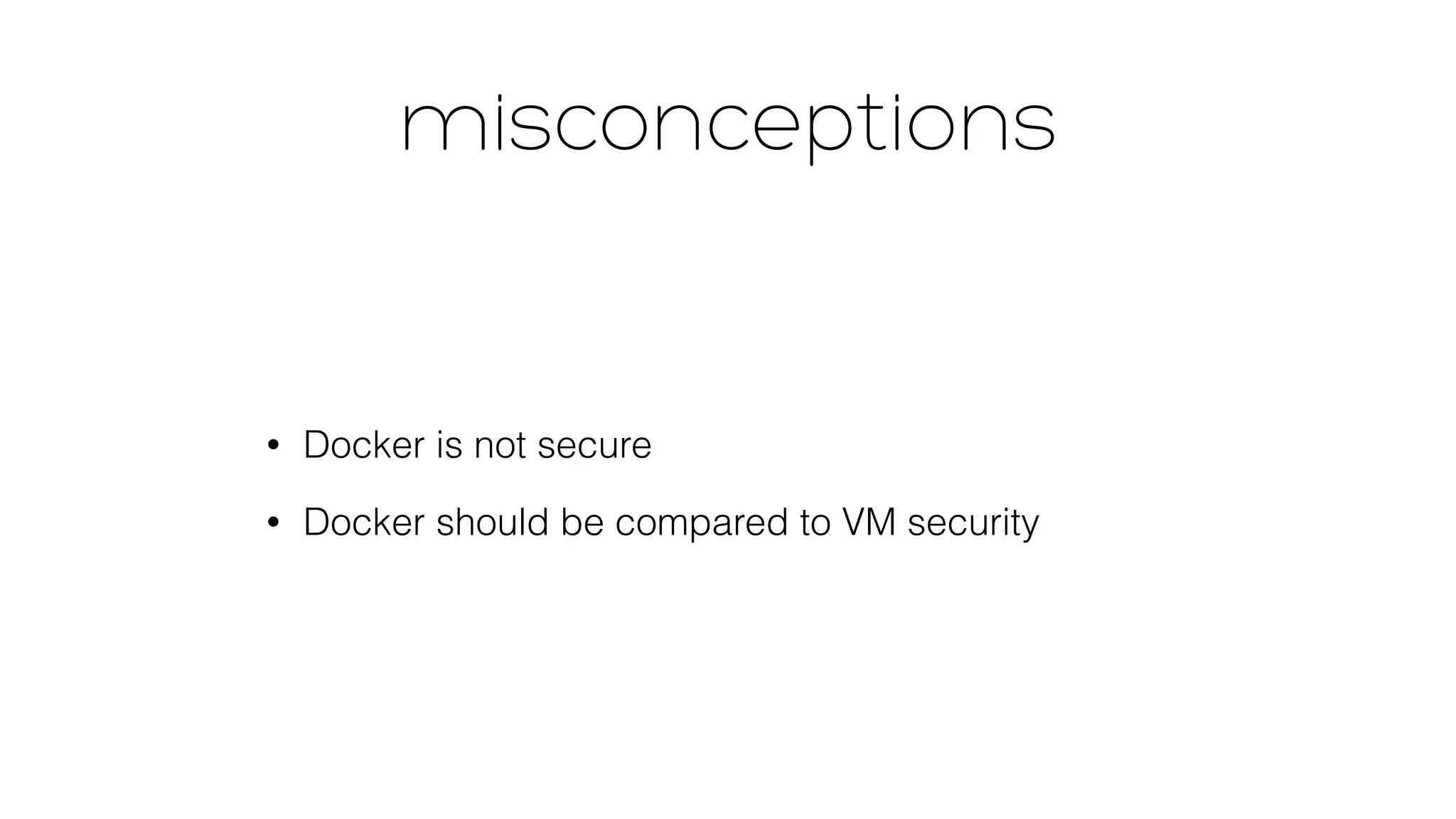
misconceptions 
• Docker is not secure 
• Docker should be compared to VM security
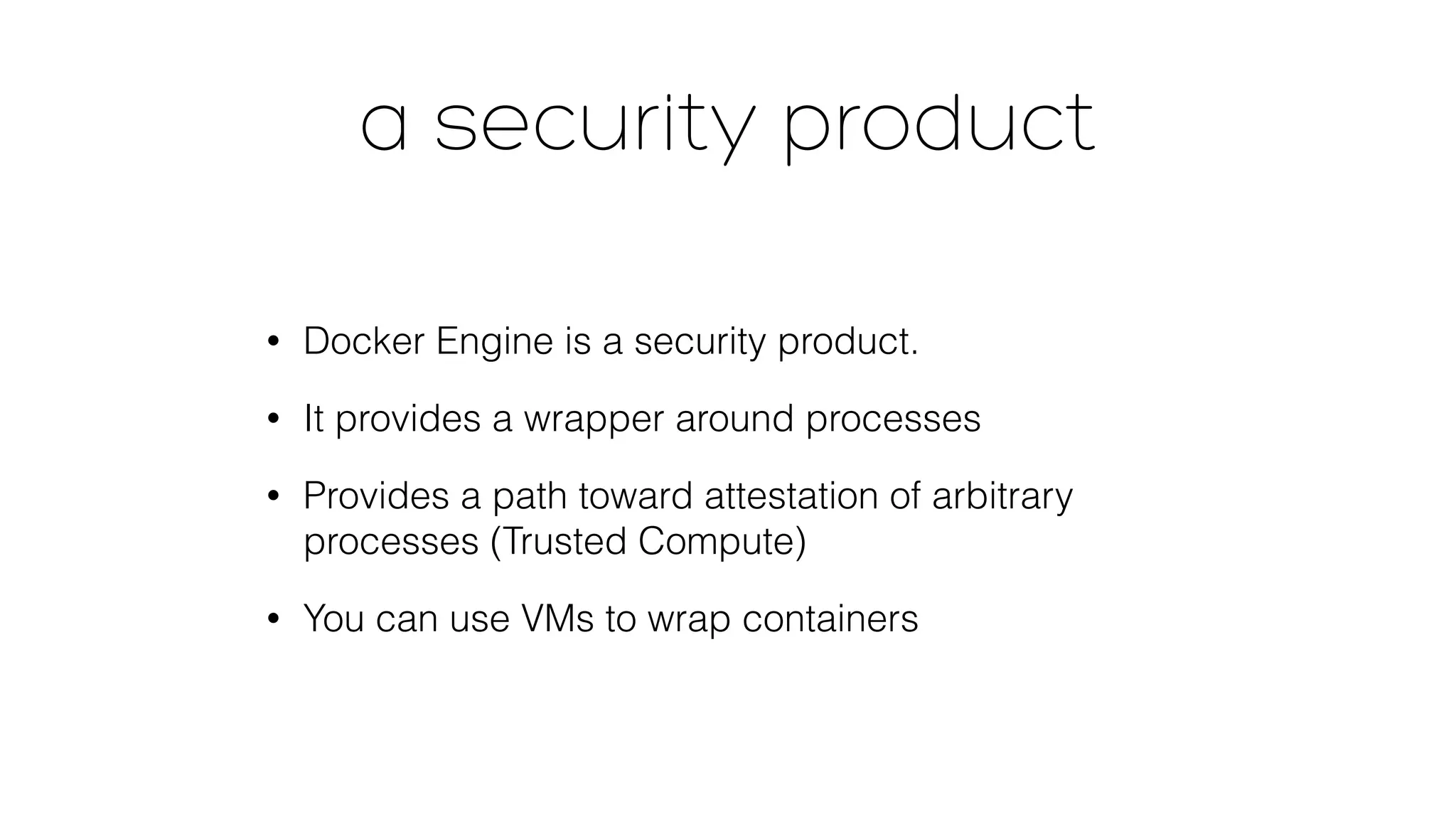
a security product 
• Docker Engine is a security product. 
• It provides a wrapper around processes 
• Provides a path toward attestation of arbitrary 
processes (Trusted Compute) 
• You can use VMs to wrap containers
a work in progress… 
That said… 
Security was not a priority for the 1.0 release 
Security is a priority post-1.0 
Big issues are still be discovered at a rapid clip… 
Big issues are being resolved at a rapid clip.
libchan 
a lightweight communication 
protocol for distributed systems 
Tuesday, June 10, 14 25
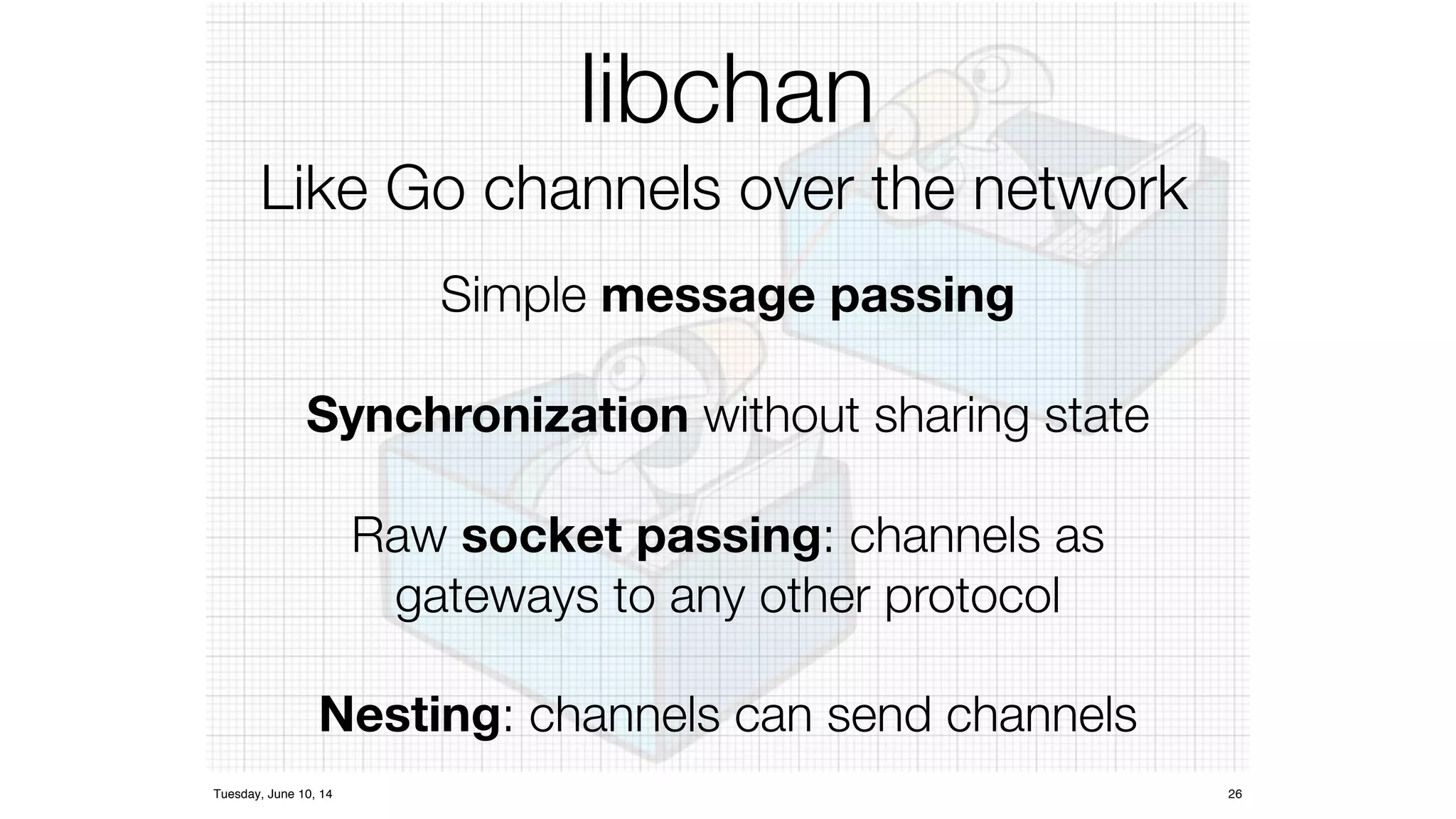
libchan 
Like Go channels over the network 
Simple message passing 
Synchronization d 
without sharing state 
Raw socket passing: channels as 
gateways to any other protocol 
Nesting: channels can send channels 
Tuesday, June 10, 14 26
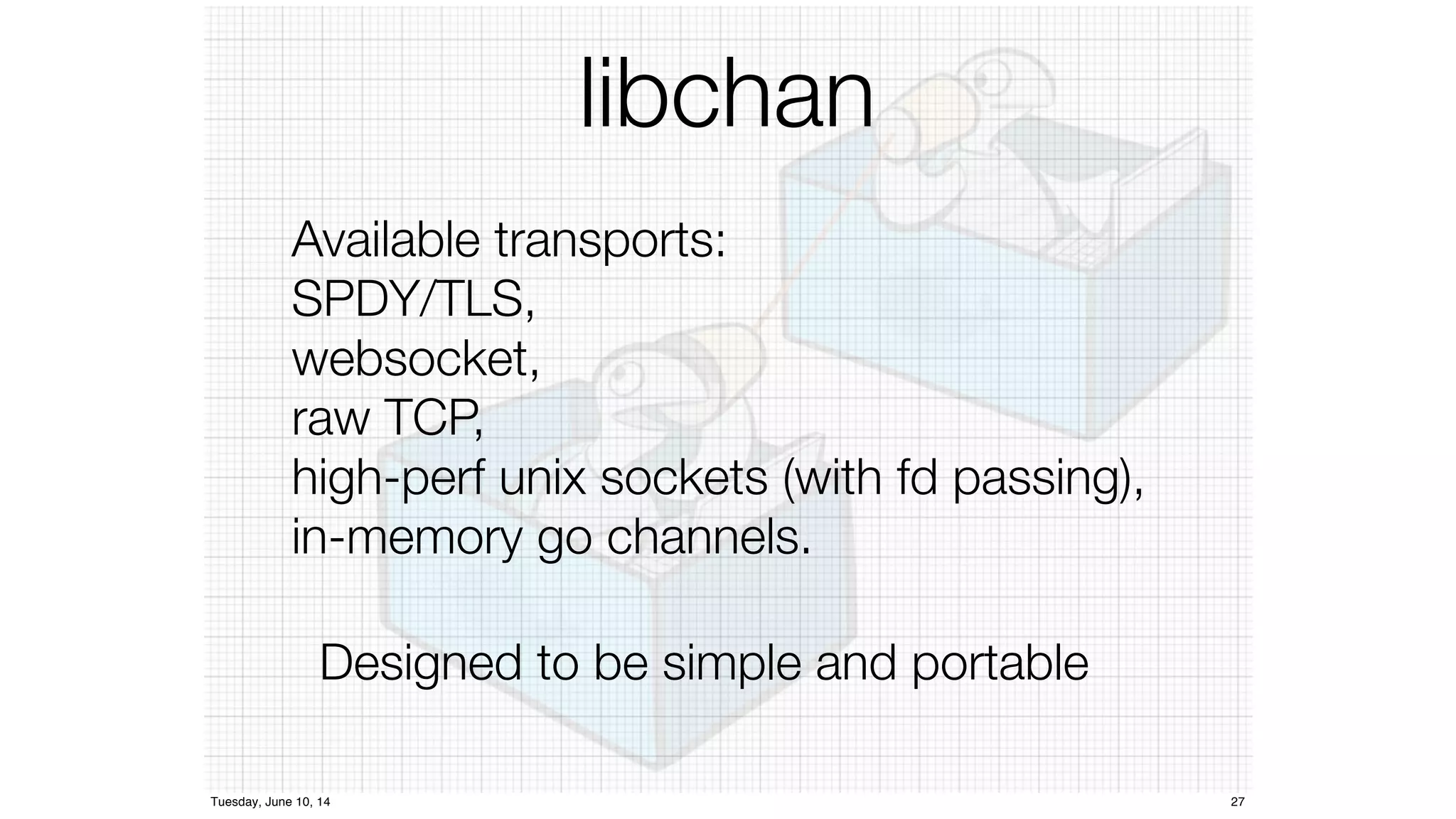
libchan 
Available transports: 
SPDY/TLS, 
websocket, 
raw TCP, 
high-perf unix sockets (with fd passing), 
in-memory go channels. 
Designed to be simple and portable 
Tuesday, June 10, 14 27
libswarm 
A minimalist toolkit 
to compose network services 
Tuesday, June 10, 14 39
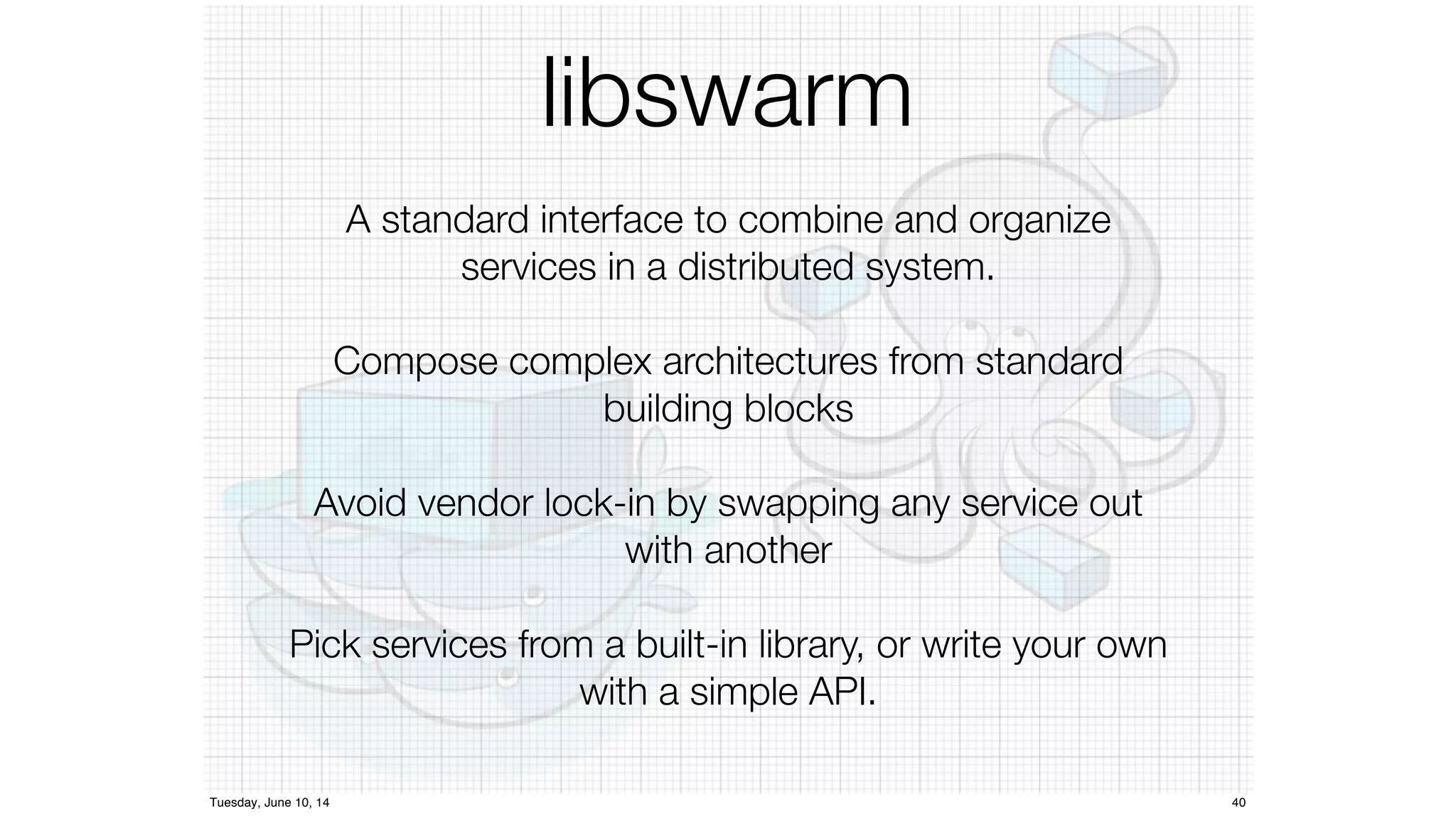
libswarm 
A standard interface to combine and organize 
services in a distributed system. 
Compose complex architectures from standard 
building blocks 
Avoid vendor lock-in by swapping any service out 
with another 
Pick services from a built-in library, or write your own 
with a simple API. 
Tuesday, June 10, 14 40
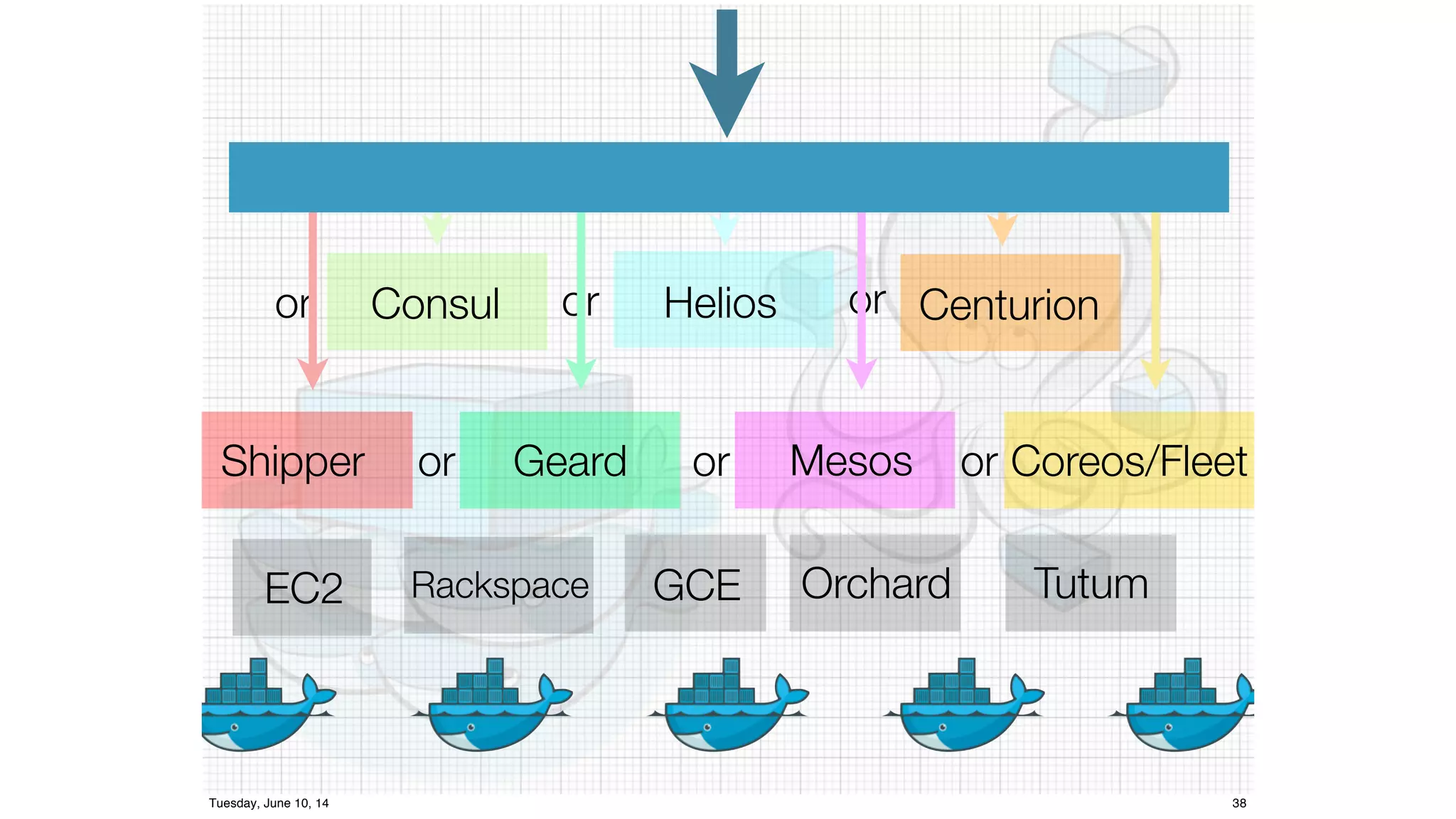
or Consul or Helios or Centurion 
Shipper or Geard or Mesos or Coreos/Fleet 
EC2 Rackspace GCE Orchard Tutum 
Tuesday, June 10, 14 38
Images… 
and a new way of looking 
at infrastructure
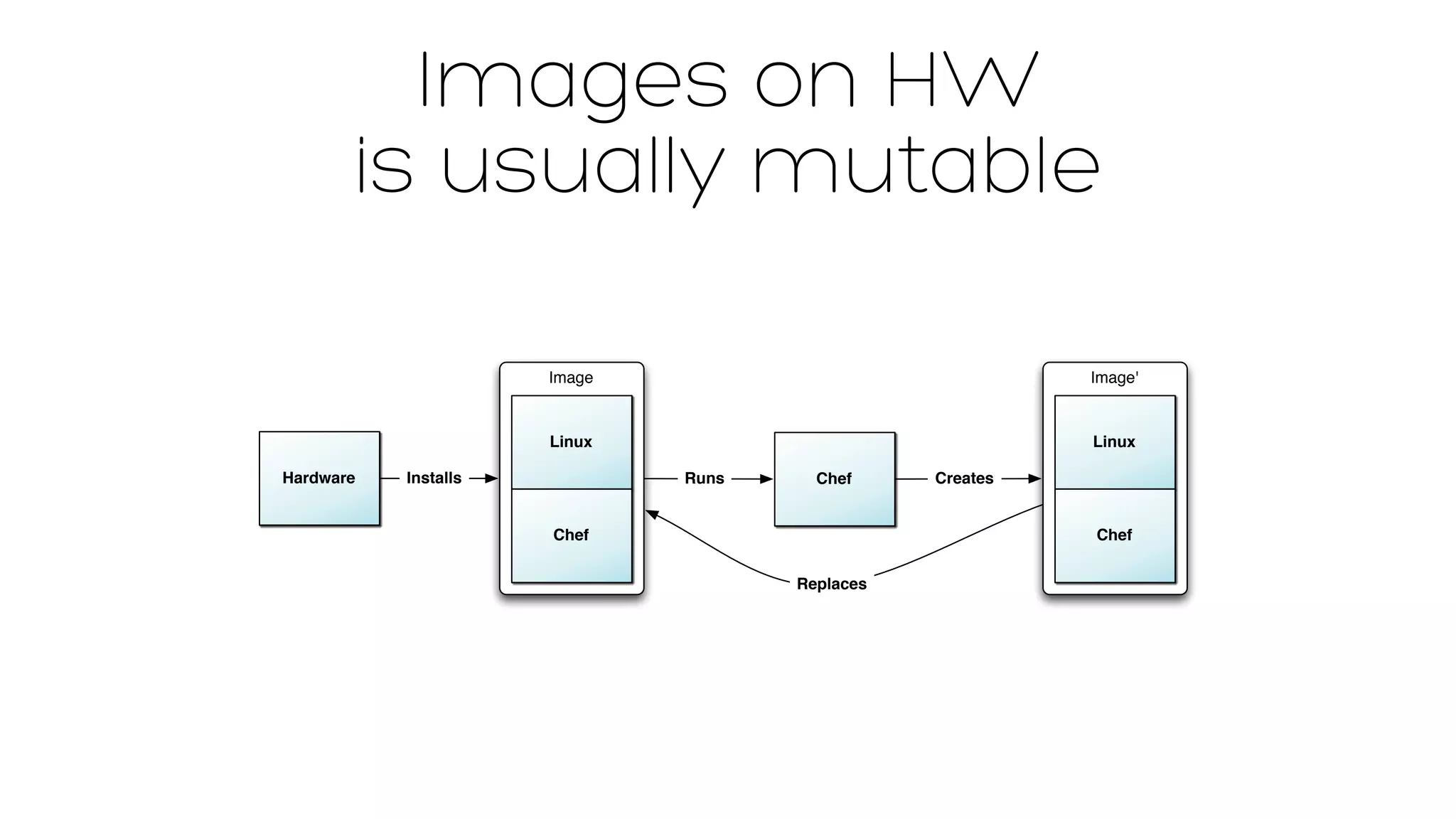
Images on HW 
is usually mutable 
Hardware 
Image 
Linux 
Installs Chef 
Chef 
Image' 
Linux 
Chef 
Creates 
Replaces 
Runs
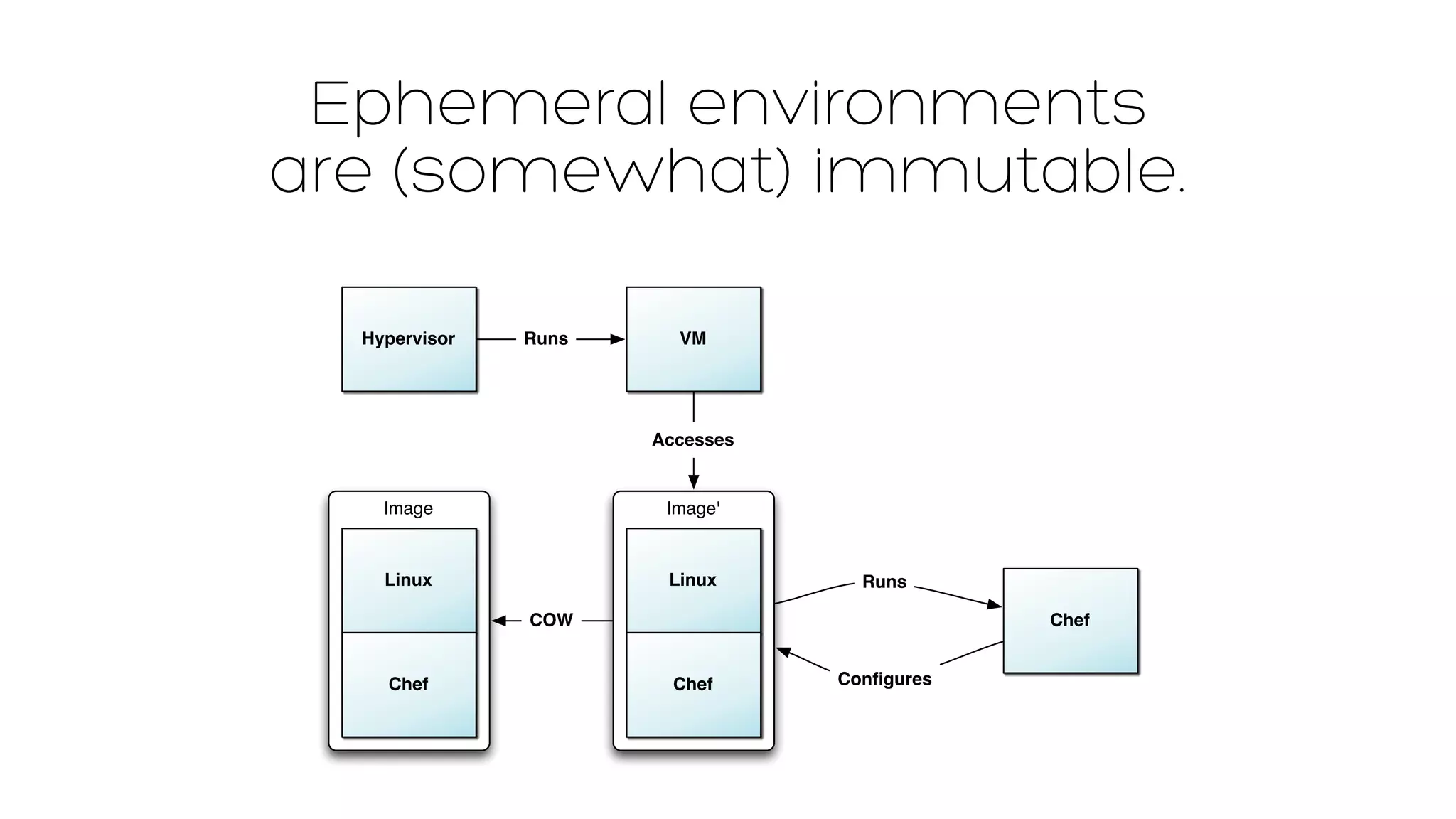
Ephemeral environments 
are (somewhat) immutable. 
Hypervisor 
Image 
Linux 
Chef 
Runs 
Image' 
Linux 
Chef 
Chef 
Runs 
Configures 
VM 
Accesses 
COW
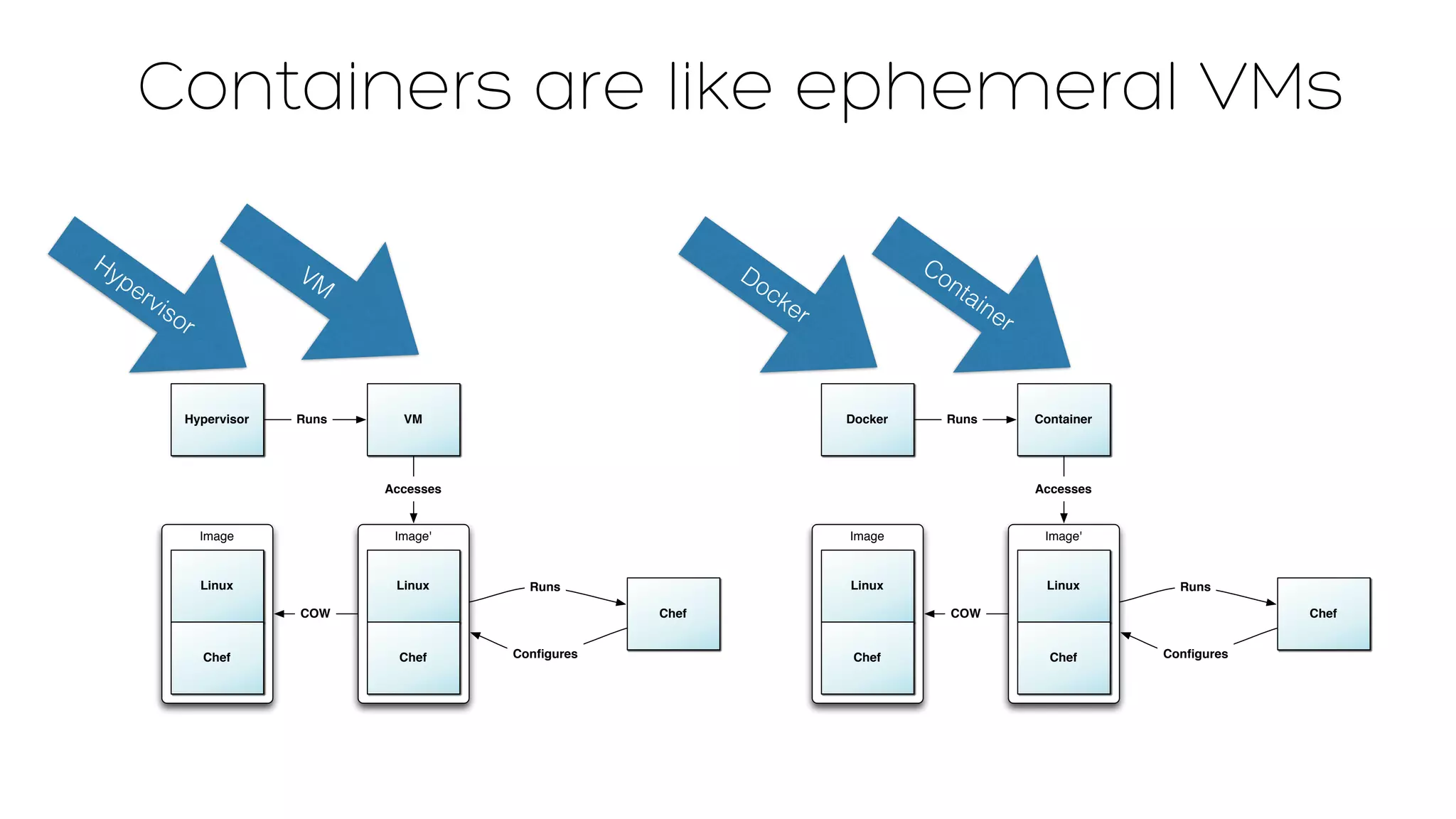
Containers are like ephemeral VMs 
Docker 
Image 
Linux 
Chef 
Runs 
Image' 
Linux 
Chef 
Chef 
Runs 
Configures 
Container 
Accesses 
COW 
Hypervisor 
Image 
Linux 
Chef 
Runs 
Image' 
Linux 
Chef 
Chef 
Runs 
Configures 
VM 
Accesses 
COW 
Hypervisor 
VM 
Docker 
Container
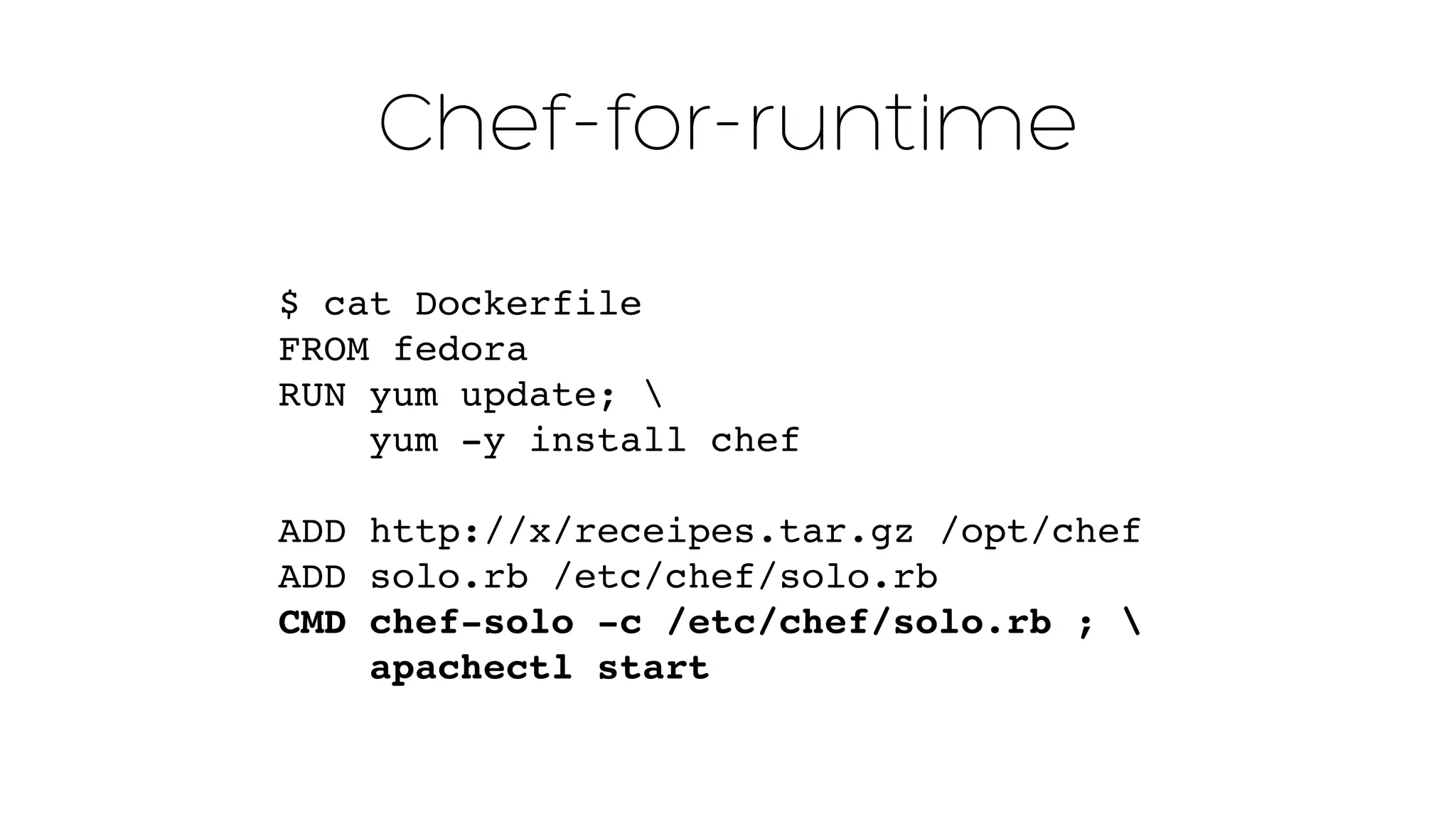
Chef-for-runtime 
$ cat Dockerfile 
FROM fedora 
RUN yum update;  
yum -y install chef 
ADD http://x/receipes.tar.gz /opt/chef" 
ADD solo.rb /etc/chef/solo.rb" 
CMD chef-solo -c /etc/chef/solo.rb ; ! 
apachectl start
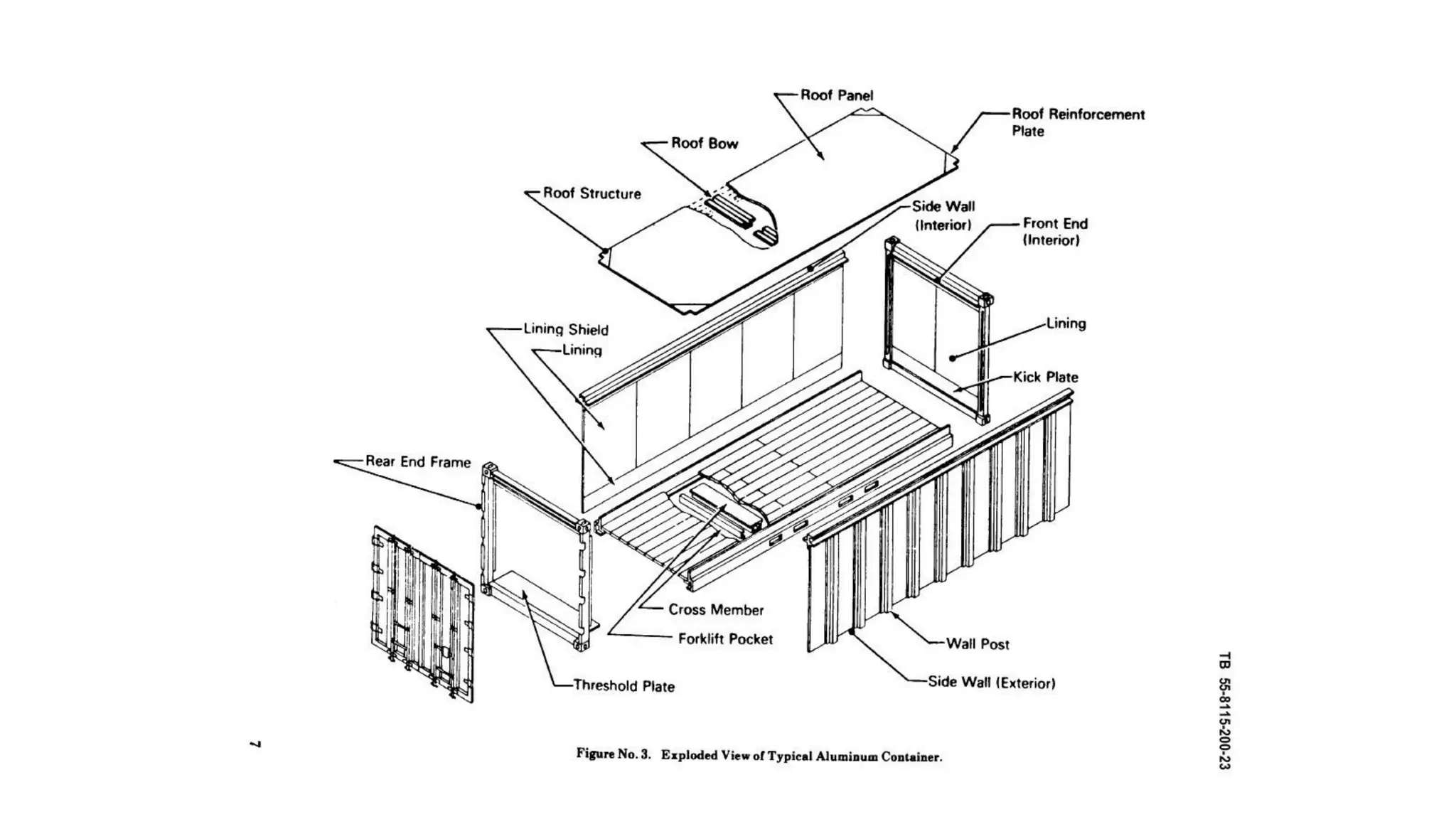
Containers 
are 
THINGS
X
X
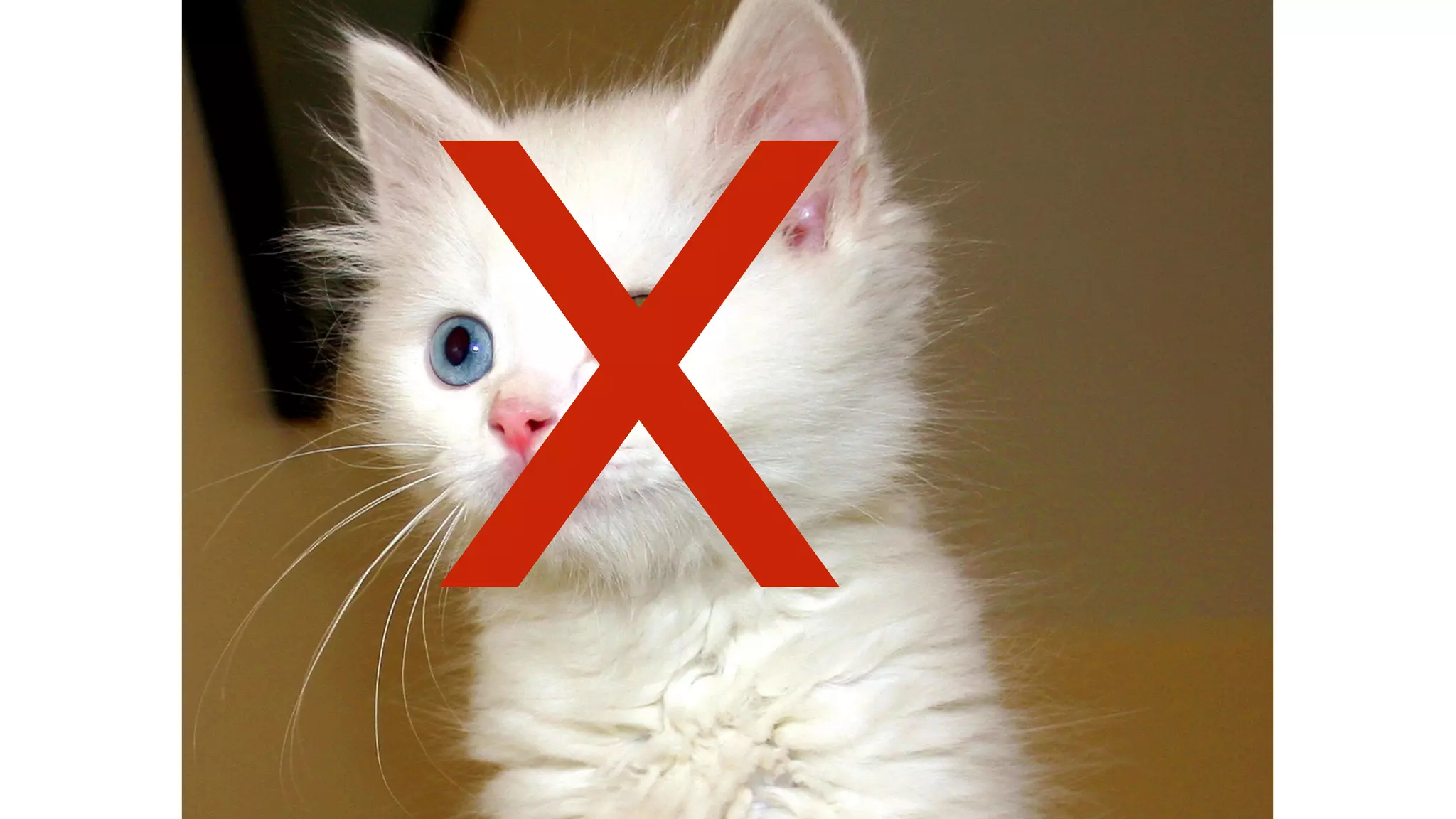
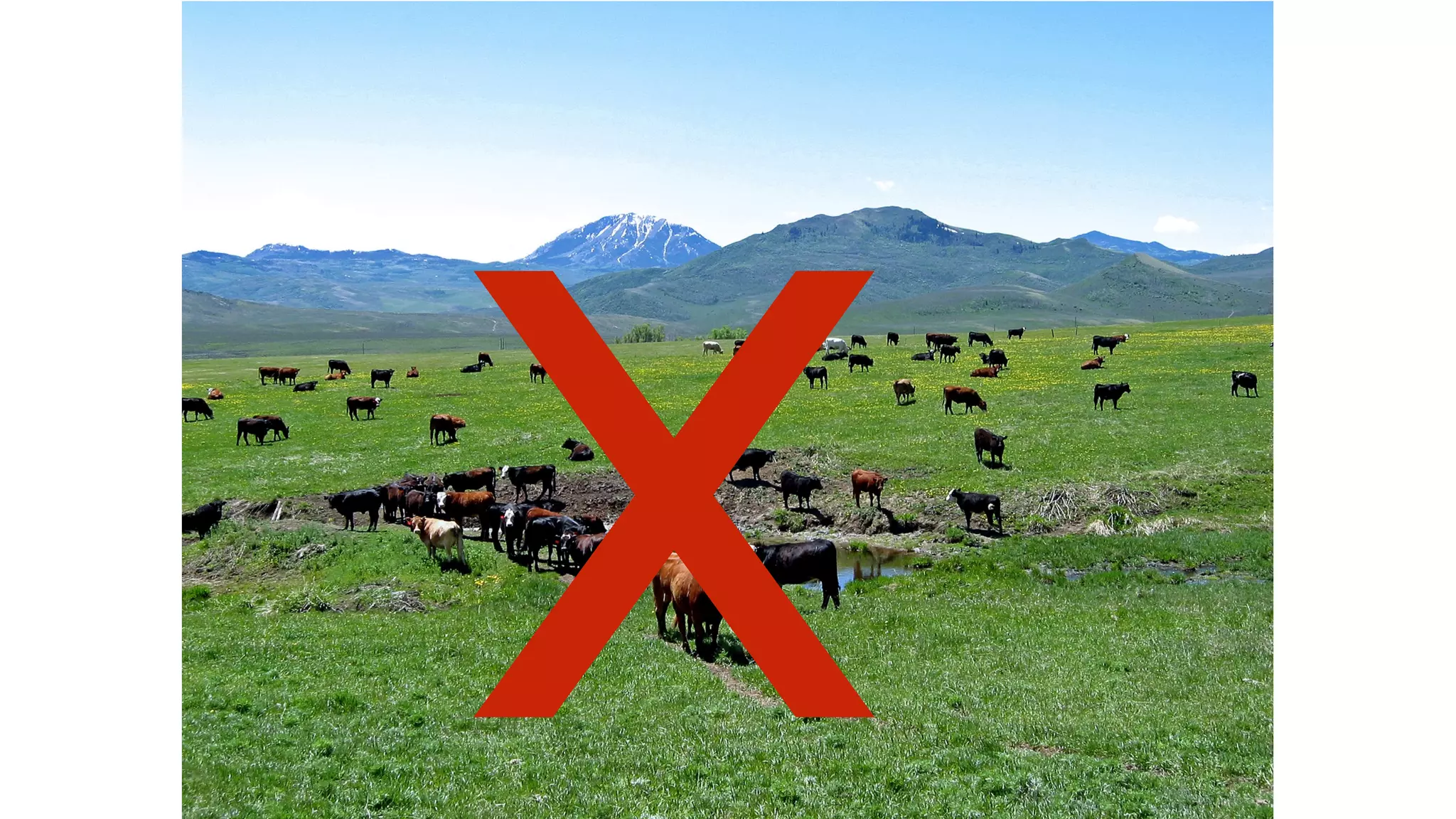
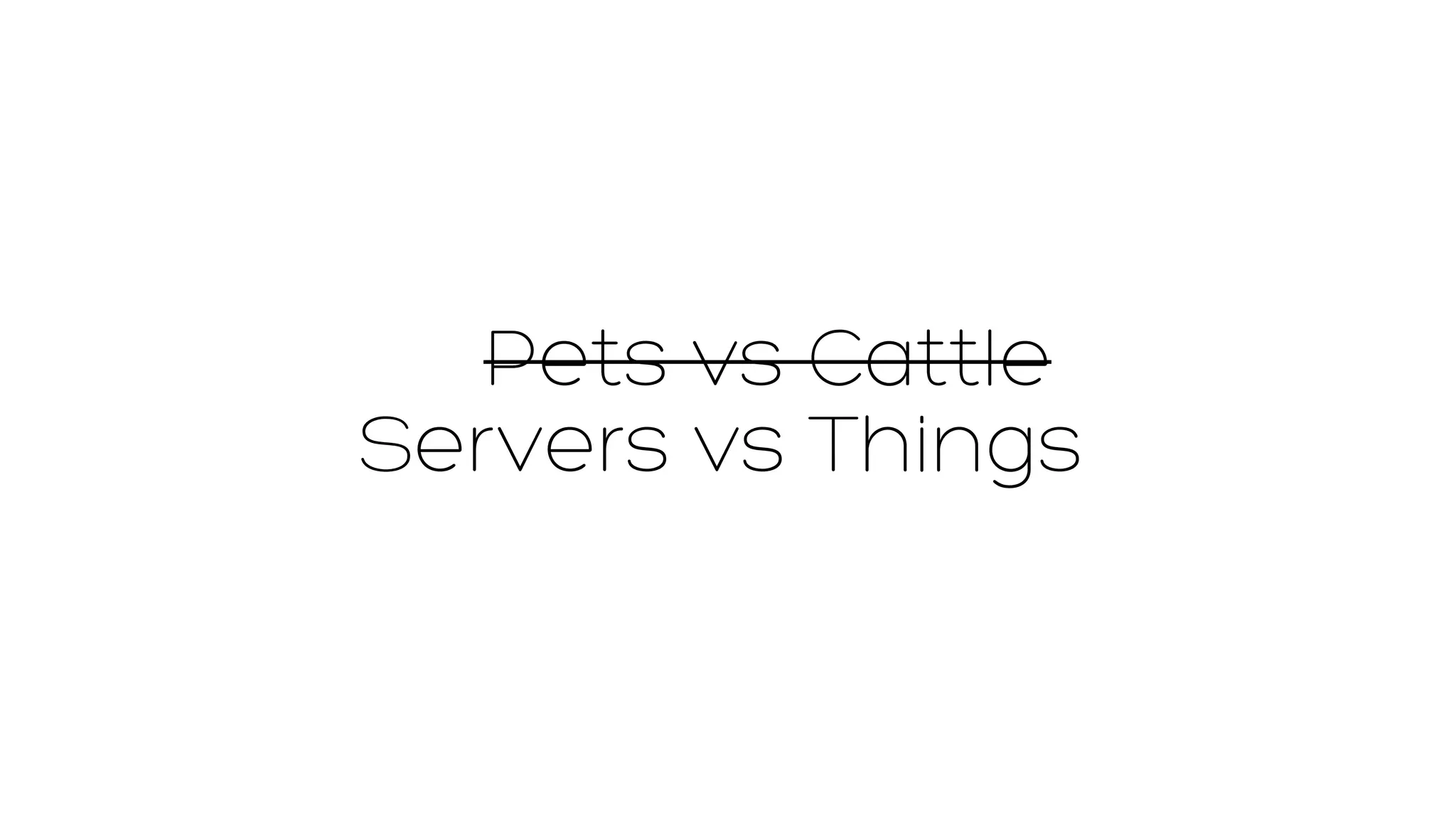
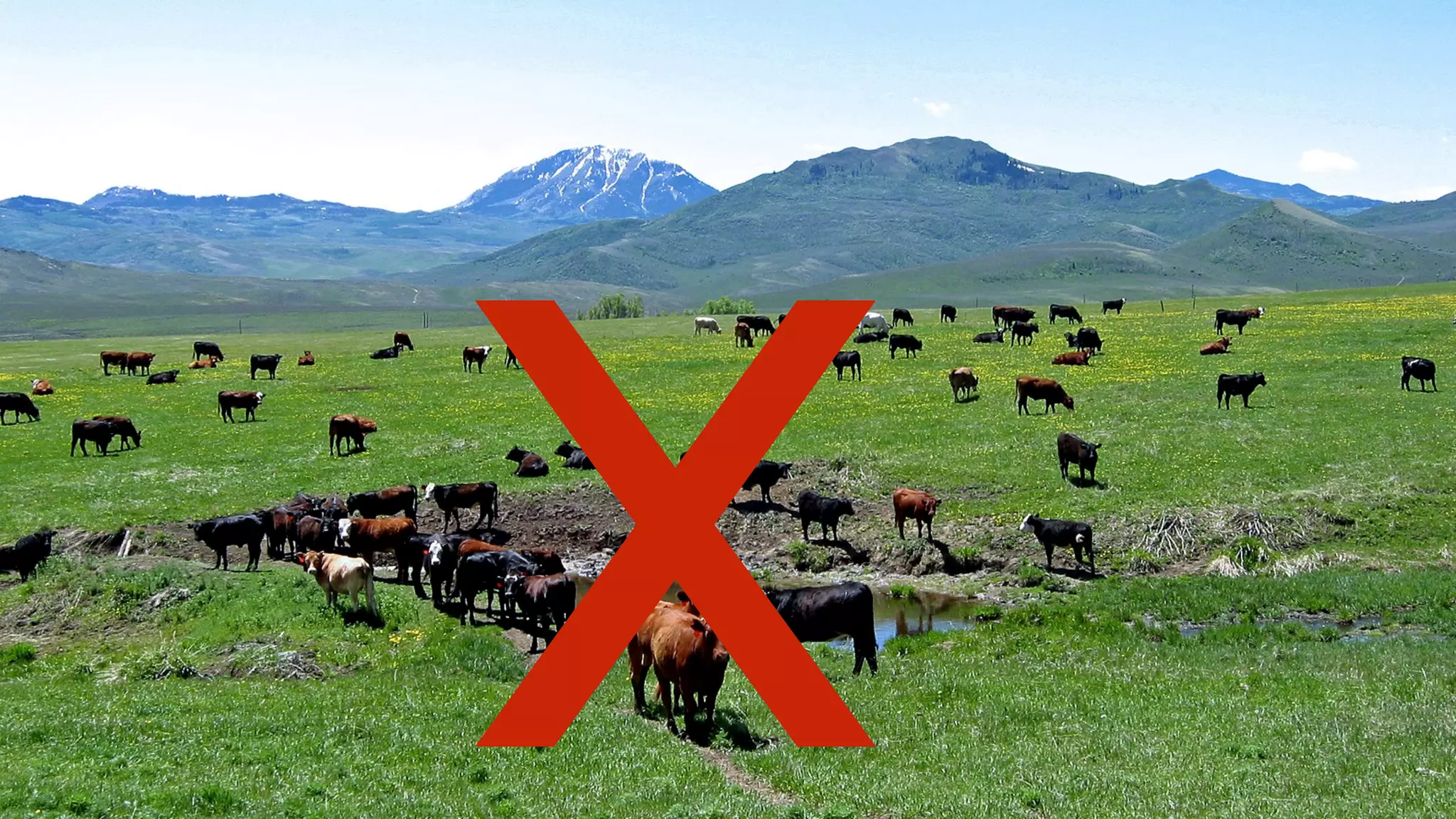
Pets vs Cattle 
Servers vs Things
LET US 
BAKE 
IMAGES! 
Let us 
images!
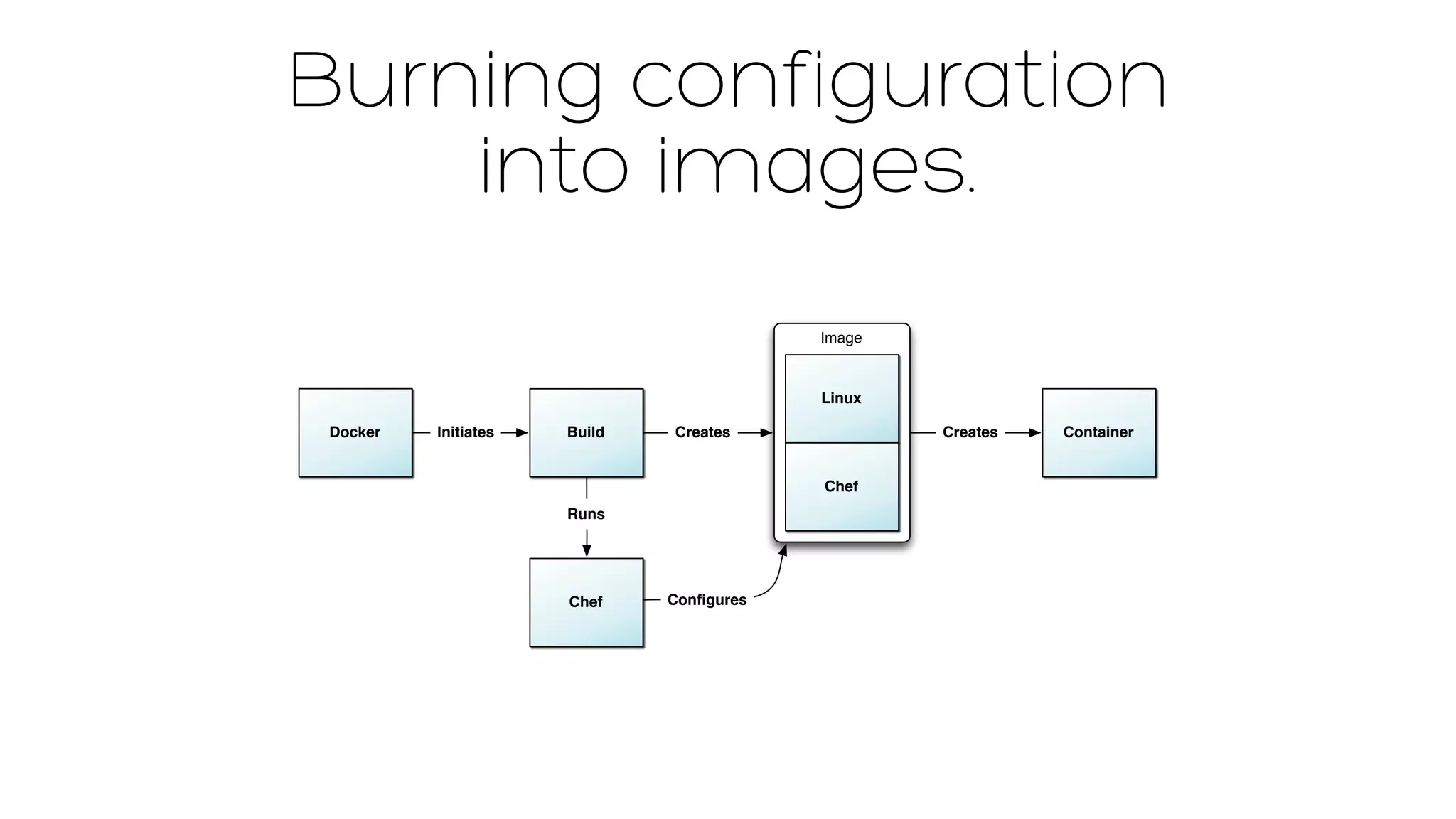
Burning configuration 
into images. 
Image 
Linux 
Docker Initiates Creates Container 
Chef 
Build Creates 
Runs 
Chef 
Configures
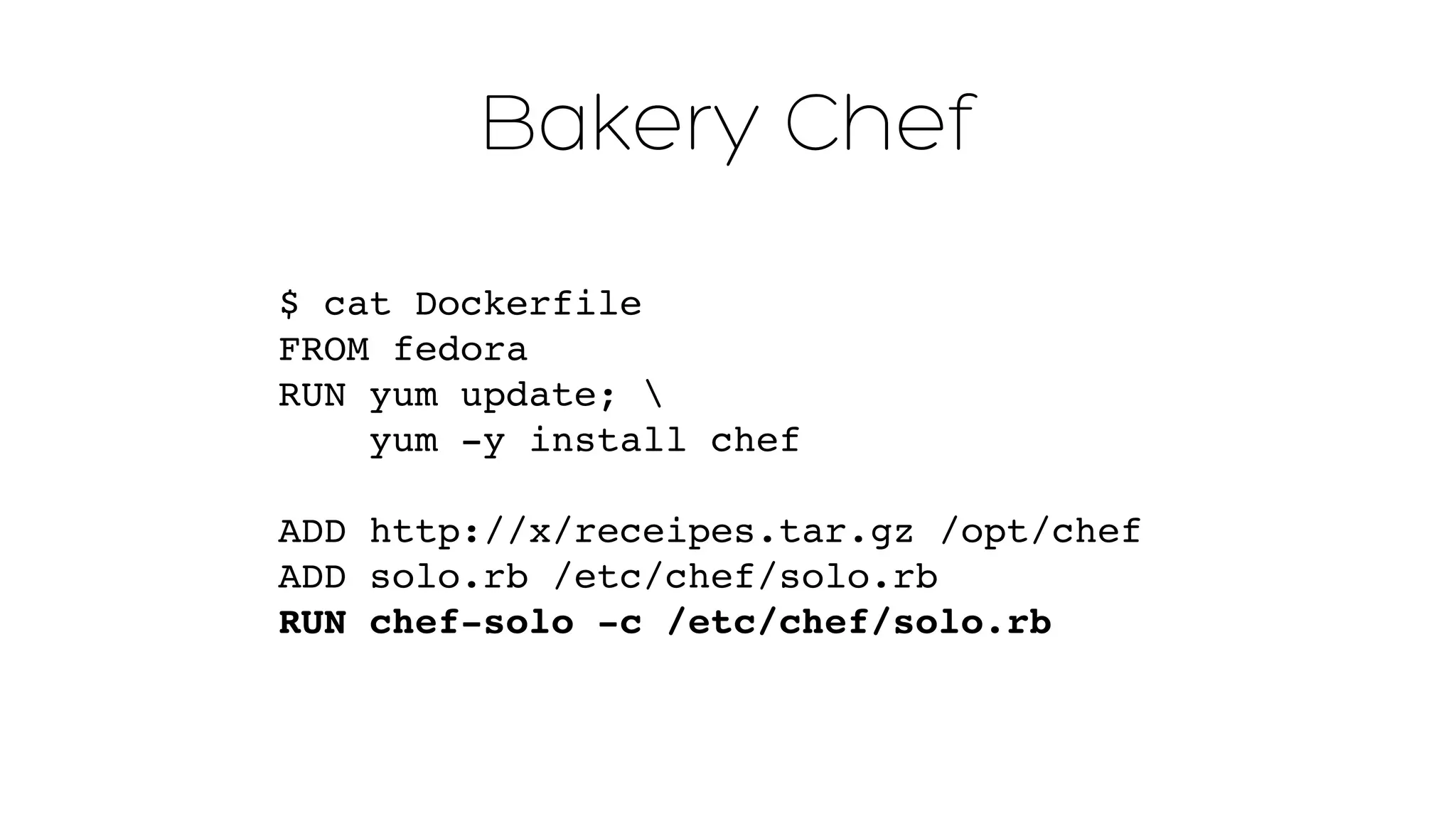
Bakery Chef 
$ cat Dockerfile 
FROM fedora 
RUN yum update;  
yum -y install chef" 
ADD http://x/receipes.tar.gz /opt/chef" 
ADD solo.rb /etc/chef/solo.rb" 
RUN chef-solo -c /etc/chef/solo.rb
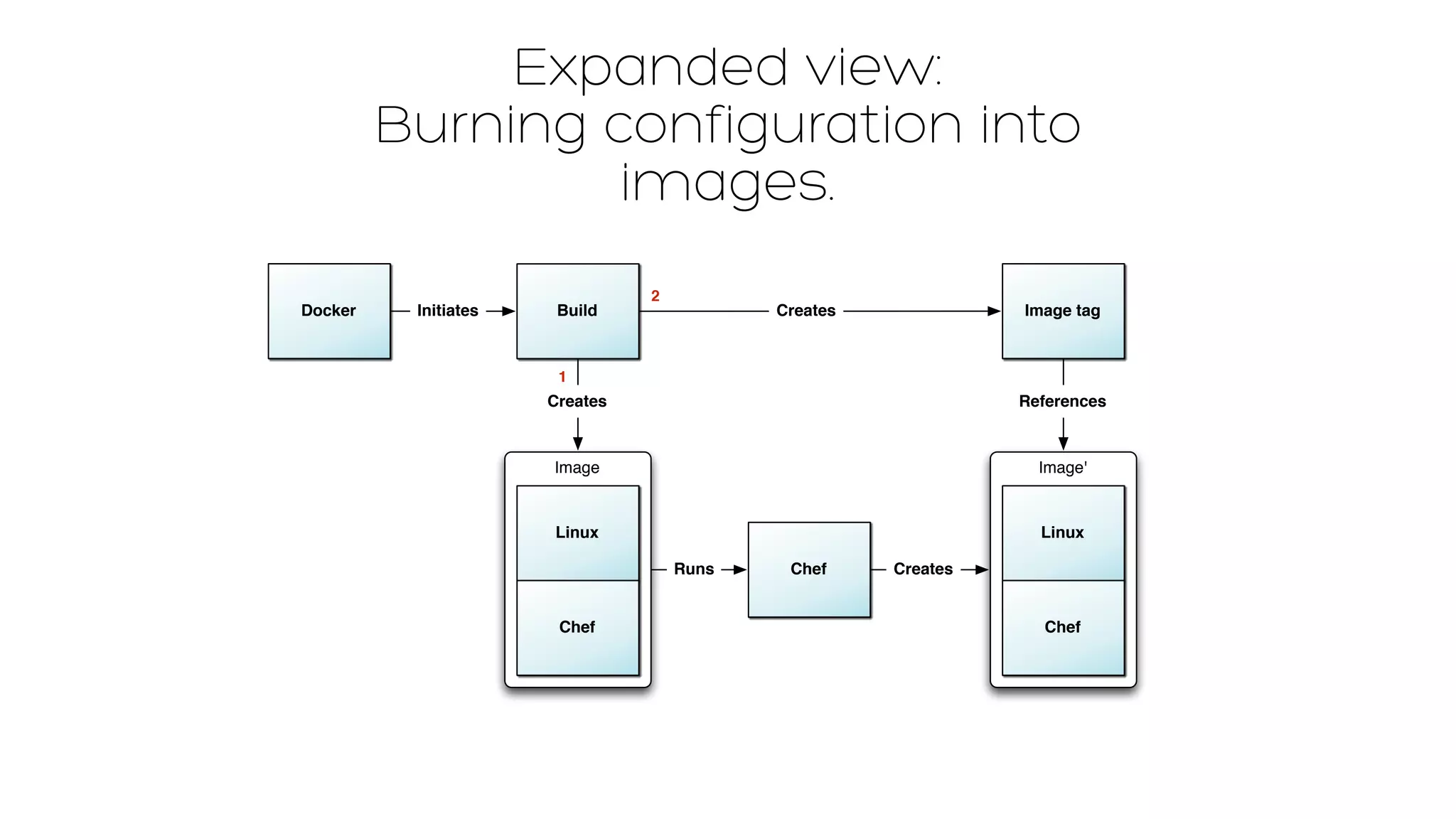
Expanded view: 
Burning configuration into 
images. 
Docker Initiates Image tag 
Image' 
Linux 
Chef 
Chef 
Build 
Creates 
Image 
Linux 
Chef 
Creates 
Runs Creates 
References 
1 
2
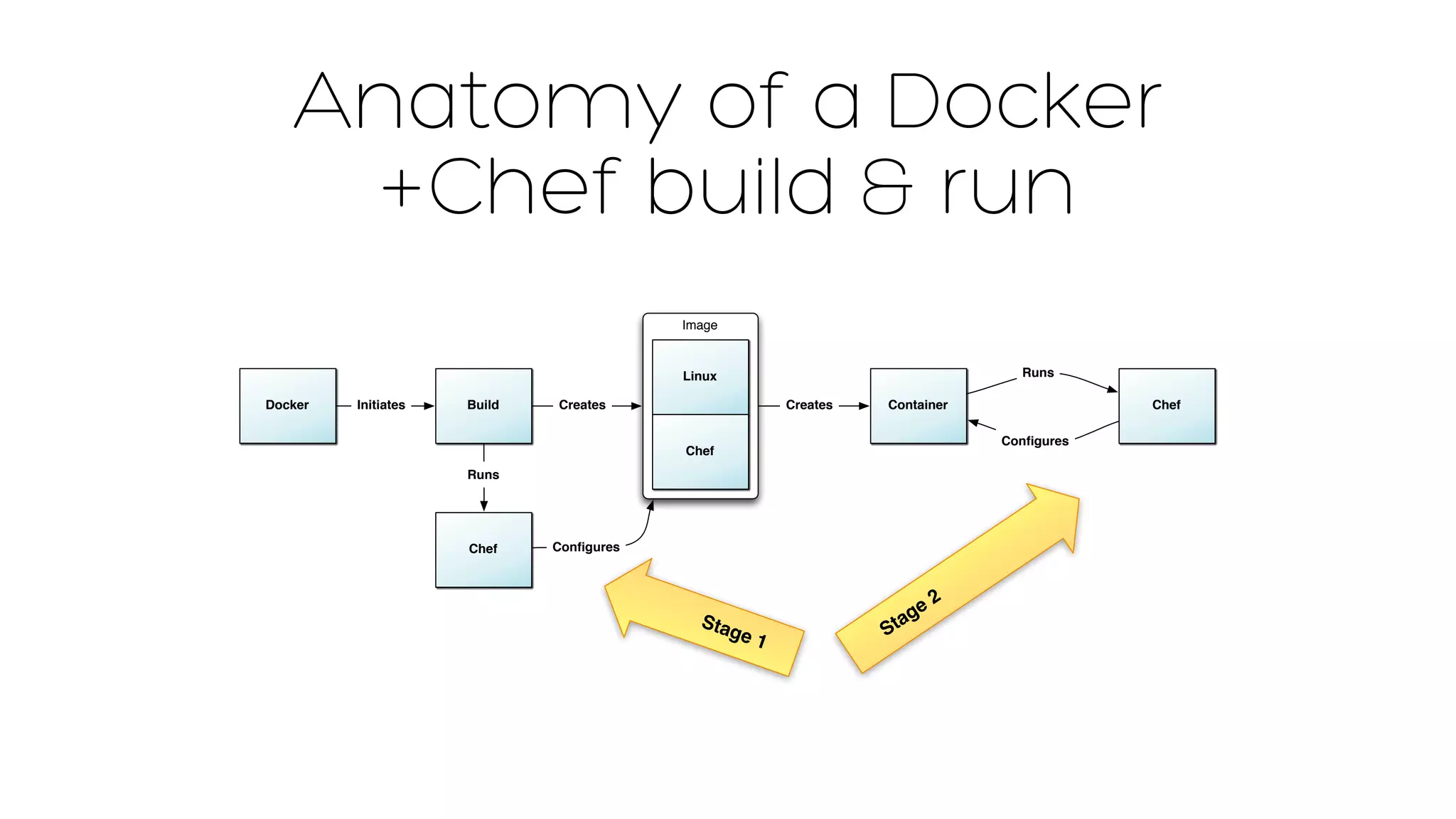
Anatomy of a Docker 
+Chef build & run 
Image 
Linux 
Docker Initiates Creates Container 
Chef 
Chef 
Runs 
Configures 
Build Creates 
Runs 
Chef 
Configures 
Stage 1 
Stage 2
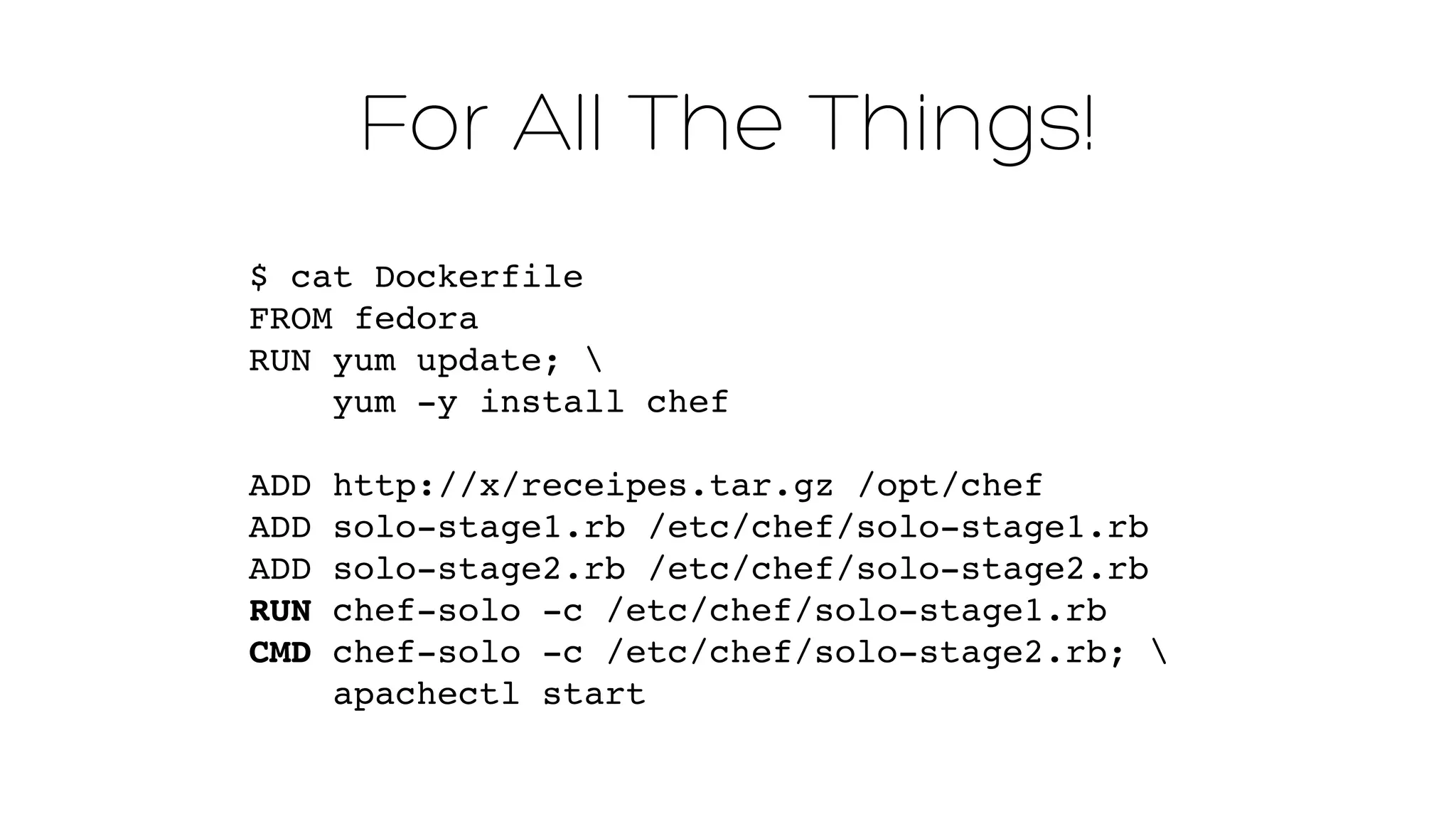
For All The Things! 
$ cat Dockerfile 
FROM fedora 
RUN yum update;  
yum -y install chef 
ADD http://x/receipes.tar.gz /opt/chef" 
ADD solo-stage1.rb /etc/chef/solo-stage1.rb" 
ADD solo-stage2.rb /etc/chef/solo-stage2.rb" 
RUN chef-solo -c /etc/chef/solo-stage1.rb" 
CMD chef-solo -c /etc/chef/solo-stage2.rb; " 
apachectl start
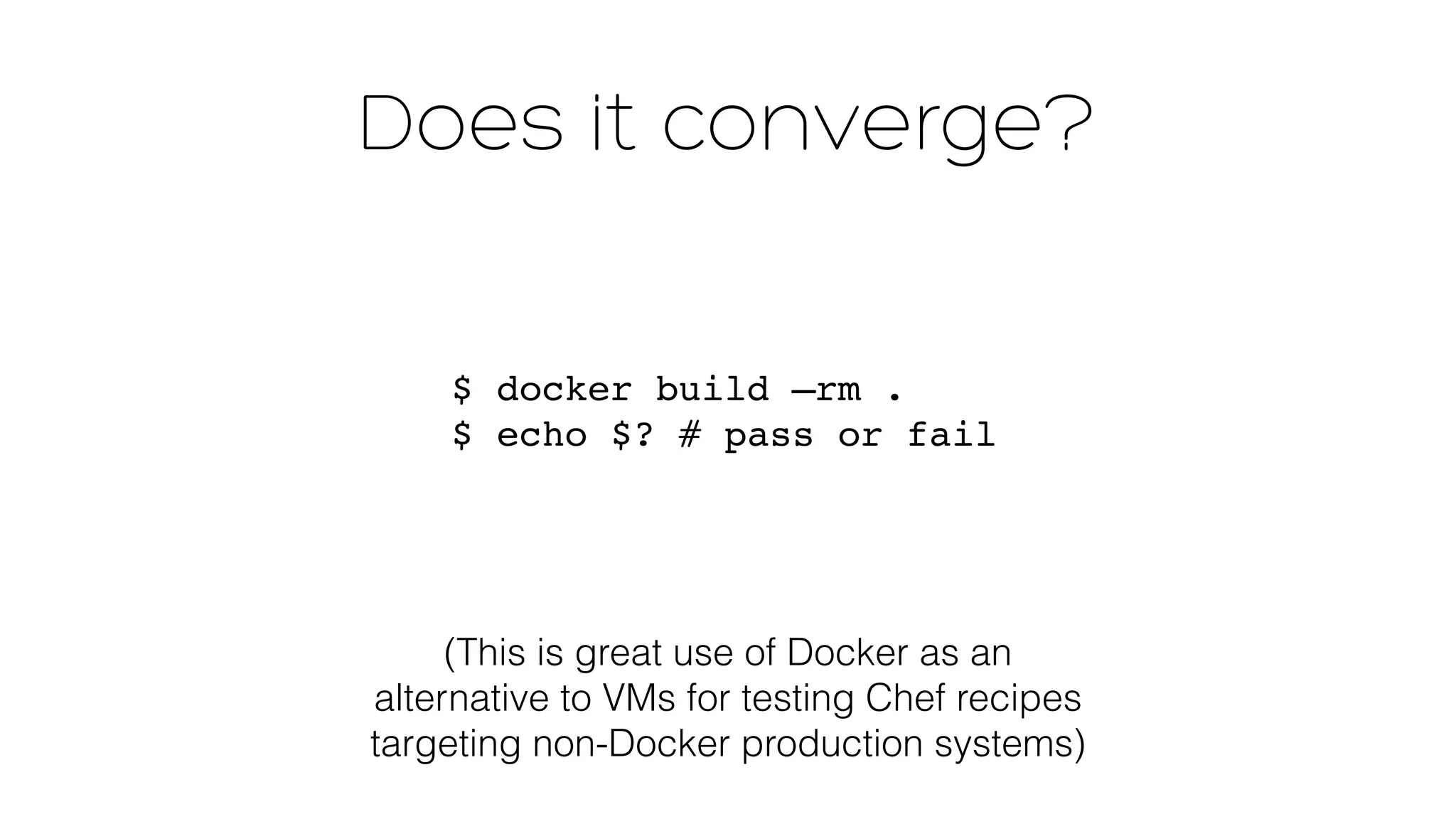
Does it converge? 
$ docker build —rm . 
$ echo $? # pass or fail 
(This is great use of Docker as an 
alternative to VMs for testing Chef recipes 
targeting non-Docker production systems)
Managing Docker 
at scale
Creating Containers 
is Easy
Managing them 
SUCKS 
needs improvement
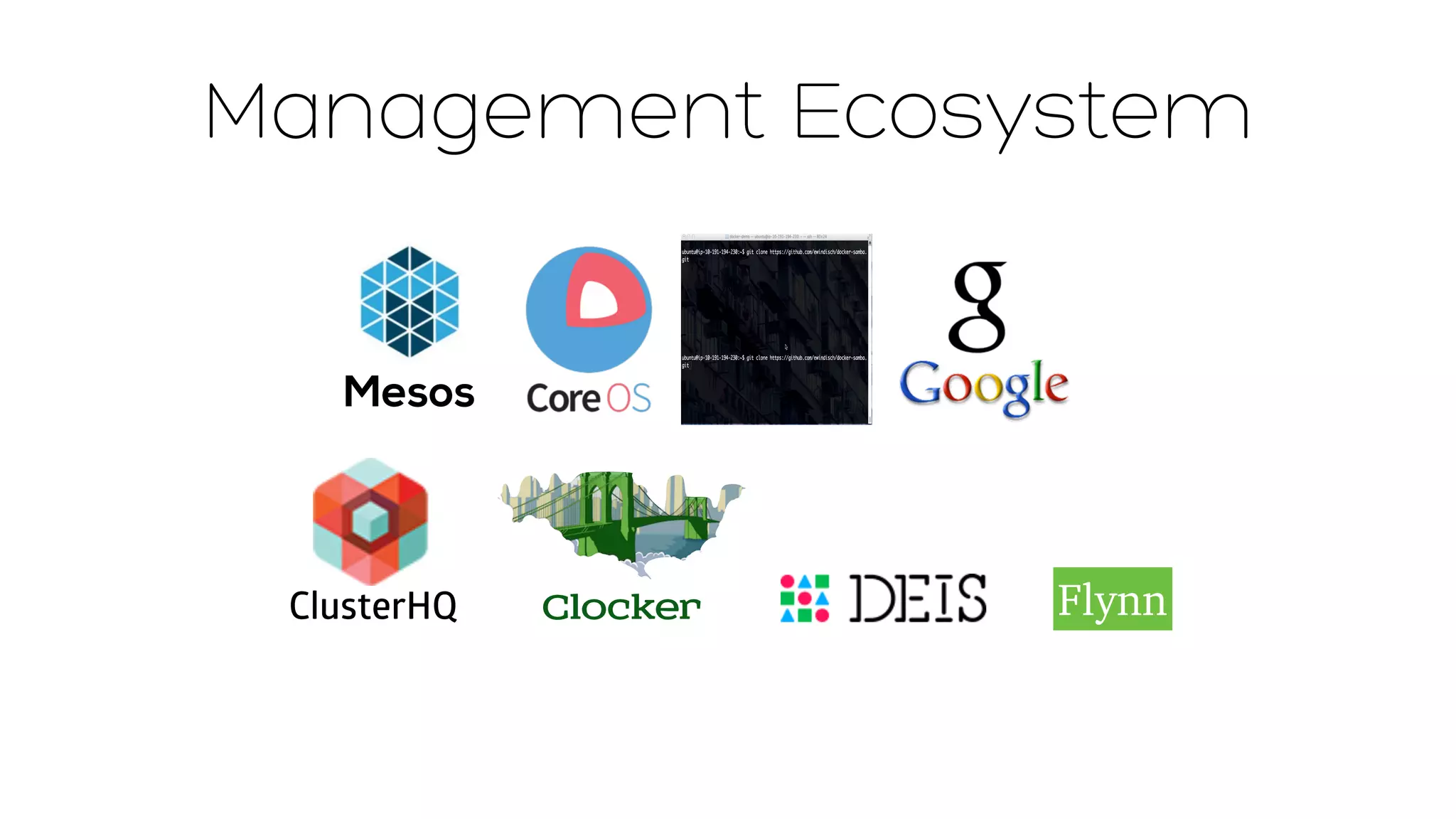
Management Ecosystem 
Mesos 
ClusterHQ Clocker Flynn
PaaS ecosystem
Configuration / Infrastructure 
Management 
• Chef 
• Puppet 
• Salt 
• Ansible 
• CFEngine 
• etc…
Container Inventory 
• discoverd / sdutil 
• serf 
• skydock 
• others?
Change 
Management Tools
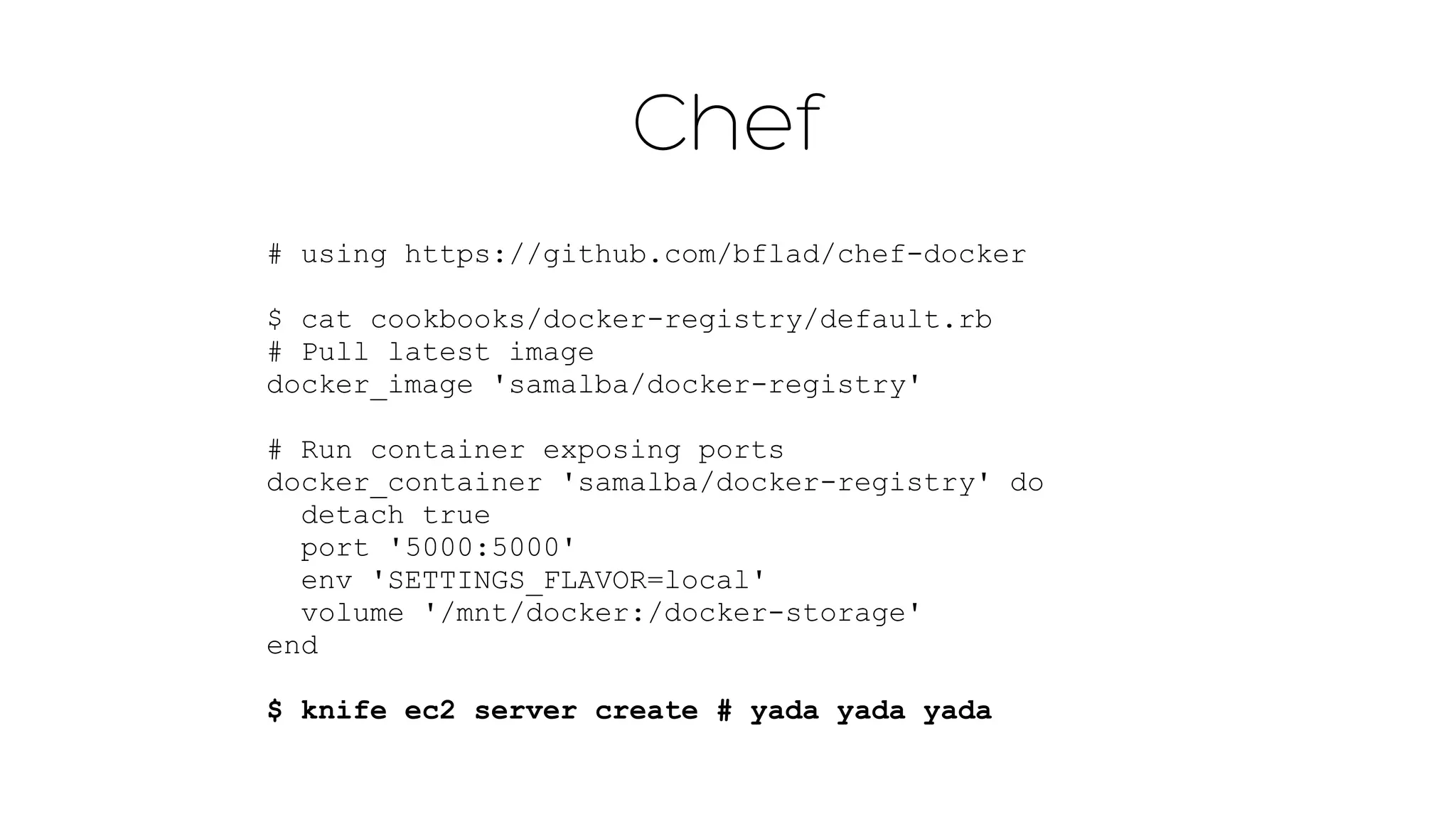
Chef 
# using https://github.com/bflad/chef-docker 
$ cat cookbooks/docker-registry/default.rb 
# Pull latest image 
docker_image 'samalba/docker-registry' 
! 
# Run container exposing ports 
docker_container 'samalba/docker-registry' do 
detach true 
port '5000:5000' 
env 'SETTINGS_FLAVOR=local' 
volume '/mnt/docker:/docker-storage' 
end 
$ knife ec2 server create # yada yada yada
Chef container 
$ knife container docker init docker 
-r 'recipe[apache2]' -z -b
Puppet 
docker::run { 'helloworld': 
image => 'base', 
command => '/bin/sh -c "while true; do echo 
hello world; sleep 1; done"', 
ports => ['4444', '4555'], 
links => ['mysql:db'], 
use_name => true, 
volumes => ['/var/lib/couchdb', '/var/log'], 
volumes_from => '6446ea52fbc9', 
memory_limit => 10485760, # bytes 
username => 'example', 
hostname => 'example.com', 
env => ['FOO=BAR', 'FOO2=BAR2'], 
dns => ['8.8.8.8', '8.8.4.4'], 
restart_service => true, 
}
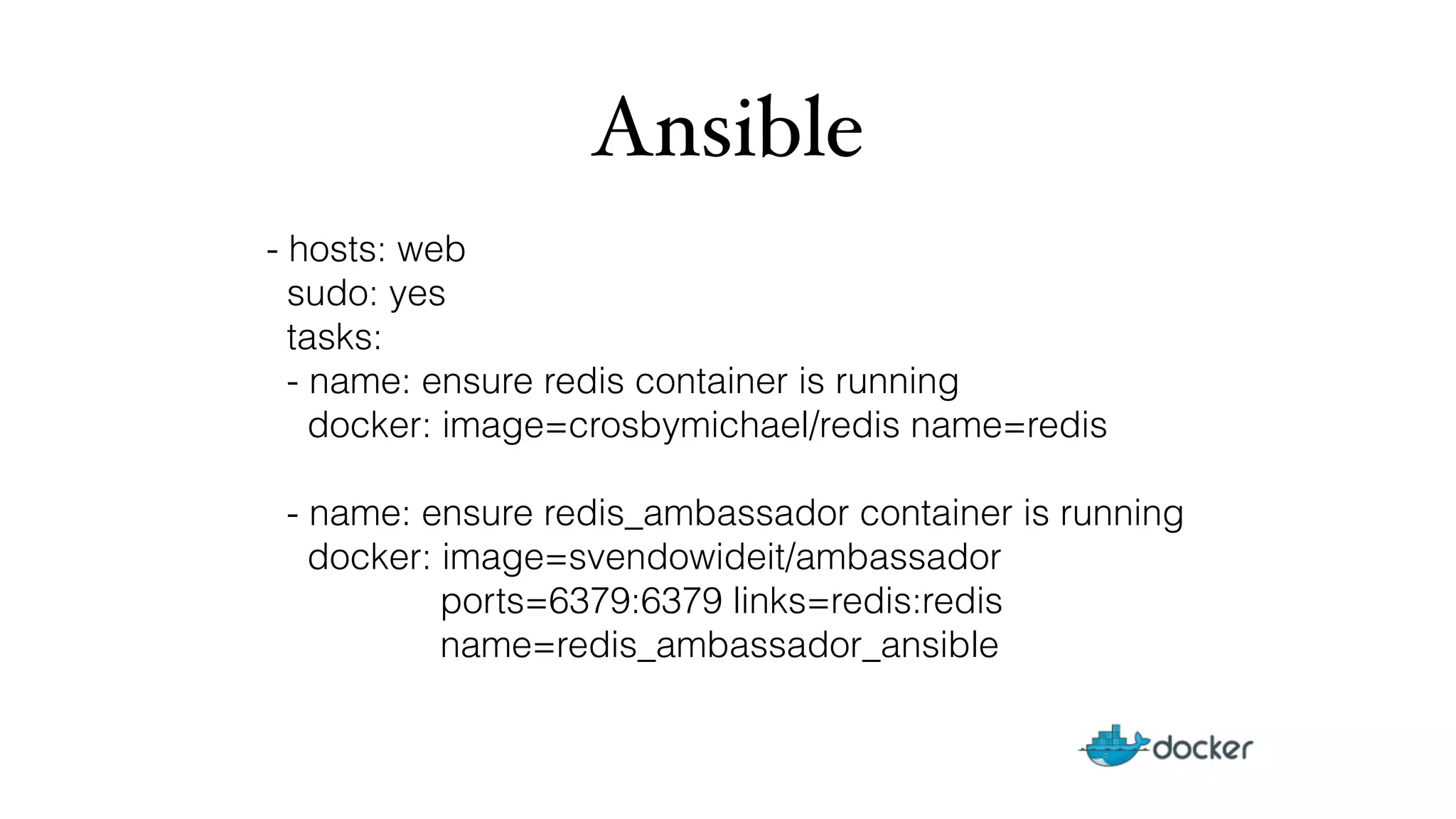
Ansible 
- hosts: web 
sudo: yes 
tasks: 
- name: ensure redis container is running 
docker: image=crosbymichael/redis name=redis 
- name: ensure redis_ambassador container is running 
docker: image=svendowideit/ambassador 
ports=6379:6379 links=redis:redis 
name=redis_ambassador_ansible
Orchestration
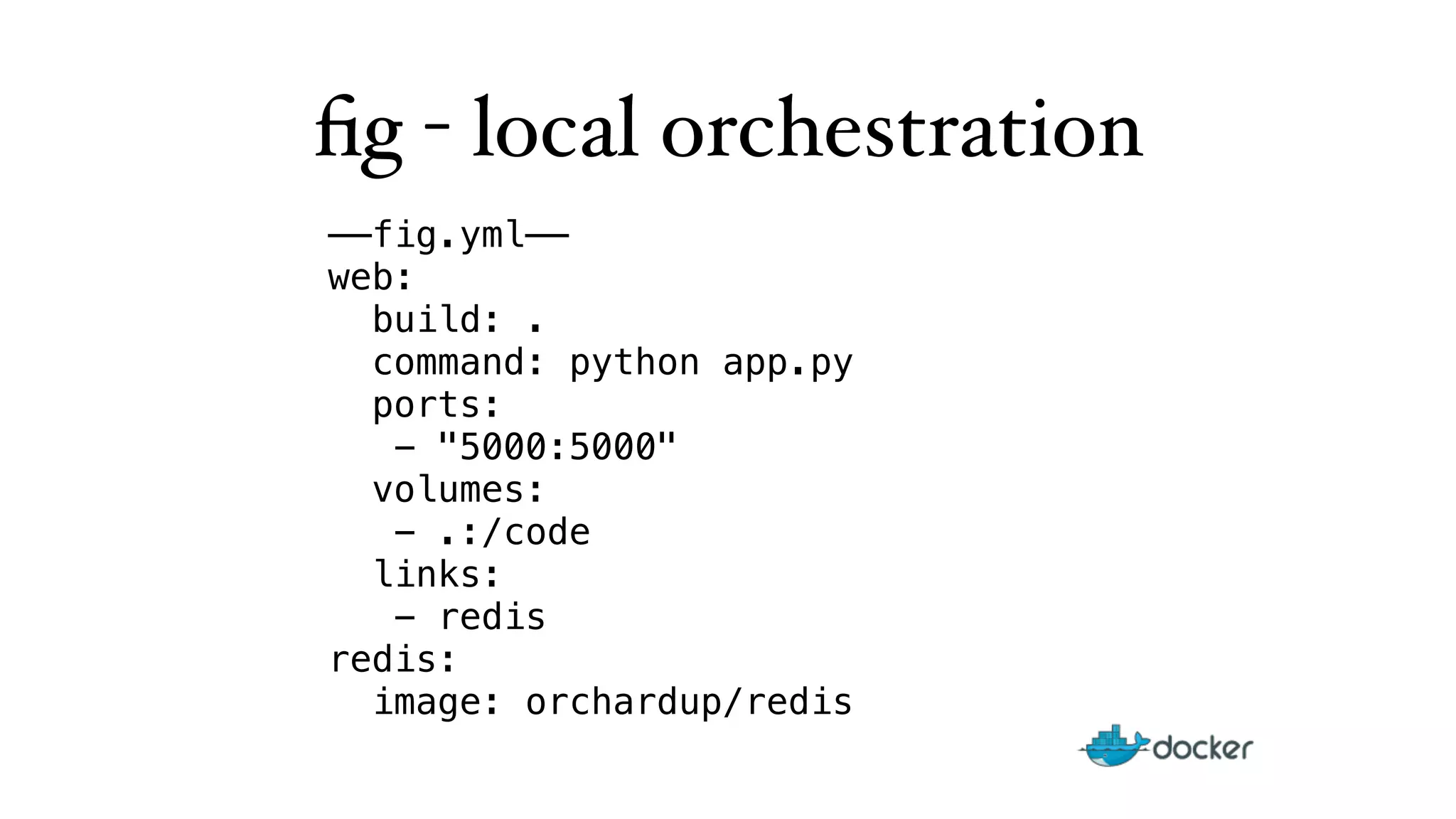
fig - local orchestration 
——fig.yml—— 
web: 
build: . 
command: python app.py 
ports: 
- "5000:5000" 
volumes: 
- .:/code 
links: 
- redis 
redis: 
image: orchardup/redis
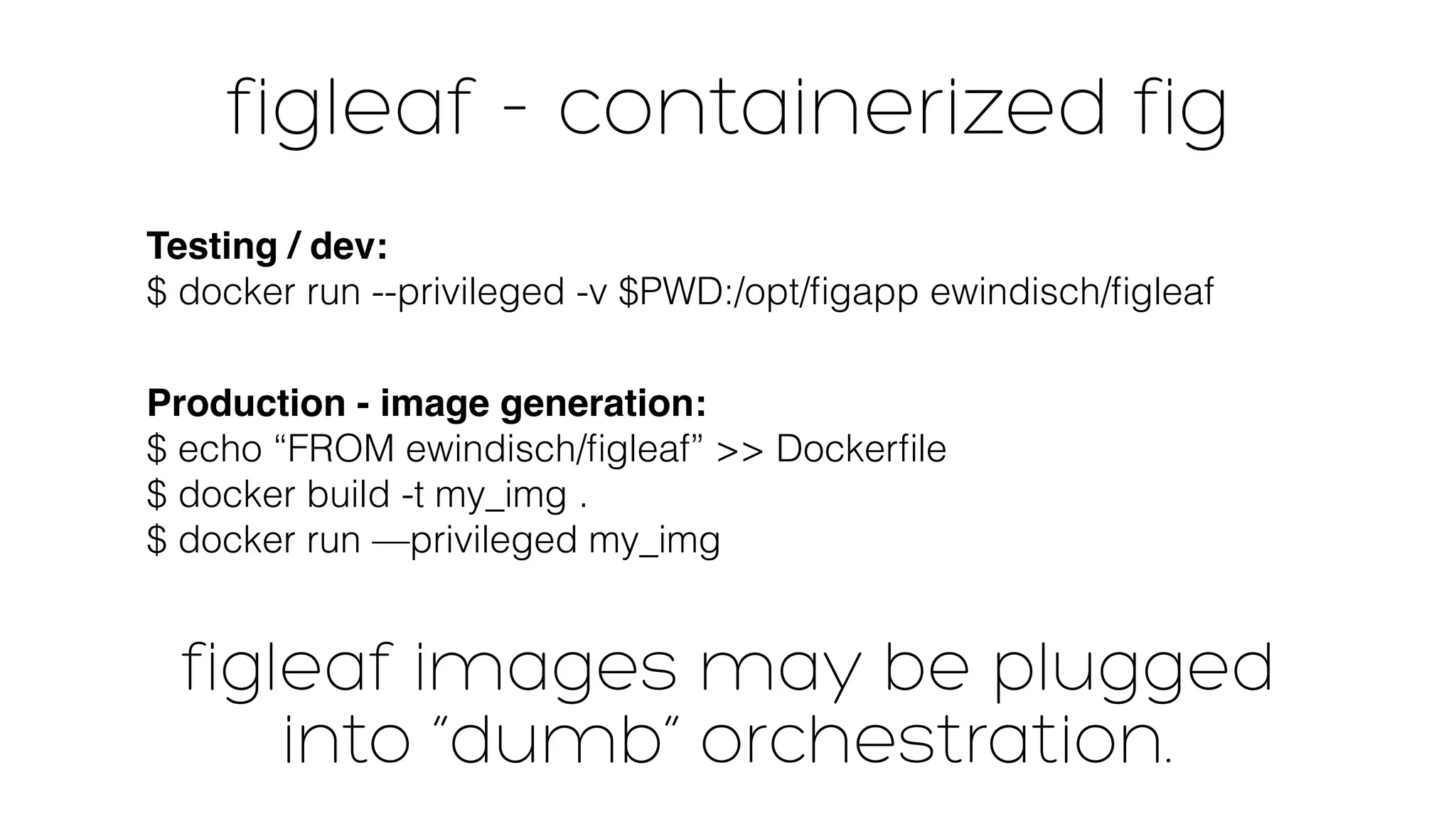
figleaf - containerized fig 
Testing / dev: 
$ docker run --privileged -v $PWD:/opt/figapp ewindisch/figleaf 
Production - image generation: 
$ echo “FROM ewindisch/figleaf” >> Dockerfile 
$ docker build -t my_img . 
$ docker run —privileged my_img 
figleaf images may be plugged 
into “dumb” orchestration.
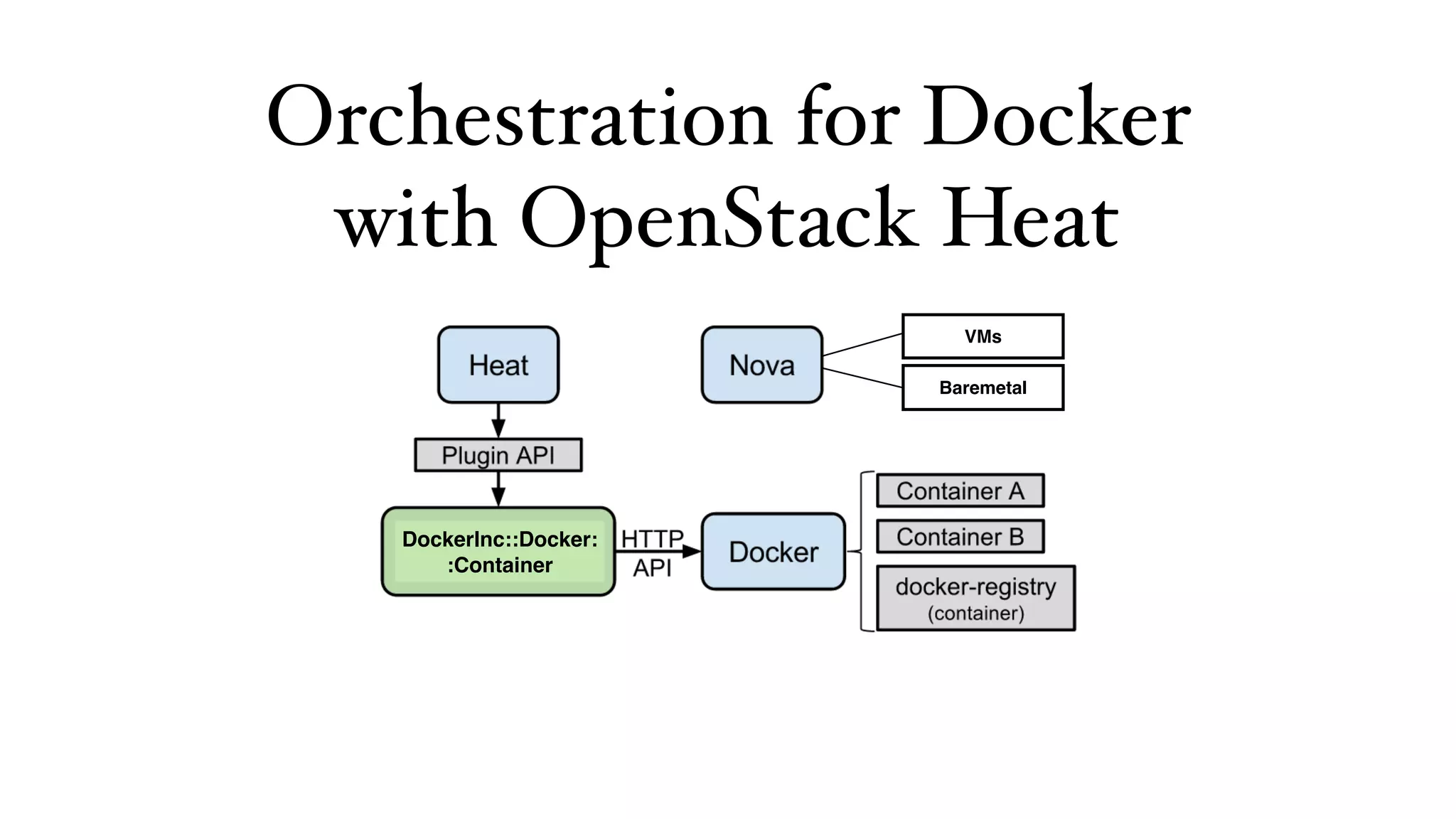
Orchestration 7KH'RFNHUSOXJLQIRU+HDW 
for Docker 
%XVLQJWKHSOXJLQ+HDWFDQWDONGLUHFWOWR'RFNHU 
with OpenStack Heat 
DockerInc::Docker: 
:Container 
VMs 
Baremetal
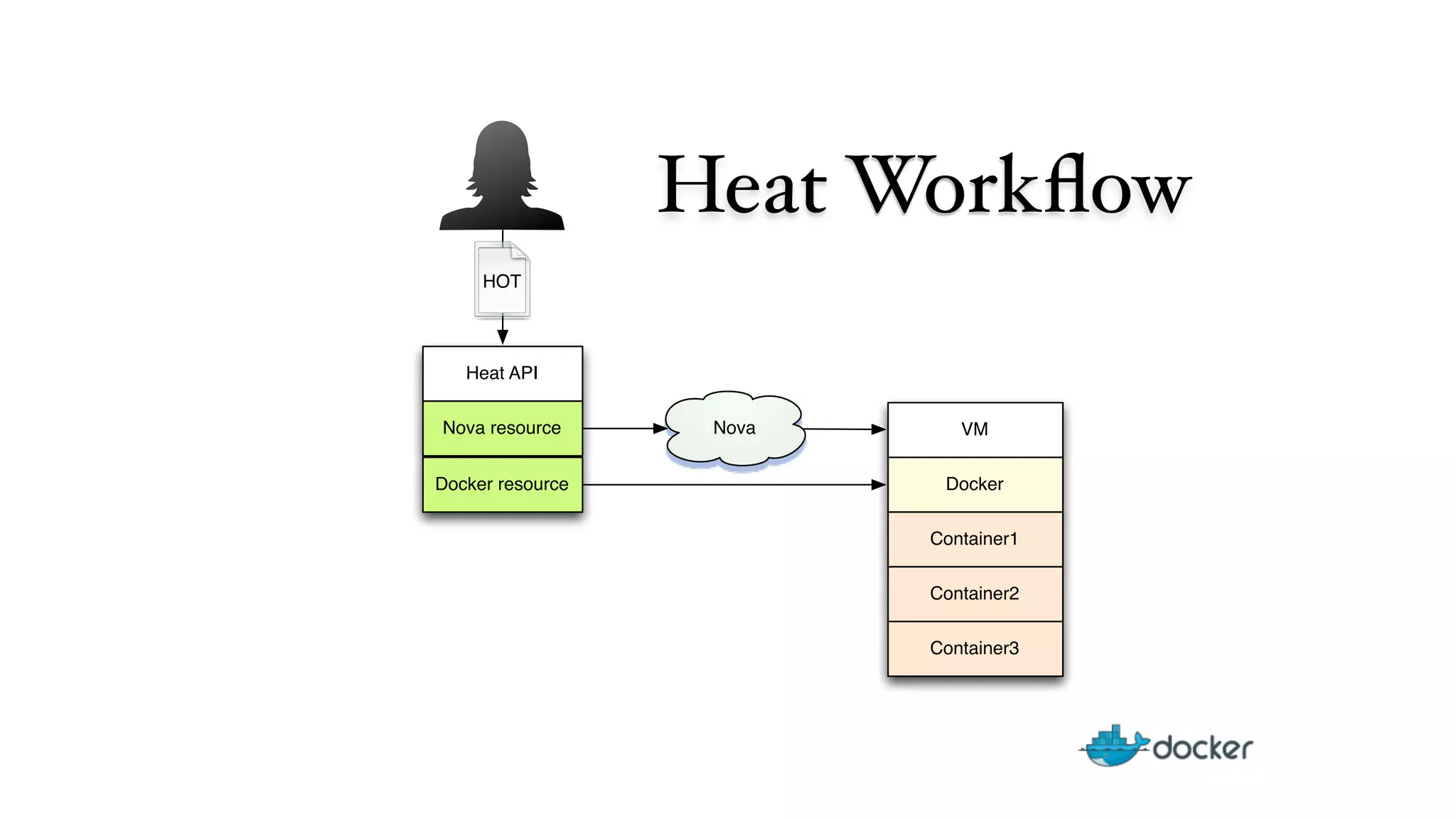
Heat Workflow 
Heat API 
VM 
Docker 
Nova resource Nova 
Docker resource 
Container1 
Container2 
Container3 
HOT
heat_template_version: 2013-05-23 
description: shared volumes example 
resources: 
my_instance: 
type: OS::Nova::Server 
properties: 
key_name: ewindisch_key 
image: ubuntu-precise 
flavor: m1.large 
user_data: #include https://get.docker.io 
ftp_container: 
type: DockerInc::Docker::Container 
properties: 
docker_endpoint: { get_attr: 
[my_instance, first_address] } 
image: mikz/vsftpd 
ports: [ “21:21” ] 
volumes: [ “/ftp” ] 
name: “FTP” 
apache_container: 
type: DockerInc::Docker::Container 
properties: 
docker_endpoint: { get_attr: 
[my_instance, first_address] } 
image: fedora/apache 
ports: [ “80:80” ] 
volumes-from: “FTP” 
cmd: “rm -rf /var/www; 
ln -s /ftp /var/www; 
/run-apache.sh”
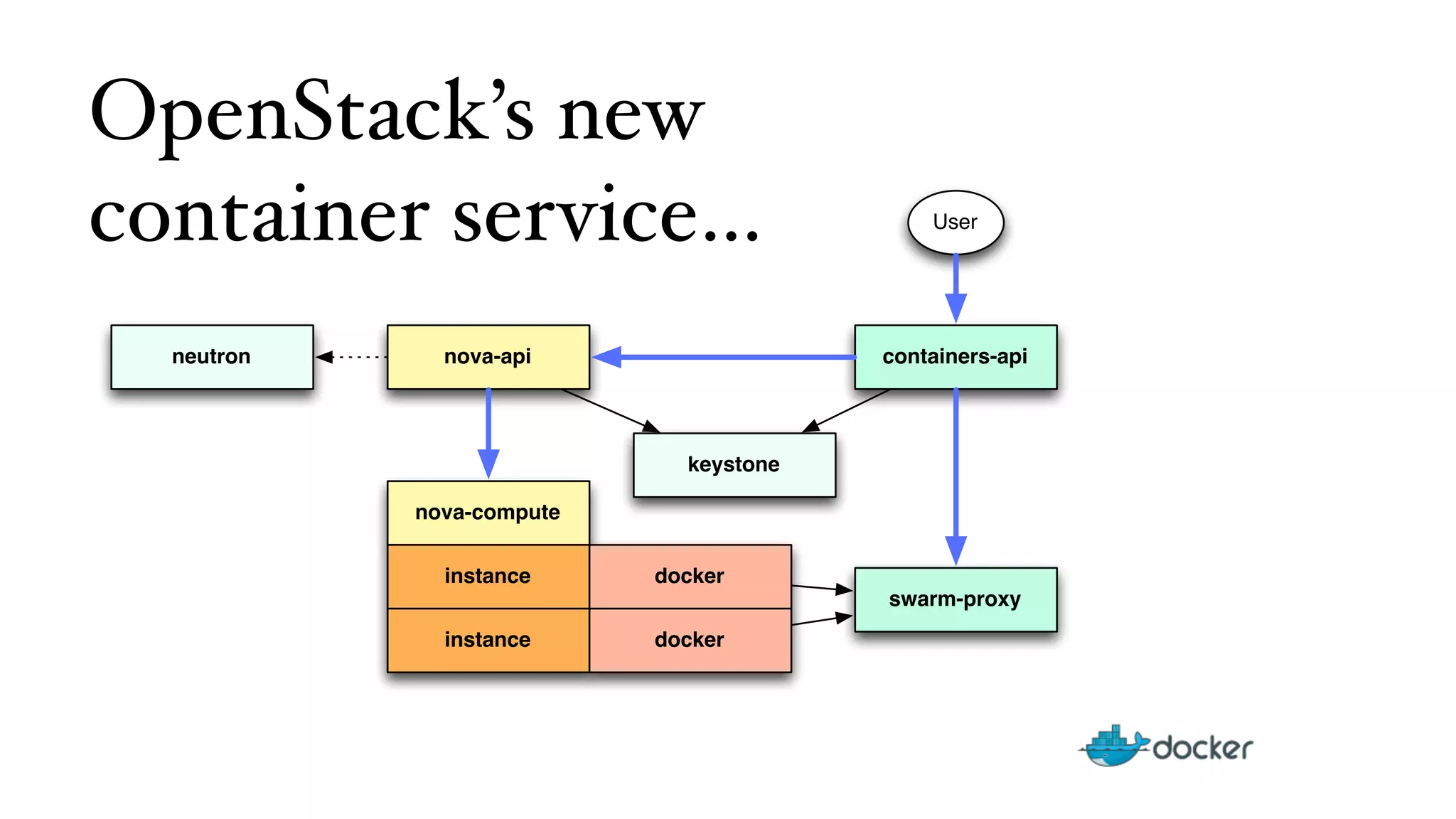
OpenStack’s new 
container service… 
nova-api 
nova-compute 
instance 
instance 
keystone 
docker 
containers-api 
swarm-proxy 
docker 
neutron 
User
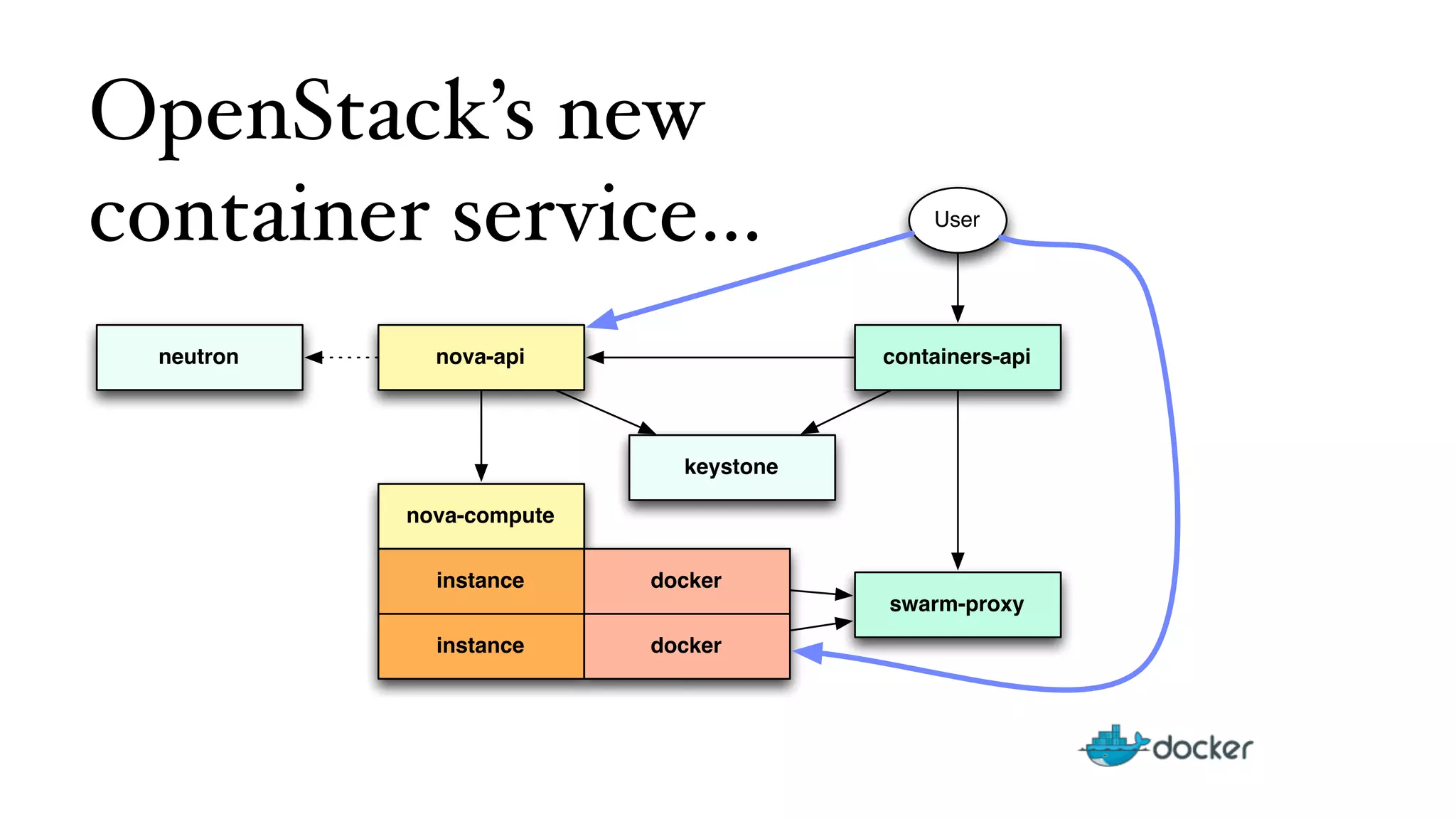
OpenStack’s new 
container service… 
nova-api 
nova-compute 
instance 
instance 
keystone 
docker 
containers-api 
swarm-proxy 
docker 
neutron 
User
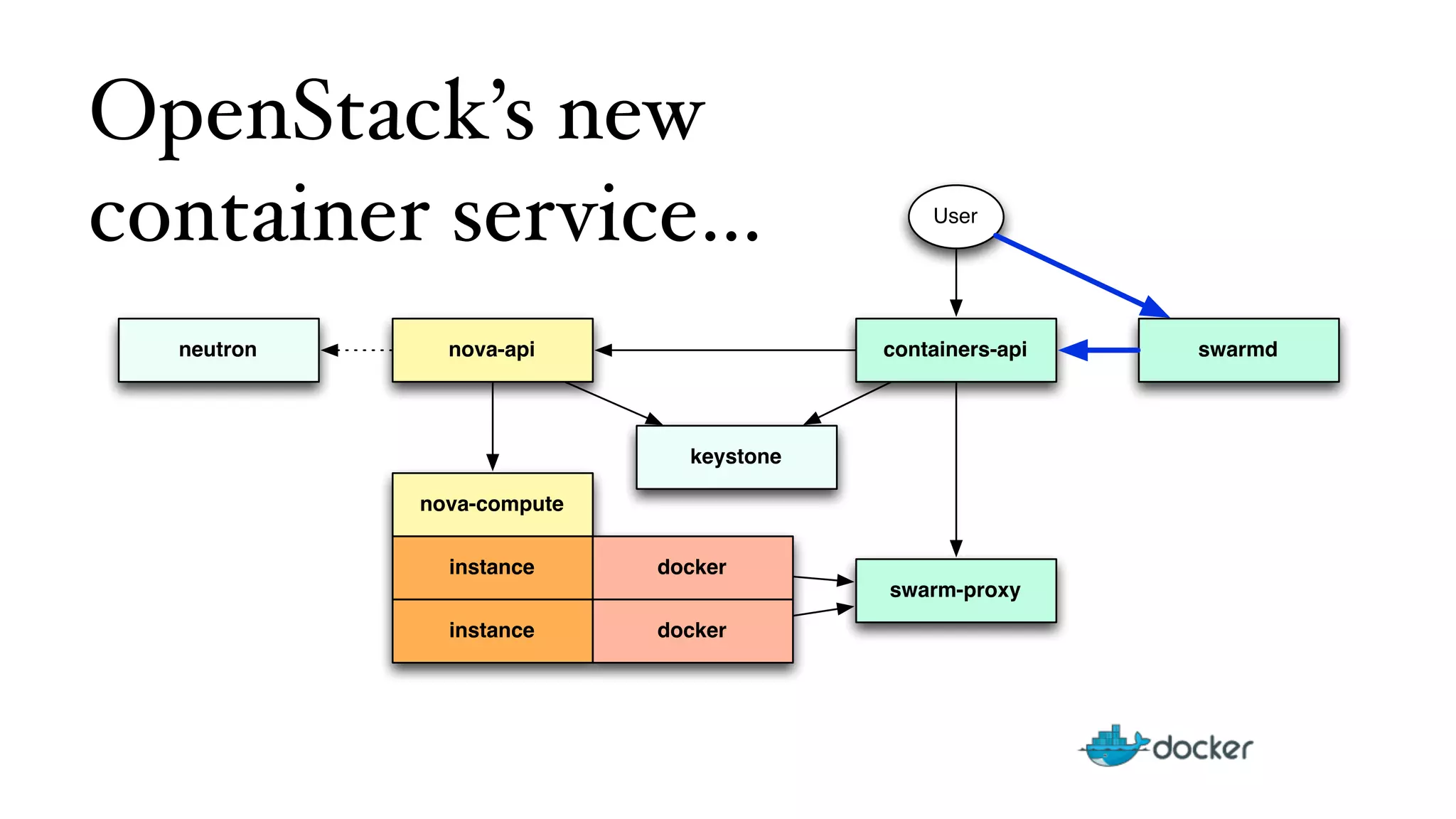
OpenStack’s new 
container service… 
nova-api 
nova-compute 
instance 
instance 
keystone 
docker 
containers-api 
swarm-proxy 
docker 
neutron 
User 
swarmd
OSC%Client%Use%Case% 
$%source%./openrc% 
$%osc%containerIcreate%IIport%pub:222:22%IIdaemon%II 
image%uuid%IIcmd%“/usr/sbin/sshd%–D”% 
$%osc%containerIshow%DEADBEEF%|%grep%ports% 
ports:%[12.34.56.78:222]% 
$%ssh%Ip%222%12.34.56.78% 
foo$% 
From: https://wiki.openstack.org/w/images/5/51/Containers_Proposal.pdf
Docker%Client%Use%Case% 
$%source%./openrc% 
$%export%DOCKER_SERVER=h:ps://…% 
$%docker%run%Ip%pub:222:22%Id%foo%/usr/sbin/sshd%ID% 
DEADBEEF% 
$%osc%containerIshow%DEADBEEF%|%grep%ports% 
ports:%[12.34.56.78:222]% 
$%ssh%Ip%222%12.34.56.78% 
foo$% 
From: https://wiki.openstack.org/w/images/5/51/Containers_Proposal.pdf
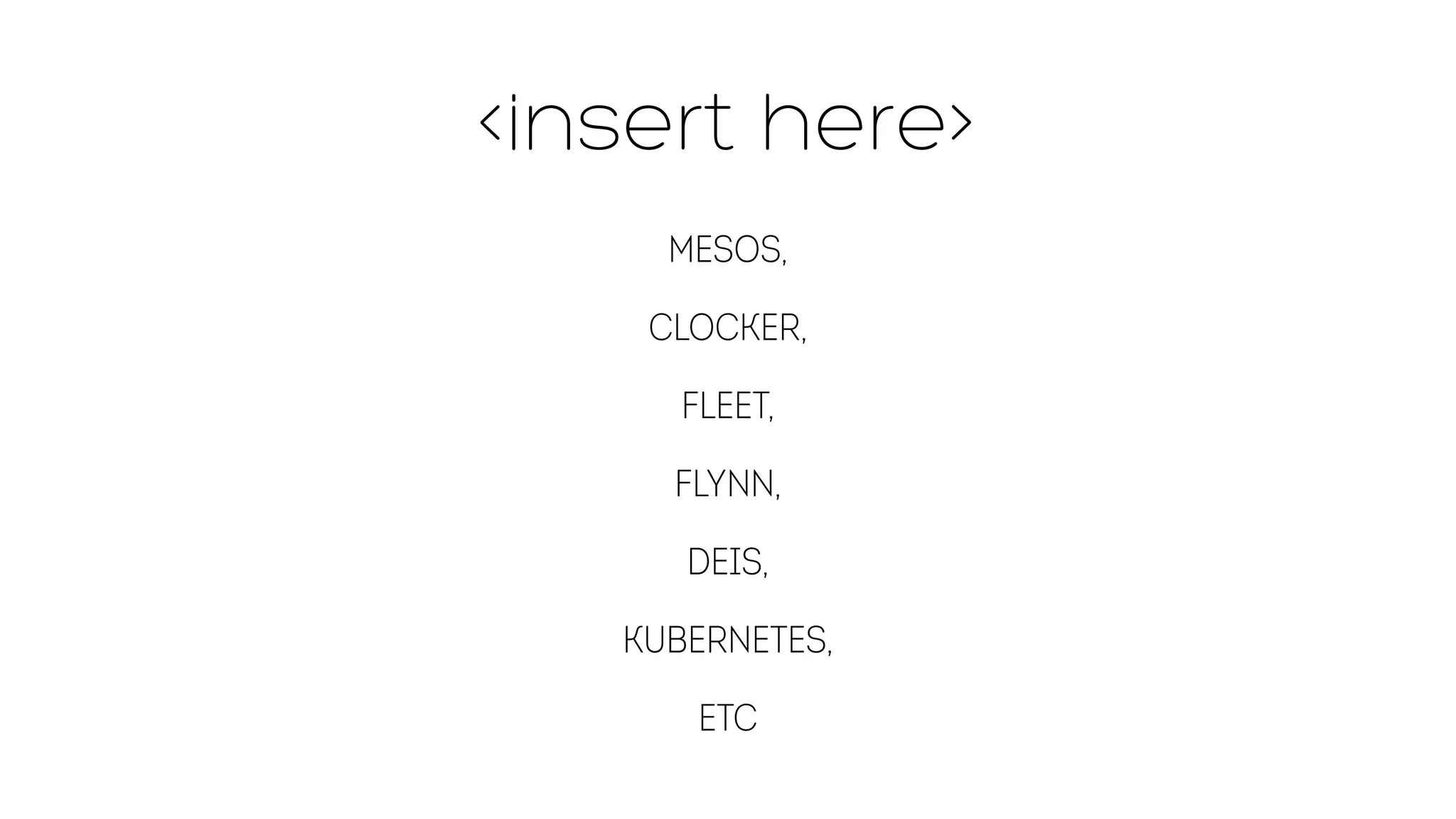
insert here 
Mesos, 
Clocker, 
Fleet, 
Flynn, 
Deis, 
Kubernetes, 
etc
Conclusion…
X
X
Containers 
are 
THINGS
Docker is a valuable 
component in your 
security story.
Q  A 
@ewindisch

The Docker "Gauntlet" - Introduction, Ecosystem, Deployment, Orchestration

  • 9.
    Deploy services reliably& consistently • If it works locally, it will work on the server • With exactly the same behavior • Regardless of versions • Regardless of distros • Regardless of dependencies
  • 11.
    Just like thereal thing • Work in dev environment • Other services (databases etc.) in containers • Whenever you want to test « for real »: • Build in seconds • Run instantly
  • 12.
  • 13.
    15 Months Later:An Incredible Platform and Ecosystem Community 460+ Contributors 250+ Meetups on Docker 2.75M Downloads 6.7K Projects on GitHub Official Repos & 14K+ Dockerized Apps Support Enterprise Support Robust Documentation Implementation, Integration, Training Network of Partners The Docker Platform ! Docker Engine Docker Hub ! Build, Ship, and Run Partners Content Users
  • 14.
    55 People anda Turtle Now up to 55 people (and our pet turtle, Gordon)
  • 15.
    …to Build, Ship,and Run Docker Hub Build Ship Run Source Dev QA Staging Linux OS Doocckkeerr Linux OS Linux OS Doocckkeerr Infrastructure Management Physical Infrastructure Management Virtual Cloud Source Code Repository DockerFile Docker Boot2Docker Linux OS Doocckkeerr TEST TEST TEST TEST TEST GCE RAX IBM Mac/Win Dev Machine Analytics DB Prod Machine Doocckkeerr ++ Users Collab Provenance Policy Registries Public Curated Private Docker Hub API Third Party Tools Prod Machine Prod Machine VM DoDcokcekrer VM DoDcokcekrer VM DoDcokcekrer QA Machine
  • 16.
    An Open Platform… API Engine Hub open source software at the heart of the Docker platform cloud-based platform services for distributed applications API
  • 17.
    An Introduction to the Docker Engine
  • 18.
  • 19.
    Quagga Quagga HaproxyHaproxy HTTP Service HTTP Service HTTP Service Database BGP / OSPF Database { { { image #1: your-favorite-lb image #2: apache, nginx, etc image #3: mysql, zookeeper, etc
  • 20.
    BGP / OSPF Quagga Quagga HTTP Service HTTP Service HTTP Service Zookeeper Haproxy Haproxy Zookeeper { { image #1: your-favorite-lb image #2: consensus-web-service Zookeeper
  • 22.
    Do it! ‣Satisfied with your local build? ‣ Push it to a registry (public or private) ‣ Run it (automatically!) in CI/CD ‣ Run it in production ‣ Happiness! ‣ Something goes wrong? Rollback painlessly!
  • 23.
  • 24.
    Installing Docker onEC2 #!/bin/bash -x aws ec2 run-instances --image-id ami-e55a648c --key-name mykey --user-data ”#include https://get.docker.io"
  • 25.
    #!/bin/bash -x awsec2 run-instances --image-id ami-e55a648c --key-name my-key --user-data "#include https://get.docker.io” ip=$(aws ec2 describe-instances --output json --filter Name=instance-state-name,Values=running | python -c 'import json; import sys; print json.load(sys.stdin) [“Reservations”][0]["Instances"][0]["PublicIpAddress"]') ssh ubuntu@$ip sudo docker run cirros
  • 34.
    An ecosystem libcontainerlibchan Engine + + DockerHub libswarm
  • 35.
    libcontainer… a storyof Linux namespaces
  • 36.
    libcontainer… • Standaloneproject • Contributors: • RedHat • Google • Parallels (OpenVZ) • Ubuntu / LXC
  • 44.
  • 52.
  • 53.
    misconceptions • Dockeris not secure • Docker should be compared to VM security
  • 55.
    a security product • Docker Engine is a security product. • It provides a wrapper around processes • Provides a path toward attestation of arbitrary processes (Trusted Compute) • You can use VMs to wrap containers
  • 56.
    a work inprogress… That said… Security was not a priority for the 1.0 release Security is a priority post-1.0 Big issues are still be discovered at a rapid clip… Big issues are being resolved at a rapid clip.
  • 57.
    libchan a lightweightcommunication protocol for distributed systems Tuesday, June 10, 14 25
  • 58.
    libchan Like Gochannels over the network Simple message passing Synchronization d without sharing state Raw socket passing: channels as gateways to any other protocol Nesting: channels can send channels Tuesday, June 10, 14 26
  • 59.
    libchan Available transports: SPDY/TLS, websocket, raw TCP, high-perf unix sockets (with fd passing), in-memory go channels. Designed to be simple and portable Tuesday, June 10, 14 27
  • 60.
    libswarm A minimalisttoolkit to compose network services Tuesday, June 10, 14 39
  • 61.
    libswarm A standardinterface to combine and organize services in a distributed system. Compose complex architectures from standard building blocks Avoid vendor lock-in by swapping any service out with another Pick services from a built-in library, or write your own with a simple API. Tuesday, June 10, 14 40
  • 62.
    or Consul orHelios or Centurion Shipper or Geard or Mesos or Coreos/Fleet EC2 Rackspace GCE Orchard Tutum Tuesday, June 10, 14 38
  • 63.
    Images… and anew way of looking at infrastructure
  • 64.
    Images on HW is usually mutable Hardware Image Linux Installs Chef Chef Image' Linux Chef Creates Replaces Runs
  • 65.
    Ephemeral environments are(somewhat) immutable. Hypervisor Image Linux Chef Runs Image' Linux Chef Chef Runs Configures VM Accesses COW
  • 66.
    Containers are likeephemeral VMs Docker Image Linux Chef Runs Image' Linux Chef Chef Runs Configures Container Accesses COW Hypervisor Image Linux Chef Runs Image' Linux Chef Chef Runs Configures VM Accesses COW Hypervisor VM Docker Container
  • 67.
    Chef-for-runtime $ catDockerfile FROM fedora RUN yum update; yum -y install chef ADD http://x/receipes.tar.gz /opt/chef" ADD solo.rb /etc/chef/solo.rb" CMD chef-solo -c /etc/chef/solo.rb ; ! apachectl start
  • 74.
  • 75.
  • 76.
  • 78.
    Pets vs Cattle Servers vs Things
  • 79.
    LET US BAKE IMAGES! Let us images!
  • 80.
    Burning configuration intoimages. Image Linux Docker Initiates Creates Container Chef Build Creates Runs Chef Configures
  • 82.
    Bakery Chef $cat Dockerfile FROM fedora RUN yum update; yum -y install chef" ADD http://x/receipes.tar.gz /opt/chef" ADD solo.rb /etc/chef/solo.rb" RUN chef-solo -c /etc/chef/solo.rb
  • 83.
    Expanded view: Burningconfiguration into images. Docker Initiates Image tag Image' Linux Chef Chef Build Creates Image Linux Chef Creates Runs Creates References 1 2
  • 86.
    Anatomy of aDocker +Chef build & run Image Linux Docker Initiates Creates Container Chef Chef Runs Configures Build Creates Runs Chef Configures Stage 1 Stage 2
  • 87.
    For All TheThings! $ cat Dockerfile FROM fedora RUN yum update; yum -y install chef ADD http://x/receipes.tar.gz /opt/chef" ADD solo-stage1.rb /etc/chef/solo-stage1.rb" ADD solo-stage2.rb /etc/chef/solo-stage2.rb" RUN chef-solo -c /etc/chef/solo-stage1.rb" CMD chef-solo -c /etc/chef/solo-stage2.rb; " apachectl start
  • 88.
    Does it converge? $ docker build —rm . $ echo $? # pass or fail (This is great use of Docker as an alternative to VMs for testing Chef recipes targeting non-Docker production systems)
  • 89.
  • 90.
  • 91.
    Managing them SUCKS needs improvement
  • 92.
    Management Ecosystem Mesos ClusterHQ Clocker Flynn
  • 93.
  • 94.
    Configuration / Infrastructure Management • Chef • Puppet • Salt • Ansible • CFEngine • etc…
  • 95.
    Container Inventory •discoverd / sdutil • serf • skydock • others?
  • 96.
  • 97.
    Chef # usinghttps://github.com/bflad/chef-docker $ cat cookbooks/docker-registry/default.rb # Pull latest image docker_image 'samalba/docker-registry' ! # Run container exposing ports docker_container 'samalba/docker-registry' do detach true port '5000:5000' env 'SETTINGS_FLAVOR=local' volume '/mnt/docker:/docker-storage' end $ knife ec2 server create # yada yada yada
  • 98.
    Chef container $knife container docker init docker -r 'recipe[apache2]' -z -b
  • 99.
    Puppet docker::run {'helloworld': image => 'base', command => '/bin/sh -c "while true; do echo hello world; sleep 1; done"', ports => ['4444', '4555'], links => ['mysql:db'], use_name => true, volumes => ['/var/lib/couchdb', '/var/log'], volumes_from => '6446ea52fbc9', memory_limit => 10485760, # bytes username => 'example', hostname => 'example.com', env => ['FOO=BAR', 'FOO2=BAR2'], dns => ['8.8.8.8', '8.8.4.4'], restart_service => true, }
  • 100.
    Ansible - hosts:web sudo: yes tasks: - name: ensure redis container is running docker: image=crosbymichael/redis name=redis - name: ensure redis_ambassador container is running docker: image=svendowideit/ambassador ports=6379:6379 links=redis:redis name=redis_ambassador_ansible
  • 101.
  • 102.
    fig - localorchestration ——fig.yml—— web: build: . command: python app.py ports: - "5000:5000" volumes: - .:/code links: - redis redis: image: orchardup/redis
  • 103.
    figleaf - containerizedfig Testing / dev: $ docker run --privileged -v $PWD:/opt/figapp ewindisch/figleaf Production - image generation: $ echo “FROM ewindisch/figleaf” >> Dockerfile $ docker build -t my_img . $ docker run —privileged my_img figleaf images may be plugged into “dumb” orchestration.
  • 104.
    Orchestration 7KH'RFNHUSOXJLQIRU+HDW forDocker %XVLQJWKHSOXJLQ+HDWFDQWDONGLUHFWOWR'RFNHU with OpenStack Heat DockerInc::Docker: :Container VMs Baremetal
  • 105.
    Heat Workflow HeatAPI VM Docker Nova resource Nova Docker resource Container1 Container2 Container3 HOT
  • 106.
    heat_template_version: 2013-05-23 description:shared volumes example resources: my_instance: type: OS::Nova::Server properties: key_name: ewindisch_key image: ubuntu-precise flavor: m1.large user_data: #include https://get.docker.io ftp_container: type: DockerInc::Docker::Container properties: docker_endpoint: { get_attr: [my_instance, first_address] } image: mikz/vsftpd ports: [ “21:21” ] volumes: [ “/ftp” ] name: “FTP” apache_container: type: DockerInc::Docker::Container properties: docker_endpoint: { get_attr: [my_instance, first_address] } image: fedora/apache ports: [ “80:80” ] volumes-from: “FTP” cmd: “rm -rf /var/www; ln -s /ftp /var/www; /run-apache.sh”
  • 107.
    OpenStack’s new containerservice… nova-api nova-compute instance instance keystone docker containers-api swarm-proxy docker neutron User
  • 108.
    OpenStack’s new containerservice… nova-api nova-compute instance instance keystone docker containers-api swarm-proxy docker neutron User
  • 109.
    OpenStack’s new containerservice… nova-api nova-compute instance instance keystone docker containers-api swarm-proxy docker neutron User swarmd
  • 110.
    OSC%Client%Use%Case% $%source%./openrc% $%osc%containerIcreate%IIport%pub:222:22%IIdaemon%II image%uuid%IIcmd%“/usr/sbin/sshd%–D”% $%osc%containerIshow%DEADBEEF%|%grep%ports% ports:%[12.34.56.78:222]% $%ssh%Ip%222%12.34.56.78% foo$% From: https://wiki.openstack.org/w/images/5/51/Containers_Proposal.pdf
  • 111.
    Docker%Client%Use%Case% $%source%./openrc% $%export%DOCKER_SERVER=h:ps://…% $%docker%run%Ip%pub:222:22%Id%foo%/usr/sbin/sshd%ID% DEADBEEF% $%osc%containerIshow%DEADBEEF%|%grep%ports% ports:%[12.34.56.78:222]% $%ssh%Ip%222%12.34.56.78% foo$% From: https://wiki.openstack.org/w/images/5/51/Containers_Proposal.pdf
  • 112.
    insert here Mesos, Clocker, Fleet, Flynn, Deis, Kubernetes, etc
  • 113.
  • 114.
  • 115.
  • 116.
  • 117.
    Docker is avaluable component in your security story.
  • 119.
    Q A @ewindisch